Community listing page, reviews may not be monitored by the author.
Ultra Amplified Dimension


No reviews yet
Adds a dimension with insane world gen to provide a more challenging and epic world!

Community voices
Reviews
No reviews yet. Be the first to review this project!
Get it on
Available Platforms
Compatibility
Supported Environments
Must be installed on both the client and the server.
About
Project Details
For authors
Embed Badge
If you're the author of this project, you can embed a live badge anywhere that supports HTML or Markdown. It updates automatically whenever ratings change.
Use HTML for any page that supports it, or Markdown for README files and Markdown-based descriptions.
Identifiers
Platform IDs


About
Description
CURRENTLY FOR 1.16.5 MC
Fabric version of this mod can be found here:
https://www.curseforge.com/minecraft/mc-mods/ultra-amplified-dimension-fabric
(Please report any bugs you find)
______________________________________________________________________________
WHAT IS ULTRA AMPLIFIED?
Ultra Amplified Dimension is a dimension mod that flattens the land into floating layers and uses vanilla-like biomes with nearly every feature modified to fit better with this insane landscape! This includes trees spawning under the layers with patches of Glowstone-infused blocks providing light and large columns connecting layers! Some biomes were improved greatly such as Tall Birch Forest generating massive thick 2x2 trees and ocean biomes now being giant floating bowls of water! And yes, the Nether and End biome is also included in this world too to make things more interesting. Even the Ice Mountain biome was transformed into Iced Terrain biome where all the Stone is now Ice!
Furthermore, you can find some new structures like Mushroom Temples or Ice Spike Temples and when you dig down, you will find a massive maze-like network of Ravines that leads to giant Cave Cavities with the floor filled with lava! The world is meant to be very difficult and tough but also fun to explore every corner! Be sure to stay safe and bring torches with you as you explore the lower layers! (Also, turn on Heavy Fog in the configs for an even more amazing experience!)
And lastly, when using this mod, you can craft the 7 glowstone infused blocks with the Crafting Table! Place the dirt-like block to infused in center and then put Glowstone above, below, left, and right of the block to craft the glow variant. Only Glowstone Ore cannot be crafted so it matches the behavior of vanilla ores which cannot be crafted.
Also, be sure to check out the images page for several screenshots of what the world looks like! And yes, you can use this mod in a modpack.
______________________________________________________________________________
HOW DO I ENTER THIS WORLD?
When using this mod and want to enter this dimension in any worldtype, be sure to build this portal like shown below! 8 Polished Granite, 10 Polished Andesite Slabs, and 1 Polished Diorite. Then right click on the Polished Diorite with Flint and Steel to create the portal block. Right click again on portal block (while not sneaking or crouching) to teleport to the Ultra Amplified Dimension! The reason why right clicking while crouching won't teleport you is so you can now place blocks on the portal itself if you want to. Also, you can mine the portal with any tool or your bare hands if you misplaced it (the portal will drop Polished Diorite when mined). You can change what blocks are needed for the portal frames or what activation items work by using a datapack to override the default tags! An already made datapack you can edit is further down.
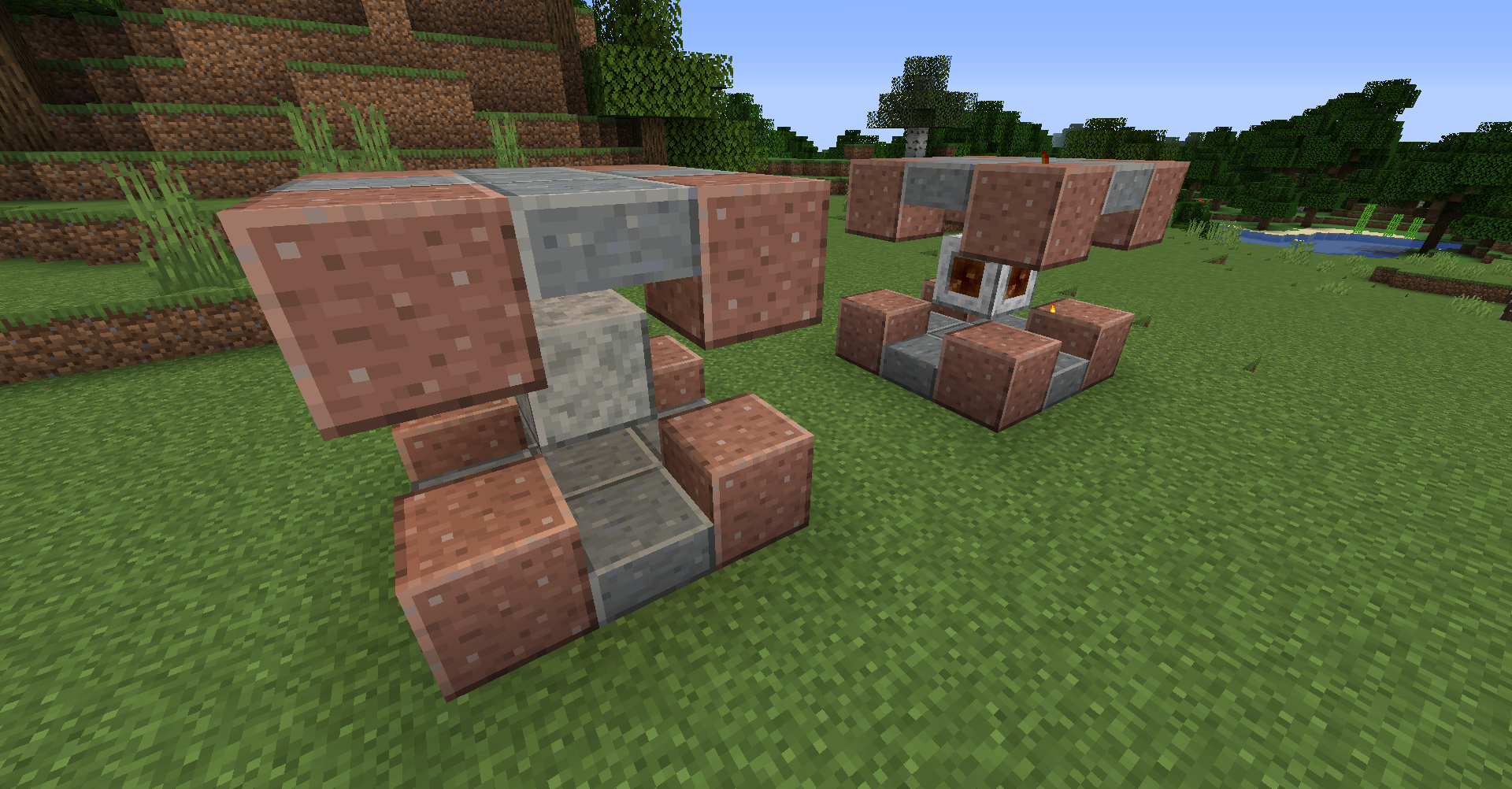
While playing in UAD's dimension, do note that it may take a moment to load chunks when running a large render distance.
______________________________________________________________________________
HOW CAN I CONFIGURE THIS MOD?
One of the biggest feature of this mod is nearly EVERYTHING worldgen is configurable! And to make it easier for you, all you have to do is download the below datapack that works for both Forge and Fabric, unzip it, edit the JSON files to the settings you want, and then put the datapack into your world's datapack folder which is found in the world's saves folder. When making a new world from scratch, you can click the datapack button and just put your datapack in the folder that was automatically opened for you. Though do note, there is a config file for this mod for the stuff that is not able to be done through datapacks such as heavy fog, allowing nether portals, cloud height, and making UAD's portal block always exit player's to the Overworld from UAD instead of their original dimensions.
------------------
DATAPACK
https://github.com/TelepathicGrunt/UltraAmplifiedDimension-Fabric/releases/tag/9.2.X
------------------
Lets take a look at the datapack! When you enter the data folder, you'll see 4 folder named c, forge, minecraft, and ultra_amplified_dimension. The first three are just for putting my blocks in the right tags for other mods to work with. We can just ignore these folder for most use cases. Instead, open up ultra_amplified_dimension and you will be greeted by several folders that we can check out!


DIMENSION
This folder holds the `ultra_amplified_dimension.json` file which creates the UAD dimension! Inside it, you can edit all kinds of stuff such as "biome_size" or "sea_level". At the bottom, there are a bunch of structures listed that you can change how common they are. Or you can just delete the structure's entry from this file to make the structure not spawn at all in this dimension! The noise values that created this dimension's shape is also exposed here and can be changed for more crazy or wild world shapes!
But the really cool thing is the "regions" section. In here, we have "ocean_biomes", "end_biomes", "nether_biomes", "hot_biomes", "warm_biomes", "cool_biomes", and "icy_biomes" lists. And each entry in this list is a group of biomes with a weight. We can add or remove biomes from here to customize the world more!Even other mod's biomes should work if you add them here. But make sure every region has at least 1 biome group in it. Now, "main_biome" and "weight" are the two entries all biome groups must define in order to work. Increase the weight to make a biome more likely to spawn. But you can add "sub_biome", "border_biome", "shore_biome", "mutated_biome", "mutated_sub_biome", or "mutated_border_biome" entries too to add some variety to the main biome. In the future, I would like to try and add a config option that automatically adds other mod's biomes to the dimension so you don't have to manually add them all by JSON but for now, you'll have to edit this file instead.
If you are daring, go to the config for this mod instead and set "import_all_modded_biomes" to true to import all modded biomes into the dimension! However, most other mod's biomes will not look good in the dimension. This is because UAD's biomes were highly tailored and tweaked to fit the terrain generation perfectly. But other mod's biomes are not made to fill land underneath or be so high up. The "imported_biome_blacklist" is also available to blacklist biomes if you choose to turn on "import_all_modded_biomes". But otherwise, I would recommend manually adding specific modded biomes you know will look good in UAD to the "region" section instead.
If you are looking to swap the Overworld with UAD's dimension, use this datapack instead that works for both Forge and Fabric:
https://github.com/TelepathicGrunt/UltraAmplifiedDimension-Fabric/releases/tag/9.2.X2
DIMENSION_TYPE
The `ultra_amplified_dimension.json` in this folder determines additional properties of the world such as "ambient_light", "has_skylight", "ultrawarm" (evaporates placed water), "bed_works" (false will make beds explode), and a bit more.
LOOT_TABLES
This folder has a blocks and chests folders. The blocks folder holds the loot tables that controls the drops for UAD's Amplified Portal block, glow-variant blocks, and cactus blocks. The folder called chests holds the loot table that controls what chests contains in UAD's structures such as Mushroom Temples or Dungeons. Edit these to change the loot and drops for chests and blocks!
RECIPES
This controls the crafting recipe for UAD's glow variant blocks. Edit this if you want to make the glow-variant blocks uncraftable or change it if it is conflicting with another mod's recipe.
STRUCTURES
Here, the structures folder will hold the nbt files for all of UAD's structures and nbt features. The parts that makes up the Ice Spike Temple, Dungeons, Sun Shrine, Stonehenge, and more are all located here. You can use Structure Blocks to spawn the structure piece, make edits, resave the changed piece to nbt, and then move it from the world's "generated" folder into this structures folder here to change UAD's structure piece. You can add your own nbt files into here as well and then use a special configured_feature in the worldgen folder to spawn it in the world!
TAGS
Here's where the tags that UAD uses are located. Inside the items folder here is "portal_activation_items.json" where you can add or remove as many items as you want that can be used to create UAD's portal! Inside the blocks folder, "portal_corner_blocks.json" and "portal_non_corner_blocks.json" are used to create the portal frame. These can be edited to allow other kinds of blocks to make the portal besides Polished Granite and Polished Andesite Slabs. The rest of the tags are used for worldgen and should only be edited if there is an issue with worldgen but that shouldn't ever happen.
WORLDGEN
THIS is the BIG folder that contains most of UAD's worldgen logic! The three folder that you would most likely want to edit are the biome, configured_carver, and configured_features folders. The biomes folder has every UAD's biome and you can edit their JSON to add/remove features, structures, carvers, mobs, whatever you want! You can even change the biome's sky color or grass color or more! Just know that the "depth" and "scale" values do nothing in UAD's dimension at the moment. The configured_carver has the ravines and cave cavity files. You can edit their "probability" entry to make the ravines or caves more rare or common. Higher number is more common. You can also change the tallness of ravines or what height they spawn at.
The configured_feature folder has nearly EVERYTHING you can think of. It controls the placements of trees, how common ores are, etc. The one entry you may want to edit is the "minecraft:count_extra" entry or "ultra_amplified_dimension:ledge_surface_placer" entry at the bottom of the jsons. These two control how often that feature spawn per chunk. For "minecraft:count_extra", the count is how many attempts to spawn the feature while extra_chance is how likely that extra_count number of attempts will be tried on top of count's number. For "ultra_amplified_dimension:ledge_surface_placer", the column_passes entry is how many times the game will scan the chunk from top to sea level and valid_spot_chance is how often it will attempt to spawn the feature when it hits the surface of land as it moved down the chunk.
The rest of the the JSON should be somewhat easy to work with. Such as copying an ore's file and just swapping out "state": { "Name": "minecraft:coal_ore" }, to the ore you want to spawn instead. Then add the new ore feature you made into the biome's JSON file to have the biome spawn it. Just be aware, "state" entries needs all the properties of the block listed out if the block has properties. Example: "state": { "Properties": {"snowy": "false"}, "Name": "minecraft:grass_block" },
The one feature I would like to point out is in ministructures/hay_bale_piles_common.json. This configured feature uses my "ultra_amplified_dimension:nbt_feature" feature that I made and this feature lets you specify any nbt file to spawn! Remember back in the STRUCTURES section when I said you can add your own nbt files to that folder? Well, with this configured feature, you can spawn those nbt files in the world! Pretty neat right? Just be sure to add the new configured feature that you make with this to the biome's JSON file so the biome knows to spawn it.
______________________________________________________________________________
If you are porting a world from 1.15.2 to 1.16.4, honestly, the best thing to do is just start a new world. But if you really want to port you old world, you could try making a new world in 1.16.4 with UAD (Ultra Amplified Dimension) on, opened the level.dat file of that world with NBTExplorer, copied the WorldGenSettings nbt section into the 1.15.2's level.dat. You might need to move the regions files for the old UAD dimension into the new region folder that the 1.16.4 version makes. Though, if you used the Ultra Amplified worldtype before, then ignore the regions files and put on the following datapack to make the overworld use UAD's terrain: https://github.com/TelepathicGrunt/UltraAmplifiedDimension-Fabric/releases/tag/9.1.X2 There is no guarantee that this will work so do this at your own risk and make backups.
*If you find an issue, glitch, or have a suggestion about my mod, let me know! But if you don't have a GitHub account to report in the Issue tab above, just comment what the problem is below and I'll try and get back to you ASAP! :)
Discord Link to #telepathicgrunt-mods channel for my mods! :

CURRENTLY FOR 1.17.1 MC
Forge version can be found here:
https://www.curseforge.com/minecraft/mc-mods/ultra-amplified-mod
(Please report any bugs you find)
Mojang bugs to beware of with this mod:
Make a copy of your world before putting on Ultra Amplified Dimension! If you remove any dimension mod, the Nether and End dimensions will be missing from the game due to a Mojang bug. Also, putting the mod back on will not restore the dimension. https://bugs.mojang.com/browse/MC-197860
SERVER OWNERS NOTE:
If you make a fresh new world with this mod on a server, restart the server after the world is made due to this mojang bug causing json dimensions to not be made upon world creation only on servers. https://bugs.mojang.com/browse/MC-195468
______________________________________________________________________________
WHAT IS ULTRA AMPLIFIED?
Ultra Amplified Dimension is a dimension mod that flattens the land into floating layers and uses vanilla-like biomes with nearly every feature modified to fit better with this insane landscape! This includes trees spawning under the layers with patches of Glowstone-infused blocks providing light and large columns connecting layers! Some biomes were improved greatly such as Tall Birch Forest generating massive thick 2x2 trees and ocean biomes now being giant floating bowls of water! And yes, the Nether and End biome is also included in this world too to make things more interesting. Even the Ice Mountain biome was transformed into Iced Terrain biome where all the Stone is now Ice!
Furthermore, you can find some new structures like Mushroom Temples or Ice Spike Temples and when you dig down, you will find a massive maze-like network of Ravines that leads to giant Cave Cavities with the floor filled with lava! The world is meant to be very difficult and tough but also fun to explore every corner! Be sure to stay safe and bring torches with you as you explore the lower layers! (Also, turn on Heavy Fog in the configs for an even more amazing experience!)
And lastly, when using this mod, you can craft the 7 glowstone infused blocks with the Crafting Table! Place the dirt-like block to infused in center and then put Glowstone above, below, left, and right of the block to craft the glow variant. Only Glowstone Ore cannot be crafted so it matches the behavior of vanilla ores which cannot be crafted.
Also, be sure to check out the images page for several screenshots of what the world looks like! And yes, you can use this mod in a modpack.
______________________________________________________________________________
HOW DO I ENTER THIS WORLD?
When using this mod and want to enter this dimension in any worldtype, be sure to build this portal like shown below! 8 Polished Granite, 10 Polished Andesite Slabs, and 1 Polished Diorite. Then right click on the Polished Diorite with Flint and Steel to create the portal block. Right click again on portal block (while not sneaking or crouching) to teleport to the Ultra Amplified Dimension! The reason why right clicking while crouching won't teleport you is so you can now place blocks on the portal itself if you want to. Also, you can mine the portal with any tool or your bare hands if you misplaced it (the portal will drop Polished Diorite when mined). You can change what blocks are needed for the portal frames or what activation items work by using a datapack to override the default tags! An already made datapack you can edit is further down.
While playing in UAD's dimension, do note that it may take a moment to load chunks when running a large render distance.
______________________________________________________________________________
HOW CAN I CONFIGURE THIS MOD?
One of the biggest feature of this mod is nearly EVERYTHING worldgen is configurable! And to make it easier for you, all you have to do is download the below datapack that works for both Forge and Fabric, unzip it, edit the JSON files to the settings you want, and then put the datapack into your world's datapack folder which is found in the world's saves folder. When making a new world from scratch, you can click the datapack button and just put your datapack in the folder that was automatically opened for you. Though do note, there is a config file for this mod for the stuff that is not able to be done through datapacks such as heavy fog, allowing nether portals, cloud height, and making UAD's portal block always exit player's to the Overworld from UAD instead of their original dimensions.
------------------
DATAPACK (Click link below)
------------------
Lets take a look at the datapack! When you enter the data folder, you'll see 4 folder named c, forge, minecraft, and ultra_amplified_dimension. The first three are just for putting my blocks in the right tags for other mods to work with. We can just ignore these folder for most use cases. Instead, open up ultra_amplified_dimension and you will be greeted by several folders that we can check out!
DIMENSION
This folder holds the `ultra_amplified_dimension.json` file which creates the UAD dimension! Inside it, you can edit all kinds of stuff such as "biome_size" or "sea_level". At the bottom, there are a bunch of structures listed that you can change how common they are. Or you can just delete the structure's entry from this file to make the structure not spawn at all in this dimension! The noise values that created this dimension's shape is also exposed here and can be changed for more crazy or wild world shapes!
But the really cool thing is the "regions" section. In here, we have "ocean_biomes", "end_biomes", "nether_biomes", "hot_biomes", "warm_biomes", "cool_biomes", and "icy_biomes" lists. And each entry in this list is a group of biomes with a weight. We can add or remove biomes from here to customize the world more!Even other mod's biomes should work if you add them here. But make sure every region has at least 1 biome group in it. Now, "main_biome" and "weight" are the two entries all biome groups must define in order to work. Increase the weight to make a biome more likely to spawn. But you can add "sub_biome", "border_biome", "shore_biome", "mutated_biome", "mutated_sub_biome", or "mutated_border_biome" entries too to add some variety to the main biome. In the future, I would like to try and add a config option that automatically adds other mod's biomes to the dimension so you don't have to manually add them all by JSON but for now, you'll have to edit this file instead.
If you are daring, go to the config for this mod instead and set "import_all_modded_biomes" to true to import all modded biomes into the dimension! However, most other mod's biomes will not look good in the dimension. This is because UAD's biomes were highly tailored and tweaked to fit the terrain generation perfectly. But other mod's biomes are not made to fill land underneath or be so high up. The "imported_biome_blacklist" is also available to blacklist biomes if you choose to turn on "import_all_modded_biomes". But otherwise, I would recommend manually adding specific modded biomes you know will look good in UAD to the "region" section instead.
If you are looking to swap the Overworld with UAD's dimension, use this datapack instead that works for both Forge and Fabric:
DIMENSION_TYPE
The `ultra_amplified_dimension.json` in this folder determines additional properties of the world such as "ambient_light", "has_skylight", "ultrawarm" (evaporates placed water), "bed_works" (false will make beds explode), and a bit more.
LOOT_TABLES
This folder has a blocks and chests folders. The blocks folder holds the loot tables that controls the drops for UAD's Amplified Portal block, glow-variant blocks, and cactus blocks. The folder called chests holds the loot table that controls what chests contains in UAD's structures such as Mushroom Temples or Dungeons. Edit these to change the loot and drops for chests and blocks!
RECIPES
This controls the crafting recipe for UAD's glow variant blocks. Edit this if you want to make the glow-variant blocks uncraftable or change it if it is conflicting with another mod's recipe.
STRUCTURES
Here, the structures folder will hold the nbt files for all of UAD's structures and nbt features. The parts that makes up the Ice Spike Temple, Dungeons, Sun Shrine, Stonehenge, and more are all located here. You can use Structure Blocks to spawn the structure piece, make edits, resave the changed piece to nbt, and then move it from the world's "generated" folder into this structures folder here to change UAD's structure piece. You can add your own nbt files into here as well and then use a special configured_feature in the worldgen folder to spawn it in the world!
TAGS
Here's where the tags that UAD uses are located. Inside the items folder here is "portal_activation_items.json" where you can add or remove as many items as you want that can be used to create UAD's portal! Inside the blocks folder, "portal_corner_blocks.json" and "portal_non_corner_blocks.json" are used to create the portal frame. These can be edited to allow other kinds of blocks to make the portal besides Polished Granite and Polished Andesite Slabs. The rest of the tags are used for worldgen and should only be edited if there is an issue with worldgen but that shouldn't ever happen.
WORLDGEN
THIS is the BIG folder that contains most of UAD's worldgen logic! The three folder that you would most likely want to edit are the biome, configured_carver, and configured_features folders. The biomes folder has every UAD's biome and you can edit their JSON to add/remove features, structures, carvers, mobs, whatever you want! You can even change the biome's sky color or grass color or more! Just know that the "depth" and "scale" values do nothing in UAD's dimension at the moment. The configured_carver has the ravines and cave cavity files. You can edit their "probability" entry to make the ravines or caves more rare or common. Higher number is more common. You can also change the tallness of ravines or what height they spawn at.
The configured_feature folder has nearly EVERYTHING you can think of. It controls the placements of trees, how common ores are, etc. The one entry you may want to edit is the "minecraft:count_extra" entry or "ultra_amplified_dimension:ledge_surface_placer" entry at the bottom of the jsons. These two control how often that feature spawn per chunk. For "minecraft:count_extra", the count is how many attempts to spawn the feature while extra_chance is how likely that extra_count number of attempts will be tried on top of count's number. For "ultra_amplified_dimension:ledge_surface_placer", the column_passes entry is how many times the game will scan the chunk from top to sea level and valid_spot_chance is how often it will attempt to spawn the feature when it hits the surface of land as it moved down the chunk.
The rest of the the JSON should be somewhat easy to work with. Such as copying an ore's file and just swapping out "state": { "Name": "minecraft:coal_ore" }, to the ore you want to spawn instead. Then add the new ore feature you made into the biome's JSON file to have the biome spawn it. Just be aware, "state" entries needs all the properties of the block listed out if the block has properties. Example: "state": { "Properties": {"snowy": "false"}, "Name": "minecraft:grass_block" },
The one feature I would like to point out is in ministructures/hay_bale_piles_common.json. This configured feature uses my "ultra_amplified_dimension:nbt_feature" feature that I made and this feature lets you specify any nbt file to spawn! Remember back in the STRUCTURES section when I said you can add your own nbt files to that folder? Well, with this configured feature, you can spawn those nbt files in the world! Pretty neat right? Just be sure to add the new configured feature that you make with this to the biome's JSON file so the biome knows to spawn it.
______________________________________________________________________________
*If you find an issue, glitch, or have a suggestion about my mod, let me know! But if you don't have a GitHub account to report in the Issue tab above, just comment what the problem is below and I'll try and get back to you ASAP! :)
Discord Link to #telepathicgrunt-mods channel for my mods! :
CURRENTLY FOR 1.16.5 MC
Fabric version of this mod can be found here: https://modrinth.com/mod/ultra-amplified-dimension-fabric
1.16.5 News: Added Recipe Book entries of my mod's recipes
(Please report any bugs you find)
____________________________________________________________________________
WHAT IS ULTRA AMPLIFIED?
Ultra Amplified Dimension is a dimension mod that flattens the land into floating layers and uses vanilla-like biomes with nearly every feature modified to fit better with this insane landscape! This includes trees spawning under the layers with patches of Glowstone-infused blocks providing light and large columns connecting layers! Some biomes were improved greatly such as Tall Birch Forest generating massive thick 2x2 trees and ocean biomes now being giant floating bowls of water! And yes, the Nether and End biome is also included in this world too to make things more interesting. Even the Ice Mountain biome was transformed into Iced Terrain biome where all the Stone is now Ice!
Furthermore, you can find some new structures like Mushroom Temples or Ice Spike Temples and when you dig down, you will find a massive maze-like network of Ravines that leads to giant Cave Cavities with the floor filled with lava! The world is meant to be very difficult and tough but also fun to explore every corner! Be sure to stay safe and bring torches with you as you explore the lower layers! (Also, turn on Heavy Fog in the configs for an even more amazing experience!)
And lastly, when using this mod, you can craft the 7 glowstone infused blocks with the Crafting Table! Place the dirt-like block to infused in center and then put Glowstone above, below, left, and right of the block to craft the glow variant. Only Glowstone Ore cannot be crafted so it matches the behavior of vanilla ores which cannot be crafted.
Also, be sure to check out the images page for several screenshots of what the world looks like! And yes, you can use this mod in a modpack.
____________________________________________________________________________
HOW DO I ENTER THIS WORLD?
When using this mod and want to enter this dimension in any worldtype, be sure to build this portal like shown below! 8 Polished Granite, 10 Polished Andesite Slabs, and 1 Polished Diorite. Then right click on the Polished Diorite with Flint and Steel to create the portal block. Right click again on portal block (while not sneaking or crouching) to teleport to the Ultra Amplified Dimension! The reason why right clicking while crouching won't teleport you is so you can now place blocks on the portal itself if you want to. Also, you can mine the portal with any tool or your bare hands if you misplaced it (the portal will drop Polished Diorite when mined). You can change what blocks are needed for the portal frames or what activation items work by using a datapack to override the default tags! An already made datapack you can edit is further down.
While playing in UAD's dimension, do note that it may take a moment to load chunks when running a large render distance.
____________________________________________________________________________
HOW CAN I CONFIGURE THIS MOD?
One of the biggest feature of this mod is nearly EVERYTHING worldgen is configurable! And to make it easier for you, all you have to do is download the below datapack that works for both Forge and Fabric, unzip it, edit the JSON files to the settings you want, and then put the datapack into your world's datapack folder which is found in the world's saves folder. When making a new world from scratch, you can click the datapack button and just put your datapack in the folder that was automatically opened for you. Though do note, there is a config file for this mod for the stuff that is not able to be done through datapacks such as heavy fog, allowing nether portals, cloud height, and making UAD's portal block always exit player's to the Overworld from UAD instead of their original dimensions.
------------------
DATAPACK
https://github.com/TelepathicGrunt/UltraAmplifiedDimension-Fabric/releases/tag/9.2.X
------------------
Lets take a look at the datapack! When you enter the data folder, you'll see 4 folder named c, forge, minecraft, and ultra_amplified_dimension. The first three are just for putting my blocks in the right tags for other mods to work with. We can just ignore these folder for most use cases. Instead, open up ultra_amplified_dimension and you will be greeted by several folders that we can check out!
DIMENSION
This folder holds the ultra_amplified_dimension.json file which creates the UAD dimension! Inside it, you can edit all kinds of stuff such as "biome_size" or "sea_level". At the bottom, there are a bunch of structures listed that you can change how common they are. Or you can just delete the structure's entry from this file to make the structure not spawn at all in this dimension! The noise values that created this dimension's shape is also exposed here and can be changed for more crazy or wild world shapes!
But the really cool thing is the "regions" section. In here, we have "ocean_biomes", "end_biomes", "nether_biomes", "hot_biomes", "warm_biomes", "cool_biomes", and "icy_biomes" lists. And each entry in this list is a group of biomes with a weight. We can add or remove biomes from here to customize the world more!Even other mod's biomes should work if you add them here. But make sure every region has at least 1 biome group in it. Now, "main_biome" and "weight" are the two entries all biome groups must define in order to work. Increase the weight to make a biome more likely to spawn. But you can add "sub_biome", "border_biome", "shore_biome", "mutated_biome", "mutated_sub_biome", or "mutated_border_biome" entries too to add some variety to the main biome. In the future, I would like to try and add a config option that automatically adds other mod's biomes to the dimension so you don't have to manually add them all by JSON but for now, you'll have to edit this file instead.
If you are daring, go to the config for this mod instead and set "import_all_modded_biomes" to true to import all modded biomes into the dimension! However, most other mod's biomes will not look good in the dimension. This is because UAD's biomes were highly tailored and tweaked to fit the terrain generation perfectly. But other mod's biomes are not made to fill land underneath or be so high up. The "imported_biome_blacklist" is also available to blacklist biomes if you choose to turn on "import_all_modded_biomes". But otherwise, I would recommend manually adding specific modded biomes you know will look good in UAD to the "region" section instead.
If you are looking to swap the Overworld with UAD's dimension, use this datapack instead that works for both Forge and Fabric:
https://github.com/TelepathicGrunt/UltraAmplifiedDimension-Fabric/releases/tag/9.2.X2
DIMENSION_TYPE
The ultra_amplified_dimension.json in this folder determines additional properties of the world such as "ambient_light", "has_skylight", "ultrawarm" (evaporates placed water), "bed_works" (false will make beds explode), and a bit more.
LOOT_TABLES
This folder has a blocks and chests folders. The blocks folder holds the loot tables that controls the drops for UAD's Amplified Portal block, glow-variant blocks, and cactus blocks. The folder called chests holds the loot table that controls what chests contains in UAD's structures such as Mushroom Temples or Dungeons. Edit these to change the loot and drops for chests and blocks!
RECIPES
This controls the crafting recipe for UAD's glow variant blocks. Edit this if you want to make the glow-variant blocks uncraftable or change it if it is conflicting with another mod's recipe.
STRUCTURES
Here, the structures folder will hold the nbt files for all of UAD's structures and nbt features. The parts that makes up the Ice Spike Temple, Dungeons, Sun Shrine, Stonehenge, and more are all located here. You can use Structure Blocks to spawn the structure piece, make edits, resave the changed piece to nbt, and then move it from the world's "generated" folder into this structures folder here to change UAD's structure piece. You can add your own nbt files into here as well and then use a special configured_feature in the worldgen folder to spawn it in the world!
TAGS
Here's where the tags that UAD uses are located. Inside the items folder here is "portal_activation_items.json" where you can add or remove as many items as you want that can be used to create UAD's portal! Inside the blocks folder, "portal_corner_blocks.json" and "portal_non_corner_blocks.json" are used to create the portal frame. These can be edited to allow other kinds of blocks to make the portal besides Polished Granite and Polished Andesite Slabs. The rest of the tags are used for worldgen and should only be edited if there is an issue with worldgen but that shouldn't ever happen.
WORLDGEN
THIS is the BIG folder that contains most of UAD's worldgen logic! The three folder that you would most likely want to edit are the biome, configured_carver, and configured_features folders. The biomes folder has every UAD's biome and you can edit their JSON to add/remove features, structures, carvers, mobs, whatever you want! You can even change the biome's sky color or grass color or more! Just know that the "depth" and "scale" values do nothing in UAD's dimension at the moment. The configured_carver has the ravines and cave cavity files. You can edit their "probability" entry to make the ravines or caves more rare or common. Higher number is more common. You can also change the tallness of ravines or what height they spawn at.
The configured_feature folder has nearly EVERYTHING you can think of. It controls the placements of trees, how common ores are, etc. The one entry you may want to edit is the "minecraft:count_extra" entry or "ultra_amplified_dimension:ledge_surface_placer" entry at the bottom of the jsons. These two control how often that feature spawn per chunk. For "minecraft:count_extra", the count is how many attempts to spawn the feature while extra_chance is how likely that extra_count number of attempts will be tried on top of count's number. For "ultra_amplified_dimension:ledge_surface_placer", the column_passes entry is how many times the game will scan the chunk from top to sea level and valid_spot_chance is how often it will attempt to spawn the feature when it hits the surface of land as it moved down the chunk.
The rest of the the JSON should be somewhat easy to work with. Such as copying an ore's file and just swapping out "state": { "Name": "minecraft:coal_ore" }, to the ore you want to spawn instead. Then add the new ore feature you made into the biome's JSON file to have the biome spawn it. Just be aware, "state" entries needs all the properties of the block listed out if the block has properties. Example: "state": { "Properties": {"snowy": "false"}, "Name": "minecraft:grass_block" },
The one feature I would like to point out is in ministructures/hay_bale_piles_common.json. This configured feature uses my "ultra_amplified_dimension:nbt_feature" feature that I made and this feature lets you specify any nbt file to spawn! Remember back in the STRUCTURES section when I said you can add your own nbt files to that folder? Well, with this configured feature, you can spawn those nbt files in the world! Pretty neat right? Just be sure to add the new configured feature that you make with this to the biome's JSON file so the biome knows to spawn it.
____________________________________________________________________________
If you find an issue, glitch, or have a suggestion about my mod, let me know! But if you don't have a GitHub account to report in the Issue tab above, just comment what the problem is below and I'll try and get back to you ASAP! :)
CURRENTLY FOR 1.17.1 MC
Forge version can be found here: https://modrinth.com/mod/ultra-amplified-dimension
1.17.1 News: Updated for 1.17.1 MC now!
(Please report any bugs you find)
Mojang bugs to beware of with this mod:
Make a copy of your world before putting on Ultra Amplified Dimension! If you remove any dimension mod, the Nether and End dimensions will be missing from the game due to a Mojang bug. Also, putting the mod back on will not restore the dimension. https://bugs.mojang.com/browse/MC-197860
SERVER OWNERS NOTE:
If you make a fresh new world with this mod on a server, restart the server after the world is made due to this mojang bug causing json dimensions to not be made upon world creation only on servers. https://bugs.mojang.com/browse/MC-195468
____________________________________________________________________________
WHAT IS ULTRA AMPLIFIED?
Ultra Amplified Dimension is a dimension mod that flattens the land into floating layers and uses vanilla-like biomes with nearly every feature modified to fit better with this insane landscape! This includes trees spawning under the layers with patches of Glowstone-infused blocks providing light and large columns connecting layers! Some biomes were improved greatly such as Tall Birch Forest generating massive thick 2x2 trees and ocean biomes now being giant floating bowls of water! And yes, the Nether and End biome is also included in this world too to make things more interesting. Even the Ice Mountain biome was transformed into Iced Terrain biome where all the Stone is now Ice!
Furthermore, you can find some new structures like Mushroom Temples or Ice Spike Temples and when you dig down, you will find a massive maze-like network of Ravines that leads to giant Cave Cavities with the floor filled with lava! The world is meant to be very difficult and tough but also fun to explore every corner! Be sure to stay safe and bring torches with you as you explore the lower layers! (Also, turn on Heavy Fog in the configs for an even more amazing experience!)
And lastly, when using this mod, you can craft the 7 glowstone infused blocks with the Crafting Table! Place the dirt-like block to infused in center and then put Glowstone above, below, left, and right of the block to craft the glow variant. Only Glowstone Ore cannot be crafted so it matches the behavior of vanilla ores which cannot be crafted.
Also, be sure to check out the images page for several screenshots of what the world looks like! And yes, you can use this mod in a modpack.
____________________________________________________________________________
HOW DO I ENTER THIS WORLD?
When using this mod and want to enter this dimension in any worldtype, be sure to build this portal like shown below! 8 Polished Granite, 10 Polished Andesite Slabs, and 1 Polished Diorite. Then right click on the Polished Diorite with Flint and Steel to create the portal block. Right click again on portal block (while not sneaking or crouching) to teleport to the Ultra Amplified Dimension! The reason why right clicking while crouching won't teleport you is so you can now place blocks on the portal itself if you want to. Also, you can mine the portal with any tool or your bare hands if you misplaced it (the portal will drop Polished Diorite when mined). You can change what blocks are needed for the portal frames or what activation items work by using a datapack to override the default tags! An already made datapack you can edit is further down.
While playing in UAD's dimension, do note that it may take a moment to load chunks when running a large render distance.
______________________________________________________________________________
HOW CAN I CONFIGURE THIS MOD?
One of the biggest feature of this mod is nearly EVERYTHING worldgen is configurable! And to make it easier for you, all you have to do is download the below datapack that works for both Forge and Fabric, unzip it, edit the JSON files to the settings you want, and then put the datapack into your world's datapack folder which is found in the world's saves folder. When making a new world from scratch, you can click the datapack button and just put your datapack in the folder that was automatically opened for you. Though do note, there is a config file for this mod for the stuff that is not able to be done through datapacks such as heavy fog, allowing nether portals, cloud height, and making UAD's portal block always exit player's to the Overworld from UAD instead of their original dimensions.
------------------
DATAPACK (Click link below)
------------------
Lets take a look at the datapack! When you enter the data folder, you'll see 4 folder named c, forge, minecraft, and ultra_amplified_dimension. The first three are just for putting my blocks in the right tags for other mods to work with. We can just ignore these folder for most use cases. Instead, open up ultra_amplified_dimension and you will be greeted by several folders that we can check out!
DIMENSION
This folder holds the ultra_amplified_dimension.json file which creates the UAD dimension! Inside it, you can edit all kinds of stuff such as "biome_size" or "sea_level". At the bottom, there are a bunch of structures listed that you can change how common they are. Or you can just delete the structure's entry from this file to make the structure not spawn at all in this dimension! The noise values that created this dimension's shape is also exposed here and can be changed for more crazy or wild world shapes!
But the really cool thing is the "regions" section. In here, we have "ocean_biomes", "end_biomes", "nether_biomes", "hot_biomes", "warm_biomes", "cool_biomes", and "icy_biomes" lists. And each entry in this list is a group of biomes with a weight. We can add or remove biomes from here to customize the world more!Even other mod's biomes should work if you add them here. But make sure every region has at least 1 biome group in it. Now, "main_biome" and "weight" are the two entries all biome groups must define in order to work. Increase the weight to make a biome more likely to spawn. But you can add "sub_biome", "border_biome", "shore_biome", "mutated_biome", "mutated_sub_biome", or "mutated_border_biome" entries too to add some variety to the main biome. In the future, I would like to try and add a config option that automatically adds other mod's biomes to the dimension so you don't have to manually add them all by JSON but for now, you'll have to edit this file instead.
If you are daring, go to the config for this mod instead and set "import_all_modded_biomes" to true to import all modded biomes into the dimension! However, most other mod's biomes will not look good in the dimension. This is because UAD's biomes were highly tailored and tweaked to fit the terrain generation perfectly. But other mod's biomes are not made to fill land underneath or be so high up. The "imported_biome_blacklist" is also available to blacklist biomes if you choose to turn on "import_all_modded_biomes". But otherwise, I would recommend manually adding specific modded biomes you know will look good in UAD to the "region" section instead.
If you are looking to swap the Overworld with UAD's dimension, use this datapack instead that works for both Forge and Fabric:
DIMENSION_TYPE
The ultra_amplified_dimension.json in this folder determines additional properties of the world such as "ambient_light", "has_skylight", "ultrawarm" (evaporates placed water), "bed_works" (false will make beds explode), and a bit more.
LOOT_TABLES
This folder has a blocks and chests folders. The blocks folder holds the loot tables that controls the drops for UAD's Amplified Portal block, glow-variant blocks, and cactus blocks. The folder called chests holds the loot table that controls what chests contains in UAD's structures such as Mushroom Temples or Dungeons. Edit these to change the loot and drops for chests and blocks!
RECIPES
This controls the crafting recipe for UAD's glow variant blocks. Edit this if you want to make the glow-variant blocks uncraftable or change it if it is conflicting with another mod's recipe.
STRUCTURES
Here, the structures folder will hold the nbt files for all of UAD's structures and nbt features. The parts that makes up the Ice Spike Temple, Dungeons, Sun Shrine, Stonehenge, and more are all located here. You can use Structure Blocks to spawn the structure piece, make edits, resave the changed piece to nbt, and then move it from the world's "generated" folder into this structures folder here to change UAD's structure piece. You can add your own nbt files into here as well and then use a special configured_feature in the worldgen folder to spawn it in the world!
TAGS
Here's where the tags that UAD uses are located. Inside the items folder here is "portal_activation_items.json" where you can add or remove as many items as you want that can be used to create UAD's portal! Inside the blocks folder, "portal_corner_blocks.json" and "portal_non_corner_blocks.json" are used to create the portal frame. These can be edited to allow other kinds of blocks to make the portal besides Polished Granite and Polished Andesite Slabs. The rest of the tags are used for worldgen and should only be edited if there is an issue with worldgen but that shouldn't ever happen.
WORLDGEN
THIS is the BIG folder that contains most of UAD's worldgen logic! The three folder that you would most likely want to edit are the biome, configured_carver, and configured_features folders. The biomes folder has every UAD's biome and you can edit their JSON to add/remove features, structures, carvers, mobs, whatever you want! You can even change the biome's sky color or grass color or more! Just know that the "depth" and "scale" values do nothing in UAD's dimension at the moment. The configured_carver has the ravines and cave cavity files. You can edit their "probability" entry to make the ravines or caves more rare or common. Higher number is more common. You can also change the tallness of ravines or what height they spawn at.
The configured_feature folder has nearly EVERYTHING you can think of. It controls the placements of trees, how common ores are, etc. The one entry you may want to edit is the "minecraft:count_extra" entry or "ultra_amplified_dimension:ledge_surface_placer" entry at the bottom of the jsons. These two control how often that feature spawn per chunk. For "minecraft:count_extra", the count is how many attempts to spawn the feature while extra_chance is how likely that extra_count number of attempts will be tried on top of count's number. For "ultra_amplified_dimension:ledge_surface_placer", the column_passes entry is how many times the game will scan the chunk from top to sea level and valid_spot_chance is how often it will attempt to spawn the feature when it hits the surface of land as it moved down the chunk.
The rest of the the JSON should be somewhat easy to work with. Such as copying an ore's file and just swapping out "state": { "Name": "minecraft:coal_ore" }, to the ore you want to spawn instead. Then add the new ore feature you made into the biome's JSON file to have the biome spawn it. Just be aware, "state" entries needs all the properties of the block listed out if the block has properties. Example: "state": { "Properties": {"snowy": "false"}, "Name": "minecraft:grass_block" },
The one feature I would like to point out is in ministructures/hay_bale_piles_common.json. This configured feature uses my "ultra_amplified_dimension:nbt_feature" feature that I made and this feature lets you specify any nbt file to spawn! Remember back in the STRUCTURES section when I said you can add your own nbt files to that folder? Well, with this configured feature, you can spawn those nbt files in the world! Pretty neat right? Just be sure to add the new configured feature that you make with this to the biome's JSON file so the biome knows to spawn it.
____________________________________________________________________________
If you find an issue, glitch, or have a suggestion about my mod, let me know! But if you don't have a GitHub account to report in the Issue tab above, just comment what the problem is below and I'll try and get back to you ASAP! :)
Screenshots
Gallery
-
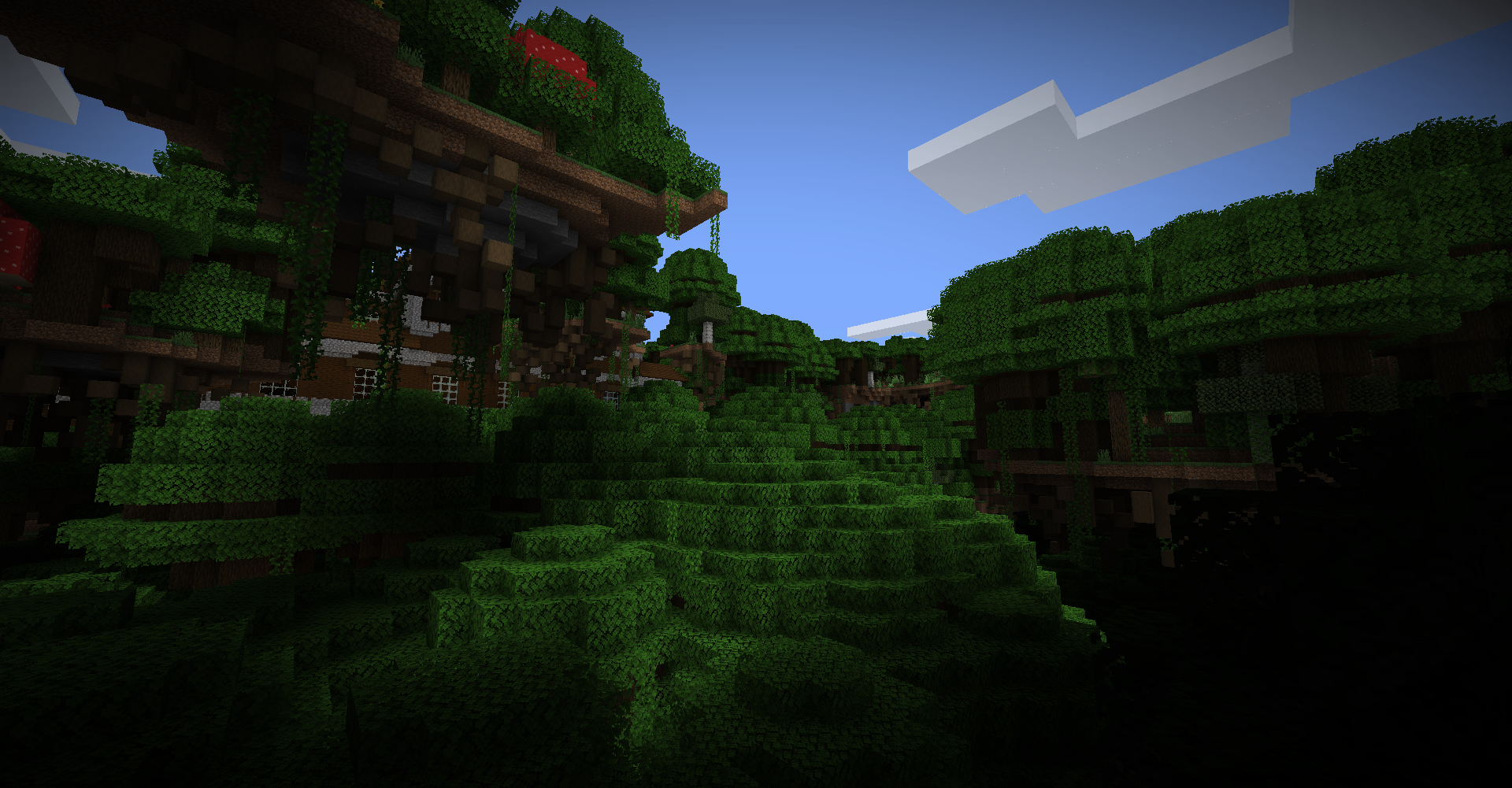 Towering Mansions in large Dark Forests Mansions do spawn in this world and often tower above everything ominously! This variant of Dark Forest also has even bigger Dark Oak trees and is much more dense in trees. Being below the treeline can be scary...
 -
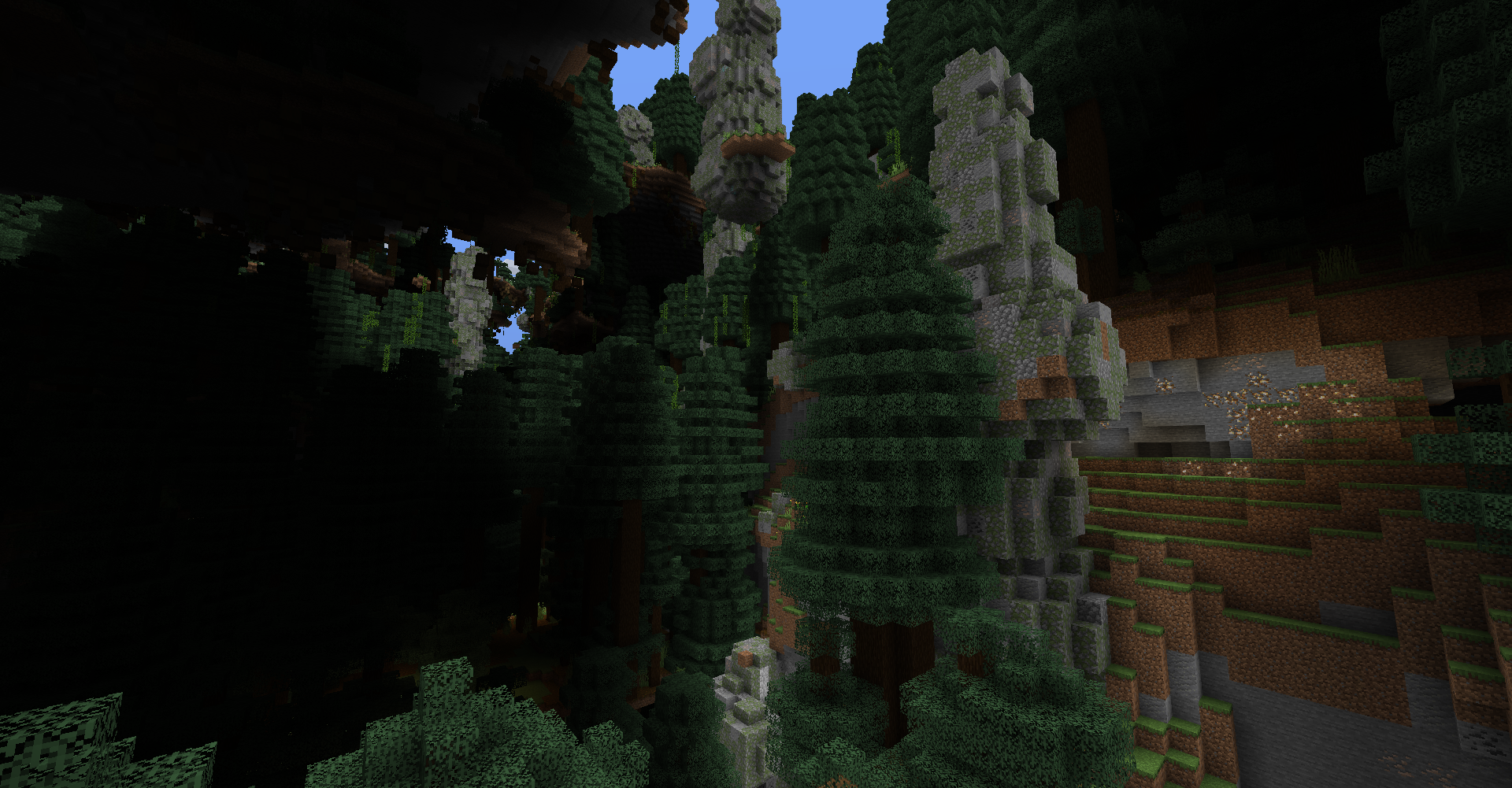 Giant Spruce Taiga Pillars biome A variant of the Giant Tree Taiga biome with massive pillars of boulders! They are a great source of easy Coal and Iron Ores!
 -
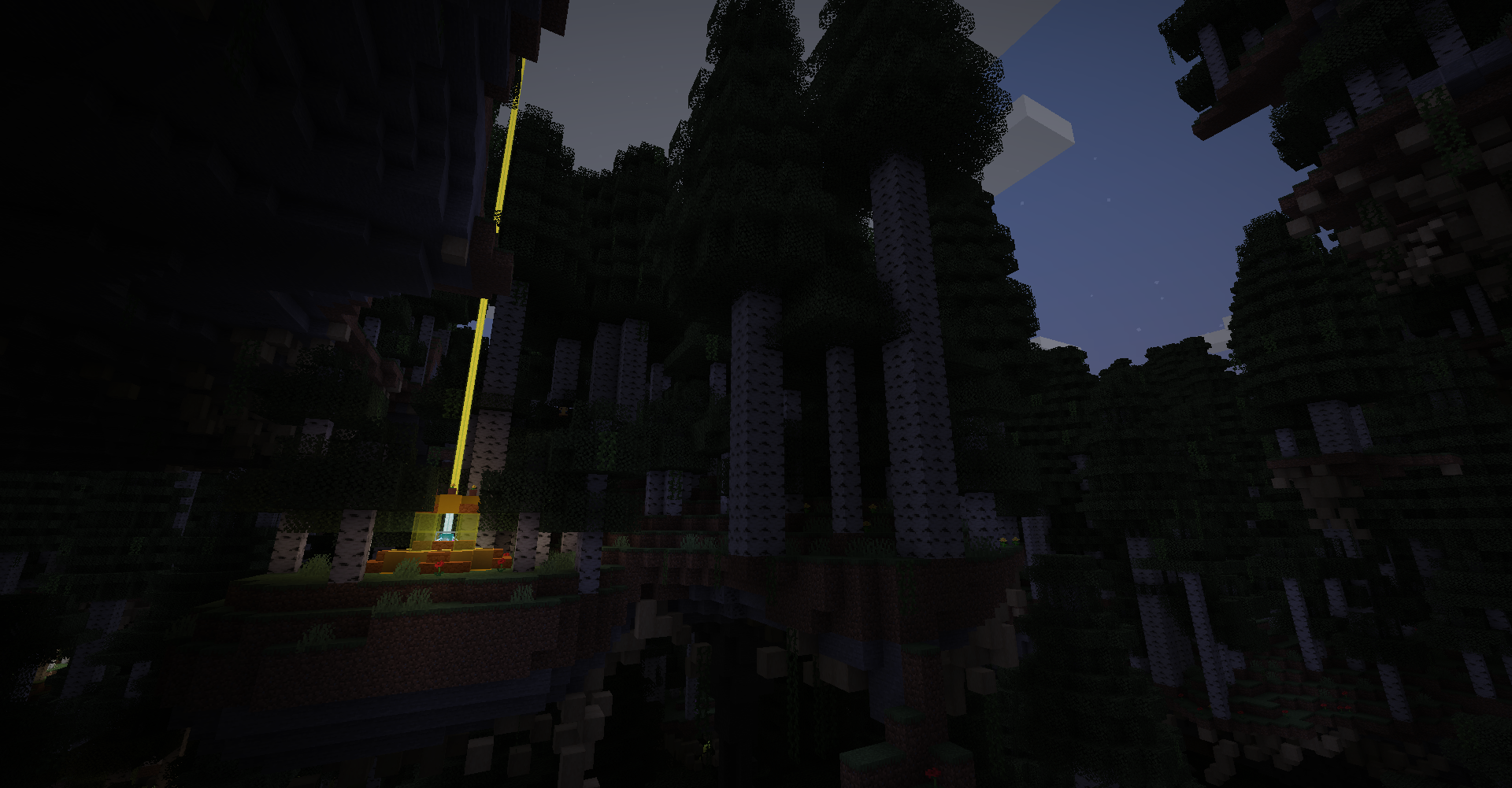 Sun Shrine in Tall Birch Forest The most rarest structure in UAD is the Sun Shrine. They give you a Speed Boost when nearby as a gift but don't try to vandalize the shrine! You might regret it...
 -
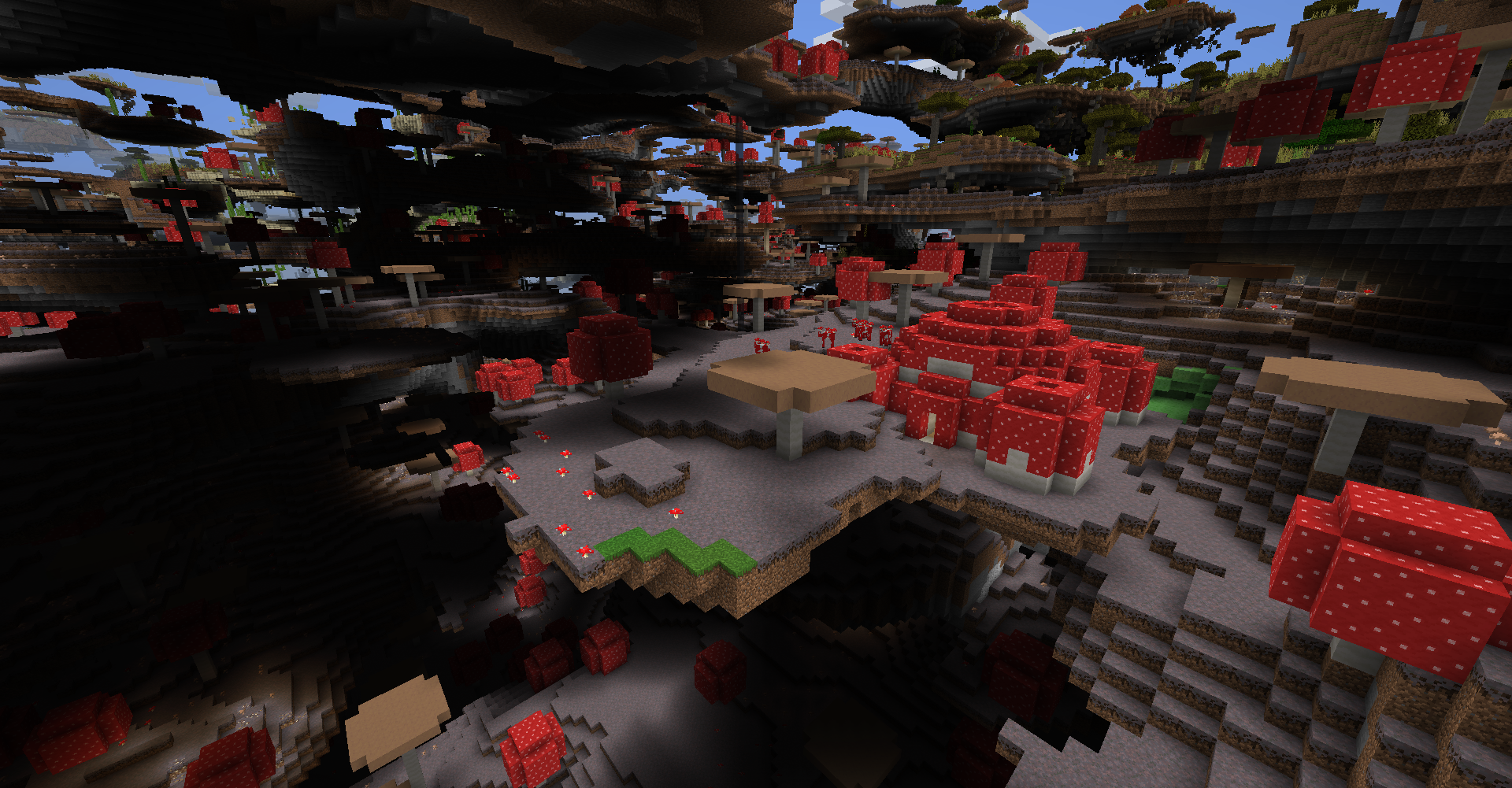 Mushroom Temple Mushroom biomes aren't super common but when they do spawn, Mushroom Temple are all over the place! Be sure to explore every inch of the temple as there's some secrets with it...
 -
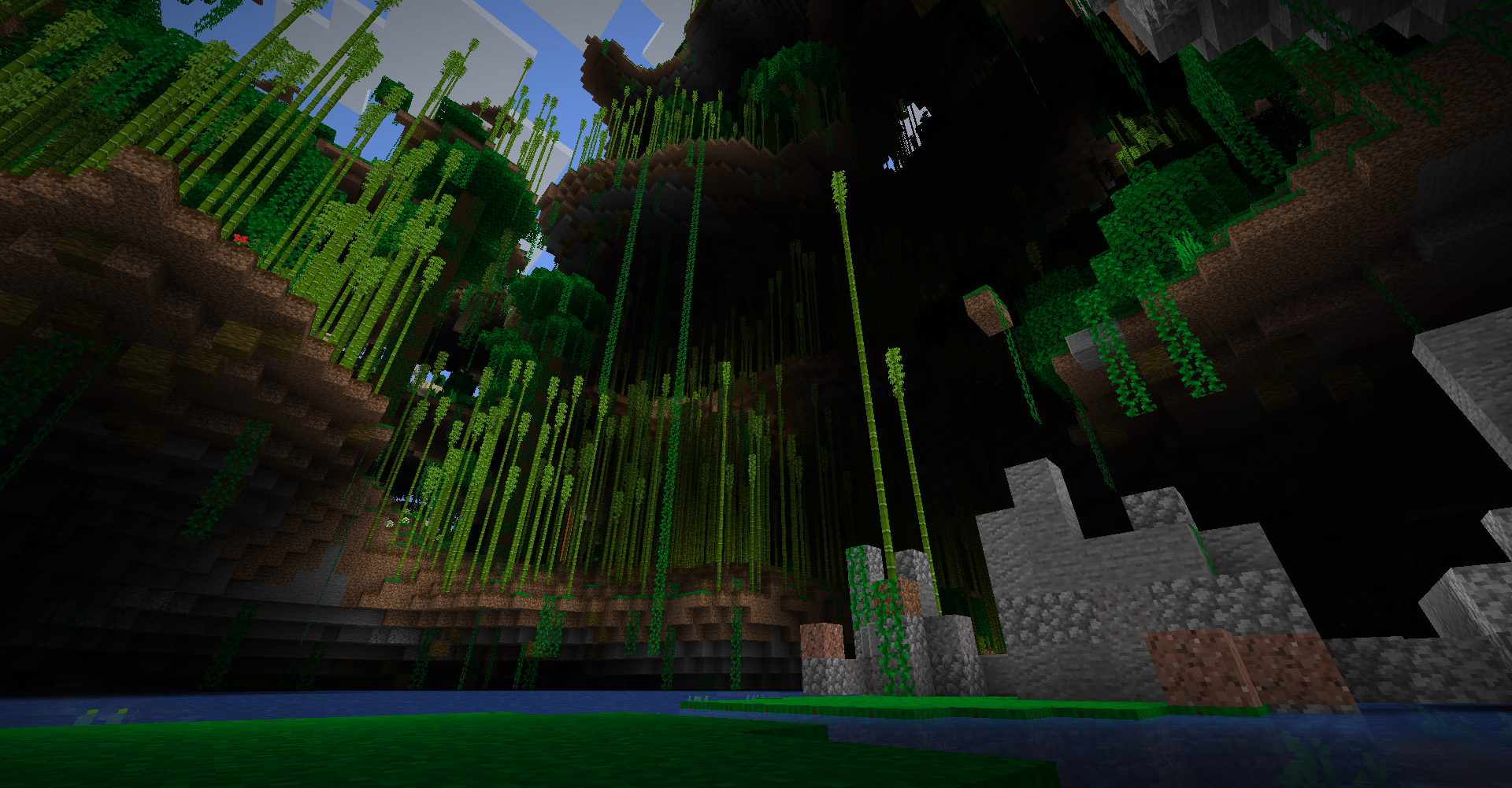 Bamboo Jungle A Stoneghenge structure within a Bamboo Jungle. There's always water at sealevel in this world so sometimes, there may be a clear path for you to jump down from high up like here!
 -
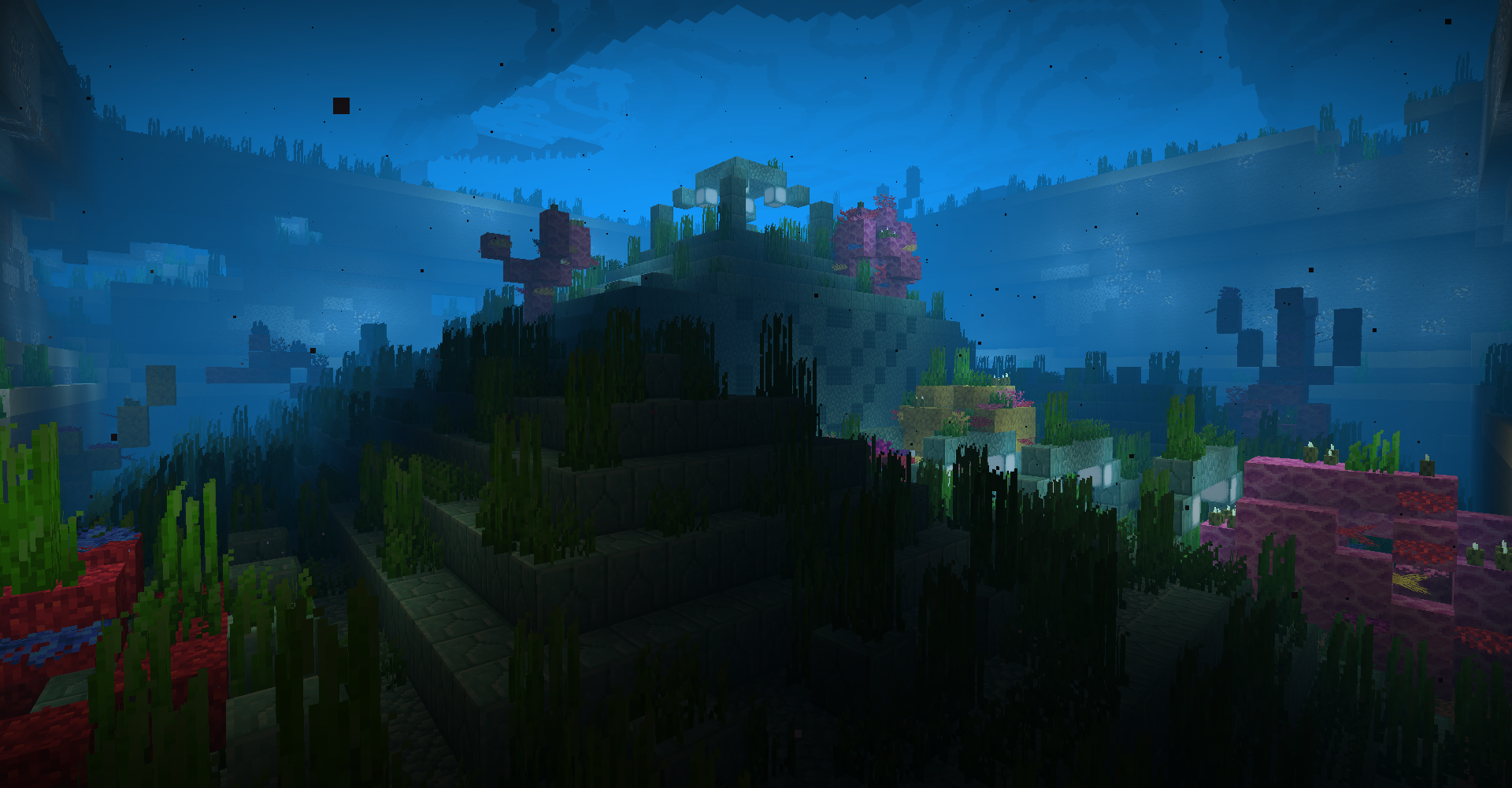 Ocean Monument in Warm Ocean At the bottom of ocean biomes, you might find an Ocean Monument in a pit! This one is covered in Warm Ocean's coral! Also, there may be other secrets on the ocean floor so look for anything strange!
 -
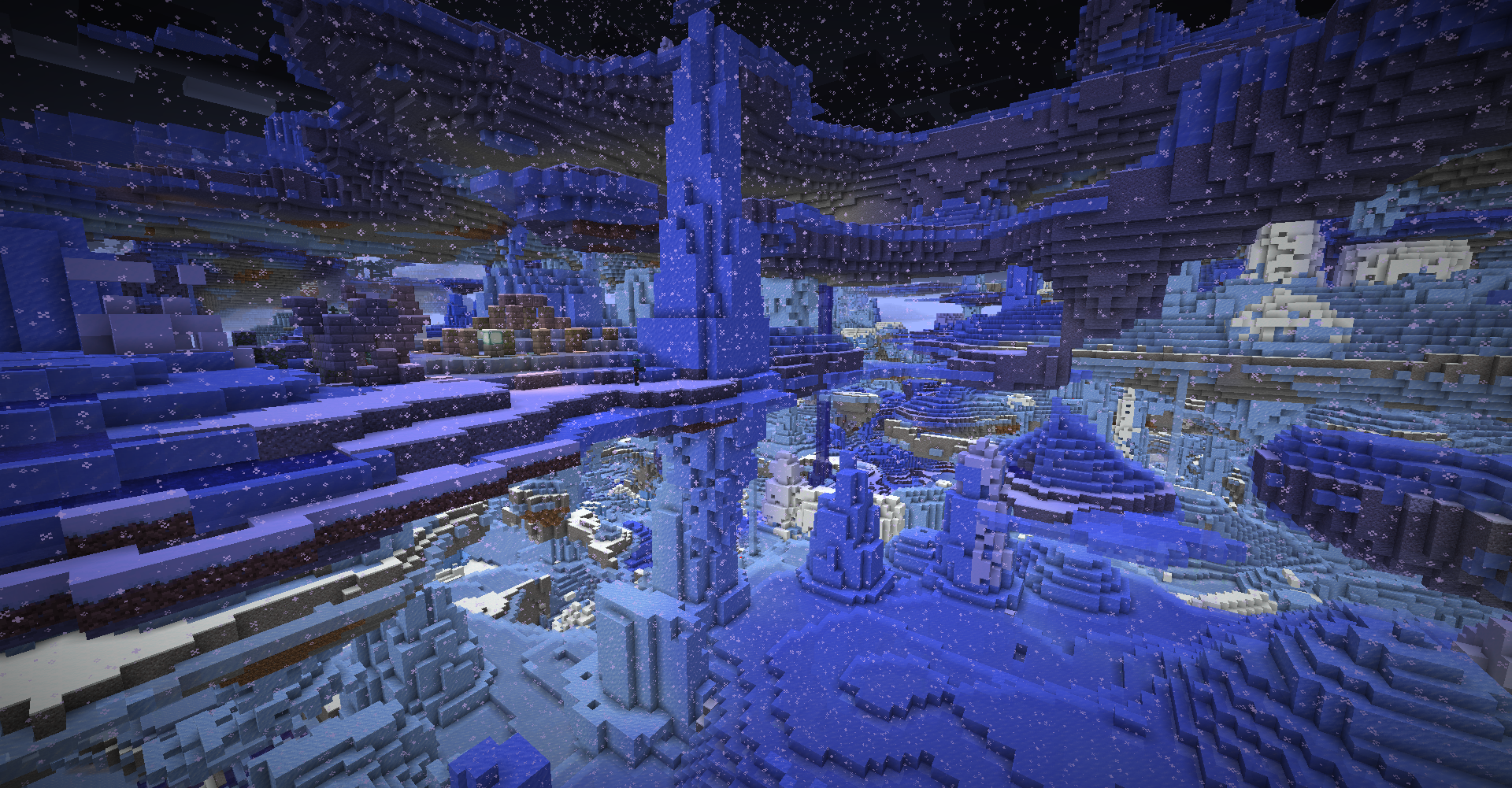 Frozen Ocean The Frozen Oceans are filled with crazy amounts of Icebergs. They are a great source of all ice but be sure to stay warm!
 -
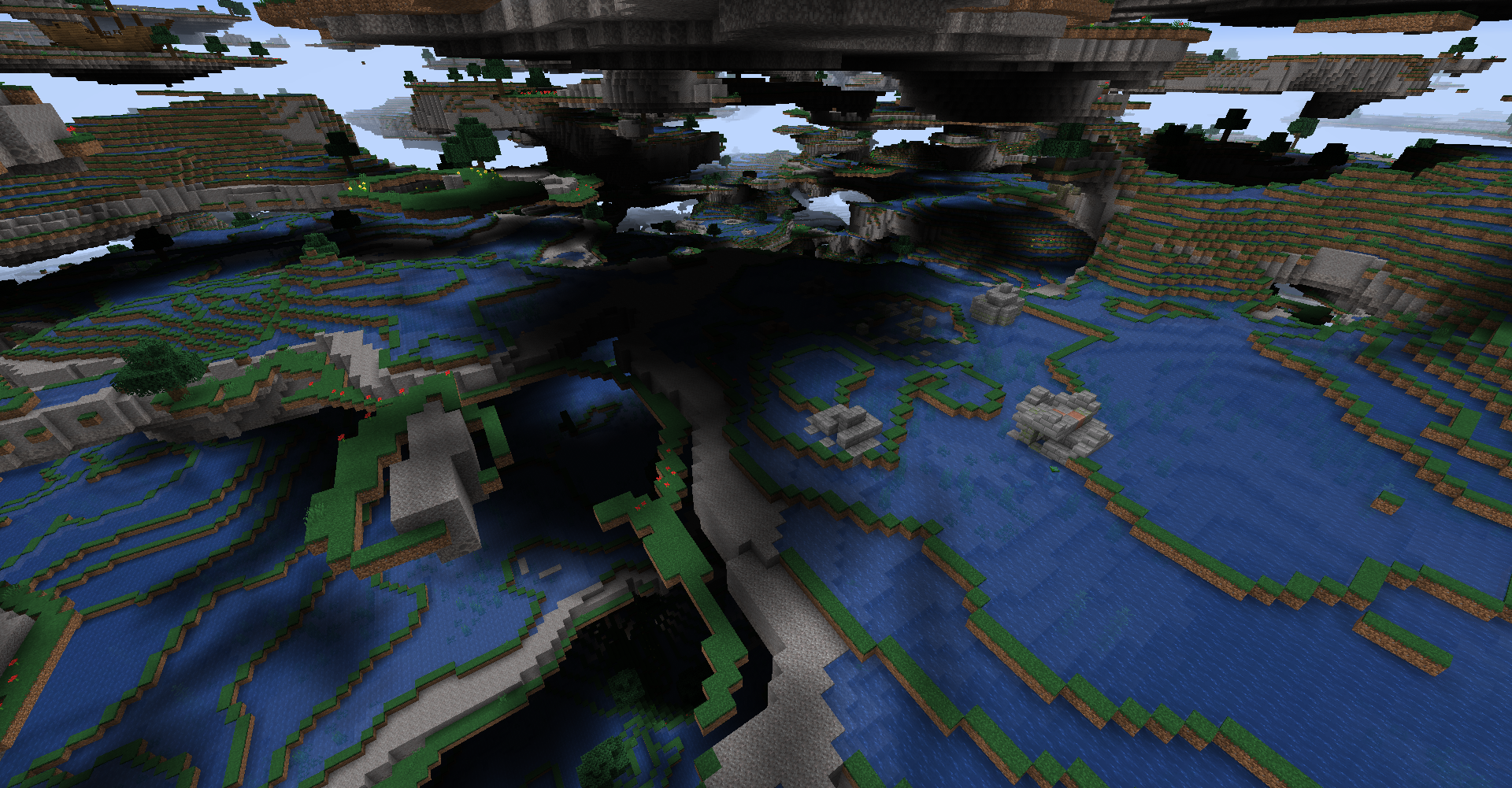 Ocean biomes This images show one of UAD's most unique biomes, the oceans! For all ocean biomes, the land is hollowed out with water and makes traversing the land very strange but awesome! Keep watch for Ruins and Shipwrecks!
 -
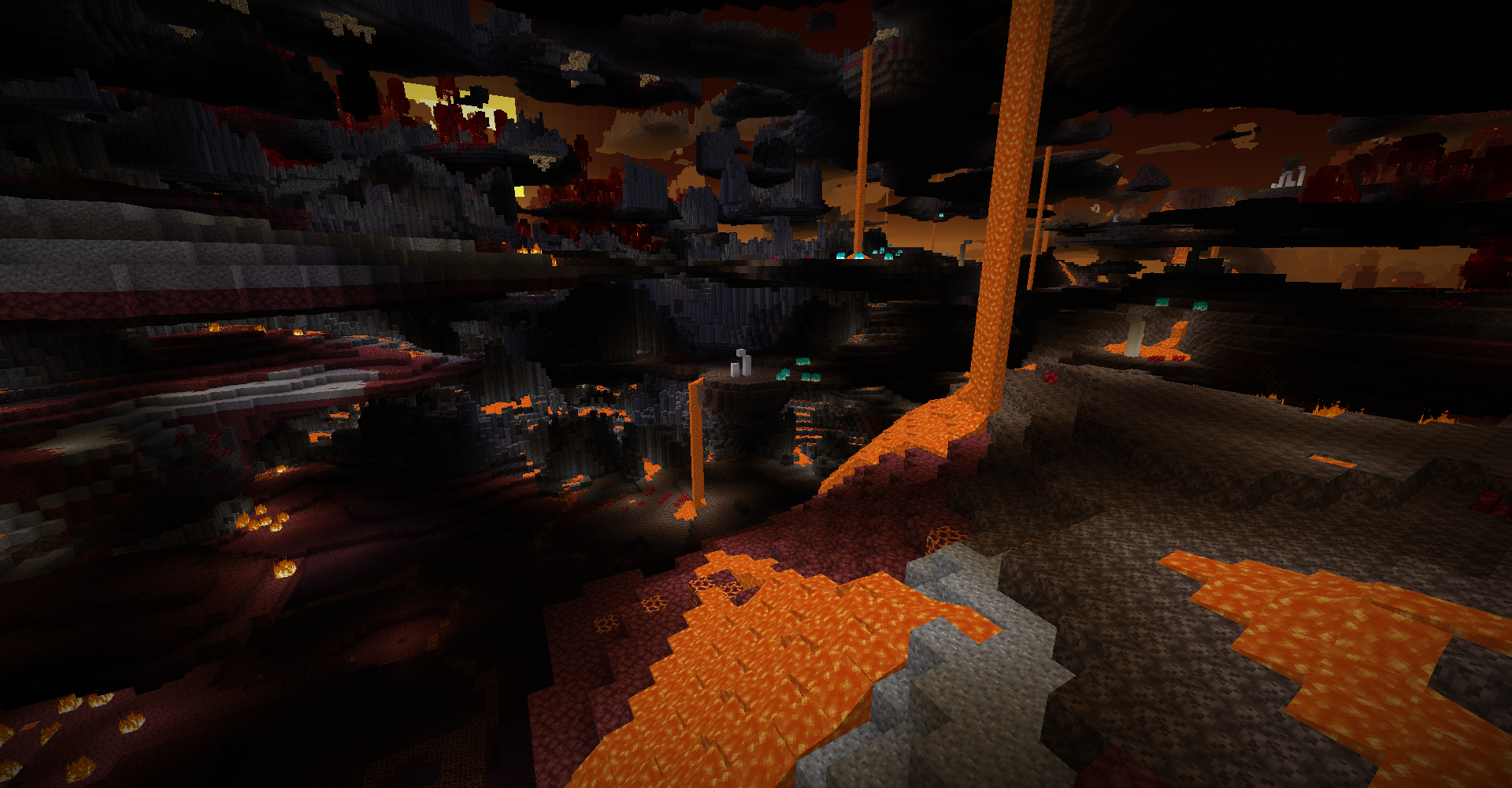 Basalt Deltas, Nether Wastes, Soul Sand Valle The other 3 Nether biomes do make their appearances as well with Nether Wastes upgraded with Gravel patches and more Magma Blocks! Be careful of the excess lava!
 -
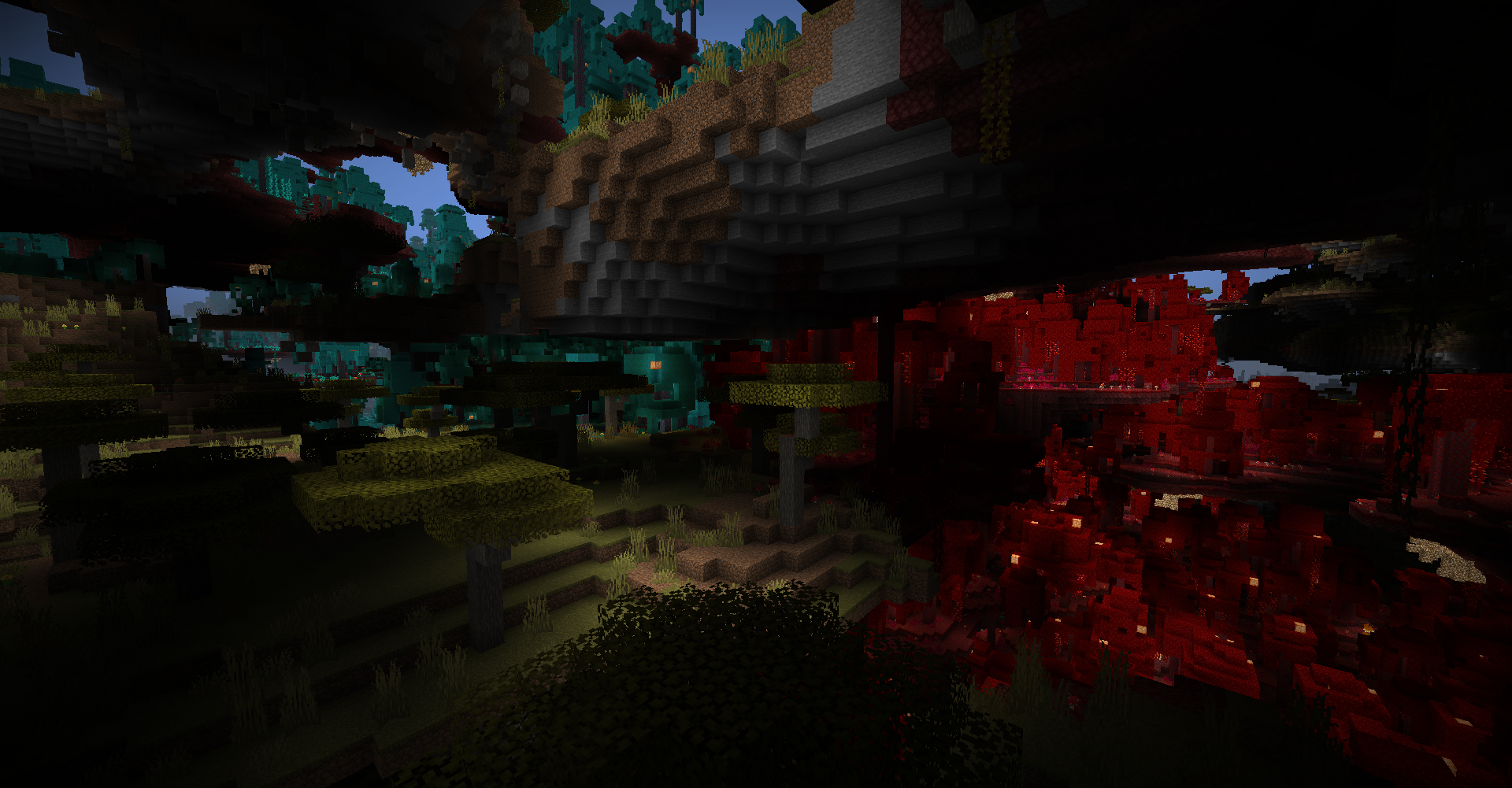 Crimson and Warped Forest Between the layers of land in this picture, the Crimson and Warped Forests make their beautiful appearance in this crazy dimension!
 -
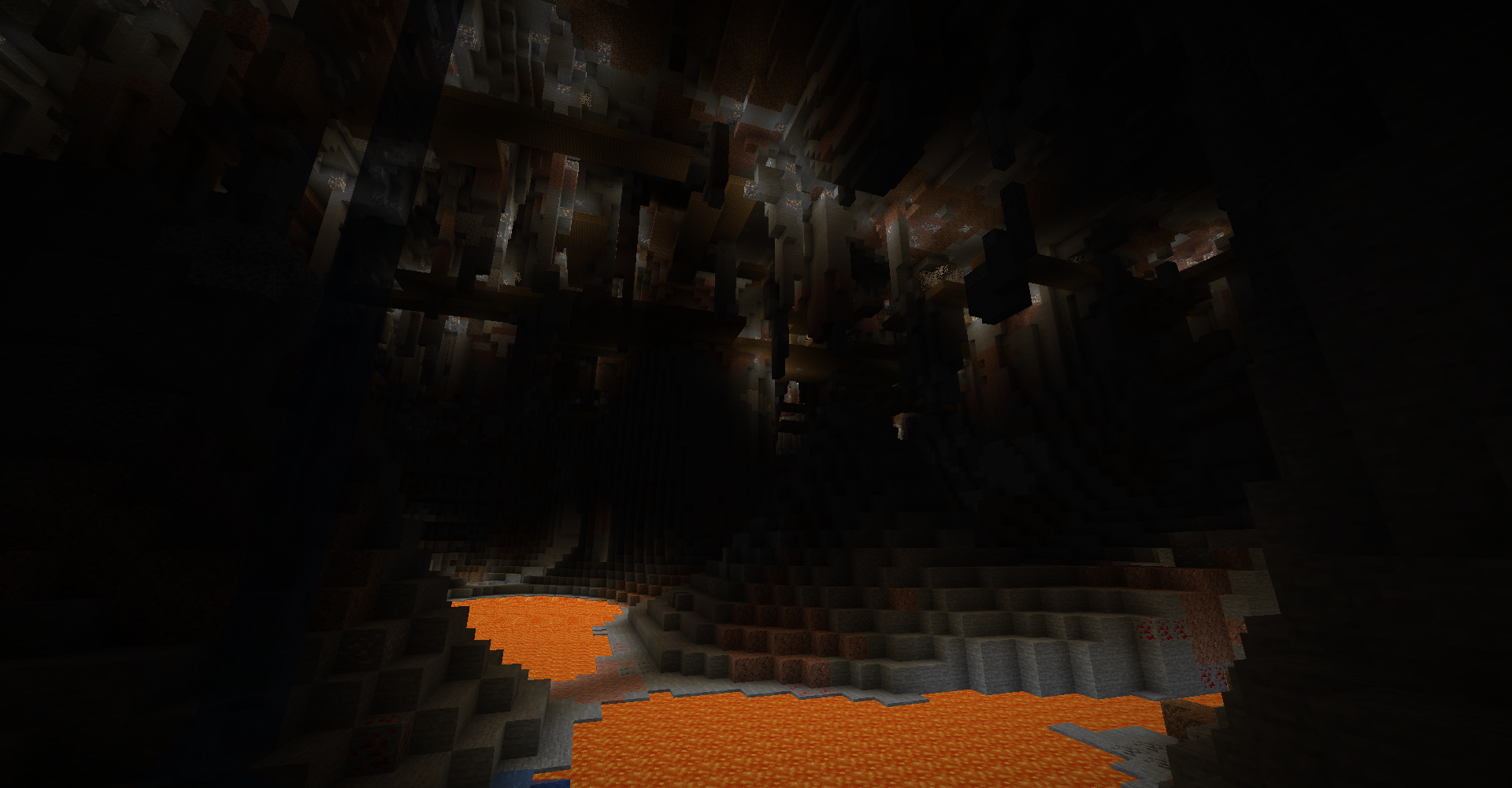 Cave Cavity with Mineshaft Scattered underground are massive rooms filled with lava, stalactite, and pillars. this one has a Mineshaft at the top to explore!
 -
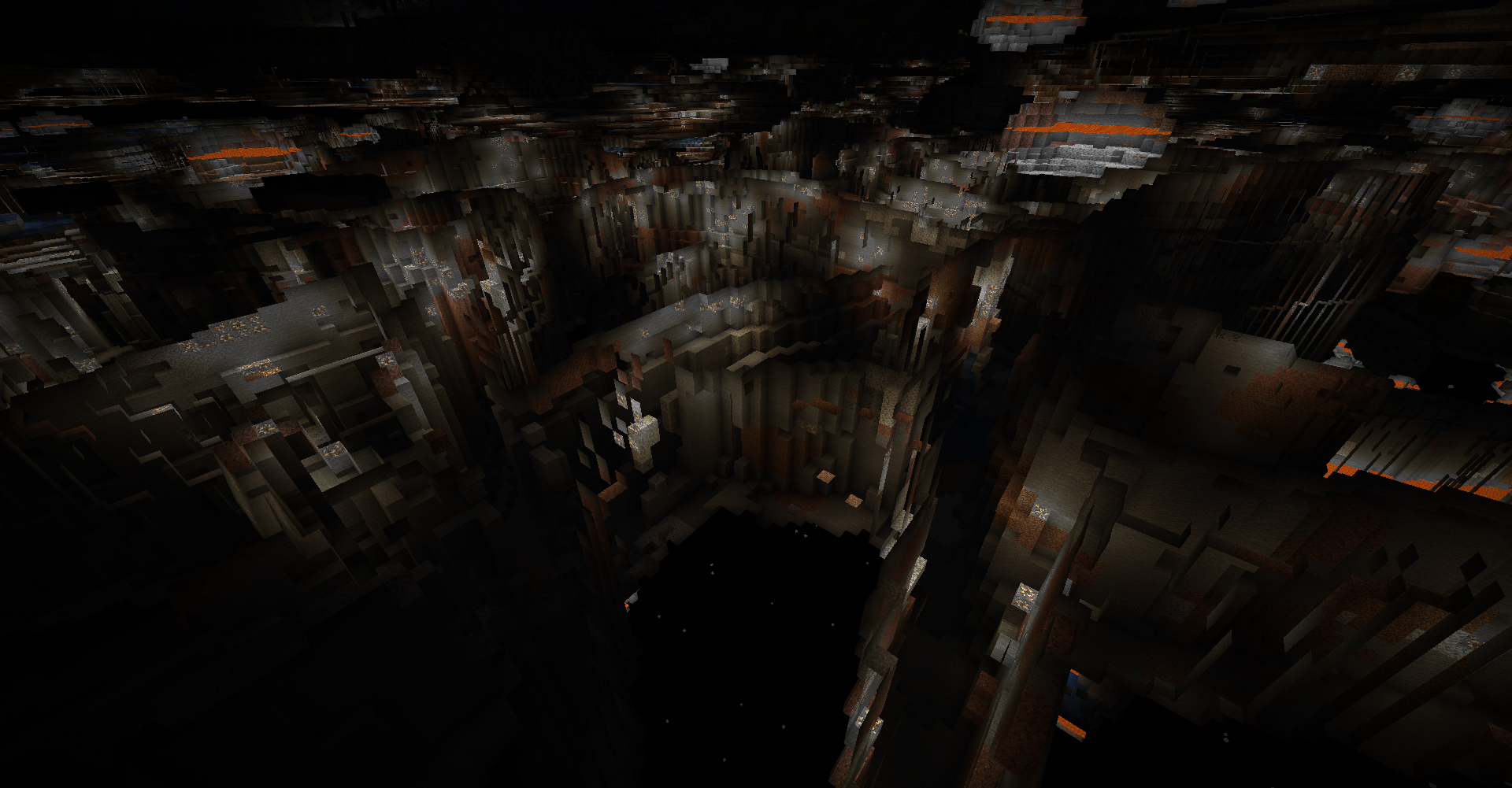 Ravine Maze Below sealevel, you will find a massive, seemingly endless maze of Ravines with no end! Be careful, mobs love to hang at the top and ambush weary miners!
 -
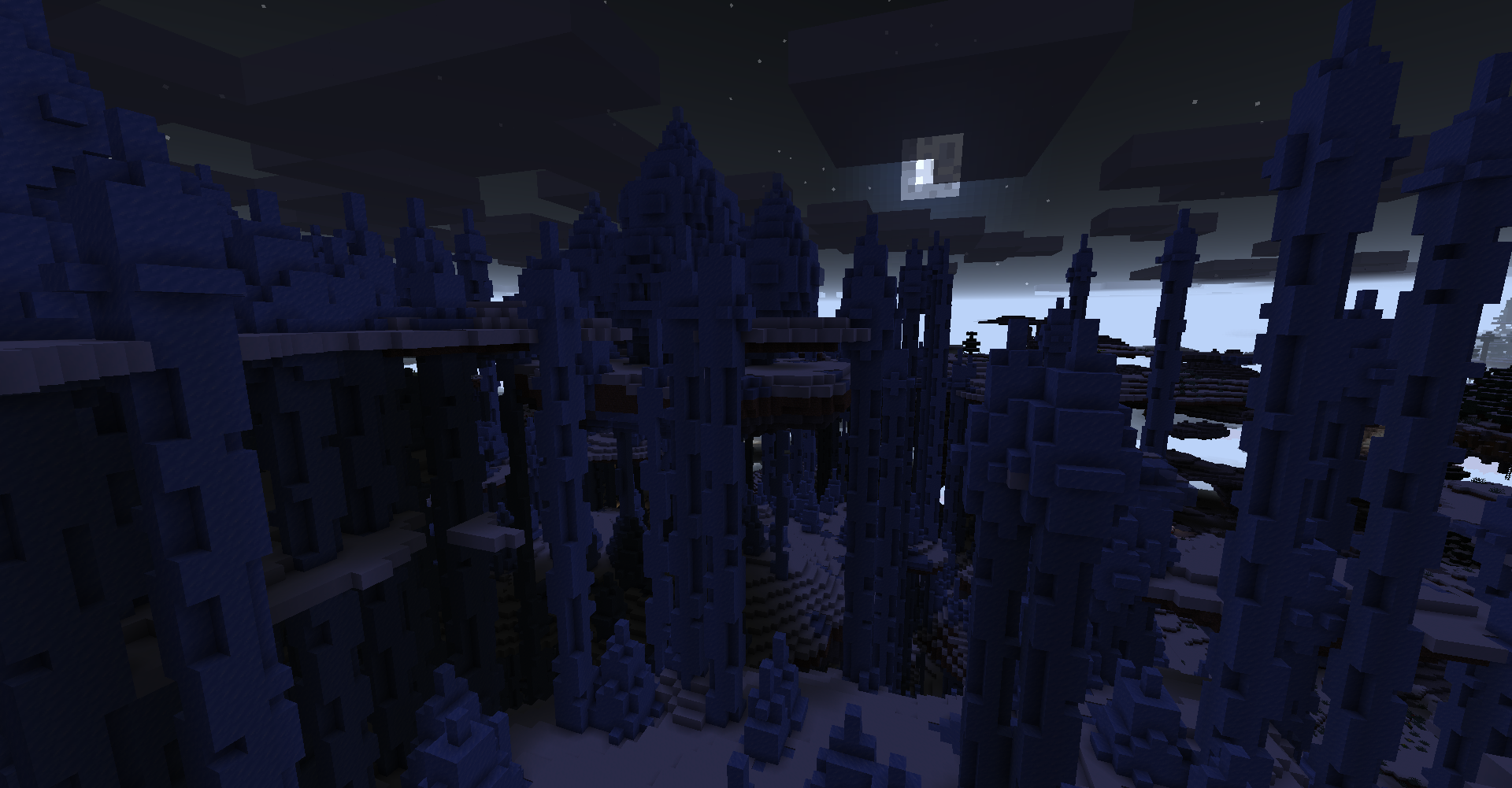 Ice Spike Temple In the coldest parts of the dimension, a rare hidden Ice Spike Temple can be found in Ice Spike biome! keep watch for the Iced Terrain biome nearby as while they are completely ice, there are sometimes Lapis Blocks hidden inside!
 -
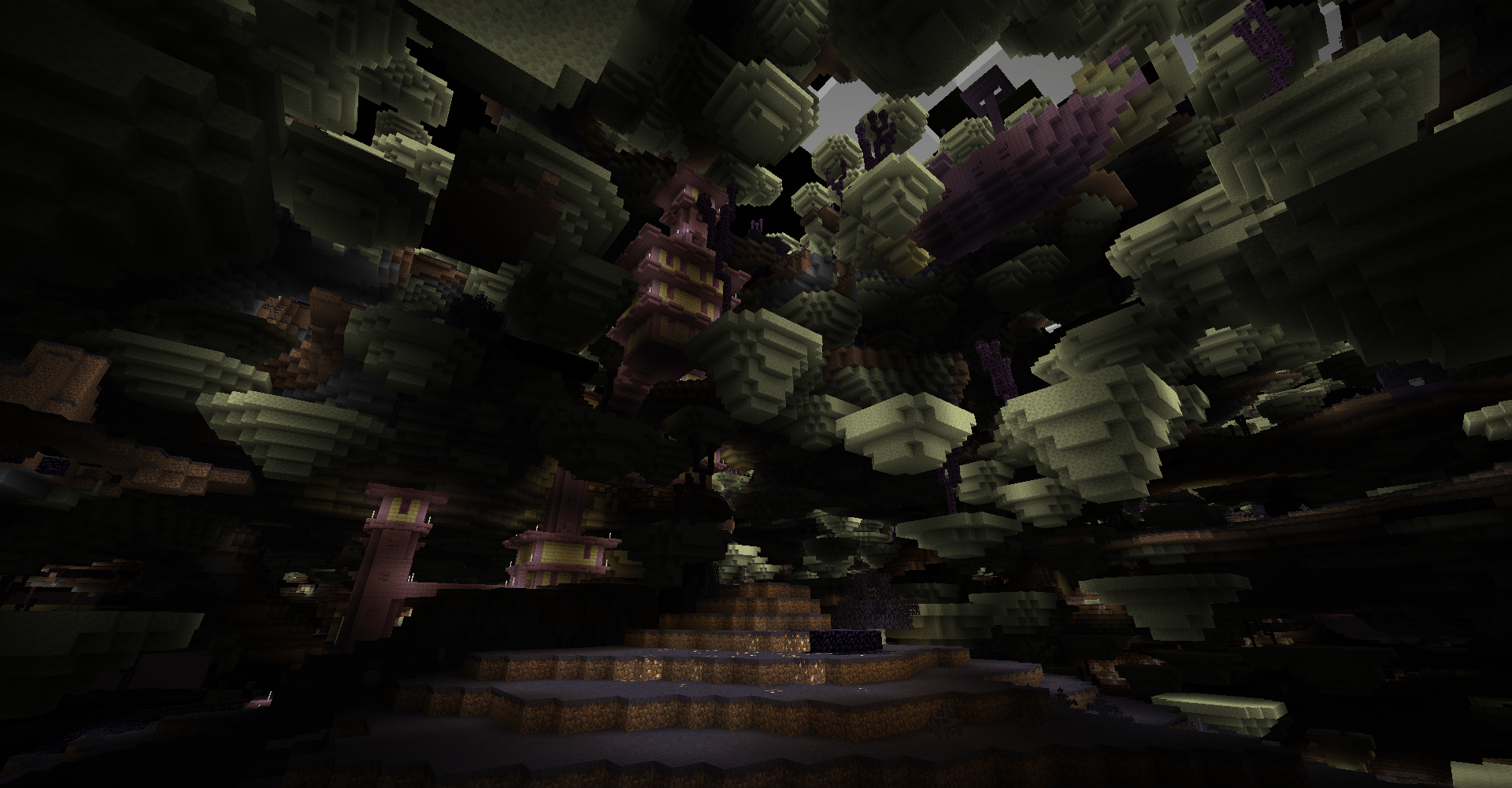 End City in End Fields biome The End has wormed its way into UAD's dimension! The top half of the biome is filled with strange colored grass and End Cities while underground is completely End Stone!
 -
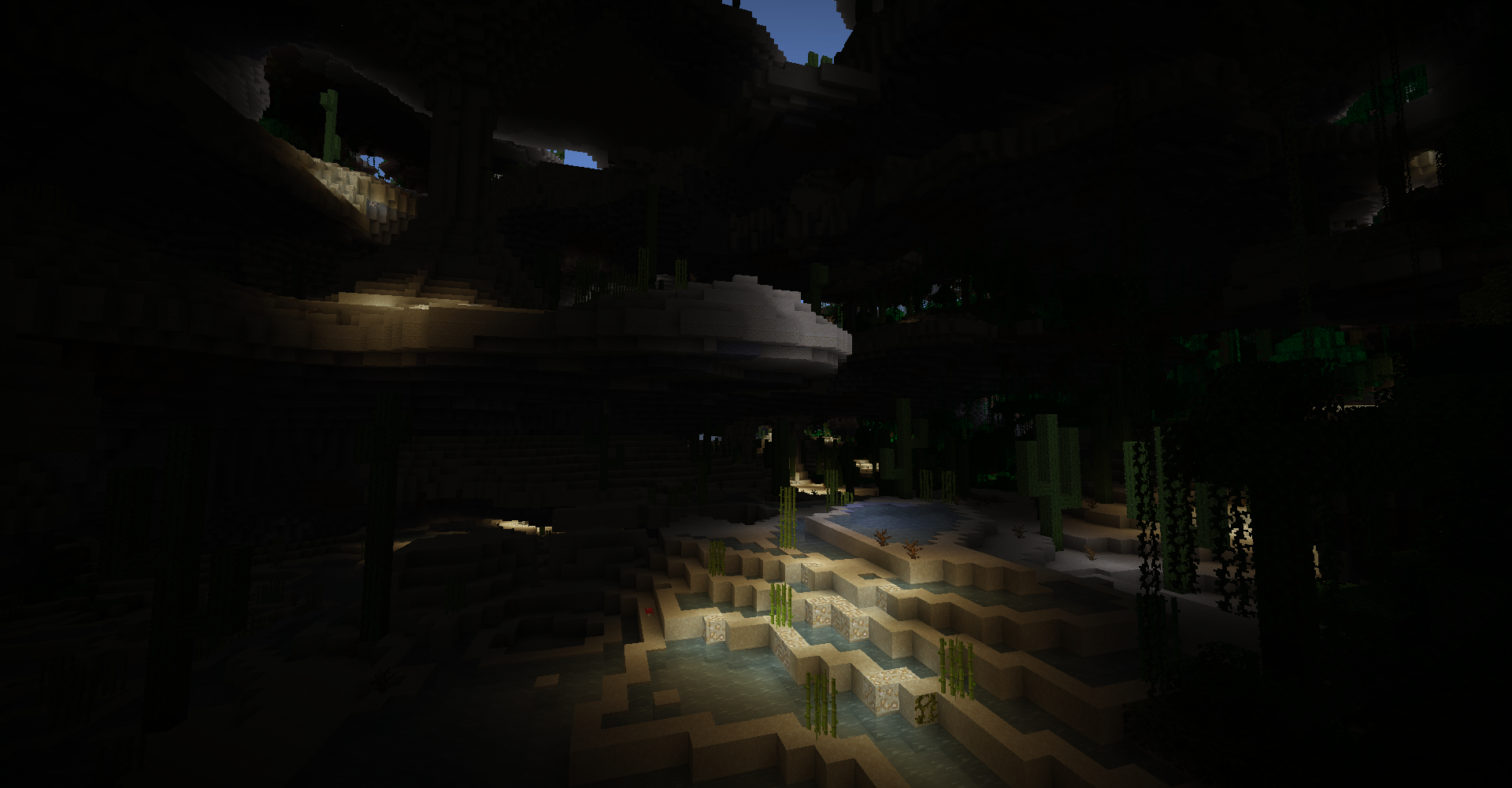 Desert Lakes The Desert Lakes biome is basically a desert version of UAD's Swamp biome. They are a great source of Sugar Cane!
 -
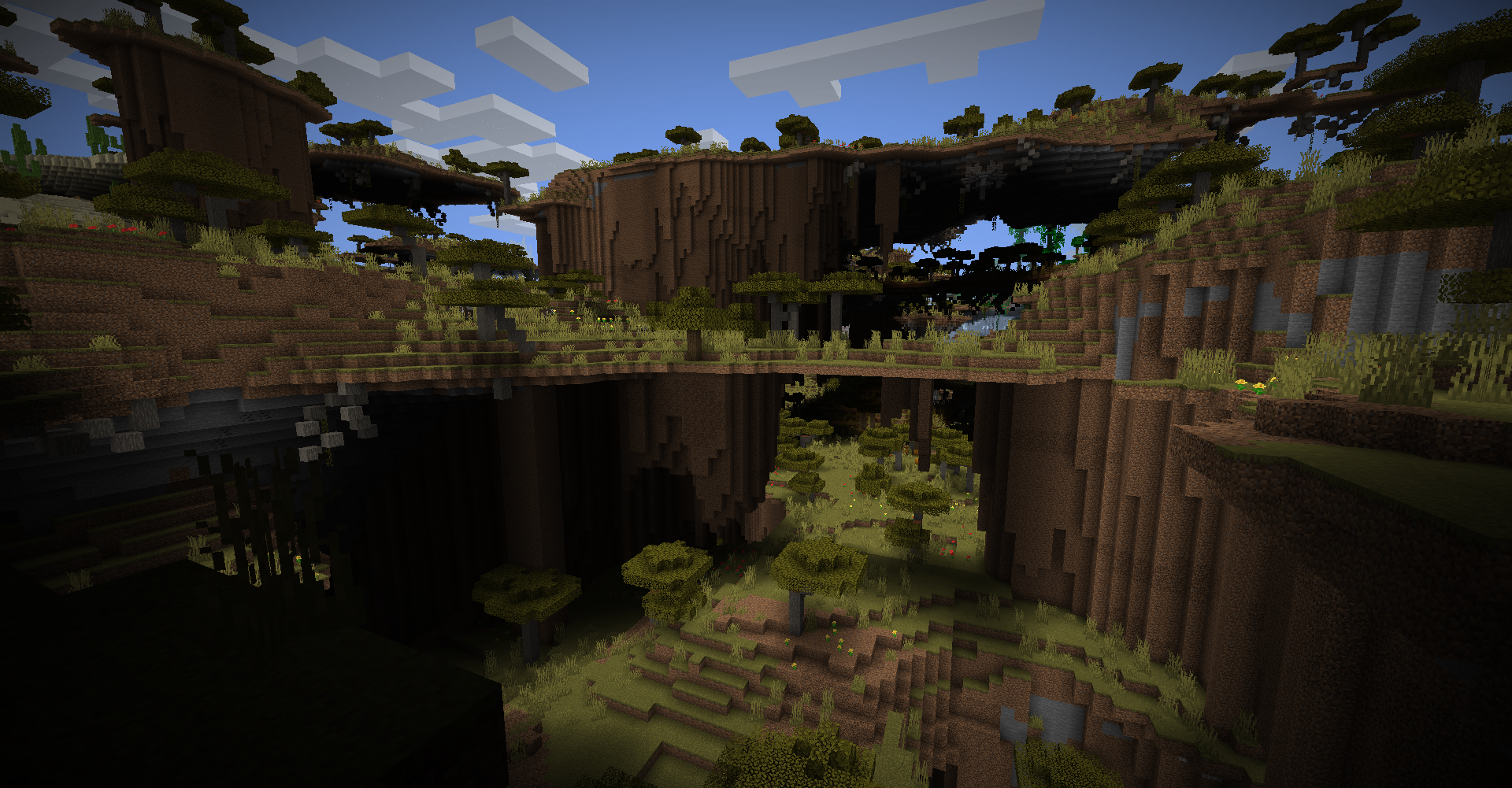 Shattered Savanna Terrace Savanna biomes have a form that forms walls below their islands and makes it quite tricky to traverse. But it is super cool to see!
 -
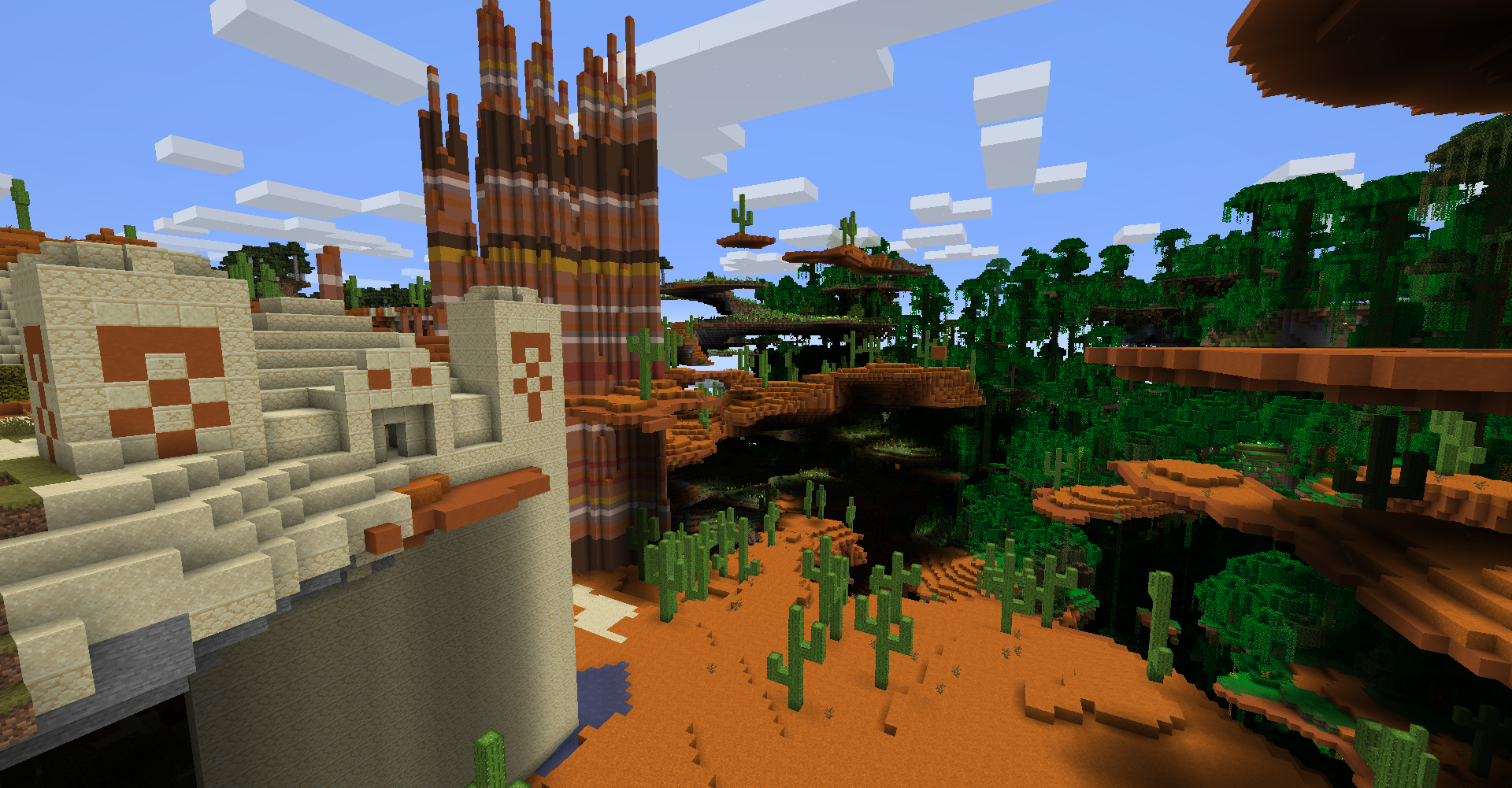 Desert Temples, Spiky Badlands, Jungle Yes, Desert and Jungle Temples do spawn as well! And Badlands have many forms here including a rare woods variant as well. Notice the new larger cactus that spawns in UAD's Desert and Badlands! And in the back is the large Jungle biome.
 -
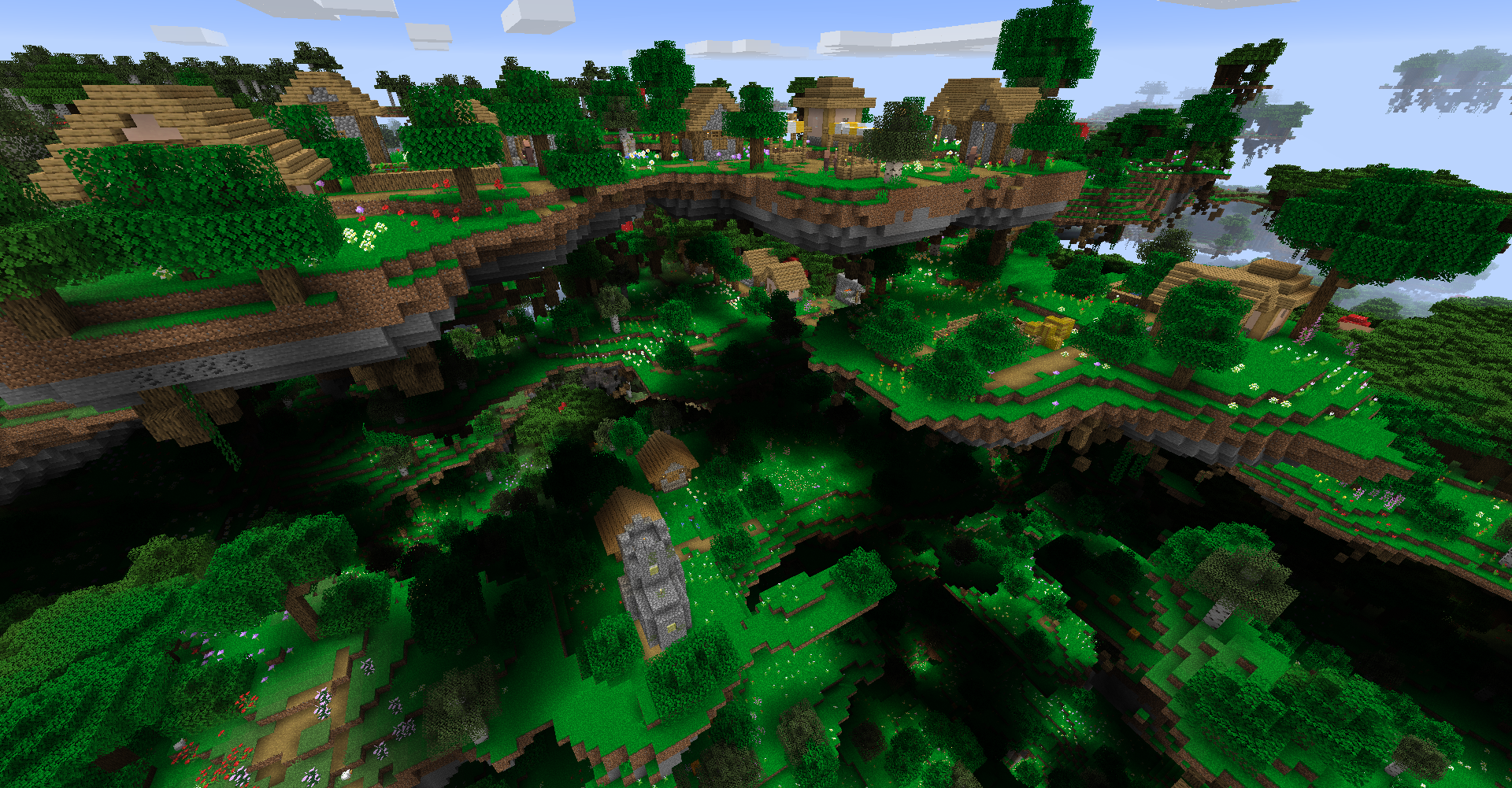 Village in Flower Forest Even in UAD's dimension, Villagers still try to make themselves at home with varying degrees of success. Maybe you can help connect their islands together so they can gather once again!
 -
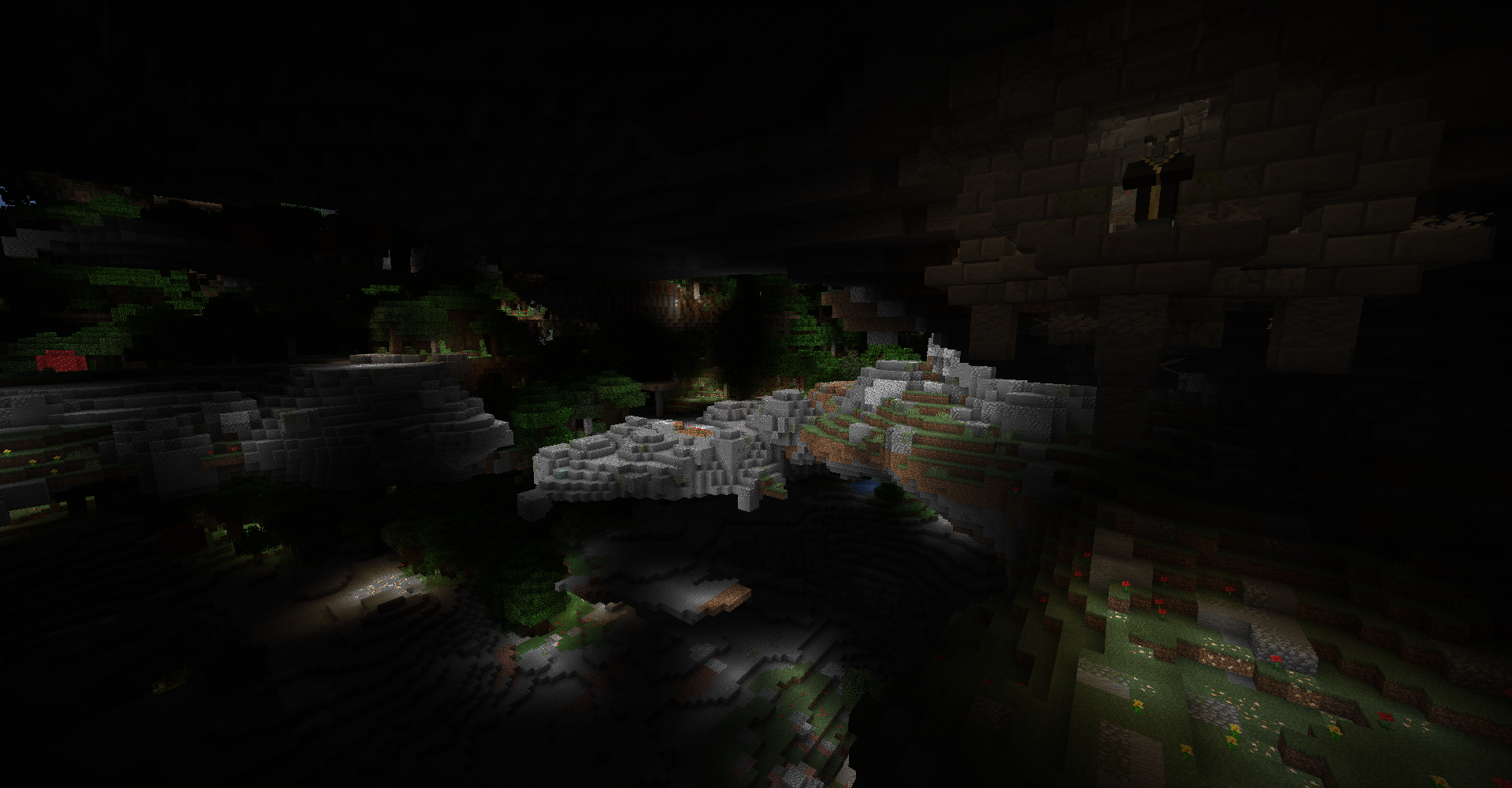 Hanging Ruins in Rocky Fields UAD's equivalent of the Overworld's Mountains biome is the Rocky Fields biomes! In nearly all biomes, you might find Hanging Ruins which has helpful loot! But beware, they have a dangerous inhabitant...
 -
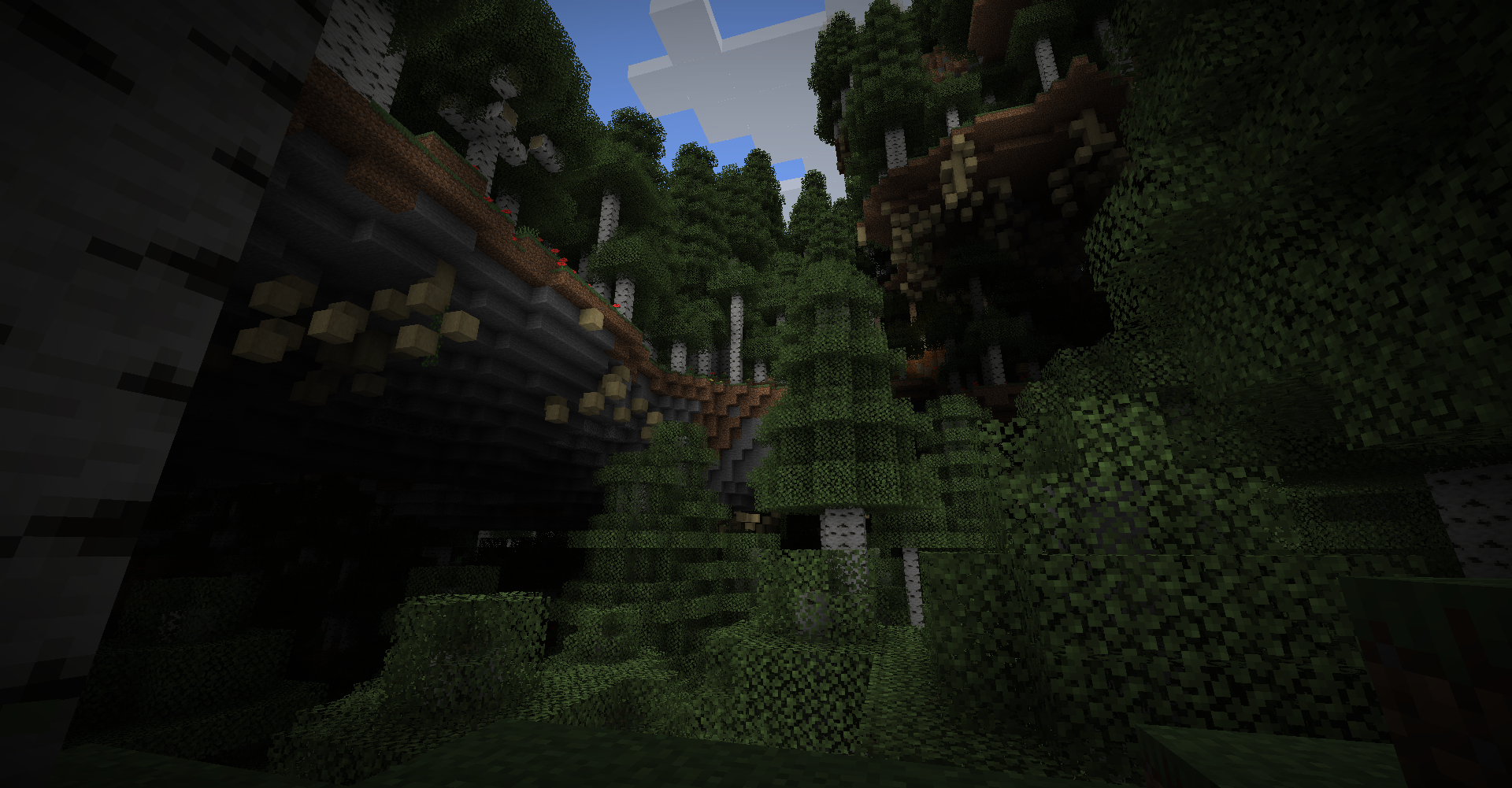 Tall Birch Forests Scattered around the world are forests composed of massive Birch Trees! They can be quite the pretty sight!
-
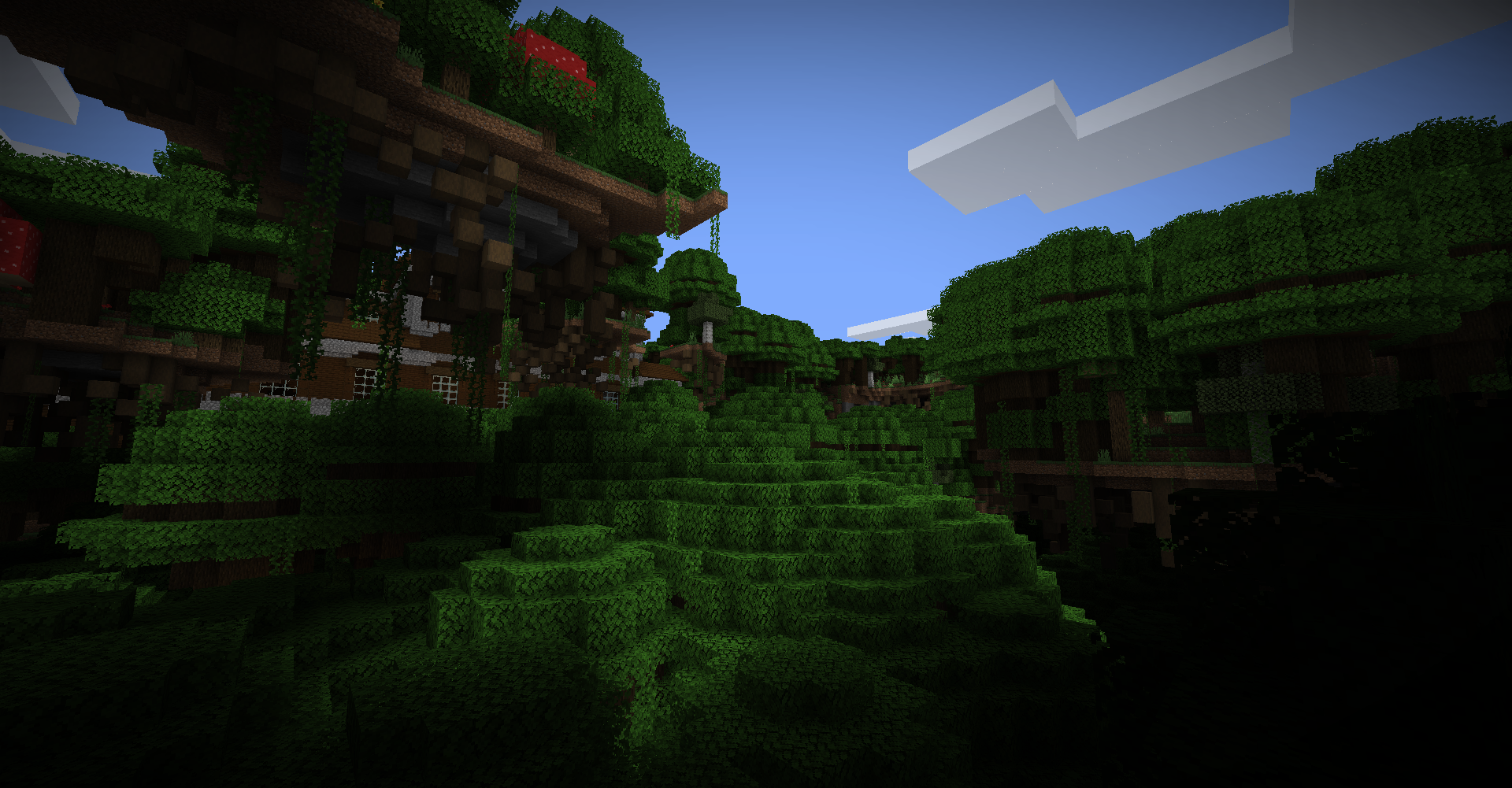 Woodland Mansion in Relic Dark Forest Biome Mansions do spawn in this world and often tower above everything ominously! This variant of Dark Forest also has even bigger Dark Oak trees and is much more dense in trees. Being below the treeline can be scary...
 -
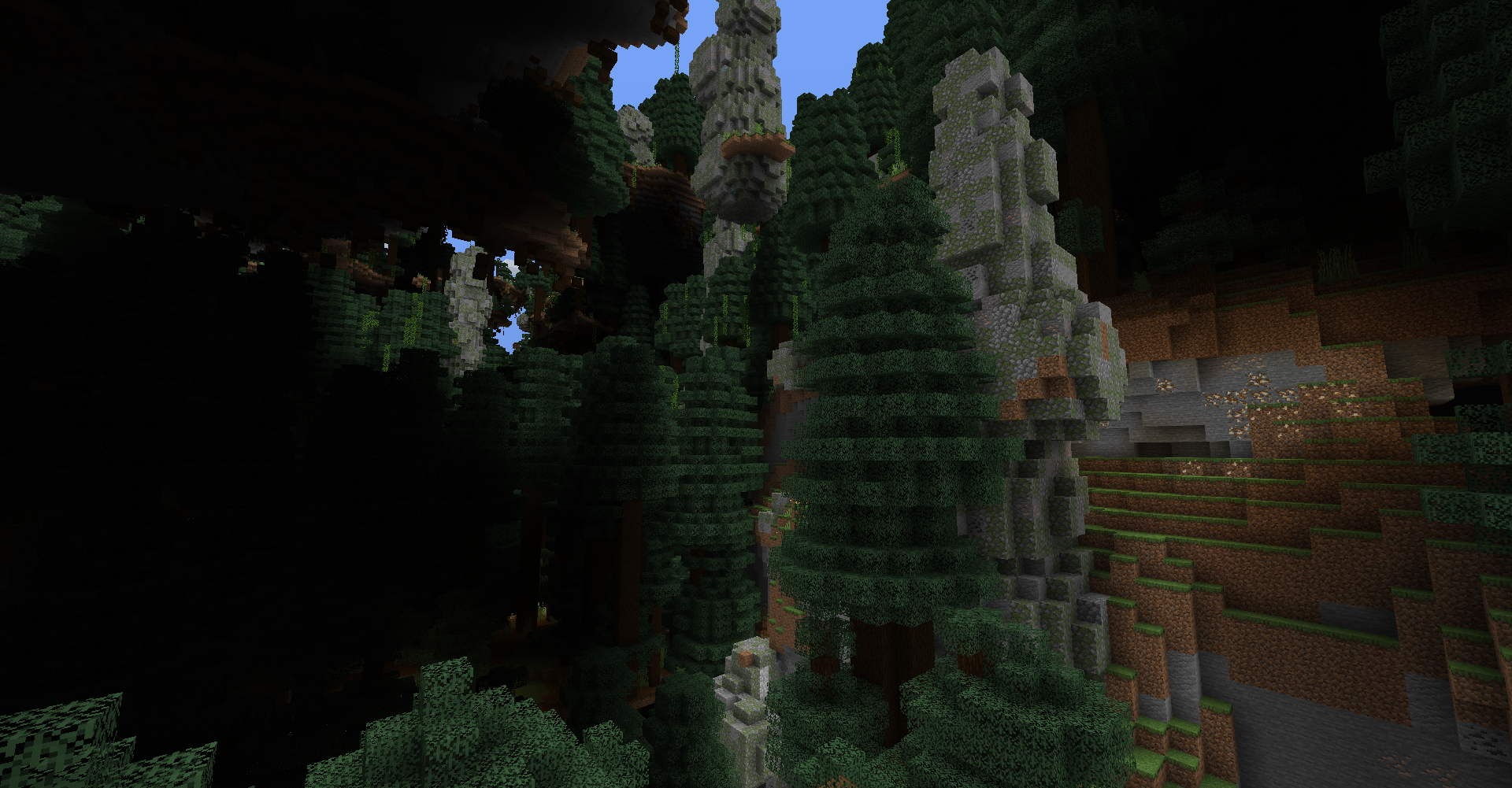 Giant Spruce Taiga Pillars biome A variant of the Giant Tree Taiga biome with massive pillars of boulders! They are a great source of easy Coal and Iron Ores!
 -
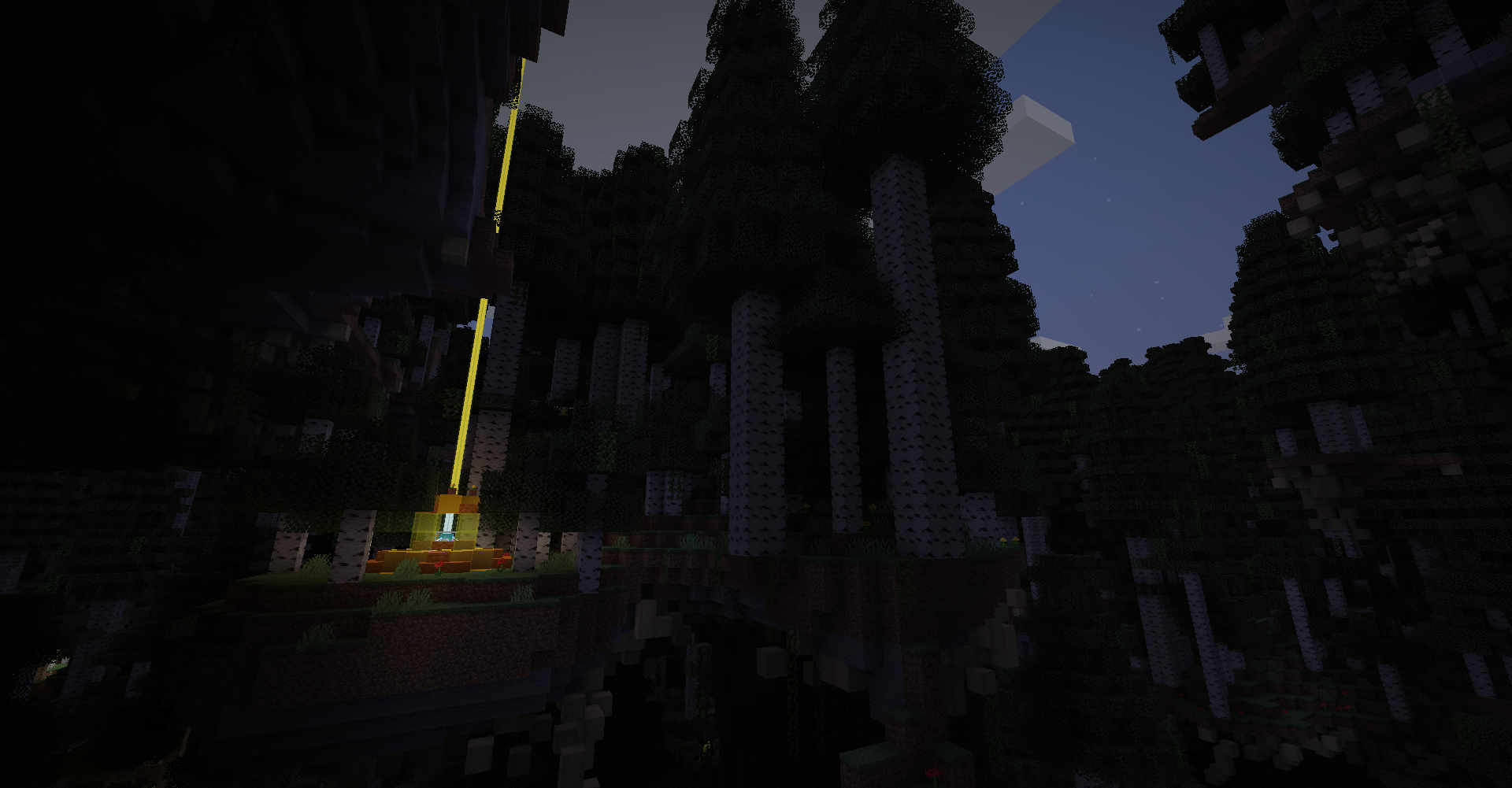 Sun Shrine in Tall Birch Forest The most rarest structure in UAD is the Sun Shrine. They give you a Speed Boost when nearby as a gift but don't try to vandalize the shrine! You might regret it...
 -
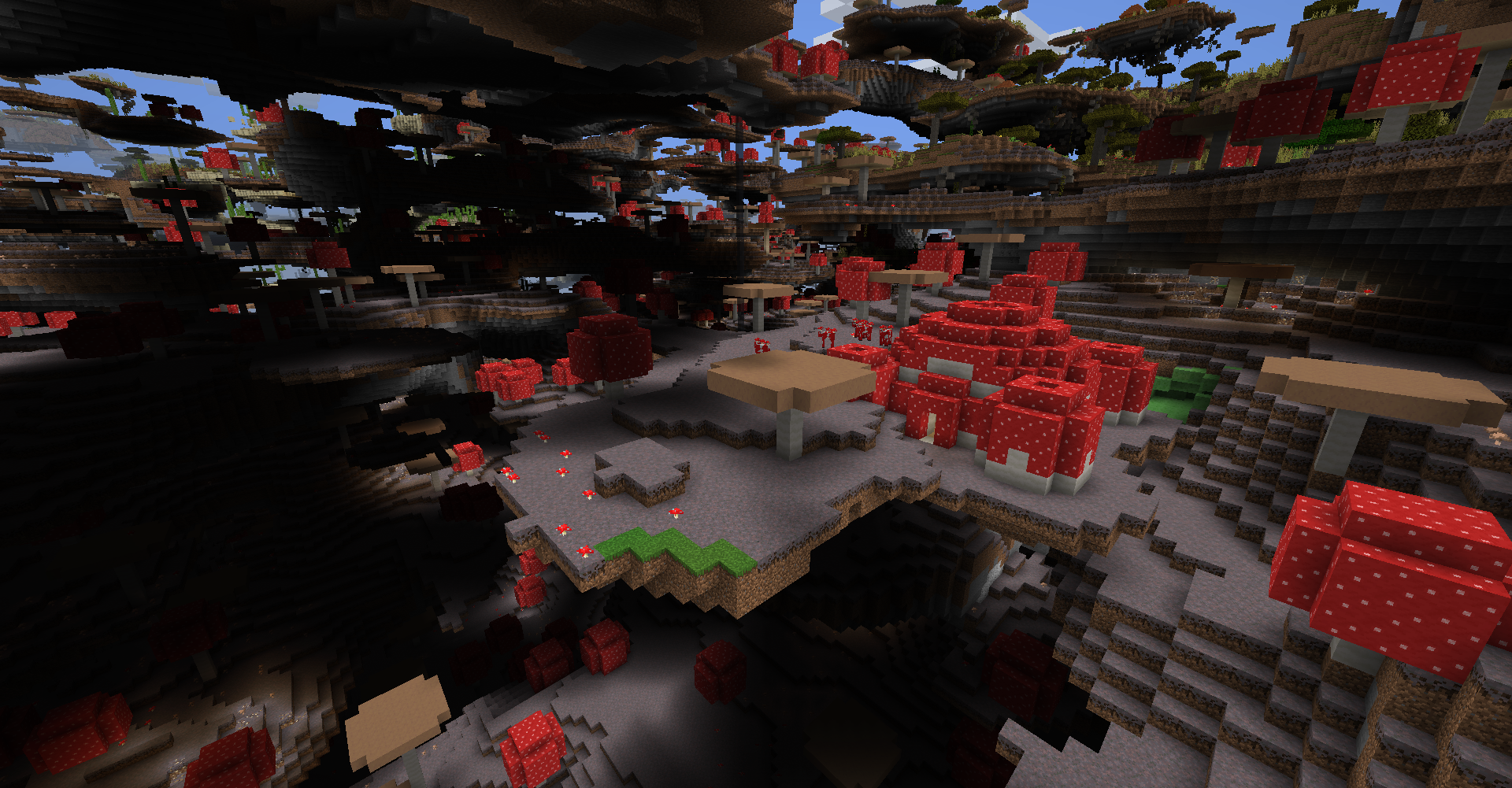 Mushroom Temple Mushroom biomes aren't super common but when they do spawn, Mushroom Temple are all over the place! Be sure to explore every inch of the temple as there's some secrets with it...
 -
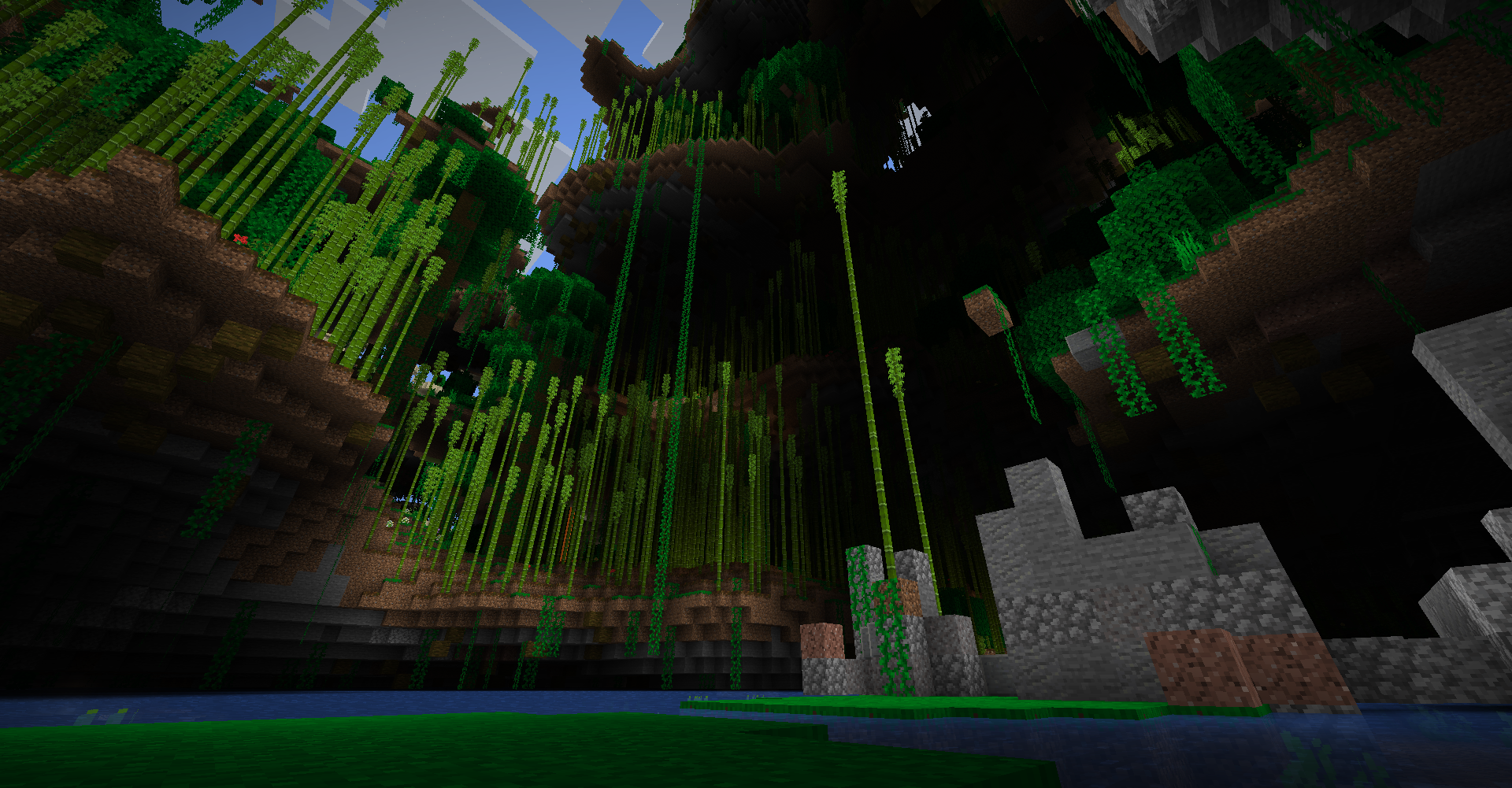 Bamboo Jungle A Stoneghenge structure within a Bamboo Jungle. There's always water at sealevel in this world so sometimes, there may be a clear path for you to jump down from high up like here!
 -
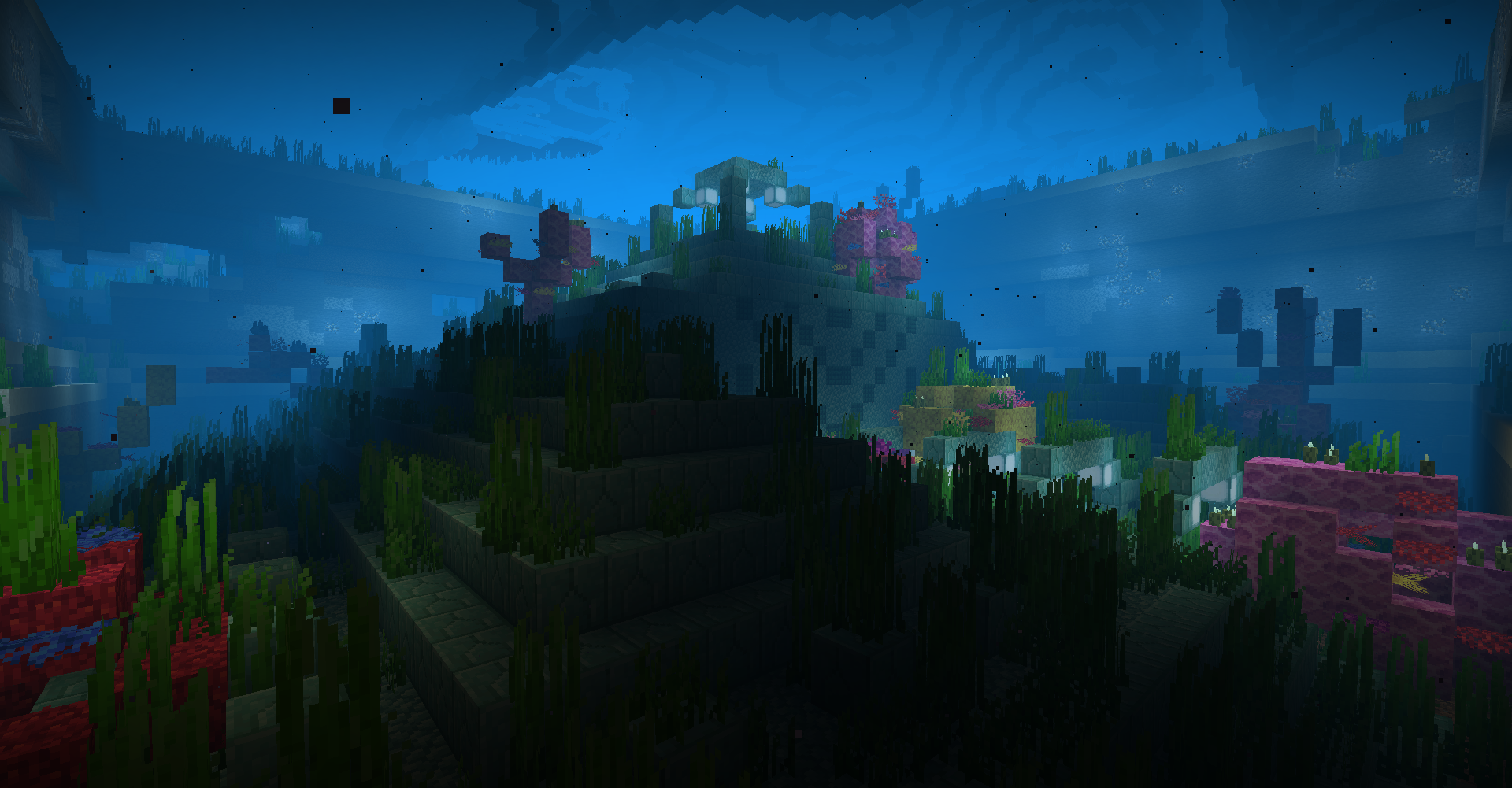 Ocean Monument in Warm Ocean At the bottom of ocean biomes, you might find an Ocean Monument in a pit! This one is covered in Warm Ocean's coral! Also, there may be other secrets on the ocean floor so look for anything strange!
 -
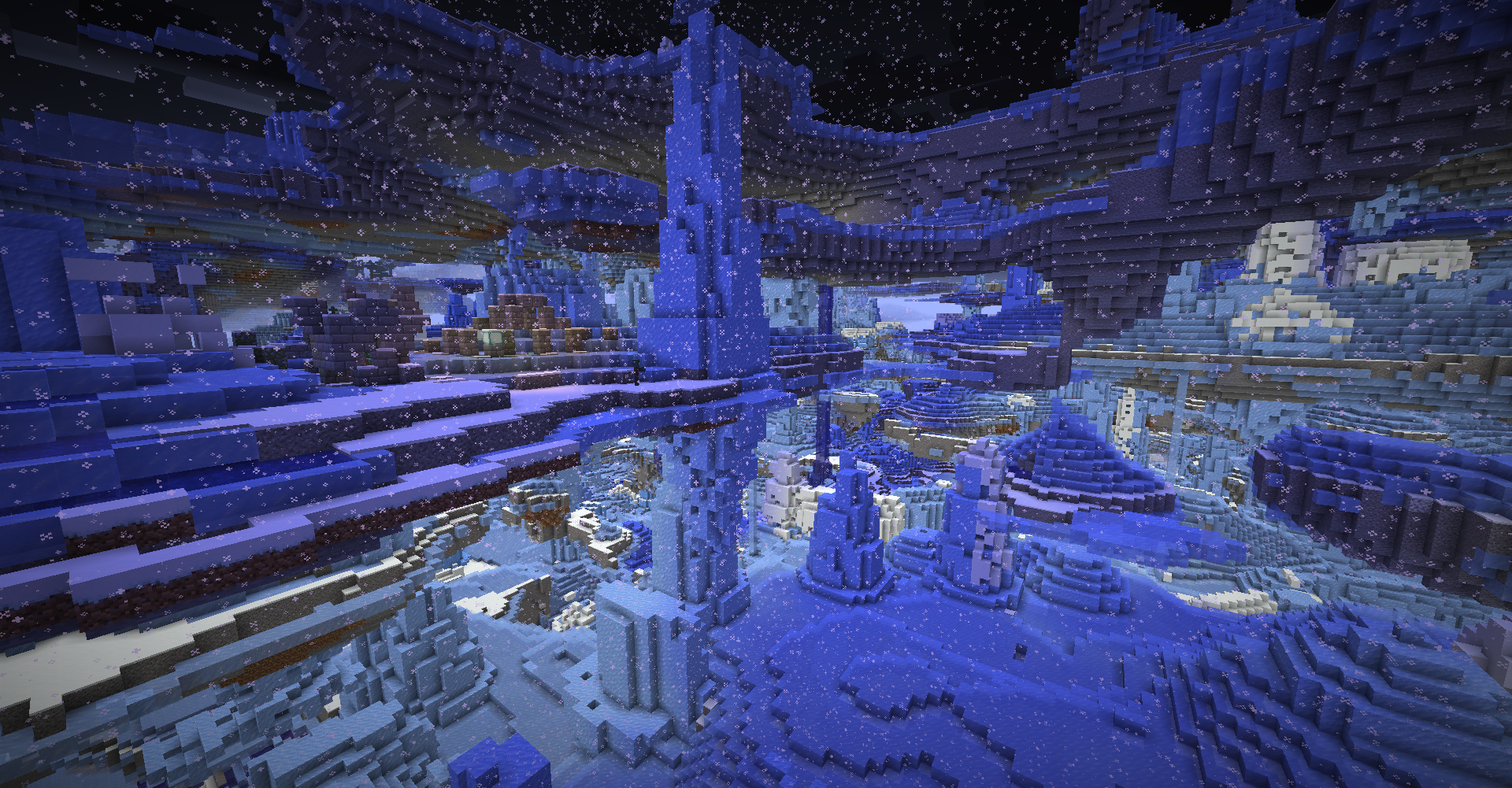 Frozen Ocean The Frozen Oceans are filled with crazy amounts of Icebergs. They are a great source of all ice but be sure to stay warm!
 -
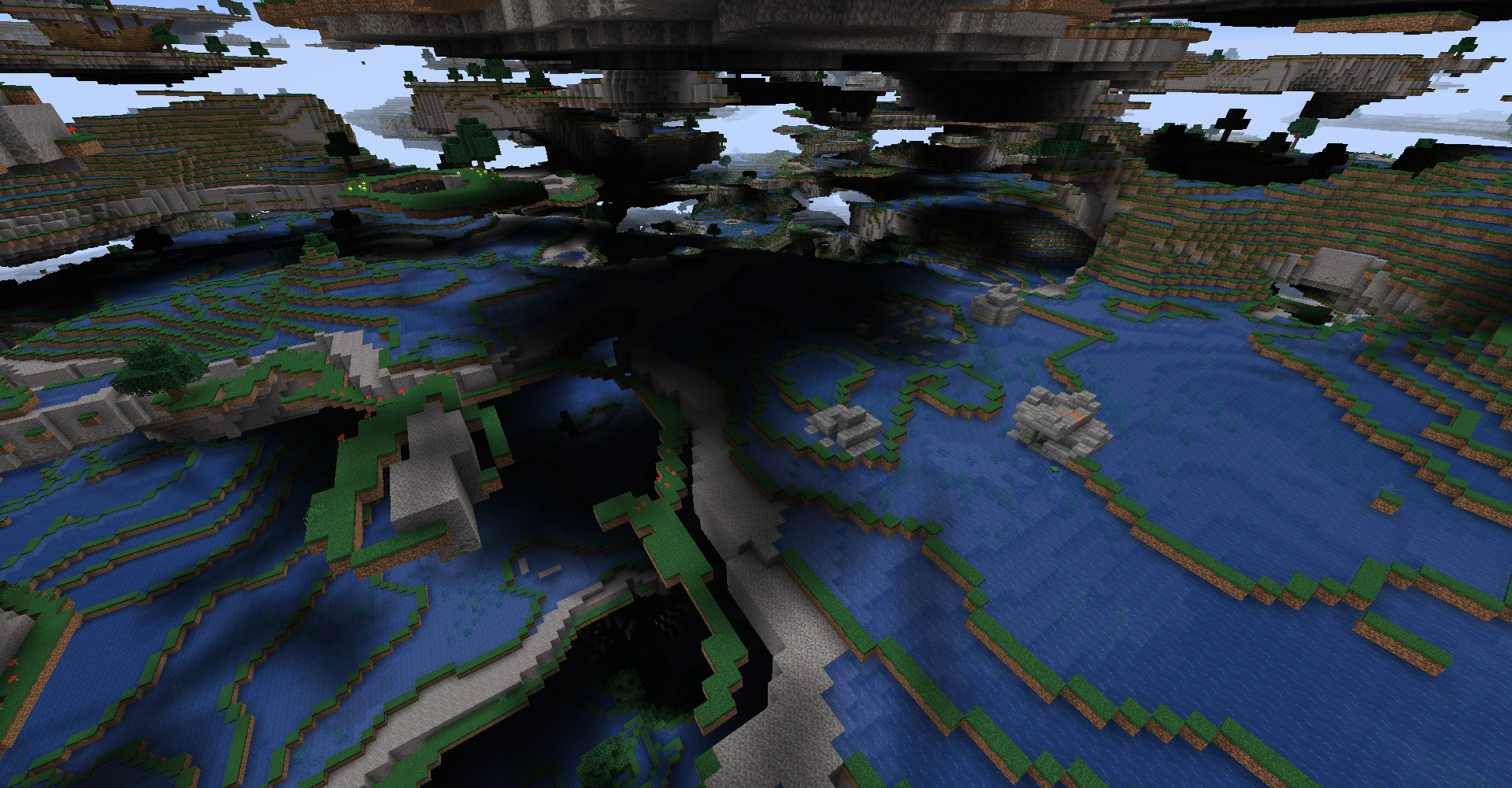 Ocean biomes This images show one of UAD's most unique biomes, the oceans! For all ocean biomes, the land is hollowed out with water and makes traversing the land very strange but awesome! Keep watch for Ruins and Shipwrecks!
 -
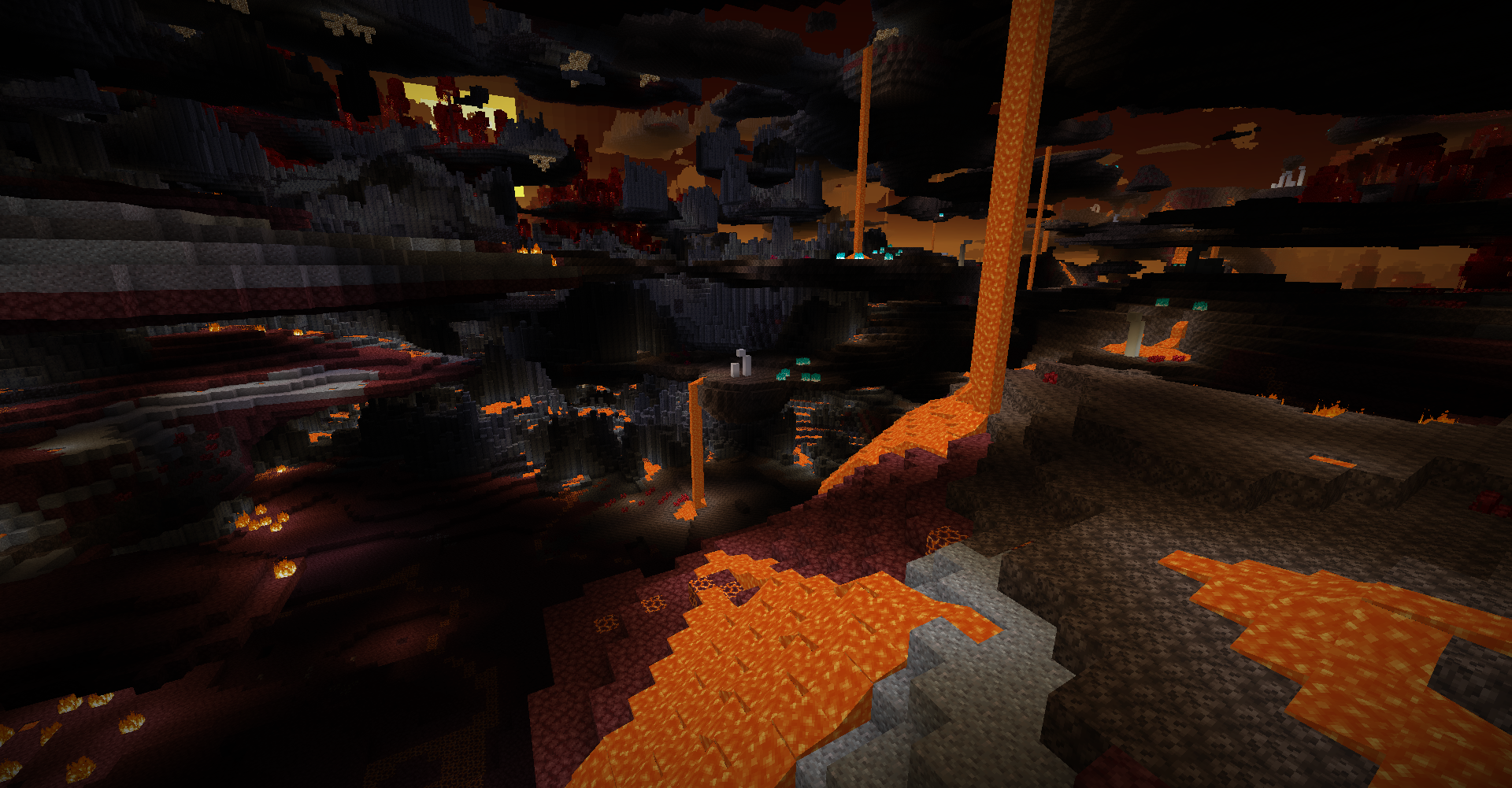 Basalt Deltas, Nether Wastes, Soul Sand Valley The other 3 Nether biomes do make their appearances as well with Nether Wastes upgraded with Gravel patches and more Magma Blocks! Be careful of the excess lava!
 -
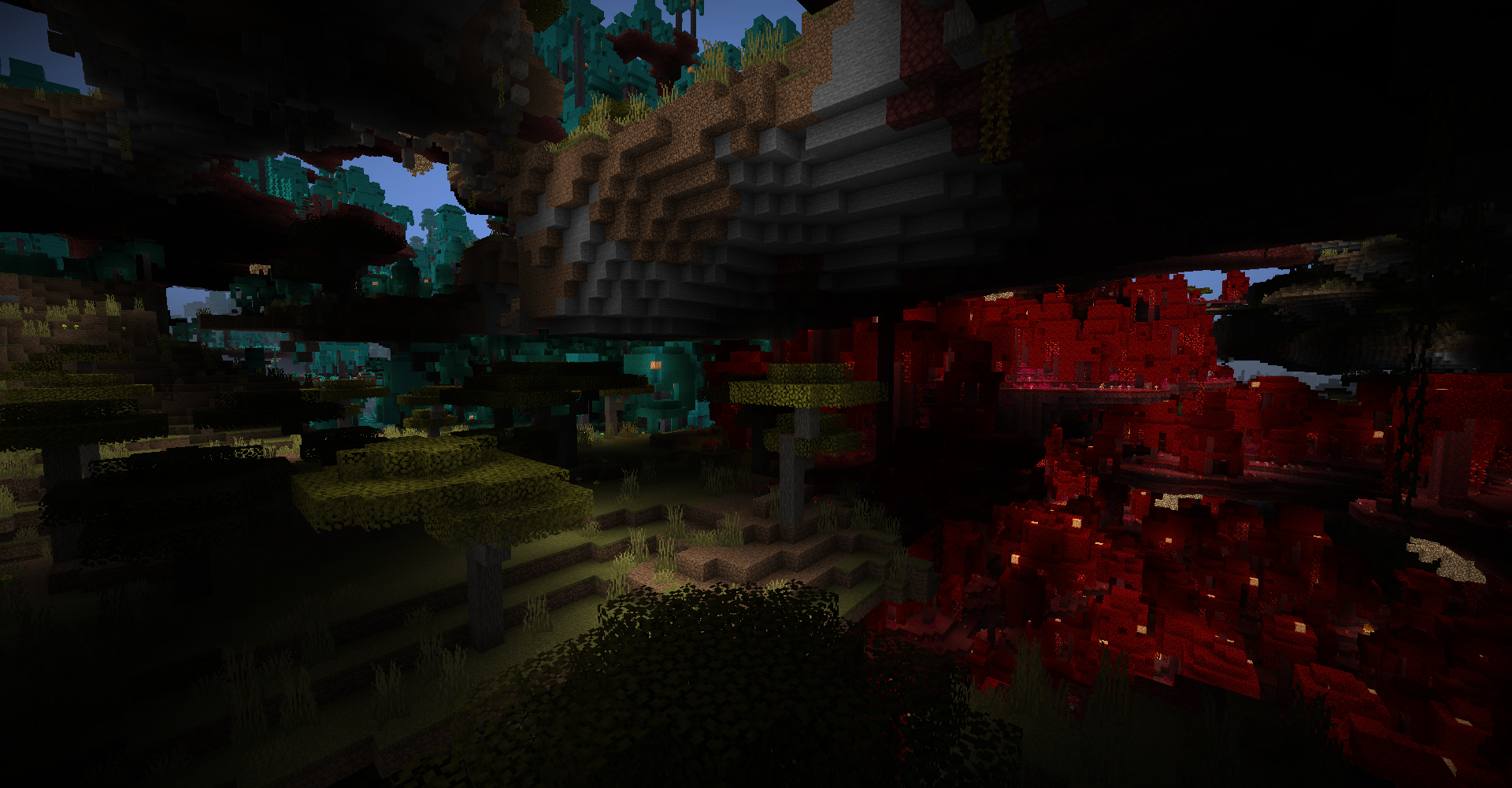 Crimson and Warped Forest Between the layers of land in this picture, the Crimson and Warped Forests make their beautiful appearance in this crazy dimension!
 -
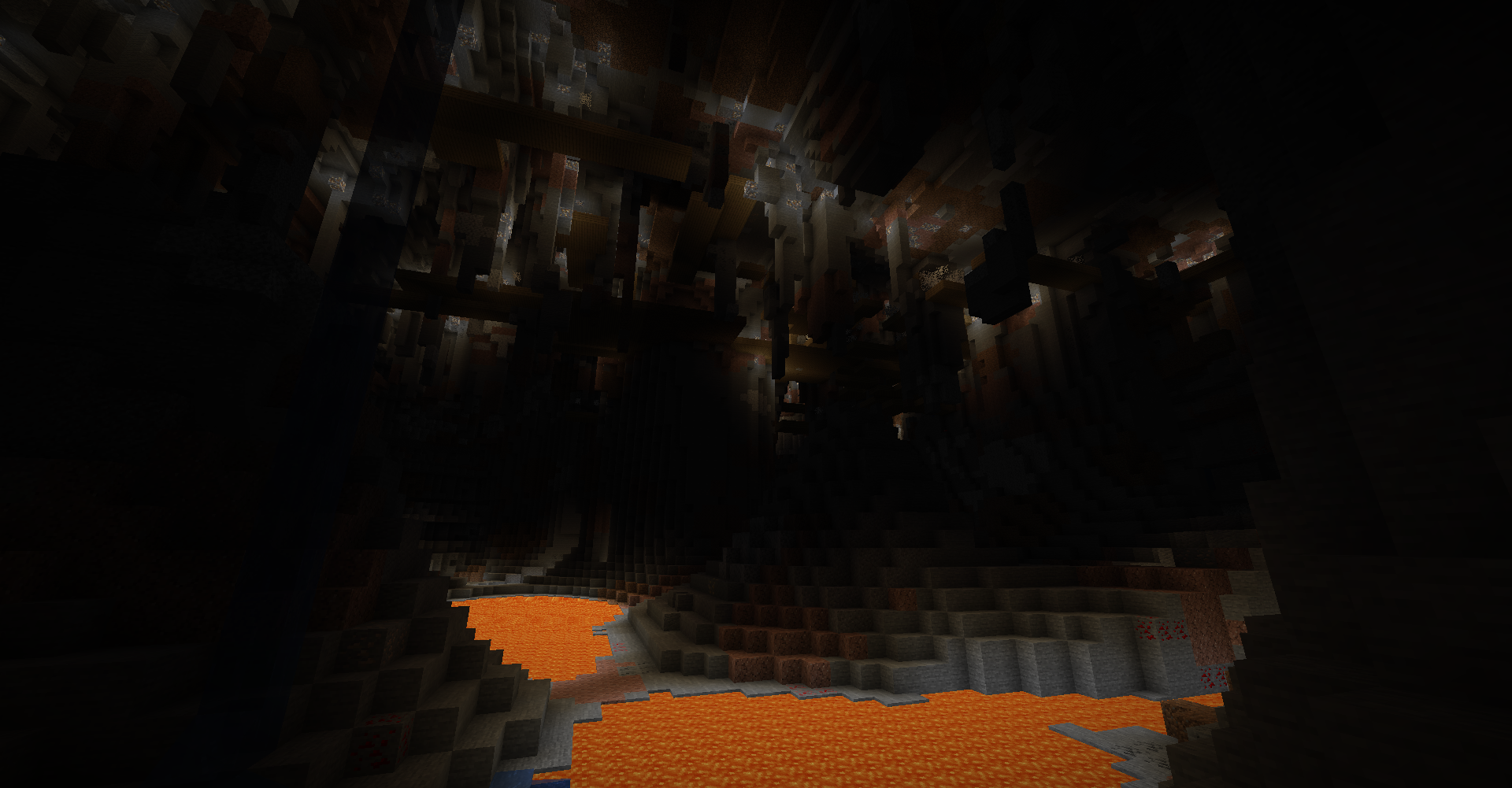 Cave Cavity with Mineshaft Scattered underground are massive rooms filled with lava, stalactite, and pillars. this one has a Mineshaft at the top to explore!
 -
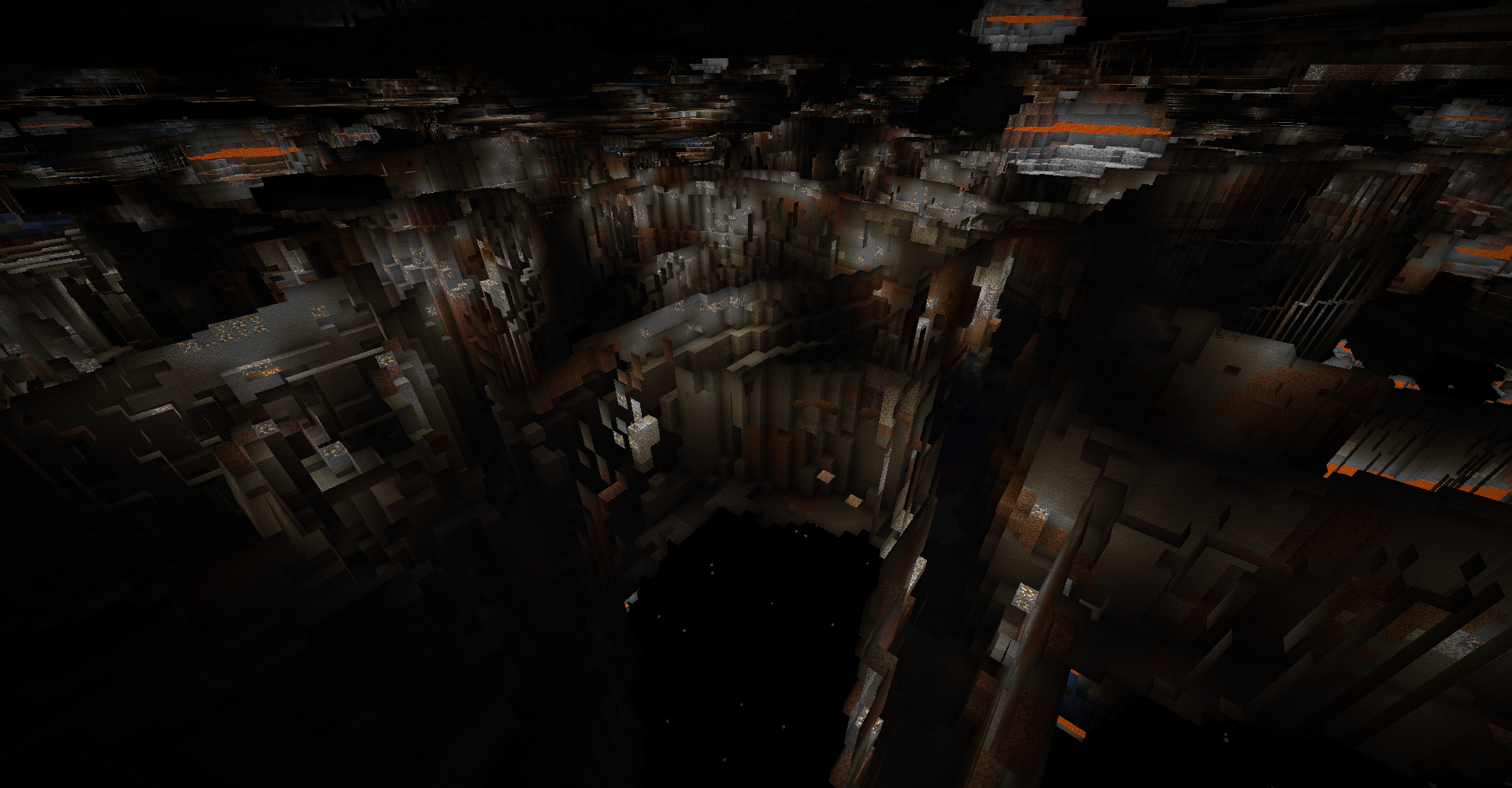 Ravine Maze Below sealevel, you will find a massive, seemingly endless maze of Ravines with no end! Be careful, mobs love to hang at the top and ambush weary miners!
 -
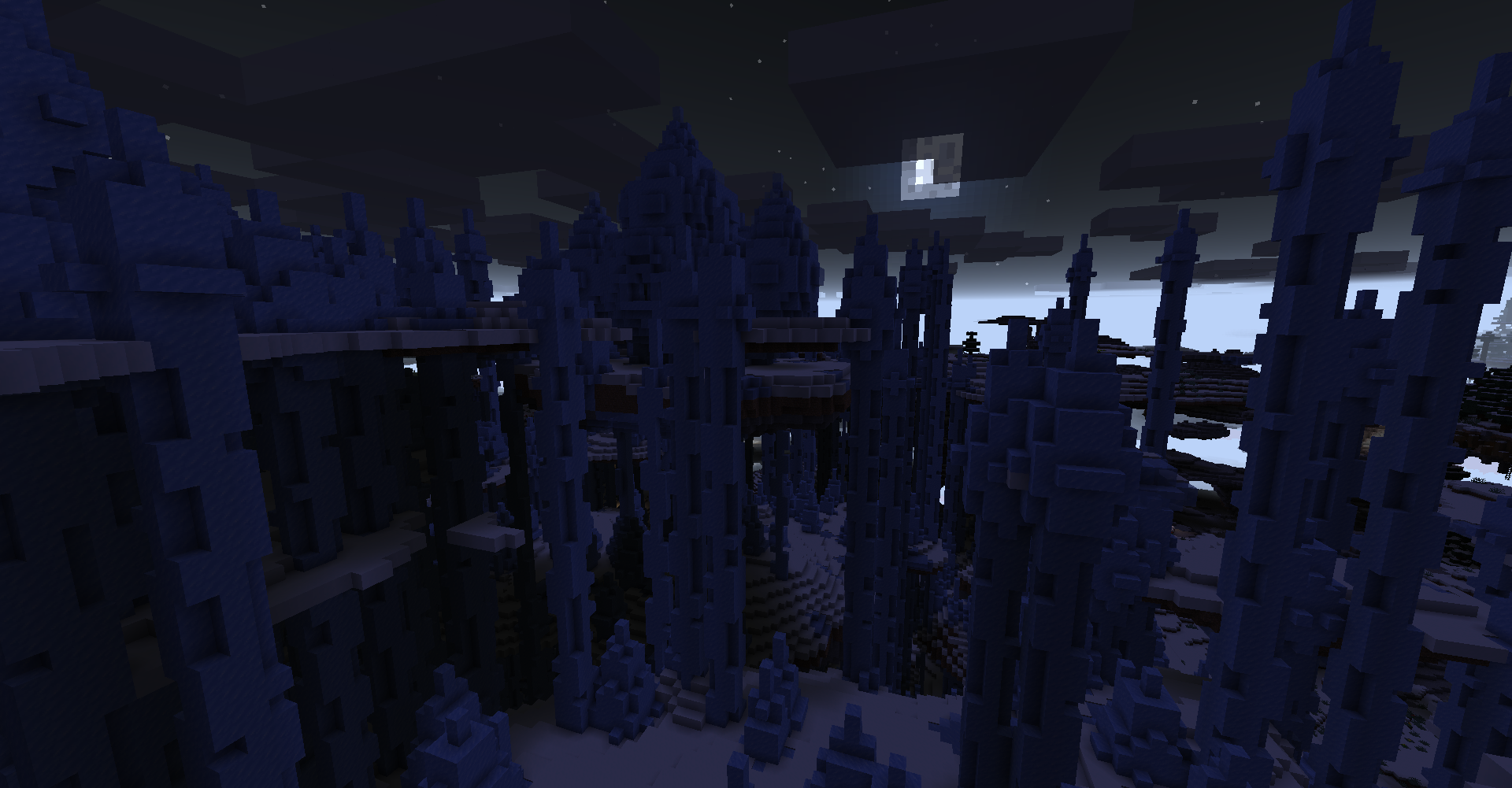 Ice Spike Temple In the coldest parts of the dimension, a rare hidden Ice Spike Temple can be found in Ice Spike biome! keep watch for the Iced Terrain biome nearby as while they are completely ice, there are sometimes Lapis Blocks hidden inside!
 -
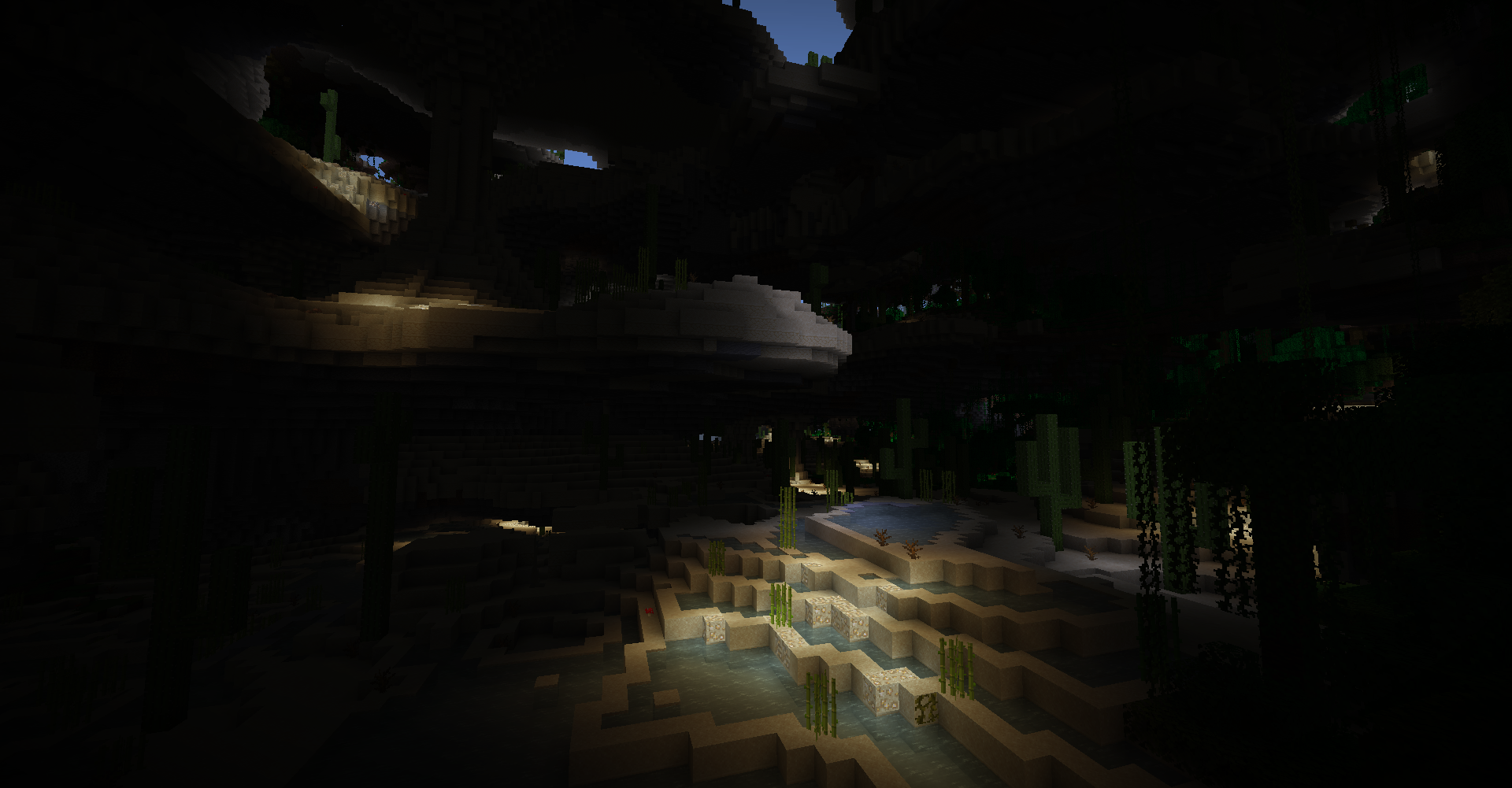 Desert Lakes The Desert Lakes biome is basically a desert version of UAD's Swamp biome. They are a great source of Sugar Cane!
 -
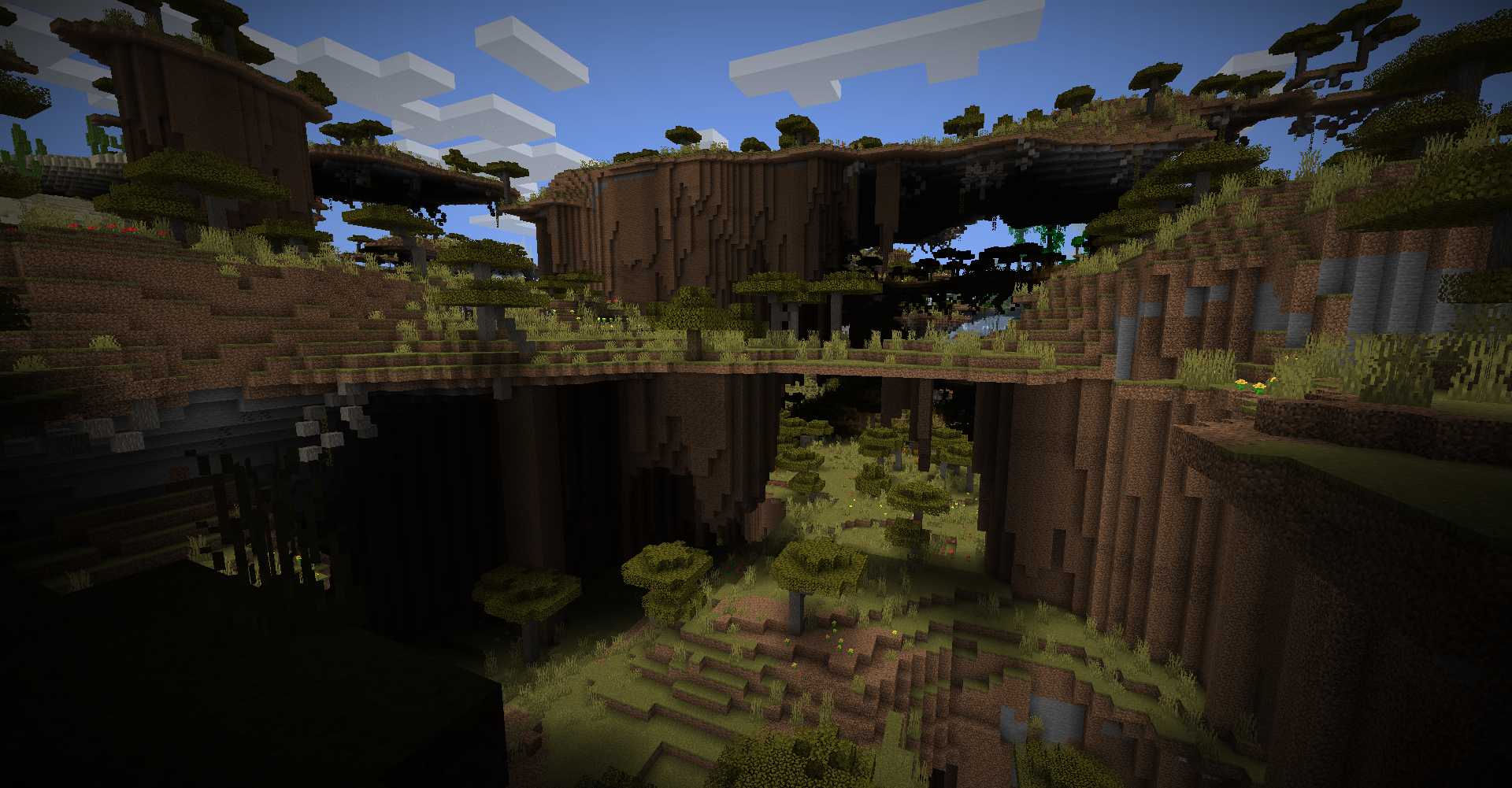 Shattered Savanna Terrace Savanna biomes have a form that forms walls below their islands and makes it quite tricky to traverse. But it is super cool to see!
 -
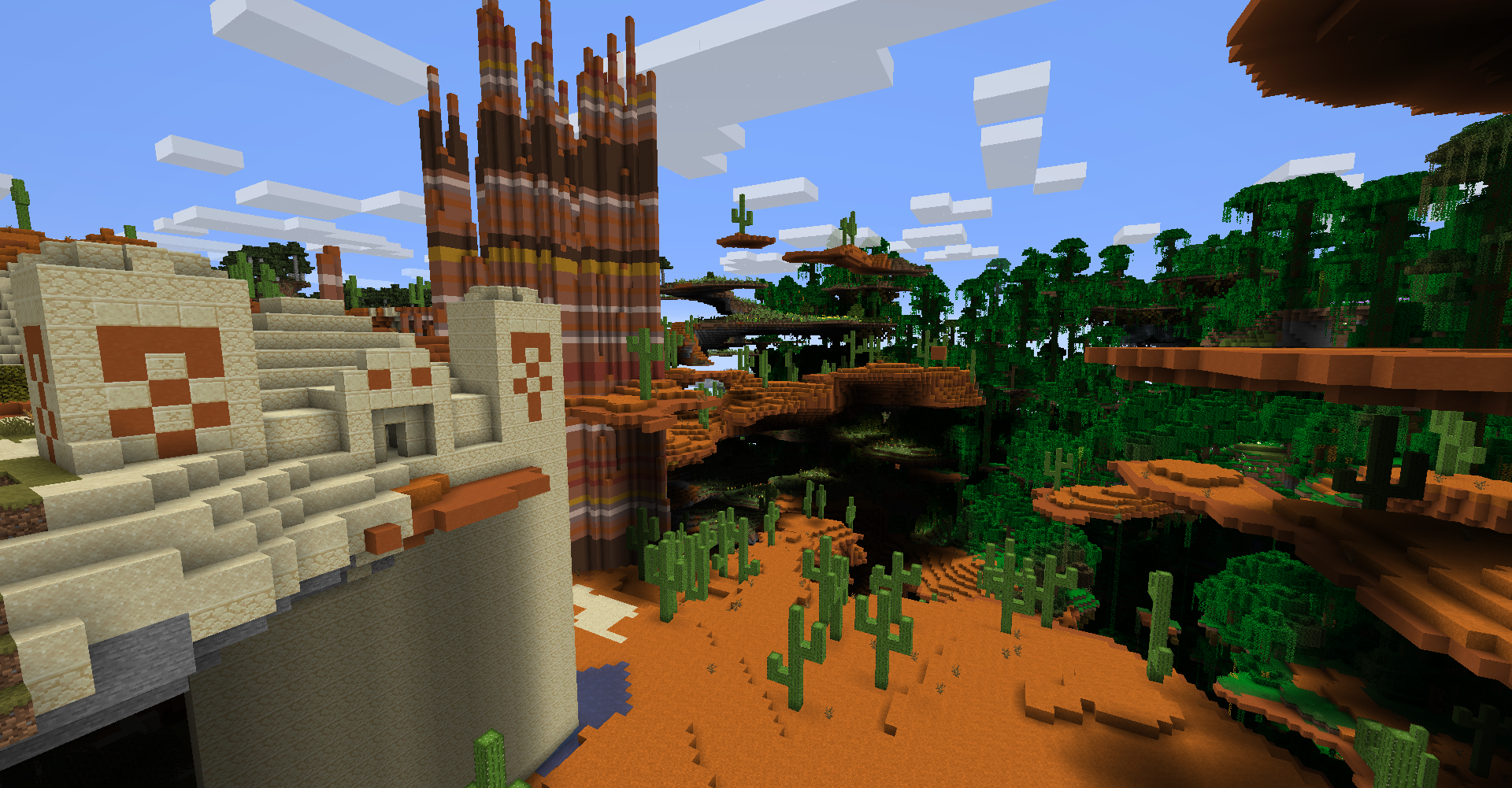 Desert Temples, Spiky Badlands, Jungle Yes, Desert and Jungle Temples do spawn as well! And Badlands have many forms here including a rare woods variant as well. Notice the new larger cactus that spawns in UAD's Desert and Badlands! And in the back is the large Jungle biome.
 -
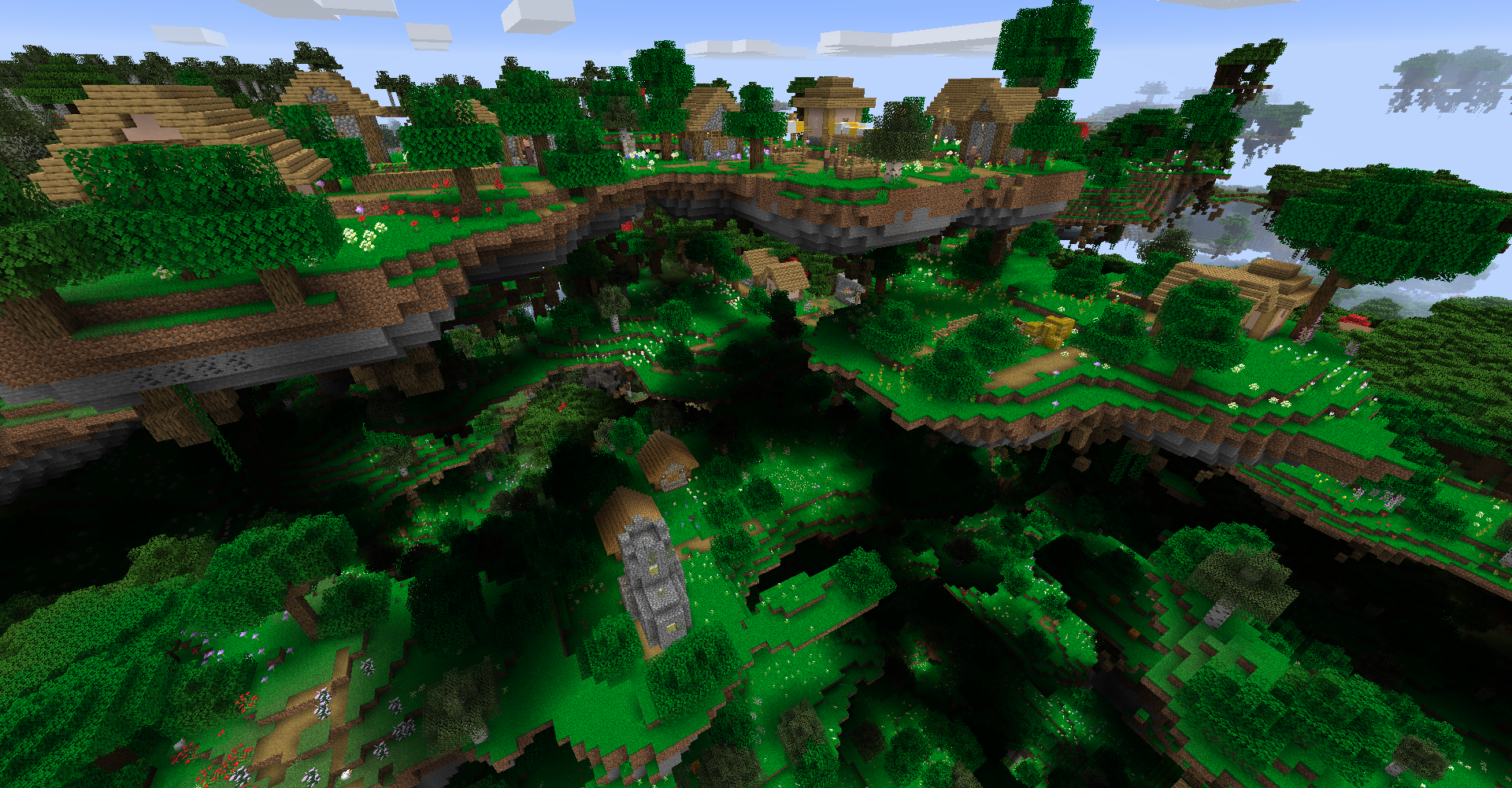 Village in Flower Forest Even in UAD's dimension, Villagers still try to make themselves at home with varying degrees of success. Maybe you can help connect their islands together so they can gather once again!
 -
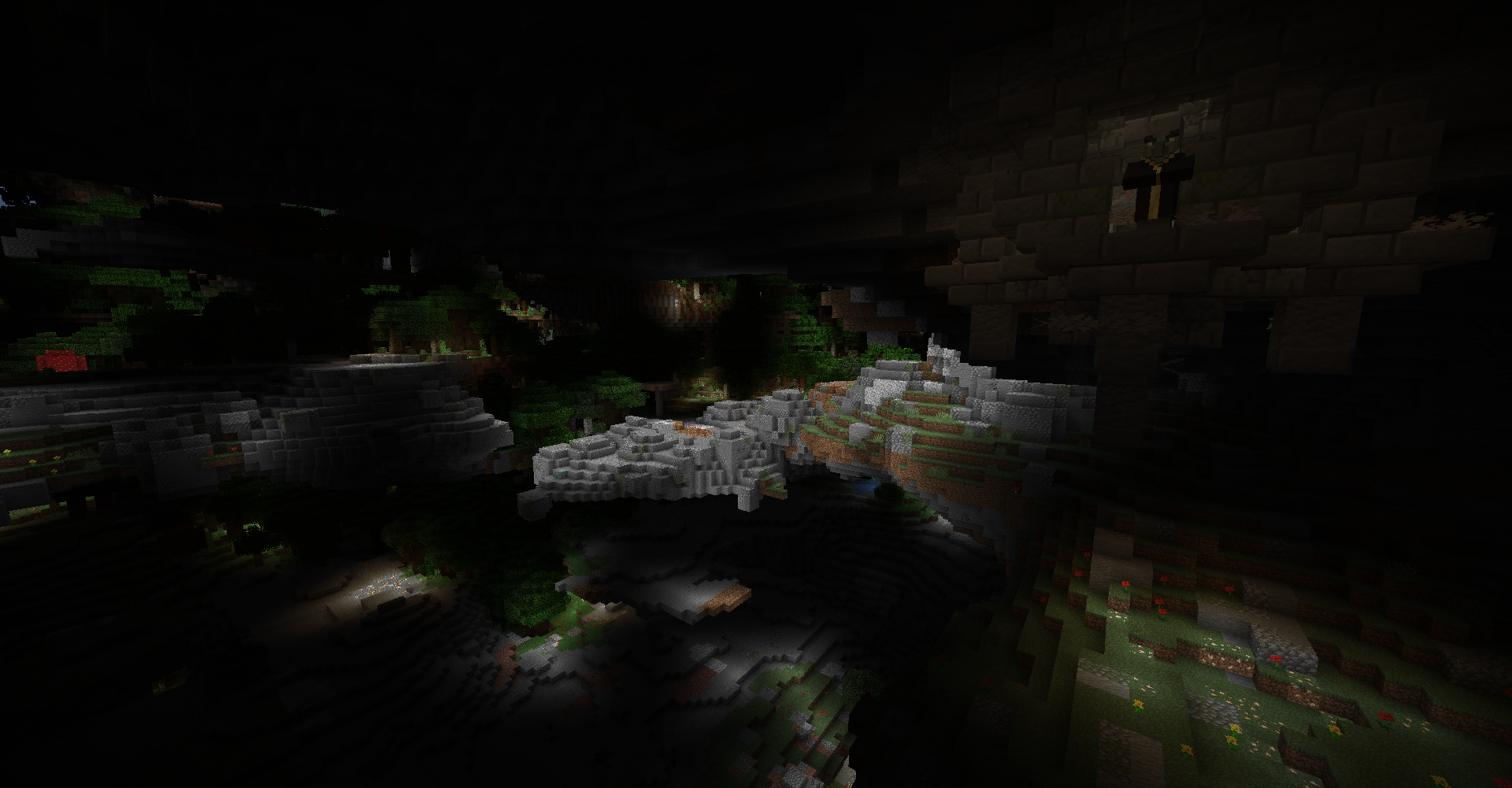 Hanging Ruins in Rocky Fields UAD's equivalent of the Overworld's Mountains biome is the Rocky Fields biomes! In nearly all biomes, you might find Hanging Ruins which has helpful loot! But beware, they have a dangerous inhabitant...
 -
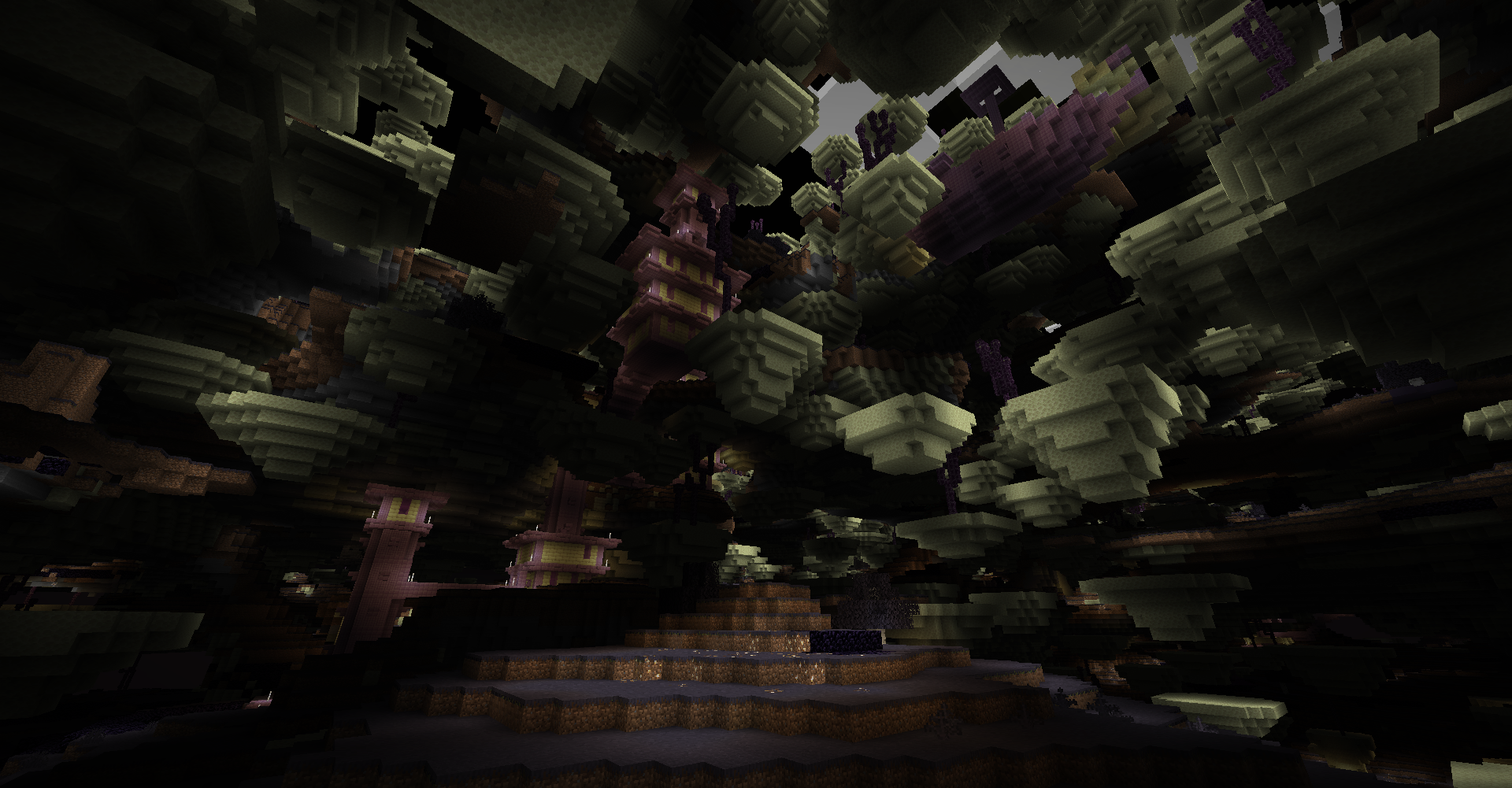 End City in End Fields biome The End has wormed its way into UAD's dimension! The top half of the biome is filled with strange colored grass and End Cities while underground is completely End Stone!
 -
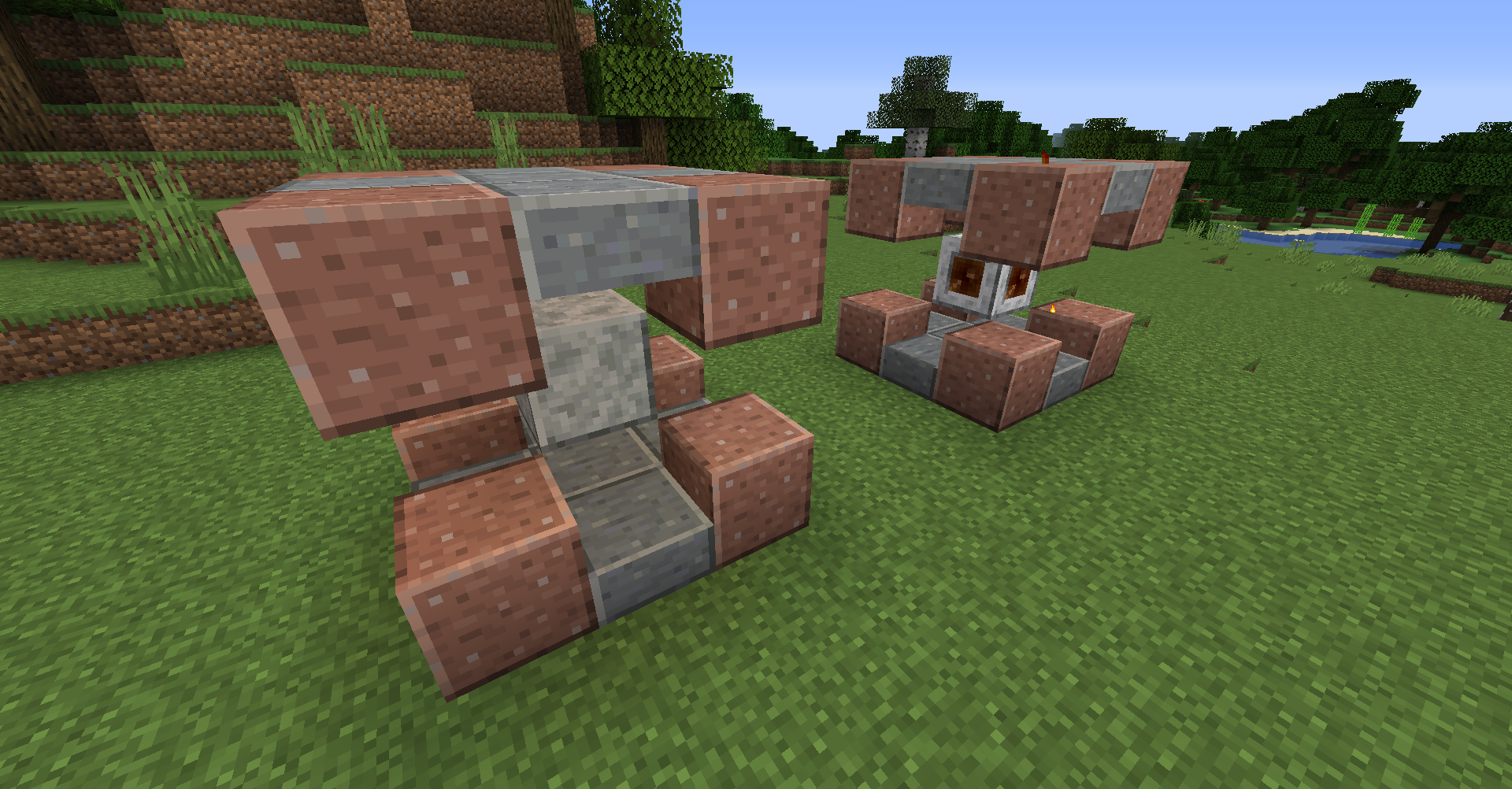 Amplified Portal Using 8 Polished Granite, 10 Polished Andesite Slabs, and 1 Polished Diorite, you can make this portal to jump in and out of this mod's dimension! Right click the Diorite with Flint and Steel to activate the portal and right click the portal to teleport!
-
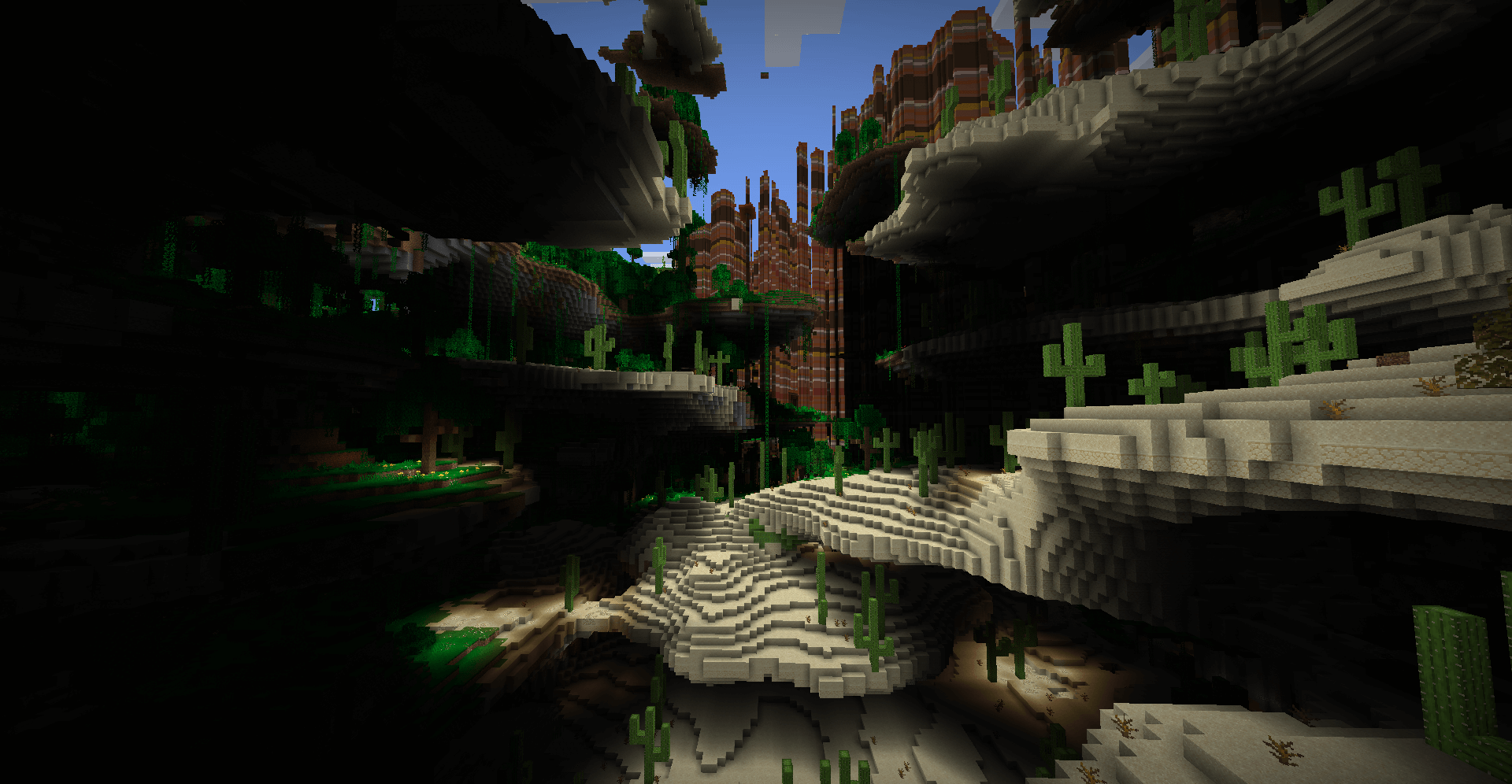 Ultra Amplified Dimension Mainly Desert and Badlands shown
 -
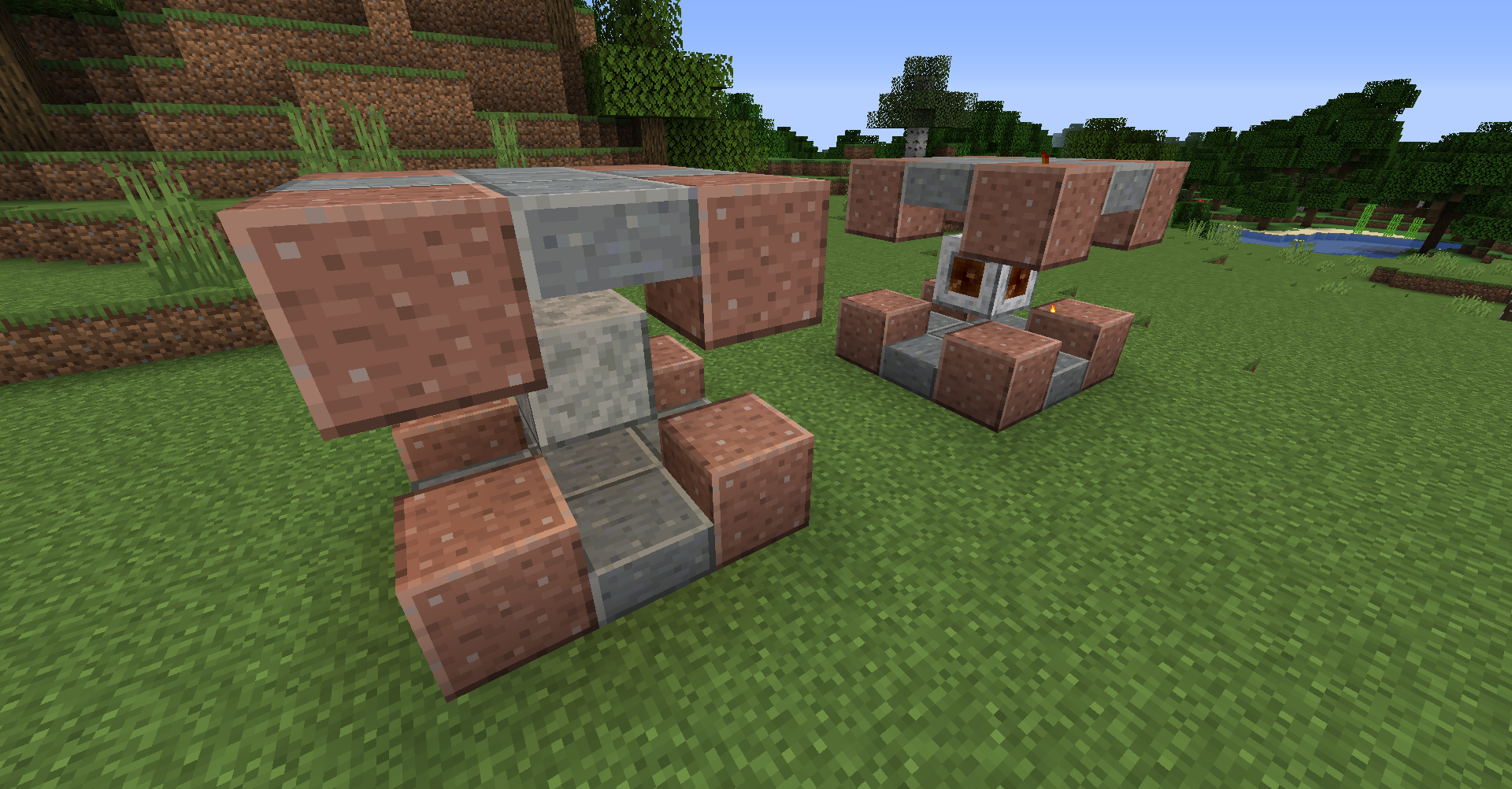 Portal Right click center with Flint and Steel to transform Polished Diorite into the portal block which you then right click to enter dimension
-
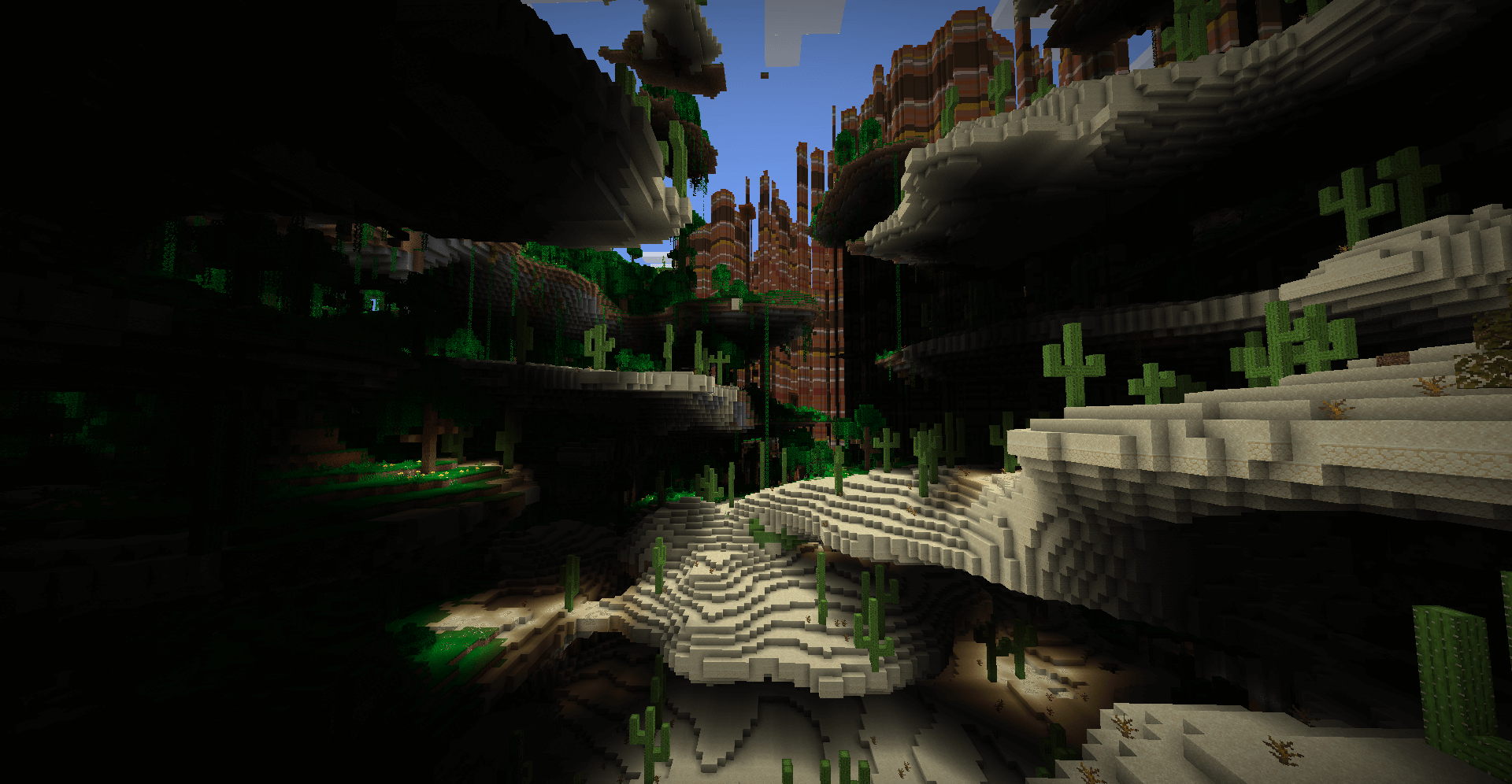 Ultra Amplified Dimension Mainly Desert and Badlands shown
 -
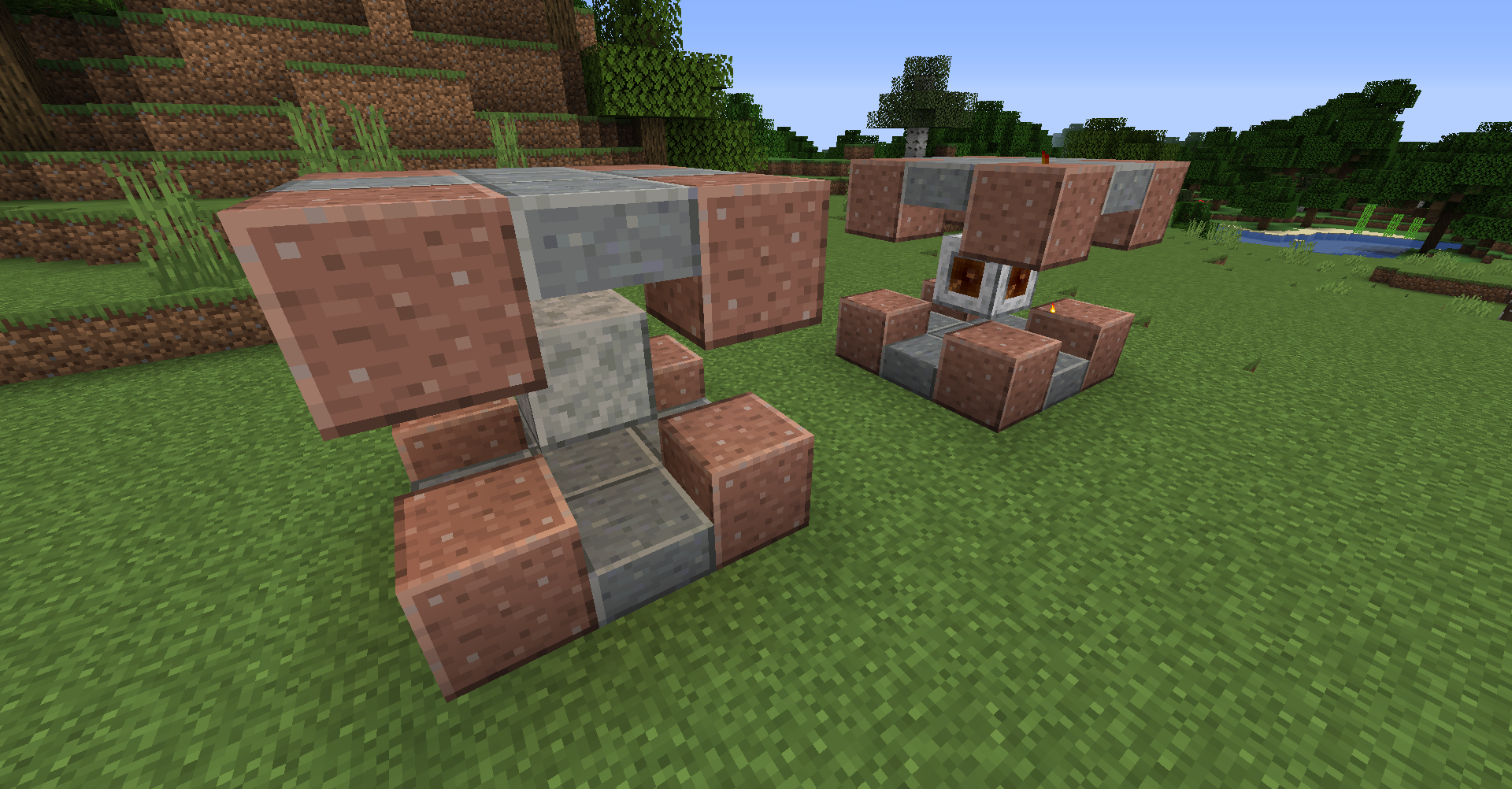 Portal Right click center with Flint and Steel to transform Polished Diorite into the portal block which you then right click to enter dimension
Versions
Files
Relations
Project Relations
More like this
Similar Mods
Suggestions use data such as tags, dependencies, dependents, descriptions, titles, and more to rank how much they overlap with this mod.
On ModDex
Community snapshot
By the numbers
Statistics
 (opens in a new tab)
Get it on
Available Platforms
On ModDex
Community snapshot
By the numbers