
Community listing page, reviews here may not be monitored by the author.
UltraSkin

No reviews yet
Adds HD skin support with ultra high resolution player textures
Community voices
Reviews
No reviews yet. Be the first to review this project!
Get it on
Available Platforms
About
Project Details
For authors
Embed Badge
If you're the author of this project, you can embed a live badge anywhere that supports HTML or Markdown. It updates automatically whenever ratings change.
Use HTML for any page that supports it, or Markdown for README files and Markdown-based descriptions.
Identifiers
Platform IDs
Resources
External Links
About
Description
UltraSkin — HD Custom Skin for Multiplayer
UltraSkin lets you wear any custom skin in Minecraft multiplayer — even at resolutions far beyond the vanilla limit. Upload a PNG file from your computer or paste an image URL, and other players on the same server will see your skin automatically in real time.
- ✨ Features
3 Skin Slots Store up to 3 different skins at once and switch between them anytime. Each slot remembers your skin so you can hot-swap looks without re-uploading.
Drag & Drop Upload Open the UltraSkin menu and drag a PNG file directly into any skin box — no file picker needed. The mod validates your file instantly and shows a live preview before you apply it.
HD Resolution Support Supports skin textures up to 2048×2048 pixels, delivering crisp, ultra-detailed looks that vanilla Minecraft cannot display.
URL Skin Support Prefer hosting your skin online? Paste an image URL and UltraSkin will fetch and apply it automatically.
Classic & Slim Model Each skin slot has its own model toggle. Switch between Classic (Steve) and Slim (Alex) arms independently per slot.
Multiplayer Sync Skins are synced server-side so every player on the server sees each other's UltraSkin textures automatically when they join — no client configuration required on their end.
Persistent Storage Your skin choice is saved on the server and restored the next time you log in. You won't need to re-upload after a restart.
- 🎮 How to Use
- Press the UltraSkin keybind to open the skin menu
- Drag a PNG skin file into one of the 3 boxes (max 2048×2048)
- Choose Classic or Slim model
- Click Use — your skin is applied and synced to all players instantly
- ⌨️ Commands
UltraSkin also supports chat commands for setting skins directly without opening the GUI.
/skins url <link>             — Set skin from URL (Classic arms)
/skins url classic <link>     — Set skin with Classic arms
/skins url slim <link>        — Set skin with Slim arms
/skins clear                  — Remove your skin and return to vanilla
/skins clear <player>         — Clear another player's skin (OP only)
/skins toggle                 — Enable or disable UltraSkin for yourself
/skins toggle <player>        — Toggle UltraSkin for another player (OP only)
/skins list                   — Show all active skins on the server
/skins history                — View your last 10 skin history entries
/skins applyhistory <index>   — Re-apply a skin from your history (index 0–9)
/skins reload                 — Reload all skins from saved data (OP only)
Screenshots
Gallery
-
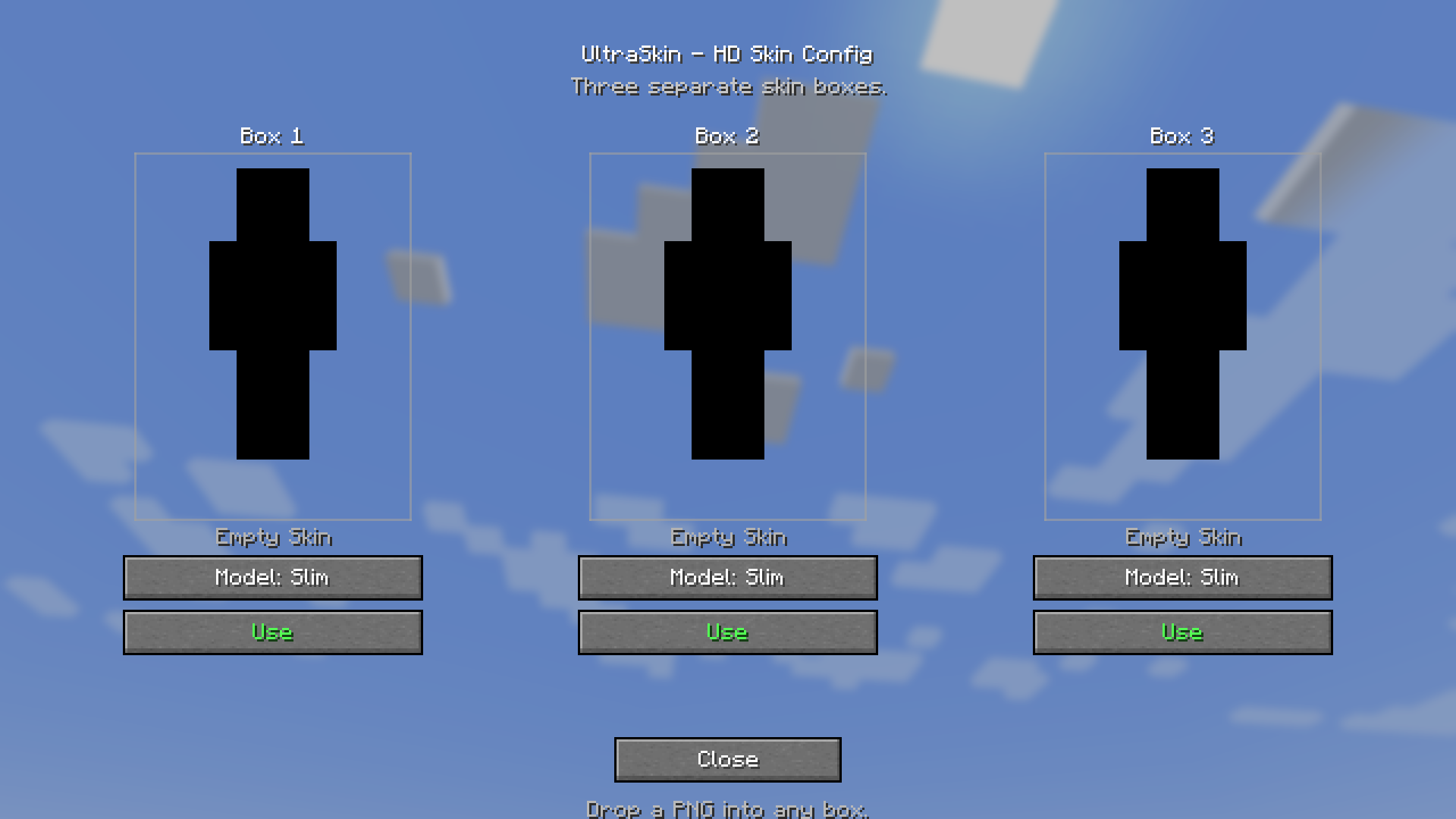 UltraSkin_GUI
Versions
Files
Relations
Project Relations
More like this
Similar Mods
Suggestions use data such as tags, dependencies, dependents, descriptions, titles, and more to rank how much they overlap with this mod.
On ModDex
Community snapshot
By the numbers
Statistics
Want to reach Minecraft players?
We're looking for a server hosting partner to feature here and other parts of the site. Interested? Send us a message!
Get in touchGet it on
Available Platforms
On ModDex
Community snapshot
By the numbers
Statistics
Resources