
Community listing page, reviews here may not be monitored by the author.
Unbounded bundle


No reviews yet
Removes the 12-item display limit on bundles and replaces the fixed tooltip with a scrollable, dynamically-sized grid.
Community voices
Reviews
No reviews yet. Be the first to review this project!
Get it on
Available Platforms
Compatibility
Supported Environments
Runs entirely on the client. Works on vanilla servers.
About
Project Details
For authors
Embed Badge
If you're the author of this project, you can embed a live badge anywhere that supports HTML or Markdown. It updates automatically whenever ratings change.
Use HTML for any page that supports it, or Markdown for README files and Markdown-based descriptions.
Identifiers
Platform IDs
Resources
External Links
About
Description
Unbounded Bundle



Removes the 12-item display limit on bundles and replaces the fixed tooltip with a scrollable, dynamically-sized grid. Store as many different items as you want and navigate them without leaving your inventory.
Features
- No more 12-item display limit — all bundle contents are always accessible
- Dynamic column count that adapts to the number of stored items (configurable, 4–8 columns)
- Scrollable tooltip with a configurable max height so it never overflows your screen
- Scroll automatically follows the selected item to keep it always in view
- Full ModMenu + Cloth Config support for in-game configuration (both optional)
- Fabric, Quilt and NeoForge support
Configuration
The config file is located at .minecraft/config/unbounded_bundle.json and is created automatically on first launch.
| Option | Description |
|---|---|
enabled |
Enables the whole mod. |
minColumns |
Minimum number of columns in the tooltip grid. |
maxColumns |
Maximum number of columns in the tooltip grid. |
scrollable |
Enables the scrollable tooltip. |
smoothScrolling |
Enables smooth scrolling. |
maxRows |
Maximum number of visible rows when scrollable is enabled. |
usePercentageProgress |
Show the progress as a percentage. |
The column count adapts automatically to the number of items in the bundle, clamped between minColumns and maxColumns. maxRows has no effect when scrollable is set to false.
Unbounded Bundle

Removes the 12-item display limit on bundles and replaces the fixed tooltip with a scrollable, dynamically-sized grid. Store as many different items as you want and navigate them without leaving your inventory.
Features
- No more 12-item display limit — all bundle contents are always accessible
- Dynamic column count that adapts to the number of stored items (configurable, 4–8 columns)
- Scrollable tooltip with a configurable max height so it never overflows your screen
- Scroll automatically follows the selected item to keep it always in view
- Full ModMenu + Cloth Config support for in-game configuration (both optional)
- Fabric, Quilt and NeoForge support
Configuration
The config file is located at .minecraft/config/unbounded_bundle.json and is created automatically on first launch.
| Option | Description |
|---|---|
enabled |
Enables the whole mod. |
minColumns |
Minimum number of columns in the tooltip grid. |
maxColumns |
Maximum number of columns in the tooltip grid. |
scrollable |
Enables the scrollable tooltip. |
smoothScrolling |
Enables smooth scrolling. |
maxRows |
Maximum number of visible rows when scrollable is enabled. |
usePercentageProgress |
Show the progress as a percentage. |
The column count adapts automatically to the number of items in the bundle, clamped between minColumns and maxColumns. maxRows has no effect when scrollable is set to false.
Screenshots
Gallery
-
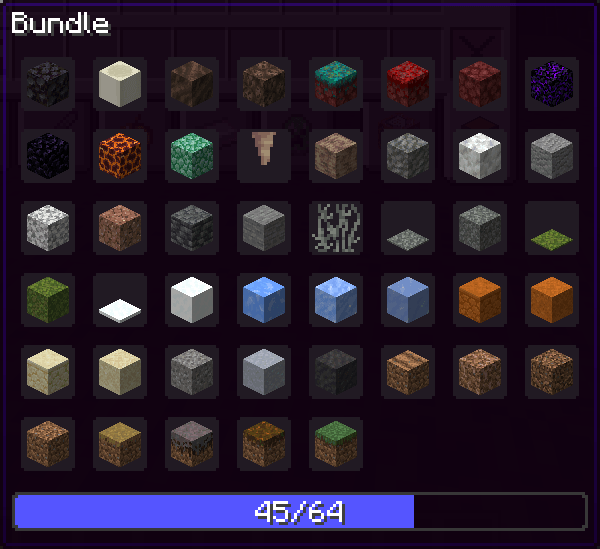 Bundle tooltip
 -
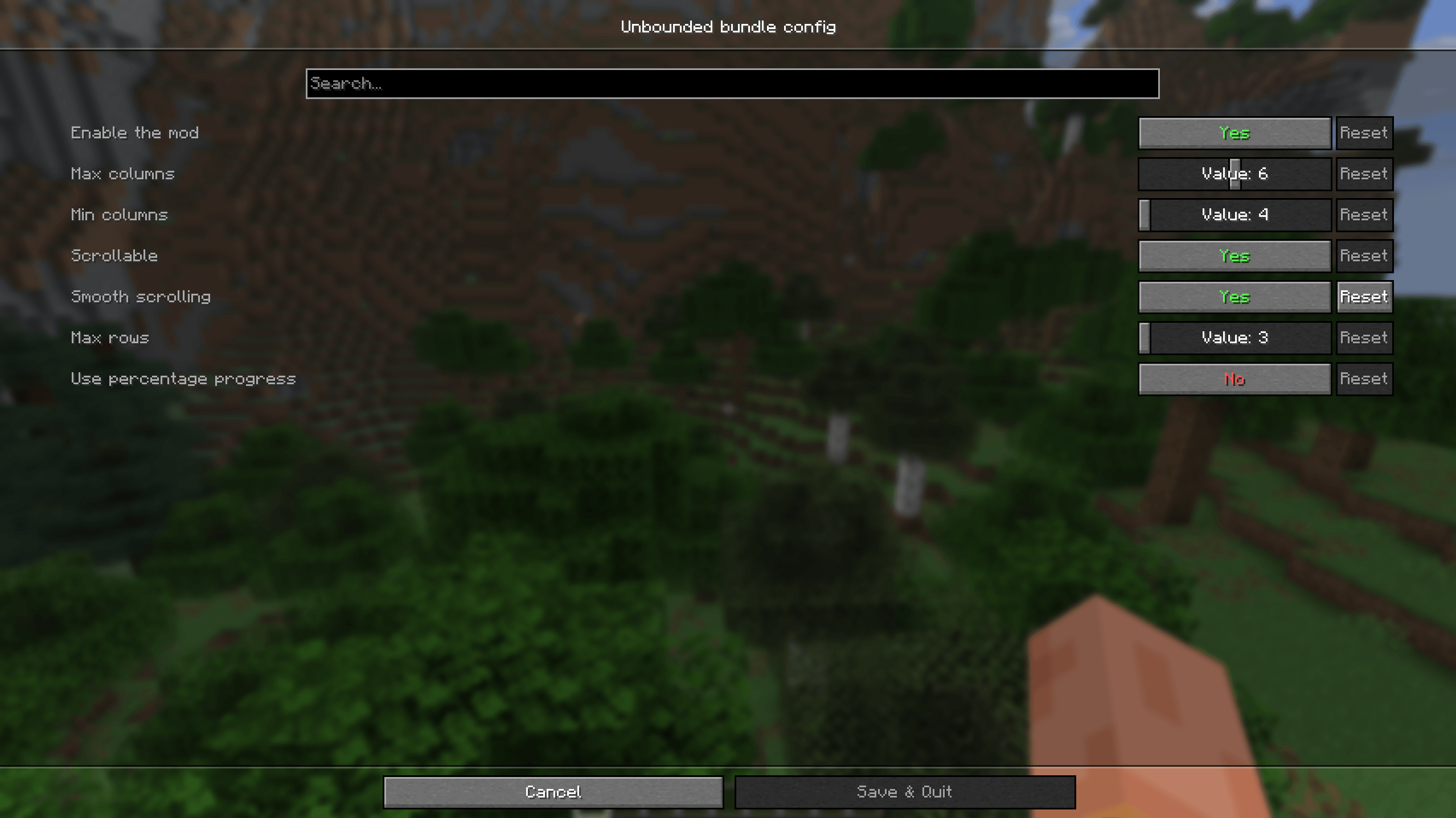 Config screen
-
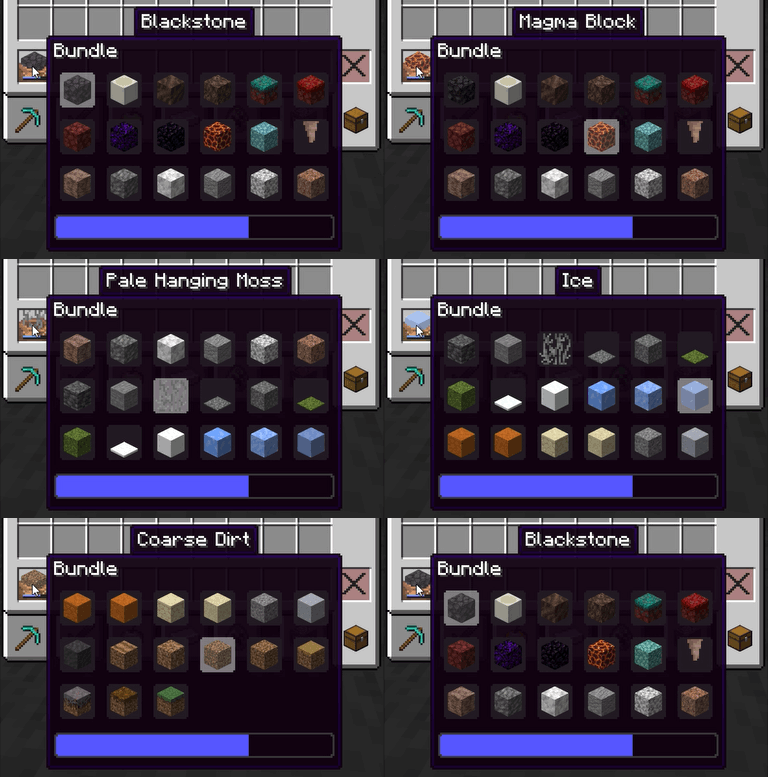 Scrolling
 -
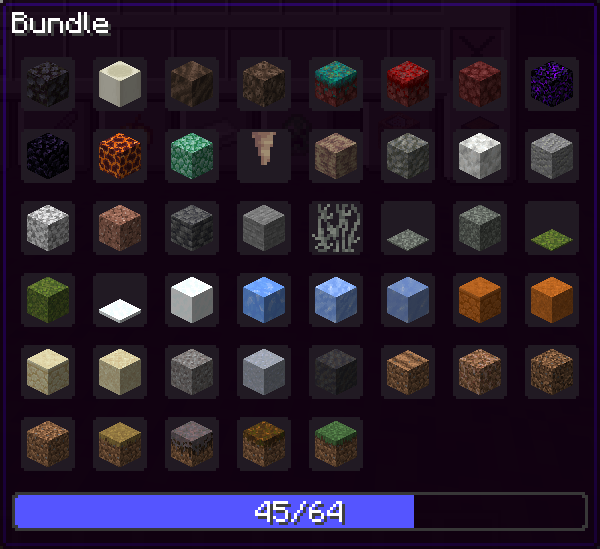 Bundle tooltip
 -
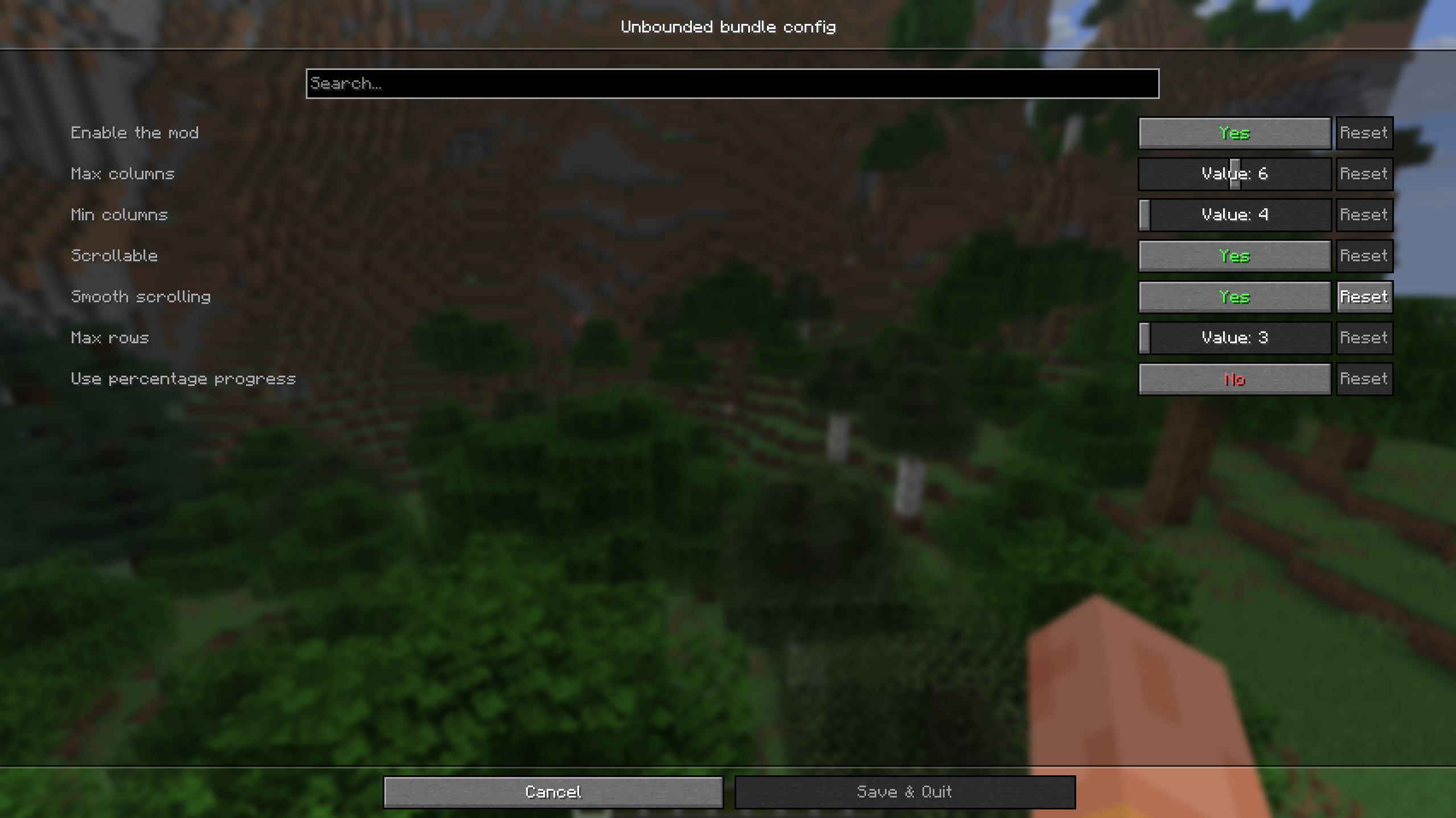 Config screen
Versions
Files
Relations
Project Relations
More like this
Similar Mods
Suggestions use data such as tags, dependencies, dependents, descriptions, titles, and more to rank how much they overlap with this mod.
On ModDex
Community snapshot
By the numbers
Statistics
Want to reach Minecraft players?
We're looking for a server hosting partner to feature here and other parts of the site. Interested? Send us a message!
Get in touchGet it on
Available Platforms
On ModDex
Community snapshot
By the numbers
Statistics
Resources