Community listing page, reviews here may not be monitored by the author.
Unboundle


No reviews yet
Use items directly out of the bundle, and manage them easily with a dynamic tooltip!

Community voices
Reviews
No reviews yet. Be the first to review this project!
Get it on
Available Platforms
Compatibility
Supported Environments
Must be installed on both the client and the server.
About
Project Details
For authors
Embed Badge
If you're the author of this project, you can embed a live badge anywhere that supports HTML or Markdown. It updates automatically whenever ratings change.
Use HTML for any page that supports it, or Markdown for README files and Markdown-based descriptions.
Identifiers
Platform IDs
About
Description
Overview
This mod expands the bundle into a fully functional multi-item stack. Use items directly out of the bundle and organize your inventory more easily, all while preserving a vanilla feeling.
Features
Improved tooltip
With the new tooltip, you can now:
- Adapt the tooltip dimensions to your liking.
- Scroll past the initial window to access all items in the bundle.
- Insert items at any position.
To keep the inventory clean, you can now also store four unstackable items in a bundle.
See the tooltip in action:
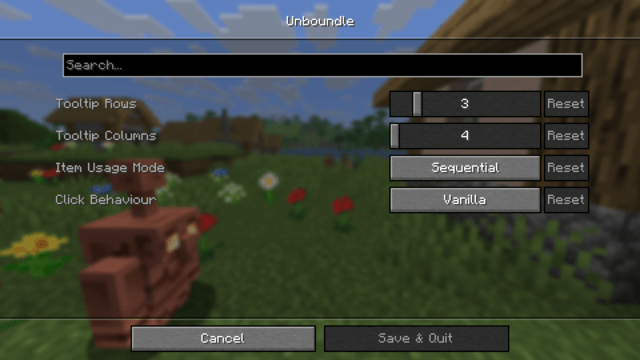
Additionally, there's now a ModMenu setting to control how left and right click interact with the bundle.
Settings:
Item usage out of bundles
Use almost any item right out of the bundle! That includes block placement, projectile throws, material application, tool usage, and more.
Combine that with the keybind toggle to switch between sequential and random item usage.
See item usage in action:
Insert items as a separate stack with a shift-click, and take advantage of nested bundles to go insane with item distribution!
See nested bundles in action:
The drop key now drops the items out of the bundle, and CTRL & drop drops the bundle item itself.
Want to automate emptying bundles? Dispensers can now look inside bundles and drop their contents.
Unsupported items
There are a few items that are not supported for item usage. Any other item works out of the bundle.
- Any consumables, such as food or drinkable potions.
- Bows and Crossbows
- Tridents
- Shields
- Brushes
- Spyglasses
- Fishing rods, including carrot / warped fungus on a stick
- Writable books
Installation
Download the .jar file and put it in the /mods folder inside your /.minecraft directory.


Dependencies


Contribution
Bug reports and feature requests are welcome on GitHub.

License
This project is licensed under the LGPL-3.0 License.
You are free to include it in any modpack.
Overview
This mod expands the bundle into a fully functional multi-item stack. Use items directly out of the bundle and organize your inventory more easily, all while preserving a vanilla feeling.
Features
Improved tooltip
With the new tooltip, you can now:
- Adapt the tooltip dimensions to your liking.
- Scroll past the initial window to access all items in the bundle.
- Insert items at any position.
To keep the inventory clean, you can now also store four unstackable items in a bundle.
See the tooltip in action
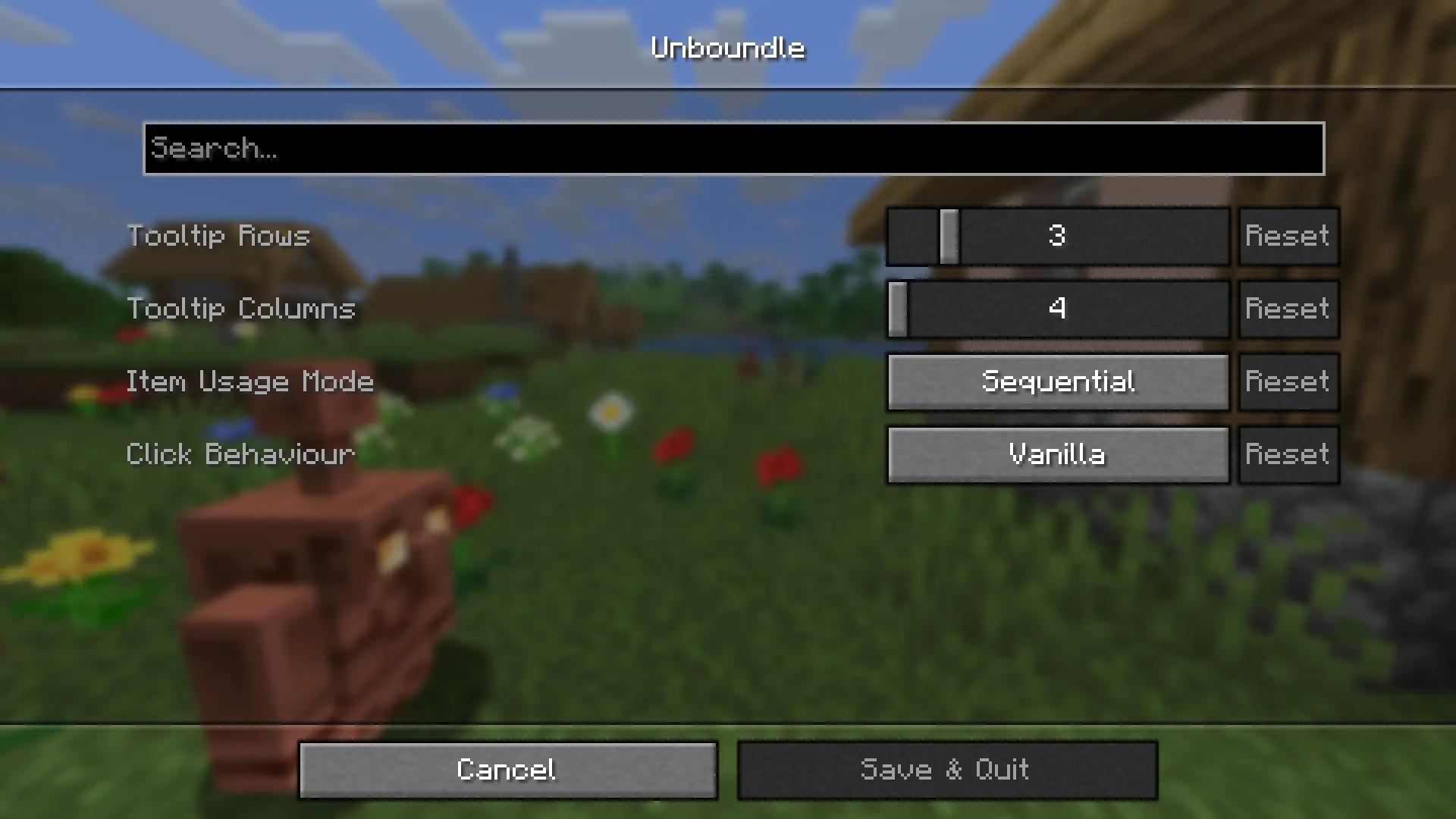
Additionally, there's now a ModMenu setting to control how left and right click interact with the bundle.
Show settings
Item usage out of bundles
Use almost any item right out of the bundle! That includes block placement, projectile throws, material application, tool usage, and more.
Combine that with the keybind toggle to switch between sequential and random item usage.
See item usage in action
Insert items as a separate stack with a shift-click, and take advantage of nested bundles to go insane with item distribution!
See nested bundles in action
The drop key now drops the items out of the bundle, and CTRL & drop drops the bundle item itself.
Want to automate emptying bundles? Dispensers can now look inside bundles and drop their contents.
Unsupported items
There are a few items that are not supported for item usage. Any other item works out of the bundle.
Show unsupported items
- Any consumables, such as food or drinkable potions.
- Bows and Crossbows
- Tridents
- Shields
- Brushes
- Spyglasses
- Fishing rods, including carrot / warped fungus on a stick
- Writable books
Installation
Download the .jar file and put it in the /mods folder inside your /.minecraft directory.
Dependencies
Contribution
Bug reports and feature requests are welcome on GitHub.
License
This project is licensed under the LGPL-3.0 License.
You are free to include it in any modpack.
Screenshots
Gallery
-
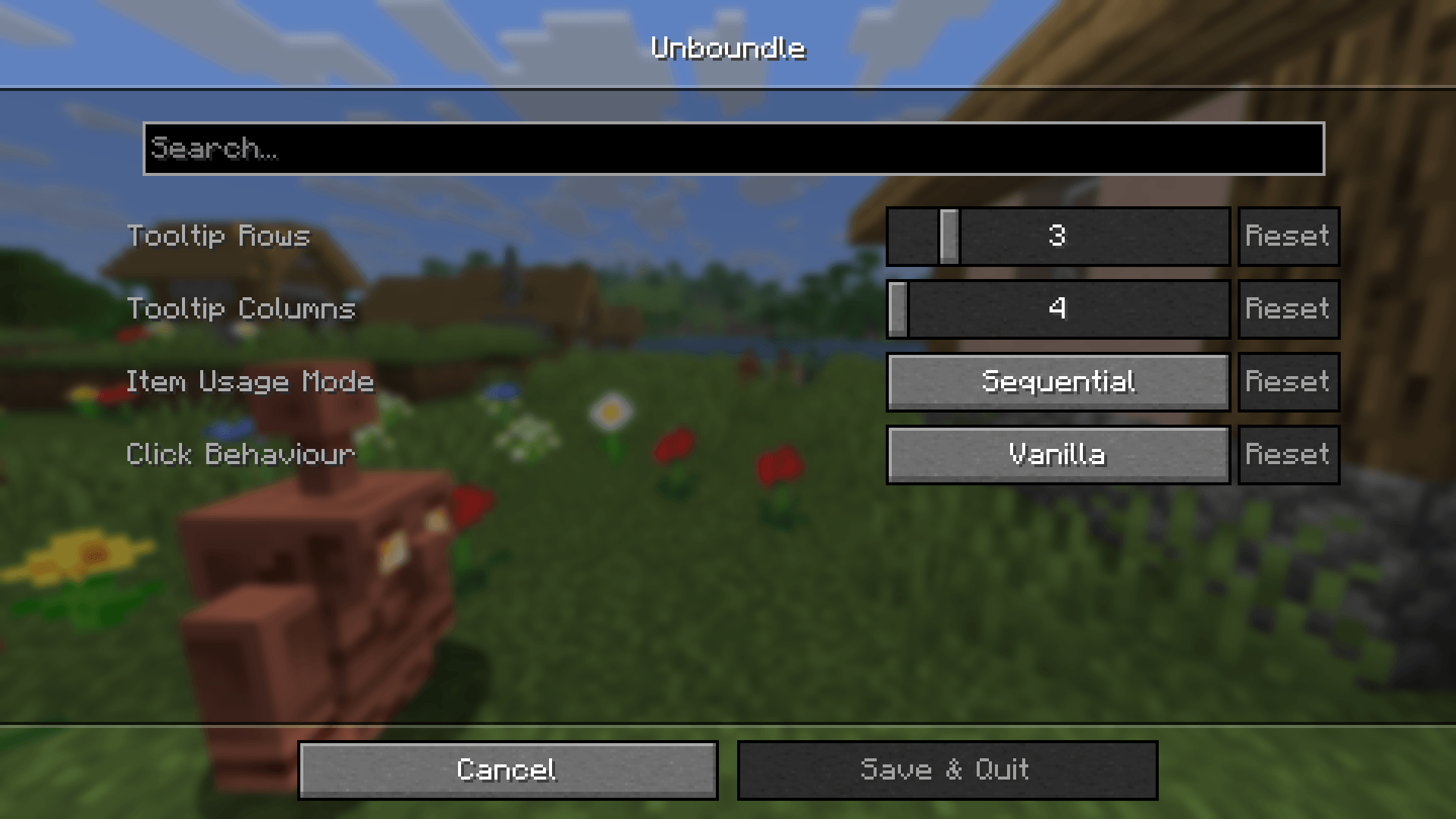 ModMenu settings screen
-
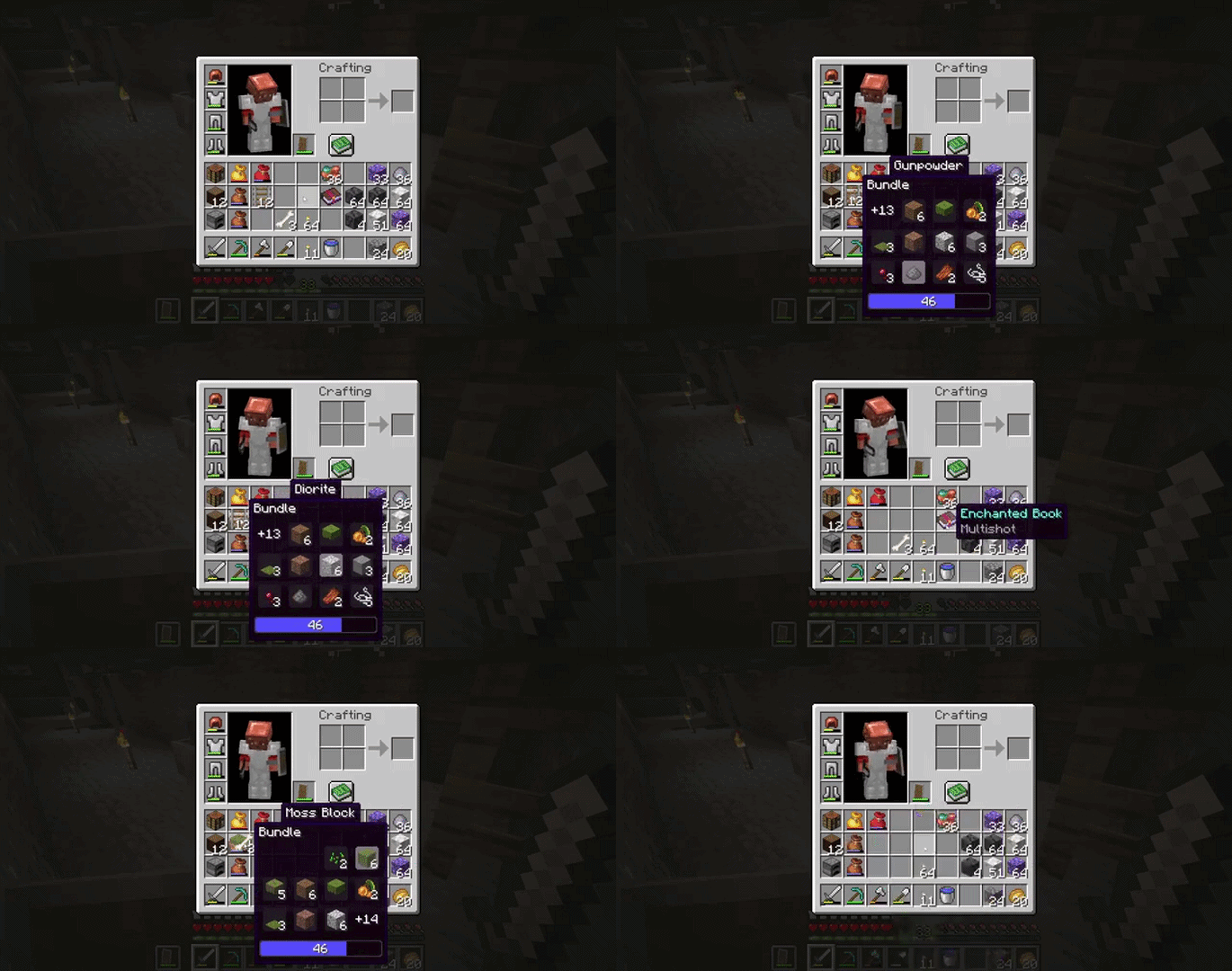 Improved tooltip
 -
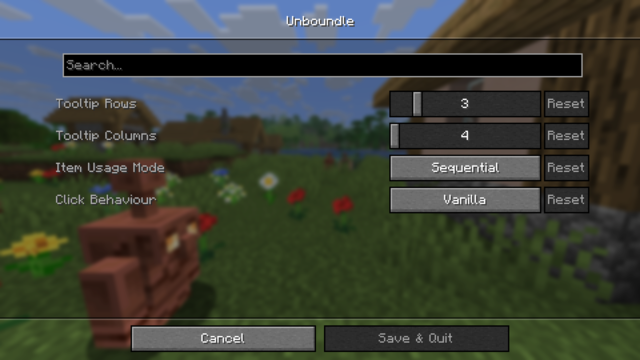 ModMenu settings screen
 -
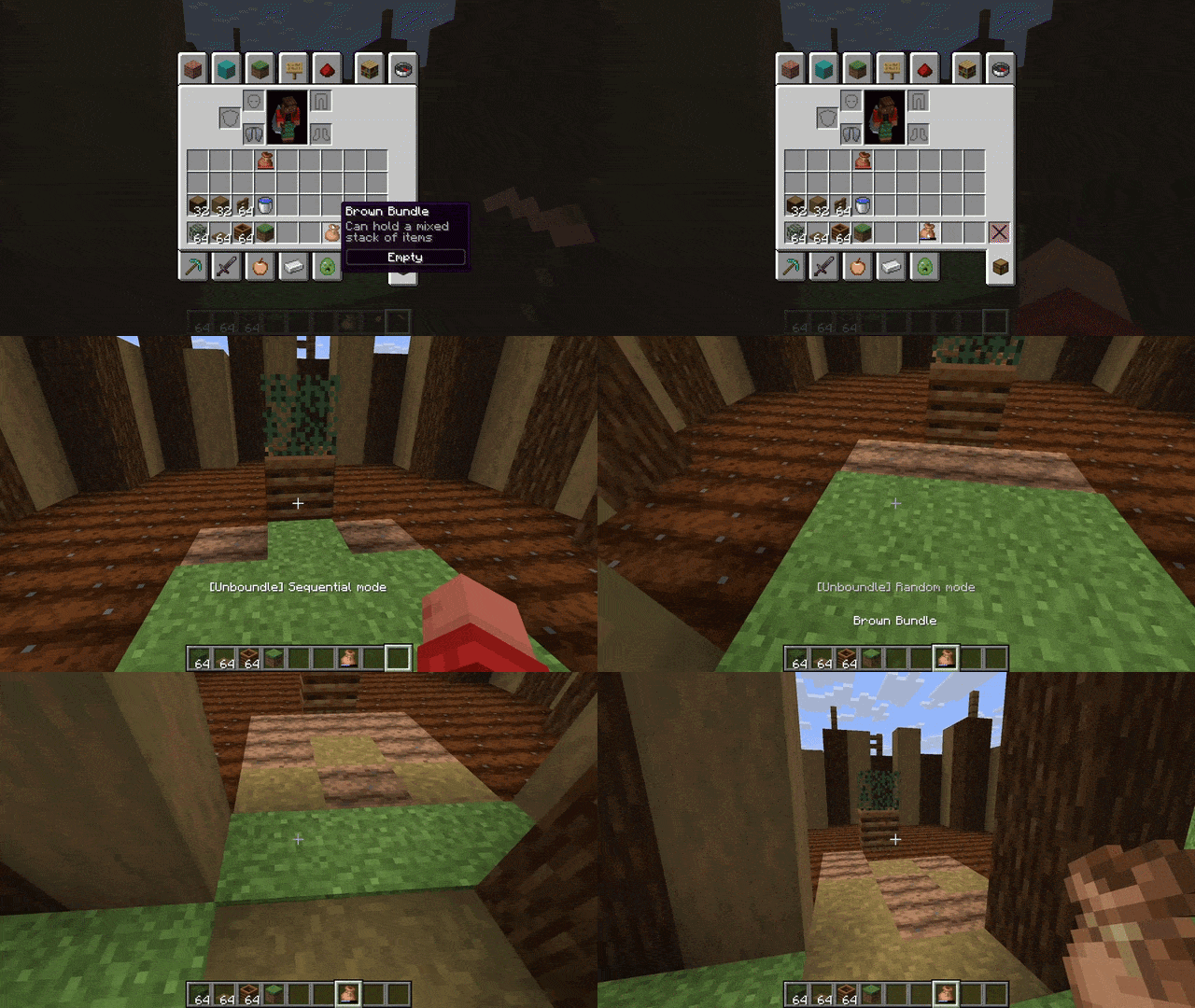 Random item usage
 -
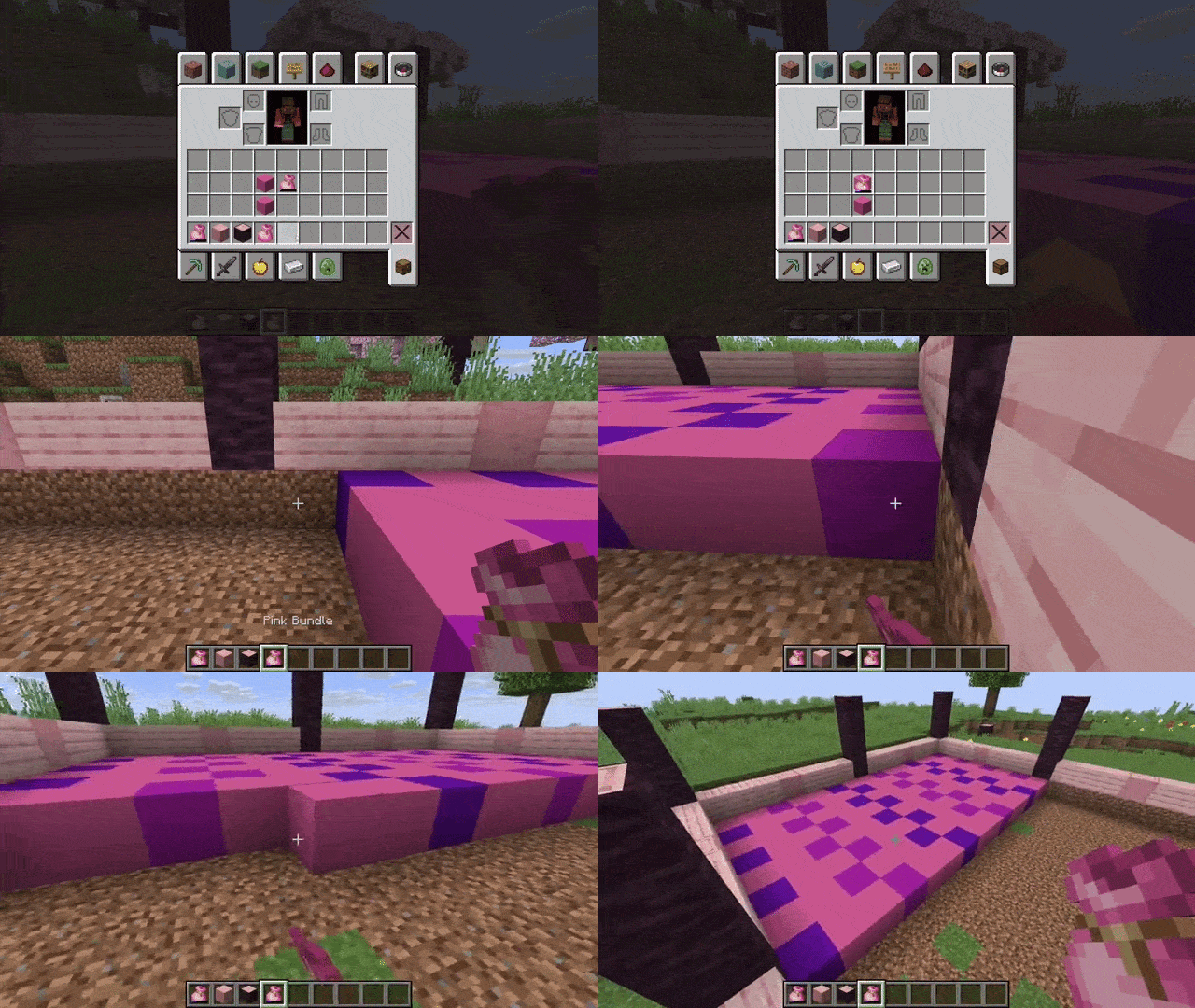 Nested bundles
Versions
Files
Relations
Project Relations
More like this
Similar Mods
Suggestions use data such as tags, dependencies, dependents, descriptions, titles, and more to rank how much they overlap with this mod.
On ModDex
Community snapshot
By the numbers
Statistics
 (opens in a new tab)
Get it on
Available Platforms
On ModDex
Community snapshot
By the numbers