
Community listing page, reviews here may not be monitored by the author.
Unfinite Freecam

No reviews yet
Spectator Freecam with accurate player figures! ✨ (v2: Now with mannequins)
Community voices
Reviews
No reviews yet. Be the first to review this project!
Get it on
Available Platforms
Compatibility
Supported Environments
Runs entirely on the server. Also works in singleplayer.
About
Project Details
For authors
Embed Badge
If you're the author of this project, you can embed a live badge anywhere that supports HTML or Markdown. It updates automatically whenever ratings change.
Use HTML for any page that supports it, or Markdown for README files and Markdown-based descriptions.
Identifiers
Platform IDs
About
Description
What makes this freecam datapack special?
- A replica player figure spawns while using the Freecam
- v1: Nearly accurate figures with capes. Made out of item displays. Details below
- v2: Using the new Mannequin Entity
- ✔ Survival friendly and works without "Commands" enabled
- ✔ Multiplayer friendly (Must be installed on the server)
- ✔ No resourcepacks, plugins or mods are needed
- ✔ Can be installed as a mod [1.21.9+] (v2.0.1+)
v2 Rework: Mannequins and external support! [1.21.9+]
- Mannequins replicate: Pose/Effects/Attributes/Vehicles/Leashes etc.
- Better Admin Settings Menu with export button
- External Use: Dis- and Reconnecting players from mannequins

How to use
- Install (Datapack/Mod) on the Serverside (In Singleplayer your World/Instance is the Server)
- (Enable and reload)
- By default, every player can use:
/trigger unfinite-freecamto enter/exit freecam (No /op needed)
- Admin settings via
/function unfinite-freecam:admin/.settingsand more admin options under admin/...
This project started even before mannequins existed...
More Information on the old version [v1]
- Player figures are display entity based and made out of custom player heads
- These figures are generated with the bdengine.app
- All default skins available as player body + own skins addable!
- Multiple capes selectable

How to use
-
Enable and reload the datapack
-
By default, every player can use:
/trigger unfinite-freecamto enter/exit freecam/trigger unfinite-freecam-optionsto select a skin and cape [v1 only]
-
Admin settings via
/function unfinite-freecam:admin/settings:- Enable/disable freecam permission
- Enable/disable skin/cape selection
- Manually select skin and cape for an online(!) player [v1 only]
- Enable/disable limited vision underground
- Enable/disable spectating through blocks
- Select freecam range (default: 32 blocks)
-
Add own skins into the datapack: [v1 only]
Creating the player figure
- YouTube Tutorial:
- Make Player Statues in Vanilla Minecraft – by Sister (Realms creator)
Covers setting up bdengine and creating the player figure
- Make Player Statues in Vanilla Minecraft – by Sister (Realms creator)
- Setup bdengine with a Mineskin Account to auto-generate player heads
- Generate a player figure with your IGN or texture file
- Rotate it 180° and lower it until only the head is above floor level
- For all parts, set additional NBT to:
Tags: ["unfinite_freecam_dummy"] - For the head only, set additional NBT to:
Tags: ["head"] - Click "export to Minecraft" and copy the
/summoncommand
- YouTube Tutorial:
Adding it into the datapack
- Create a new file at:
data/unfinite-freecam/function/system/skin/*namespace*.mcfunction - Paste the
/summoncommand inside the file - Remove the
/at the beginning - Change:
to:~-0.5 ~ ~-0.5~ ~ ~ - Add a new command line to the
.optionsand.select_optionfunctions inside thesystemfolder- Follow the correct structure using your
*namespace*and the next number
- Note: You may need to copy the modifyed files, so they are not deleted in case of an update
- Follow the correct structure using your
Screenshots
Gallery
-
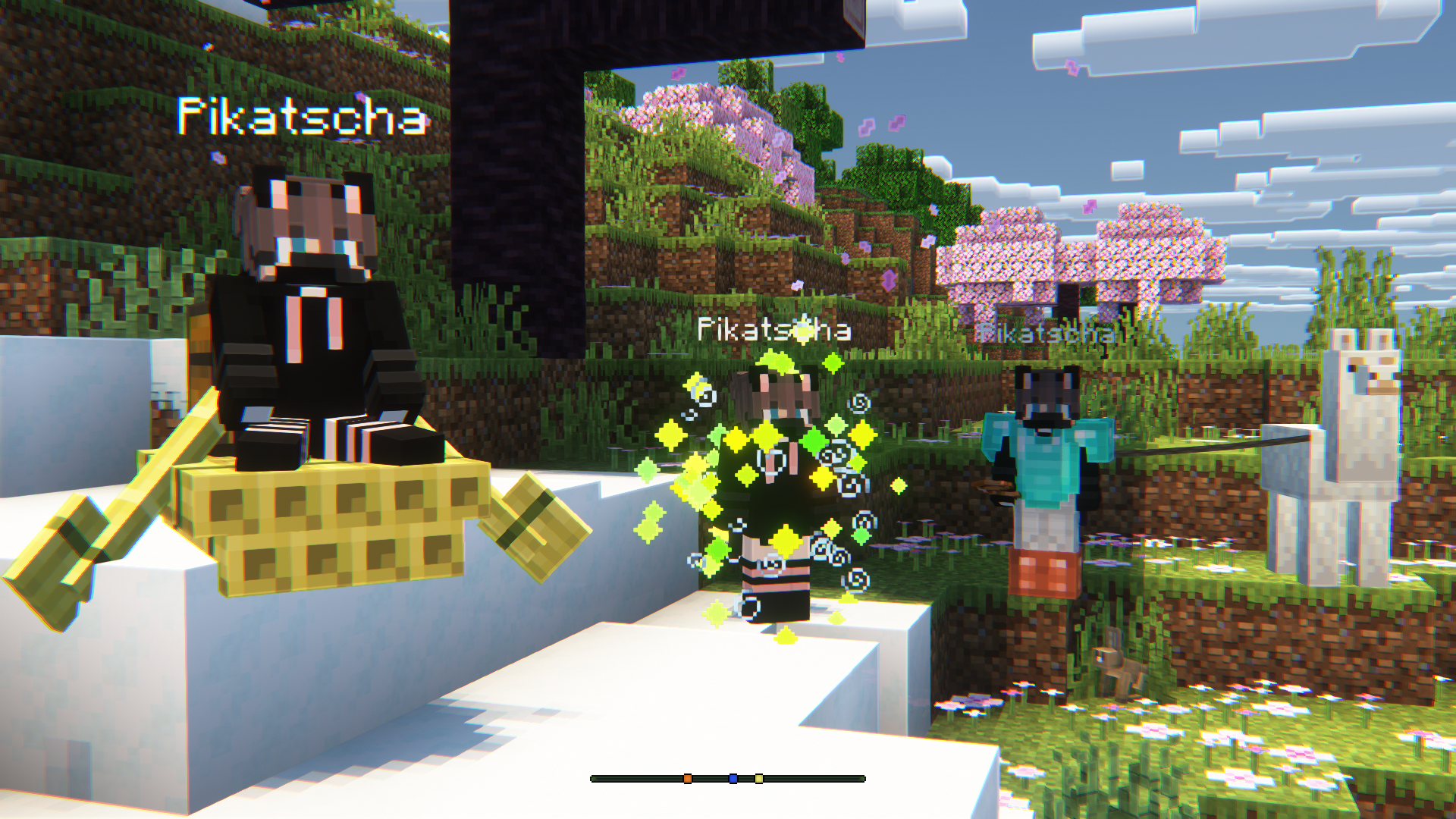 Multiple Mannequin Dummys (v2)
 -
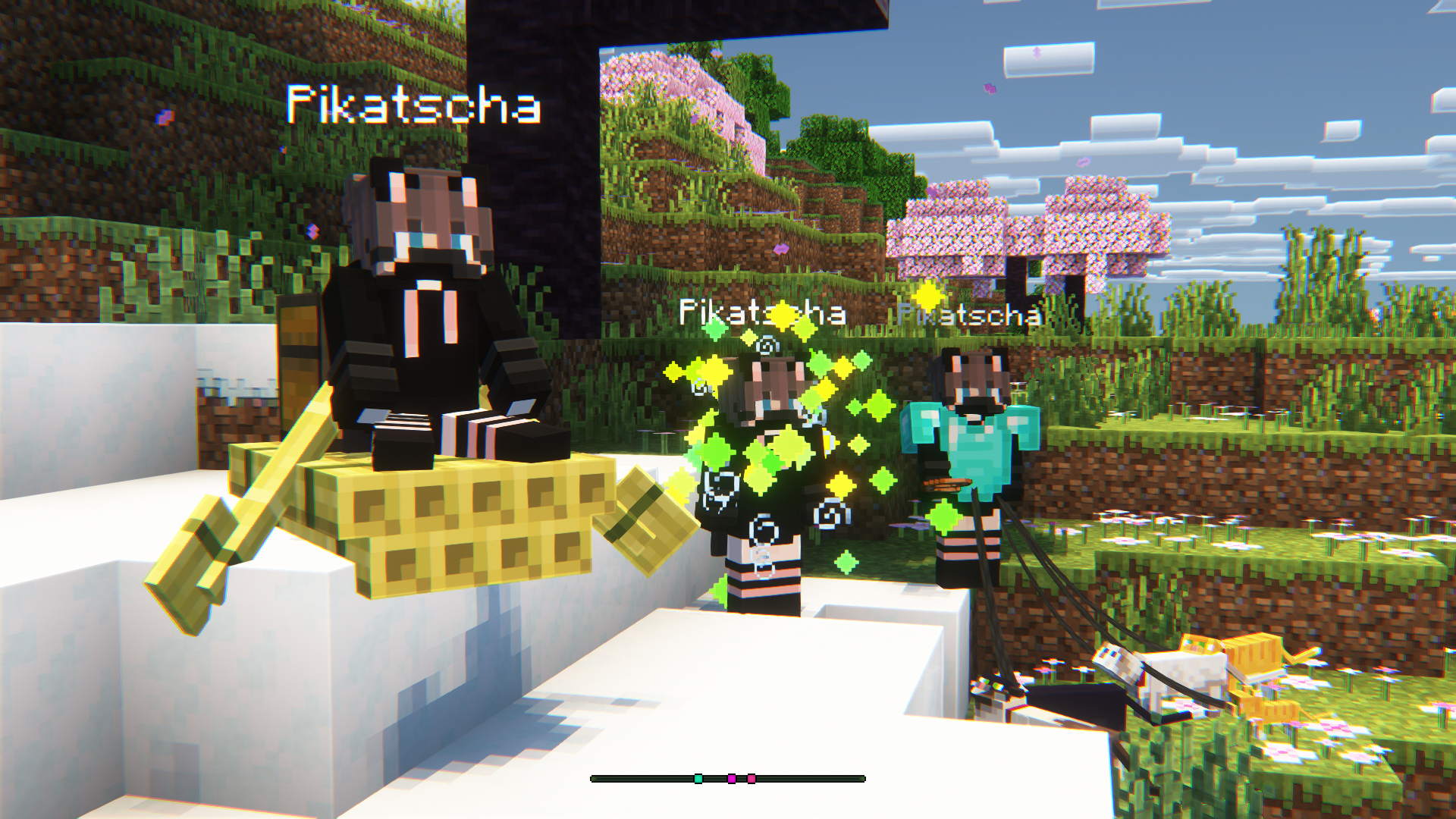 Multiple Mannequin Dummys (v2) Using the external "disconnect_player" command
 -
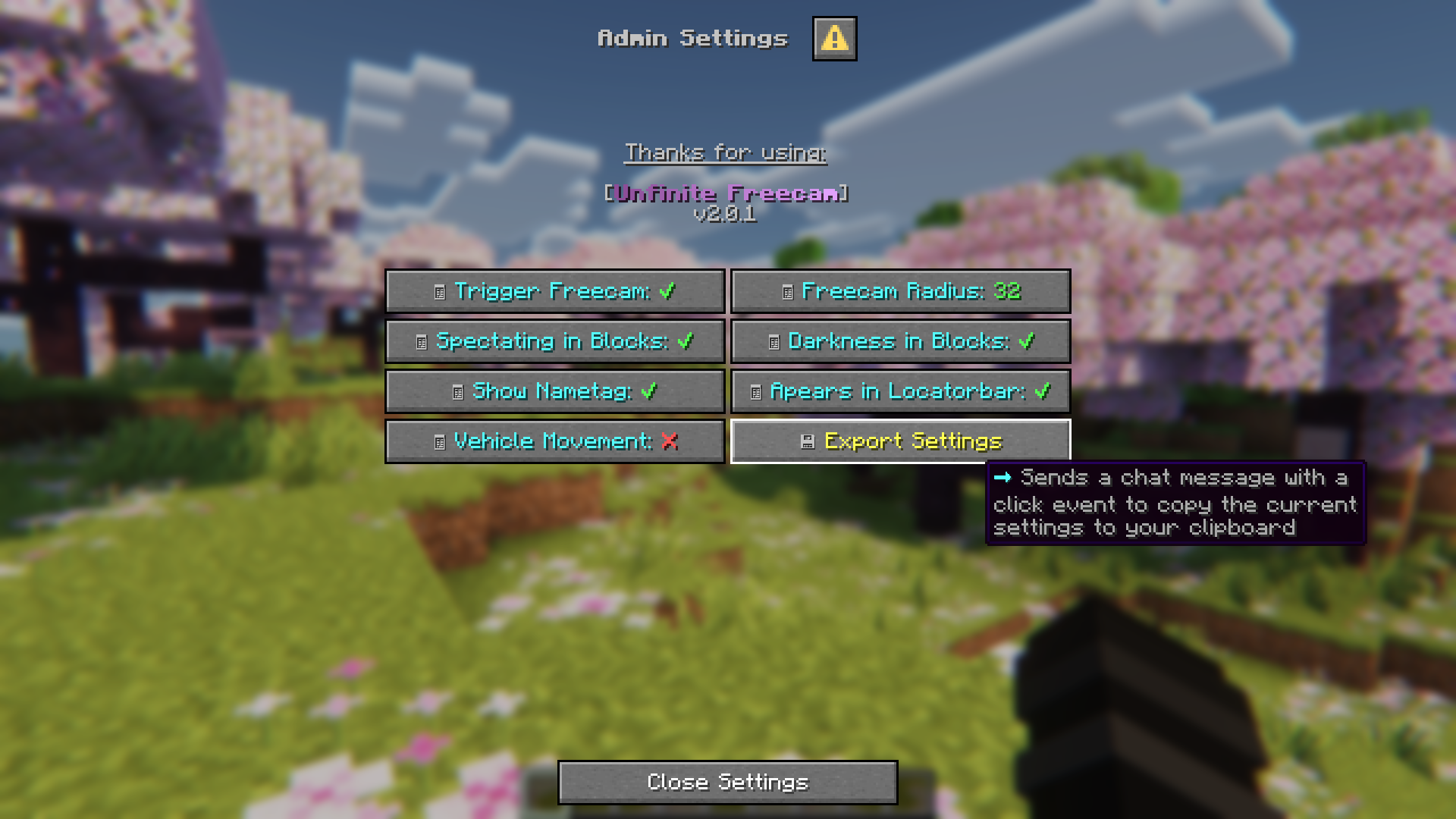 Admin Settings (v2)
 -
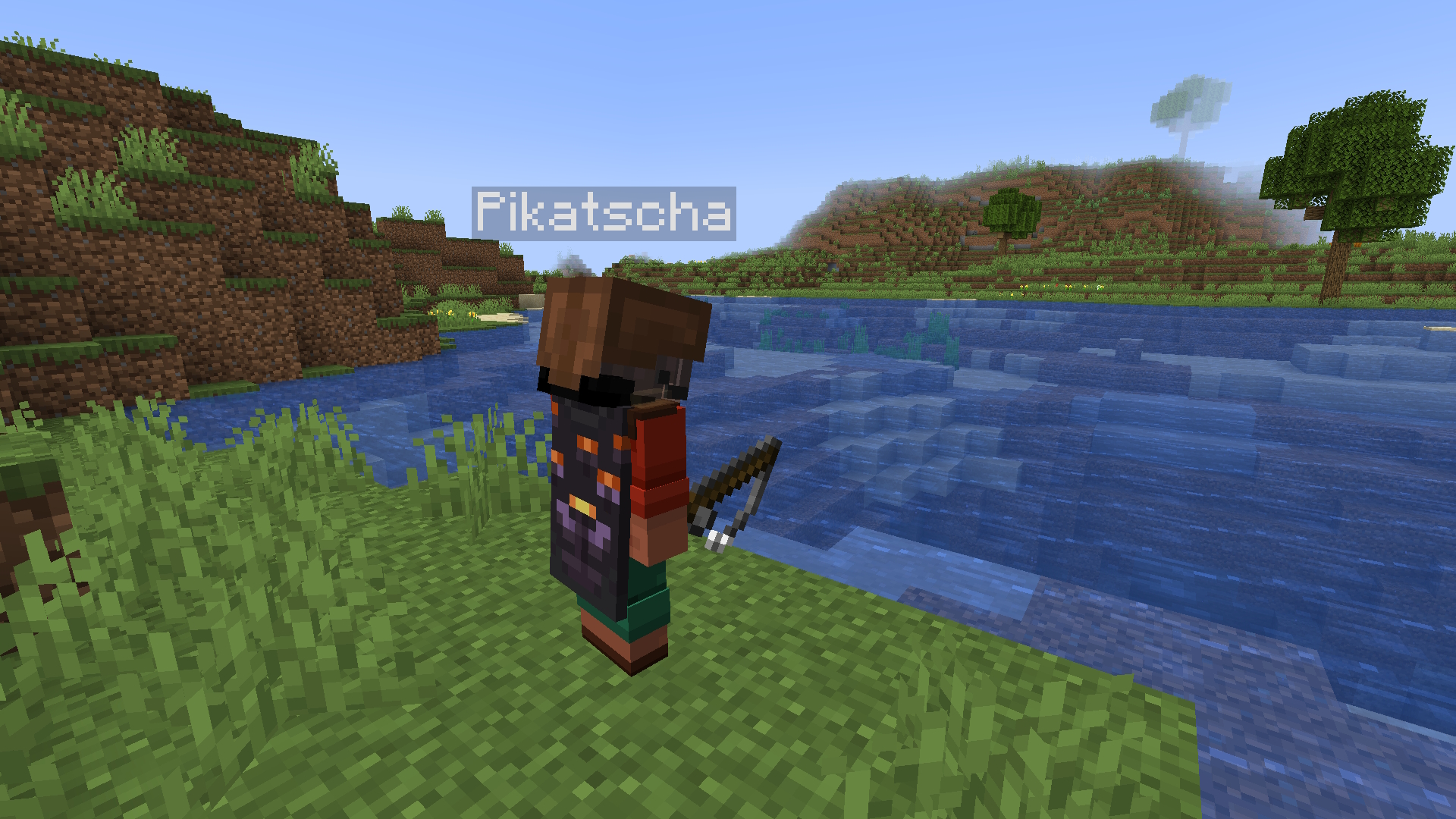 Screenshot while using the freecam (v1) The player isn't a real player - it is a customisable dummy!
 -
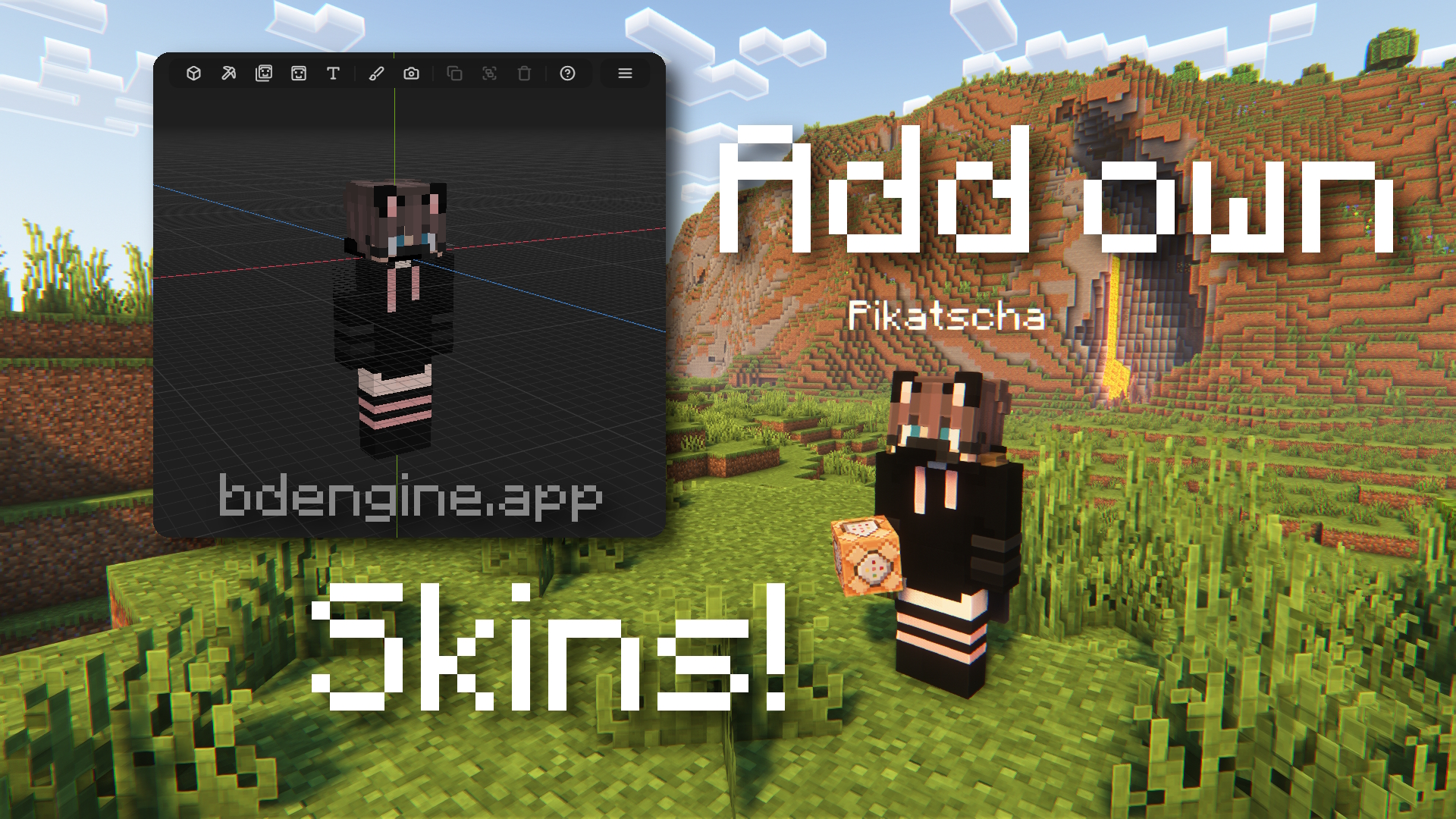 Why not your own skin? (v1) You can add your own skins. Follow the steps in the discription!
 -
 Admin Settings (v1) With /function unfinite-freecam:admin/.settings you can enable and disable some options.
 -
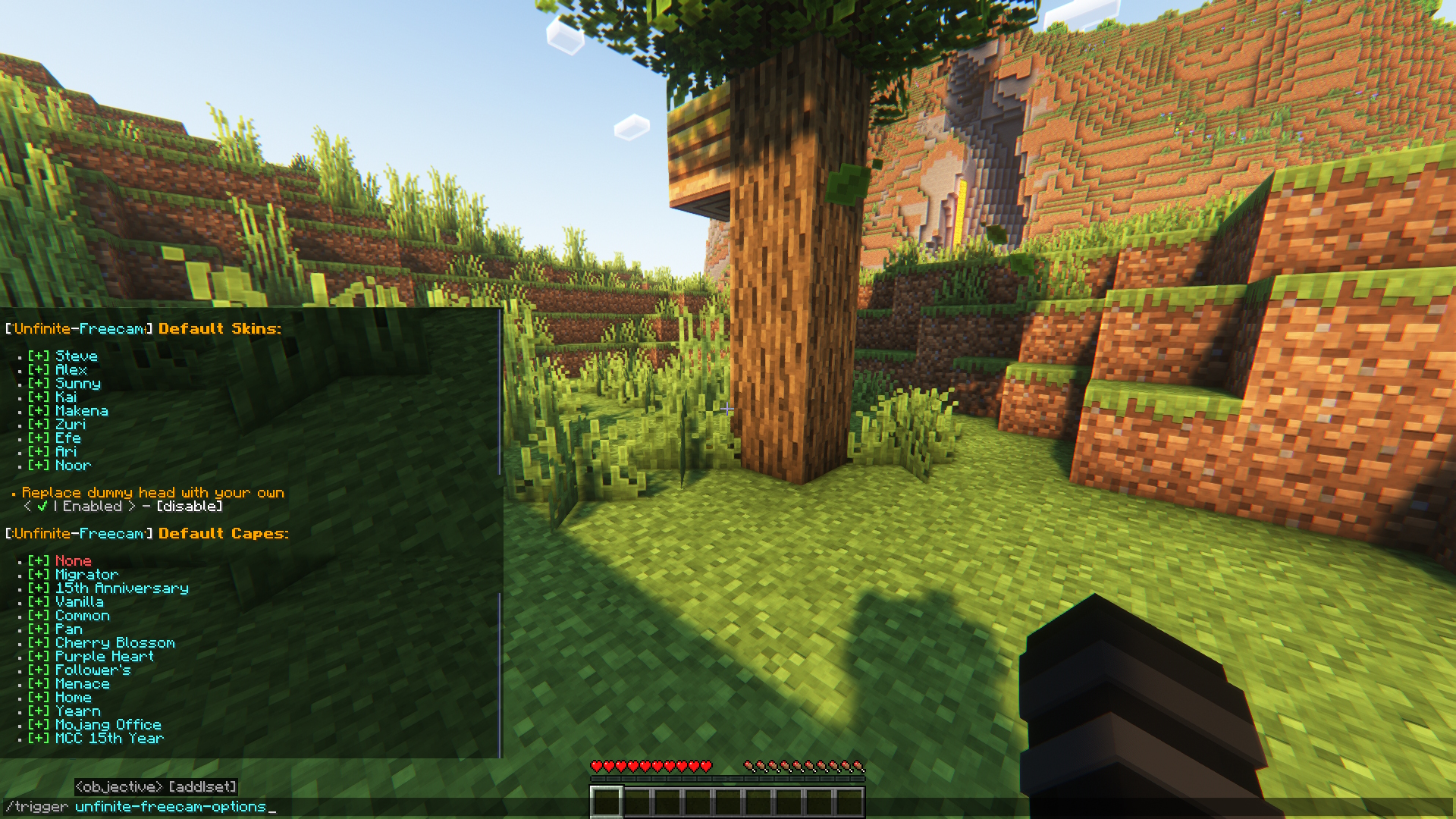 Player Options (v1) Unless disabled by admin, every player can choose one of the default skins and capes (not all capes are available, but I might add them later if requested).
Versions
Files
Relations
Project Relations
More like this
Similar Mods
Suggestions use data such as tags, dependencies, dependents, descriptions, titles, and more to rank how much they overlap with this mod.
On ModDex
Community snapshot
By the numbers
Statistics

Want to reach Minecraft players?
We're looking for a server hosting partner to feature here and other parts of the site. Interested? Send us a message!
Get in touchGet it on
Available Platforms
On ModDex
Community snapshot
By the numbers