
Unihopper
No reviews yet
An early-game single-item-filtering hopper.
Enhances game performance and optimizes resource usage.
Neoforge is a fork of the Minecraft Forge available for versions 1.20.1+ of Minecraft. Many Forge mods are compatible with Neoforge and vice versa.
Community voices
Reviews
Click once to include, again to exclude, again to clear
No reviews yet. Be the first to review this project!
Get it on
Available Platforms
 Modrinth
Compatibility
Supported Environments
About
Project Details
For authors
Embed Badge
If you're the author of this project, you can embed a live badge anywhere that supports HTML or Markdown. It updates automatically whenever ratings change.
Use HTML for any page that supports it, or Markdown for README files and Markdown-based descriptions.
Identifiers
Platform IDs
Resources
External Links
About
Description
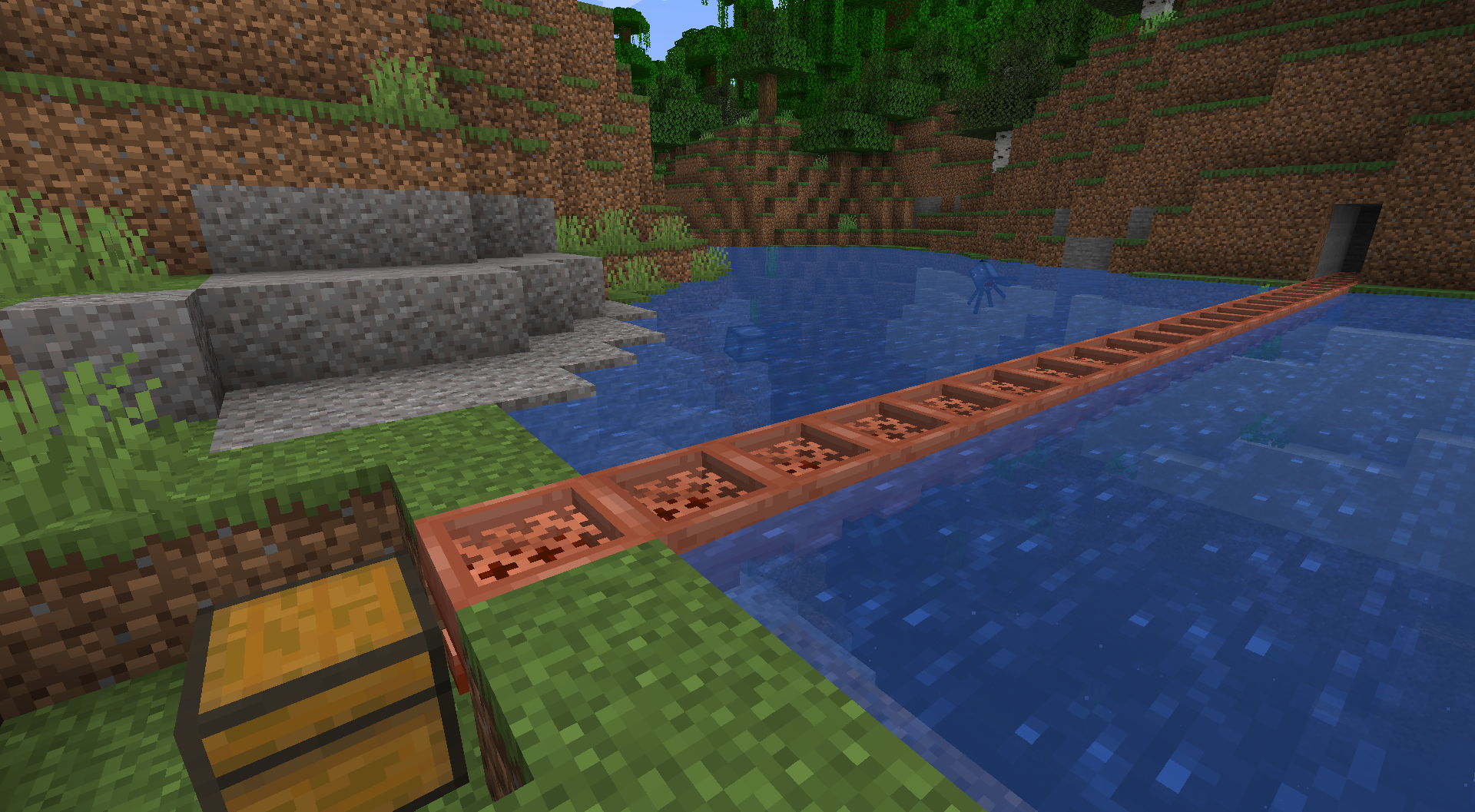
A Unihopper is an early-game variant of the hopper you're probably familiar with. It has only one slot, hence its name, and transfers items more slowly than a standard hopper, but benefits from item filtering, waterlogging, and piston movement. As a copper-based item, it also oxidizes.
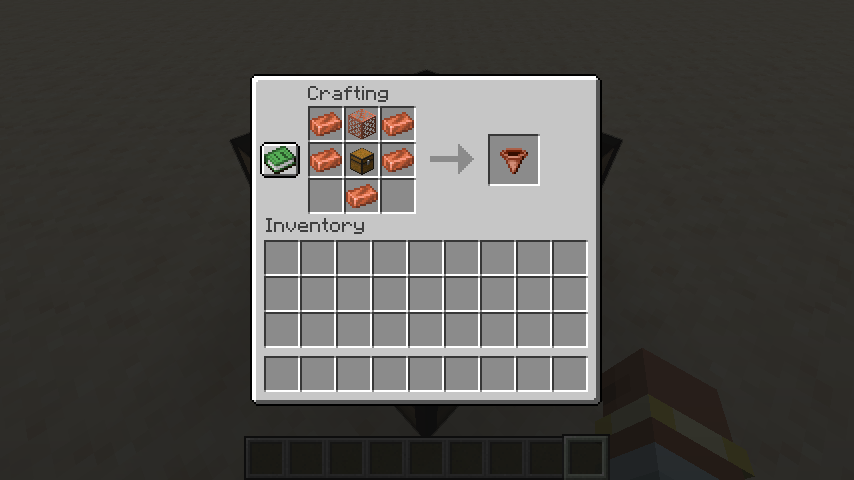
Crafting a Unihopper requires only early-game items. Because sometimes you're in a world where you can't find a lot of iron nearby, but you're up to your neck in copper.
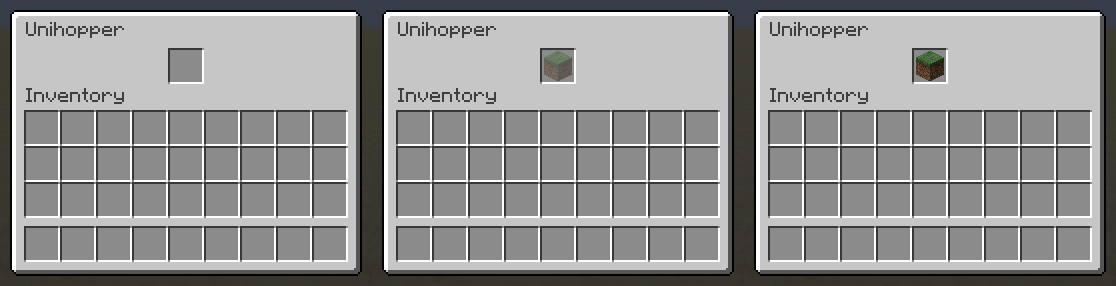
Unihopper Functionality: Item Filtering
If an item filter is set, only that type of item can enter a unihopper. To set an item filter, simply place an item in the unihopper, as you normally would. If you'd like the put that item in the unihopper, click a second time. If you'd like to put an item in a unihopper without setting a filter, you'll want to toss it in (outside the inventory). Waxing and axe-scraping will reset your item filter. Item filtering can be disabled in the config.
Unihopper Functionality: Transfer Cooldown
While a standard vanilla hopper has an 8-tick transfer cooldown, a unihopper's cooldown is based on its oxidation state, as follows:
- Unaffected: 10 ticks waxed, 12 ticks unwaxed
- Exposed: 14 ticks waxed, 16 ticks unwaxed
- Weathered: 18 ticks waxed, 20 ticks unwaxed
- Oxidized: 22 ticks waxed, 24 ticks unwaxed
Unihoppers will always have a 10-tick cooldown if alone and adjacent to a lightning rod or if they are part of a chain of unihoppers in which the first is adjacent to a lightning rod.
To leave Feedback or a Bug Report, click "Report Issues" on the right and then click "New Issue". You are also welcome to leave a comment or a suggestion, or ask a question.
Permissions
- Please do not upload this mod to other websites.
- Feel free to use this in modpacks, if they are shared on Modrinth.
Mod authoring is difficult and time-consuming. Please consider donating, if you enjoy the mod.
Credits
Thanks to Commoble on the NeoForge Discord for help with block variant log warnings.
My Projects


Screenshots
Gallery
-
Unihopper Recipe
-
Unihopper Item Filtering
-
Waterlogged Unihopper Bridge
Versions
Files
Relations
Project Relations
More like this
Similar Mods
Suggestions use data such as tags, dependencies, dependents, descriptions, titles, and more to rank how much they overlap with this mod.
On ModDex
Community snapshot
By the numbers
Statistics

Want to reach Minecraft players?
We're looking for a server hosting partner to feature here and other parts of the site. Interested? Send us a message!
Get in touchGet it on
Available Platforms
On ModDex
Community snapshot
By the numbers
Statistics
Resources