Community listing page, reviews here may not be monitored by the author.
Universal Clock HUD (Fork)


No reviews yet
Client-side mod that adds basic clock to the overlay
Community voices
Reviews
No reviews yet. Be the first to review this project!
Get it on
Available Platforms
Compatibility
Supported Environments
Runs entirely on the client. Works on vanilla servers.
About
Project Details
For authors
Embed Badge
If you're the author of this project, you can embed a live badge anywhere that supports HTML or Markdown. It updates automatically whenever ratings change.
Use HTML for any page that supports it, or Markdown for README files and Markdown-based descriptions.
Identifiers
Platform IDs
About
Description




Simple and completely client-sided mod that renders vanilla clock and system time in the game overlay:
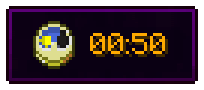
Previously was a part of Enigmatic Legacy. Aizistral mainly made this for themselves, but after 2 years I decided to pick up the mod and update it to 1.20.1.
There is also a config file (universalclockhud-client.toml) located in the config folder, where you can make following adjustments:
- Set the clock to be only visible in fullscreen mode;
- Set whether or not the clock is hidden when chat is opened;
- Enable or disable background behind the clock;
- Choose where the clock is positioned among multiple presets;
- Enable 12-hour time format if you're not a fan of standard 24-hour option;
- Show AM/PM with 12-hour time format
- If default presets aren't enough, define custom preset with adjustable anchor point and X/Y position on the screen;
- Stop the numbers on the clock from spinning uncontrollably in the Nether or The End (which they do, by default);
- Require vanilla clock to be present in player's inventory in order for them to see the HUD;
- Make the clock display in-game time instead of system time;
- Enable or disable the clock entirely.
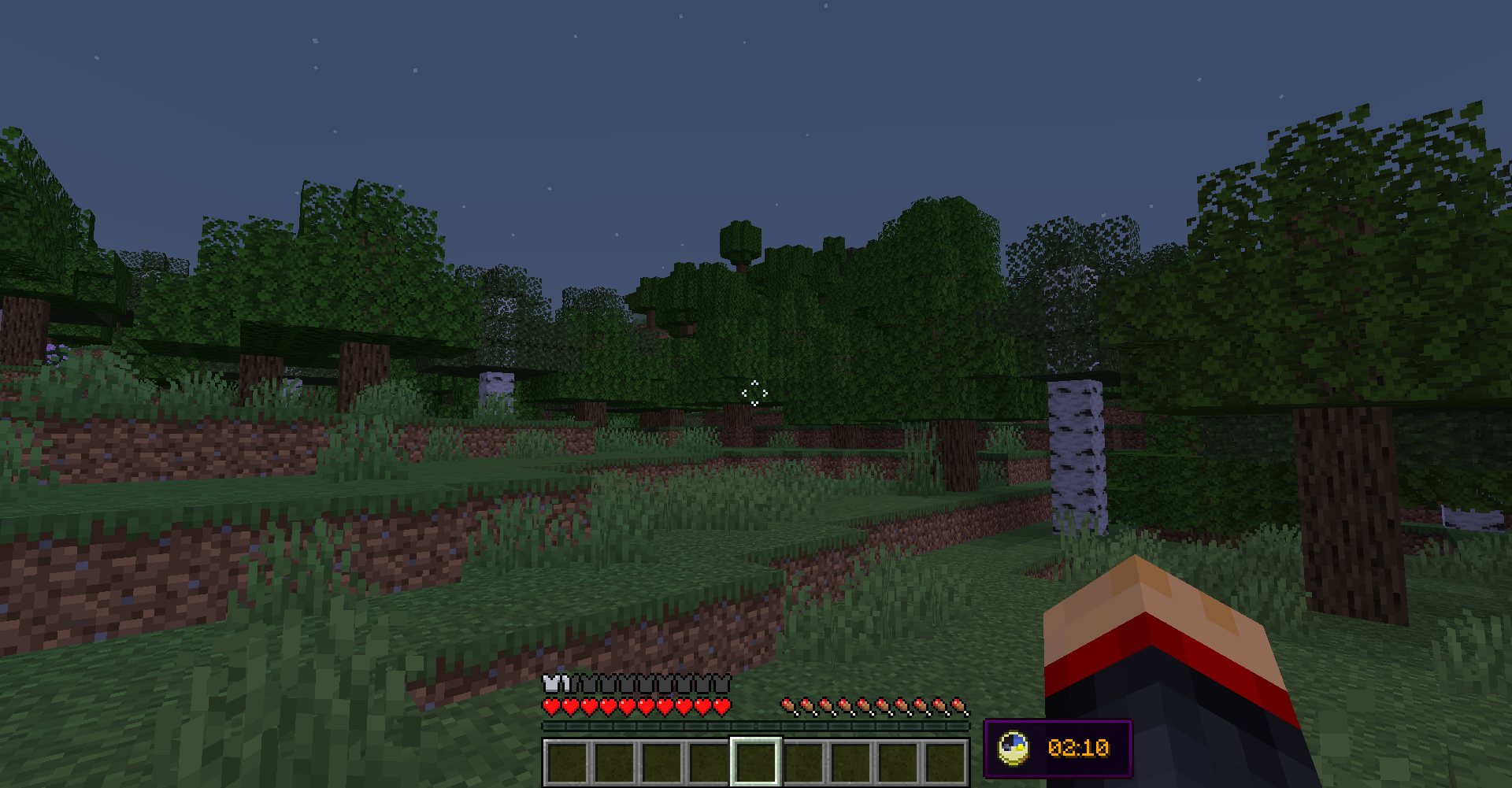
By default, the clock is located in left-bottom corner of the screen, but you can freely adjust it to be anywhere on your screen by editing X and Y position in the config file. Notice, however, that if you change those values, they might behave differently with different gui scales and on different screen resolutions. You will have to create personal adjustments that will work perfectly with your resolution and GUI scale.
The default appearance of the clock hud:
FAQ
Q: Forge?
A: Forge.
Q: Can I include your mod in a video?
A: As long as you include a link to the mod/modpack (if it happens to be in one), absolutely
Q: Can I add your mod to a modpack?


Simple and completely client-sided mod that renders vanilla clock and system time in the game overlay:
Previously was a part of Enigmatic Legacy. Aizistral mainly made this for themselves, but after 2 years I decided to pick up the mod and update it to 1.20.1.
There is also a config file (universalclockhud-client.toml) located in the config folder, where you can make following adjustments:
- Set the clock to be only visible in fullscreen mode;
- Set whether or not the clock is hidden when chat is opened;
- Enable or disable background behind the clock;
- Choose where the clock is positioned among multiple presets;
- Enable 12-hour time format if you're not a fan of standard 24-hour option;
- Show AM/PM with 12-hour time format
- If default presets aren't enough, define custom preset with adjustable anchor point and X/Y position on the screen;
- Stop the numbers on the clock from spinning uncontrollably in the Nether or The End (which they do, by default);
- Require vanilla clock to be present in player's inventory in order for them to see the HUD;
- Make the clock display in-game time instead of system time;
- Enable or disable the clock entirely.
By default, the clock is located in left-bottom corner of the screen, but you can freely adjust it to be anywhere on your screen by editing X and Y position in the config file. Notice, however, that if you change those values, they might behave differently with different gui scales and on different screen resolutions. You will have to create personal adjustments that will work perfectly with your resolution and GUI scale.
The default appearance of the clock hud:
FAQ
Q: Forge?
A: Forge.
Q: Can I include your mod in a video?
A: As long as you include a link to the mod/modpack (if it happens to be in one), absolutely
Q: Can I add your mod to a modpack?
A: CurseForge/Modrinth modpacks are cool.
Screenshots
Gallery
-
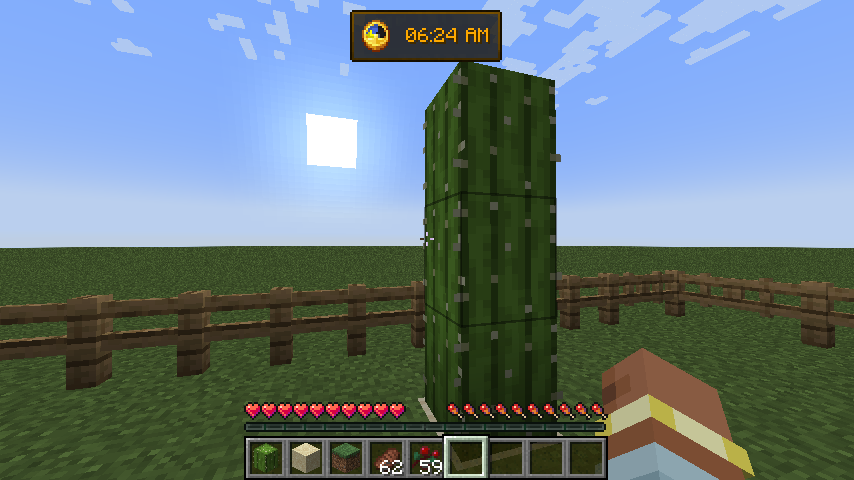 Different settings Top position, 12-hour format + AM suffix
-
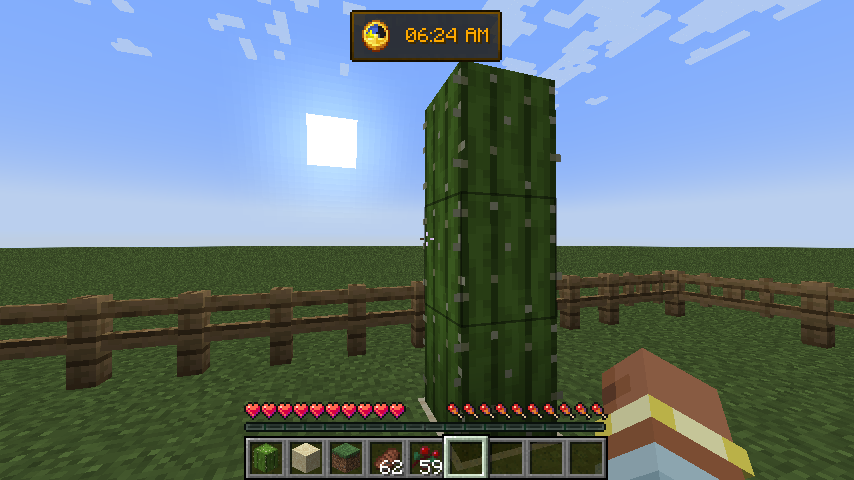 Different settings Top position, 12-hour format + AM suffix
Versions
Files
Relations
Project Relations
More like this
Similar Mods
Suggestions use data such as tags, dependencies, dependents, descriptions, titles, and more to rank how much they overlap with this mod.
On ModDex
Community snapshot
By the numbers
Statistics
Want to reach Minecraft players?
We're looking for a server hosting partner to feature here and other parts of the site. Interested? Send us a message!
Get in touchGet it on
Available Platforms
On ModDex
Community snapshot
By the numbers