
Community listing page, reviews here may not be monitored by the author.
Unstable SMP Death Sound

No reviews yet
Plays the Unstable SMP death sound effect (Wither Released) whenever a player dies.
Community voices
Reviews
No reviews yet. Be the first to review this project!
Get it on
Available Platforms
Compatibility
Supported Environments
Runs entirely on the server. Also works in singleplayer.
About
Project Details
For authors
Embed Badge
If you're the author of this project, you can embed a live badge anywhere that supports HTML or Markdown. It updates automatically whenever ratings change.
Use HTML for any page that supports it, or Markdown for README files and Markdown-based descriptions.
Identifiers
Platform IDs
Resources
External Links
About
Description
Unstable SMP Death Sound
Bring the Unstable SMP experience into your own world or server!
This datapack/mod adds the iconic Wither Released sound effect whenever a player dies — and optionally when they kill a mob.
✅ Compatible with Vanilla, Paper, Spigot, Bukkit servers (via datapack)
✅ Mod versions for Forge, Fabric, NeoForge, Quilt
✅ Works in singleplayer worlds
✅ Easy scoreboard‑based configuration
⚙️ Configuration & Defaults
Defaults → Sound: Enabled, Mob Death Sound: Disabled, Sound Radius: Global
| Setting | Default | Description | Commands |
|---|---|---|---|
| Enable sound | 1 (enabled) |
Master switch that determines whether the Wither death sound system is active. | Enable → /scoreboard players set #sound_toggle usmp_ds.config 1Disable → /scoreboard players set #sound_toggle usmp_ds.config 0 |
| Play sound on mob death | 0 (disabled) |
Controls whether mob kills also trigger the Wither sound in addition to player deaths. | Enable → /scoreboard players set #mob_toggle usmp_ds.config 1Disable → /scoreboard players set #mob_toggle usmp_ds.config 0 |
| Sound radius | 0 (global playback) |
Defines how far the sound travels. 0 plays it to all players; any positive number limits playback to players within that radius (in blocks). |
Global → /scoreboard players set #sound_radius usmp_ds.config 0 Example → /scoreboard players set #sound_radius usmp_ds.config 30 |
| Reset to defaults | N/A | Restores all settings to their original values (sound enabled, mob kills disabled, global playback). | /function usmp_ds:reset |
📦 Installation
🧩 For Datapacks
- Download the
.zipfile from Modrinth. - Place it inside your world folder (works for both Singleplayer worlds and Multiplayer servers):
world/datapacks/ - Run
/reloadin-game to activate the datapack. - Configure using the scoreboard commands listed above.
⚙️ For Mods
- Download the
.jarfile from Modrinth. - Place it in your Minecraft
modsfolder:- Windows:
%appdata%/.minecraft/mods - macOS/Linux:
~/.minecraft/mods
- Windows:
- Launch Minecraft.
- The mod will automatically load with the same configuration system as the datapack.
💡 Tip: Both the datapack and mod versions share identical configuration commands — you can use the same scoreboard settings no matter which format you choose.
🗑️ Uninstall
To completely remove Unstable SMP Death Sound, always run the uninstall function first before deleting any files. This ensures all scoreboard values and storage are properly cleaned up.
- Run the uninstall function in‑game to clear all configuration data and scoreboard values:
/function usmp_ds:uninstall - After running the command:
- If you installed the datapack, remove it from your
world/datapacks/folder. - If you installed the mod, delete the
.jarfile from yourmodsfolder.
- If you installed the datapack, remove it from your
- Restart or run
/reloadto finalize removal.
⚠️ Important: Skipping the uninstall function may leave scoreboard entries or storage data behind in your world.
❓FAQ
Can I install this on a server (Paper, Spigot, Bukkit, Vanilla, etc.)?
Yes! The datapack version works perfectly on vanilla servers and popular server software like Paper, Spigot, and Bukkit. Just go to your server's files and drop the datapack into the world/datapacks/ folder, and run the /reload command in-game to apply it.
Does it work in singleplayer?
Absolutely. Both the datapack and mod versions can be used in singleplayer.
👉 Note: In singleplayer, mob death sounds are disabled by default. To hear them, run:
/scoreboard players set #mob_toggle usmp_ds.config 1
Do I need to download this on my client too?
No. All functionality runs server-side, so nothing is required on the client.
How do I configure the sounds?
Use the commands listed in the Configuration & Defaults section.
Check out my other mods here.
Screenshots
Gallery
-
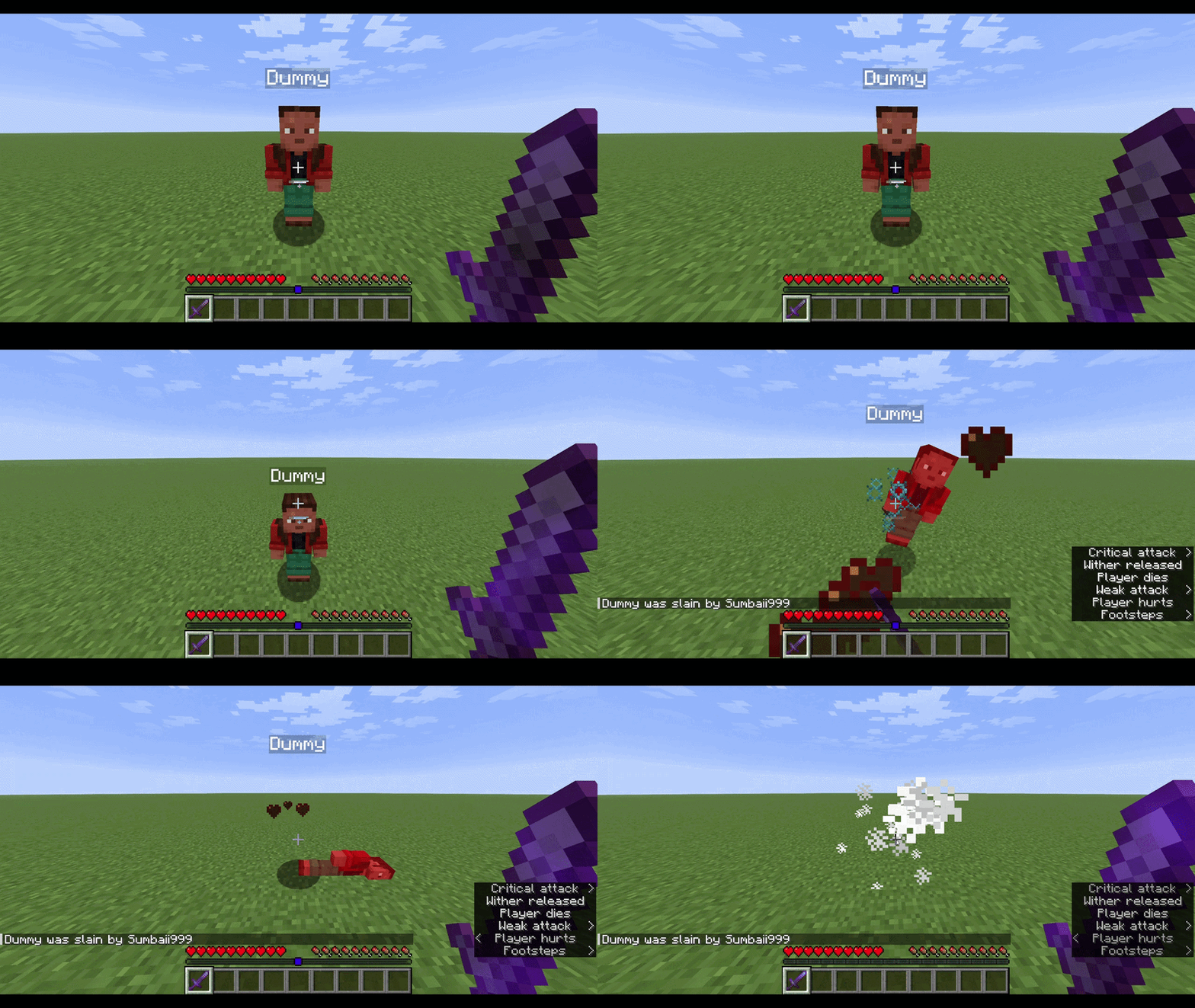 Death Sound Example
Versions
Files
Relations
Project Relations
More like this
Similar Mods
Suggestions use data such as tags, dependencies, dependents, descriptions, titles, and more to rank how much they overlap with this mod.
- Unstable SMP Death Sound
- Unstable SMP Death Sounds by BL
- Unstable Death Ban
- Wither Death Sounds
- Unstable SMP Death Sounds - Optimized
- Unstable SMP Scripted Plugin
- Unstable SMP+
- Unstable SMP "Zone" Mechanic
- Unstable smp Shields
- Unstable SMP Youtubers Enchants
- Unstable SMP Marlowww's Warden Aura
- Unstable Generation
On ModDex
Community snapshot
By the numbers
Statistics

Want to reach Minecraft players?
We're looking for a server hosting partner to feature here and other parts of the site. Interested? Send us a message!
Get in touchGet it on
Available Platforms
On ModDex
Community snapshot
By the numbers
Statistics
Resources