
Community listing page, reviews here may not be monitored by the author.
UPaint

No reviews yet
Paint your Minecraft skin in-game. Live, with a full editor, screen pipette, and instant multiplayer sync.
Community voices
Reviews
No reviews yet. Be the first to review this project!
Get it on
Available Platforms
Compatibility
Supported Environments
Must be installed on both the client and the server.
About
Project Details
For authors
Embed Badge
If you're the author of this project, you can embed a live badge anywhere that supports HTML or Markdown. It updates automatically whenever ratings change.
Use HTML for any page that supports it, or Markdown for README files and Markdown-based descriptions.
Identifiers
Platform IDs
Resources
External Links
About
Description
This mod allows you to edit, create, and load skins for your character directly while playing Minecraft.
Basically you:
- Open your inventory.
- Click the button next to your character preview.
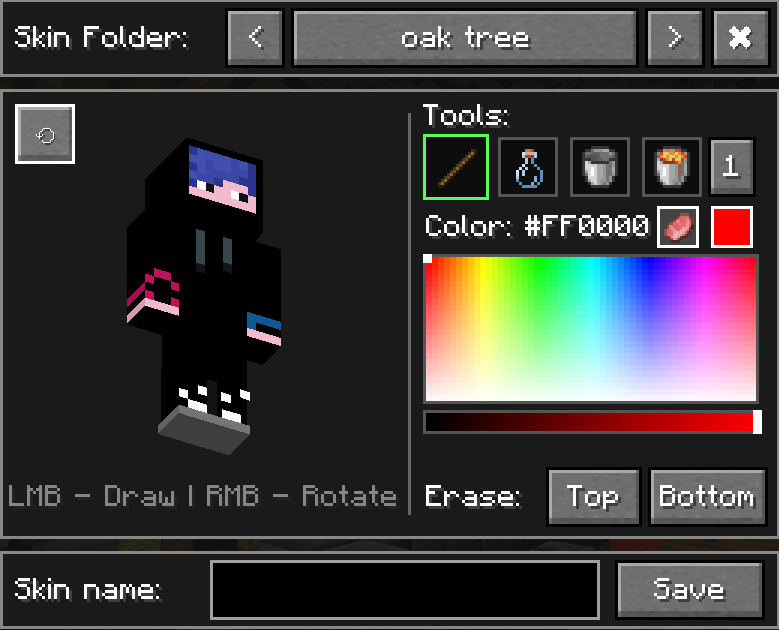
- Use the color palette and tools to paint your skin. Possibly use screen pipette if playing hide&seek.
- Click "Back", and you're done, and everybody else instantly sees your changes without you leaving the world. As easy as it sounds.
Key Features:
- Built-in Editor: Features a full color palette and a set of tools.
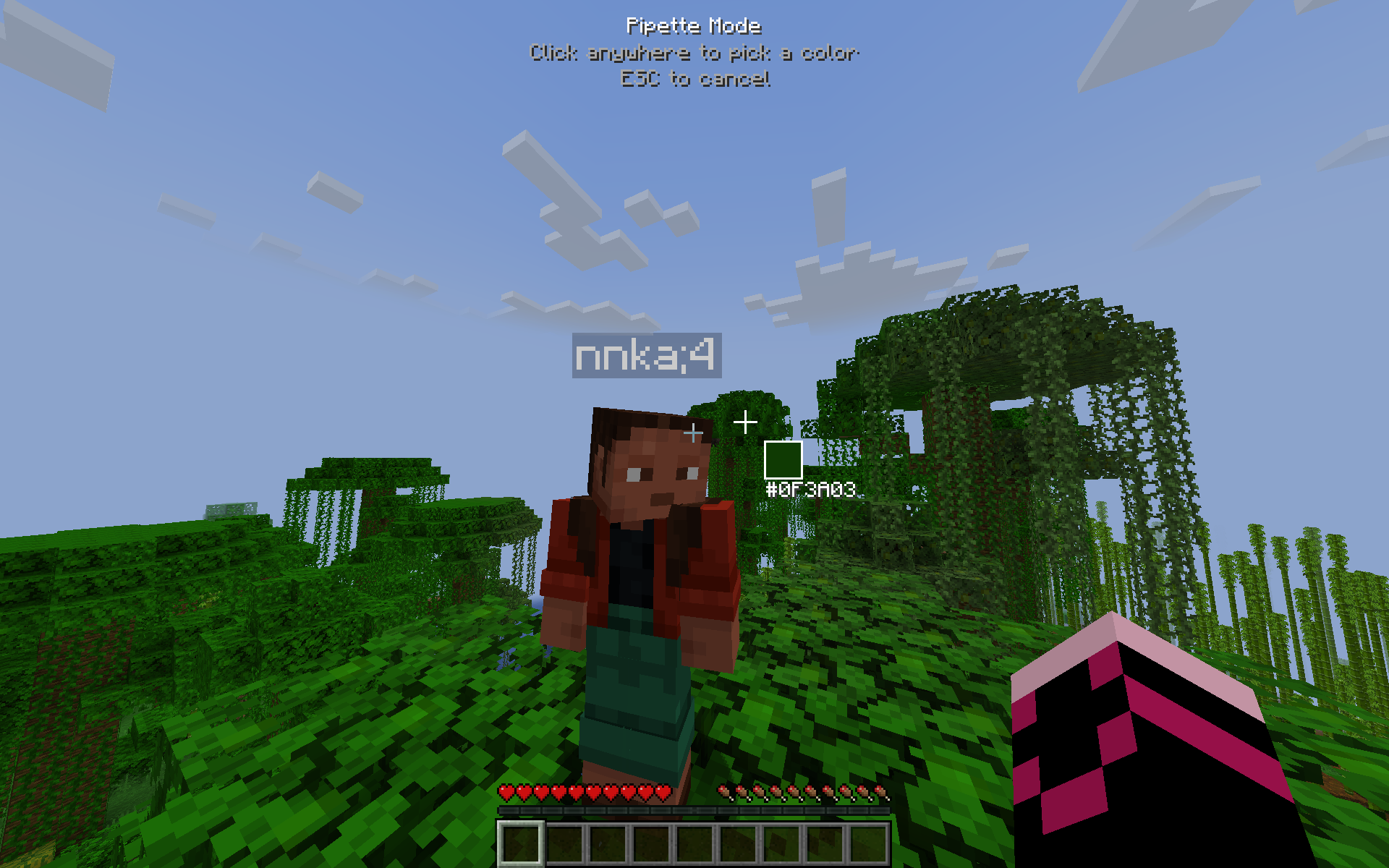
- Screen Pipette: It is great for hide&seek. You can sample colors from your surroundings and paint your skin to blend in.
- Save & Load: Save and load your skins to/from a
skinsfolder inside your.minecraftdirectory under custom names, without ever leaving the game. - Undo/Redo: Use Ctrl+Z for Undo and Ctrl+Shift+Z for Redo.
Important notes:
- To display your custom skin on a server, this mod MUST be installed on the server as well. Otherwise it wont work.
- This mod will not work on TLauncher because their mod
tl skin capeoverrides vanilla skin mechanics, breaking skin mods. Use legacy launcher, prism launcher or vanilla minecraft launcher to avoid issues.
Screenshots
Gallery
-
 Hiding Technically, better hide&seek games are now possible with this mod. You can change your skin to anything anytime!
 -
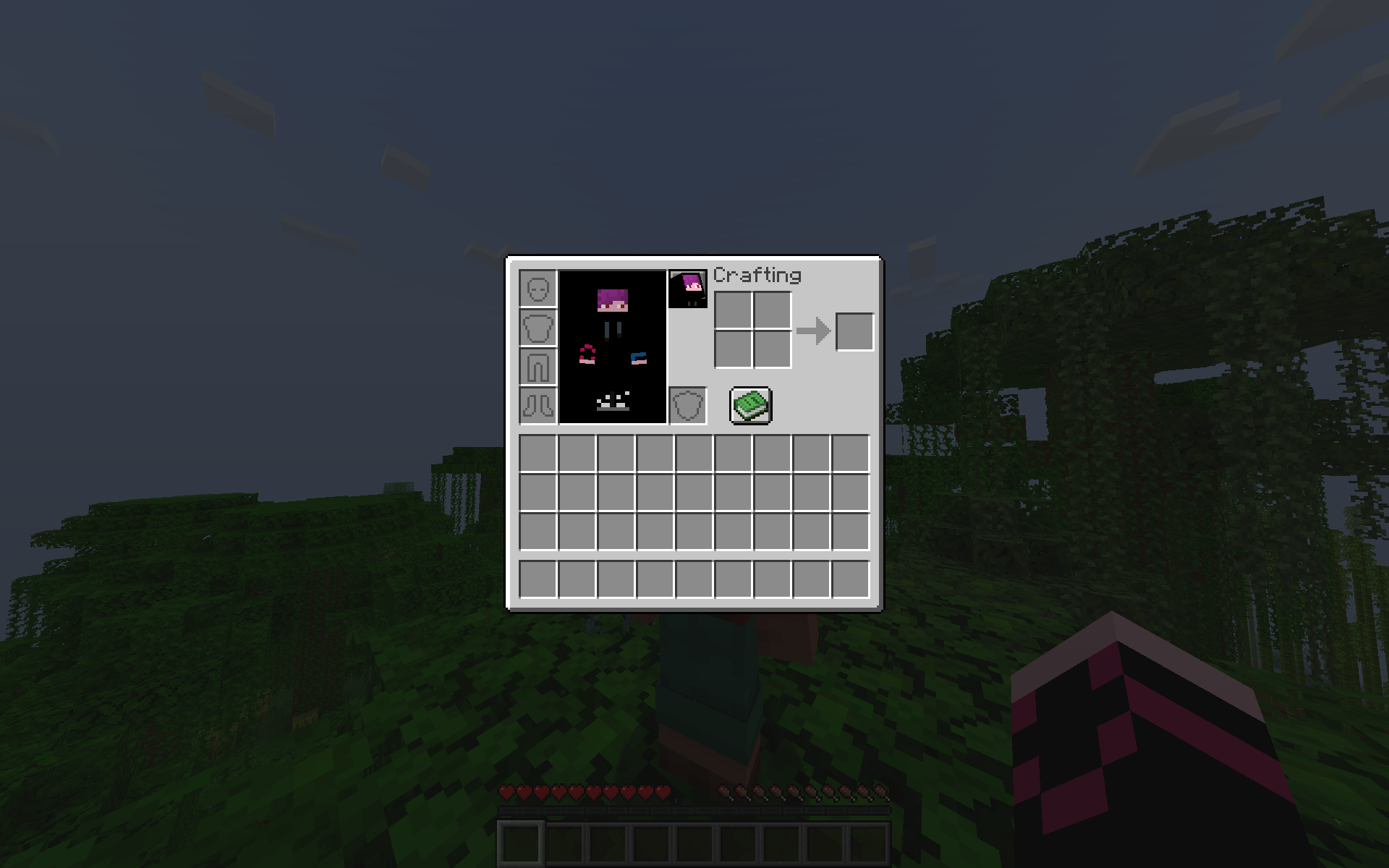 1.1.0 inventory button button that opens skin painting menu now
 -
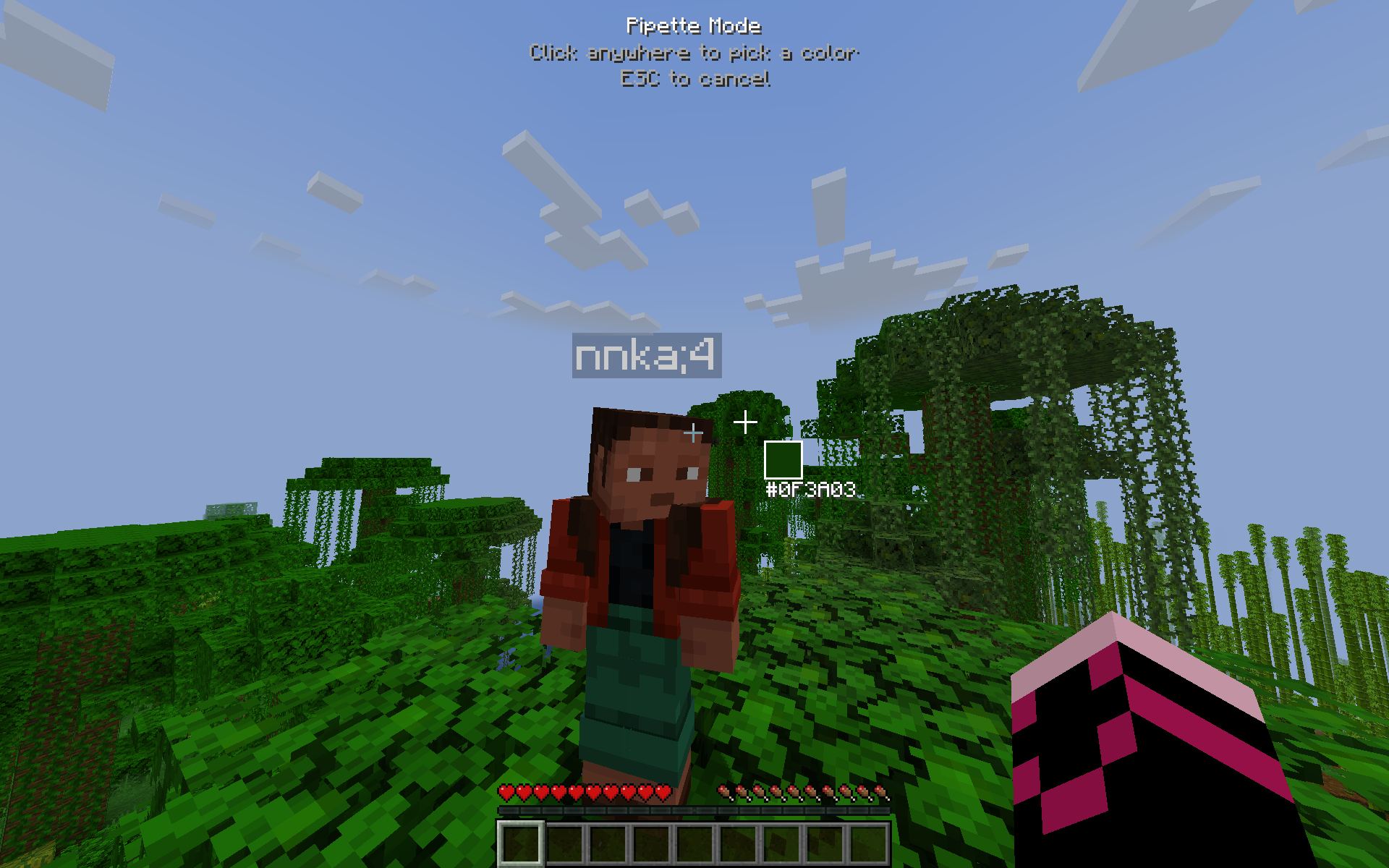 New Pipette You click anywhere on the screen and then use that color to draw on your skin
 -
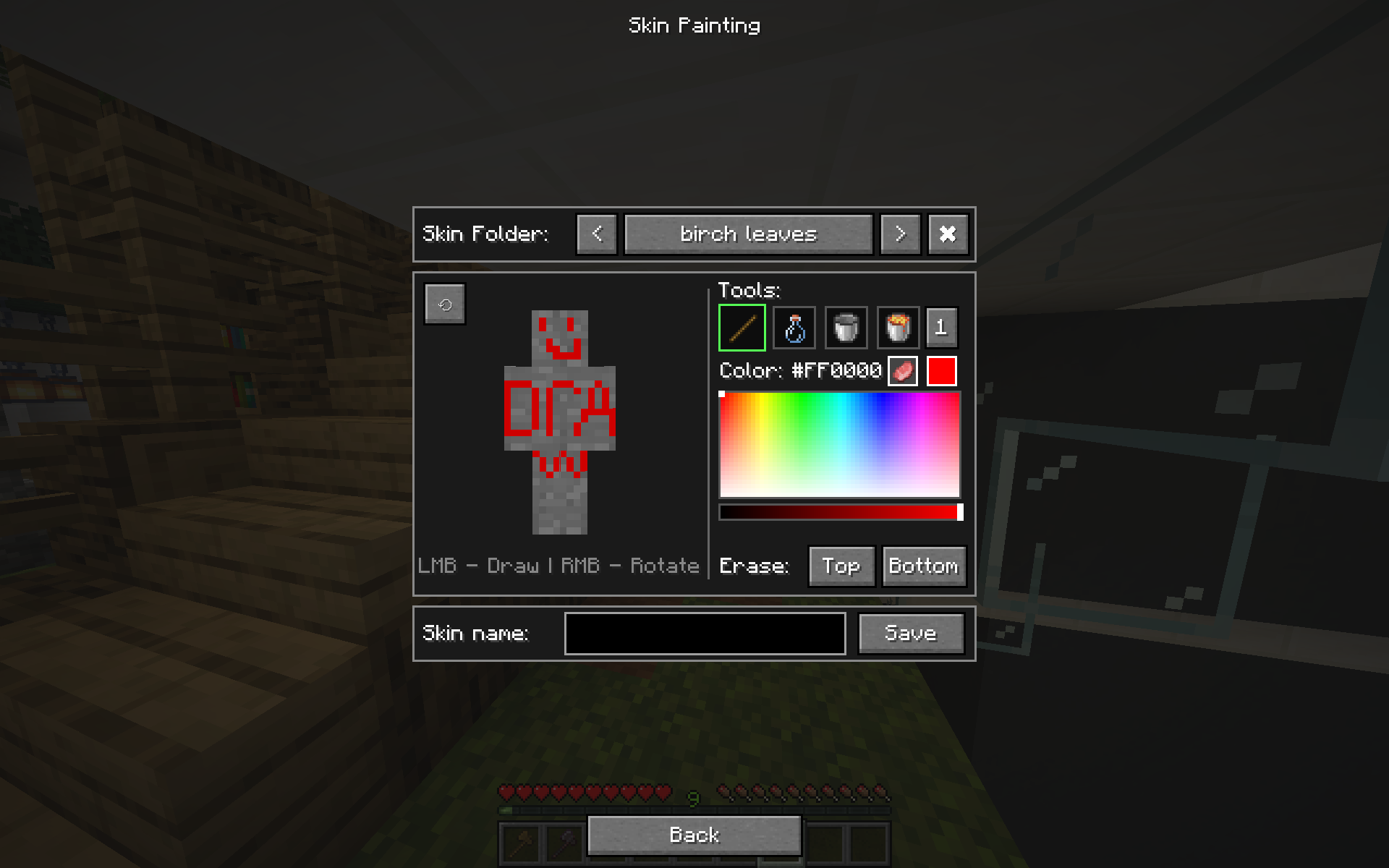 Main Menu Here, you can paint, revert changes, and erase layers. You can also save, load, and delete skins directly in your skin folder right from this menu!
 -
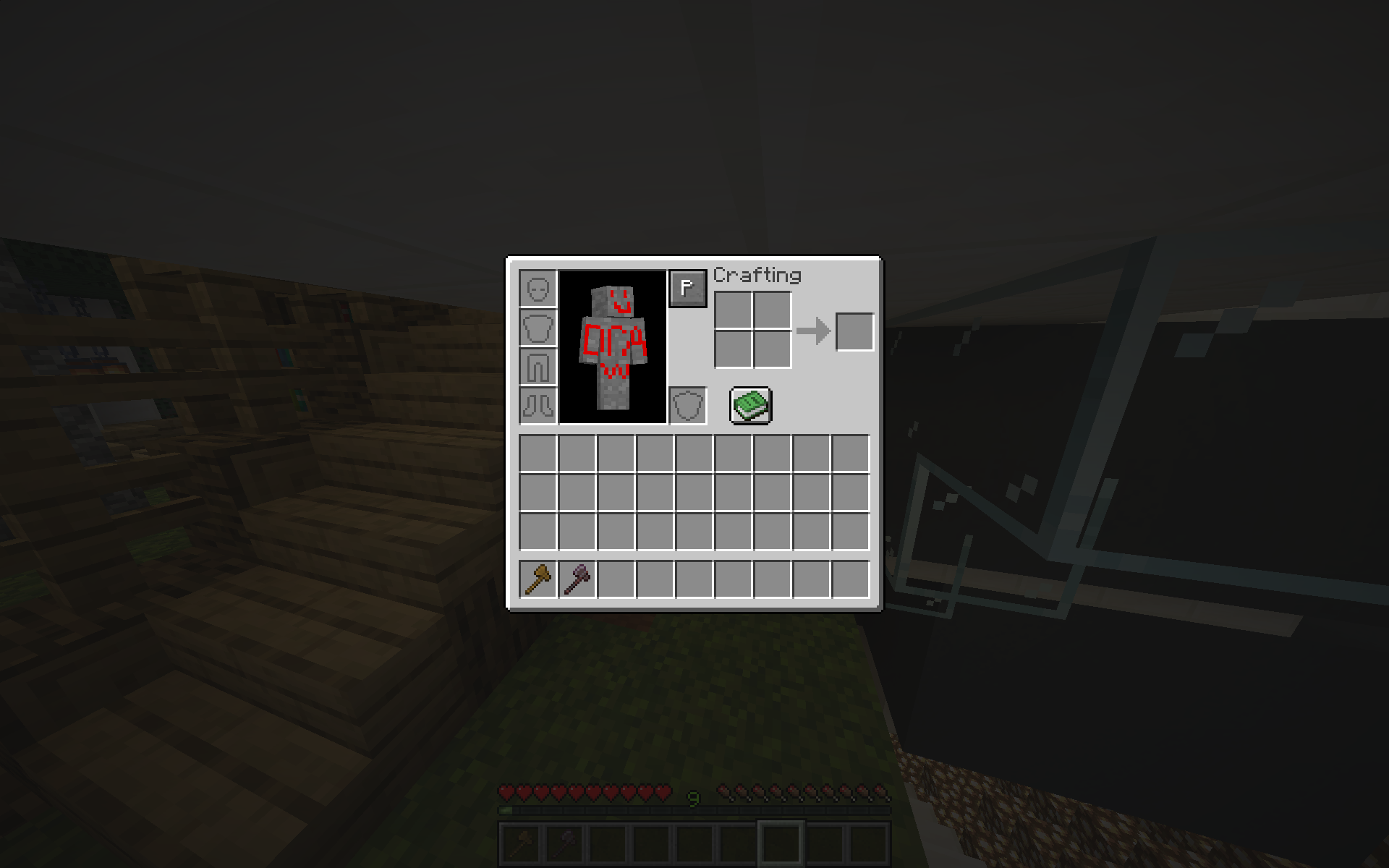 Paint button The Paint button in your inventory opens the "Skin Painting" menu.
 -
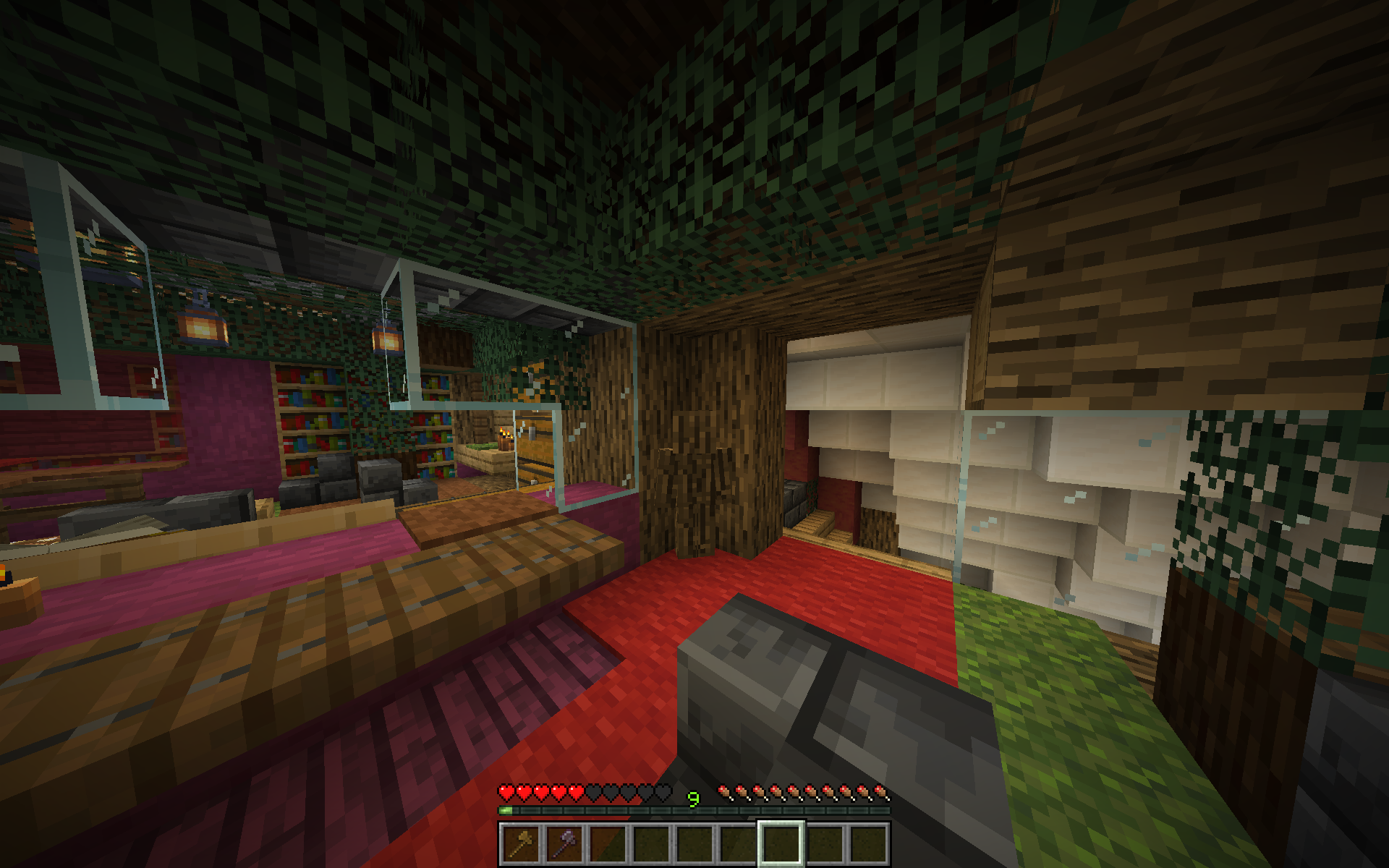
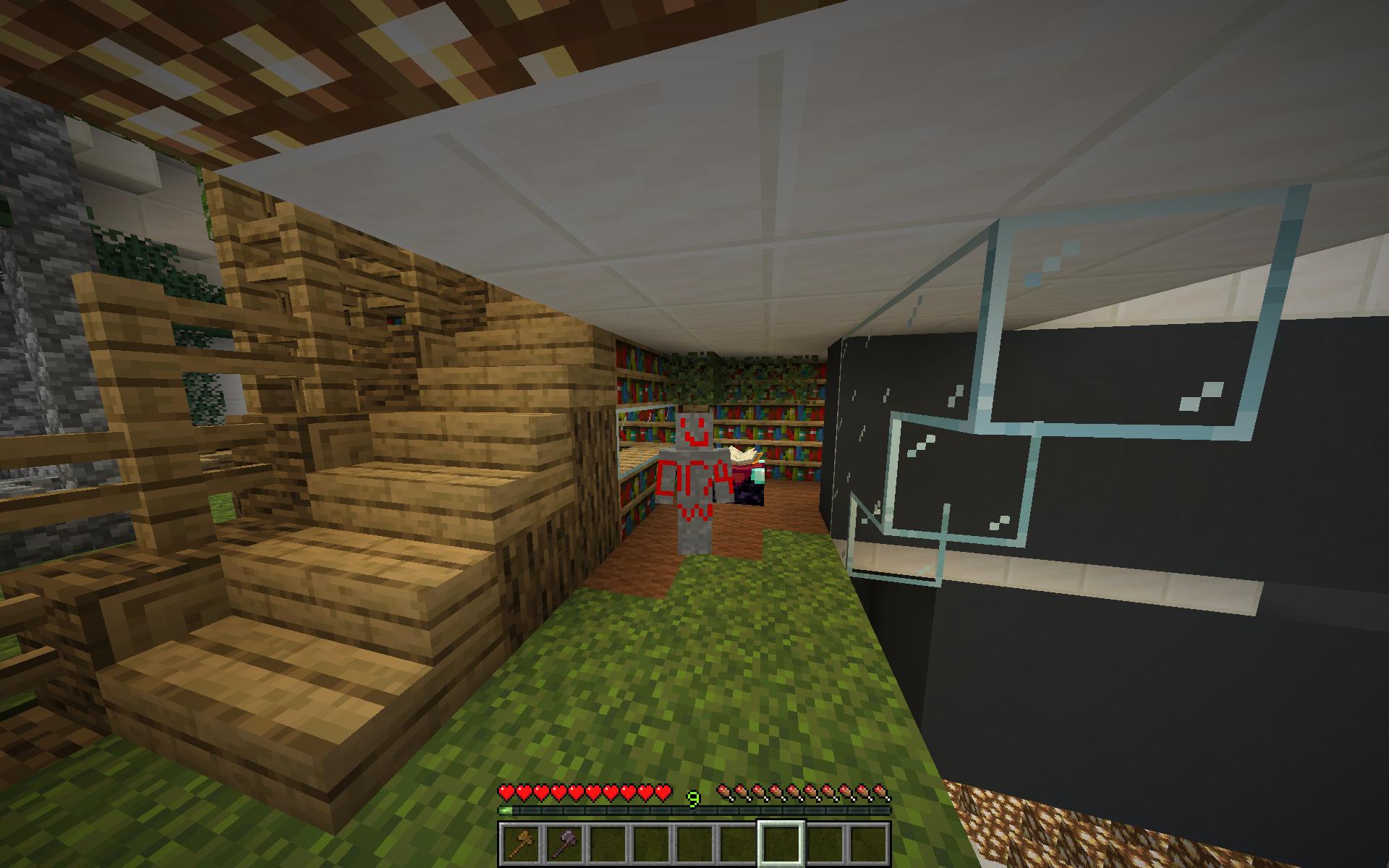 Skin in game The skin I quickly drew for these screenshots.
Versions
Files
Relations
Project Relations
More like this
Similar Mods
Suggestions use data such as tags, dependencies, dependents, descriptions, titles, and more to rank how much they overlap with this mod.
On ModDex
Community snapshot
By the numbers
Statistics

Want to reach Minecraft players?
We're looking for a server hosting partner to feature here and other parts of the site. Interested? Send us a message!
Get in touchGet it on
Available Platforms
On ModDex
Community snapshot
By the numbers
Statistics
Resources