
Community listing page, reviews here may not be monitored by the author.
Utility Drawers


No reviews yet
Create a highly functional storage system with a variety of item and fluid drawers. Framed Drawers allow for extra customizability to fit any style.
Community voices
Reviews
No reviews yet. Be the first to review this project!
Get it on
Available Platforms
Compatibility
Supported Environments
Must be installed on both the client and the server.
About
Project Details
For authors
Embed Badge
If you're the author of this project, you can embed a live badge anywhere that supports HTML or Markdown. It updates automatically whenever ratings change.
Use HTML for any page that supports it, or Markdown for README files and Markdown-based descriptions.
Identifiers
Platform IDs
About
Description
Utility Drawers
Utility Drawers is a storage mod designed for players who want an organized, high-capacity, and functional storage solution, whether that be for central storage, resource farms, or anything in between.
Features
Drawers
Store massive quantities of a single item or fluid in one block. Utility Drawers come in a variety of types to fit any storage need, and are available in all vanilla wood types:
| Type | Description |
|---|---|
| 1, 2, 3 & 4 Slot Item Drawers | Store one to four item types in a single block. Capacity scales with slot count. |
| 1, 2, 3 & 4 Fluid Drawers | Same concept, but for fluids. Compatible with any NeoForge fluid. |
| Compacting Drawer | Automatically handles compression and decompression, storing items across all three tiers simultaneously. |
Wireless Drawers
Access your items and fluids from anywhere, across any dimension.
- Frequency Networks: Configure your wireless drawers using a 3-color frequency code. Any wireless drawers set to the same color code will instantly share the same inventory pool.
- Security: Networks can be set to Public (anyone can access and link to them) or Private (locked to the creator).
Framed Drawers
Framed Drawers are fully customizable drawers that let you apply any block's texture to the drawer faces, perfect for blending storage seamlessly into any build style. Craft them using the Drawer Framer block.
Storage Interface
The Storage Interface is the heart of your drawer network. Link up to as many drawers as you want within a 16-block radius using the Storage Remote (can be increased with upgrades), and access the entire network as a single unified storage.
Attach any compatible storage interface such as a Storage Bus (AE2) or External Storage (Refined Storage) to access your drawer network through a digital interface.
The interface glows red when your network is locked and green when unlocked, so you can glance at it to check your network state at a moment's notice. 
Storage Remote
An all-in-one tool for managing your drawer network:
- Linking: Connect drawers or storage viewers to the network. Switch between Single and Multi-Select by shift-left-clicking the air.
- Single-Select: Connect one drawer at a time
- Multi-Select: Choose two opposite corners, all drawers in the given area will automatically link in one selection.
- Locking: Lock or unlock individual drawers, or right-click the Storage Interface to lock/unlock the entire network at once.
Storage Viewer
If you want an early game way to view your entire system, place a Storage Viewer either directly on the Storage Interface (automatically links) or link one to the network with the Storage Remote. The Storage Viewer will allow you to insert and extract items and fluids, and search for specific names, mods (@…), tags (#…), or tooltips ($…).
Crafting Storage Viewer
The same thing but with crafting capabilities. Will pull items directly from the storage network to craft with, and then from the inventory if there are no more items in the network, but matching items in the inventory to work with.
Filing Cabinet
A large scale storage block for non-stackable items, such as tools, armor, weapons, enchanted books, etc. Has a GUI to search for and interact with the items that are in it. It stores 4096 items by default. However, this can be changed in the configs. Separate from the storage network. (Although this may change in the future!)
Upgrades
Slot upgrades directly into your drawers, Storage Interface, or Drawer Framer to enhance them:
Upgrade Types (Capacity, Range, Speed)
- Iron — 4×
- Gold — 8×
- Diamond — 16×
- Netherite — 32×
Utility Upgrades:
- Void Upgrade — Automatically destroys excess items or fluids once a drawer is full.
- Insert Upgrade — Pull items or fluids into drawers from adjacent inventories. Has 9 filterable slots per direction (Up, Down, North, South, East, West) to whitelist certain fluids or items.
- Extract Upgrade — Push items or fluids from drawers to adjacent inventories. Has the same filter feature
Configuration
Utility Drawers has a customizable config file to allow for changing the properties of many items.
GuideMe Integration
If you ever don't know how an item or block works, there is a GuideMe entry (hold G by default), providing comprehensive in-game documentation about mod mechanics and general information to help you learn the ins and outs of everything. 
Installation
- Download the latest release from CurseForge or Modrinth
- Drop the
.jarinto yourmods/folder - Launch Minecraft with NeoForge for the correct version
No additional dependencies required.
Compatibility
- Minecraft:
- 26.1.2
- 26.2
- Mod Loader: NeoForge
License
MIT License
Credits
- Huge Thanks To:
- WoXayZ helping with block item model continuity with the base Minecraft block item models
- The mod is inspired by Functional Storage and Storage Drawers, with some unique takes on gameplay mechanics.
Notes
If you have any ideas of features to add or things to change, comment under the project and I will try to check it frequently to keep updating the mod!
Utility Drawers
Utility Drawers is a storage mod designed for players who want an organized, high-capacity, and functional storage solution, whether that be for central storage, resource farms, or anything in between.
Features
Drawers
Store massive quantities of a single item or fluid in one block. Utility Drawers come in a variety of types to fit any storage need, and are available in all vanilla wood types:
| Type | Description |
|---|---|
| 1, 2, 3 & 4 Slot Item Drawers | Store one to four item types in a single block. Capacity scales with slot count. |
| 1, 2, 3 & 4 Fluid Drawers | Same concept, but for fluids. Compatible with any NeoForge fluid. |
| Compacting Drawer | Automatically handles compression and decompression, storing items across all three tiers simultaneously. |
Wireless Drawers
Access your items and fluids from anywhere, across any dimension.
- Frequency Networks: Configure your wireless drawers using a 3-color frequency code. Any wireless drawers set to the same color code will instantly share the same inventory pool.
- Security: Networks can be set to Public (anyone can access and link to them) or Private (locked to the creator).
Framed Drawers
Framed Drawers are fully customizable drawers that let you apply any block's texture to the drawer faces, perfect for blending storage seamlessly into any build style. Craft them using the Drawer Framer block.
Storage Interface
The Storage Interface is the heart of your drawer network. Link up to as many drawers as you want within a 16-block radius using the Storage Remote (can be increased with upgrades), and access the entire network as a single unified storage.
Attach any compatible storage interface such as a Storage Bus (AE2) or External Storage (Refined Storage) to access your drawer network through a digital interface.
The interface glows red when your network is locked and green when unlocked, so you can glance at it to check your network state at a moment's notice.
Storage Remote
An all-in-one tool for managing your drawer network:
- Linking: Connect drawers or storage viewers to the network. Switch between Single and Multi-Select by shift-left-clicking the air.
- Single-Select: Connect one drawer at a time
- Multi-Select: Choose two opposite corners, all drawers in the given area will automatically link in one selection.
- Locking: Lock or unlock individual drawers, or right-click the Storage Interface to lock/unlock the entire network at once.
Storage Viewer
If you want an early game way to view your entire system, place a Storage Viewer either directly on the Storage Interface (automatically links) or link one to the network with the Storage Remote. The Storage Viewer will allow you to insert and extract items and fluids, and search for specific names, mods (@…), tags (#…), or tooltips ($…).
Crafting Storage Viewer
The same thing but with crafting capabilities. Will pull items directly from the storage network to craft with, and then from the inventory if there are no more items in the network, but matching items in the inventory to work with.
Filing Cabinet
A large scale storage block for non-stackable items, such as tools, armor, weapons, enchanted books, etc. Has a GUI to search for and interact with the items that are in it. It stores 4096 items by default. However, this can be changed in the configs. Separate from the storage network. (Although this may change in the future!)
Upgrades
Slot upgrades directly into your drawers, Storage Interface, or Drawer Framer to enhance them:
Upgrade Types (Capacity, Range, Speed)
- Iron — 4×
- Gold — 8×
- Diamond — 16×
- Netherite — 32×
Utility Upgrades:
- Void Upgrade — Automatically destroys excess items or fluids once a drawer is full.
- Insert Upgrade — Pull items or fluids into drawers from adjacent inventories. Has 9 filterable slots per direction (Up, Down, North, South, East, West) to whitelist certain fluids or items.
- Extract Upgrade — Push items or fluids from drawers to adjacent inventories. Has the same filter feature
Configuration
Utility Drawers has a customizable config file to allow for changing the properties of many items.
GuideMe Integration
If you ever don't know how an item or block works, there is a GuideMe entry (hold G by default), providing comprehensive in-game documentation about mod mechanics and general information to help you learn the ins and outs of everything.
Installation
- Download the latest release from CurseForge or Modrinth
- Drop the
.jarinto yourmods/folder - Launch Minecraft with NeoForge for the correct version
No additional dependencies required.
Compatibility
- Minecraft:
- 26.1.2
- 26.2
- Mod Loader: NeoForge
License
MIT License
Credits
- Huge Thanks To:
- WoXayZ helping with block item model continuity with the base Minecraft block item models
- The mod is inspired by Functional Storage and Storage Drawers, with some unique takes on gameplay mechanics.
Notes
If you have any ideas of features to add or things to change, comment under the project and I will try to check it frequently to keep updating the mod!
Screenshots
Gallery
-
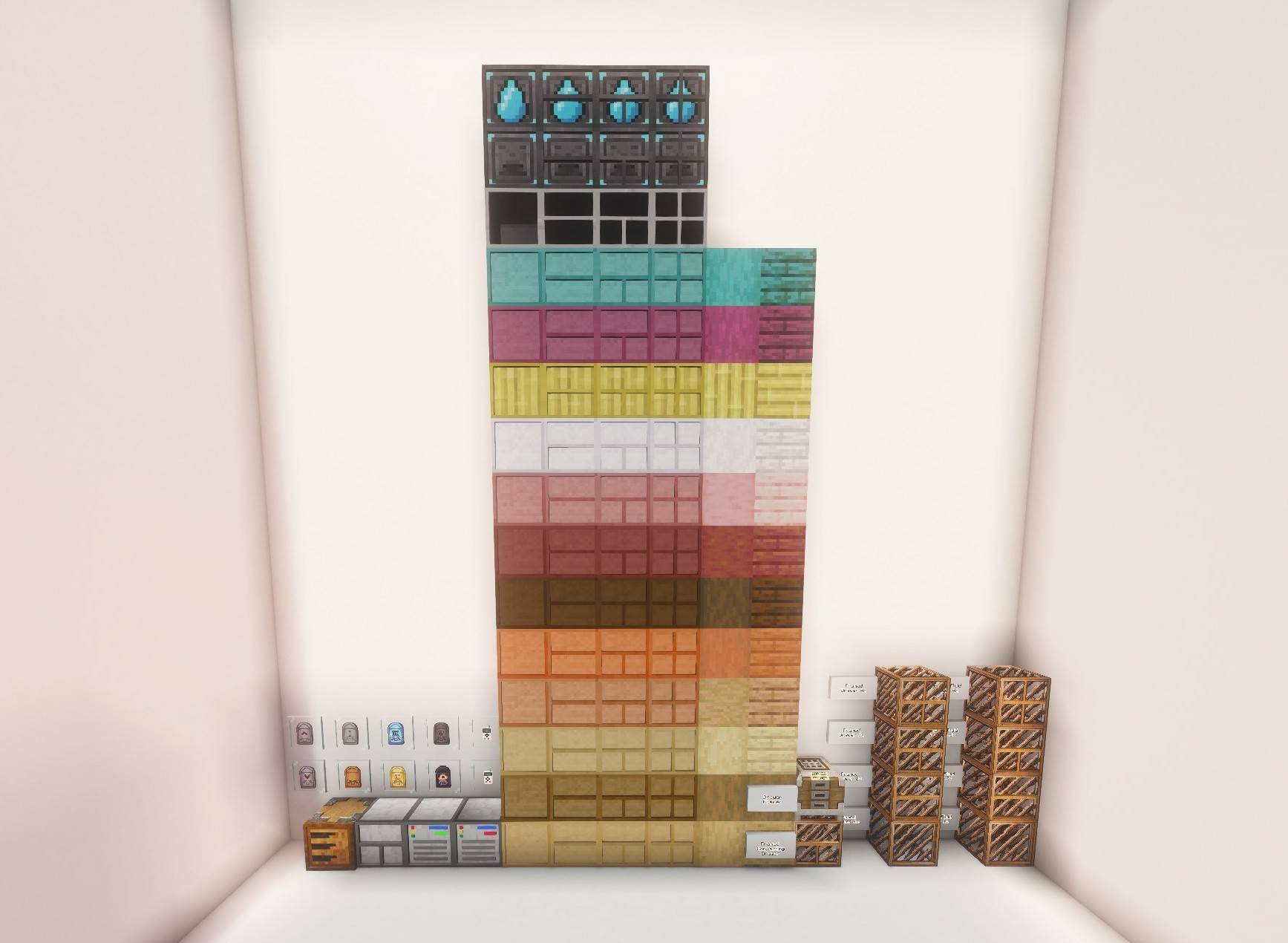 All Blocks/Items All Blocks and Items in the mod
 -
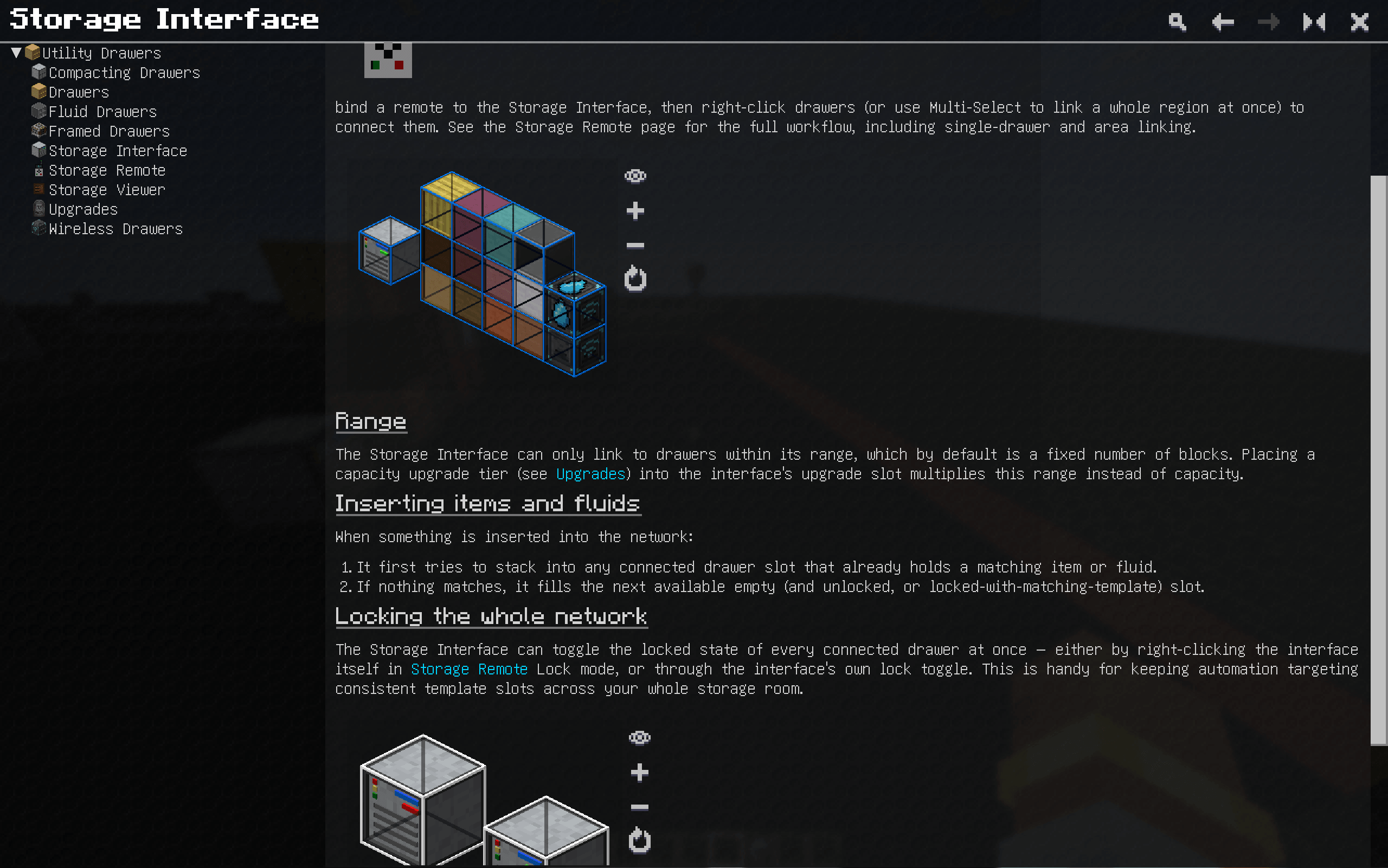 GuideMe Page GuideMe Page
 -
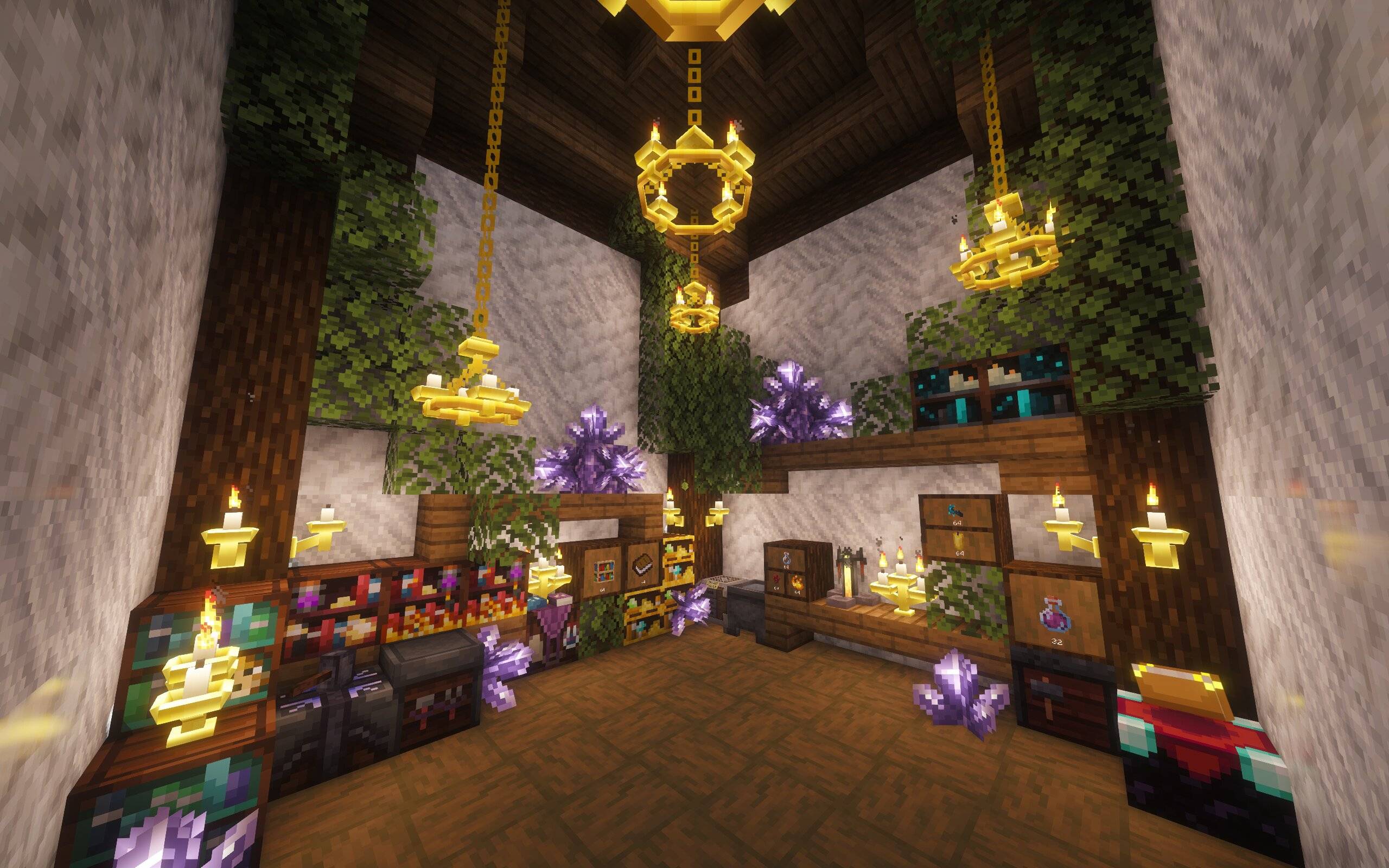 Magic Themed Magic Themed
 -
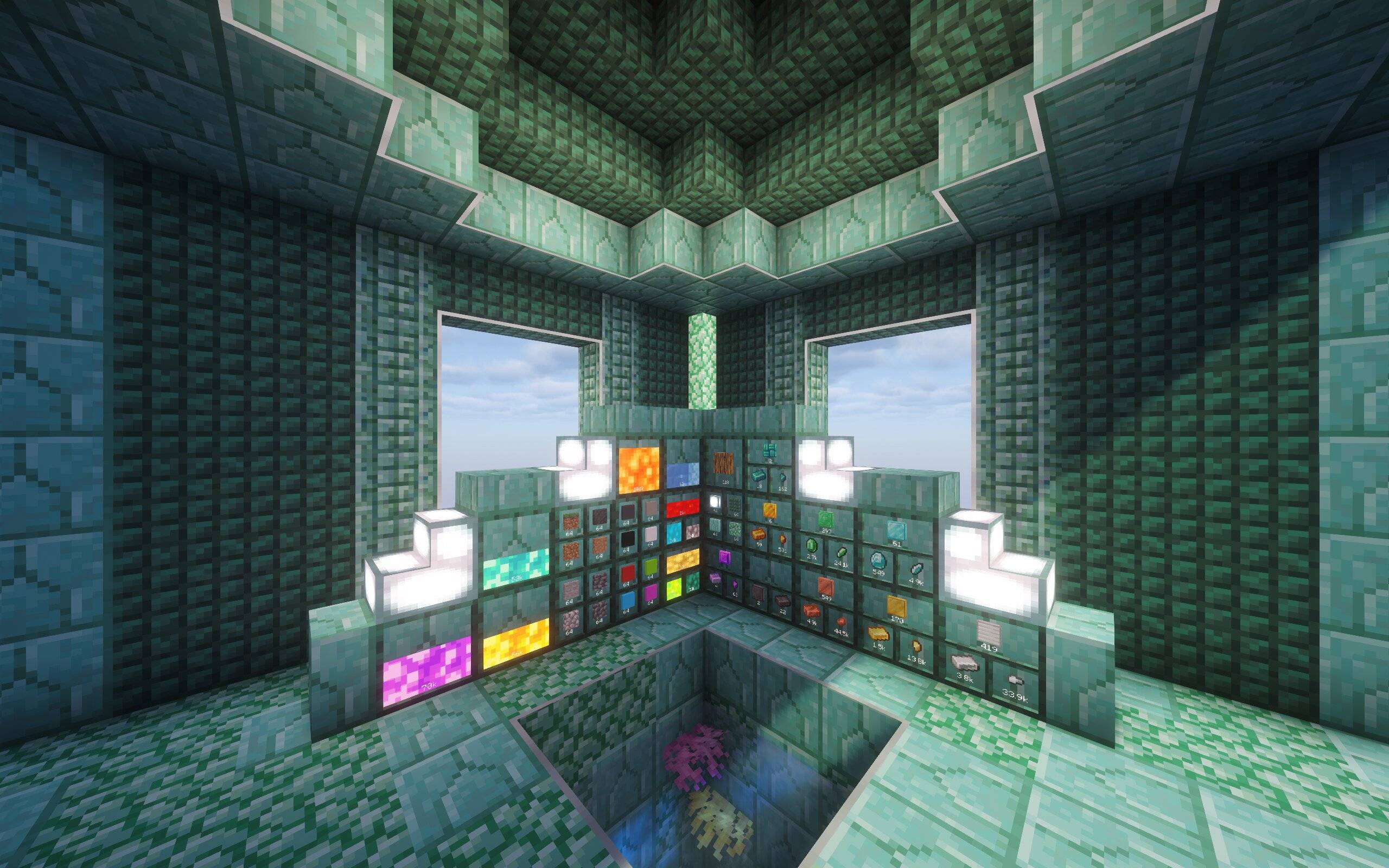 Ocean Themed Ocean Themed
 -
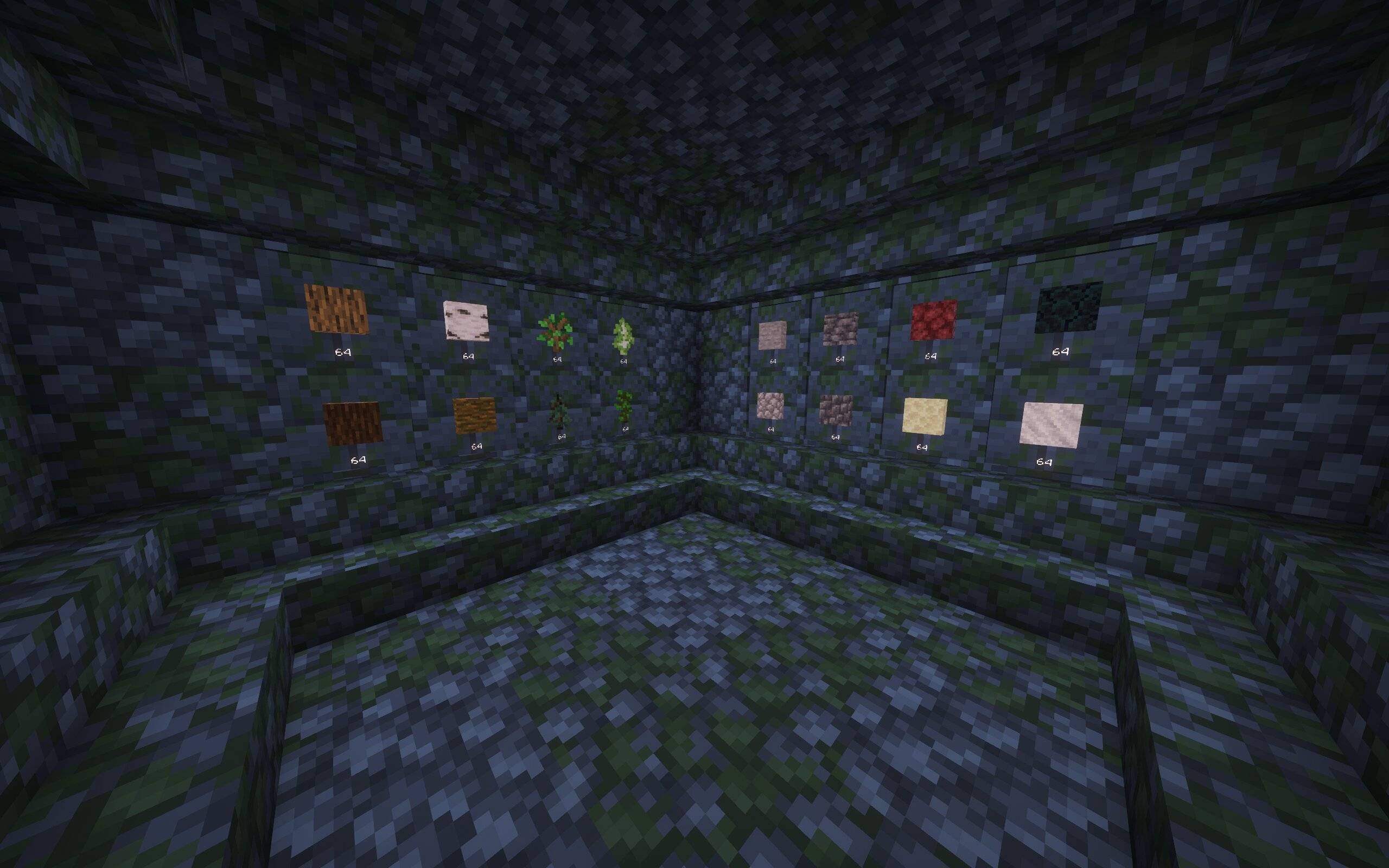 Mossy Themed Mossy Themed
 -
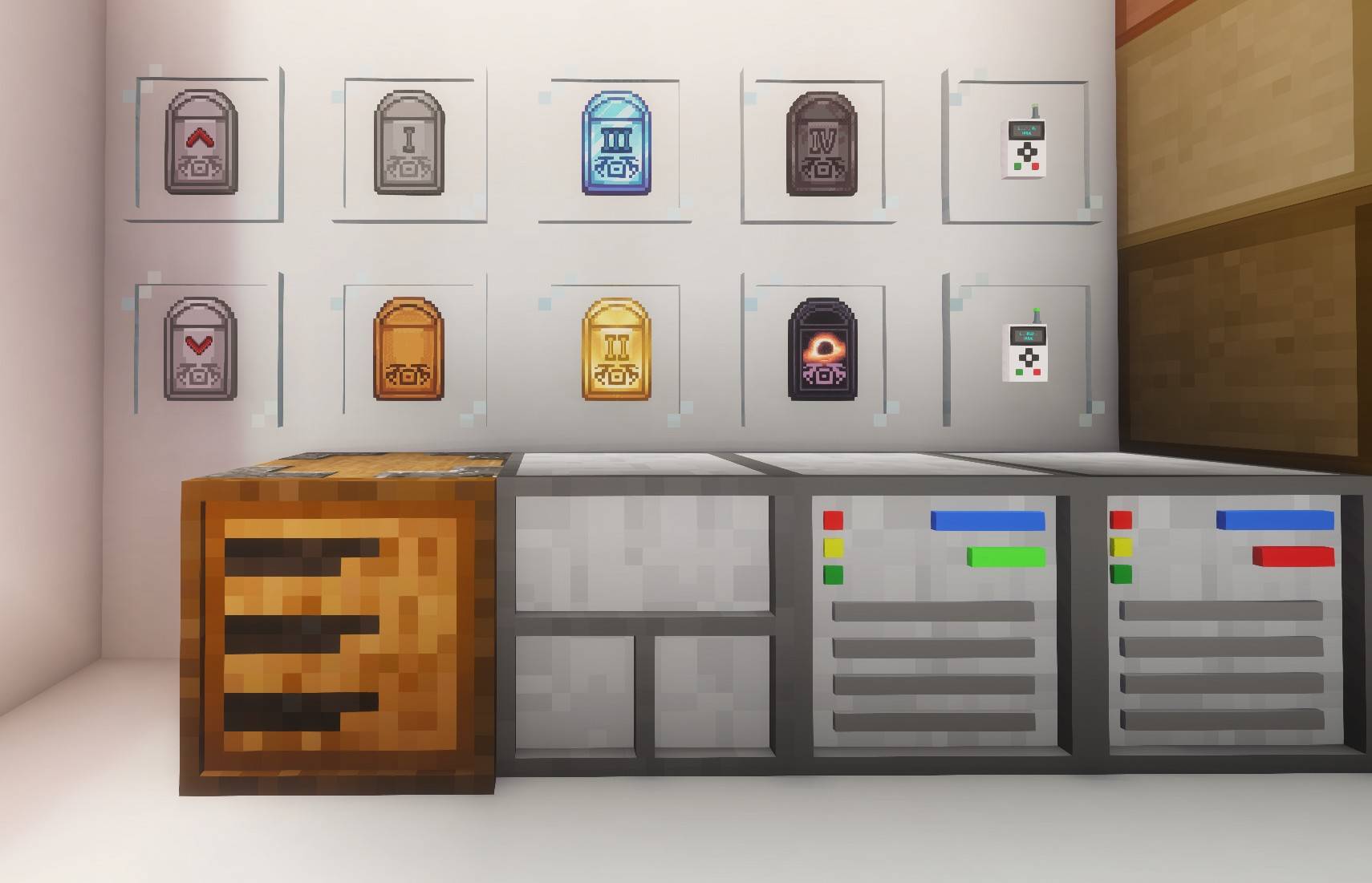 Upgrades Insert, Extract, Upgrade Base, Iron Upgrade, Gold Upgrade, Diamond Upgrade, Netherite Upgrade, Void Upgrade
 -
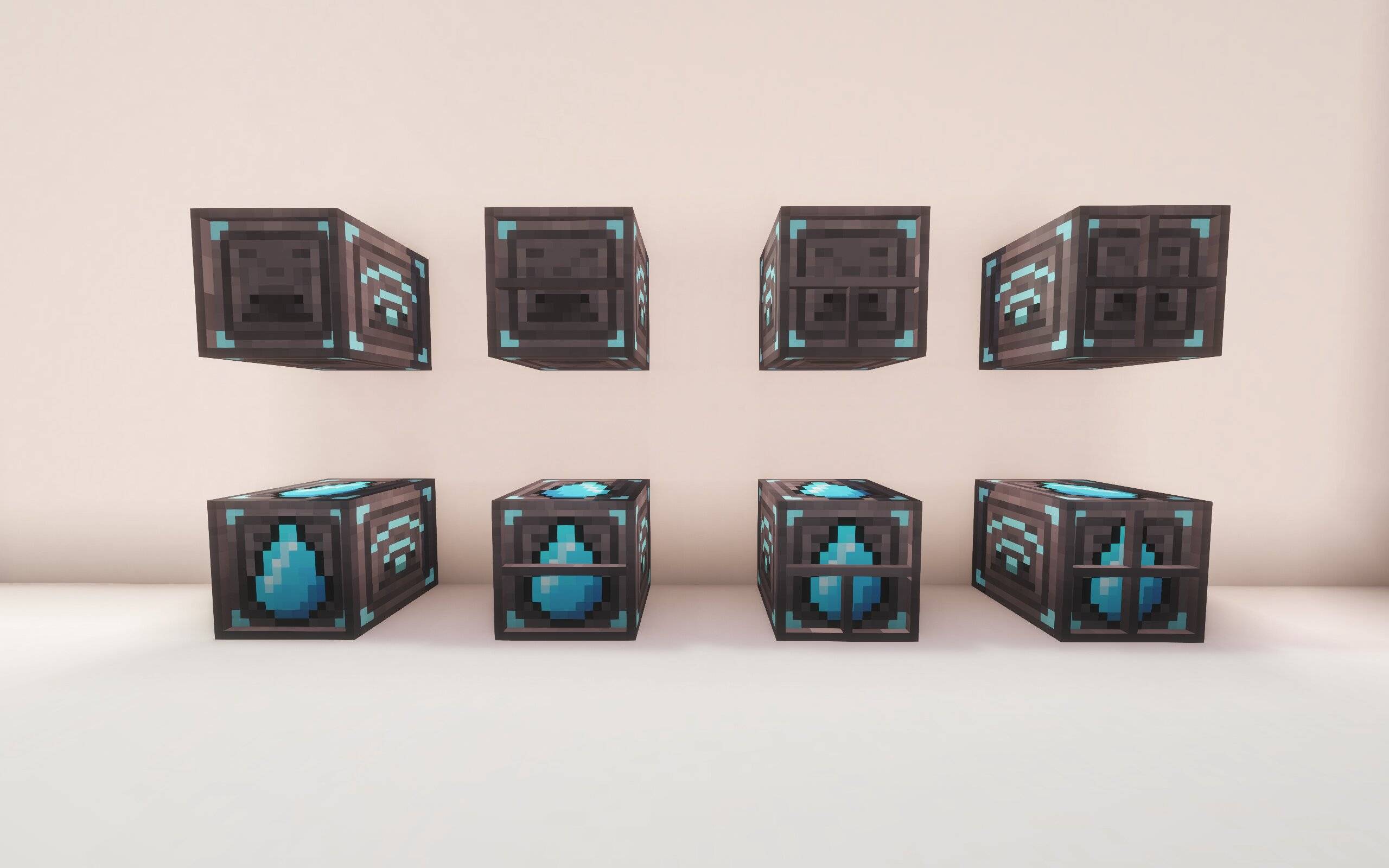 Wireless Drawers Wireless Drawers
 -
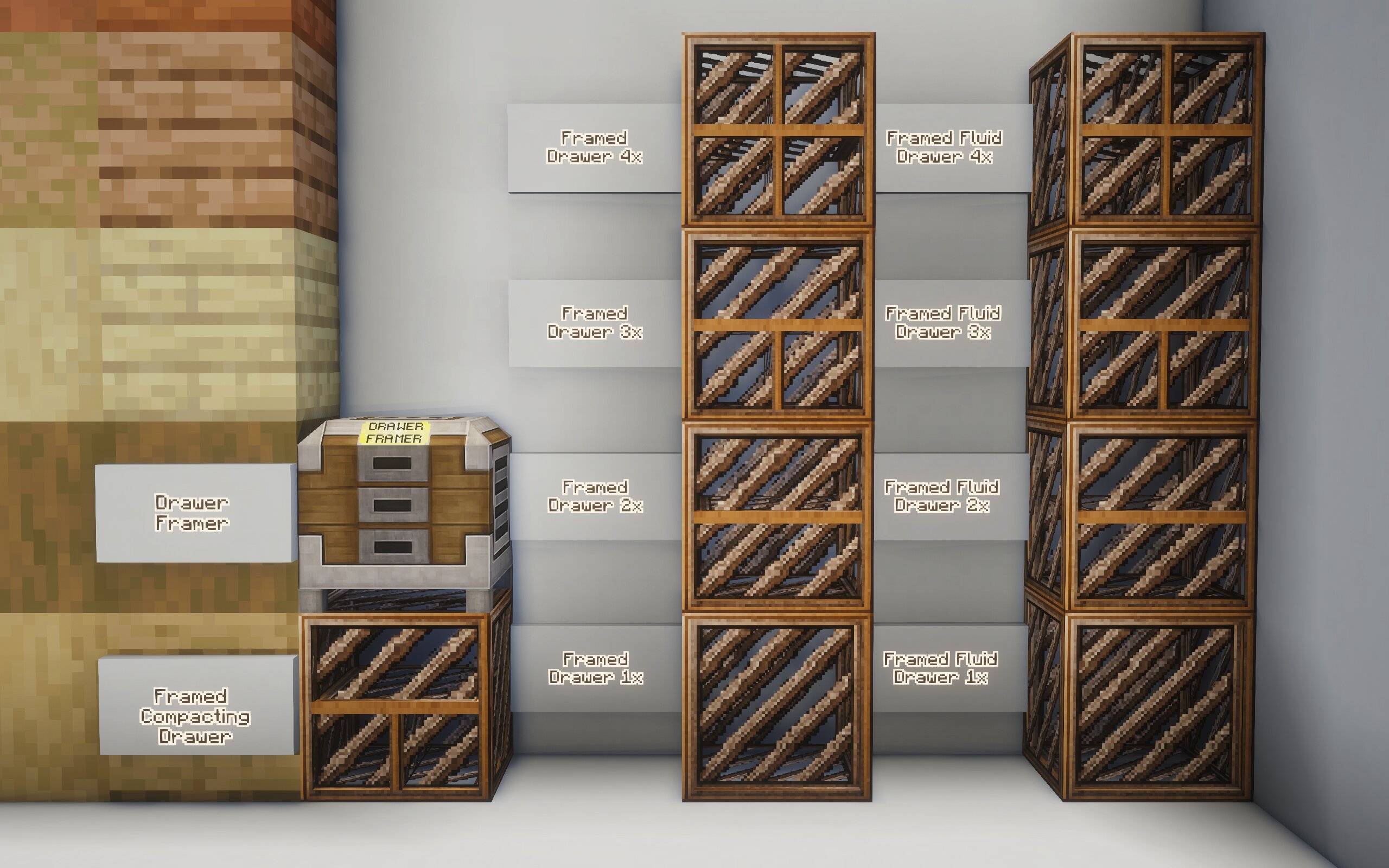 Framed Framed
-
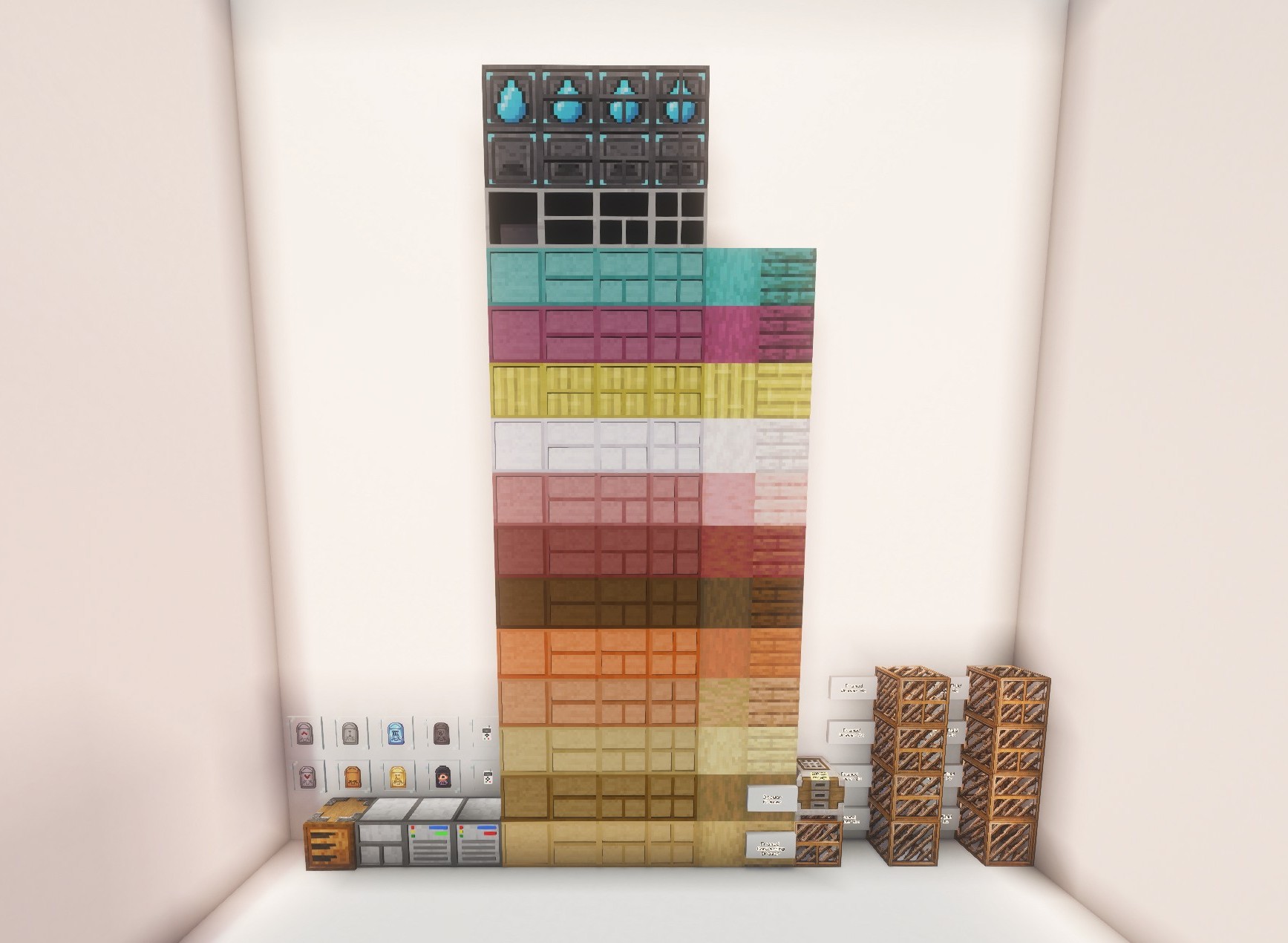 All Blocks/Items All Blocks and Items in the mod
 -
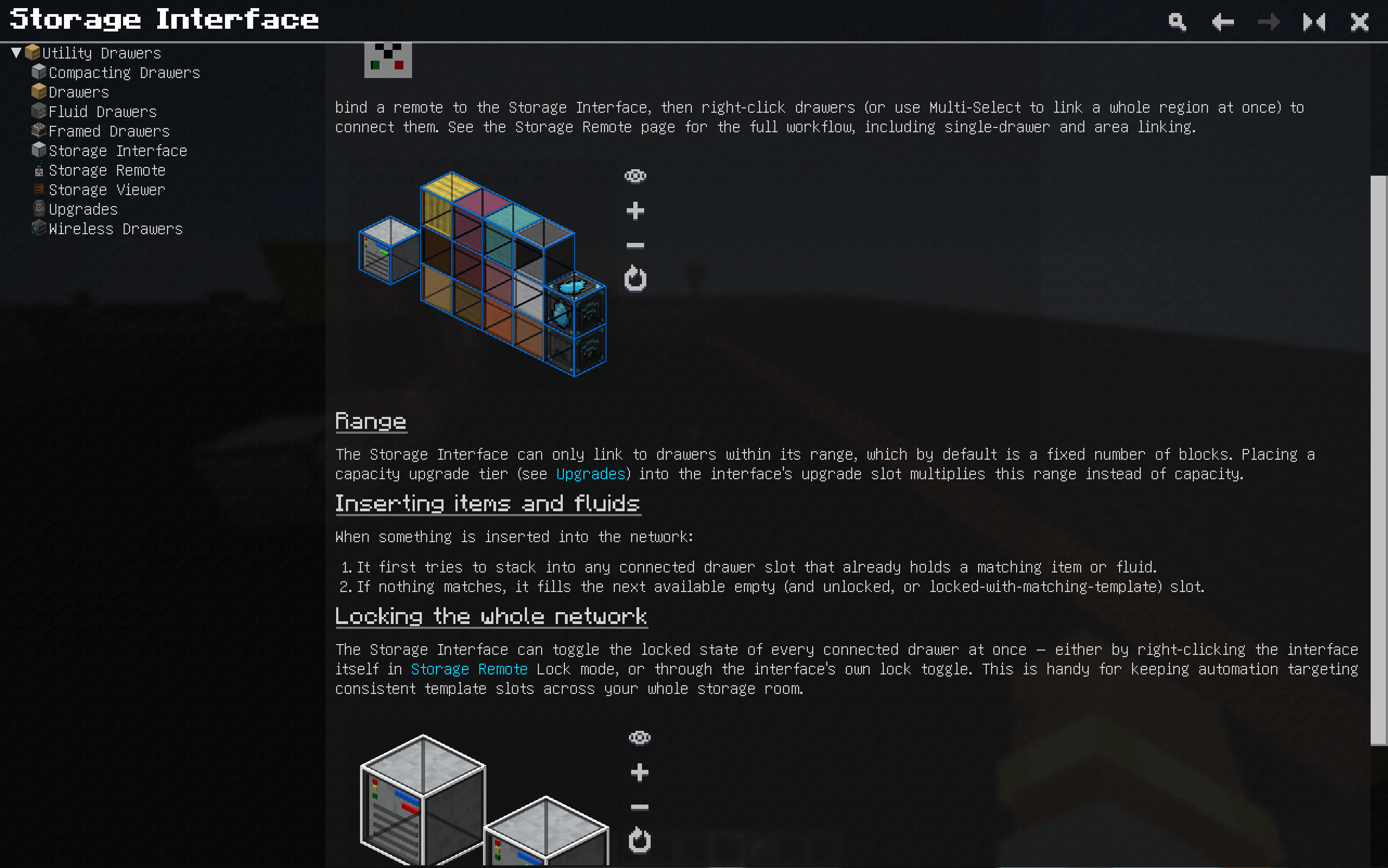 GuideMe Chapter A full GuideMe chapter has been made to explain the block, items, and features.
 -
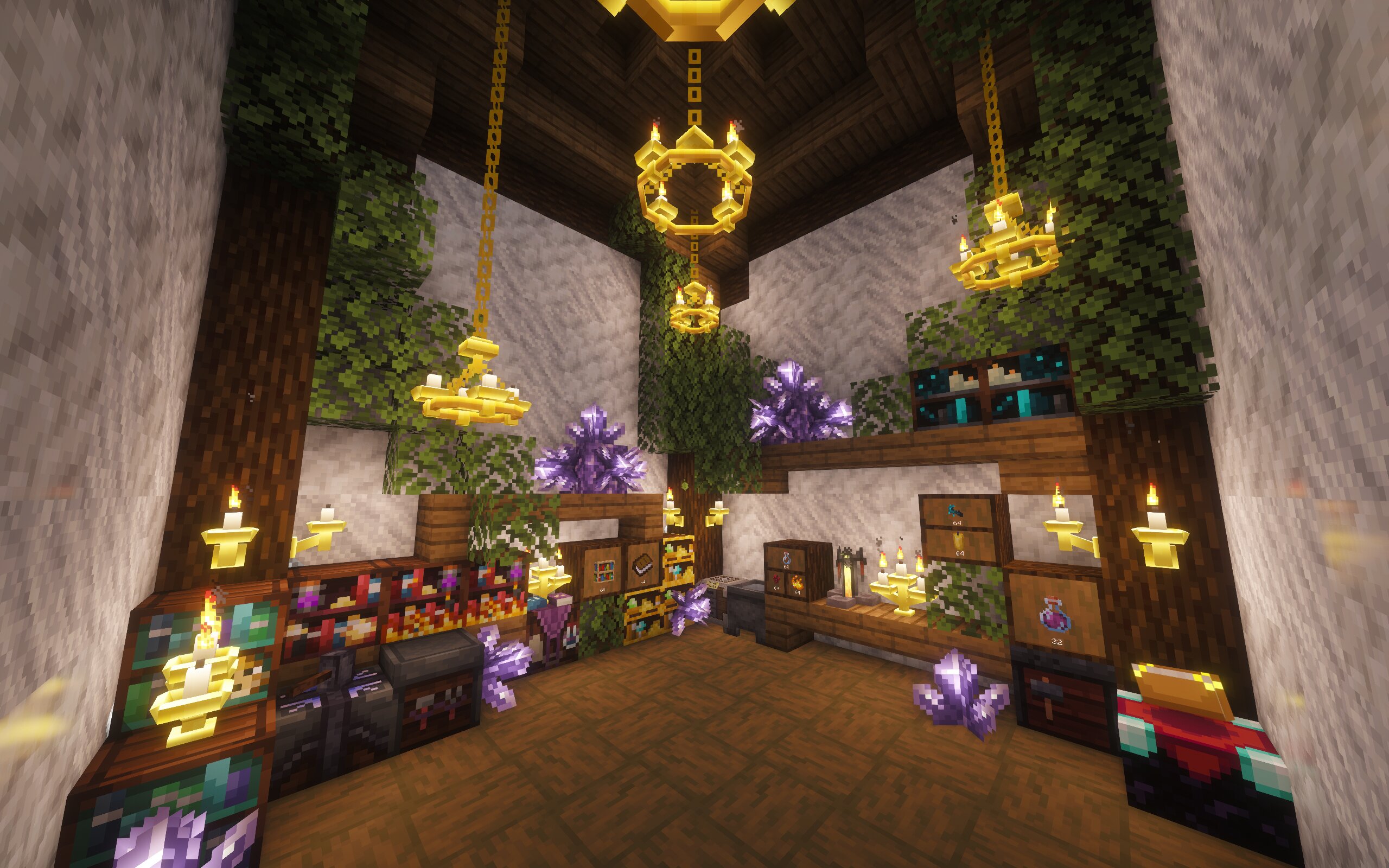 Example 1 Magic Themed Dramed Drawers
 -
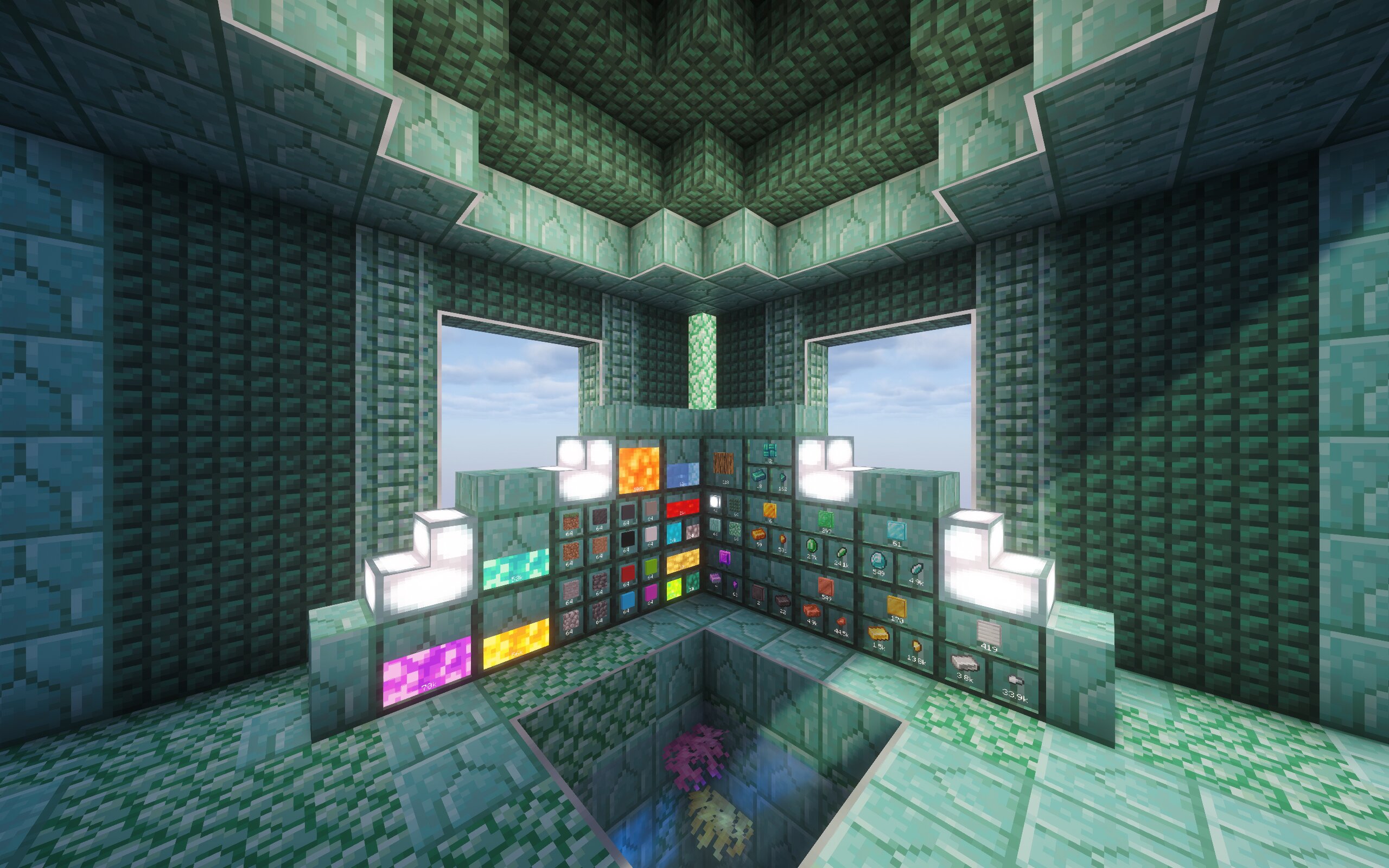 Example 2 Ocean Themed Framed Drawers
 -
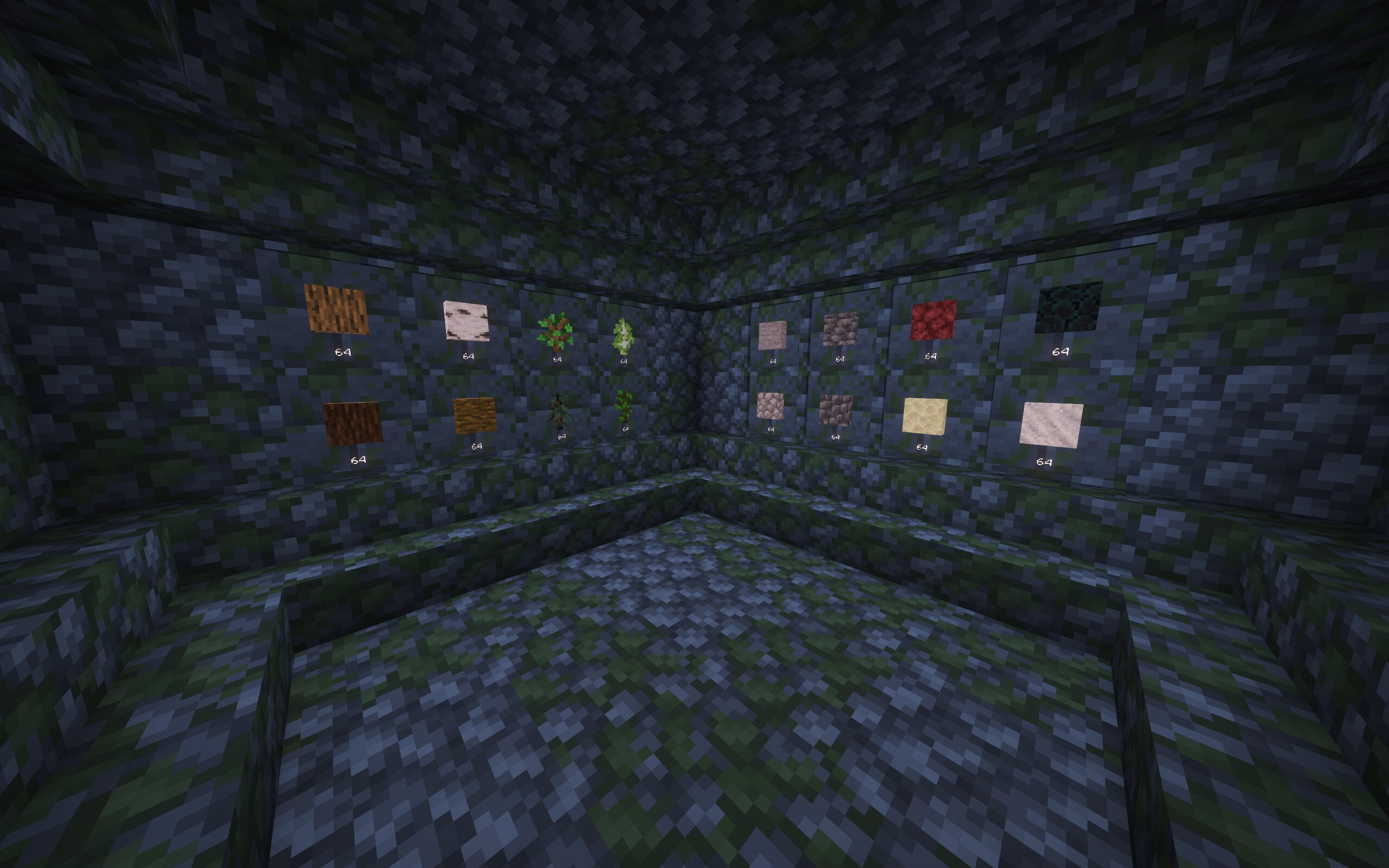 Example 3 Mossy Themed Framed Drawers
 -
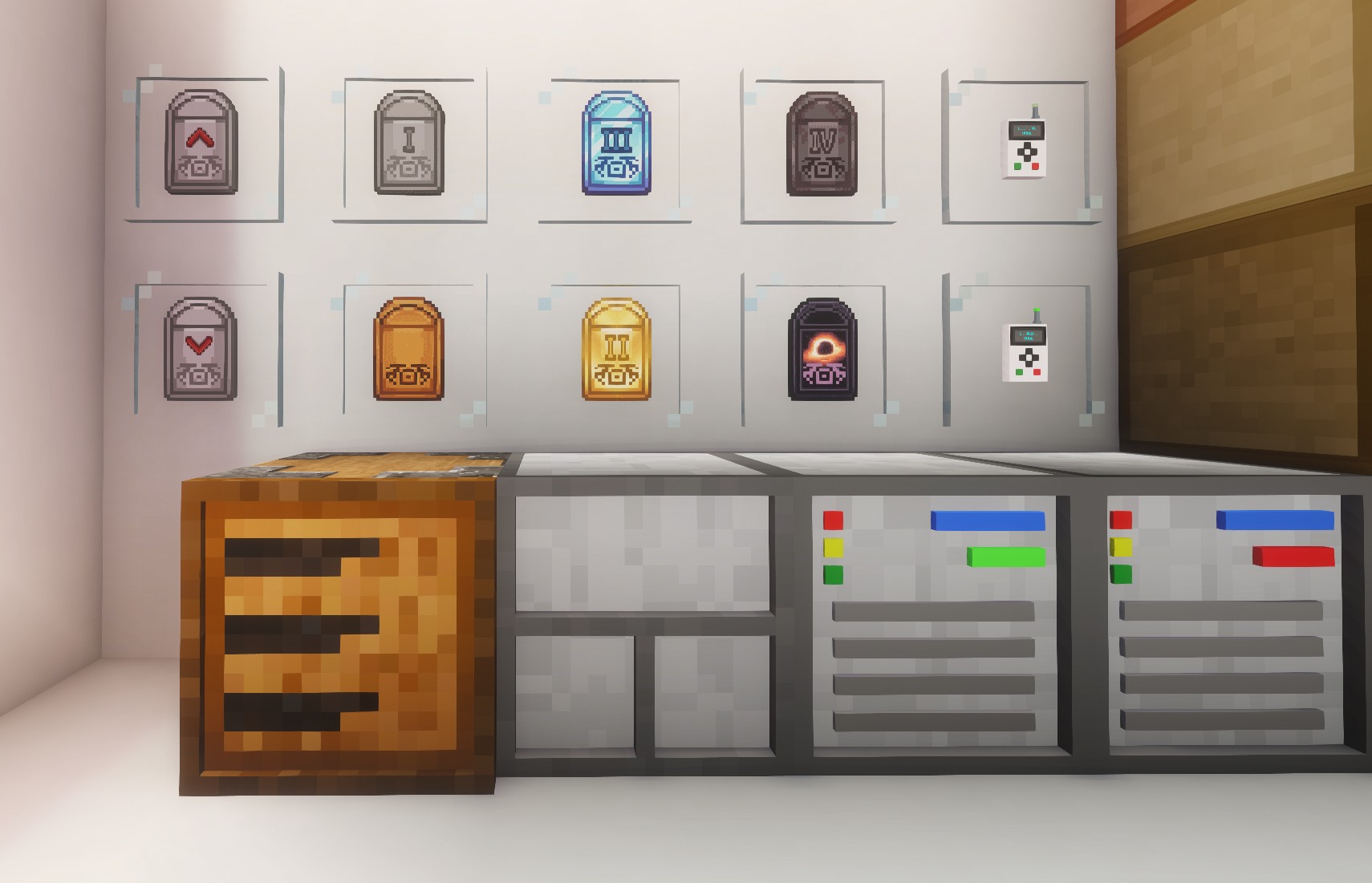 Upgrades Insert, Extract, Upgrade Base, Iron Upgrade, Gold Upgrade, Diamond Upgrade, Netherite Upgrade, Void Upgrade
 -
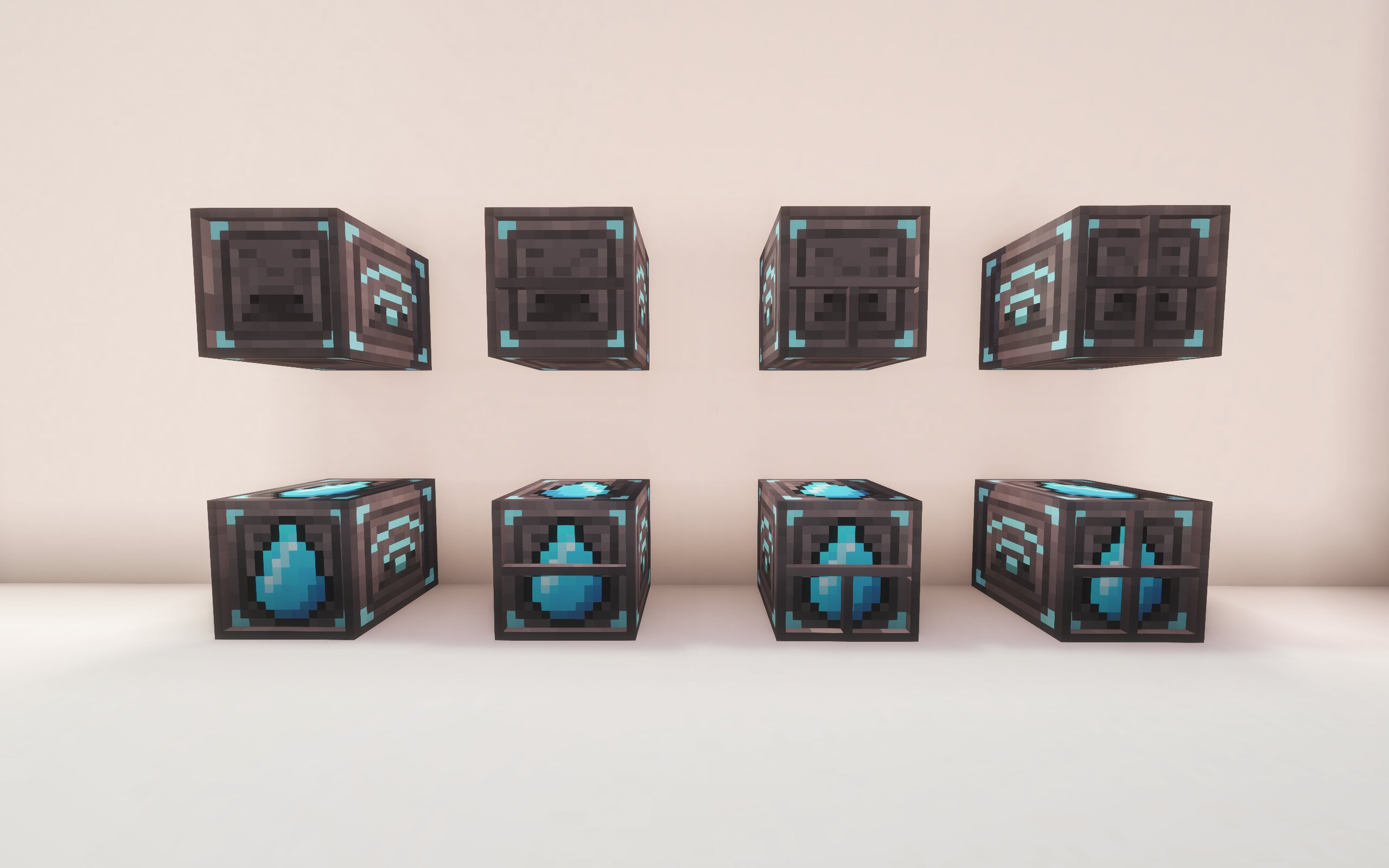 Wireless Item and Fluid Drawers Wireless Item and Fluid Drawers
 -
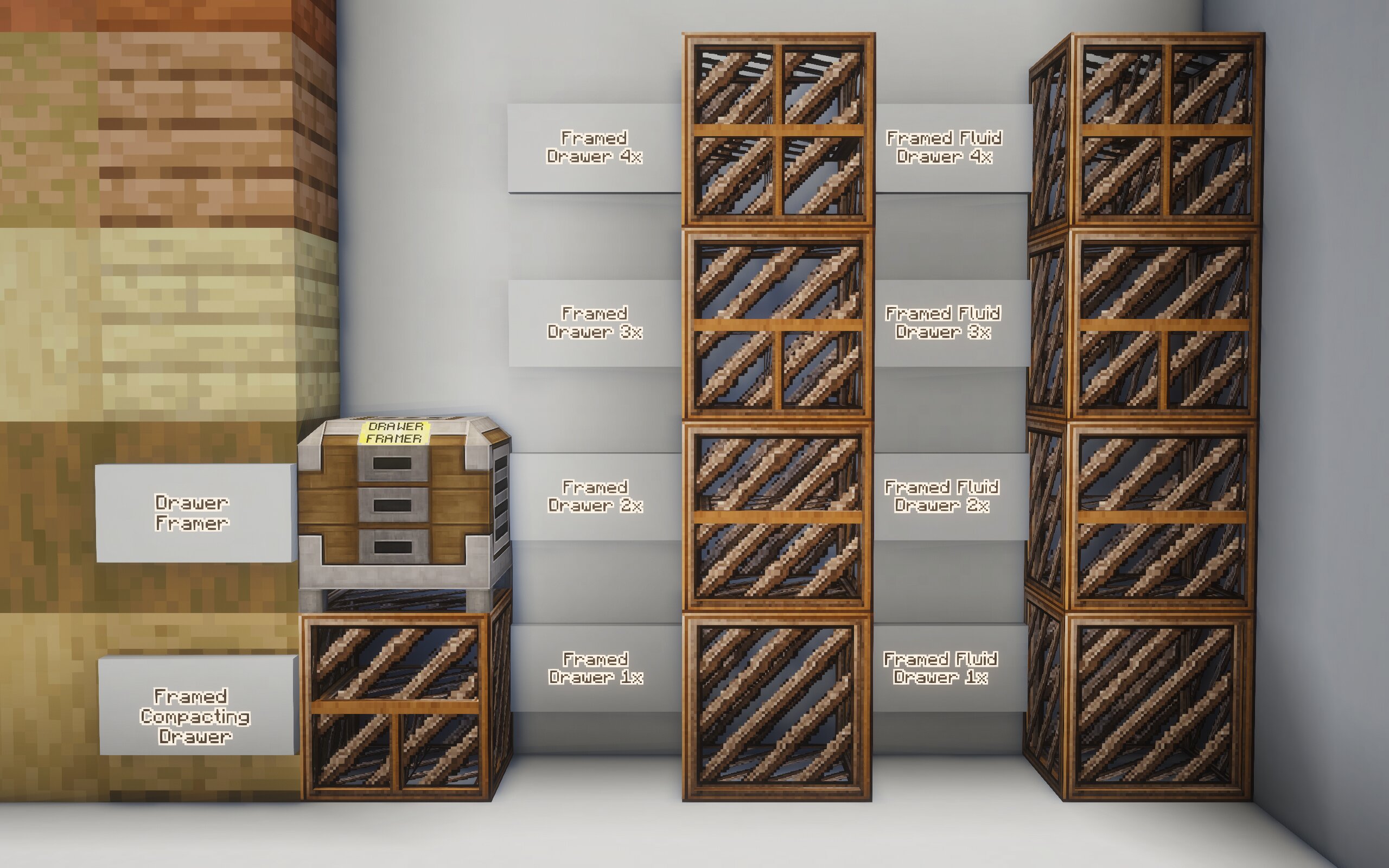 Drawer Framer and Framed Drawers Drawer Framer, Framed Compacting Drawer, Framed Item Drawers (1-4 slots) and Framed Fluid Drawers (1-4 slots)
Versions
Files
Relations
Project Relations
More like this
Similar Mods
Suggestions use data such as tags, dependencies, dependents, descriptions, titles, and more to rank how much they overlap with this mod.
On ModDex
Community snapshot
By the numbers
Statistics
Want to reach Minecraft players?
We're looking for a server hosting partner to feature here and other parts of the site. Interested? Send us a message!
Get in touchGet it on
Available Platforms
On ModDex
Community snapshot
By the numbers