
Community listing page, reviews here may not be monitored by the author.
Vault Hunters Compressium

No reviews yet
Enables compression of Vault Stone and Vault Cobblestone for the Vault Hunters 3 modpack
Community voices
Reviews
No reviews yet. Be the first to review this project!
Get it on
Available Platforms
About
Project Details
For authors
Embed Badge
If you're the author of this project, you can embed a live badge anywhere that supports HTML or Markdown. It updates automatically whenever ratings change.
Use HTML for any page that supports it, or Markdown for README files and Markdown-based descriptions.
Identifiers
Platform IDs
Resources
External Links
About
Description
Adds compression support for Vault Hunters Vault Stone and Vault Cobblestone blocks to Compressium.
Supported Blocks
- Vault Cobblestone (9 compression levels: 9 → 387,420,489 blocks)
- Vault Stone (9 compression levels: 9 → 387,420,489 blocks)
Requirements
Required:
- Minecraft 1.18.2
- Forge
- Compressium (any version)
- The Vault Hunters Modpack Version 3
Optional:
- Inventory Profiles Next (for automatic chest sorting with defined rules)
Installation
1. Config Entries
Open your config/compressiumblocks.json file and add the following to the existing array:
[
...
  {
    "name": "vault_cobblestone",
    "nestedDepth": 9,
    "isBlockOf": false,
    "baseResourceLocation": "the_vault:vault_cobblestone",
    "particlePath": "the_vault:block/vault_cobblestone",
    "baseBlockModel": "the_vault:block/vault_cobblestone",
    "type": "block"
  },
  {
    "name": "vault_stone",
    "nestedDepth": 9,
    "isBlockOf": false,
    "baseResourceLocation": "the_vault:vault_stone",
    "particlePath": "the_vault:block/vault_stone",
    "baseBlockModel": "the_vault:block/vault_stone",
    "type": "block"
  }
]
Important: Merge the entries, don't replace the entire file!
2. CraftTweaker Scripts
Extract the crafttweaker_compressium_scripts.zip to the scripts/ folder so that the following files are available with the other crafttweaker scripts:
compressium_vault_cobblestone.zscompressium_vault_stone.zs
5. Datapack
Copy the vault-compression-datapack.zip folder to your world's datapacks/ folder:
- Location:
saves/[YourWorldName]/datapacks/ - For servers:
[ServerFolder]/[WorldName]/datapacks/
4. Resourcepack
Copy the Vault-Compression.zip resourcepack to your instances' resourcepack/ folder and enable it in-game (Options > Video Options > Resource Packs).
Usage
Compress: Place 9 blocks in a 3x3 crafting grid to compress one level Decompress: Place 1 compressed block in crafting grid to get 9 of the previous level
Compression Levels:
- 1x: 9 blocks
- 2x: 81 blocks
- 3x: 729 blocks
- 4x: 6,561 blocks
- 5x: 59,049 blocks
- 6x: 531,441 blocks
- 7x: 4,782,969 blocks
- 8x: 43,046,721 blocks
- 9x: 387,420,489 blocks
Troubleshooting
Blocks don't appear in JEI/Creative:
- Make sure you added the config entries to compressiumblocks.json
- Restart the game after adding config entries
Can't craft compressed blocks:
- Ensure CraftTweaker scripts are in the scripts folder
- Check CraftTweaker logs for errors
Blocks have missing textures:
- Make sure the resourcepack is enabled
- Check that resourcepack files are in the correct location
Blocks don't drop when mined:
- Ensure the datapack is installed in your world's datapacks folder
- Use
/datapack listto verify it's loaded
Credits
Created for the Vault Hunters modpack community.
License
This addon is provided as-is for use with the Vault Hunters modpack and Compressium mod.
Screenshots
Gallery
-
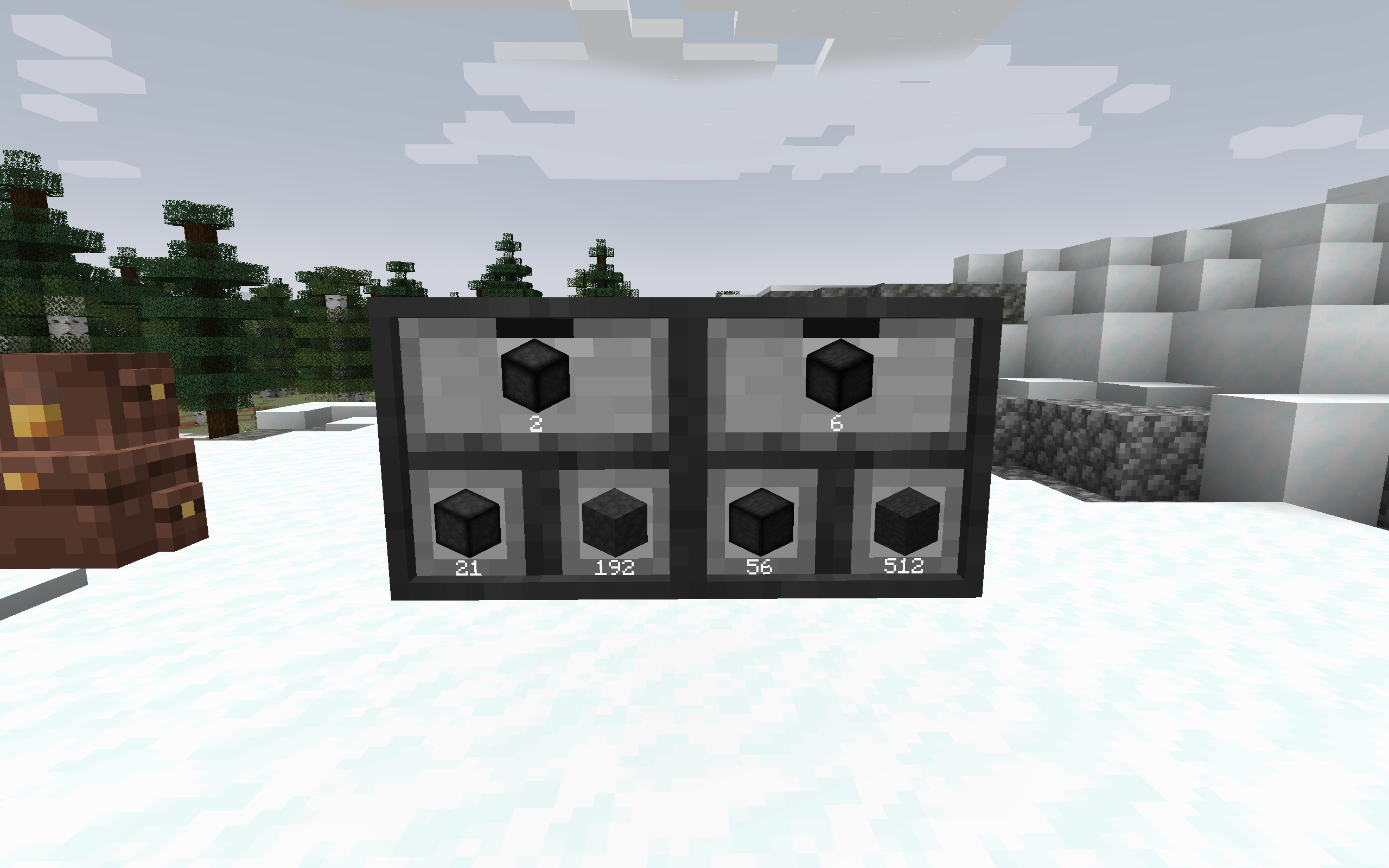 Compacting Drawers Compression datapack works within Compacting Drawers
 -
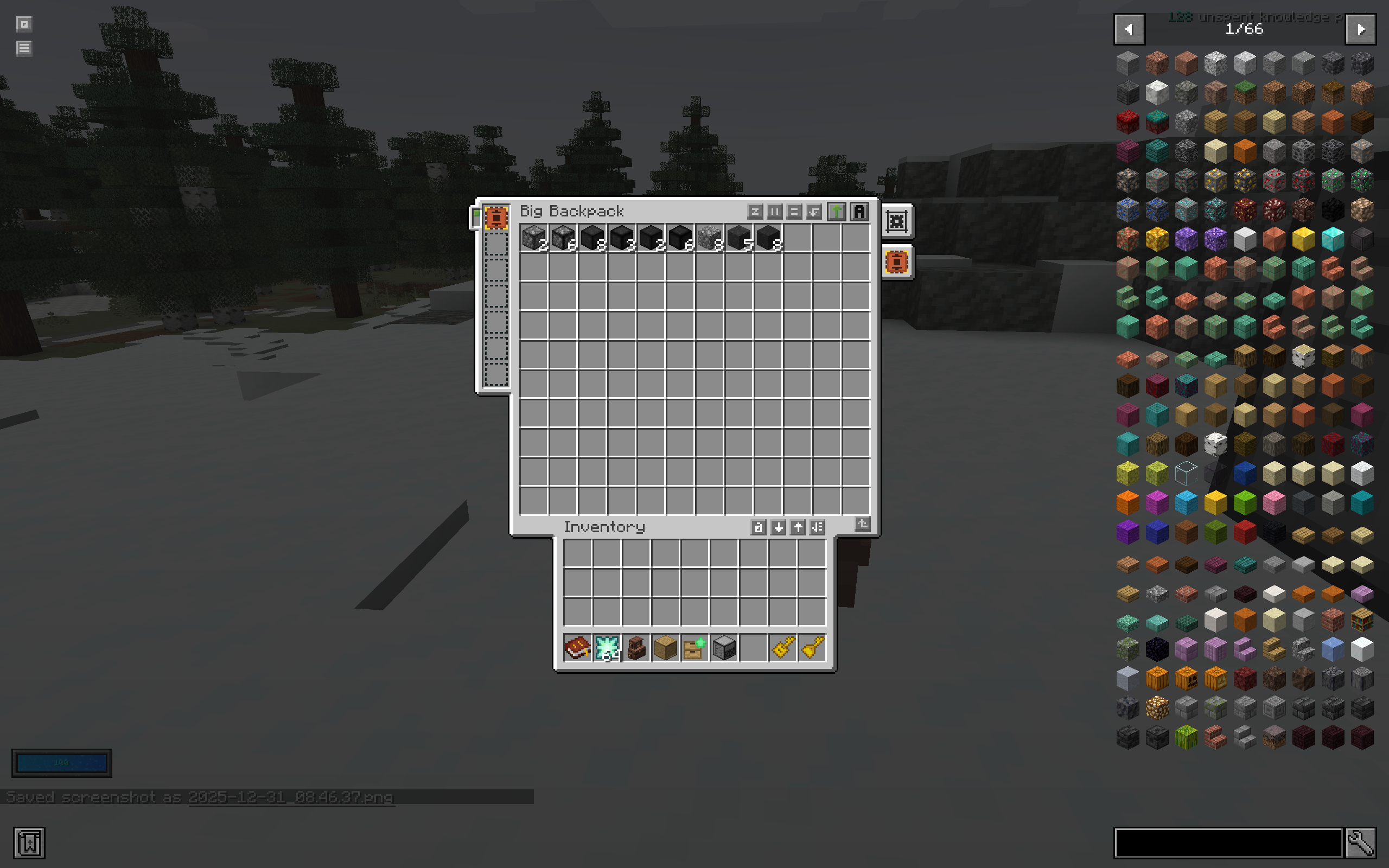 Compacting Backpacks Compression works within backpacks as well.
Versions
Files
Relations
Project Relations
More like this
Similar Mods
Suggestions use data such as tags, dependencies, dependents, descriptions, titles, and more to rank how much they overlap with this mod.
On ModDex
Community snapshot
By the numbers
Statistics

Want to reach Minecraft players?
We're looking for a server hosting partner to feature here and other parts of the site. Interested? Send us a message!
Get in touchGet it on
Available Platforms
On ModDex
Community snapshot
By the numbers
Statistics
Resources