
Community listing page, reviews here may not be monitored by the author.
Create: Vault UI


No reviews yet
An addon for the Create mod that provides a custom user interface for Vaults.
Community voices
Reviews
No reviews yet. Be the first to review this project!
Get it on
Available Platforms
Compatibility
Supported Environments
Must be installed on both the client and the server.
About
Project Details
For authors
Embed Badge
If you're the author of this project, you can embed a live badge anywhere that supports HTML or Markdown. It updates automatically whenever ratings change.
Use HTML for any page that supports it, or Markdown for README files and Markdown-based descriptions.
Identifiers
Platform IDs
About
Description

Create: Vault UI
Vault UI provides a specialized interface for the Create mod's Item Vaults. It aggregates all stored items into a single, organized view, simplifying inventory management for large-scale storage systems.
Features
Unified Storage View
Vault UI merges separate stacks of identical items into a single slot. This provides a clear overview of total quantities, with large counts automatically formatted (e.g., 1.2k, 1.5M) for readability.
Capacity & Fullness Tracking
A real-time fullness indicator tracks vault storage capacity.
- Smart Tracking: Accounts for both item counts and slot availability, ensuring accurate status even with unstackable items.
- Detailed Stats: Hover over the fullness bar to view precise item counts and occupied slot data.
Item Searching & Sorting
Easily locate specific items in massive storage systems:
- Search Bar: Quickly filter visible items by typing their name in the built-in search box.
- Recipe Viewer Sync: Bidirectional search synchronization with JEI and EMI. Typing in one updates the other automatically.
- Custom Sorting: Sort your items by Most Items, Last Edited, Alphabetical, or Mod ID.
Modern Interaction Shortcuts
- Shift + Double-Click: Rapidly transfer all matching items from the vault into your inventory. This shortcut requires holding an item in the cursor to trigger, preventing accidental bulk transfers.
Customization & Themes
- Adaptive UI Colors: Fully compatible with Create: Vibrant Vaults. The UI background dynamically tints to match the color of the vault block being accessed.
- Dark Mode: A clean, high-contrast dark theme for better visibility.
- Persistent Preferences: Sorting modes and theme selections are saved per-player.
Compatibility
Vault UI is designed to work with the standard Create Item Vault system and its internal ItemHandler logic.
- Create: Vibrant Vaults: Fully supported with dynamic UI color matching and variant detection.
- JEI / EMI: Bidirectional search synchronization supported for a seamless crafting and storage experience.
- General Support: Works with most mods that extend Create's vault system or utilize standard vault capabilities.
Installation & Usage
Requirements:
How to Use:
- Open Interface: Right-click any part of an Item Vault structure.
- Expand Vault: Hold an Item Vault block while clicking to expand the structure normally without opening the UI.
- Navigation: Use the paging controls on the right to navigate through large inventories.
Configuration
Client-side preferences are stored in config/vault_ui-client.toml:
# Use the dark theme.
darkMode = false

# Default sorting method (COUNT, LAST_EDITED, NAME_ID, or NAME).
sortMode = "COUNT"

# Enable colored UI backgrounds for Vibrant Vaults.
vibrantColors = true

# Sync search bar with JEI/EMI.
jeiSync = true
Links
- Modrinth: vault-ui
- CurseForge: vault-ui
- GitHub: yigit-guven/Vault-UI
Distributed under the LGPL v3 License. Special thanks to the Create Team.
Create: Vault UI
Vault UI provides a specialized interface for the Create mod's Item Vaults. It aggregates all stored items into a single, organized view, simplifying inventory management for large-scale storage systems.
Features
Unified Storage View
Vault UI merges separate stacks of identical items into a single slot. This provides a clear overview of total quantities, with large counts automatically formatted (e.g., 1.2k, 1.5M) for readability.
Capacity & Fullness Tracking
A real-time fullness indicator tracks vault storage capacity.
- Smart Tracking: Accounts for both item counts and slot availability, ensuring accurate status even with unstackable items.
- Detailed Stats: Hover over the fullness bar to view precise item counts and occupied slot data.
Item Searching & Sorting
Easily locate specific items in massive storage systems:
- Search Bar: Quickly filter visible items by typing their name in the built-in search box.
- Recipe Viewer Sync: Bidirectional search synchronization with JEI and EMI. Typing in one updates the other automatically.
- Custom Sorting: Sort your items by Most Items, Last Edited, Alphabetical, or Mod ID.
Modern Interaction Shortcuts
- Shift + Double-Click: Rapidly transfer all matching items from the vault into your inventory. This shortcut requires holding an item in the cursor to trigger, preventing accidental bulk transfers.
Customization & Themes
- Adaptive UI Colors: Fully compatible with Create: Vibrant Vaults. The UI background dynamically tints to match the color of the vault block being accessed.
- Dark Mode: A clean, high-contrast dark theme for better visibility.
- Persistent Preferences: Sorting modes and theme selections are saved per-player.
Compatibility
Vault UI is designed to work with the standard Create Item Vault system and its internal ItemHandler logic.
- Create: Vibrant Vaults: Fully supported with dynamic UI color matching and variant detection.
- JEI / EMI: Bidirectional search synchronization supported for a seamless crafting and storage experience.
- General Support: Works with most mods that extend Create's vault system or utilize standard vault capabilities.
Installation & Usage
Requirements:
How to Use:
- Open Interface: Right-click any part of an Item Vault structure.
- Expand Vault: Hold an Item Vault block while clicking to expand the structure normally without opening the UI.
- Navigation: Use the paging controls on the right to navigate through large inventories.
Configuration
Client-side preferences are stored in config/vault_ui-client.toml:
# Use the dark theme.
darkMode = false

# Default sorting method (COUNT, LAST_EDITED, NAME_ID, or NAME).
sortMode = "COUNT"

# Enable colored UI backgrounds for Vibrant Vaults.
vibrantColors = true

# Sync search bar with JEI/EMI.
jeiSync = true
Links
- Modrinth: vault-ui
- CurseForge: vault-ui
- GitHub: yigit-guven/Vault-UI
Distributed under the LGPL v3 License. Special thanks to the Create Team.
Screenshots
Gallery
-
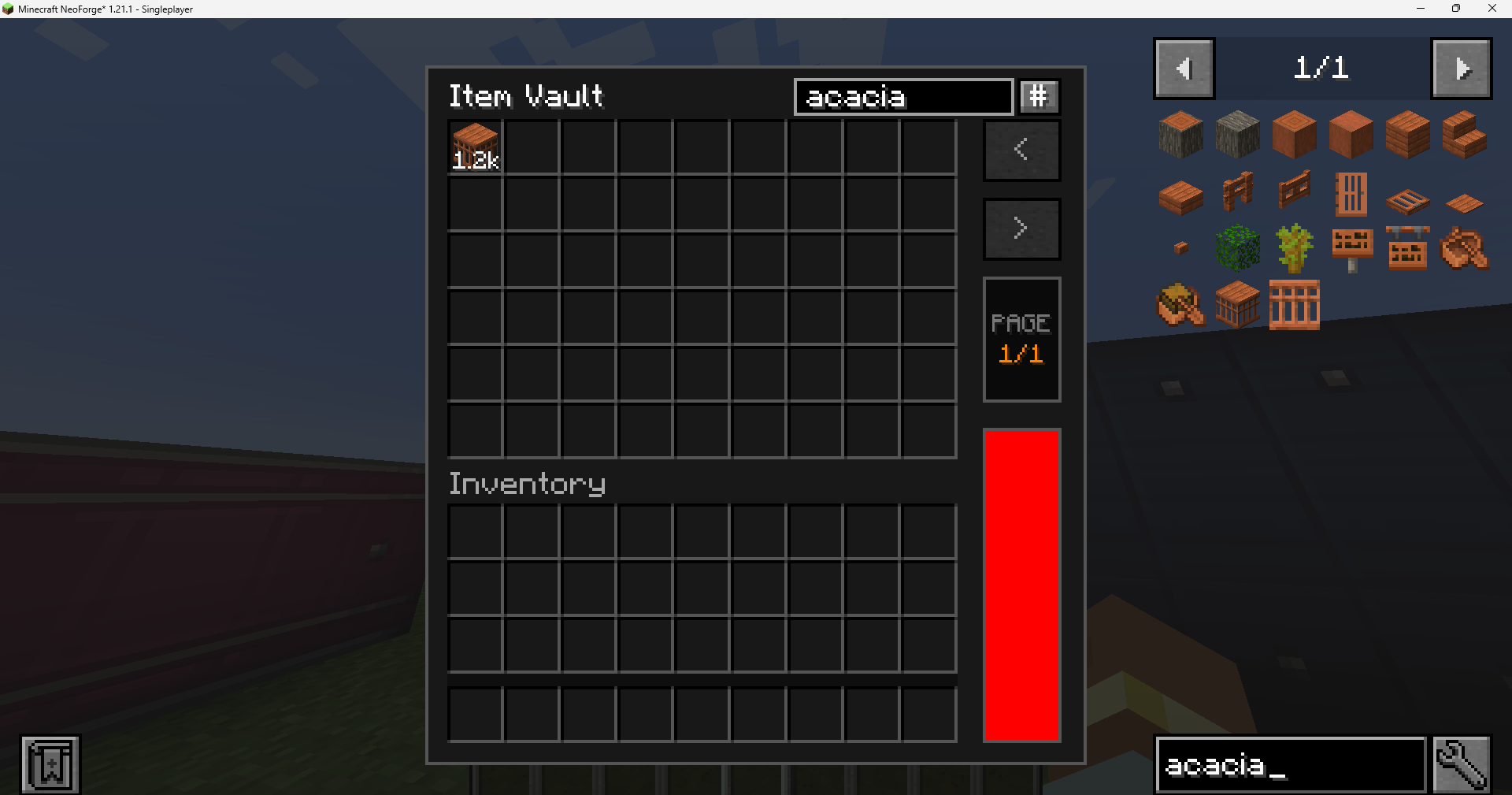 Vault UI Dark Mode in version 1.0.0-beta8 Vault UI Dark Mode in version 1.0.0-beta8
 -
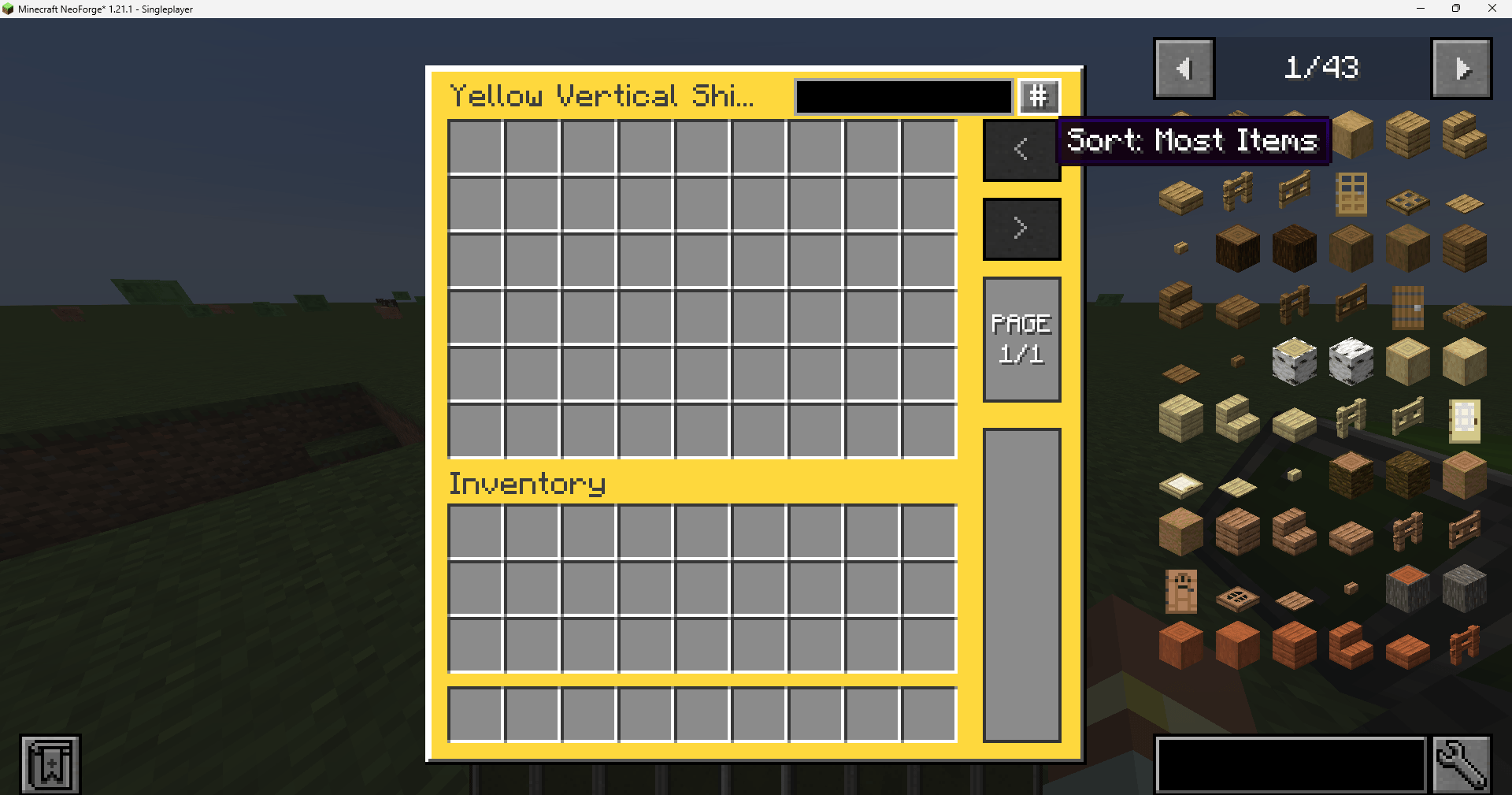 Vault UI for Create: Vibrant Vaults Yellow, Light mode in version 1.0.0-beta8 Vault UI for Create: Vibrant Vaults Yellow, Light mode in version 1.0.0-beta8
 -
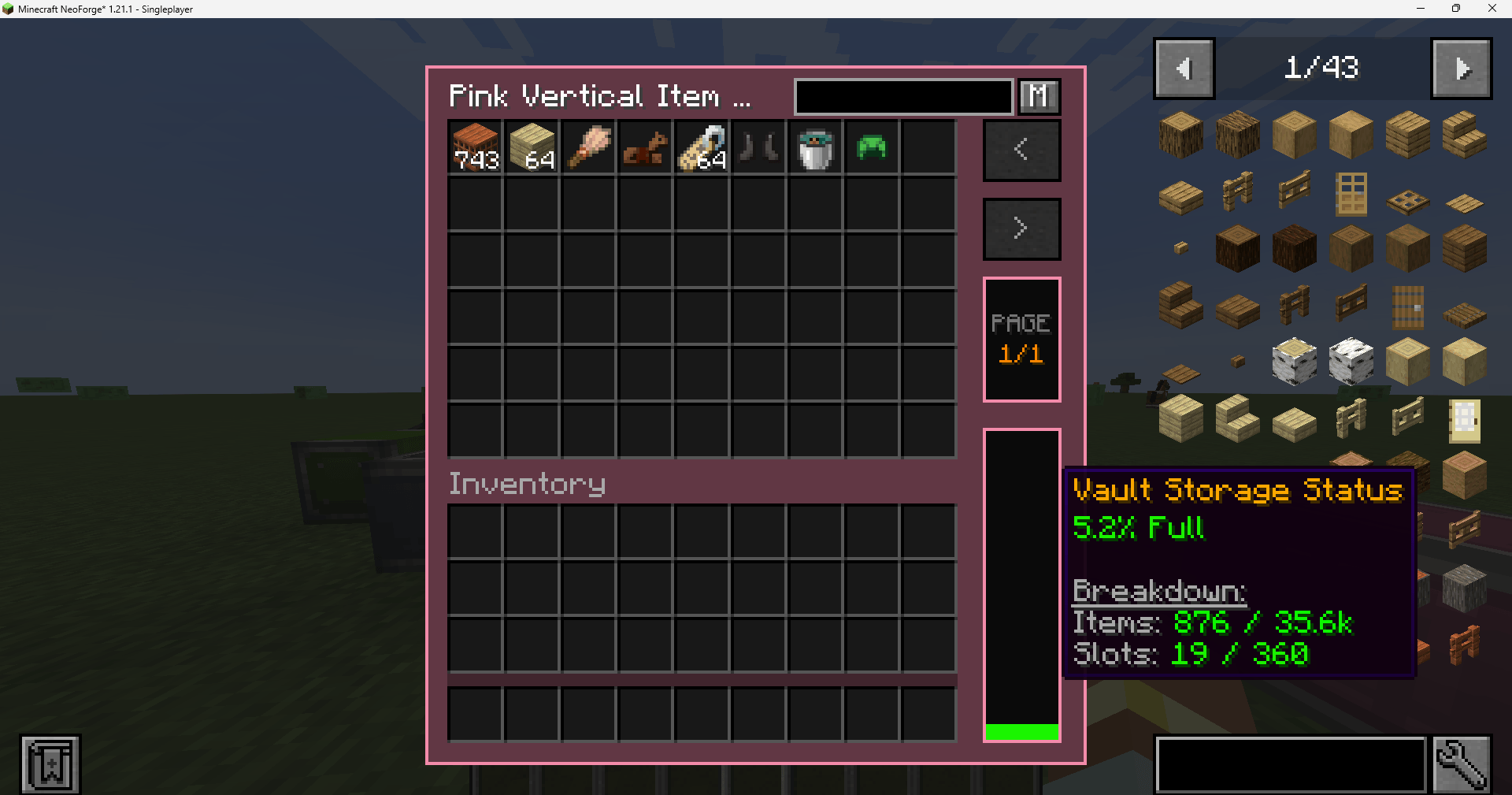 Vault UI for Create: Vibrant Vaults Pink, Dark mode in version 1.0.0-beta8 Vault UI for Create: Vibrant Vaults Pink, Dark mode in version 1.0.0-beta8
 -
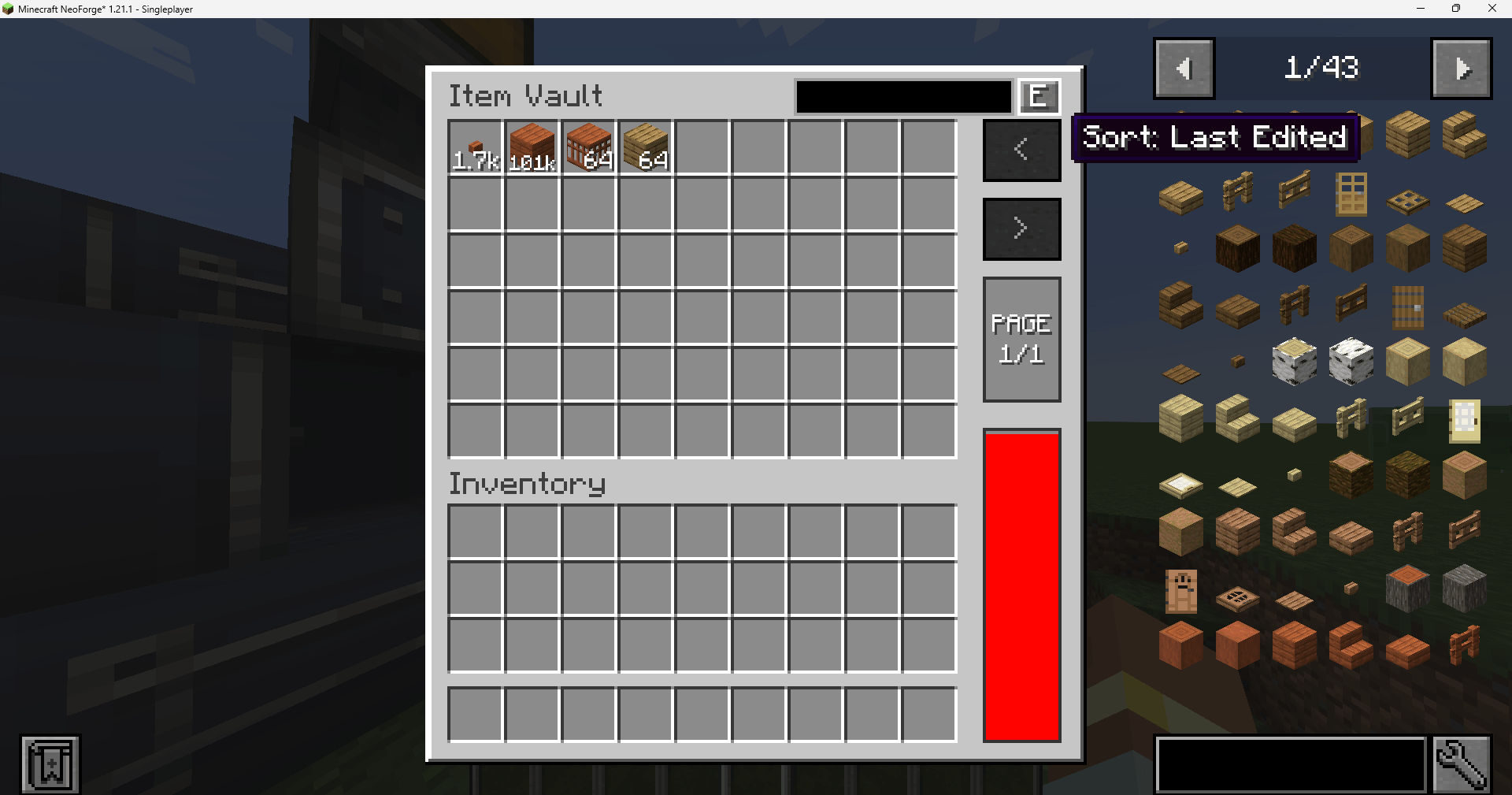 Vault UI in version 1.0.0-beta8 Vault UI in version 1.0.0-beta8
-
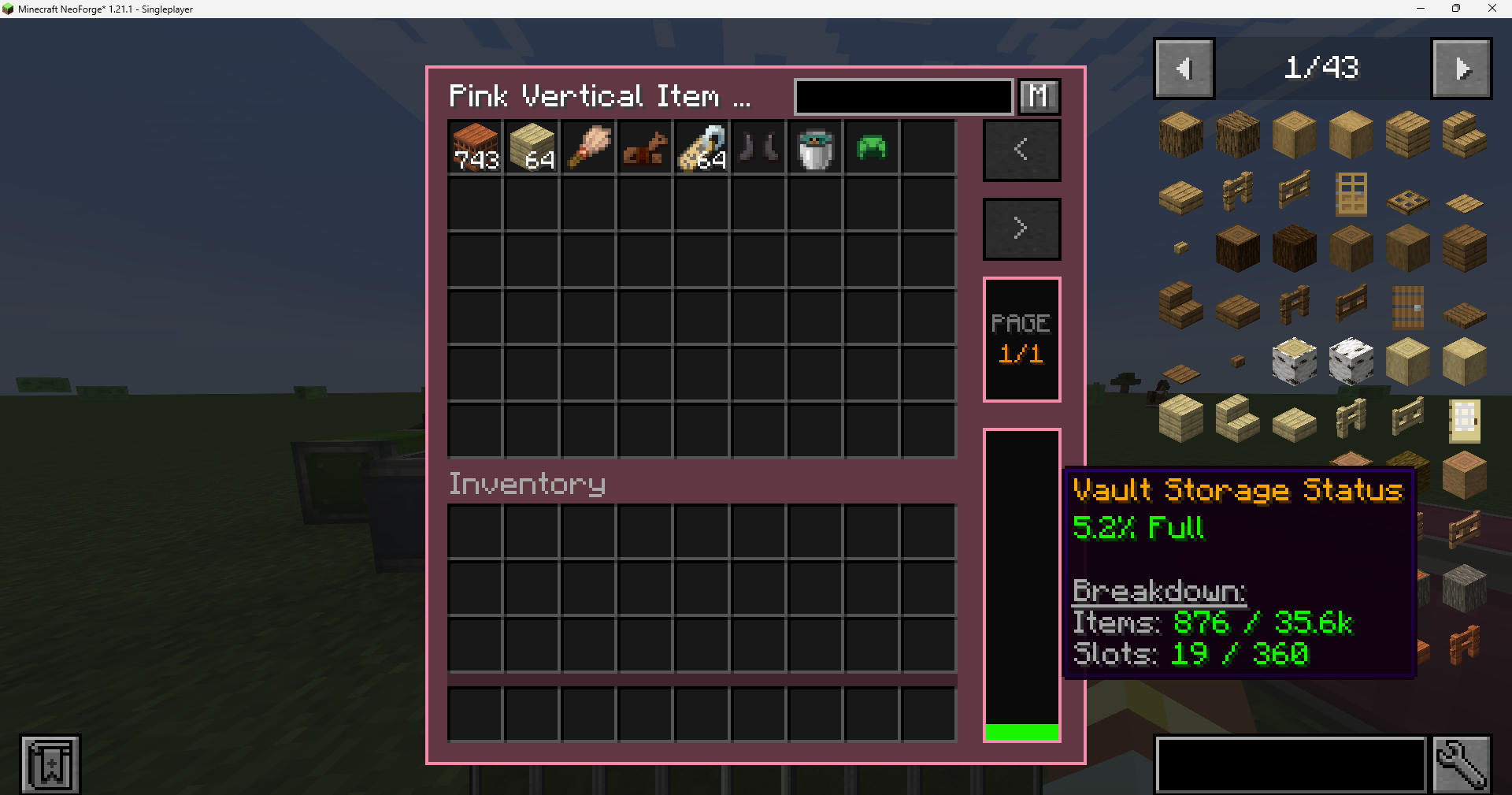 Vault UI for Create: Vibrant Vaults Pink, Dark mode Vault UI for Create: Vibrant Vaults Pink, Dark mode in version 1.0.0-beta8
 -
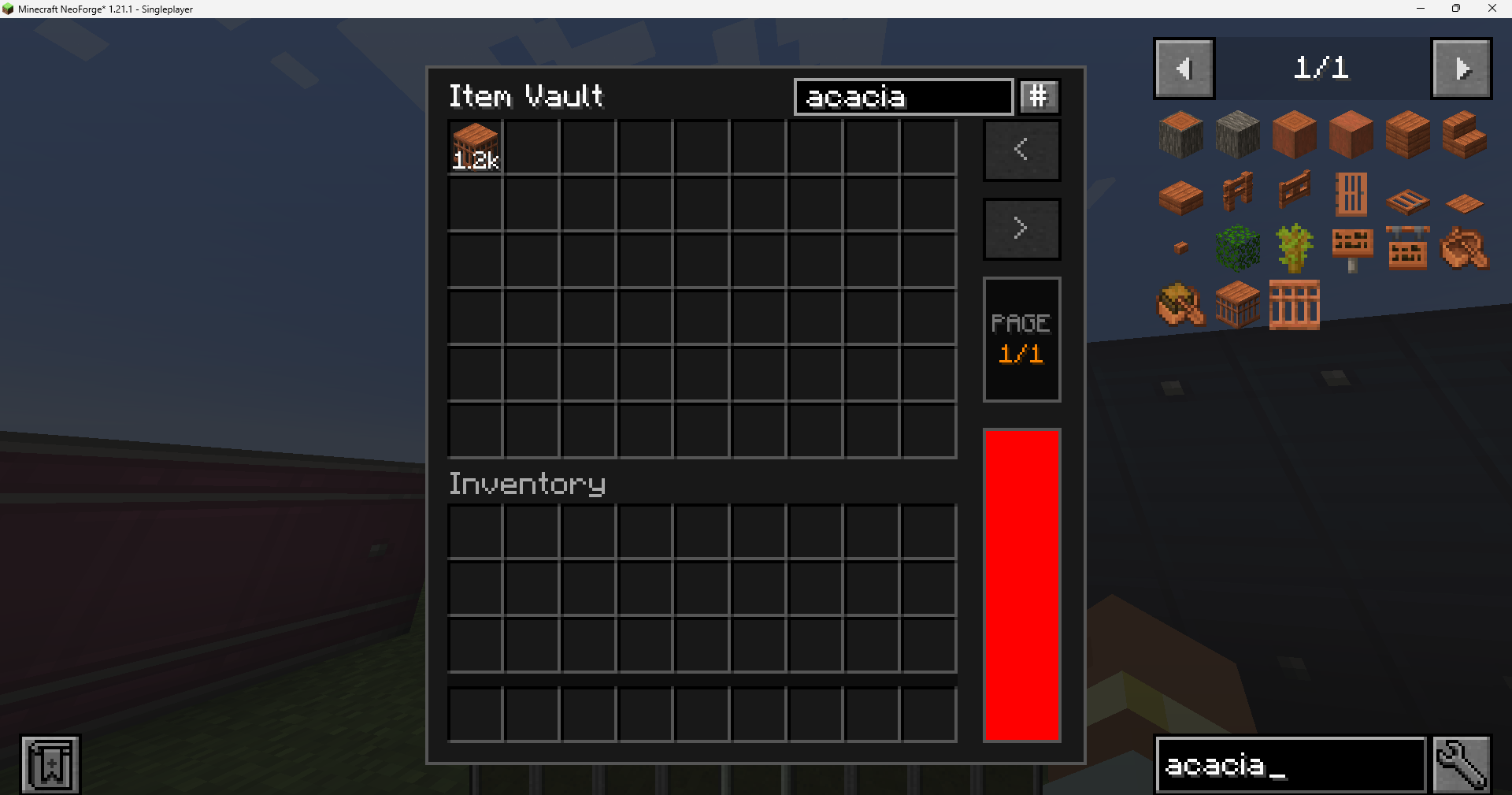 Vault UI Dark Mode in version 1.0.0-beta8 Vault UI Dark Mode in version 1.0.0-beta8
 -
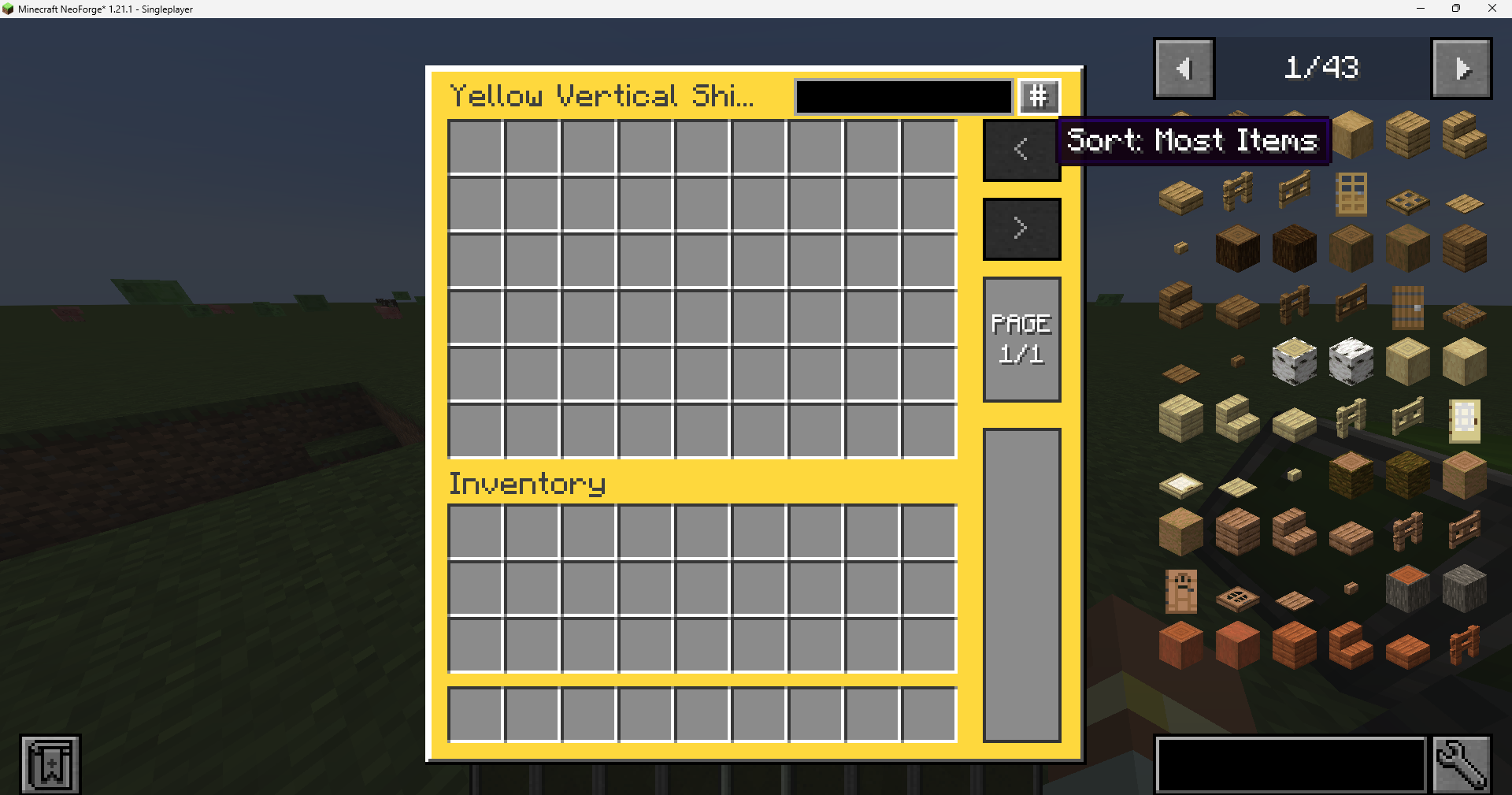 Vault UI for Create: Vibrant Vaults Yellow, Light mode Vault UI for Create: Vibrant Vaults Yellow, Light mode in version 1.0.0-beta8
 -
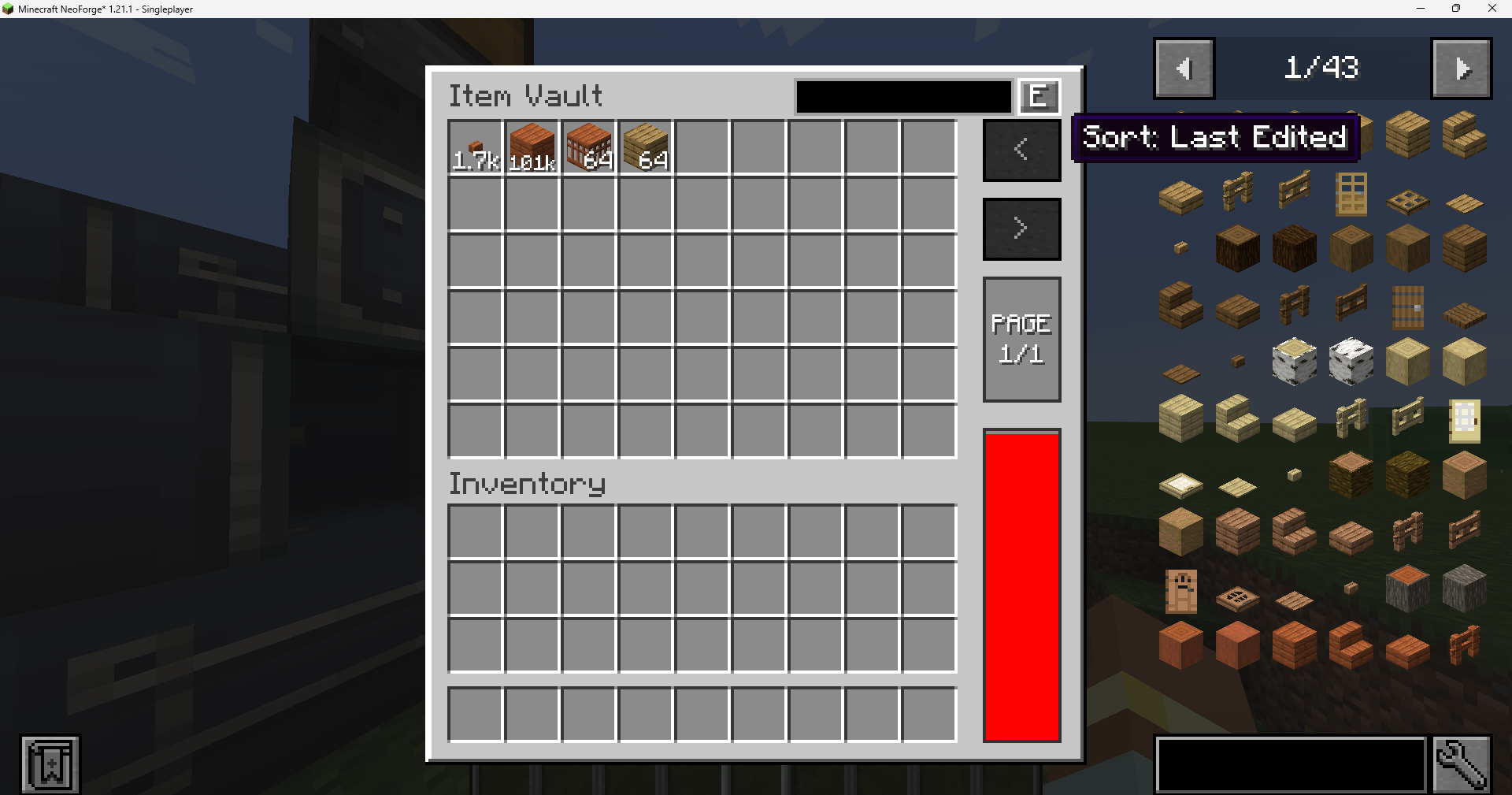 Vault UI in version 1.0.0-beta8 Vault UI in version 1.0.0-beta8
Versions
Files
Relations
Project Relations
More like this
Similar Mods
Suggestions use data such as tags, dependencies, dependents, descriptions, titles, and more to rank how much they overlap with this mod.
On ModDex
Community snapshot
By the numbers
Statistics
Want to reach Minecraft players?
We're looking for a server hosting partner to feature here and other parts of the site. Interested? Send us a message!
Get in touchGet it on
Available Platforms
On ModDex
Community snapshot
By the numbers