Community listing page, reviews here may not be monitored by the author.
Velorise Simple Map


No reviews yet
An exploration-focused world map and minimap with cave mapping, waypoints and extensive customization.
Community voices
Reviews
No reviews yet. Be the first to review this project!
Get it on
Available Platforms
Compatibility
Supported Environments
Works on the client or the server alone, but does more when on both.
About
Project Details
For authors
Embed Badge
If you're the author of this project, you can embed a live badge anywhere that supports HTML or Markdown. It updates automatically whenever ratings change.
Use HTML for any page that supports it, or Markdown for README files and Markdown-based descriptions.
Identifiers
Platform IDs
Resources
External Links
About
Description
# Simple Map
An exploration-focused world map and minimap designed to blend naturally into Minecraft while providing powerful navigation tools and extensive customization.
Whether you're exploring vanilla terrain or massive modded worlds, Simple Map helps you navigate, organize and discover your world without disrupting the Minecraft experience.
---
## Quick Start
Getting started only takes a minute.
- Press M to open the fullscreen map.
- Drag with the left mouse button to move around the map.
- Use the mouse wheel to zoom towards the cursor.
- Left-click to place or remove a temporary navigation pin.
- Right-click to open the context menu, where you can create waypoints, inspect terrain information or teleport when permitted.
- Press U to open the Waypoint Manager.
- When cave mapping is available, use the controls in the lower-left corner to switch between Automatic, Layered and Full Cave modes.
---
## Features
### World Mapping
- Fullscreen world map with smooth panning and cursor-based zoom.
- Customizable minimap with movable HUD, circular or square layouts and configurable colors.
- Accurate world colors for vanilla and modded blocks, with an optional Vanilla color mode.
- Dimension Viewer for browsing explored regions across the Overworld, Nether, End and discovered modded dimensions.
- Persistent map cache that keeps explored areas between play sessions.
### Cave Mapping
- Automatic cave detection while exploring underground.
- Layered cave view with adjustable height.
- Full cave view for exploring complete underground cave systems.
- Server-controlled cave modes for different gameplay styles.
### Navigation
- Unlimited waypoints with customizable icons and colors.
- Waypoint Manager for searching, editing, filtering and tracking destinations.
- Direction arrows and live distance indicators on both the world map and minimap.
### Map Book System
The Map Book system is completely optional and can be enabled by servers or players who prefer progression-based exploration.
- Craft an Empty Map Book using a Book, Compass and Empty Map.
- Save and update explored regions while exploring.
- Share or merge Map Books with other players.
- Enable or disable the system through the server configuration.
---
## Controls
By default, Simple Map uses the following controls:
- M to open the World Map.
- N to toggle the Minimap.
- L to toggle North Lock.
- U to open the Waypoint Manager.
- = and - to zoom the minimap.
While the map is open:
- Left Click + Drag to pan the map.
- Left Click to place or remove a temporary pin.
- Right Click to open the context menu.
Additional shortcuts can be configured from Minecraft's Controls menu.
---
## Compatibility
Simple Map currently supports:
- Minecraft 1.21.1
- NeoForge 21.1.x
- Java 21
It works in both singleplayer and dedicated servers, and supports vanilla as well as modded dimensions and blocks.
---
## Configuration
Most settings can be changed directly from the in-game configuration screen.
Server-specific options, including the optional Map Book progression system and cave mapping mode, are available through the server configuration file.
Simple Map
An exploration-focused world map and minimap designed to blend naturally into Minecraft while providing powerful navigation tools and extensive customization.
Whether you're exploring vanilla terrain or massive modded worlds, Simple Map helps you navigate, organize and discover your world without disrupting the Minecraft experience.
Quick Start
Getting started only takes a minute.
- Press M to open the fullscreen map.
- Drag with the left mouse button to move around the map.
- Use the mouse wheel to zoom towards the cursor.
- Left-click to place or remove a temporary navigation pin.
- Right-click to open the context menu, where you can create waypoints, inspect terrain information or teleport when permitted.
- Press U to open the Waypoint Manager.
- When cave mapping is available, use the controls in the lower-left corner to switch between Automatic, Layered and Full Cave modes.
Features
World Mapping
- Fullscreen world map with smooth panning and cursor-based zoom.
- Customizable minimap with movable HUD, circular or square layouts and configurable colors.
- Accurate world colors for vanilla and modded blocks, with an optional Vanilla color mode.
- Dimension Viewer for browsing explored regions across the Overworld, Nether, End and discovered modded dimensions.
- Persistent map cache that keeps explored areas between play sessions.
Cave Mapping
- Automatic cave detection while exploring underground.
- Layered cave view with adjustable height.
- Full cave view for exploring complete underground cave systems.
- Server-controlled cave modes for different gameplay styles.
Navigation
- Unlimited waypoints with customizable icons and colors.
- Waypoint Manager for searching, editing, filtering and tracking destinations.
- Direction arrows and live distance indicators on both the world map and minimap.
Map Book System
The Map Book system is completely optional and can be enabled by servers or players who prefer progression-based exploration.
- Craft an Empty Map Book using a Book, Compass and Empty Map.
- Save and update explored regions while exploring.
- Share or merge Map Books with other players.
- Enable or disable the system through the server configuration.
Controls
By default, Simple Map uses the following controls:
- M to open the World Map.
- N to toggle the Minimap.
- L to toggle North Lock.
- U to open the Waypoint Manager.
- = and - to zoom the minimap.
While the map is open:
- Left Click + Drag to pan the map.
- Left Click to place or remove a temporary pin.
- Right Click to open the context menu.
Additional shortcuts can be configured from Minecraft's Controls menu.
Compatibility
Simple Map currently supports:
- Minecraft 1.21.1
- NeoForge 21.1.x
- Java 21
It works in both singleplayer and dedicated servers, and supports vanilla as well as modded dimensions and blocks.
Configuration
Most settings can be changed directly from the in-game configuration screen.
Server-specific options, including the optional Map Book progression system and cave mapping mode, are available through the server configuration file.
Screenshots
Gallery
-
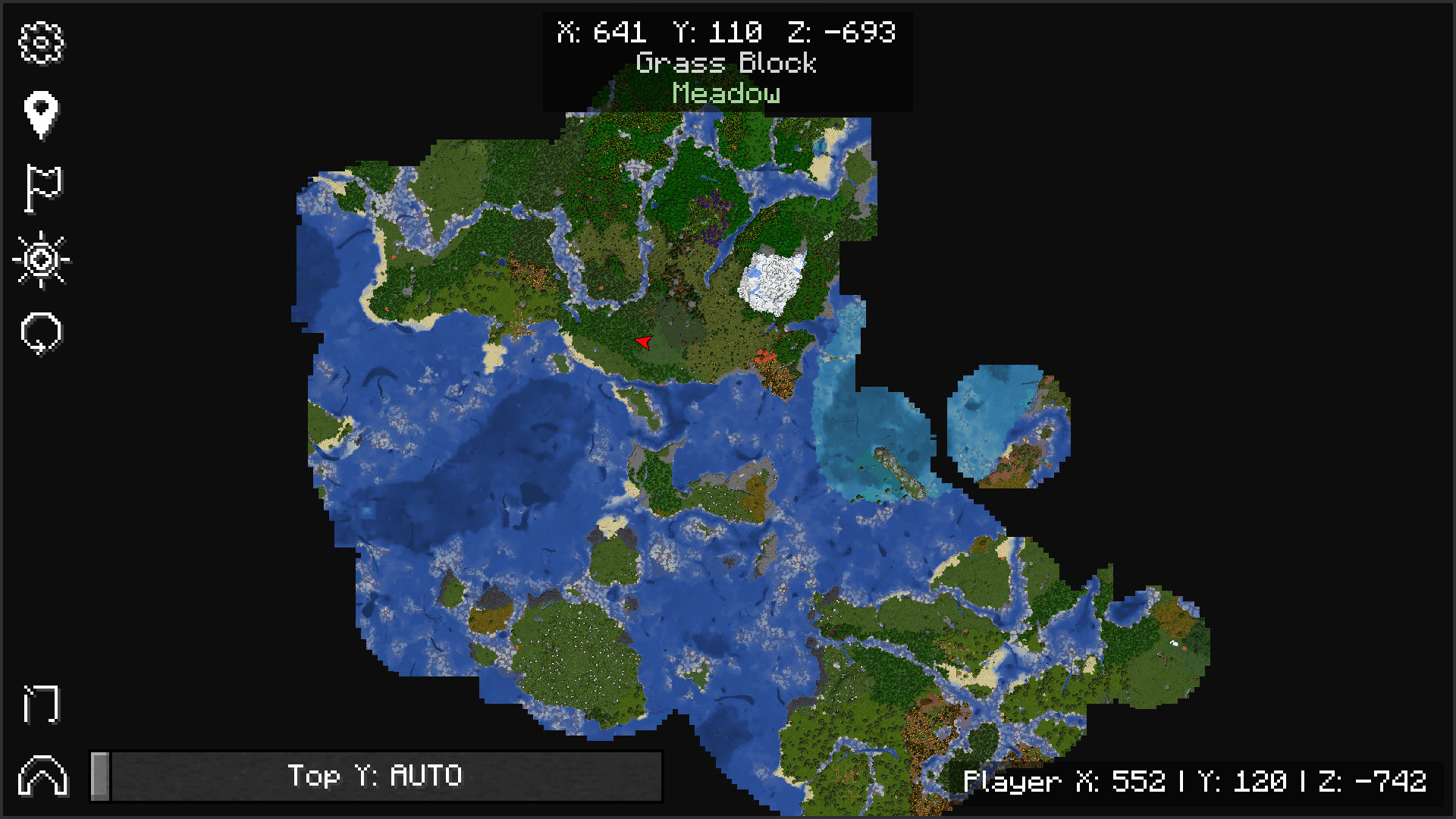 map.png map.png
 -
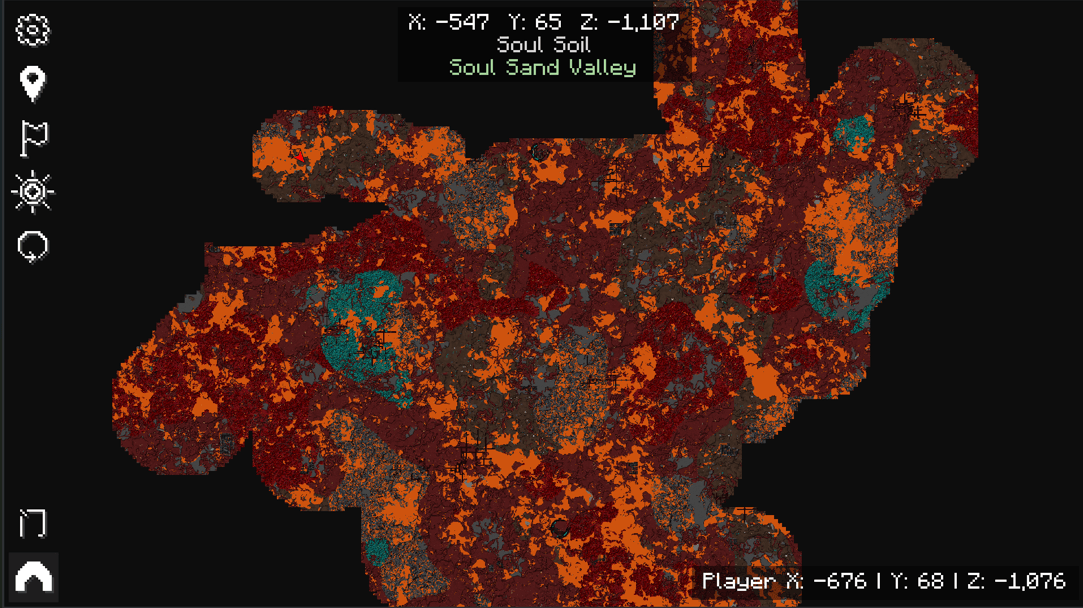 nether.png nether.png
 -
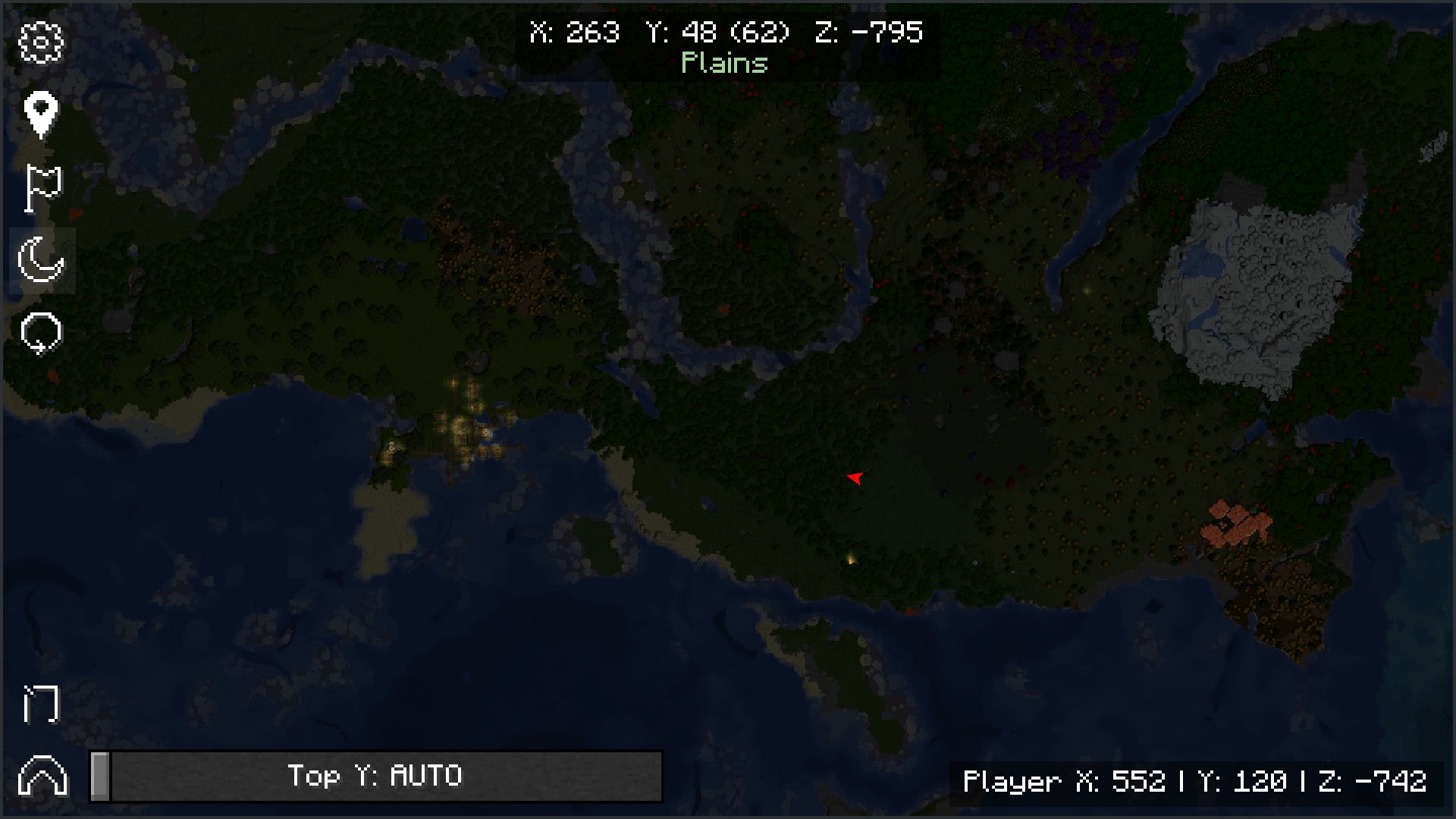 night_mode.png night_mode.png
 -
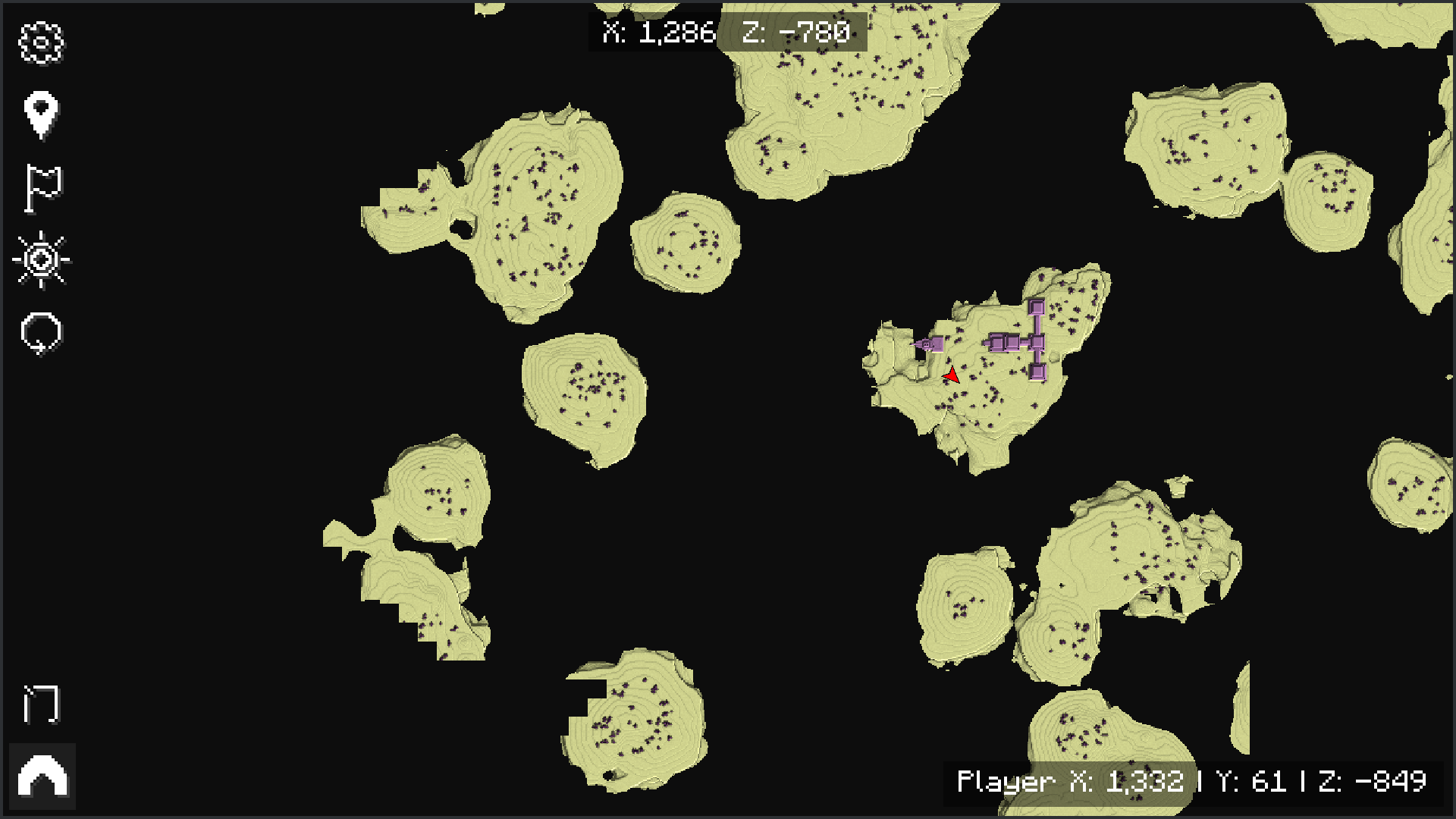 end_city.png end_city.png
 -
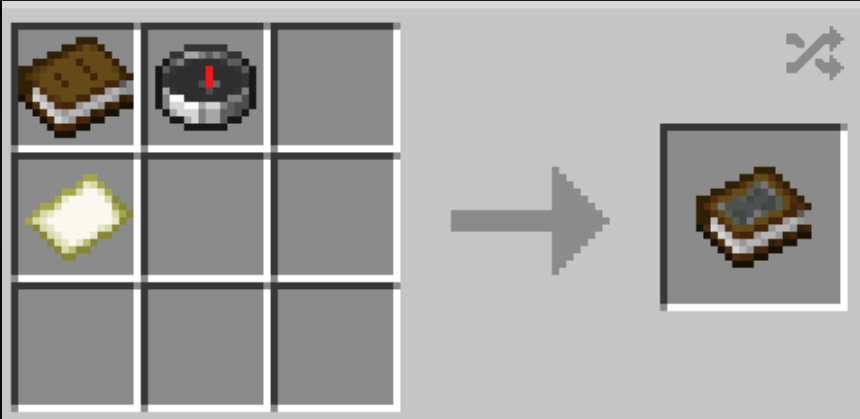 empty_book.png empty_book.png
 -
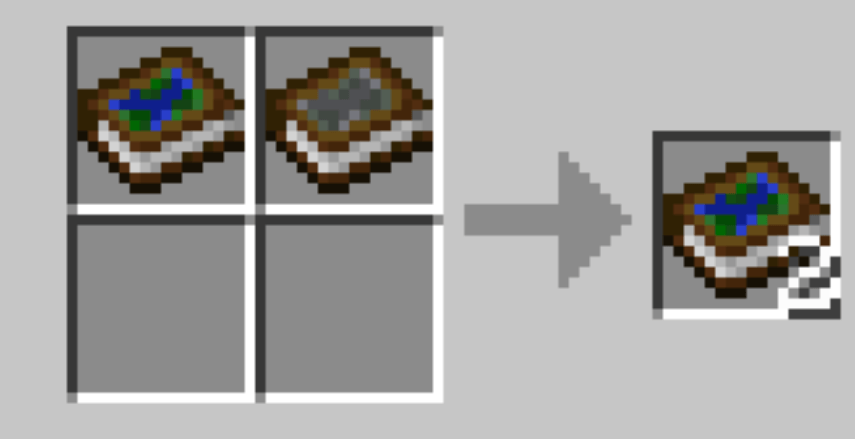 duplicate.png duplicate.png
 -
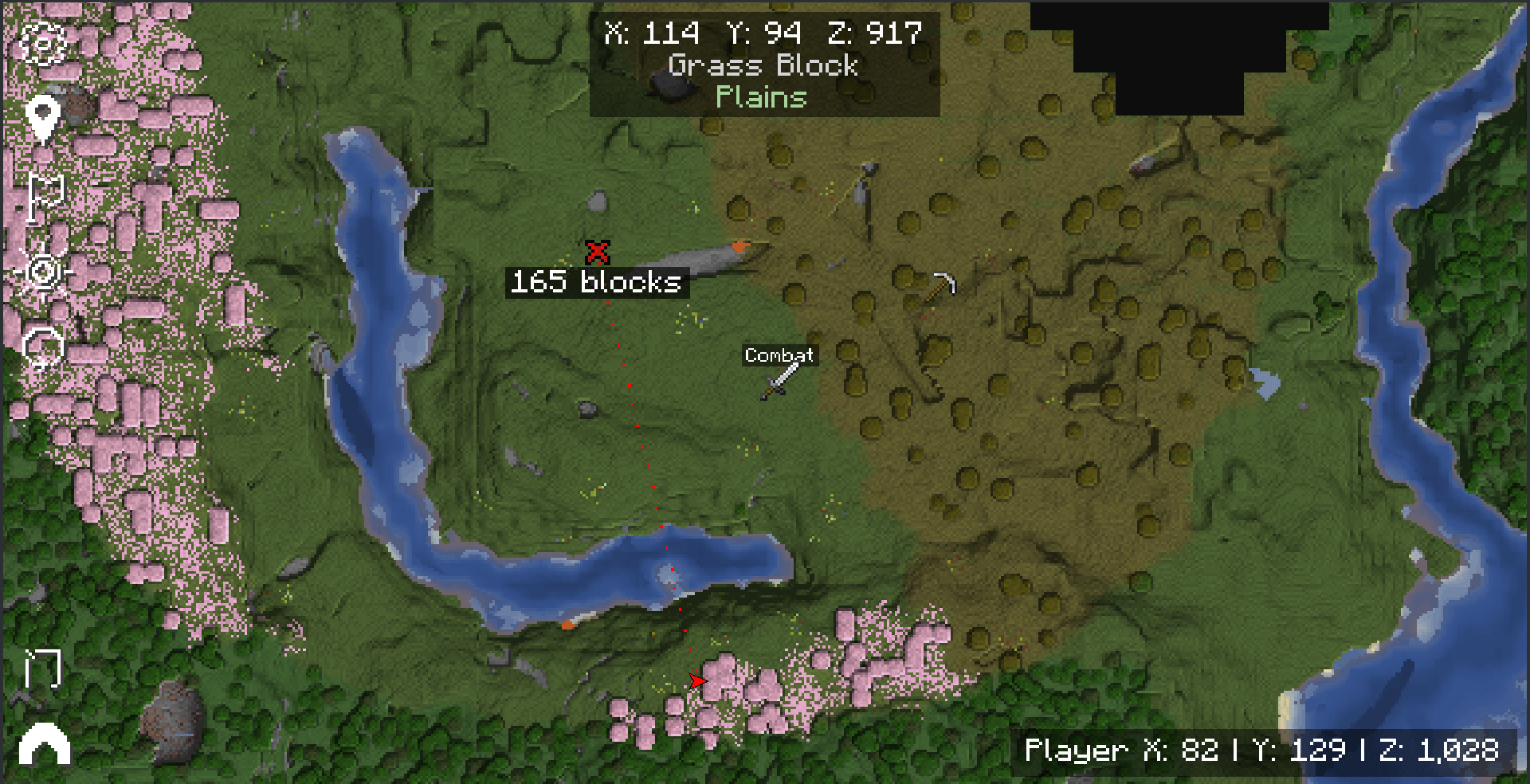 TemporaryPin_and_ custom_waypoints.png.png TemporaryPin_and_ custom_waypoints.png.png
-
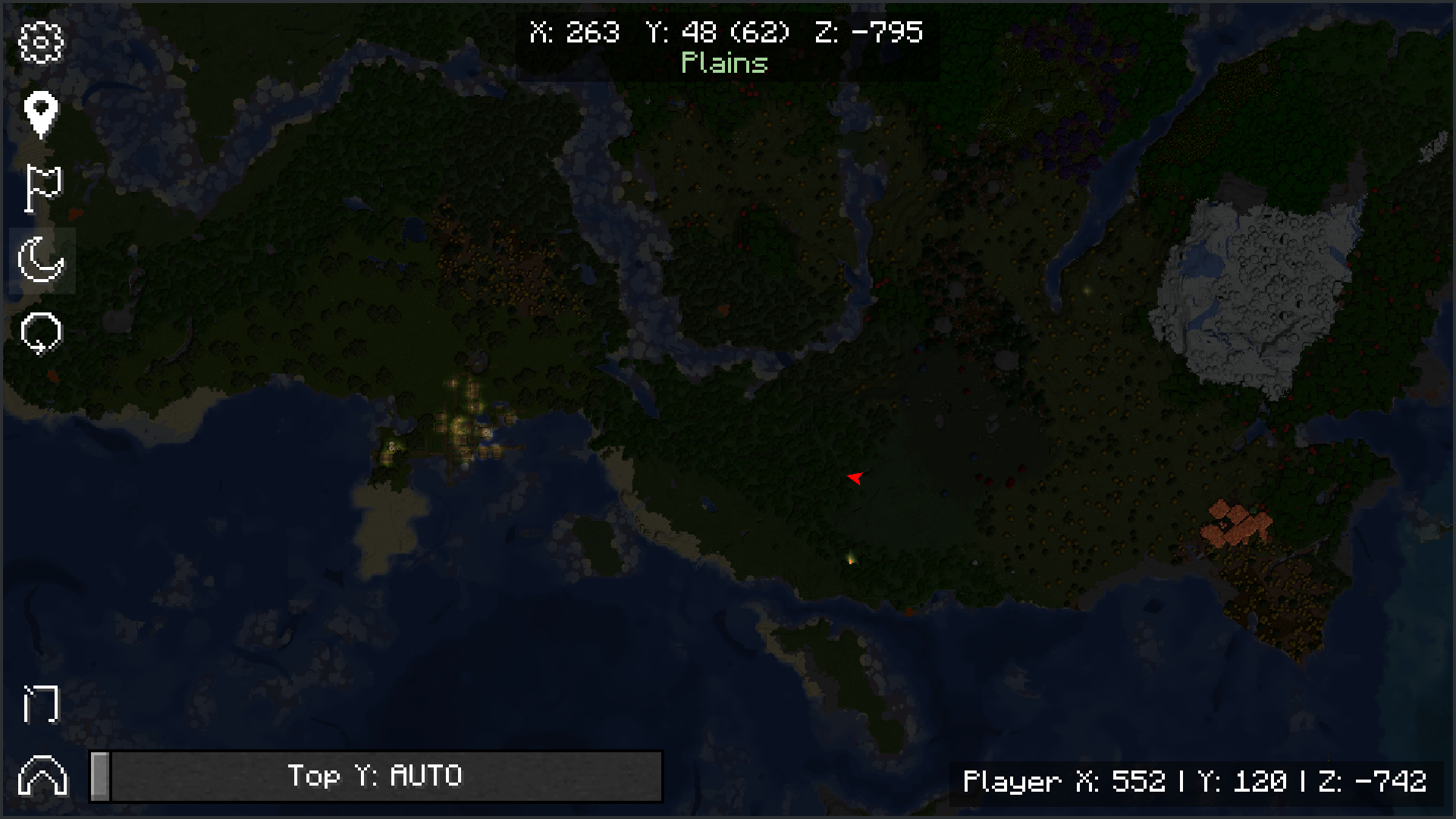 Night-mode
 -
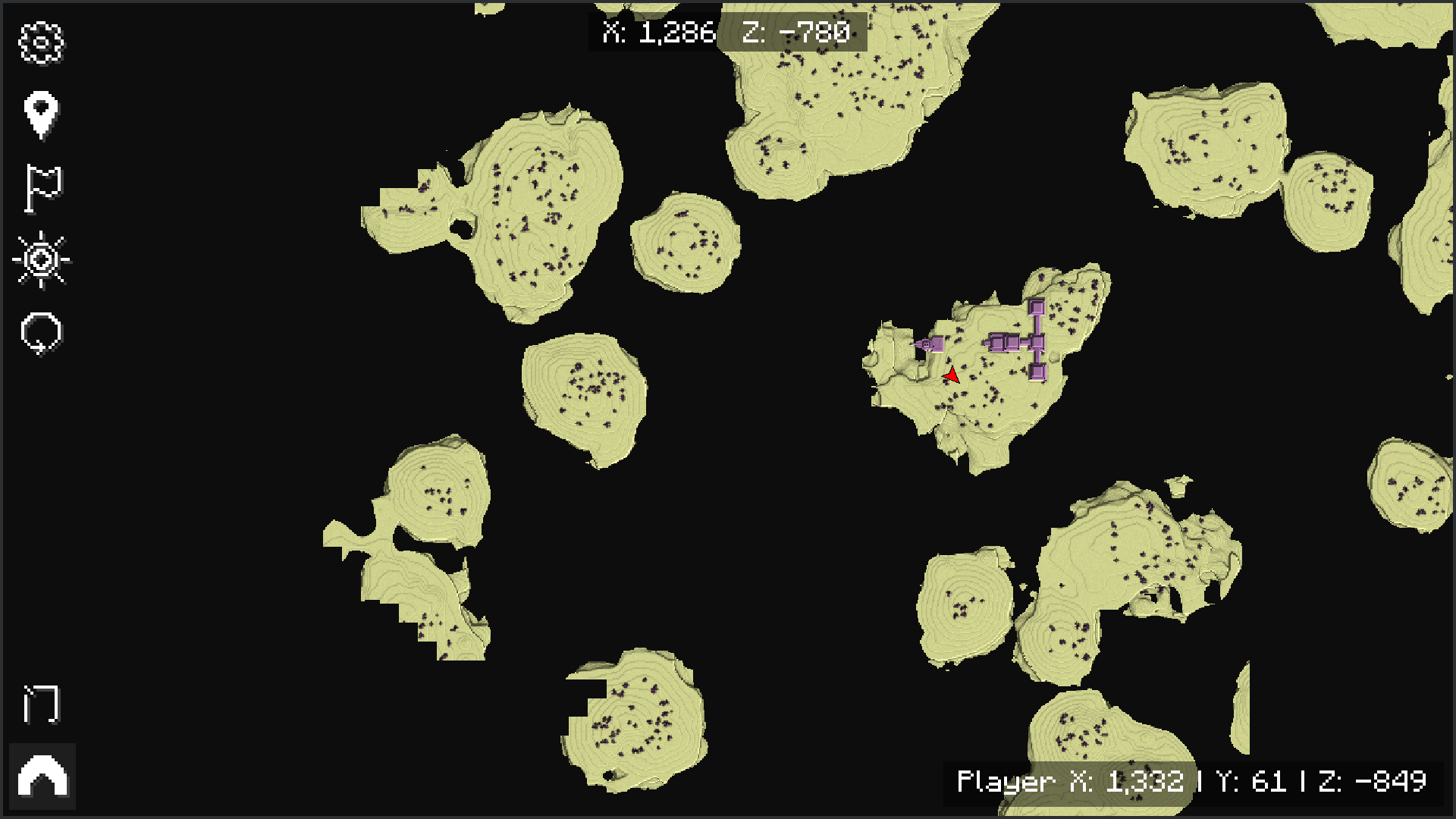 End city
 -
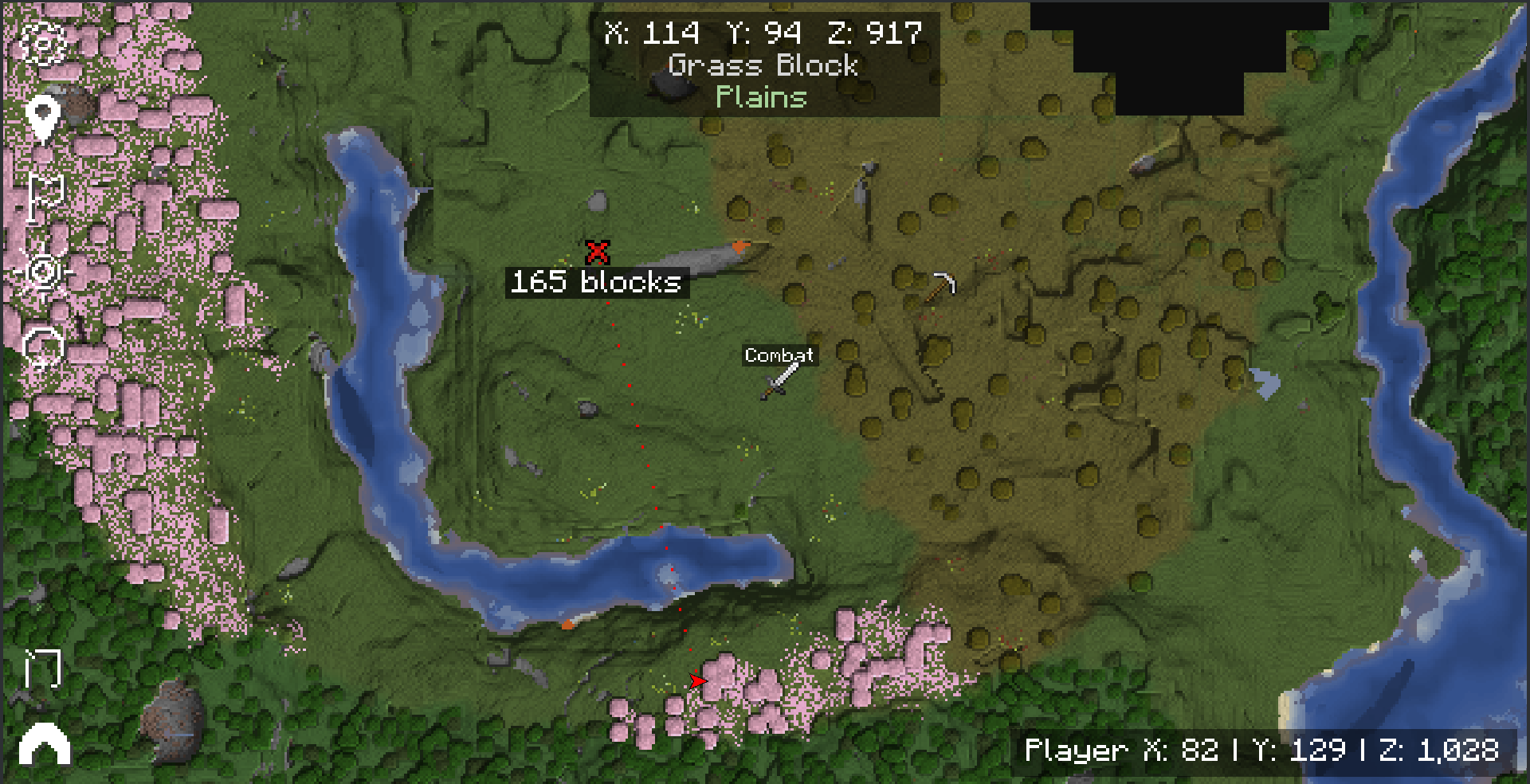 Temporary pins and custom waypoints
 -
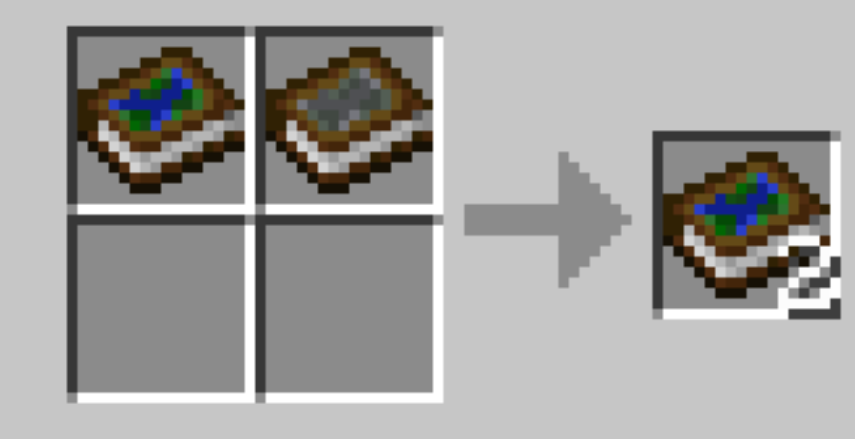 Duplicate a book map
 -
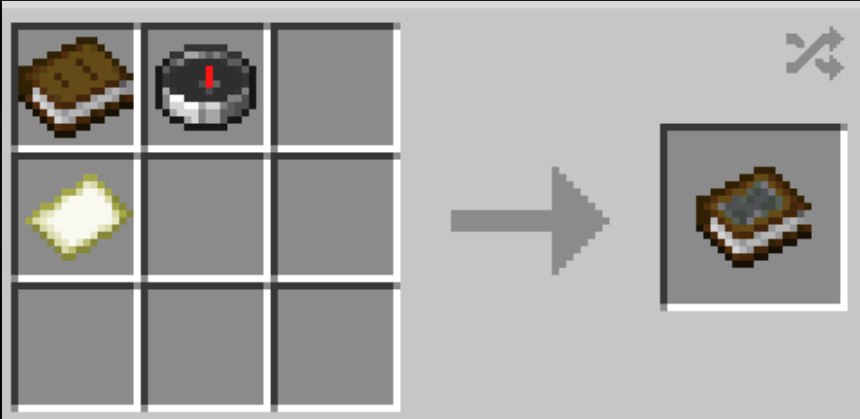 Craft an empty book
 -
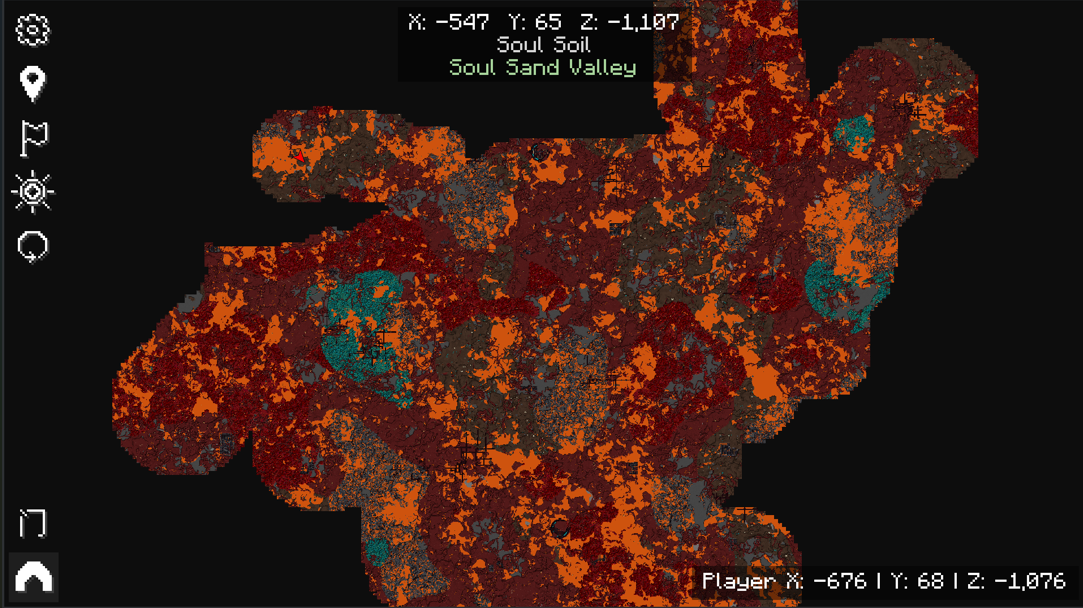 Nether
 -
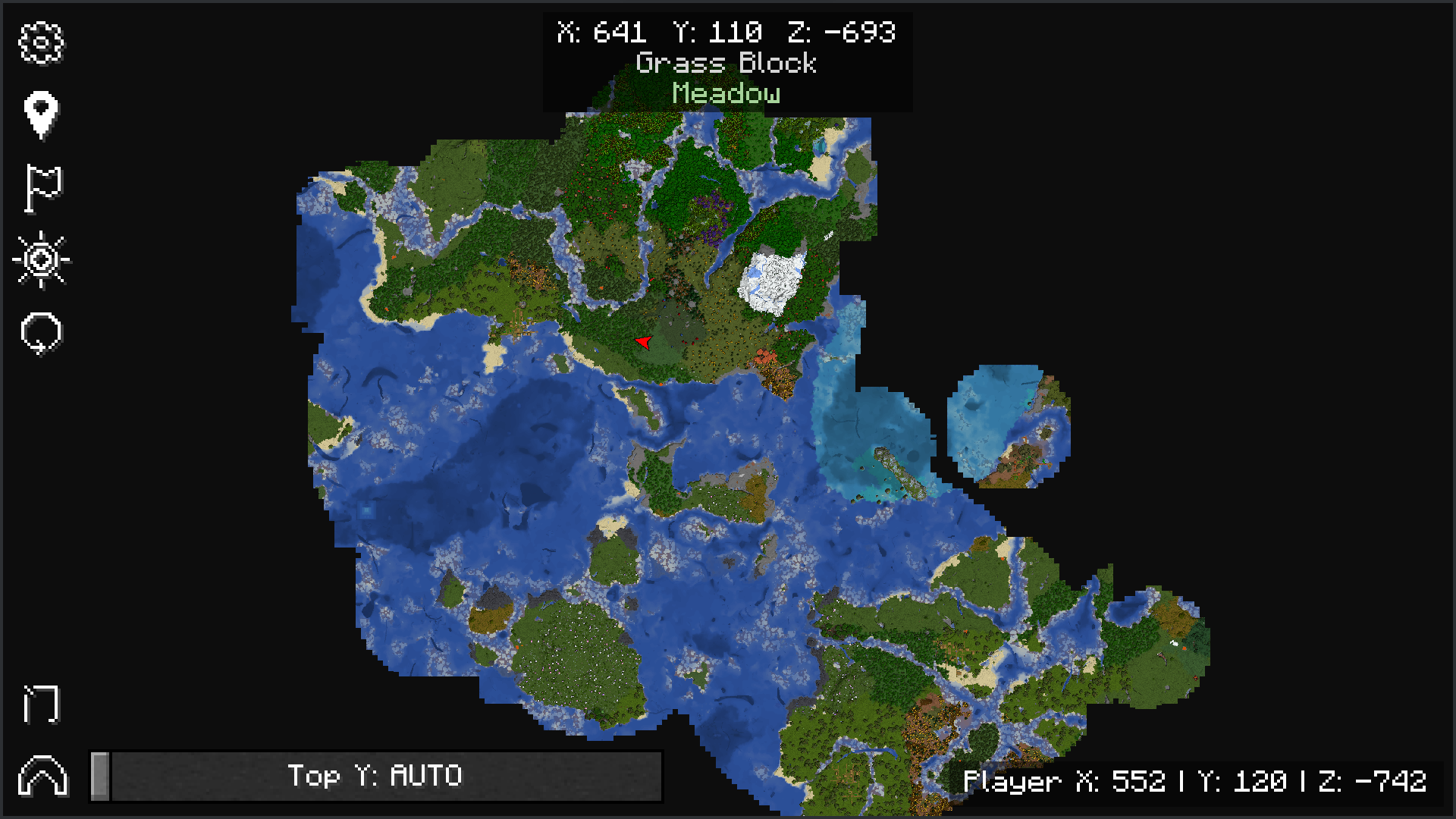 Overworld
Versions
Files
Relations
Project Relations
More like this
Similar Mods
Suggestions use data such as tags, dependencies, dependents, descriptions, titles, and more to rank how much they overlap with this mod.
On ModDex
Community snapshot
By the numbers
Statistics
Want to reach Minecraft players?
We're looking for a server hosting partner to feature here and other parts of the site. Interested? Send us a message!
Get in touchGet it on
Available Platforms
On ModDex
Community snapshot
By the numbers
Statistics
Resources