
Verbose Subtitles
No reviews yet
Provides options for more verbose in-game subtitles.
Fabric is a mod loader for versions 1.14+ of Minecraft, particularly popular for client side and optimization mods.
Community voices
Reviews
Click once to include, again to exclude, again to clear
No reviews yet. Be the first to review this project!
Get it on
Available Platforms
 Modrinth
Compatibility
Supported Environments
About
Project Details
For authors
Embed Badge
If you're the author of this project, you can embed a live badge anywhere that supports HTML or Markdown. It updates automatically whenever ratings change.
Use HTML for any page that supports it, or Markdown for README files and Markdown-based descriptions.
Identifiers
Platform IDs
About
Description
Verbose Subtitles
View additional information for the various sounds played in game. Replaces vanilla subtitles when enabled.
Have Feedback or Questions?
Connect with me directly on Discord:
@Vince the Animator#2359
or
join my support server (the server is for all of my coding projects, so navigate to the #projects forum channel and search for the Verbose Subtitles post):

Features
- Can be disabled in-game without removing mod
- Robust set of customization options
- Blacklist to prevent certain sounds from displaying at all
- Client-side commands for managing sound blacklist
Available sound properties
- sound ID
- sound Display Name (the vanilla subtitle)
- sound Volume
- sound Pitch
- sound Variant (the exact variant of the sound based on the actual sound file played)
- sound Position (relative to the player)
Planned Features
- Ignore list to fallback to vanilla behavior for certain sounds
- Fallback to custom config system when
cloth-configis not installed - Client-side commands for managing all config options
Disclaimer
- I am new to the Fabric modding community, and this is my first mod. It is likely that I have and will make mistakes, so definitely do try to connect with me or submit an issue if you encounter any bugs.
Additional Credits
- Nia for posting the mod idea
- dicedpixels for creating the initial core mixin
- Felix14_v2 for Russian localization
- DerpDerpling for updating the mod to 1.20
- Amirhan-Taipovjan-Greatest-I for Tatar localization
Screenshots
Gallery
-
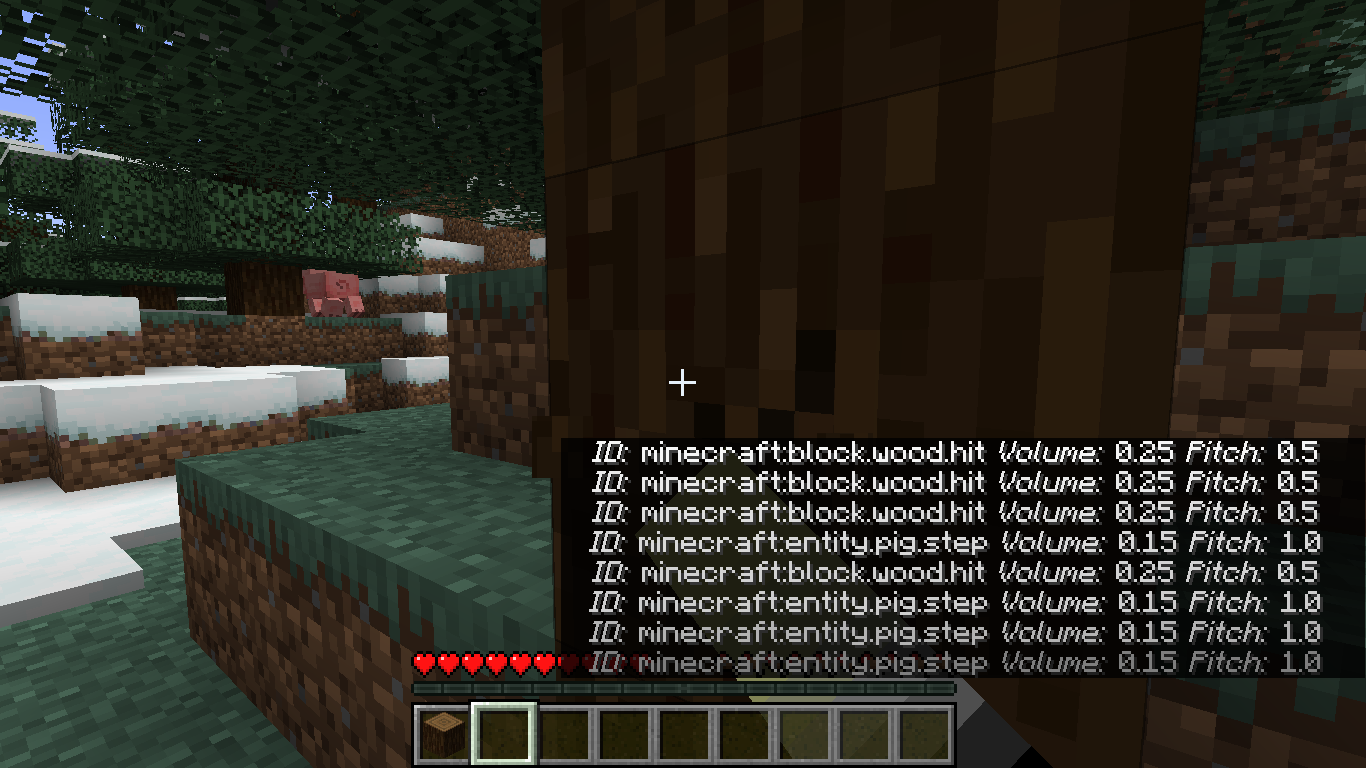 Subtitle Demonstration (v1.3.0) This is how Verbose Subtitles look when all options are enabled as of v1.3.0
 -
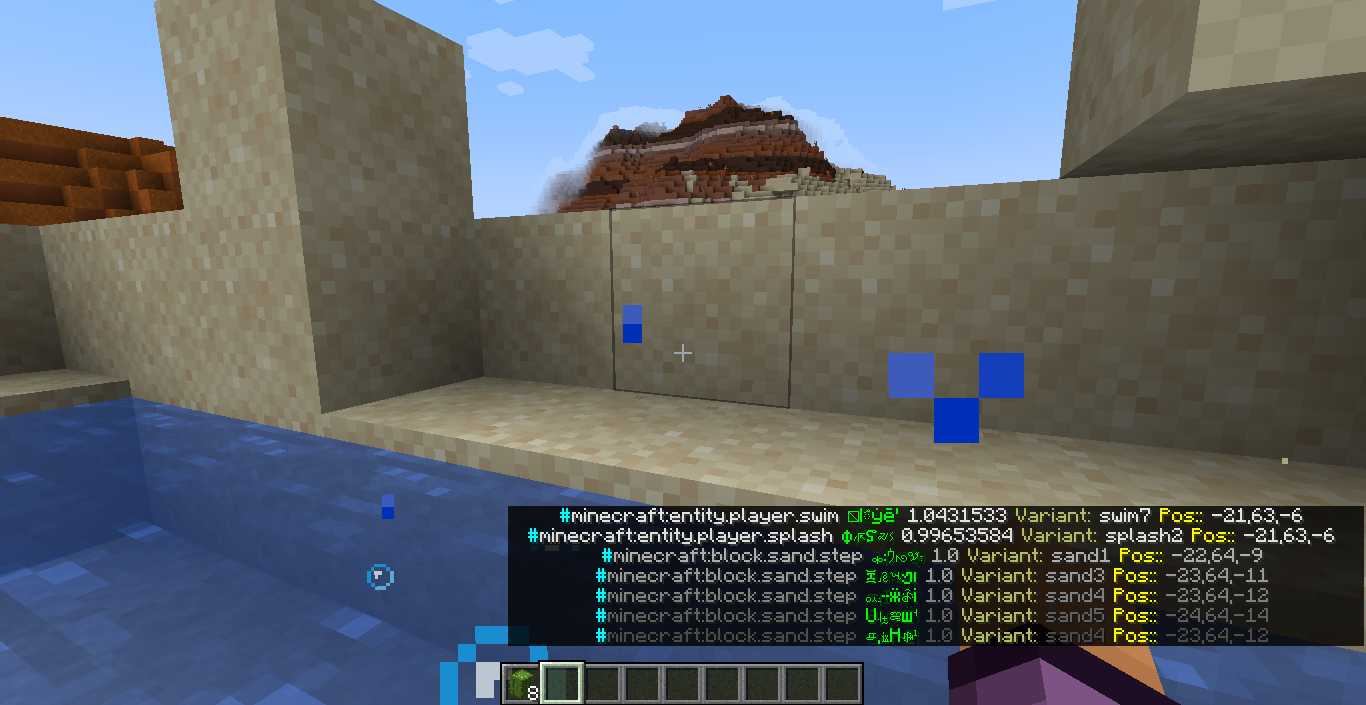 Label Customization Demonstration (v1.4.0) As of 1.4.0, labels can be bold, italic, obfuscated, stricken-through, colored, etc Note: the absolute position value seen in the screenshot has been replaced with a relative position instead
 -
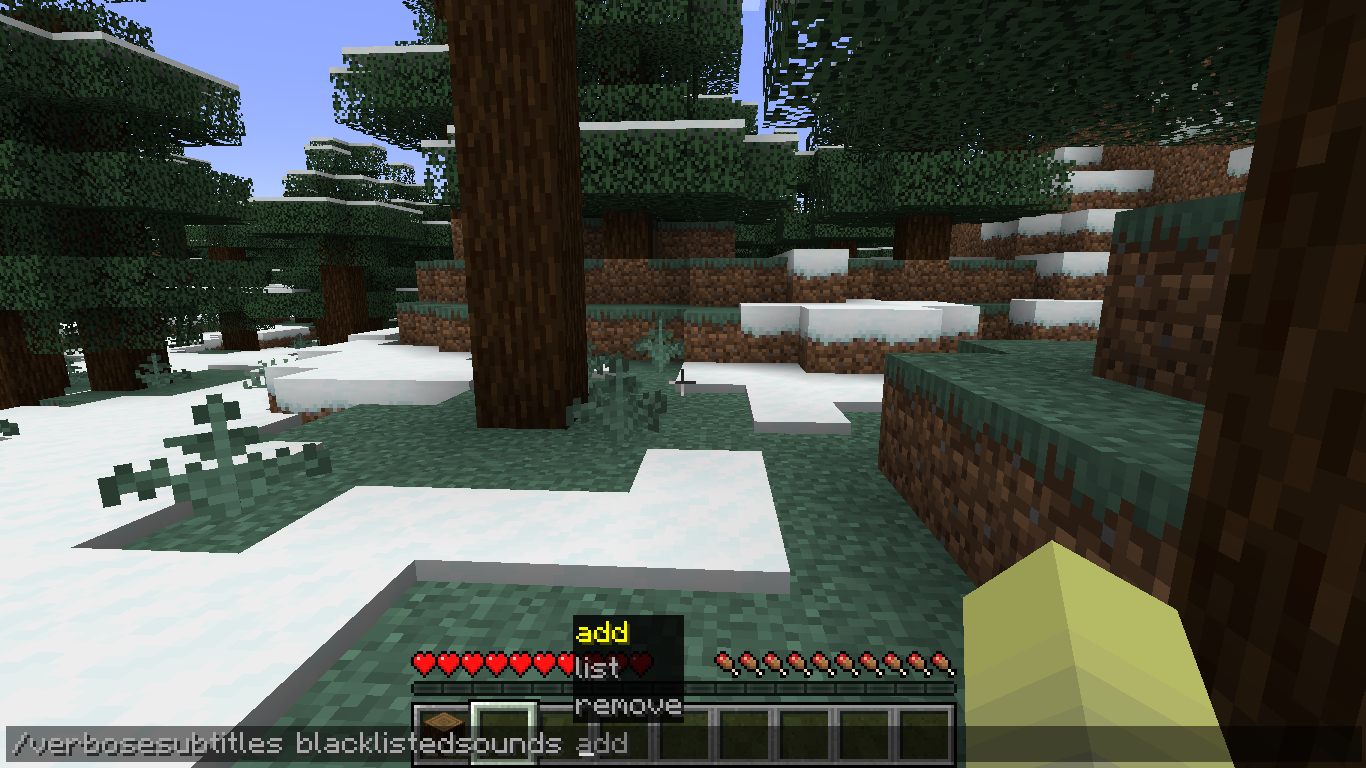 Clientside Command Demonstration If you would like to manage the blacklisted sound list via commands, you can totally do that.
 -
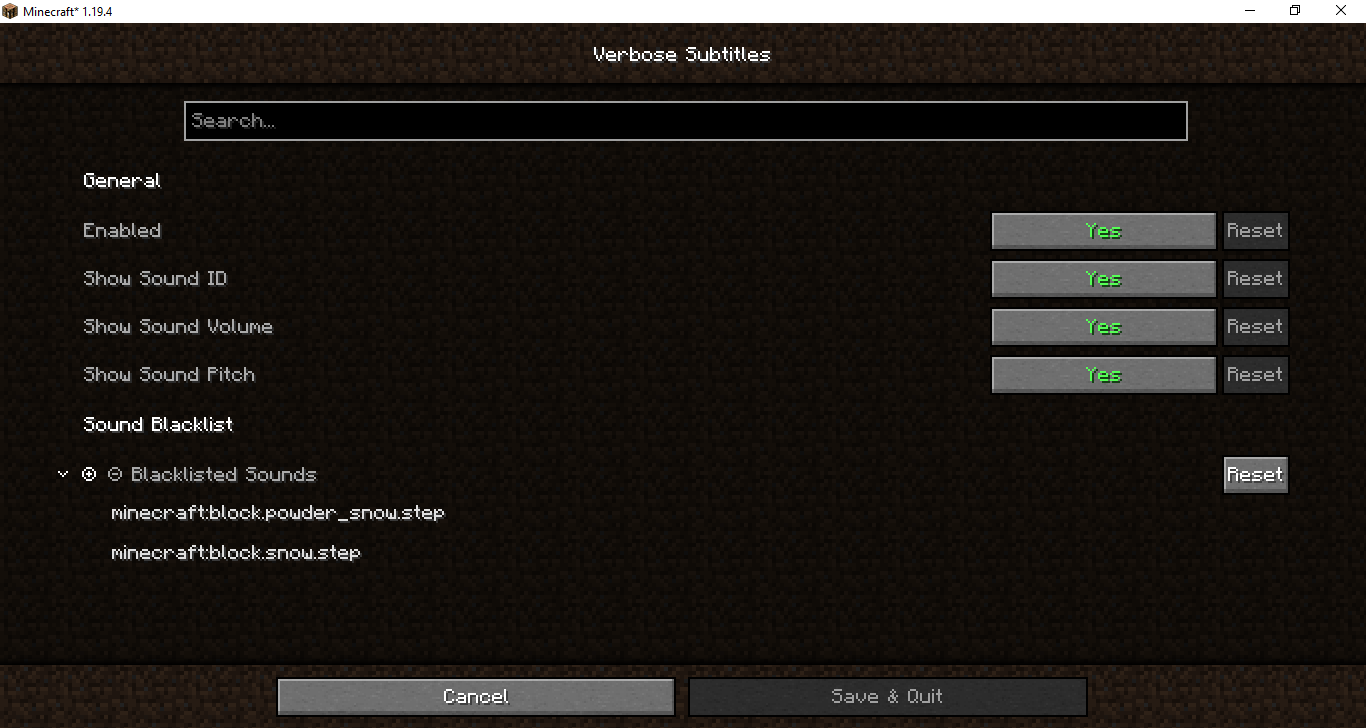 Mod Menu Config Screen (v1.3.0) All available config options as of Verbose Subtitles 1.3.0
Versions
Files
Relations
Project Relations
More like this
Similar Mods
Suggestions use data such as tags, dependencies, dependents, descriptions, titles, and more to rank how much they overlap with this mod.
On ModDex
Community snapshot
By the numbers
Statistics

Want to reach Minecraft players?
We're looking for a server hosting partner to feature here and other parts of the site. Interested? Send us a message!
Get in touchGet it on
Available Platforms
On ModDex
Community snapshot
By the numbers