
Community listing page, reviews here may not be monitored by the author.
Vermillion Trim

No reviews yet
Lets Cinnabar be used as a trim material
Community voices
Reviews
No reviews yet. Be the first to review this project!
Get it on
Available Platforms
About
Project Details
For authors
Embed Badge
If you're the author of this project, you can embed a live badge anywhere that supports HTML or Markdown. It updates automatically whenever ratings change.
Use HTML for any page that supports it, or Markdown for README files and Markdown-based descriptions.
Identifiers
Platform IDs
Resources
External Links
About
Description
In 26.2, the Sulfur Caves were added, which introduced two new blocksets. Sulfur, which can be compacted and be used to make geysers in enough concentrations. And Cinnabar, which... is mostly decorative.
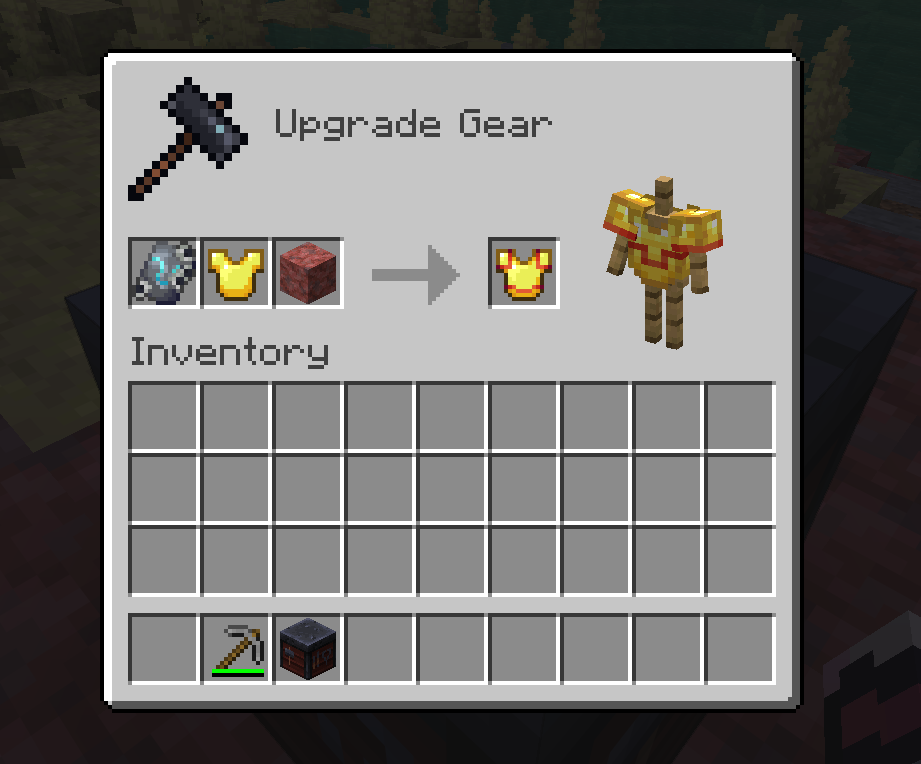
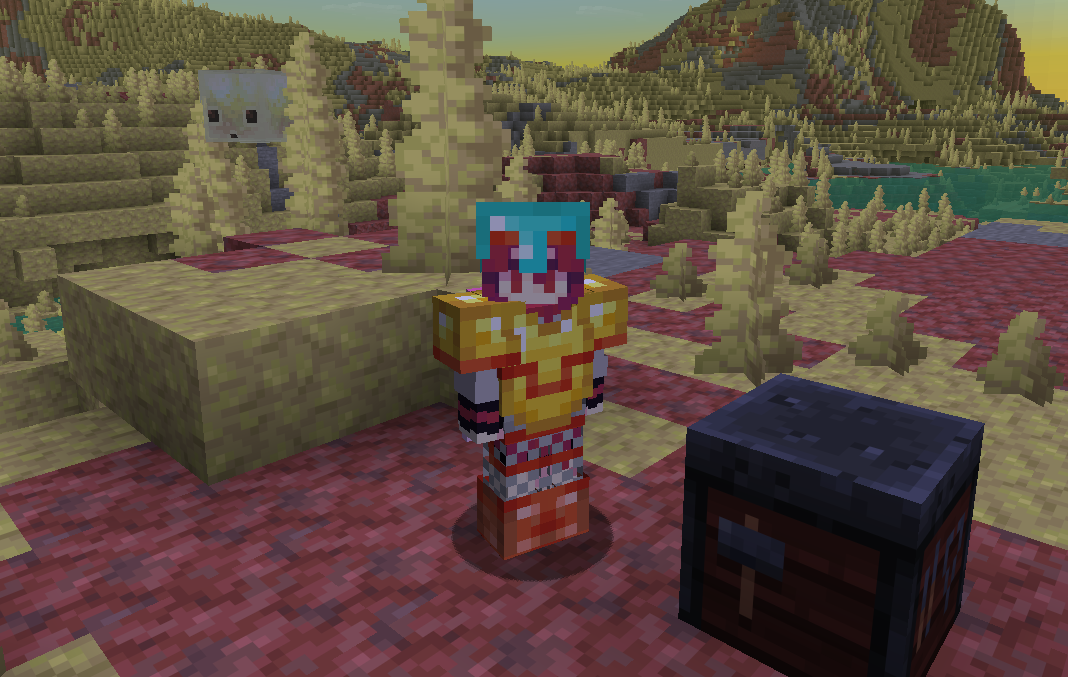
Vermillion Trims expands upon Cinnabar by giving it one more use: A trimming material! Irl, Cinnabar was used for a brilliant red yet toxic pigment known as Vermillion. This datapack does something like that, allowing Cinnabar blocks to be used as a trim material. This provides a special deep orange trim, between the shades of redstone and resin. It also has a special purple-ish tinge as it gets to the darker points of its gradient.
JANK WARNING!
I'm new to datapacking, and trying to make Cinnabar's item form be used as a trim addition was painful. Cinnabar gotten from the Creative Inventory lacks the trim data component and will be rejected by the smithing table. In order to make cinnabar as a trim material work, I had to change the Cinnabar block's loot table to drop a cinnabar block item with the trim material component. So make sure to mine cinnabar in survival mode to actually use it for trimming! This datapack works best for a new world (drop it on creation), and may not work well if added in an existing world (To my knowlege, I don't think cinnabar blocks can be gotten as loot and is only through mining the blocks in world)
Installation Instructions
Make sure to download BOTH the Data and Resource zips. Place vermillion_trim_resources into your resource packs folder, while vermillion_trim_data should be placed as a data pack (drag and drop is your best friend here)
Screenshots
Gallery
-
Vermillion Trim Recipe 1 Applying Cinnabar as a trim to give an item a vermillion trim
-
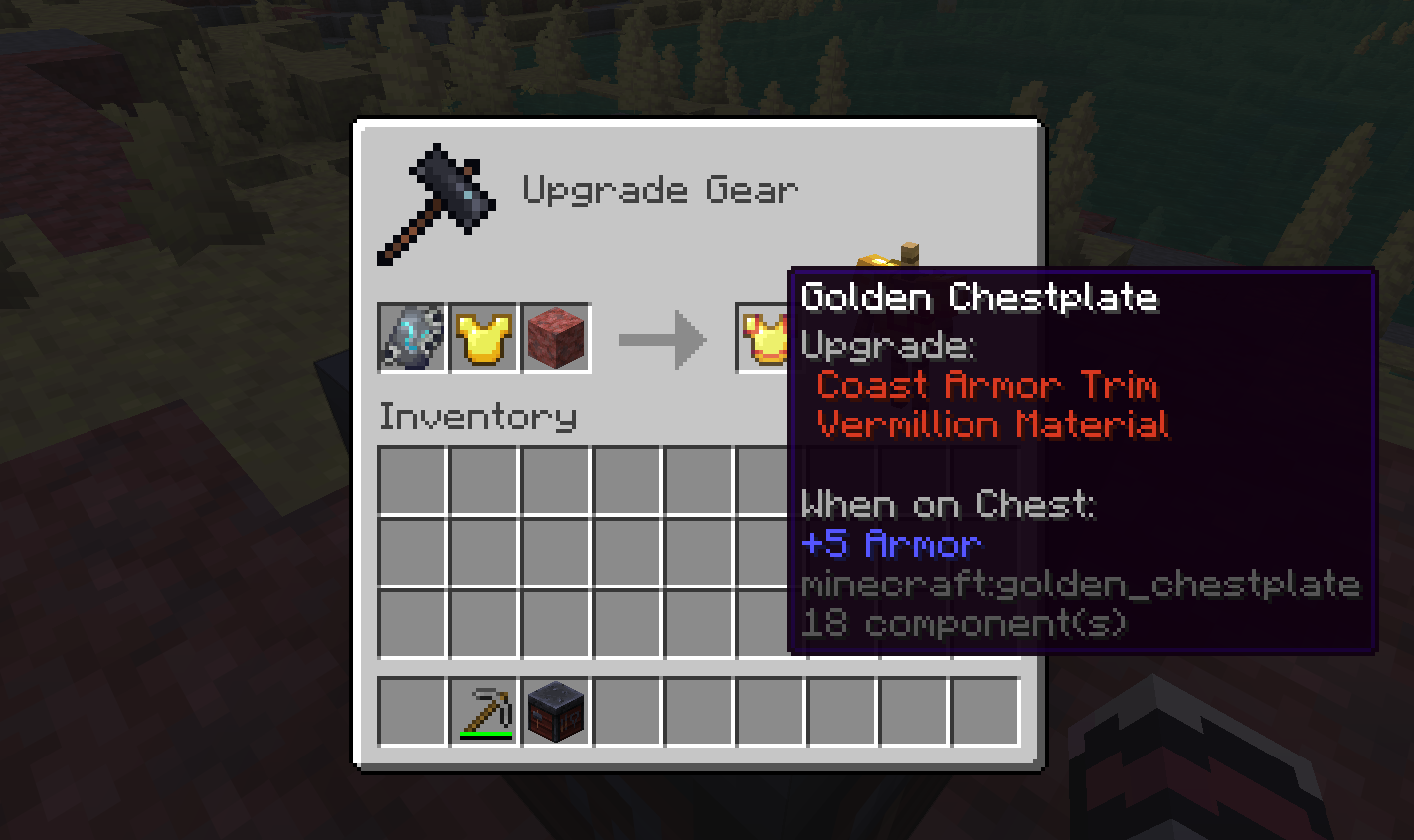
Vermillion Trim Recipe 2 A showcase of the Vermillion Trim's tooltip when applied to armor.
-
Trim Showcase Showing off how the trim looks on various armors and patterns.
Versions
Files
Relations
Project Relations
More like this
Similar Mods
Suggestions use data such as tags, dependencies, dependents, descriptions, titles, and more to rank how much they overlap with this mod.
On ModDex
Community snapshot
By the numbers
Statistics

Want to reach Minecraft players?
We're looking for a server hosting partner to feature here and other parts of the site. Interested? Send us a message!
Get in touchGet it on
Available Platforms
On ModDex
Community snapshot
By the numbers
Statistics
Resources