Community listing page, reviews here may not be monitored by the author.
Vertically Stacked Dimensions

No reviews yet
Connects dimensions via portals at top and bottom to "fake extend" the build height.
Community voices
Reviews
No reviews yet. Be the first to review this project!
Get it on
Available Platforms
About
Project Details
For authors
Embed Badge
If you're the author of this project, you can embed a live badge anywhere that supports HTML or Markdown. It updates automatically whenever ratings change.
Use HTML for any page that supports it, or Markdown for README files and Markdown-based descriptions.
Identifiers
Platform IDs
About
Description
Overview
Many Minecraft players have probably dreamed of an extended or even near infinite vertical build limit.
Unfortunately making the world extend vertically in the same way it does horizontally would require rewriting most of the game engine and apart from other technical problems it would also make it incompatible with many mods.
So this mod provides a more lightweight alternative of effectively extending the world vertically while only applying minimal changes the game.
It does this by stacking multiple dimensions on top of each other and connecting them with portals that send you to the next dimension layer when reaching a vertical border.
See the Wiki for more info.
Features
In addition to vertically connecting dimensions to each other this mod also allows:
- modifying the ore generation for individual dimensions (also non even distribution models supported)
- adding custom layers of arbitrary blocks into dimensions (with optional bedrock like out-fading effects)
- replacing certain blocks at certain heights during world generation
- generating nether like terrain into arbitrary dimensions at selectable heights using customizable blocks for terrain.
- more added in the future...
So far this mod doesn't add its own additional dimensions. This means it relies on dimensions added by other mods. So here is a list of other mods that I think could be very useful in combination with this mod:
General purpose dimension generators:
- Just Enough Dimensions - creation of customizable dimensions + additional configuration
- Dimensional Control - creation of customizable dimensions
- Open Terrain Generator (OTG) - complex and highly customizable world and dimension generation
Unfortunately this mod breaks all terrain generation features from Vertically Stacked Dimensions. That means custom block layers, Nether terrain and automatic dimension transition layers won't work for dimensions created by OTG and Bedrock has to be removed via OTGs own config or via replacement. Also the in-game dimension stack configuration GUI is unavailable because OTG overrides the world creation screen.
But apart from these "minor issues", everything works fine. - OTG: Skylands - OTG addon for sky dimensions
Dimension featured mods:
- The Beneath - adds a dark underground cave dimension
- Cavern - adds many different cave dimensions
Miscellaneous:
- No Nether Portals - disables the creation of nether portals
Usage
Installation:
This mod is installed like any other Forge mod:
- Setup a Forge installation
- Add the downloaded files of this mod and the required version of CD4017BE_lib to your mods folder (or add them via launcher features)
- Install any additional mods you also would like to have
- Start the game once to initialize all configuration files
Configuration:
By default if you create a new world this mod will only put the Overworld on top of the Nether dimension. To change this and include other (modded) dimensions there are two options:
- [simple] Click the "Stacked Dimensions" button that was added next to the "Additional World Settings" button when creating a new world and tinker with the dimension stack using the graphical interface.
- [advanced] Edit the configuration file of this mod located under "/config/cd4017be/verticalDimensionStack.rcp" (see wiki for details).
Note: The configuration file offers far more options and features than the in-game GUI although many of them will be added to the GUI as well in the future.
Distribution Permissions:
You are allowed to use this mod for any modpack or server you wish.
If you are providing a copy of this mod's files somewhere else that is public available (public modpacks for ex.), please mention the Author somewhere and provide a link to where you originally got the file(s) from (Actually this is often automatically handled by pack launchers like Twitch or Multi MC).
Screenshots
Gallery
-
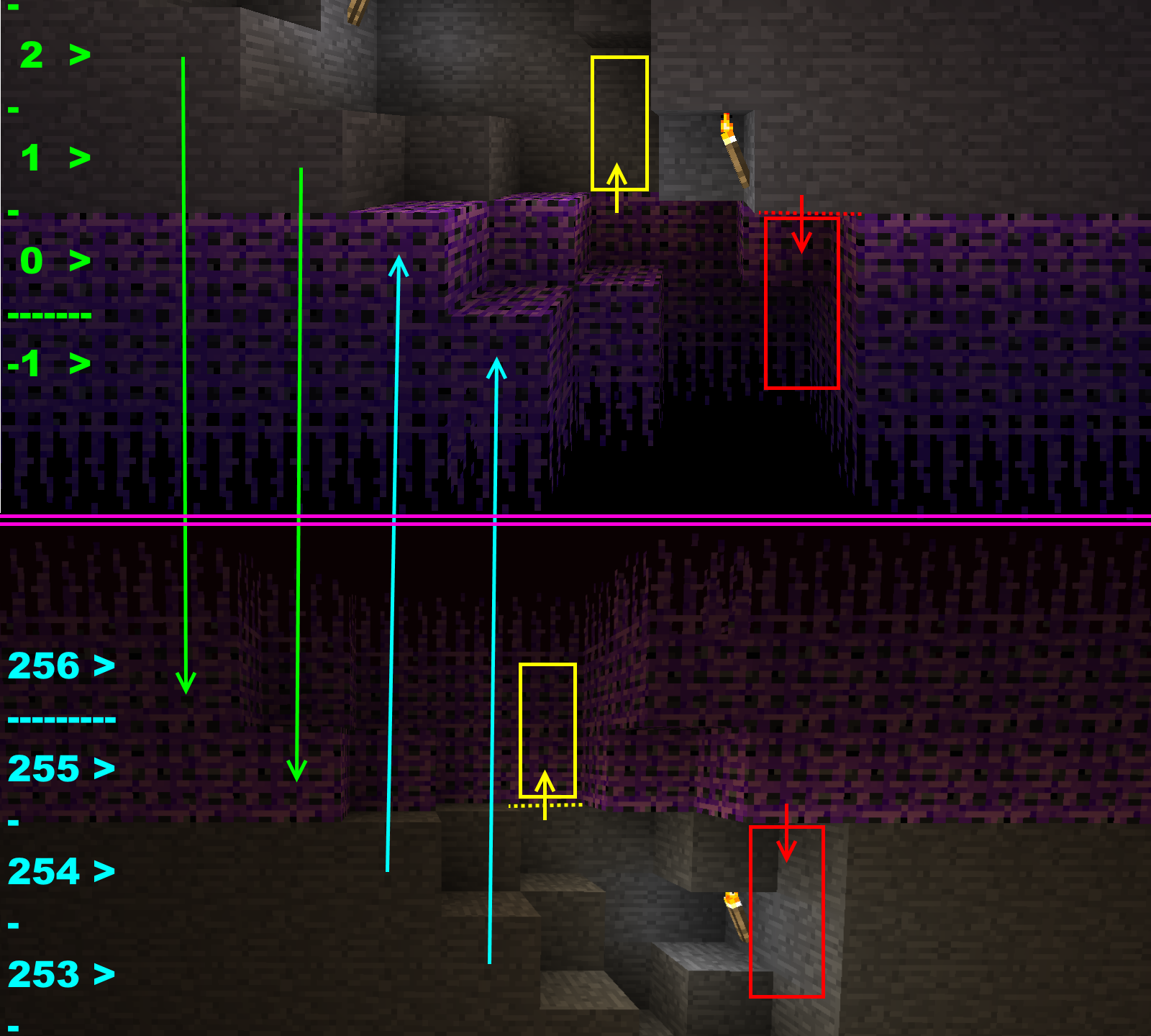 The portal machanics This image illustrates how the portals represent adjacent blocks in the neighboring dimension as well as how Entities (colored boxes) are teleported between them.
 -
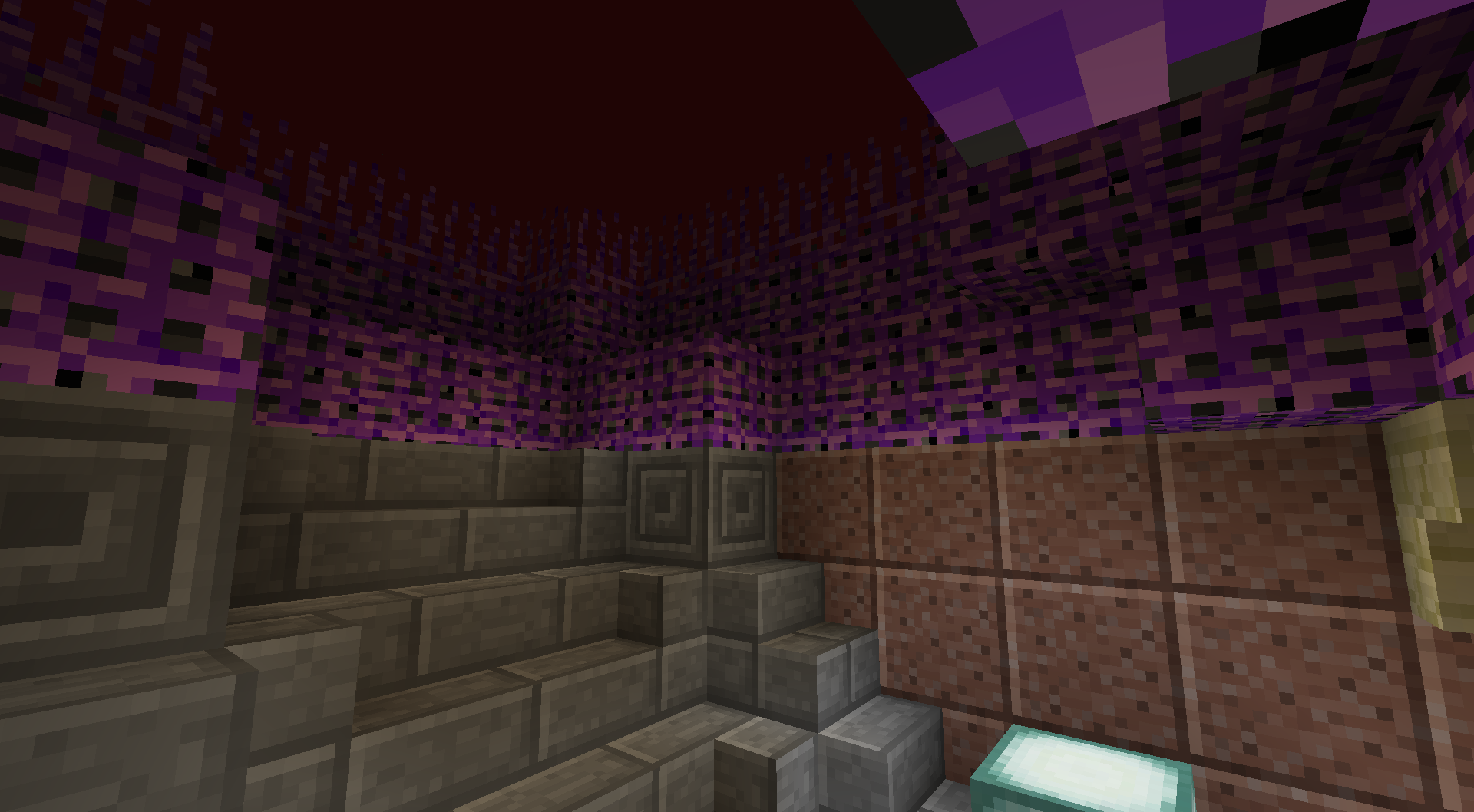 Staircase (lower part) The same staircase on the other side of the portal (top of the nether)
 -
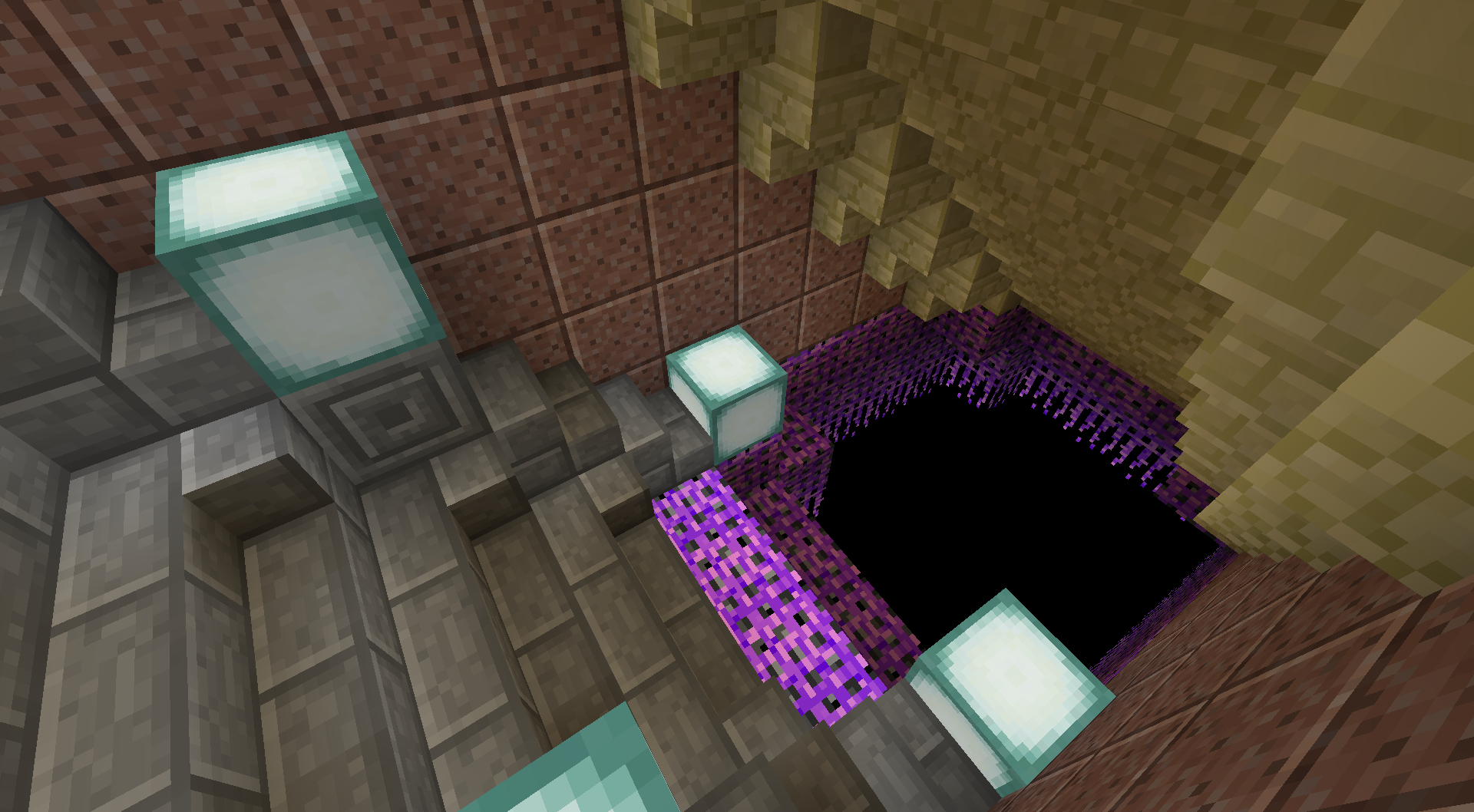 Portal staircase (upper part) An underground staircase that passes through the bottom portal layer of the Overworld.
Versions
Files
Relations
Project Relations
More like this
Similar Mods
Suggestions use data such as tags, dependencies, dependents, descriptions, titles, and more to rank how much they overlap with this mod.
On ModDex
Community snapshot
By the numbers
Statistics
Want to reach Minecraft players?
We're looking for a server hosting partner to feature here and other parts of the site. Interested? Send us a message!
Get in touchGet it on
Available Platforms
On ModDex
Community snapshot
By the numbers