Community listing page, reviews here may not be monitored by the author.
VUC (Very Useful Commands)

No reviews yet
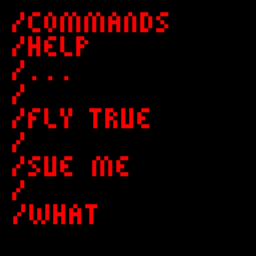
Adds quite an assortment of commands for you to use.
Community voices
Reviews
No reviews yet. Be the first to review this project!
Get it on
Available Platforms
About
Project Details
For authors
Embed Badge
If you're the author of this project, you can embed a live badge anywhere that supports HTML or Markdown. It updates automatically whenever ratings change.
Use HTML for any page that supports it, or Markdown for README files and Markdown-based descriptions.
Identifiers
Platform IDs
Resources
External Links
About
Description
Very Useful Commands (VUC) adds quite a few commands that you either do or don't wish you had. I'd like to have them around, but you choose. You download the mods and make them popular, so you choose if this one is worth it.
Description -
Adds around a dozen (or more) commands that add a lot to the minecraft experience, such as:
- / Dimension - Allows you to set your current dimension. Beware, you can spawn in walls if you go to the Nether
- / Explode - Need I say more?
- / Despawn - Allows you to despawn entities - And players?
- / Tame - Tame those millions of wolfs around you in only an instant!
- / Lightning - Yup. Have fun with that one.
- / Fly - Need I say more? Oh yeah, works in survival…
Click here more a complete list of commands:
- / Dimension - Allows you to set the dimenison of players. Doesn't seem to work on entities.
- / Inform - like 'Tell', but anonymous.
- / Givestack - Gives you stacks of items.
- / Placefallingblock - Creates the entity form of a block at any position
- / Explode - Creates an explosion at a location with an intensity of your choice.
- / Lightning - Creates lightning at a location.
- / Heath - You can view or set the health of entities. Be warned, it can't exceed the natural maxmum.
- / Setname - Like a nametag, but via a command.
- / Velocity - You can apply a velocity onto any entities you want. Doesn't seem to work on players, though.
- / Fly - Allows you to fly like in creative mode. Works in survival...
- / Burn - Set anyone or any entity you want on fire for however long you want.
- / Despawn - Despawns entities. Somewhat works on players.
- / Tame - Tames all tamable entities to any person you want.
- / Freeze - Freezes entities for however long you want.
- / Gravity - Allows you to determine whether or not an entity has gravity. Without it, the entities will just float in the air.
- / Oxygen - Set how much oxygen entities have left. Setting it to 0 makes the air bar completely run out.
- / Dropitem - Allows to you drop some items at a specific place in the world.
- / Bonemeal - Literally just simulates bonemeal at a specific place in the world.
- / Falldistance - Set the fall distance of an entity. If they are already on the ground, and you set it really high, they just take a lot of damage.
- / Xporb - Allows you to summon xp orbs at a specific place with a specific amount of xp.
- / Eval - Lets you find the solutions to simple mathematical equations (You can add, subtract, use exponents, use trigonometric functions, etc)
And, of course, there are a lot more that you will find in the mod itself.
FAQ -
Q: Can you port to x version?
A: Well, being the selfish caring mod creator I am, I'm trying to port to as many version as possible. However, if you see the tags, I do indeed use Mcreator. This means that I am limited to the versions Mcreator provides. I'm trying to get as many versions as possible, but I can't get that many. I'm sorry.
Q: Can you port to Fabric?
A: I will if I will. In other words, don't expect it.
Q: Can I use this in my modpack?
A: Free advertising, so please do!
Q: Why do you have a FAQ for such a small and horrible generally simple mod?
A: ¯\_(ツ)_/¯
Enjoy!
Screenshots
Gallery
Versions
Files
Relations
Project Relations
More like this
Similar Mods
Suggestions use data such as tags, dependencies, dependents, descriptions, titles, and more to rank how much they overlap with this mod.
On ModDex
Community snapshot
By the numbers
Statistics
Want to reach Minecraft players?
We're looking for a server hosting partner to feature here and other parts of the site. Interested? Send us a message!
Get in touchGet it on
Available Platforms
On ModDex
Community snapshot
By the numbers
Statistics
Resources