
Vibrant F3 / Colorful F3
No reviews yet
Adds a color picker to F3 Options Screen (F3 + F6)
Fabric is a mod loader for versions 1.14+ of Minecraft, particularly popular for client side and optimization mods.
Community voices
Reviews
Click once to include, again to exclude, again to clear
No reviews yet. Be the first to review this project!
Get it on
Available Platforms
 Modrinth
Compatibility
Supported Environments
About
Project Details
For authors
Embed Badge
If you're the author of this project, you can embed a live badge anywhere that supports HTML or Markdown. It updates automatically whenever ratings change.
Use HTML for any page that supports it, or Markdown for README files and Markdown-based descriptions.
Identifiers
Platform IDs
About
Description
Vibrant F3
A Minecraft Fabric mod that adds vibrant color customization to the F3 debug screen options.
Made with ❤️ for the Minecraft community
Features
- Easy To Use: Integrated directly into the F3 options screen, Quickly customize settings by pressing F3 + F6
- Compatible: Compatible with most mods that add things to the F3 menu
- Client-Side: Lightweight mod that works entirely on the client side
Requirements
- Minecraft Version: 1.21.11
- Fabric Loader: v0.18.4 or higher
- Fabric API: Latest compatible version
Usage
- Launch Minecraft with the mod installed
- Press F3 + F6 to access the F3 options menu
- Use the color picker button next to each option to customize its color
- Your settings are automatically saved to the configuration file, and applied instantly
Configuration
The mod stores its configuration in config/vibrant_f3.json.
All settings are configurable through the in-game interface, using Mod Menu or by editing the JSON file directly.
Screenshots
Gallery
-
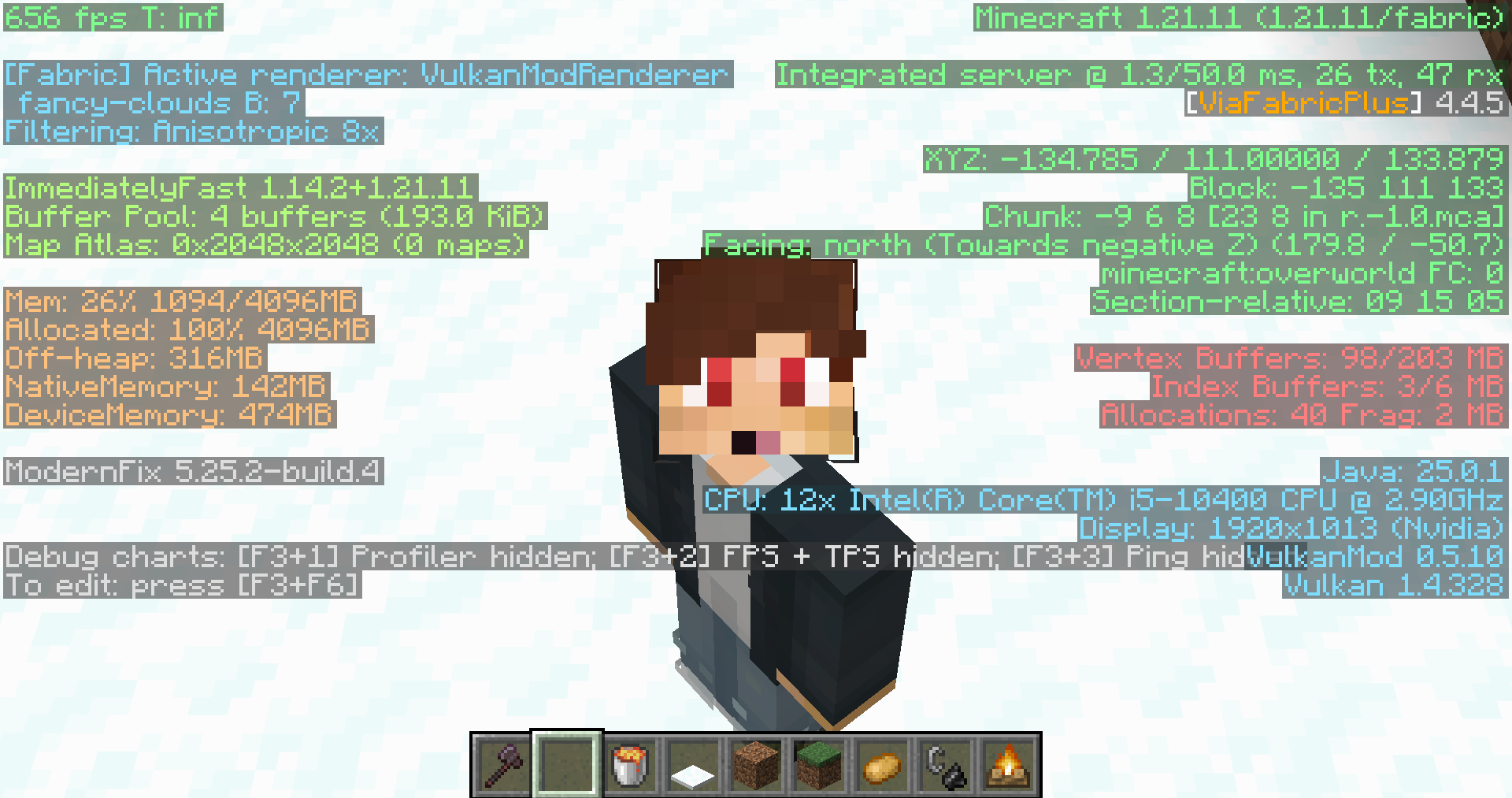 Vibrant F3 in a Heavily Modded Scenario
 -
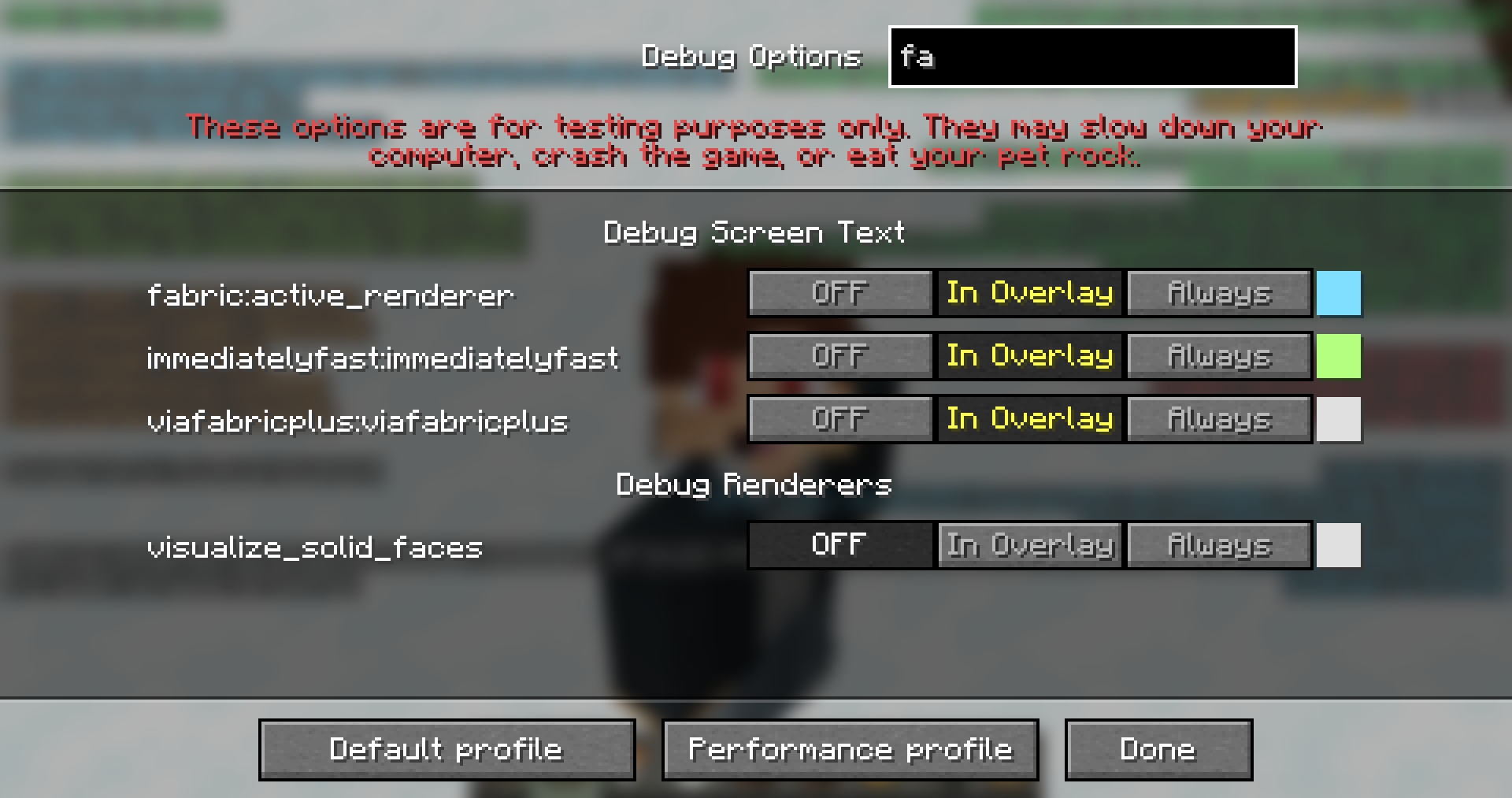 F3 Configuration Screen (F3 + F6)
Versions
Files
Relations
Project Relations
More like this
Similar Mods
Suggestions use data such as tags, dependencies, dependents, descriptions, titles, and more to rank how much they overlap with this mod.
On ModDex
Community snapshot
By the numbers
Statistics

Want to reach Minecraft players?
We're looking for a server hosting partner to feature here and other parts of the site. Interested? Send us a message!
Get in touchGet it on
Available Platforms
On ModDex
Community snapshot
By the numbers