
Villager Cycle
No reviews yet
A Minecraft Fabric mod that adds a button to refresh villager trades.
Does not follow a specific thematic focus apart from vanilla Minecraft.
Used for mods with little to no gameplay elements.
Contains enhancements to village mechanics, expanding on existing features or adding entirely new ones.
Includes quality of life improvements and small tweaks to enhance and customize gameplay.
Fabric is a mod loader for versions 1.14+ of Minecraft, particularly popular for client side and optimization mods.
Community voices
Reviews
Click once to include, again to exclude, again to clear
No reviews yet. Be the first to review this project!
Get it on
Available Platforms
 Modrinth
Compatibility
Supported Environments
About
Project Details
For authors
Embed Badge
If you're the author of this project, you can embed a live badge anywhere that supports HTML or Markdown. It updates automatically whenever ratings change.
Use HTML for any page that supports it, or Markdown for README files and Markdown-based descriptions.
Identifiers
Platform IDs
About
Description
Villager Cycle




A Quality of Life mod for Minecraft Fabric that adds a button to villager trading screens, allowing you to refresh their trades before making any purchases.
Features
- Cycle Trades Button: Customizable button above the villager trading GUI
- Draggable Button Position: Reposition the button via drag screen
- Real-Time Updates: Trade offers refresh instantly without closing the GUI
- Keybind Support: Keyboard and mouse button bindings for all mod functions
- Configurable Cycle Limits: Set limits on how many times trades can be cycled (per villager)
- Wandering Trader Support: Optional feature (operator-controlled on servers)
- Smart Validation: Only works on valid villagers (must have profession, not traded with)
- Server-Side Security: All validation happens server-side
- Anti-Exploit Protection: Clears trade input slots to prevent item duplication
Installation
- Download from Releases
- Place
.jarin your.minecraft/modsfolder - Required: Fabric API (version matched to your MC version)
- Recommended: Cloth Config 20.0.149+ (enhanced config UI, not available for MC 26.x)
- Recommended: ModMenu 16.0.0+ (in-game config access)
- Launch Minecraft with Fabric Loader 0.18.4+
How to Use
- Open a villager's trading interface
- Click the "Cycle Trades" button (or use the keybind)
- The villager's Level 1 trades will regenerate with new offers
Configuration
Config File Location
- Windows:
%appdata%\.minecraft\config\villagercycle.json - macOS:
~/Library/Application Support/minecraft/config/villagercycle.json - Linux:
~/.minecraft/config/villagercycle.json
Options
{
  "enableCycleButton": true,
  "allowWanderingTraders": false,
  "showSuccessMessage": true,
  "showWanderingTraderSuccessMessage": true,
  "villagerCycleLimit": -1,
  "wanderingTraderCycleLimit": 1,
  "buttonOffsetX": 6,
  "buttonOffsetY": -25,
  "buttonWidth": 100,
  "buttonHeight": 20
}
| Option | Default | Description |
|---|---|---|
enableCycleButton |
true |
Show/hide the cycle button |
showSuccessMessage |
true |
Show villager cycle success message (client-side) |
showWanderingTraderSuccessMessage |
true |
Show wandering trader success message (client-side) |
allowWanderingTraders |
false |
Enable wandering trader cycling (operator only on servers) |
villagerCycleLimit |
-1 |
Max cycles per villager: -1=unlimited, 0=disabled, 1+=limited (operator only on servers) |
wanderingTraderCycleLimit |
1 |
Max cycles per wandering trader: -1=unlimited, 0=disabled, 1+=limited (operator only on servers) |
buttonOffsetX/Y |
6/-25 |
Button position offset from GUI |
buttonWidth/Height |
100/20 |
Button dimensions (pixels) |
Keybinds
All keybinds are unbound by default. Set them in Options → Controls → Villager Cycle.
Supports both keyboard keys and mouse buttons (e.g., Mouse Button 4/5).
| Keybind | Function |
|---|---|
| Toggle Button Visibility | Show/hide the cycle button |
| Open Button Position Screen | Open drag screen to reposition button |
| Open Config Screen | Open the mod configuration screen |
| Reload Config File | Reload config from disk |
| Cycle Trades | Cycle trades while in merchant screen (keyboard or mouse) |
Singleplayer vs Multiplayer
- Singleplayer: All features available with full control over all settings.
- Multiplayer: Operator permission (level 4) required for:
- Allow Wandering Traders toggle
- Villager Cycle Limit
- Wandering Trader Cycle Limit
Success message toggles are client-side — each player controls their own preference.
Limitations
- Only works on villagers not yet traded with
- Only works on villagers with valid professions (not Nitwits/Unemployed)
- Only refreshes Level 1 trades (experience level 0)
- Items in trade slots are returned to inventory when cycling
Technical Requirements
- Minecraft: 1.21.9, 1.21.10, 1.21.11, 26.1, or 26.2
- Fabric Loader: 0.18.4+
- Java: 21+ (Java 25+ for MC 26.x)
- Fabric API: Required (version matched to your MC version)
- Cloth Config: Optional, recommended (not available for MC 26.x)
- ModMenu: Optional, recommended
License
MIT License — Free to include in modpacks.
Support
Open an issue on GitHub for bugs or suggestions.
Author
Created by Partacus-SPQR
Screenshots
Gallery
-
 Villager Cycle Example Shows the trade button as well as the drag screen.
 -
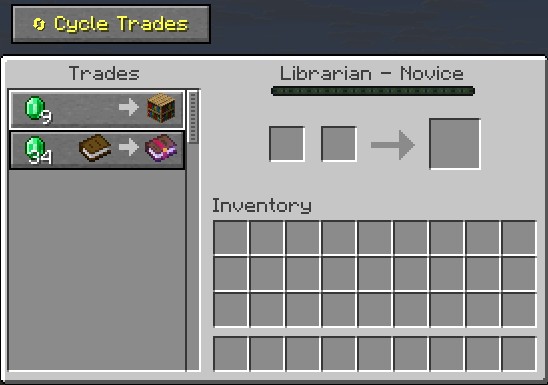 Cycle Trade Button Simple Gui Image showing the button on the top left.
 -
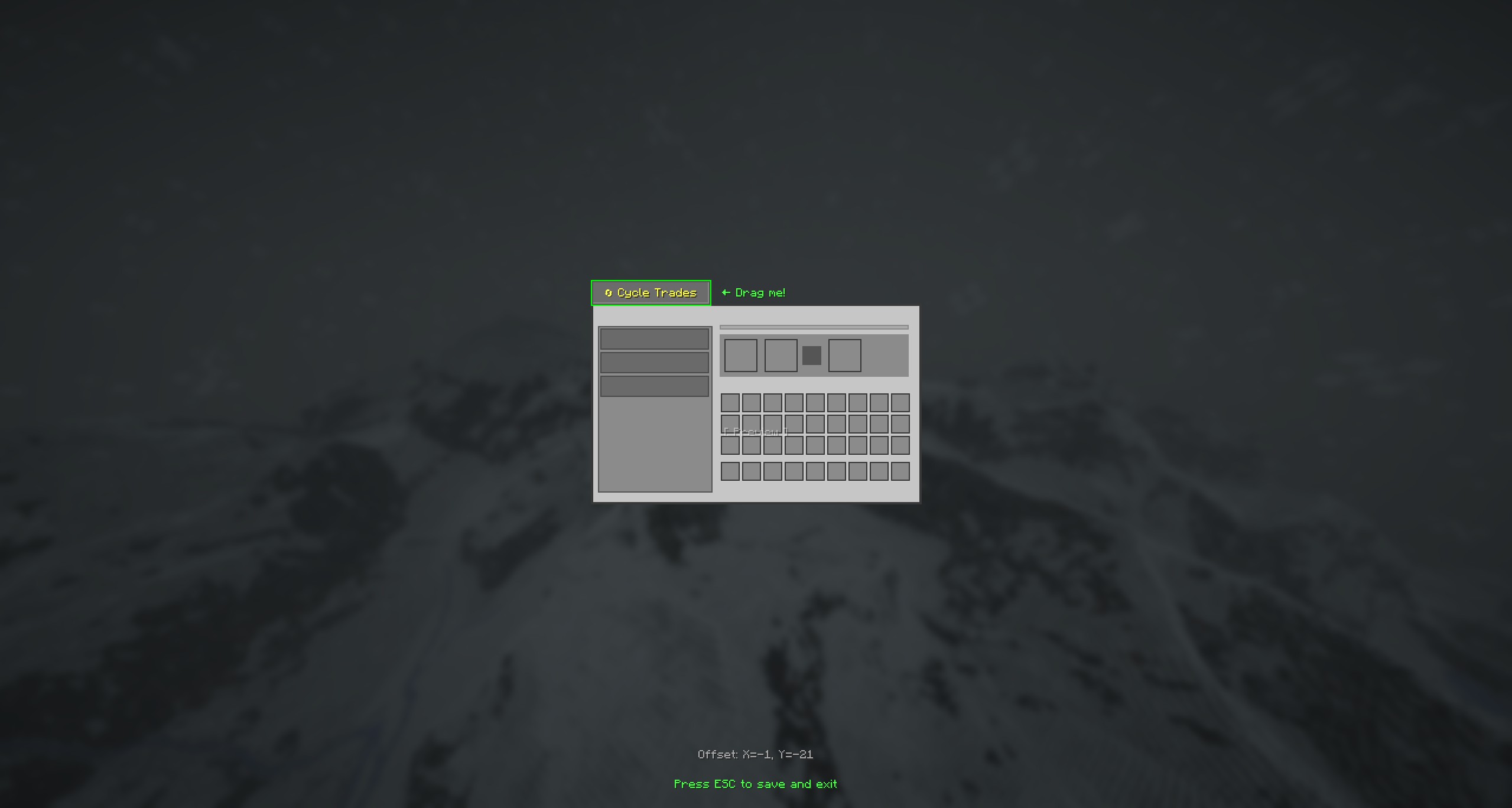 Villager Cycle Draggable Screen Shows the preview of the draggable button screen.
 -
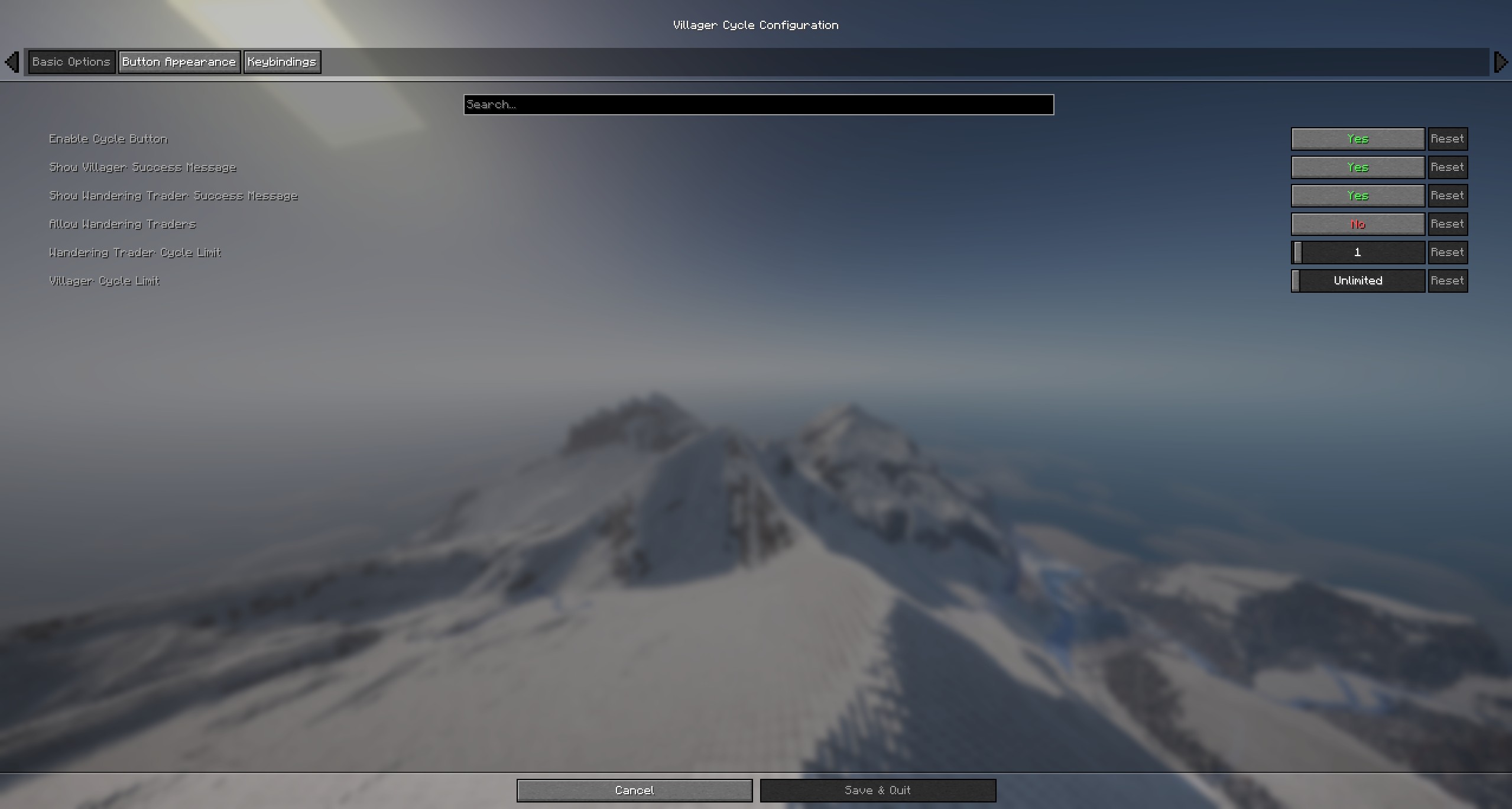 Villager Cycle Config Shows the config options for the mod.
 -
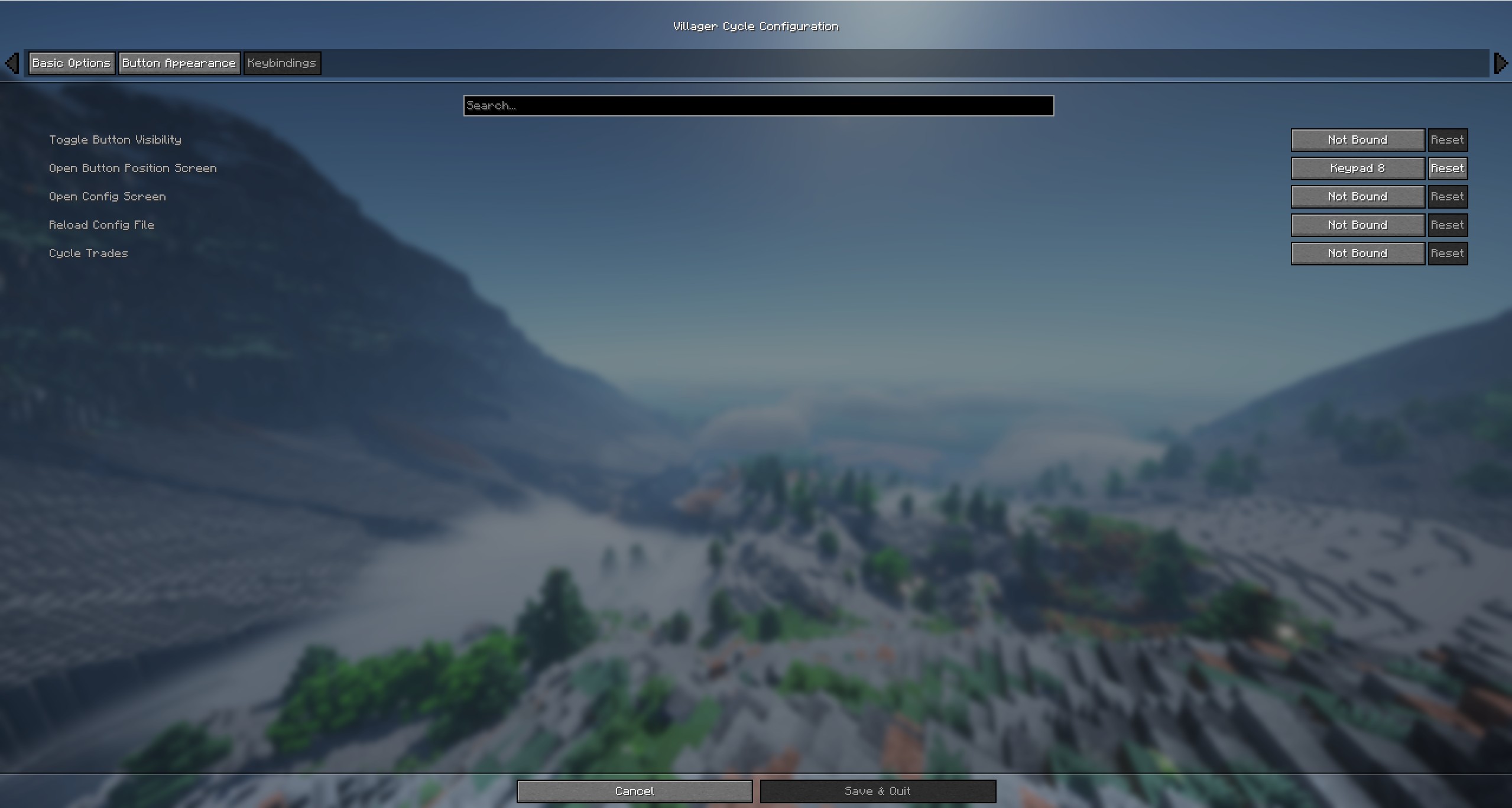 Villager Cycle Binds Shows the bind options in the config.
Versions
Files
Relations
Project Relations
More like this
Similar Mods
Suggestions use data such as tags, dependencies, dependents, descriptions, titles, and more to rank how much they overlap with this mod.
On ModDex
Community snapshot
By the numbers
Statistics

Want to reach Minecraft players?
We're looking for a server hosting partner to feature here and other parts of the site. Interested? Send us a message!
Get in touchGet it on
Available Platforms
On ModDex
Community snapshot
By the numbers