
VillagerTradeEditor
No reviews yet
Villager Trade Editor is a server-side Fabric mod that lets server operators edit trades of ordinary villagers.
Includes systems for trading and managing economies.
Fabric is a mod loader for versions 1.14+ of Minecraft, particularly popular for client side and optimization mods.
Community voices
Reviews
Click once to include, again to exclude, again to clear
No reviews yet. Be the first to review this project!
Get it on
Available Platforms
 Modrinth
Compatibility
Supported Environments
About
Project Details
For authors
Embed Badge
If you're the author of this project, you can embed a live badge anywhere that supports HTML or Markdown. It updates automatically whenever ratings change.
Use HTML for any page that supports it, or Markdown for README files and Markdown-based descriptions.
Identifiers
Platform IDs
Resources
External Links
About
Description
Villager Trade Editor
Villager Trade Editor is a server-side Fabric mod that lets server operators edit trades of ordinary villagers.
Players do not need to install this mod. It only has to be installed on the server.
Features
- Sneak + right-click an ordinary villager to select it
- Add, replace, remove, list, and clear villager trades
- Create trades from hotbar slots
- Restrict trade editing to server operators only
- Add global timed trade limits
- Timed limits use Minecraft in-game time, so sleeping advances timers
Requirements
- Minecraft 1.21.10
- Fabric Loader
- Fabric API
- Java 21
How to select a villager
Sneak + right-click an ordinary villager.
Only players with command permission level 2 or higher can select villagers and use the commands. By default, this means server operators only.
Creating a trade
The mod creates trades from your hotbar:
- Hotbar slot 1: first cost
- Hotbar slot 2: optional second cost
- Hotbar slot 3: result item
Example:
If you want a villager to sell an enchanted diamond sword for 25 emeralds:
- Put 25 emeralds in hotbar slot 1.
- Leave hotbar slot 2 empty.
- Put the enchanted diamond sword in hotbar slot 3.
- Sneak + right-click the villager.
- Run:
/vtrade add
Commands
/vtrade help
Shows the help message.
/vtrade list
Lists all trades of the selected villager.
/vtrade add
Adds a new trade to the selected villager using items from hotbar slots 1, 2, and 3.
/vtrade replace <number>
Replaces an existing trade with a new one using items from hotbar slots 1, 2, and 3.
Example:
/vtrade replace 2
Replaces trade number 2.
/vtrade remove <number>
Removes one trade from the selected villager.
Example:
/vtrade remove 3
Removes trade number 3.
/vtrade clear
Removes all trades from the selected villager.
Screenshots
Gallery
-
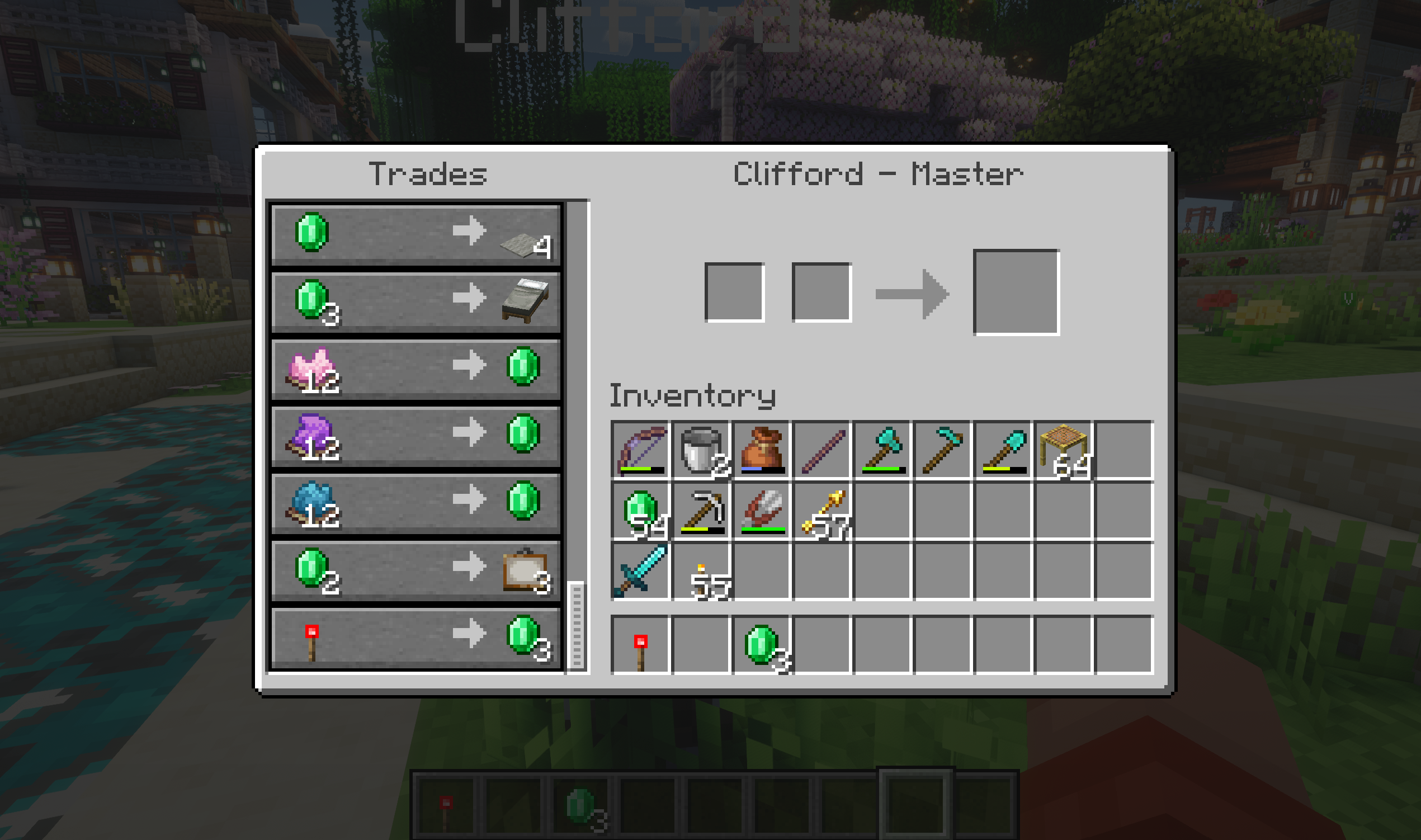 Trade0 Redstone trade for 3 emeralds added
 -
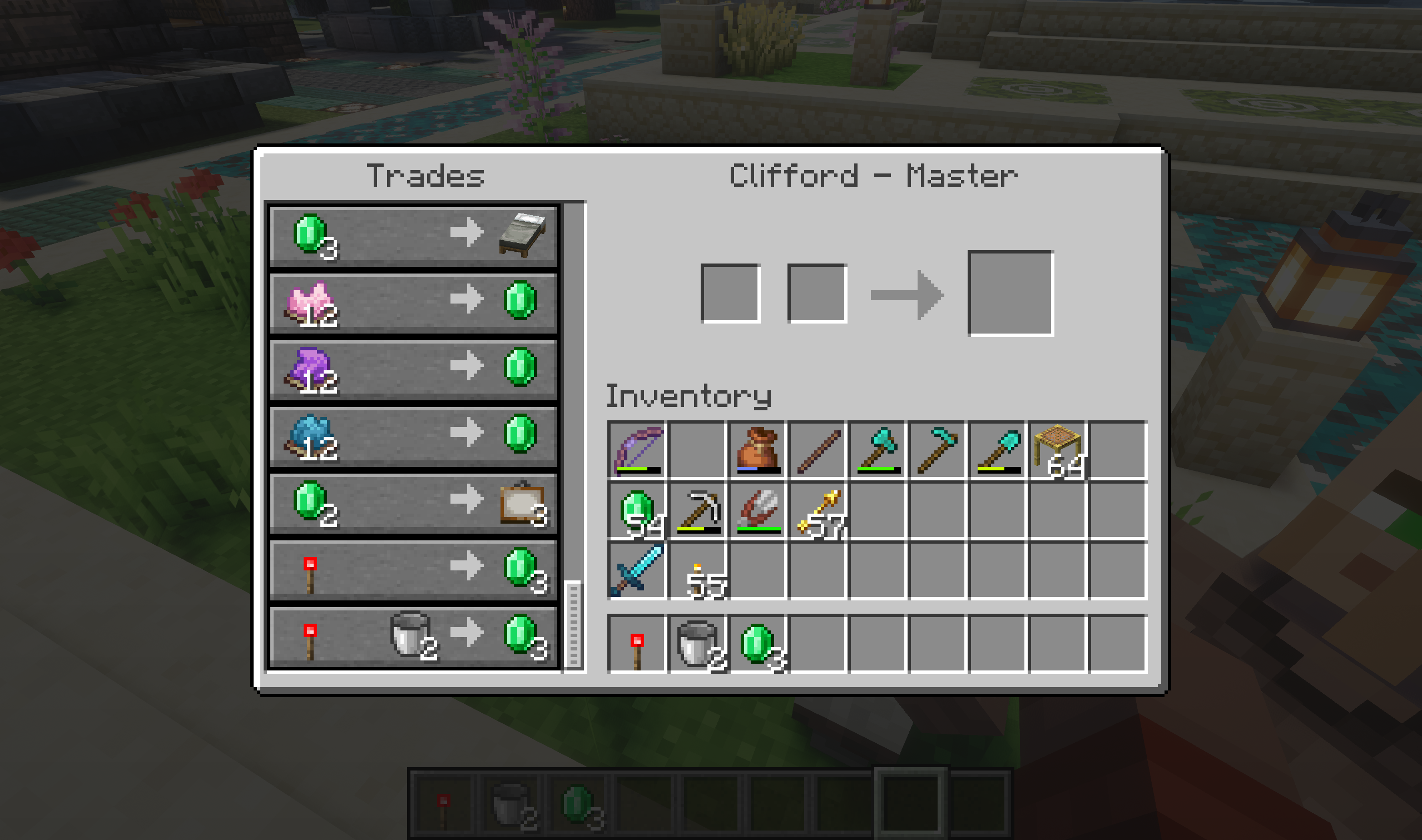 Trade1 Trade of redstone torch and 2 buckets for the 3 emeralds added
 -
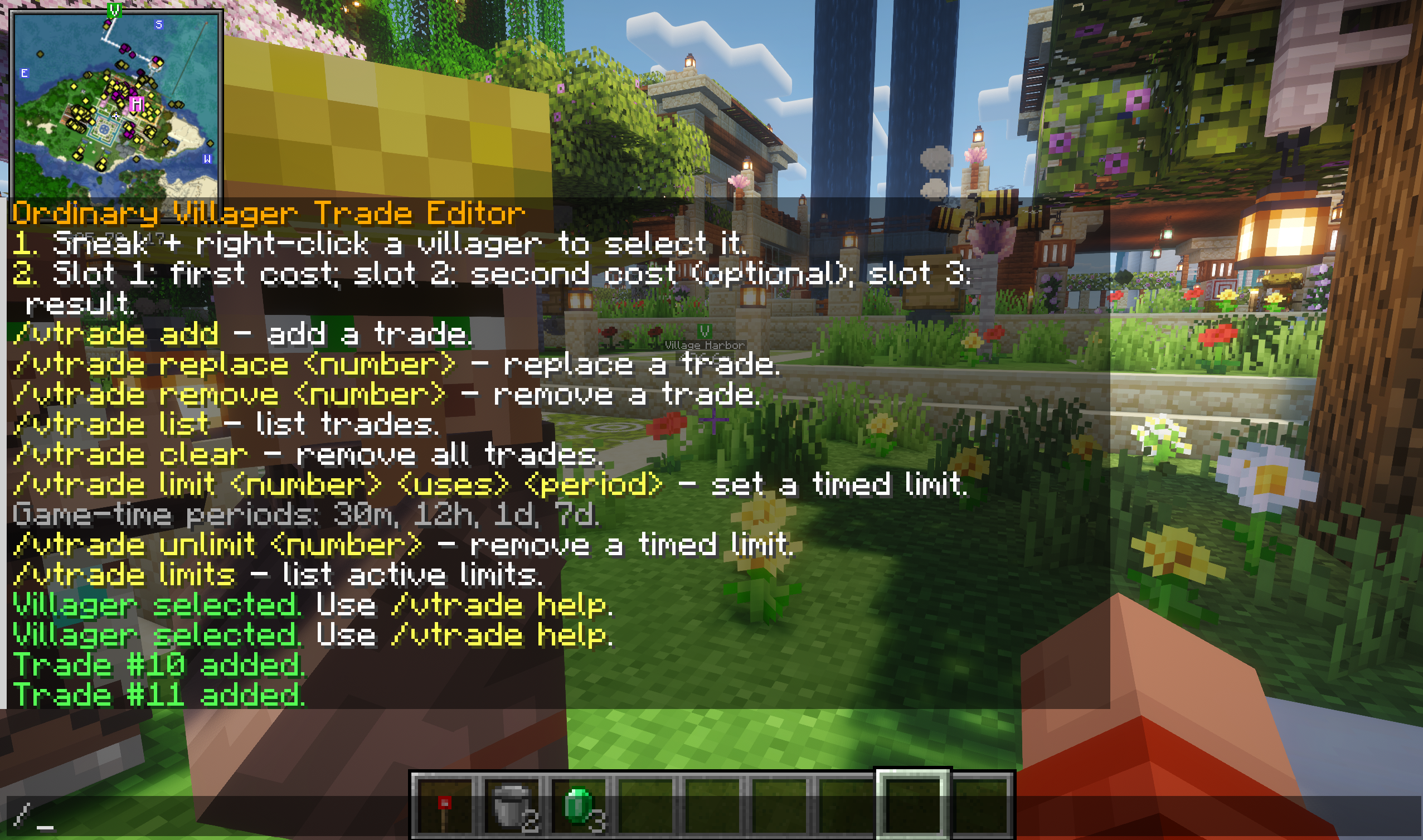 Trade commands in console Some /vtrade commands in console
Versions
Files
Relations
Project Relations
More like this
Similar Mods
Suggestions use data such as tags, dependencies, dependents, descriptions, titles, and more to rank how much they overlap with this mod.
On ModDex
Community snapshot
By the numbers
Statistics

Want to reach Minecraft players?
We're looking for a server hosting partner to feature here and other parts of the site. Interested? Send us a message!
Get in touchGet it on
Available Platforms
On ModDex
Community snapshot
By the numbers
Statistics
Resources