Community listing page, reviews may not be monitored by the author.
Villarix

No reviews yet
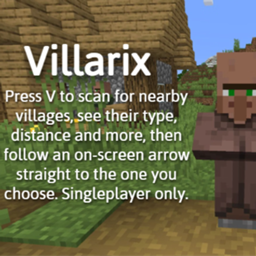
Press V to scan for nearby villages, see their type, distance and more, then follow an on-screen arrow straight to the one you choose. Singleplayer only.

Community voices
Reviews
No reviews yet. Be the first to review this project!
Get it on
Available Platforms
About
Project Details
For authors
Embed Badge
If you're the author of this project, you can embed a live badge anywhere that supports HTML or Markdown. It updates automatically whenever ratings change.
Use HTML for any page that supports it, or Markdown for README files and Markdown-based descriptions.
Identifiers
Platform IDs
Resources
External Links
About
Description
# Villarix – Village Finder
Never wander around looking for a village again! Villarix adds a handy Village Finder: press V, pick a village, and follow the arrow right to its doorstep.
⚠️ SINGLEPLAYER ONLY
Villarix works in singleplayer worlds. It is not designed for multiplayer servers.
## Features
🔍 Village Finder menu
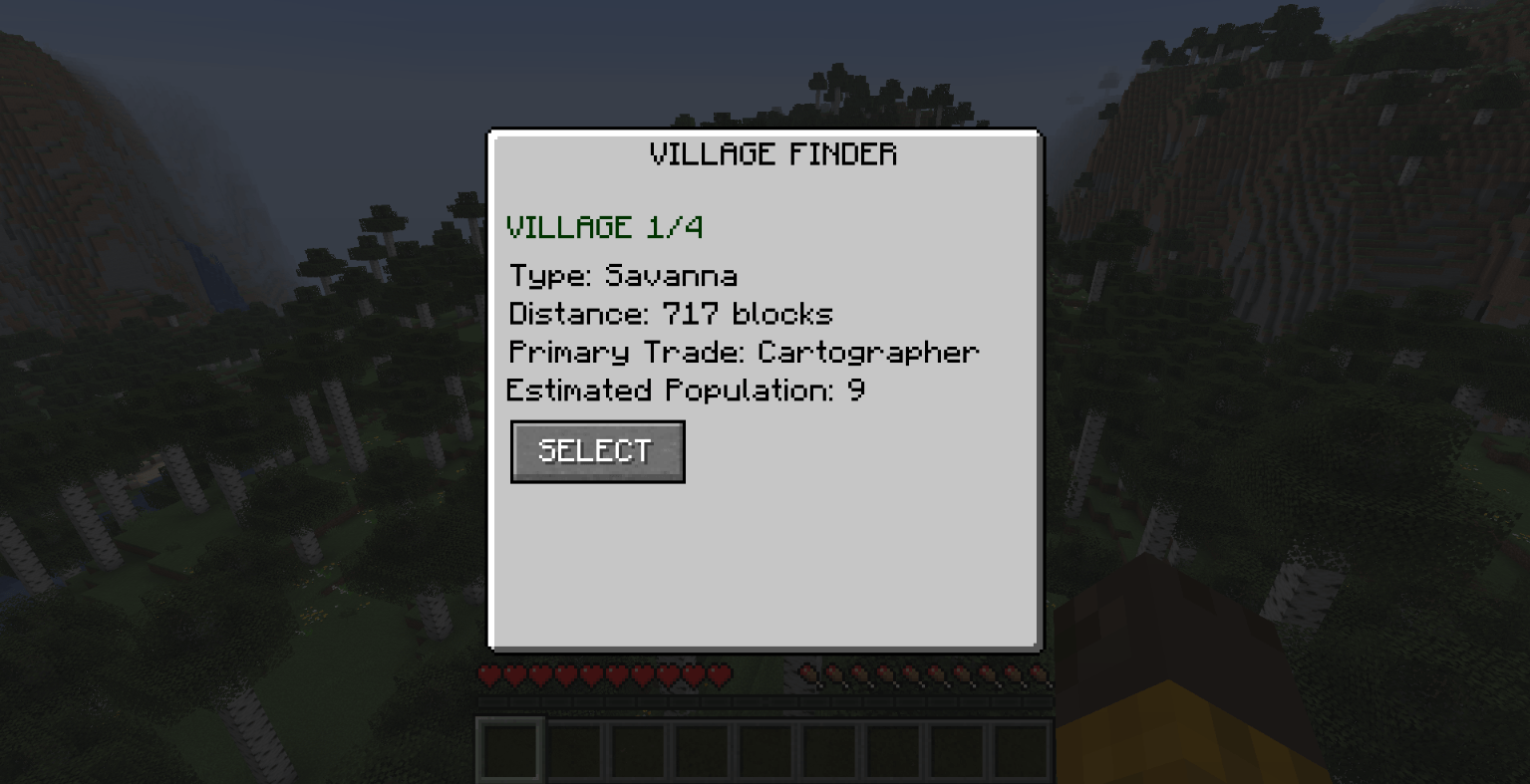
Press V at any time to open the Village Finder. Villarix scans the area and lists the closest villages to you (up to 4), ordered from nearest to farthest.
🖱️ Scroll through villages
Use the mouse wheel inside the menu to browse between the nearby villages. The title shows which one you are viewing (for example, VILLAGE 2/4), and all the information updates instantly.
📋 Village information
For every village you can see:
- Type: Plains, Desert, Taiga, Savanna or Snowy
- Distance: how many blocks away it is
- Primary Trade: the main profession associated with that village type
- Estimated Population: how many villagers live there (an estimate when the village is not loaded)
🧭 Guiding arrow
Found the village you want? Click SELECT and the menu closes. An on-screen arrow appears and points toward the village, always updating as you move and turn. It also shows how many meters you have left.
✅ Arrival message
When you get close, the arrow disappears and a green "You have arrived at the village!" message appears.
## How to use
1. Press V to open the Village Finder.
2. Scroll the mouse wheel to browse the nearby villages.
3. Click SELECT on the village you want to visit.
4. Follow the arrow on your screen until you arrive.
## Requirements
- Minecraft Java Edition 26.1.2
- Fabric Loader
- Fabric API
## Good to know
- Works in singleplayer worlds only.
- Population and primary trade are estimates based on the village type, not an exact count of the real villagers.
- The first scan can take a moment, because the mod searches the world for villages.
- The key can be changed in the Controls menu.
Screenshots
Gallery
-
 Captura de pantalla 2026-10-18 110713.png Captura de pantalla 2026-10-18 110713.png
Versions
Files
Relations
Project Relations
More like this
Similar Mods
Suggestions use data such as tags, dependencies, dependents, descriptions, titles, and more to rank how much they overlap with this mod.
On ModDex
Community snapshot
By the numbers
Statistics

Get it on
Available Platforms
On ModDex
Community snapshot
By the numbers
Statistics
Resources