
VintageTag
No reviews yet
VintageTag is a lightweight tag system mod (primarily compatible with 1.12.2) that brings functionality similar to the official tag system of Minecraft 1.13+ to older game versions.
Forge is a popular mod loader for versions 1.1+ of Minecraft.
Community voices
Reviews
Click once to include, again to exclude, again to clear
No reviews yet. Be the first to review this project!
Get it on
Available Platforms
 Modrinth
Compatibility
Supported Environments
About
Project Details
For authors
Embed Badge
If you're the author of this project, you can embed a live badge anywhere that supports HTML or Markdown. It updates automatically whenever ratings change.
Use HTML for any page that supports it, or Markdown for README files and Markdown-based descriptions.
Identifiers
Platform IDs
Resources
External Links
About
Description
VintageTag
VintageTag adds a simple tag system to Minecraft 1.12.2, supporting item, fluid, and block tags.
Registering Tags
During the FMLLoadCompleteEvent phase, the tag system performs the following steps sequentially:
- Synchronize ore dictionary data
- Load tags from all mods (
src/main/resources/data/tags/<type>/) - Load tags from configuration files (
config/tags/<type>/)
Here, <type> can be one of item, fluid, or block.
The JSON format is similar to the official 1.13+ tag system. For details, see TagLoader.
Command System
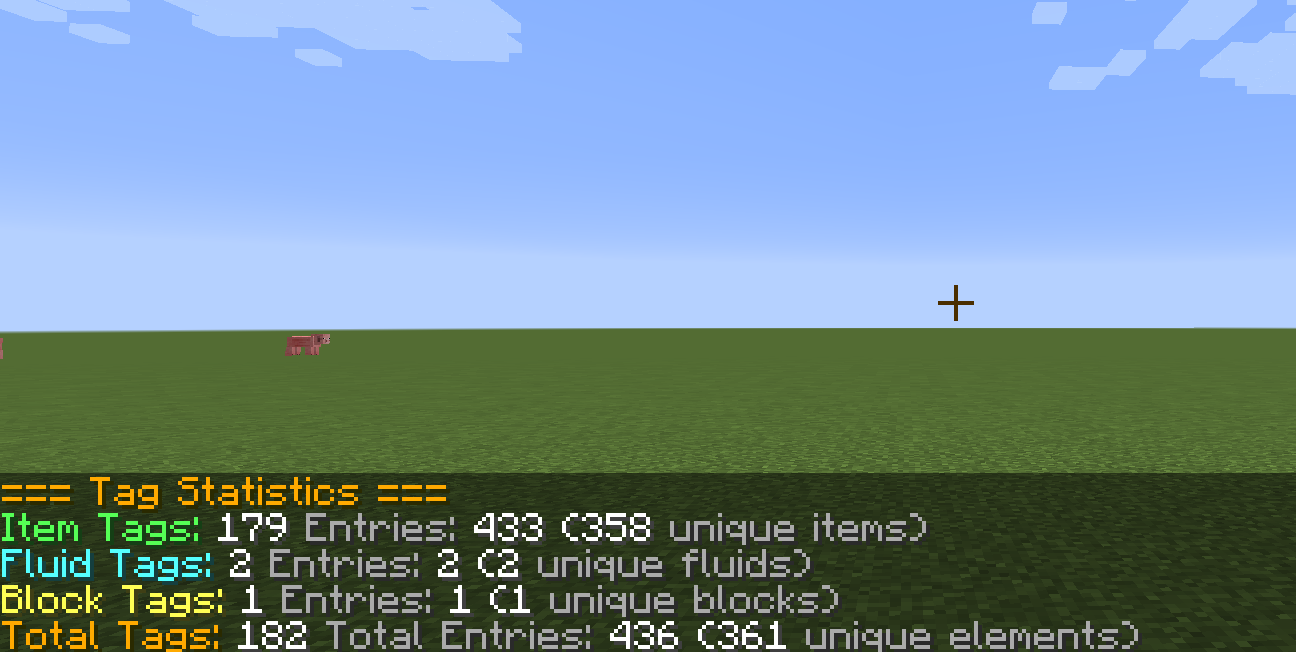
/tag info       // Display tag statistics (requires permission level 1)
/tag reload     // Reload tags (requires permission level 2)
Tooltip
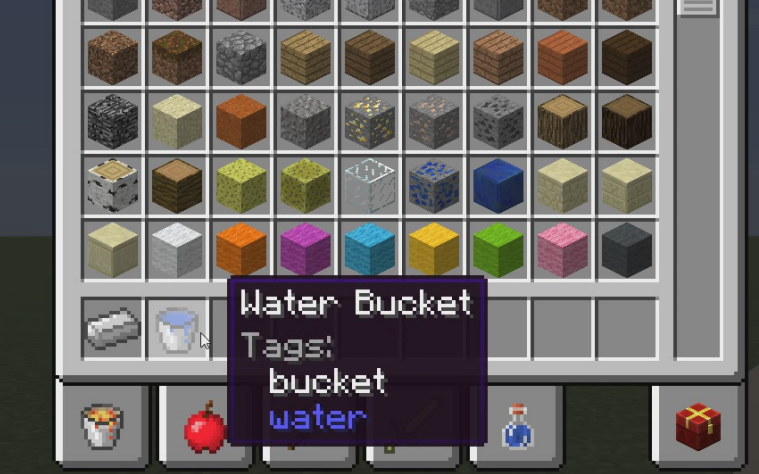
Hold Shift to view tag information for items, fluids, and blocks. For example:
- Holding Shift on a water bucket will show the bucket's item tags and water's fluid tags.
- Holding Shift on stone (an item that has a block form) will show the stone's item tags and block tags (block tags do not distinguish metadata).
Tag types are color-coded:
- White: item tags
- Blue: fluid tags
- Yellow: block tags
If the item contains no tags of any type, a "No tags" message will appear.
Network Synchronization
When a player logs in or uses the /tag reload command, the server's data is immediately synchronized to the client.
Configuration Options
// Enable scanning tags in configuration files
B:enableConfigScanner=true

// Enable scanning tags in mods
B:enableModScanner=true

// Enable synchronizing tags from the ore dictionary
B:enableOreSync=true

// Enable tag tooltips
B:enableTooltip=true
Screenshots
Gallery
Versions
Files
Relations
Project Relations
More like this
Similar Mods
Suggestions use data such as tags, dependencies, dependents, descriptions, titles, and more to rank how much they overlap with this mod.
On ModDex
Community snapshot
By the numbers
Statistics

Want to reach Minecraft players?
We're looking for a server hosting partner to feature here and other parts of the site. Interested? Send us a message!
Get in touchGet it on
Available Platforms
On ModDex
Community snapshot
By the numbers
Statistics
Resources