
Community listing page, reviews here may not be monitored by the author.
Visible Energy


No reviews yet
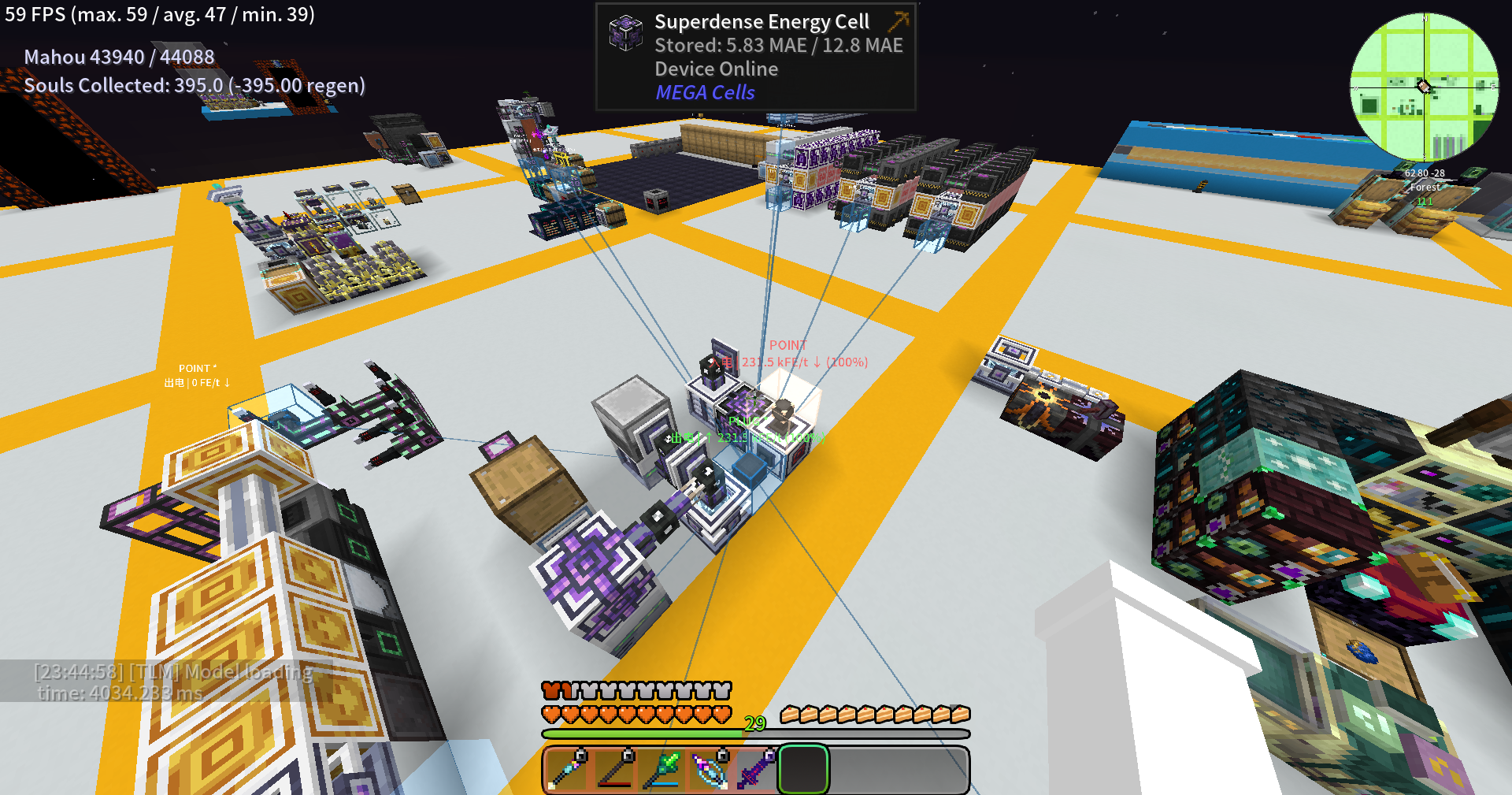
A FluxNetworks addon that highlights energy devices in-world with colored overlays, network connection lines, and transfer rate labels. Use /ve scan to find and visualize Flux Networks devices around you.
Community voices
Reviews
No reviews yet. Be the first to review this project!
Get it on
Available Platforms
Compatibility
Supported Environments
Must be installed on both the client and the server.
About
Project Details
For authors
Embed Badge
If you're the author of this project, you can embed a live badge anywhere that supports HTML or Markdown. It updates automatically whenever ratings change.
Use HTML for any page that supports it, or Markdown for README files and Markdown-based descriptions.
Identifiers
Platform IDs
About
Description
Visible Energy
A NeoForge addon mod for FluxNetworks that highlights the locations, transfer rates, and network topology of flux network devices in the game world.
Features
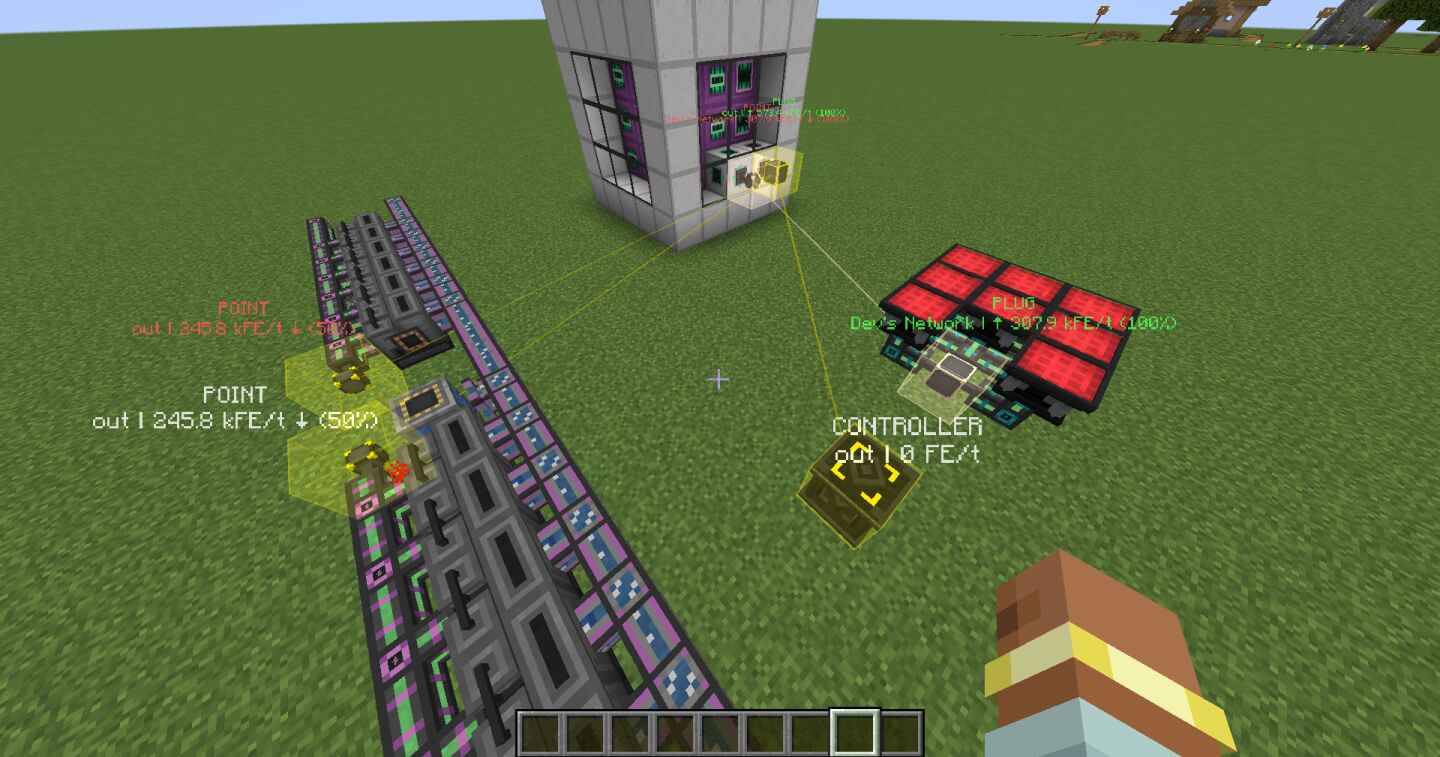
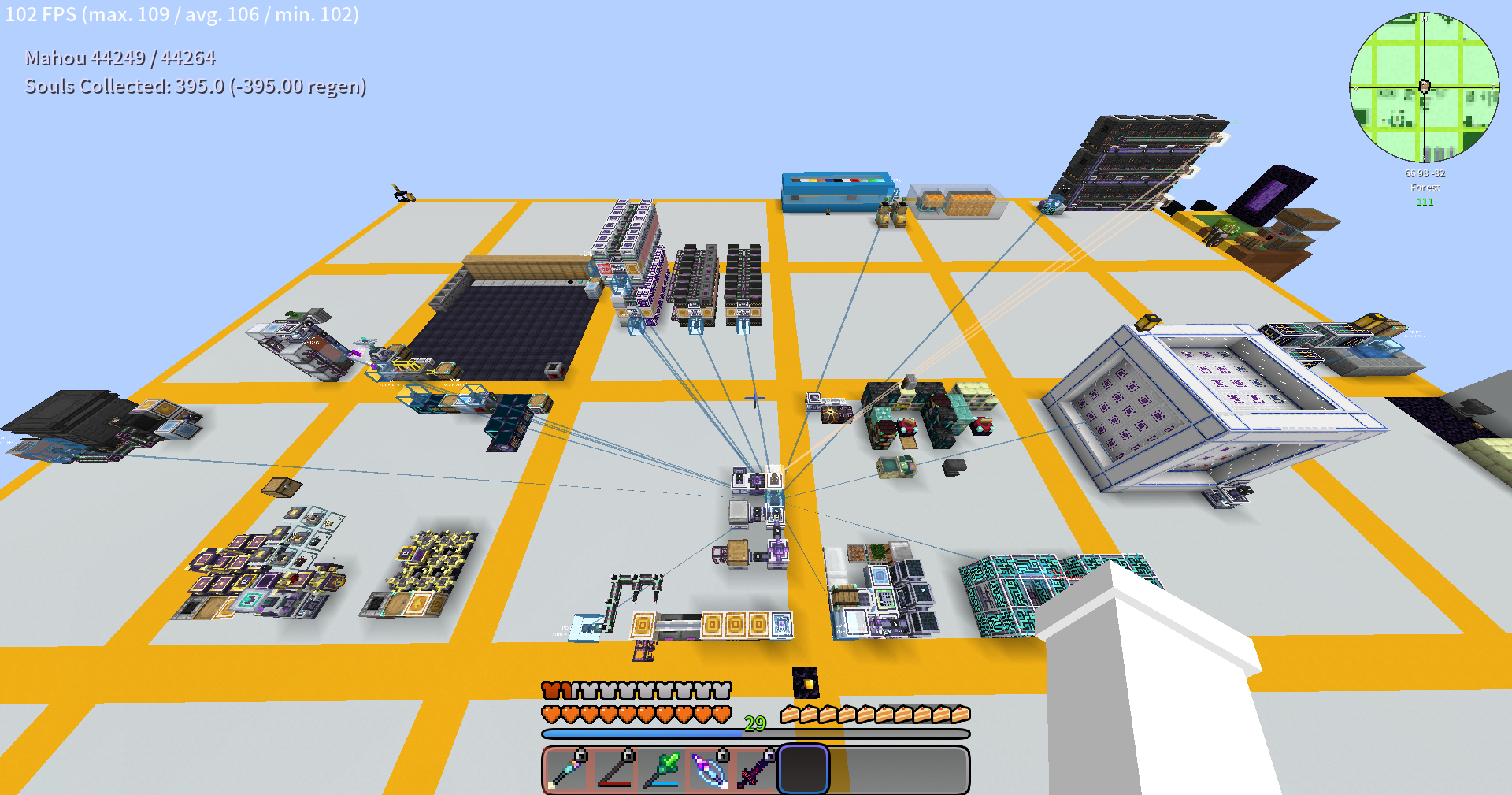
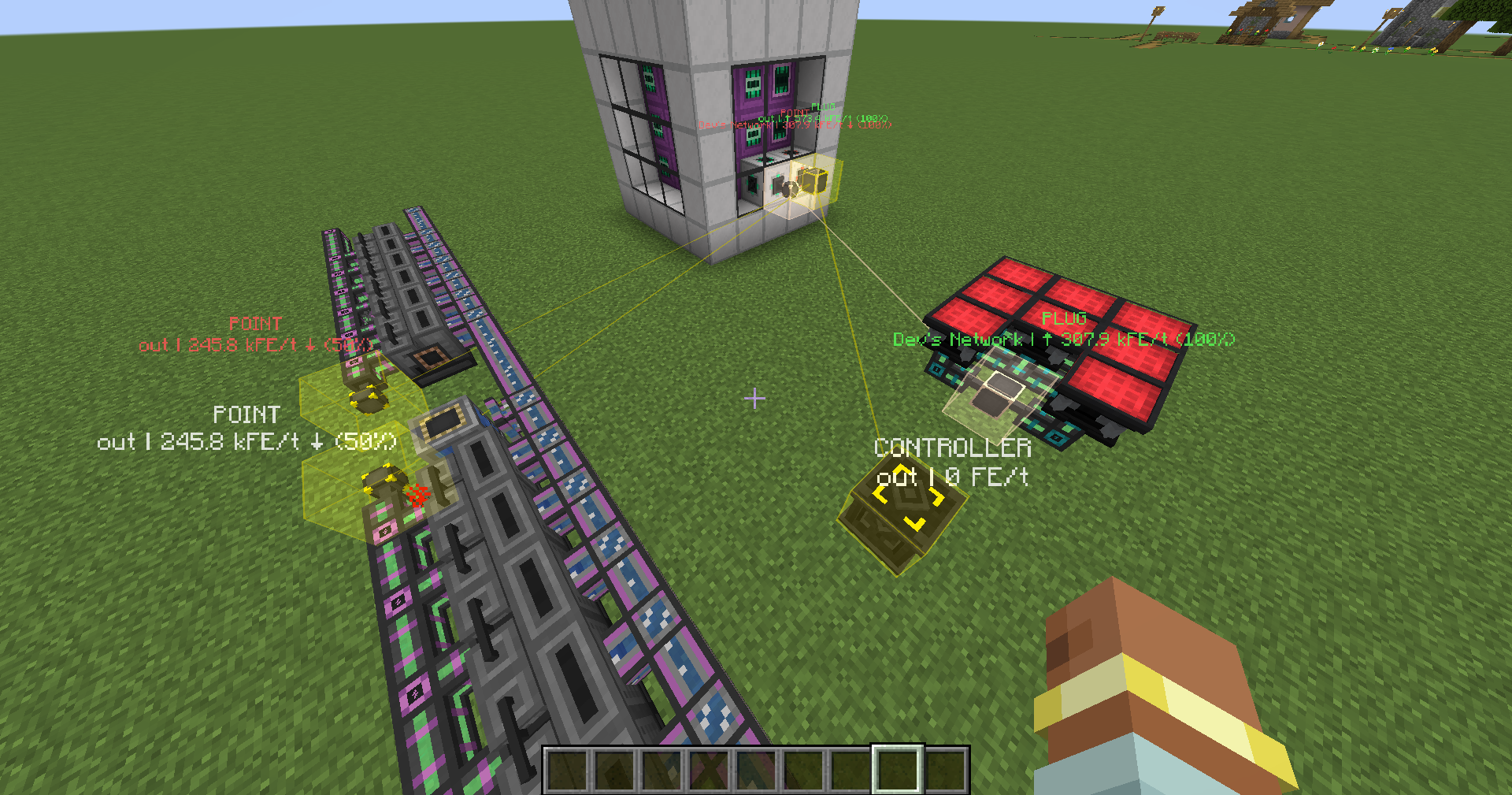
- Device Highlighting — Marks all Flux devices in the scan area with semi-transparent colored blocks and wireframes matching the flux network's color
- Connection Lines — Draws thin colored lines between input points (PLUG) and other devices within the same network, providing a clear visual representation of network topology
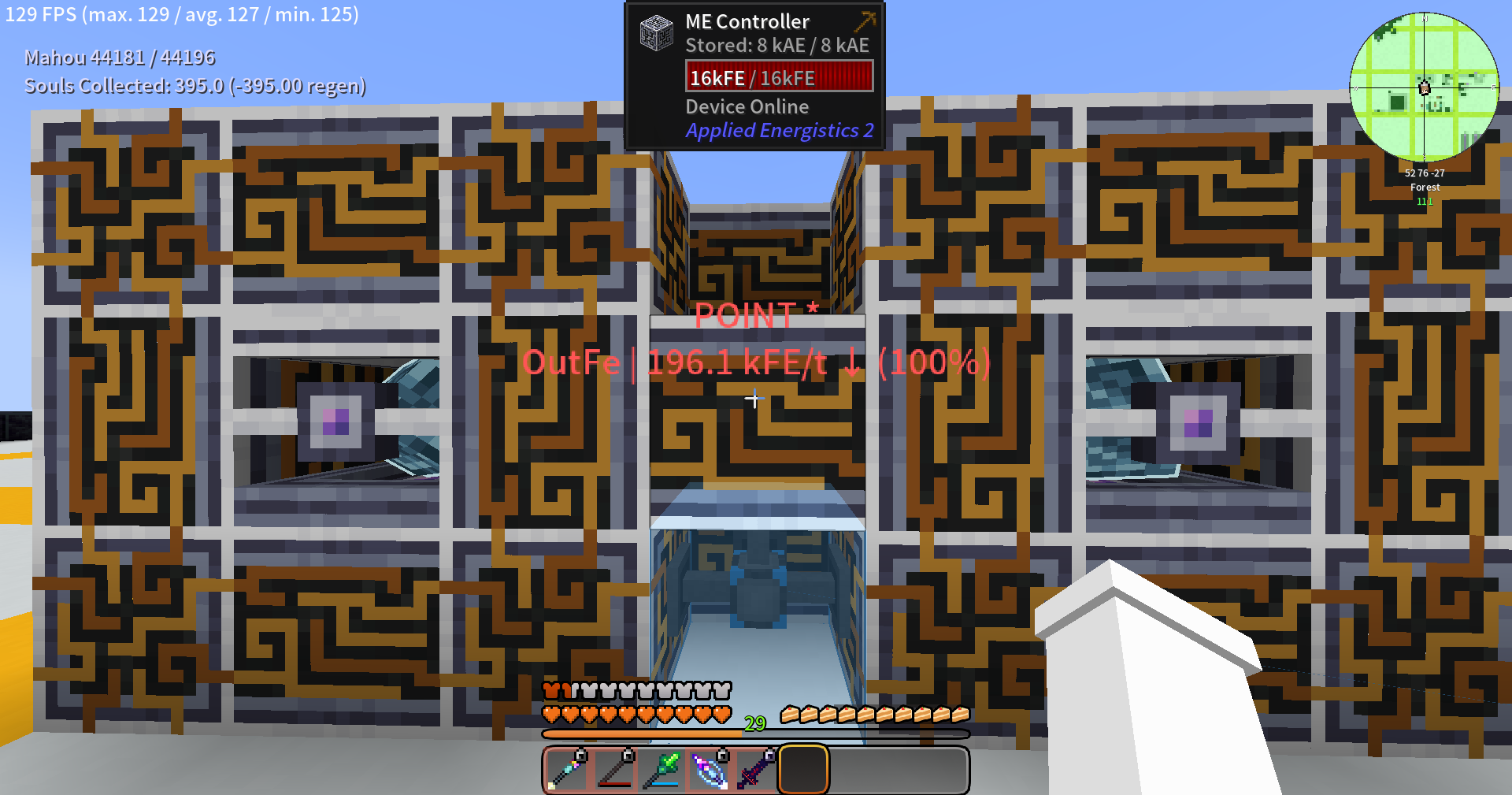
- Info Labels — Displays the device name, network name, energy transfer rate, and network percentage above each device
- Dynamic Refresh — Automatically updates data every 1 second, reflecting energy changes in real time
- Cross-Dimensional Monitoring — Detects and indicates devices in other dimensions within the network, displaying coordinates and chunk loading status
- Color-Coded Hints — Green indicates energy input, red indicates high-percentage output
Commands
| Command | Description |
|---|---|
/ve |
Scans surrounding Flux devices with the default radius |
/ve scan [radius] |
Scans with a specified radius (5~128) |
/ve stop |
Stops the current scan |
/ve duration <seconds> |
Sets the highlight display duration (1~3600 seconds) |
Configuration
Configure via visible_energy-common.toml:
scanRadius— Scan radius, default 32, range 5~128displayDuration— Highlight display duration in seconds, default 30, range 5~300
Visible Energy
A NeoForge addon mod for FluxNetworks that highlights the locations, transfer rates, and network topology of flux network devices in the game world.
Features
- Device Highlighting — Marks all Flux devices in the scan area with semi-transparent colored blocks and wireframes matching the flux network's color
- Connection Lines — Draws thin colored lines between input points (PLUG) and other devices within the same network, providing a clear visual representation of network topology
- Info Labels — Displays the device name, network name, energy transfer rate, and network percentage above each device
- Dynamic Refresh — Automatically updates data every 1 second, reflecting energy changes in real time
- Cross-Dimensional Monitoring — Detects and indicates devices in other dimensions within the network, displaying coordinates and chunk loading status
- Color-Coded Hints — Green indicates energy input, red indicates high-percentage output
Commands
| Command | Description |
|---|---|
/ve |
Scans surrounding Flux devices with the default radius |
/ve scan [radius] |
Scans with a specified radius (5~128) |
/ve stop |
Stops the current scan |
/ve duration <seconds> |
Sets the highlight display duration (1~3600 seconds) |
Configuration
Configure via visible_energy-common.toml:
scanRadius— Scan radius, default 32, range 5~128displayDuration— Highlight display duration in seconds, default 30, range 5~300
Dependencies
- Minecraft 1.21.1
- NeoForge 21.1.234+
- FluxNetworks 8.0.0+
Screenshots
Gallery
-
 PixPin_2026-06-27_02-45-31.jpg PixPin_2026-06-27_02-45-31.jpg
Versions
Files
Relations
Project Relations
More like this
Similar Mods
Suggestions use data such as tags, dependencies, dependents, descriptions, titles, and more to rank how much they overlap with this mod.
On ModDex
Community snapshot
By the numbers
Statistics
Want to reach Minecraft players?
We're looking for a server hosting partner to feature here and other parts of the site. Interested? Send us a message!
Get in touchGet it on
Available Platforms
On ModDex
Community snapshot
By the numbers