
VisualKube
No reviews yet
Visual recipe and loot table editor for Minecraft
Forge is a popular mod loader for versions 1.1+ of Minecraft.
Community voices
Reviews
Click once to include, again to exclude, again to clear
No reviews yet. Be the first to review this project!
Get it on
Available Platforms
 Modrinth
Compatibility
Supported Environments
About
Project Details
For authors
Embed Badge
If you're the author of this project, you can embed a live badge anywhere that supports HTML or Markdown. It updates automatically whenever ratings change.
Use HTML for any page that supports it, or Markdown for README files and Markdown-based descriptions.
Identifiers
Platform IDs
Resources
External Links
About
Description

Visual Kube
Visual Kube is a Forge 1.20.1 mod that brings KubeJS-style datapack editing into an in-game visual interface. Instead of writing recipe and loot table JSON by hand, you can open a UI, select loaded content from Minecraft or any installed mod, edit it visually, and save generated overrides into a datapack.
Developer: w3nnacry
What It Does
Visual Kube is designed as a universal visual editor for modpack creators.
- Edit crafting recipes from Minecraft, datapacks, and loaded mods.
- Read shaped, shapeless, furnace-like, smithing-like, and many custom recipe formats.
- Display recipe ingredients as item icons in a grid.
- Edit recipe ingredients by selecting an item and clicking a slot.
- Change recipe result and result count.
- Disable existing recipes.
- Save recipe replacements into a generated datapack.
- Edit entity loot tables and add new item drops.
- Edit block loot tables and add new item drops.
- Create starter recipe templates.
- Review generated override files.
- Keep all generated changes inside
visualkube_overrides.
Supported Version
- Minecraft: 1.20.1
- Mod Loader: Forge
- Java: 17
How To Install
- Install Minecraft Forge for 1.20.1.
- Download the Visual Kube
.jar. - Put the
.jarinto your Minecraftmodsfolder. - Start the game.
- Open a singleplayer world.
- Press K to open the Visual Kube editor.
How To Use
Open the editor with K while inside a world.
Visual Kube works best in singleplayer or an integrated server because it writes generated datapack files into the current world folder.
Recipes Tab
The Recipes tab scans every loaded recipe from Minecraft, datapacks, and mods.
- Search for a recipe on the left.
- Click a recipe to select it.
- Search/select an item on the right.
- Click a slot in the recipe grid to place the selected item.
- Use Erase to clear slots.
- Use Result <- item to set the recipe output to the selected item.
- Click Apply to apply visual changes in memory.
- Click Save override to write the recipe override.
- Run
/reloadin-game.
Visual Kube saves replacements into:
world/datapacks/visualkube_overrides/data/<namespace>/recipes/<recipe>.json
Entity Drops Tab
The Entity Drops tab scans entity loot tables.
- Pick an entity loot table on the left.
- Pick an item on the right.
- Set chance and count.
- Click Add item drop.
- Click Save loot.
- Run
/reload.
Generated loot table overrides are saved into:
world/datapacks/visualkube_overrides/data/<namespace>/loot_tables/entities/<entity>.json
Block Drops Tab
The Block Drops tab works like Entity Drops, but for block loot tables.
Generated block loot overrides are saved into:
world/datapacks/visualkube_overrides/data/<namespace>/loot_tables/blocks/<block>.json
Templates Tab
The Templates tab creates starter recipe JSON files.
Use it when you want to create a new recipe from scratch, then edit it further after reloading.
Generated templates are saved into:
world/datapacks/visualkube_overrides/data/visualkube/recipes/<name>.json
Changes Tab
The Changes tab lists generated files inside the visualkube_overrides datapack. This helps you see what Visual Kube has already written to your world.
Important Notes
Visual Kube edits datapack data. After saving changes, run:
/reload
Some heavily custom mod recipes may store their visual layout in code instead of JSON. Visual Kube combines raw JSON parsing with Minecraft's loaded RecipeManager data to support as many recipes as possible, but very unusual serializers may still need dedicated adapters.
Current Limitations
- Loot editing currently supports adding item drops. Full visual editing of existing loot pools, conditions, and functions is planned.
- Some complex custom recipes may display as a simplified grid.
- Server use is experimental; world datapack writing is currently focused on singleplayer/integrated server worlds.
For Modpack Creators
Visual Kube is useful when you want to quickly prototype balance changes:
- replace expensive recipe ingredients;
- disable duplicate mod recipes;
- add custom mob drops;
- add custom block drops;
- create starter recipes without hand-writing JSON.
All changes are saved as datapack overrides, so they can be inspected, backed up, copied, or shipped with a modpack.
Screenshots
Gallery
-
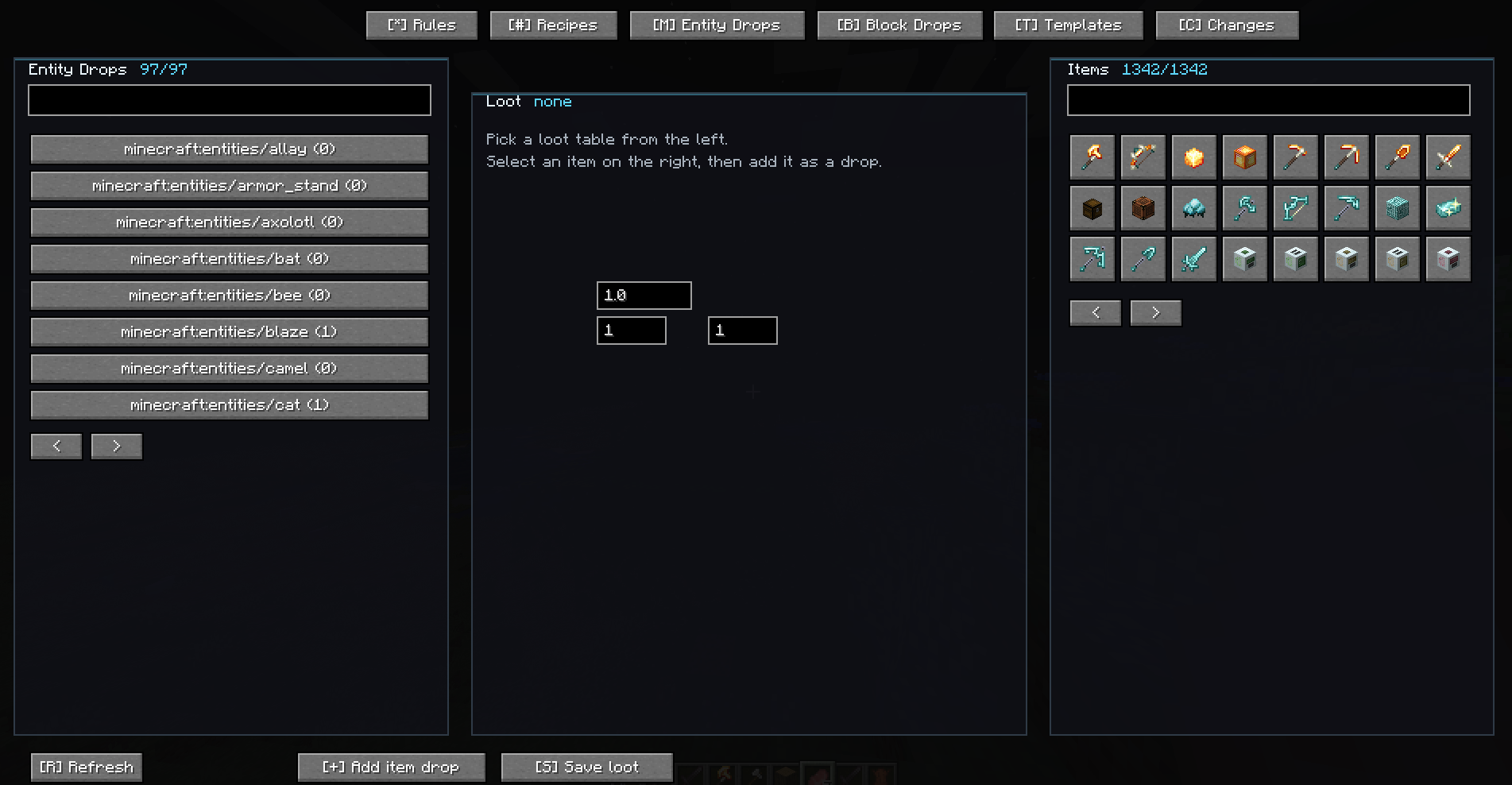 Entity Drop
 -
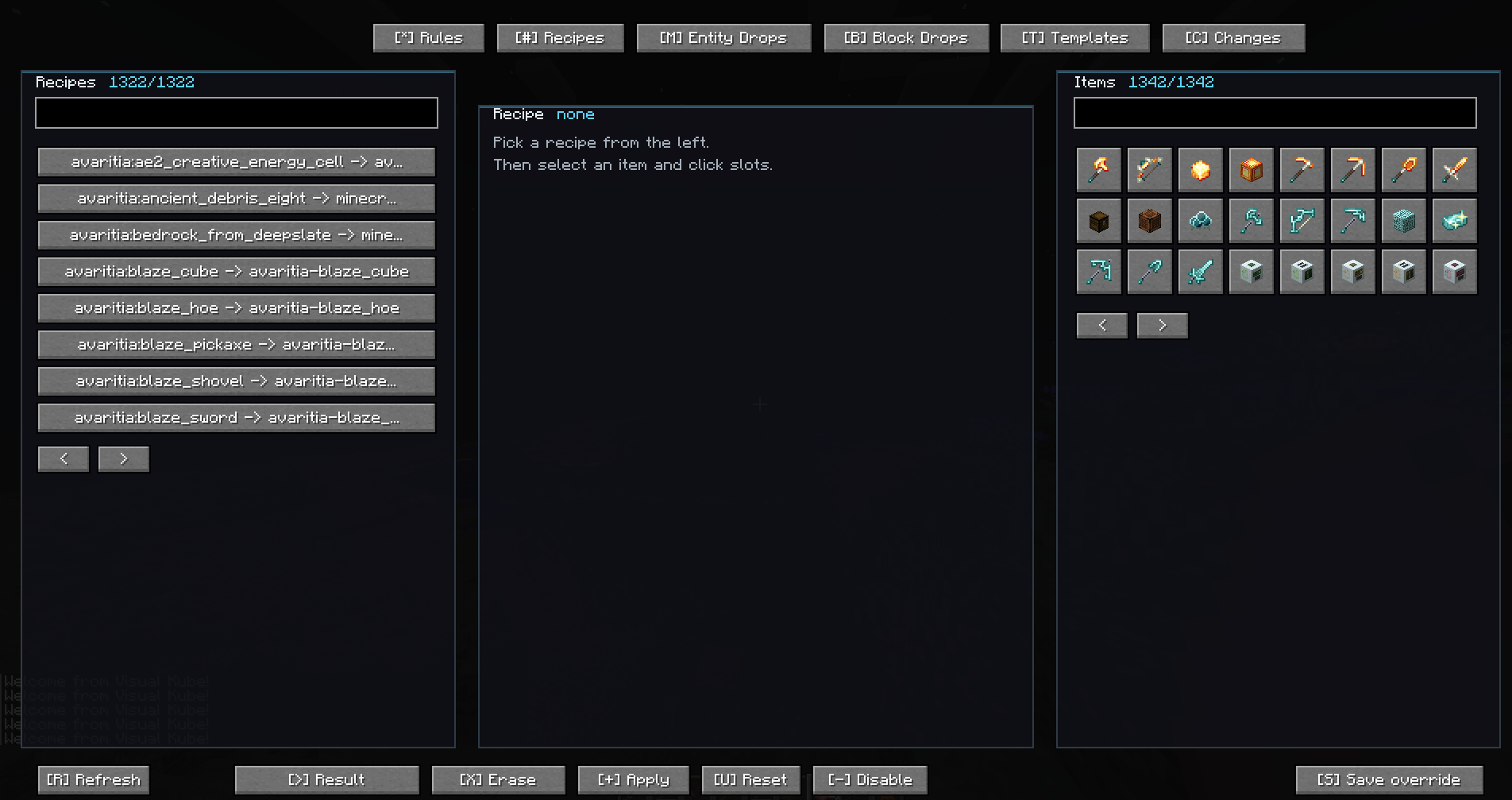 Menu
Menu -
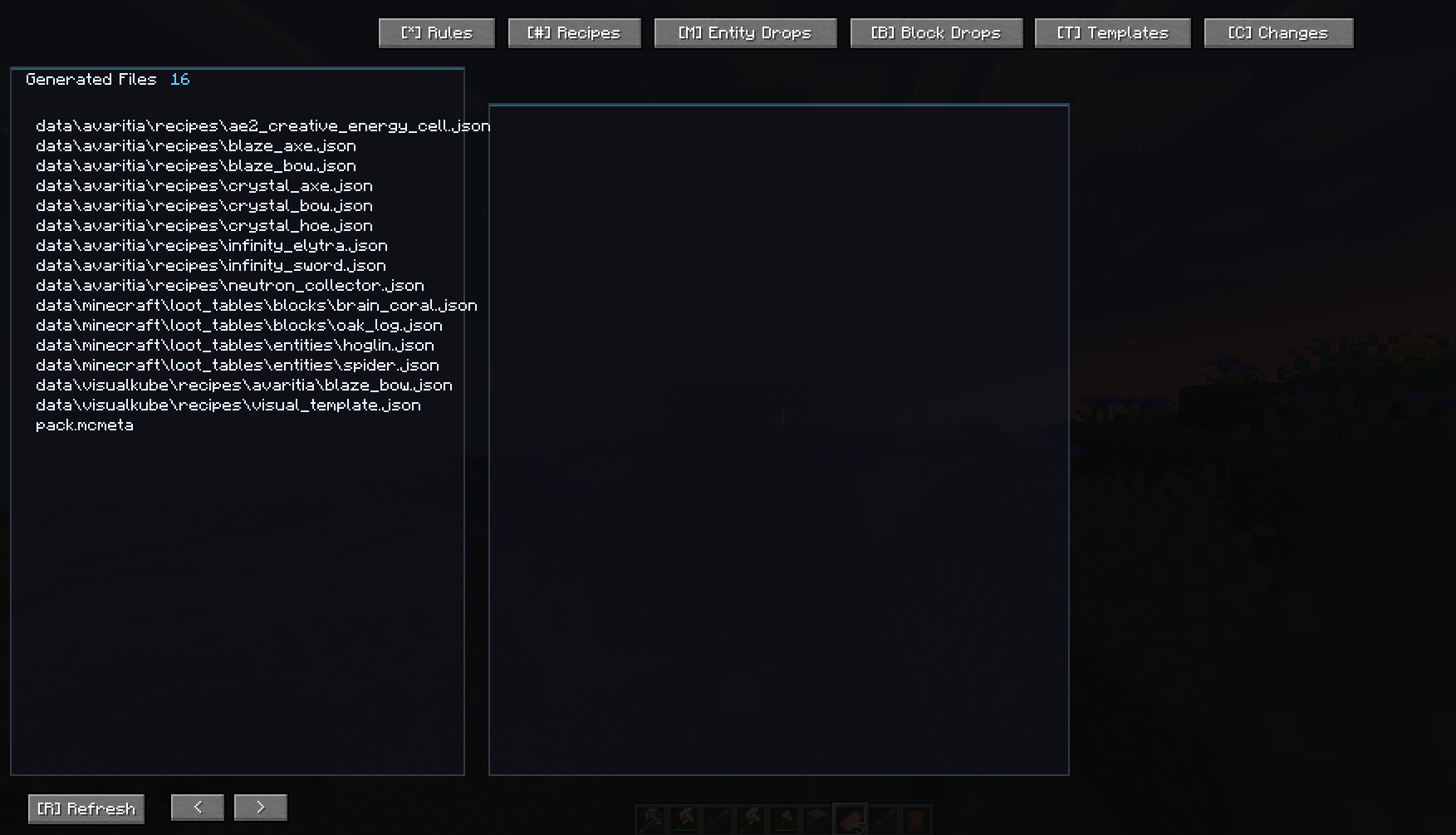 Log
Log -
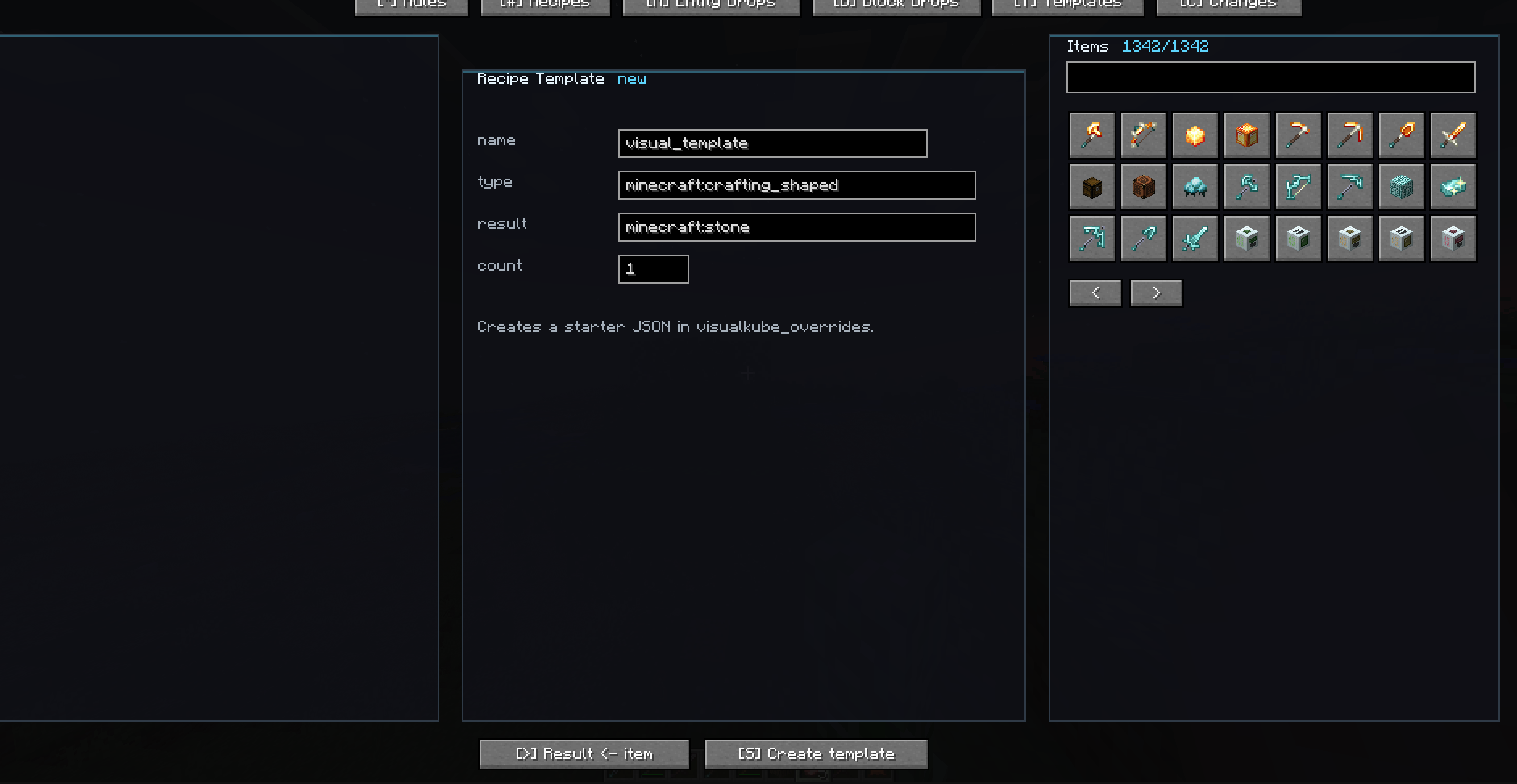 Block Drop
Versions
Files
Relations
Project Relations
More like this
Similar Mods
Suggestions use data such as tags, dependencies, dependents, descriptions, titles, and more to rank how much they overlap with this mod.
On ModDex
Community snapshot
By the numbers
Statistics

Want to reach Minecraft players?
We're looking for a server hosting partner to feature here and other parts of the site. Interested? Send us a message!
Get in touchGet it on
Available Platforms
On ModDex
Community snapshot
By the numbers
Statistics
Resources