
Vivecraft Theater Mode
No reviews yet
Brings back Bedrock VR theater mode to Minecraft: Java Edition, powered by Vivecraft!
Fabric is a mod loader for versions 1.14+ of Minecraft, particularly popular for client side and optimization mods.
Community voices
Reviews
Click once to include, again to exclude, again to clear
No reviews yet. Be the first to review this project!
Get it on
Available Platforms
 Modrinth
Compatibility
Supported Environments
About
Project Details
For authors
Embed Badge
If you're the author of this project, you can embed a live badge anywhere that supports HTML or Markdown. It updates automatically whenever ratings change.
Use HTML for any page that supports it, or Markdown for README files and Markdown-based descriptions.
Identifiers
Platform IDs
About
Description
Vivecraft Theater Mode
Vivecraft Theater Mode brings back the GearVR Editions-style Theater view for Vivecraft. Instead of floating menus and a standard VR layout, it recreates a more cinematic panel in front of you, closer to the Theater mode shown in the GearVR editions era:
This mod is made for players who want Vivecraft to feel more like a flat, front-facing cinema screen while still keeping VR support and Vivecraft's normal menu flow.
What It Does
- Adds a Theater play mode to Vivecraft
- Renders the game on a large front-facing screen
- Keeps the view comfortable and centered for seated-style play
- Preserves normal gameplay and menu interaction
- Includes controller-friendly GUI support
Controller Mod Support
This mod is tested with Controlify, so you can navigate Theater menus with a controller—not just mouse and keyboard.
Other controller mods may work too, but Controlify is the one I have tested against.
Requirements
- Minecraft
1.21.5 - Fabric Loader
- Fabric API
- Vivecraft
How To Use
- Install the mod alongside Vivecraft.
- Start the game and open Vivecraft's VR settings.
- Use the play mode button until it reaches Theater.
- Play normally in VR with the Theater view enabled.
The selected play mode is saved between launches.
Notes
- This mod is a compatibility/add-on mod for Vivecraft, not a standalone VR replacement.
- If you use Controlify, make sure it is configured and actively controlling input when you want controller cursor behavior in Theater screens.
Screenshots
Gallery
-
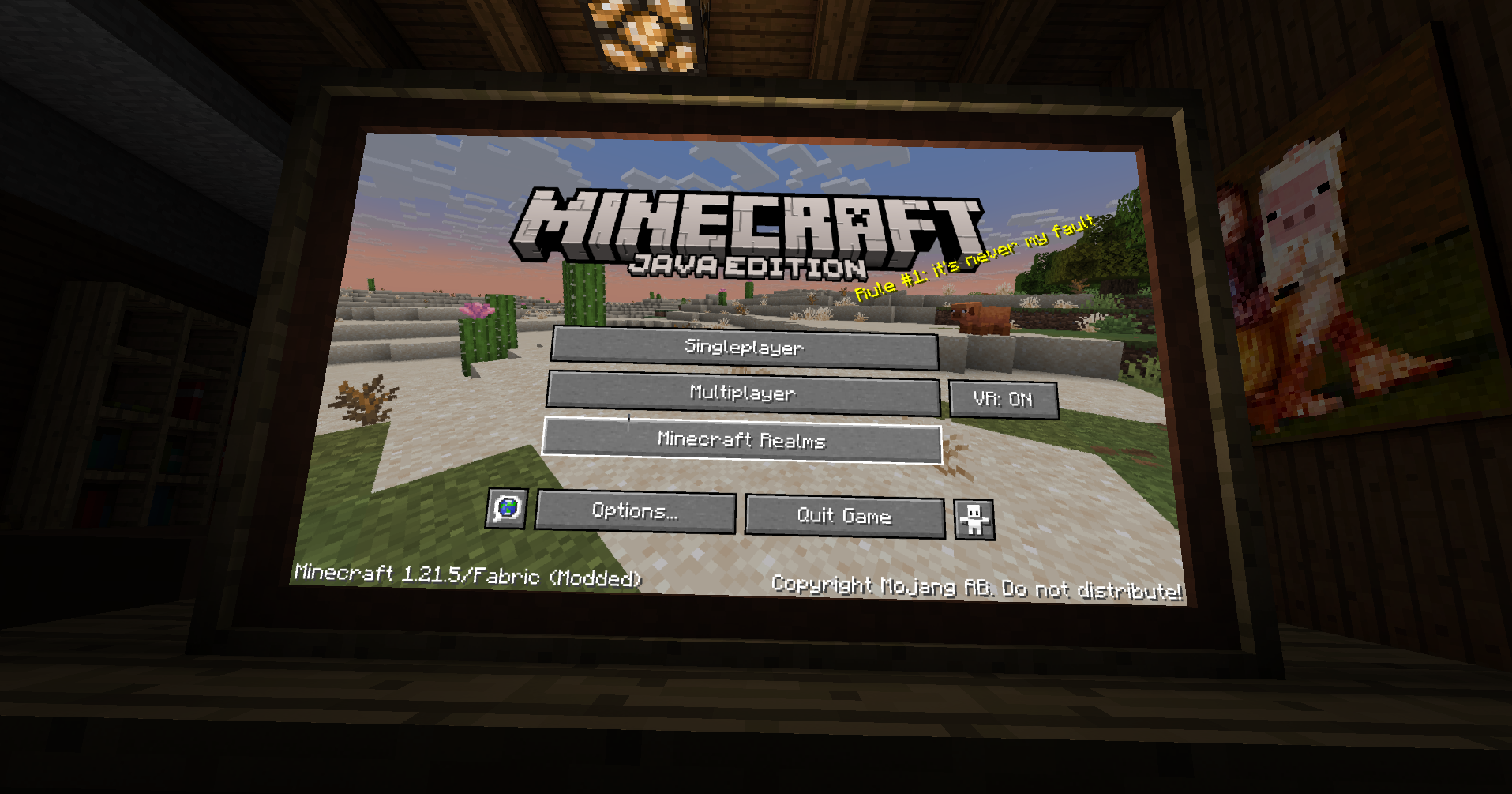 The Minecraft: Java Edition screen in the 3D environment
Versions
Files
Relations
Project Relations
More like this
Similar Mods
Suggestions use data such as tags, dependencies, dependents, descriptions, titles, and more to rank how much they overlap with this mod.
On ModDex
Community snapshot
By the numbers
Statistics

Want to reach Minecraft players?
We're looking for a server hosting partner to feature here and other parts of the site. Interested? Send us a message!
Get in touchGet it on
Available Platforms
On ModDex
Community snapshot
By the numbers