
Community listing page, reviews here may not be monitored by the author.
ViveMonkeCraft


No reviews yet
Gorilla Tag–style VR locomotion for Minecraft 1.21.4-26.2 Grab the world with your hands and swing, climb, and fling yourself through it — no joystick required.
Community voices
Reviews
No reviews yet. Be the first to review this project!
Get it on
Available Platforms
Compatibility
Supported Environments
Must be installed on both the client and the server.
About
Project Details
For authors
Embed Badge
If you're the author of this project, you can embed a live badge anywhere that supports HTML or Markdown. It updates automatically whenever ratings change.
Use HTML for any page that supports it, or Markdown for README files and Markdown-based descriptions.
Identifiers
Platform IDs
About
Description
🦍 ViveMonkeCraft
Minecraft 1.21.4-1.21.8 · Fabric · QuestCraft / Vivecraft 1.2.X Only
Minecraft 1.21.9 - 26.2 · Fabric · PCVR /ViveCraft 1.3.X only
What It Does
ViveMonke(Quest)Craft brings Gorilla Tag-style locomotion to QuestCraft/Vivecraft 1.2.x. Grab walls, floors, and ceilings with your VR controllers, then physically push and pull yourself through the world. Releasing your grip while moving quickly converts your momentum into a jump.
Intended Experience
ViveMonkeCraft is inspired by Gorilla Tag locomotion but adapted for Minecraft's physics, collision system, and world scale. As a result, movement will feel similar in concept but not identical to Gorilla Tag.
✨ Features
- Gorilla Tag-style hand-grab locomotion
- Physical climbing, swinging, and wall push-off
- Momentum-based throw/jump on release
- Two physics modes: stable Speed-based (default) and GT-Physics (Beta), a faithful anchor-based port of the official GorillaLocomotion algorithm
- Real Monke: shrink your collision box to fit through 1-block tunnels (client + server enforced)
- Monke Model: render players legless with a tunable torso/arms/head, synced so everyone with the mod sees it
- Hand-model clamping: your hands plant on the block surface instead of sinking in
- Step assist: instant step-up onto ledges, or the classic upward boost
- Ice wall & ice floor physics (with an experimental "ice floor acts like ice wall" toggle)
- Adjustable gravity (zero-G capable) and air/ground/floor friction
- VR comfort vignette + grip smoothing (motion-sickness reduction)
- Optional lowered camera so your hand hitboxes line up with your real hands
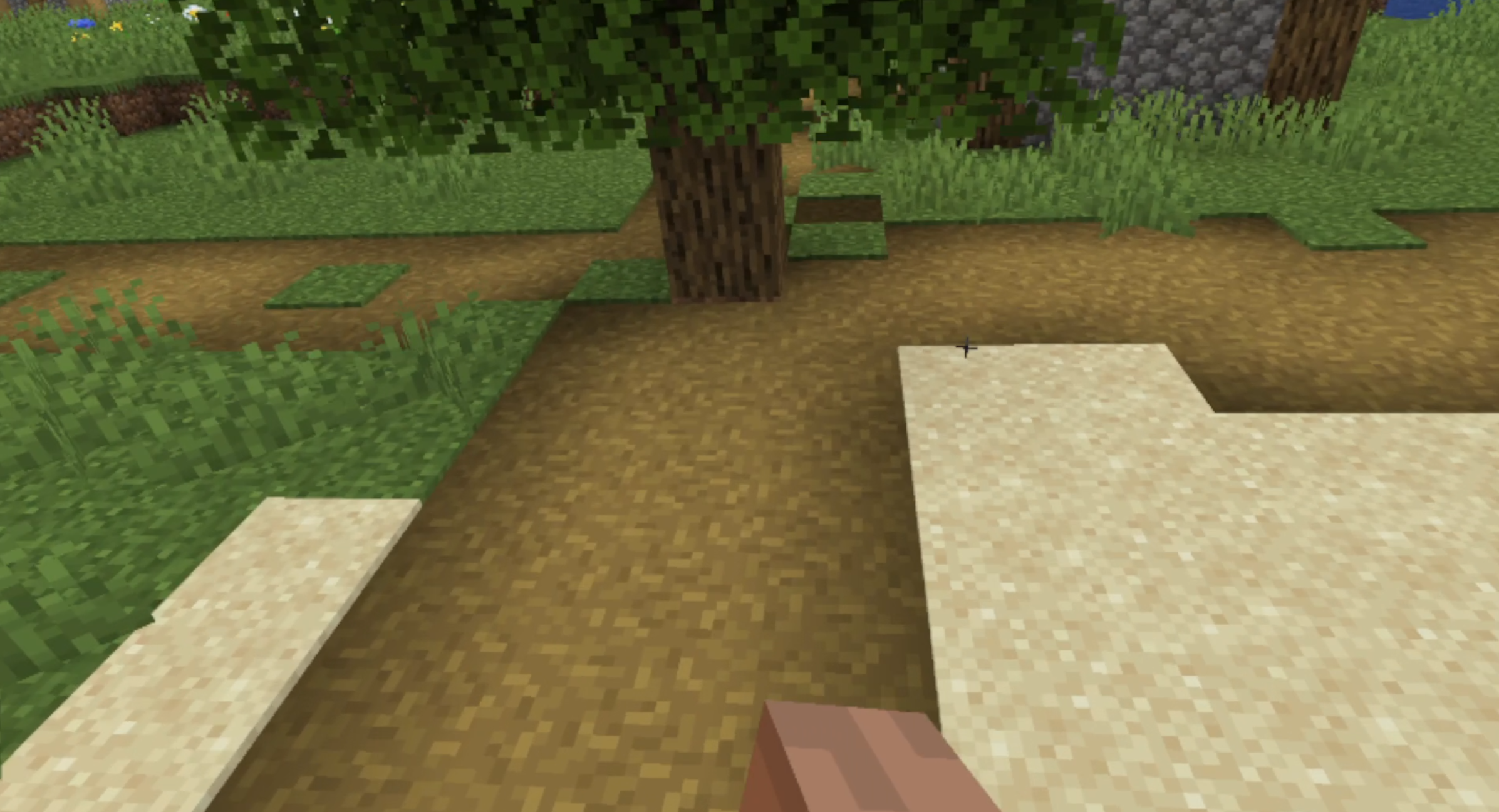
- Hand-hitbox markers (green/red) for learning the grab range
- Barrier blocks are invisible to the mod, so admins can wall off areas
- Built-in presets: Tutorial, Default, Long Arms, Zero Gravity, Speed Run
- Configure every setting in-game with
/vmc set, no Mod Menu/Cloth needed - Auto-applies the Default preset on first launch
🖥️ Compatibility
- Minecraft 1.21.4
- Fabric Loader 0.19.3
- QuestCraft
- Vivecraft 1.2.x
Not compatible with:
- Non-VR gameplay other than seeing your friends without legs
- Other Minecraft versions
- Other Vivecraft major versions
The mod automatically disables itself when VR is not active.
🎮 Platform notes
- QuestCraft / Vivecraft 1.2.x only: On non-VR clients the mod detects VR is inactive and does nothing except show other player models without legs.
- Cloth Config and Mod Menu are optional soft dependencies. Without them, use
/vmc setor edit the.propertiesfile.
Multiplayer
- Singleplayer & "Open to LAN" / Essential works with just this client mod; a LAN host automatically authorizes guests, no extra files for anyone.
- Dedicated servers: the mod stays off until the server installs the companion ViveMonke server mod. This is a deliberate server-side opt-in, so it can't be used on servers that haven't allowed it.
💡 Server Control 💡
The companion server mod lets admins fully disable the mod, set hard speed caps (enforced server-side), choose which op level bypasses limits, and raise the allowed limits for everyone (push strength, reach, gravity, etc.). Players without cheats/operator access are otherwise clamped to safe defaults, so editing the config can't gain an unfair edge.
📐 e = ∑∞ⁿ⁼⁰ ¹ₙ 🤓 Movement physics
| Feature | Detail |
|---|---|
| Grab detection | Hand touch sphere (radius 0.12 blocks) extended by handReachMultiplier so you can reach surfaces without fully reaching in real life |
| Swing measurement | Uses your real hand position (not the extended one) so reach doesn't make motion twitchy |
| Pull strength | Configurable (Default ≈ 2.5×). Swing a little, move more. Ignored in GT-Physics anchor mode, which is always 1:1 |
| GT-Physics (Beta) | Hands anchor in world space and your body is dragged to keep them planted; tunable drag gain, push strength, unstick distance, ice slip |
| Throw / jump | On release, if averaged swing speed > threshold, you're flung at swing × jumpMultiplier, hard-capped at maxJumpSpeed |
| Grip smoothing | Low-pass filter on grip velocity to kill VR tracking noise and reduce motion sickness |
| Wall slide | Low wall-stickiness slides you down; the slide ramps in over ~½ s so quick pushes keep momentum but you can't hover one-handed |
| Floor stickiness | 1.0 = stop dead on contact, 0.0 = full momentum kept |
| Ground / air friction | Tunable; air friction 0.0 = launches carry speed indefinitely |
| Gravity multiplier | Scales gravity while not gripping. 0.0 = zero-G float; op-locked via /vmc gravity |
| Step assist | Clears ledges while moving: instant step-teleport onto the block, or an upward boost |
| Real Monke | Collision box capped to 0.5 blocks (1-block tunnels) without shrinking your model, width, or reach |
| Barriers | Barrier blocks are invisible to the mod, so you can barricade areas it can't bypass |
| GUI guard | Opening any menu (inventory, chat, settings) fully suspends locomotion so you never drift |
🧊 Ice Physics
- Ice is grabbable on all faces but too slippery to climb. You slide off rather than stick.
- Ice walls/ceilings can be pushed off for momentum, but not used as reliable climbing surfaces.
- Ice is frictionless with a speed cap of
player speed × 0.4. - Experimental: an option to make ice floors behave like ice walls (pure push-off, no glue).
🛠️ Configuration
Three ways to change settings. All write to the same .minecraft/config/vivemonkecraft.properties file:
Mod Menu + Cloth Config: full slider/toggle screen from the Mods list, organized into Presets, Movement, GT-Physics, Reach & Body, Jump & Gravity, and Visual pages. Includes the preset dropdown.
/vmc set <setting> <value>: change any setting by name in-game (tab-completes). Works without Mod Menu or Cloth Config.Edit the
.propertiesfile directly, then run/vmc reload(or toggle the mod off/on).
Presets: Tutorial (easiest to move), Default, Long Arms, Zero Gravity, Speed Run. Selectable in-game; the Default preset is applied automatically on first launch.
🥽 QuestCraft Installation
- Use the QuestCraft built-in mod loader.
- With files: use SideQuest and drop this mod into the
modsfolder.
📥 PC Vivecraft Installation
- Install Minecraft 1.21.4.
- Install Java 21.
- Install Fabric Loader 0.19.3.
- Install Vivecraft 1.2.x.
- Place ViveMonke(Quest)Craft in your
modsfolder. - (Optional) Install Mod Menu and Cloth Config for the graphical settings menu.
- Launch the game in VR.
Commands
| Command | Effect |
|---|---|
/vmc |
Toggle the mod on/off |
/vmc on / /vmc off |
Enable / disable explicitly |
/vmc set &lt;setting&gt; &lt;value&gt; |
Change any setting in-game (tab-completes) |
/vmc reload |
Reload the config file |
/vmc gravity &lt;0–1&gt; |
Change gravity multiplier live (operator-gated) |
You can also bind a "Toggle" key (unbound by default) in Controls or a Vivecraft radial-menu slot.
Credits
| Credits |
|---|
| LaggyBoi |
| Claude Code is heavily used in this project |
Open Sourced Project Credits & License
| OpenSourceCredits | License |
|---|---|
| Kerestell Smith/Another Axiom, Another-Axiom/GorillaLocomotion | MIT |
| unbaswastaken, gorillalocomotion-VR-MINECRAFT its in the zip file | MIT |
| Vivecraft team, VivecraftMod | LGPLv3 |
ViveMonkeCraft
What it does
Its a Mod that adds Similar style of locomotion to Minecraft that gorilla tag uses
Feature list
- Gorilla Tag-Styled Locomotion
- Adjustable Settings of the whole mods Values
- Ice Physics (Clunky)
- built in presets
Supported
- Questcraft
- PCVR
Stuff you need for this mod function Correctlly
- Mod Menu
- Cloth Config
- Vivecraft
Reason for Its existence
Becouse no one else Had made one but i want to play minecraft VR with my favorite locomotion system in VR so i made one Then published for anyone else who wants to use it
Important AI Use Note
Claude was heavily used in making of this project so if you dislike AI Half Vibe coded projects dont download this Becouse its almost 45% - 60% VibeCoded and update Ports are fully done with Claude Becouse i dont have time becouse of school
Screenshots
Gallery
-
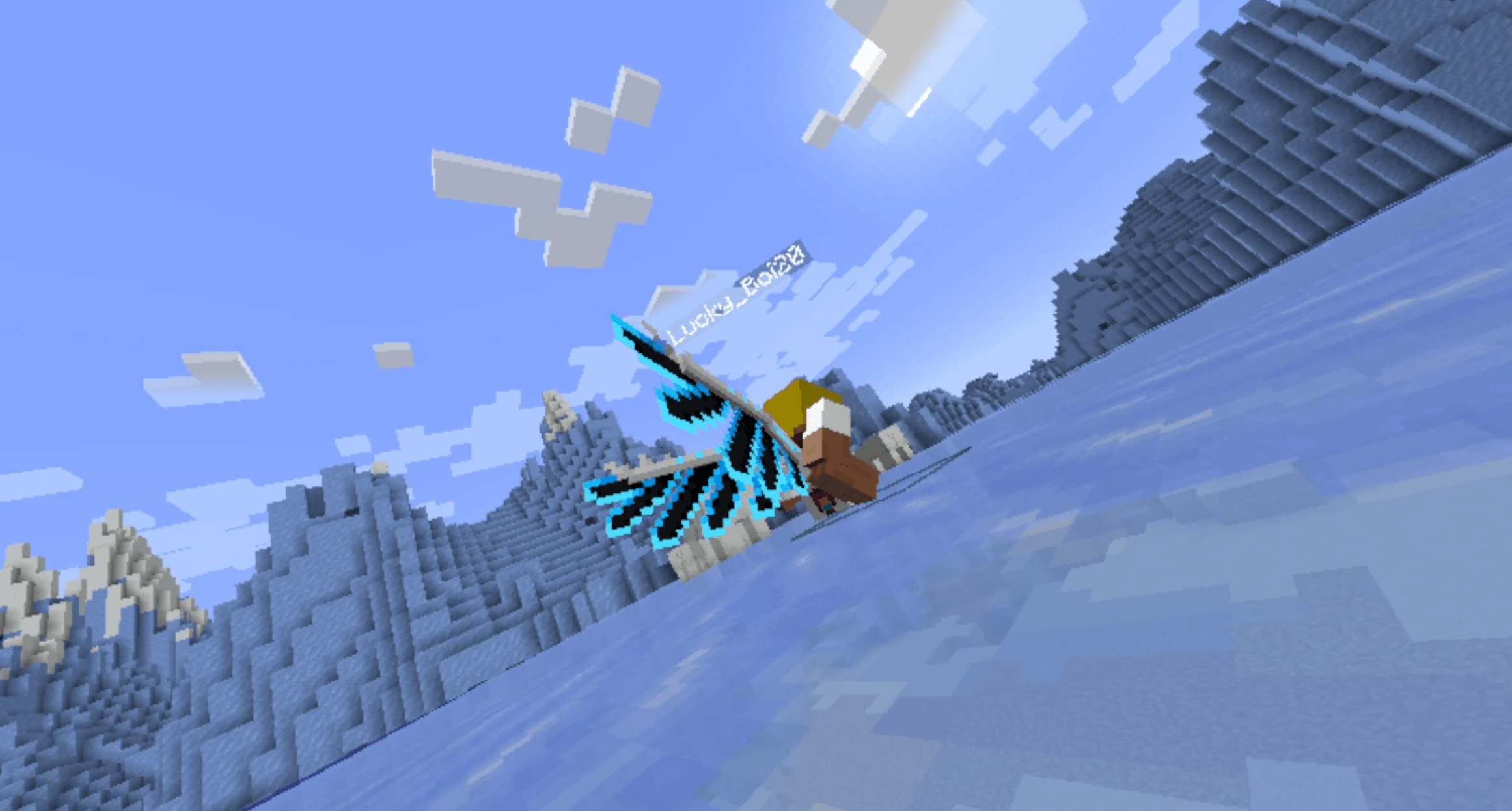 2026-06-13 15-54-00.mp4 - VLC mediasoitin 13.6.2026 16.11.07.png 2026-06-13 15-54-00.mp4 - VLC mediasoitin 13.6.2026 16.11.07.png
-
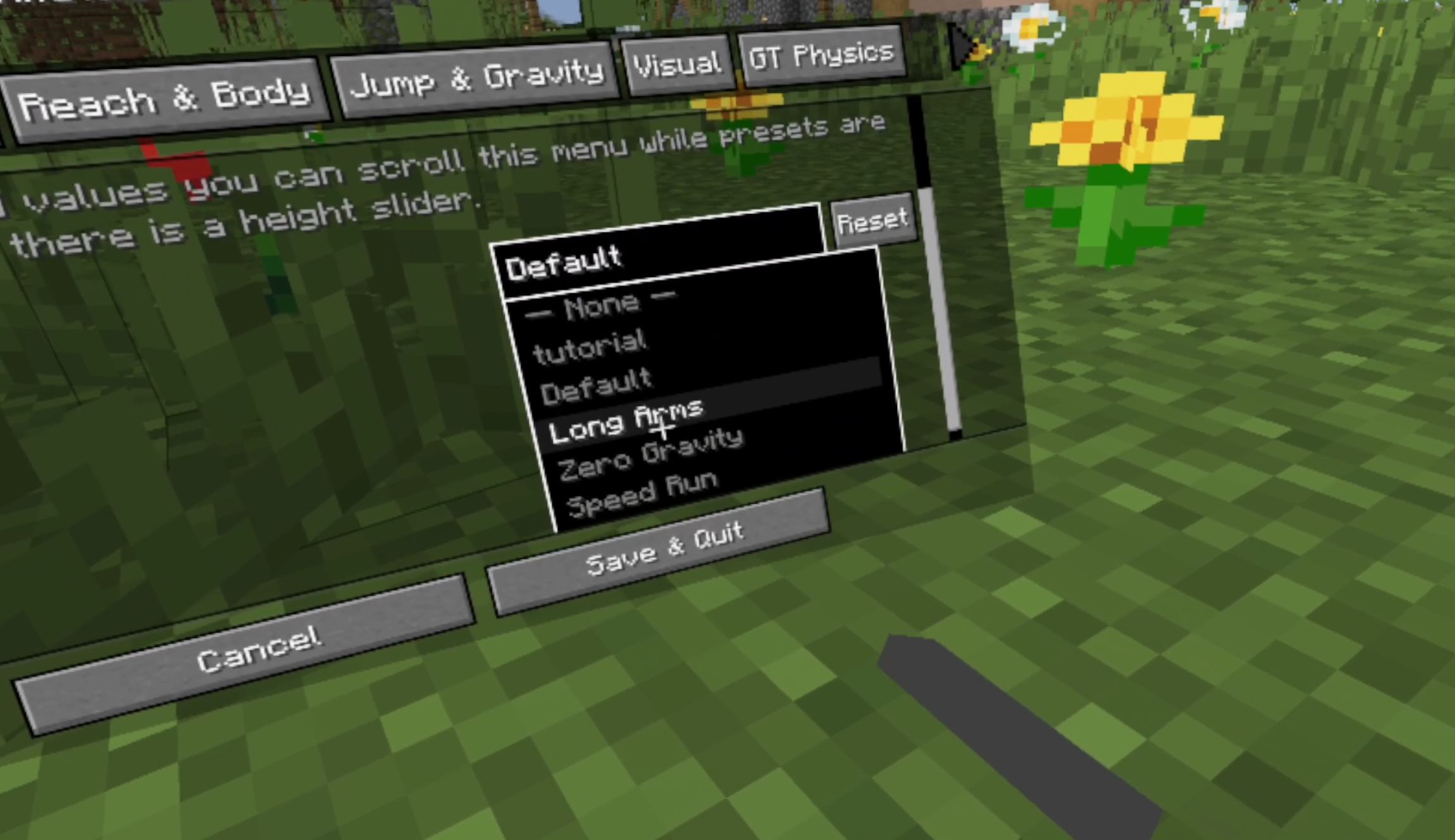 Editing Movements Edit Almost everything to your'e hearts contents
 -
 Monke-h
 -
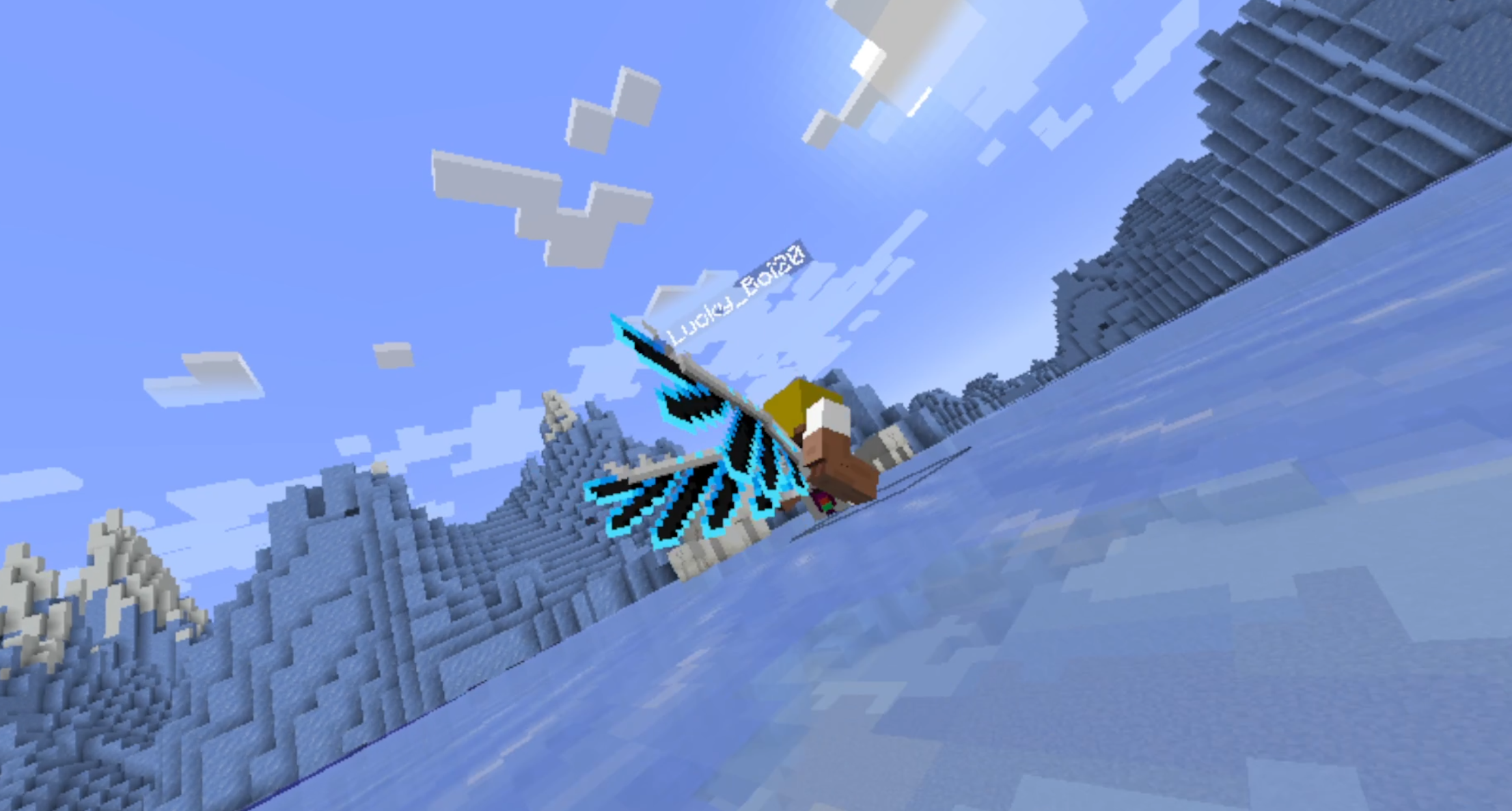
 In the air
 -
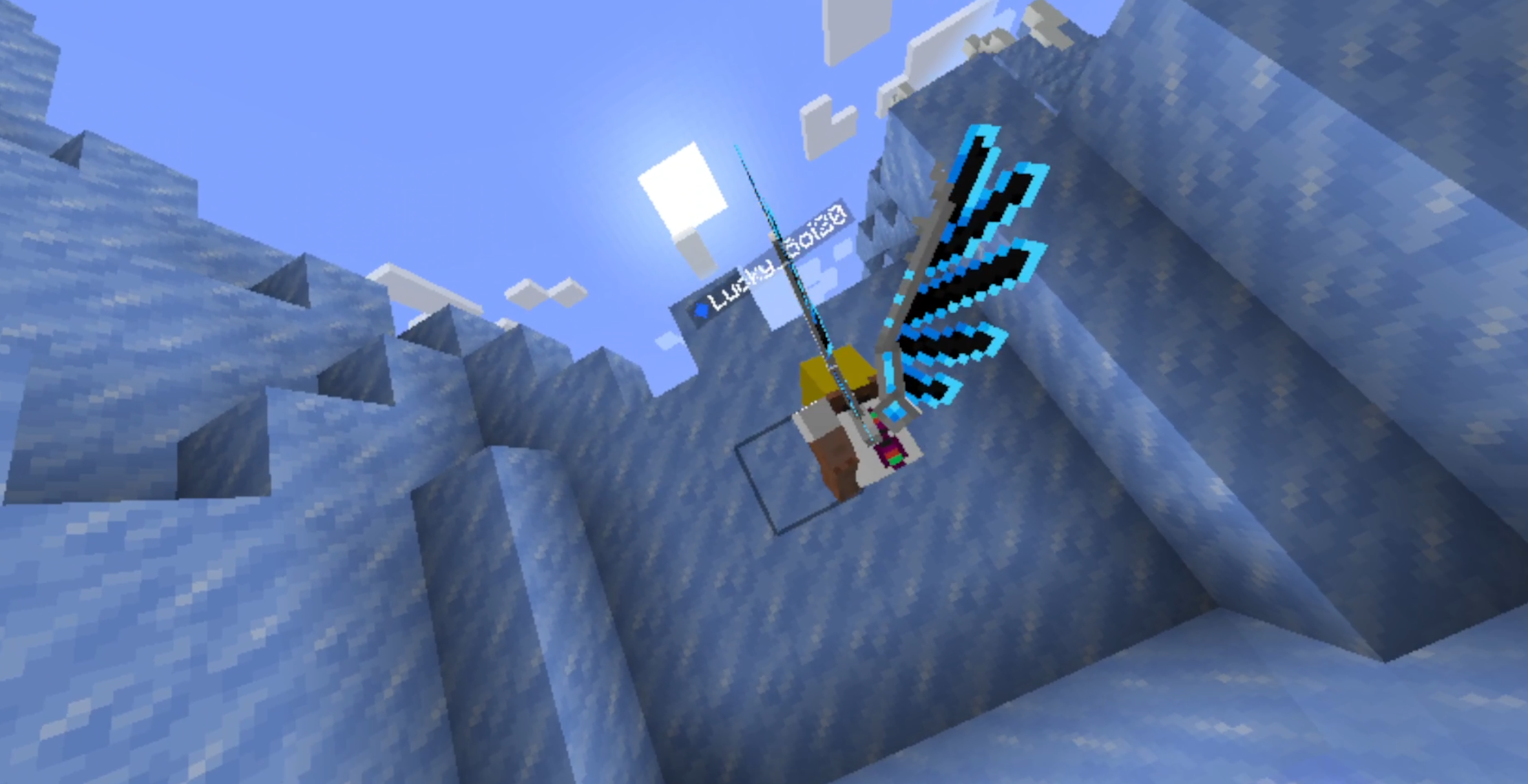 Ice walls = Slippy Walls Slippery
Versions
Files
Relations
Project Relations
More like this
Similar Mods
Suggestions use data such as tags, dependencies, dependents, descriptions, titles, and more to rank how much they overlap with this mod.
On ModDex
Community snapshot
By the numbers
Statistics
Want to reach Minecraft players?
We're looking for a server hosting partner to feature here and other parts of the site. Interested? Send us a message!
Get in touchGet it on
Available Platforms
On ModDex
Community snapshot
By the numbers