
VoxelClient
No reviews yet
This is the offical modrinth page for the voxelclient
Enhances game performance and optimizes resource usage.
Fabric is a mod loader for versions 1.14+ of Minecraft, particularly popular for client side and optimization mods.
Community voices
Reviews
Click once to include, again to exclude, again to clear
No reviews yet. Be the first to review this project!
Get it on
Available Platforms
 Modrinth
Compatibility
Supported Environments
About
Project Details
For authors
Embed Badge
If you're the author of this project, you can embed a live badge anywhere that supports HTML or Markdown. It updates automatically whenever ratings change.
Use HTML for any page that supports it, or Markdown for README files and Markdown-based descriptions.
Identifiers
Platform IDs
About
Description
VoxelClient
A Fabric client mod for Minecraft 1.21.4 with a custom HUD, zoom, freelook, cosmetics, utility features, and many quality-of-life improvements.
📥 Installation
Automatic (recommended)
- Download the installer → Releases
- Run
voxelclient-installer.exe - Select your desired
mods/folder (detected automatically) - Click "Install Now"
- Launch Minecraft with the Fabric Launcher
The installer automatically downloads the latest version and the required Fabric API.
Manual
- Install Fabric Loader ≥ 0.16
- Download Fabric API
- Download the latest
voxelclient-x.x.x.jarfrom Releases - Place both
.jarfiles in.minecraft/mods/ - Launch Minecraft 1.21.4
✦ Features
📊 Custom HUD
A clean, customizable in-game display:
- FPS Counter
- XYZ Coordinates
- Facing Direction
- Armor Display
- Speedometer
- Ping Display (color-coded)
- CPS Counter (LMB / RMB)
- Keystrokes Overlay (WASD, SPACE, LMB, RMB)
All HUD elements can be freely repositioned.
🖱️ HUD Editor
Under Settings → UI → HUD Editor you can:
- Drag and drop all HUD elements
- Save positions permanently
- Customize the layout individually
Saved to: voxelclient/hud_position.json
All UI screens also feature a modern Fade + Slide Animation (250ms, easeOutCubic).
🎮 Gameplay Features
🏃 Toggle Sprint
Keep sprint permanently active (default: R).
Disables automatically when stopping.
🕵️ Toggle Sneak
Keep sneak permanently active (key configurable).
🧭 Snap Look
Snaps your camera to the nearest 45° angle:
N, NE, E, SE, S, SW, W, NW
(Key configurable)
🔍 Smooth Zoom
Smooth zoom-in with a cinematic easing effect.
Fine-tune zoom strength with the scroll wheel.
Default key: C
👁️ Freelook
Rotate the camera independently of the player model — ideal for PvP, exploration, and cinematics.
Default key: Left Alt
📍 Waypoint System
Save and manage waypoints directly in-game.
- Create & delete waypoints
- Direction indicator on screen edge
- Manage under Settings → Utility → Waypoints
Saved to: voxelclient/waypoints.json
☠ Death Waypoint
A waypoint is automatically created upon death:
- Saves coordinates + timestamp
- Up to 10 death waypoints stored
🛡️ Armor Durability Warning
- Shows durability of all armor pieces
- 🟠 Orange below 50%
- 🔴 Red below 20%
📊 CPS Counter
Shows clicks per second for:
- LMB
- RMB
Based on a 1-second sliding window.
🌐 Ping Display
Shows current server ping:
- 🟢 Green < 50ms
- 🟡 Medium
- 🔴 Red > 300ms
⌨️ Keystrokes Overlay
Animated display of:
- W, A, S, D
- SPACE
- LMB
- RMB
Default position: bottom right
Freely movable in the HUD Editor.
💬 Chat Timestamps
Automatically prepends a timestamp to every message: [HH:mm] Message
🎭 Cosmetics
Load your own cape via any PNG URL.
The cape is loaded asynchronously without delaying game startup.
✦ Player Badges
A badge appears before every player name:
- Gray
✦→ regular player - Dark Red
✦→ VoxelClient Creator
Visible in:
- The tab list
- Above the player's head
⚙️ Settings GUI
A modern in-game menu with tab navigation.
- All features configurable
- JSON-based storage
- Utility, UI, and Gameplay sections
Default key: Right Shift
🔔 Auto-Updater
Automatically checks for a new version on startup.
- Golden banner on the main menu
- Direct link to the download page
- Press
Uto open the update page
🎮 Discord Rich Presence
Shows your current status in Discord:
- Main Menu
- Singleplayer
- Multiplayer
- Realms
Server logos are displayed automatically.
⌨️ Keybinds (Default)
| Function | Key |
|---|---|
| Open Settings | Right Shift |
| Zoom | C (hold) |
| Freelook | Left Alt (hold) |
| Toggle Sprint | R |
| Open Update Page | U |
| Snap Look | configurable |
| Toggle Sneak | configurable |
All keys can be freely remapped under
Minecraft → Options → Controls → VoxelClient
📋 Requirements
| What | Version |
|---|---|
| Minecraft | 1.21.4 |
| Fabric Loader | ≥ 0.16 |
| Fabric API | 1.21.4 |
| Java | 21+ |
🏗️ Build It Yourself
git clone https://github.com/VoxelLabs-Minecraft/voxelclient.git
cd voxelclient
./gradlew build
# → build/libs/voxelclient-x.x.x.jar
Run the client directly:
./gradlew runClient
📄 License
MIT License — see
https://github.com/VoxelLabs-Minecraft/voxelclient/blob/main/LICENSE.txt
Screenshots
Gallery
-
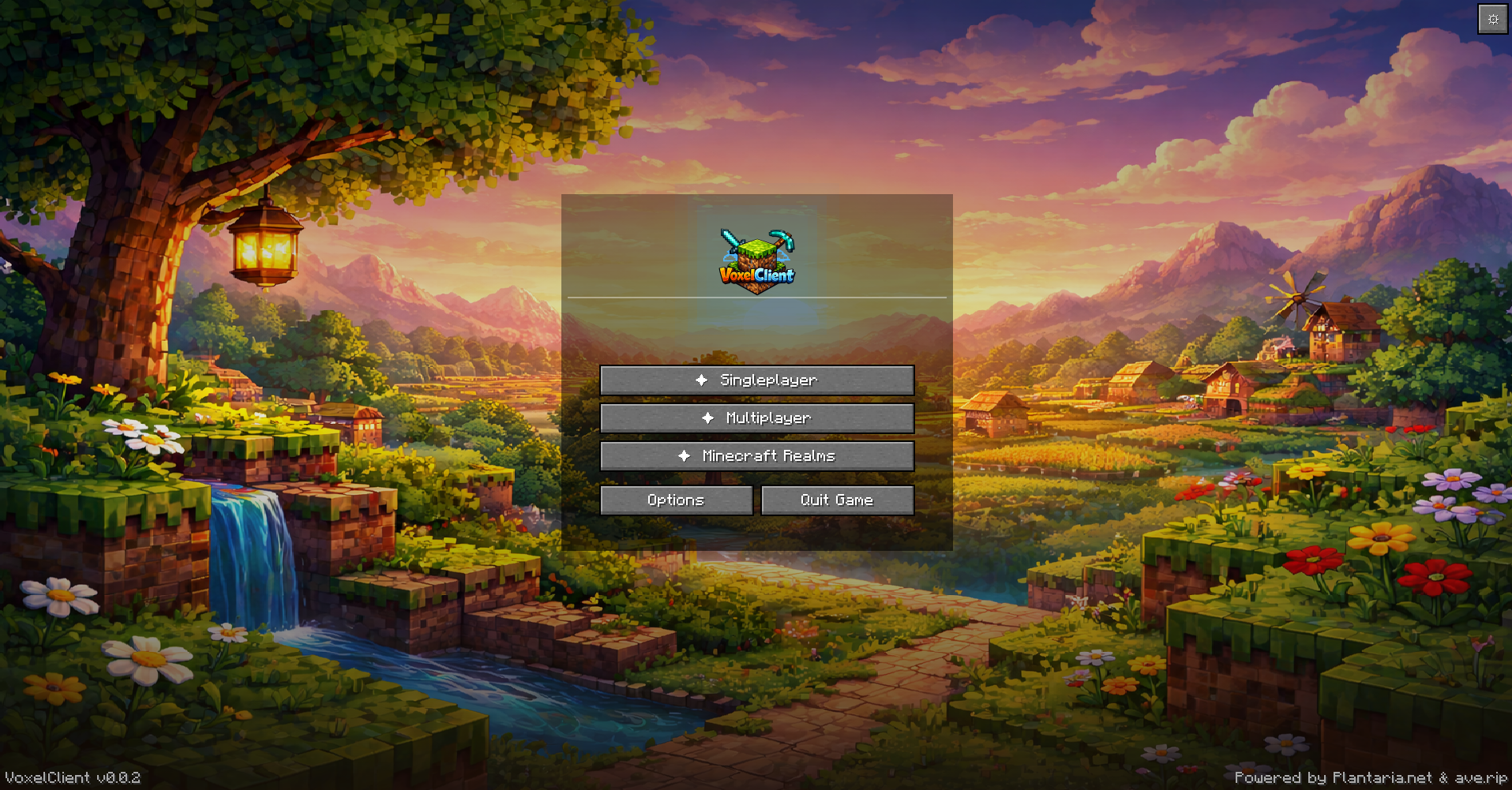 Titlescreen
 -
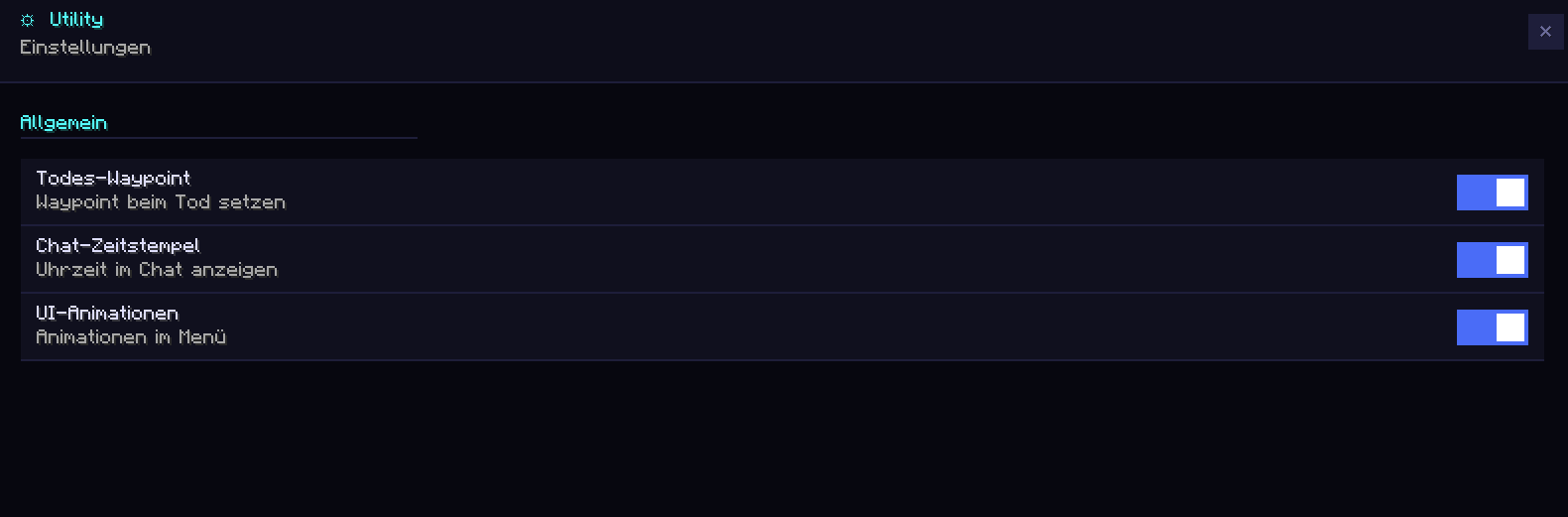 Utility category
 -
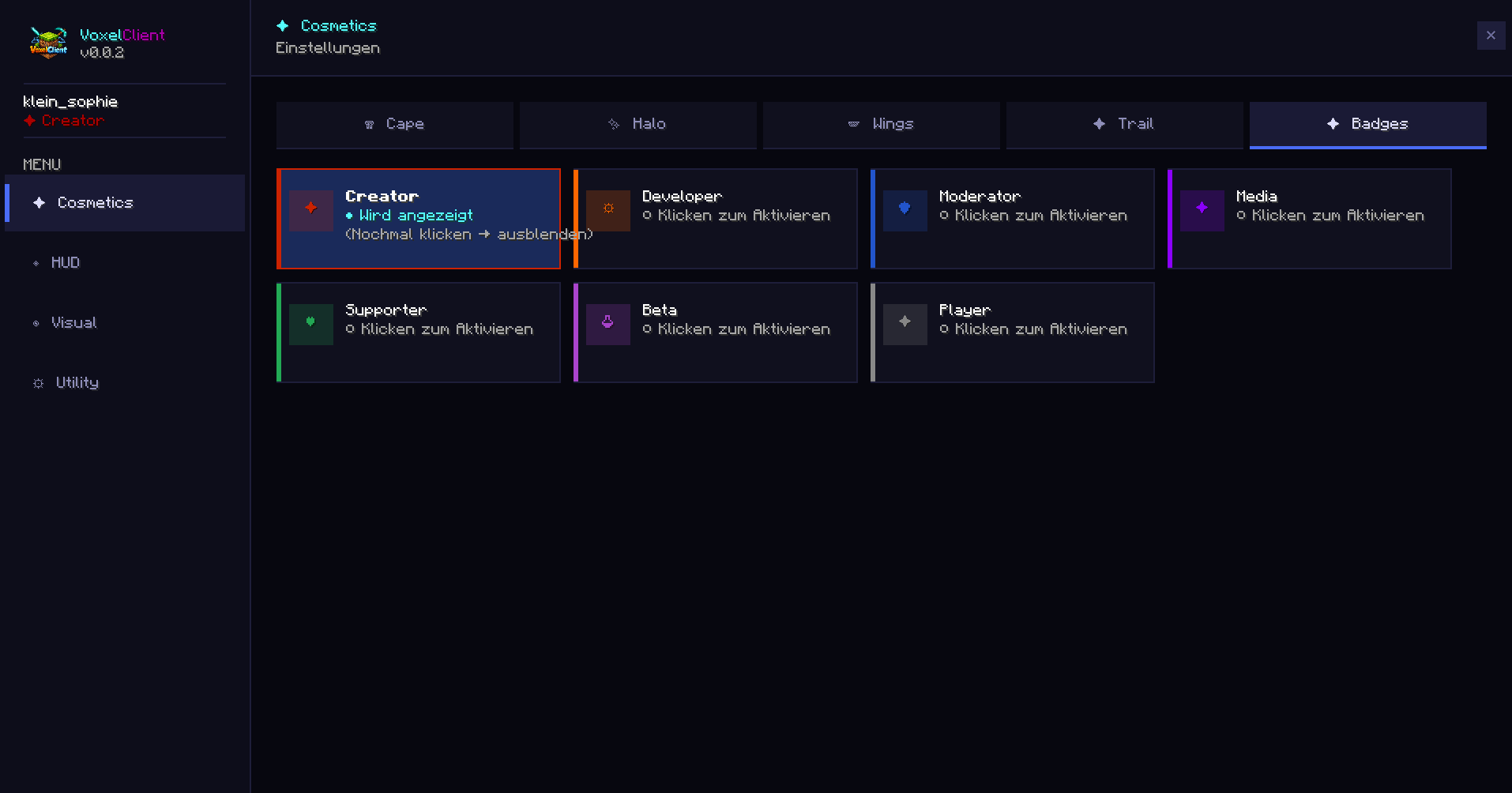 Badges
 -
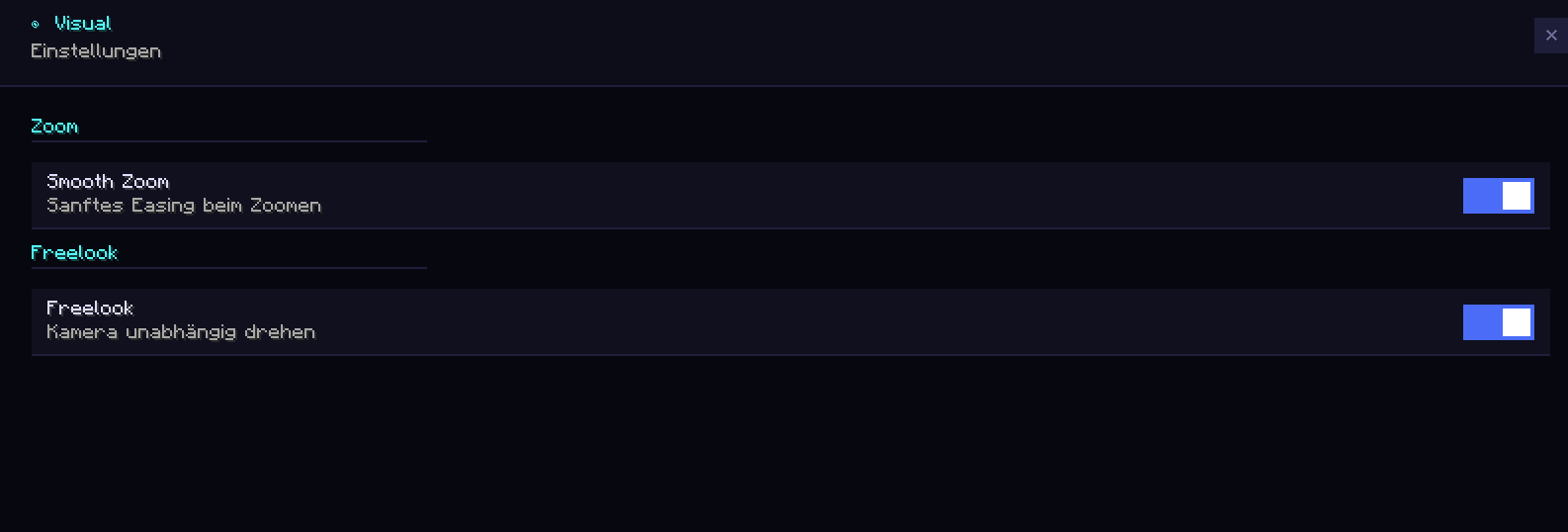 Visual category
 -
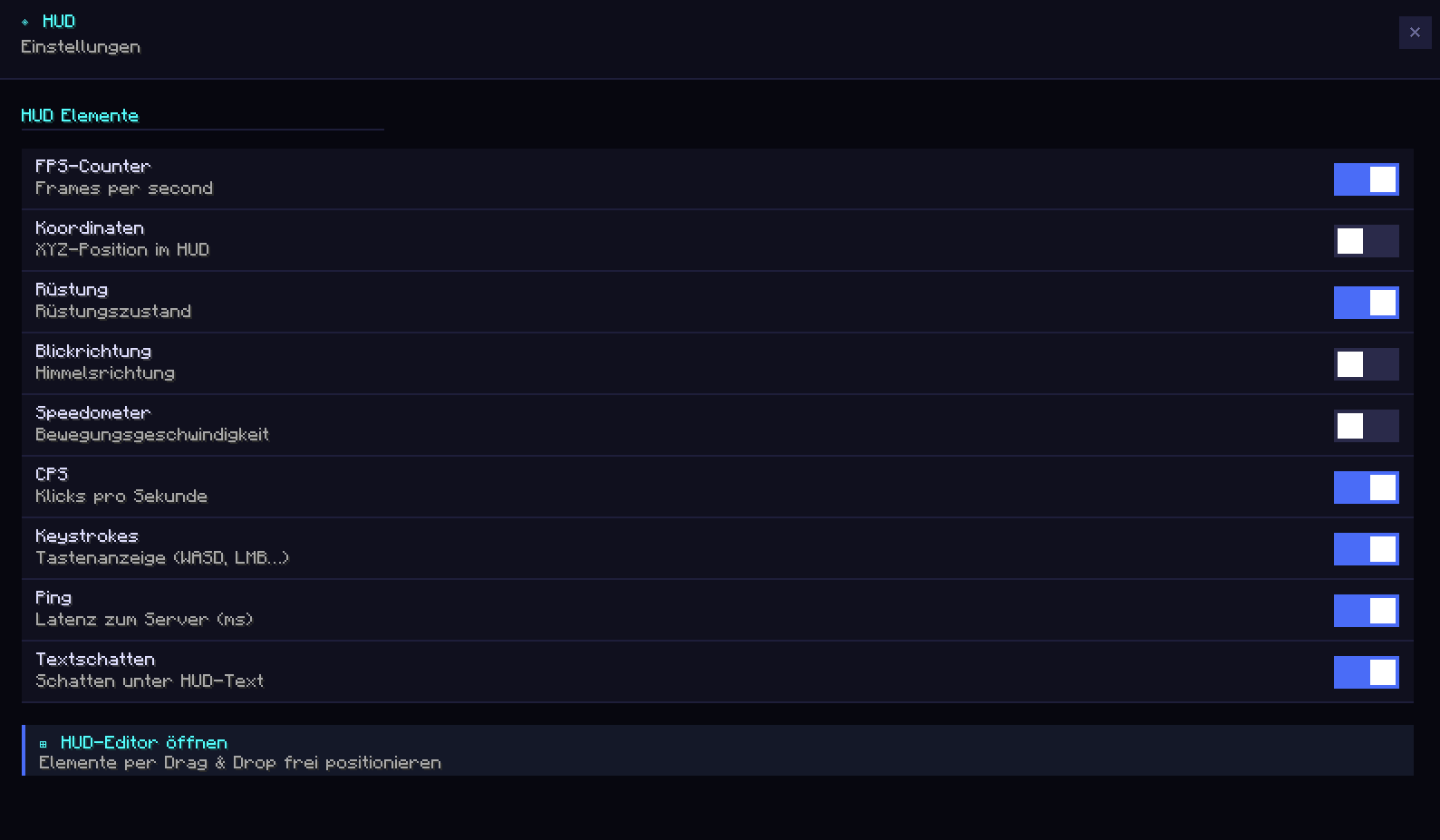 HUD category
 -
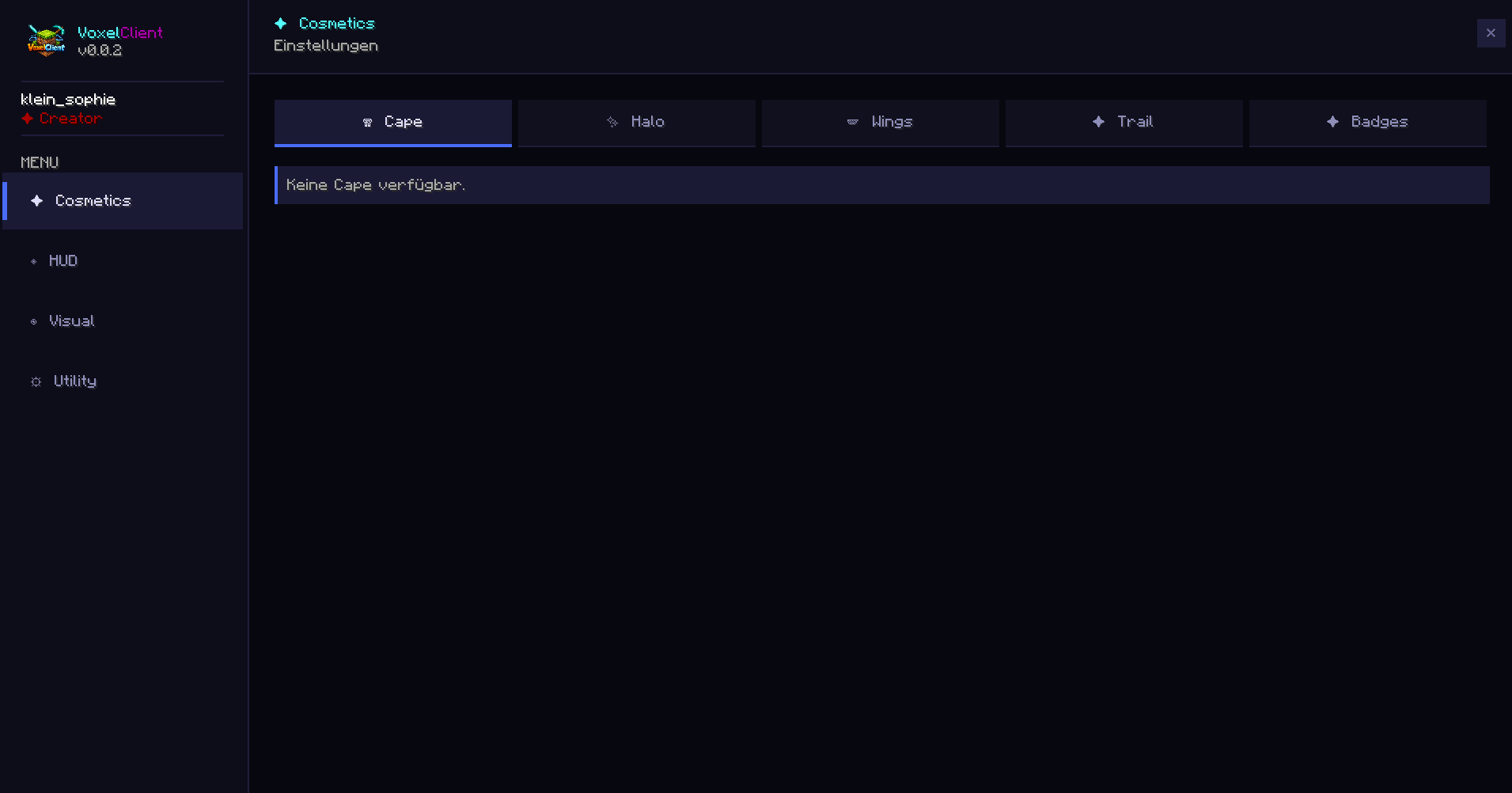 Cosmetic Menu
Versions
Files
Relations
Project Relations
More like this
Similar Mods
Suggestions use data such as tags, dependencies, dependents, descriptions, titles, and more to rank how much they overlap with this mod.
On ModDex
Community snapshot
By the numbers
Statistics

Want to reach Minecraft players?
We're looking for a server hosting partner to feature here and other parts of the site. Interested? Send us a message!
Get in touchGet it on
Available Platforms
On ModDex
Community snapshot
By the numbers