
Community listing page, reviews here may not be monitored by the author.
VoxelMind - AI Companions

No reviews yet
Summon autonomous AI companions into your Minecraft world. Each companion has its own personality, memory, and survival instincts — they explore, build, fight, and chat on their own.
Community voices
Reviews
No reviews yet. Be the first to review this project!
Get it on
Available Platforms
About
Project Details
For authors
Embed Badge
If you're the author of this project, you can embed a live badge anywhere that supports HTML or Markdown. It updates automatically whenever ratings change.
Use HTML for any page that supports it, or Markdown for README files and Markdown-based descriptions.
Identifiers
Platform IDs
Resources
External Links
About
Description
Someone to share your Minecraft world with
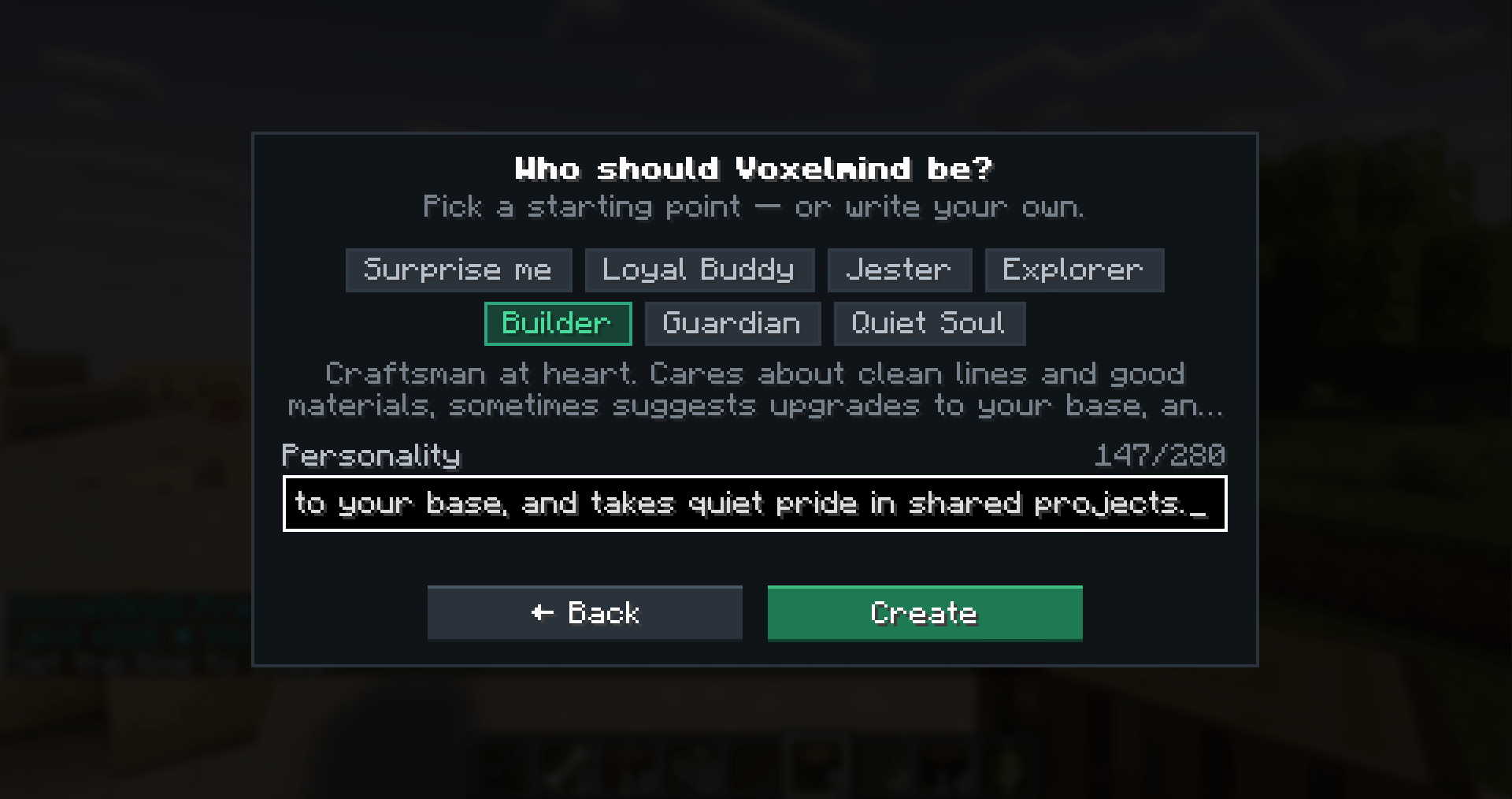
VoxelMind adds AI companions who can explore, gather, craft, build and fight alongside you. Give your companion a name, write their personality in your own words, and meet them in your world. Your conversations and shared experiences become part of a memory that carries across sessions.
Talk through Minecraft chat or use push-to-talk and spoken replies. Choose a microphone and voice in the mod, test your microphone locally, and decide whether to review a recording before sending it. When several companions speak, their replies play through one shared voice queue.
What is in 0.8.8
- Survival companions: a second player in your world, with their own inventory and actions. Explore together, ask for help with resources, or just talk while you play.
- Builder preview: a visible companion with building tools for your own world.
- God preview: a companion who can act on the world without a player body.
- Voice: push-to-talk, streamed replies, microphone selection and male/female voice choices. The Voice screen shows your remaining monthly time and renewal date.
- Appearance: a skin picker with collections by plan, plus player-name and PNG imports on Premium.
- Memory on every plan: remembering your shared history is included in Free as well as paid plans.
Builder and God are previews for your own integrated singleplayer/LAN world. Their setup explains the local permissions they need. Companions can make mistakes and have their own ideas; their actions and conversations emerge from what is happening in your world.
Supported versions
Minecraft Java, Fabric: 1.21, every patch from 1.21.1 through 1.21.11, 26.1, 26.1.1, 26.1.2 and 26.2.
Download the JAR for your exact Minecraft version. Install the matching Fabric Loader and Fabric API. Minecraft 1.21.x uses Java 21; Minecraft 26.x uses Java 25. This is a client mod for Java Edition; there is no Forge, NeoForge or Bedrock build.
Get started
- Install Fabric Loader, Fabric API and the VoxelMind JAR for your Minecraft version.
- Open your world and press V.
- Sign in with a free account at voxel-mind.com.
- Create a companion, choose a mode and follow the setup shown in the mod.
- Spawn your companion and start chatting. Open the Voice screen when you want to speak aloud.
The AI runs on VoxelMind's servers. You need an internet connection, but no AI API key or local AI model. For Survival companions in singleplayer and LAN, the built-in tunnel handles the connection without port forwarding.
Playtime and Voice
Current plans for new accounts:
| Plan | Playtime | Active companions | Voice per month |
|---|---|---|---|
| Free | 90 minutes to start, then 15 minutes per day | 1 | 30 minutes |
| Friend | 10 hours per month | 1 | 60 minutes |
| Bonded | 30 hours per month | 3 | 180 minutes |
| Premium | 90 hours per month | 10 | 540 minutes |
Playtime is counted for each active companion. Offline characters do not use an active slot. Voice has one shared monthly allowance for recorded input and spoken output. If Voice time runs out, text chat remains available while you still have playtime.
Existing accounts can retain earlier playtime allowances. Your account shows the allowance that applies to you, your remaining time and the next renewal. Current prices, skin collections and subscription details are at voxel-mind.com/pricing.
Multiplayer and mod compatibility
Survival companions join as independent network players. Dedicated servers must allow their connection; the current setup requires online-mode=false. That setting disables the server's usual Minecraft account verification, so use the access controls described in our server setup guide. Minecraft Realms is not supported.
Client mods such as shaders, performance mods and minimaps are generally compatible. Content mods vary: a companion may not understand modded blocks, items or mechanics, and servers that require every joining player to load specific client mods can reject the connection. Send us the modpack and error message on Discord if a world will not connect.
You can also visit the VoxelMind hub at play.voxel-mind.com with a vanilla Java client. The mod is the way to bring companions into your own world. See the website for the hosted-world setup.
Account and data
The AI receives game observations and conversation to respond and act. Voice input is sent for transcription when you submit it; microphone access and spoken replies are controlled in the mod. Your complete world save is not uploaded as an AI input. Read our privacy information and safety information for details, including regional age requirements.
Need help or want to share a moment from your world? Join our Discord.
VoxelMind is operated by Nyvoro UG (haftungsbeschränkt), Germany, and is not affiliated with Mojang Studios or Microsoft.
Screenshots
Gallery
-
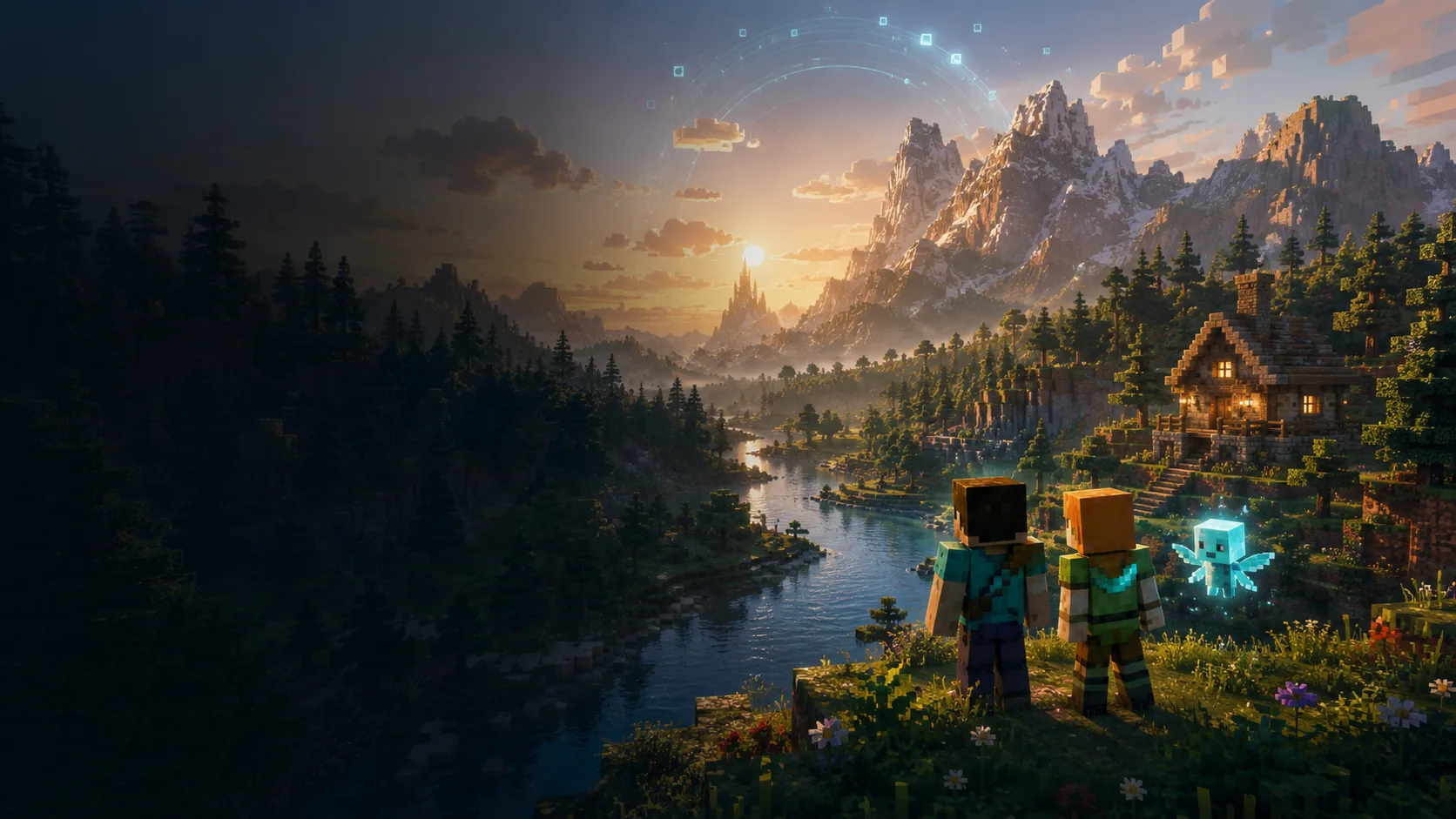 image-attachment_e797bbbd-27dd-4671-a441-8933910e09e3.webp Titel Screen
 -
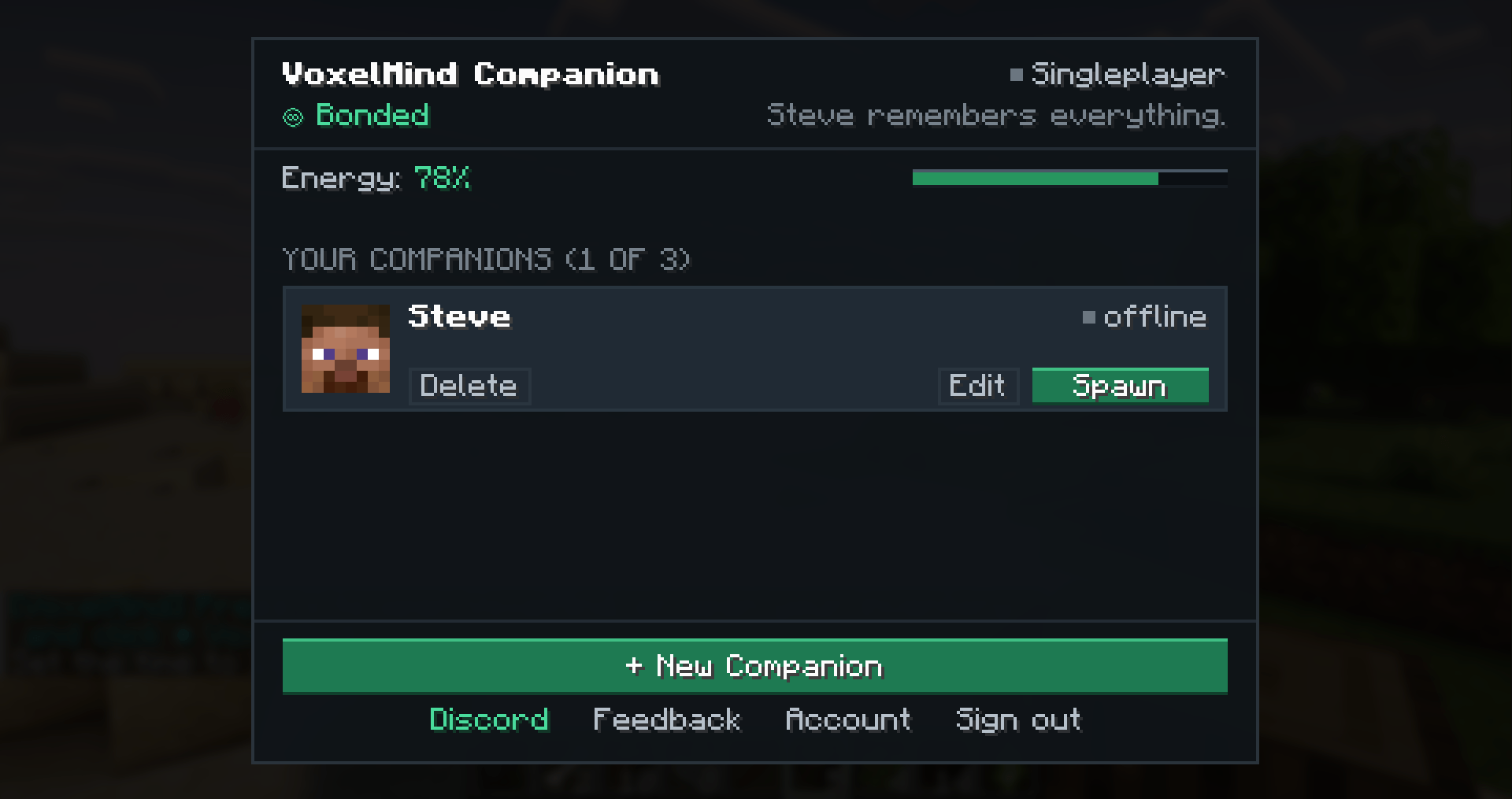 Overview.PNG Overview.PNG
 -
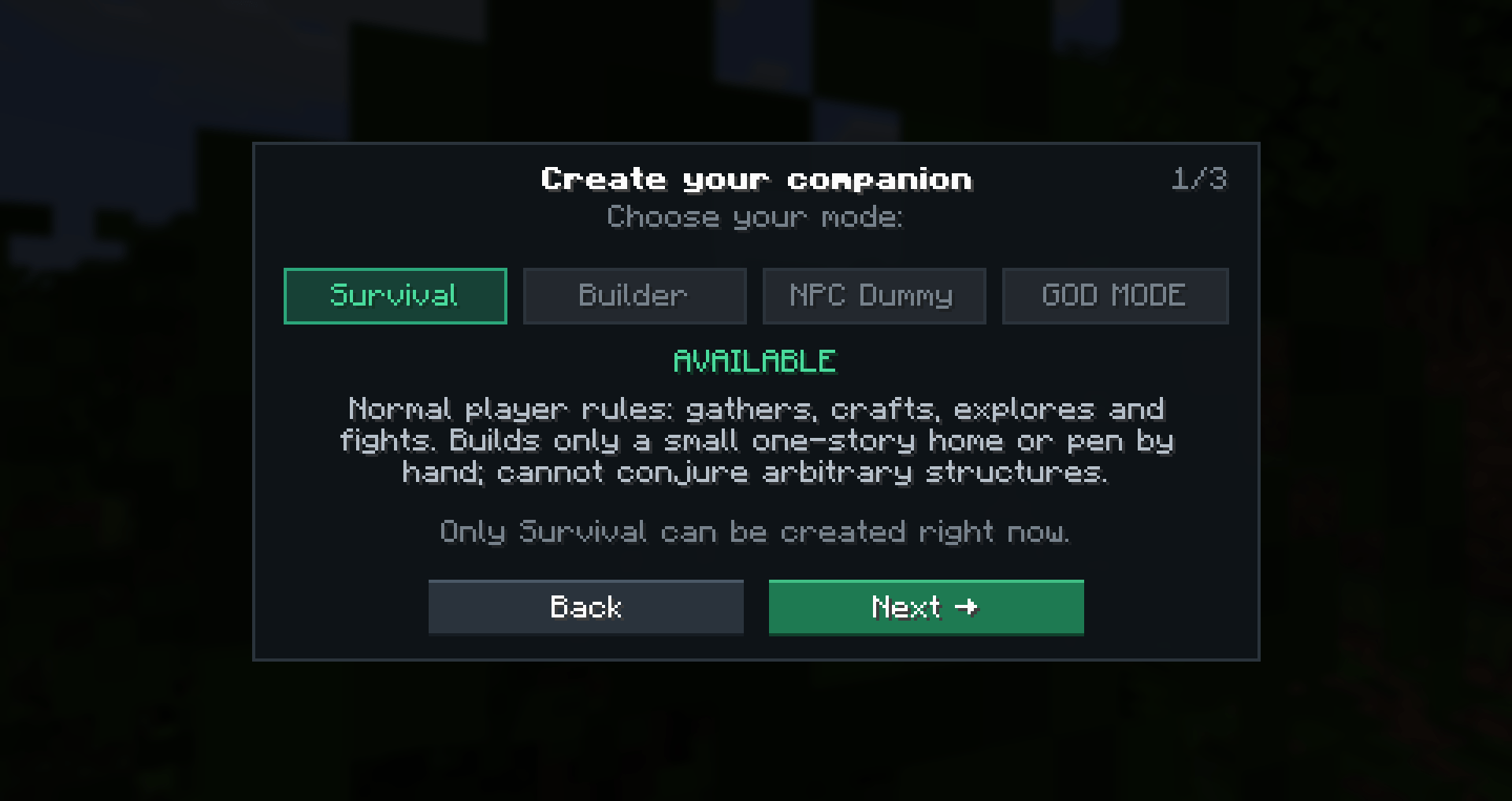 2026-09-04 12_19_13-Minecraft_ 1.21.4 - Multiplayer (LAN).png 2026-09-04 12_19_13-Minecraft_ 1.21.4 - Multiplayer (LAN).png
 -
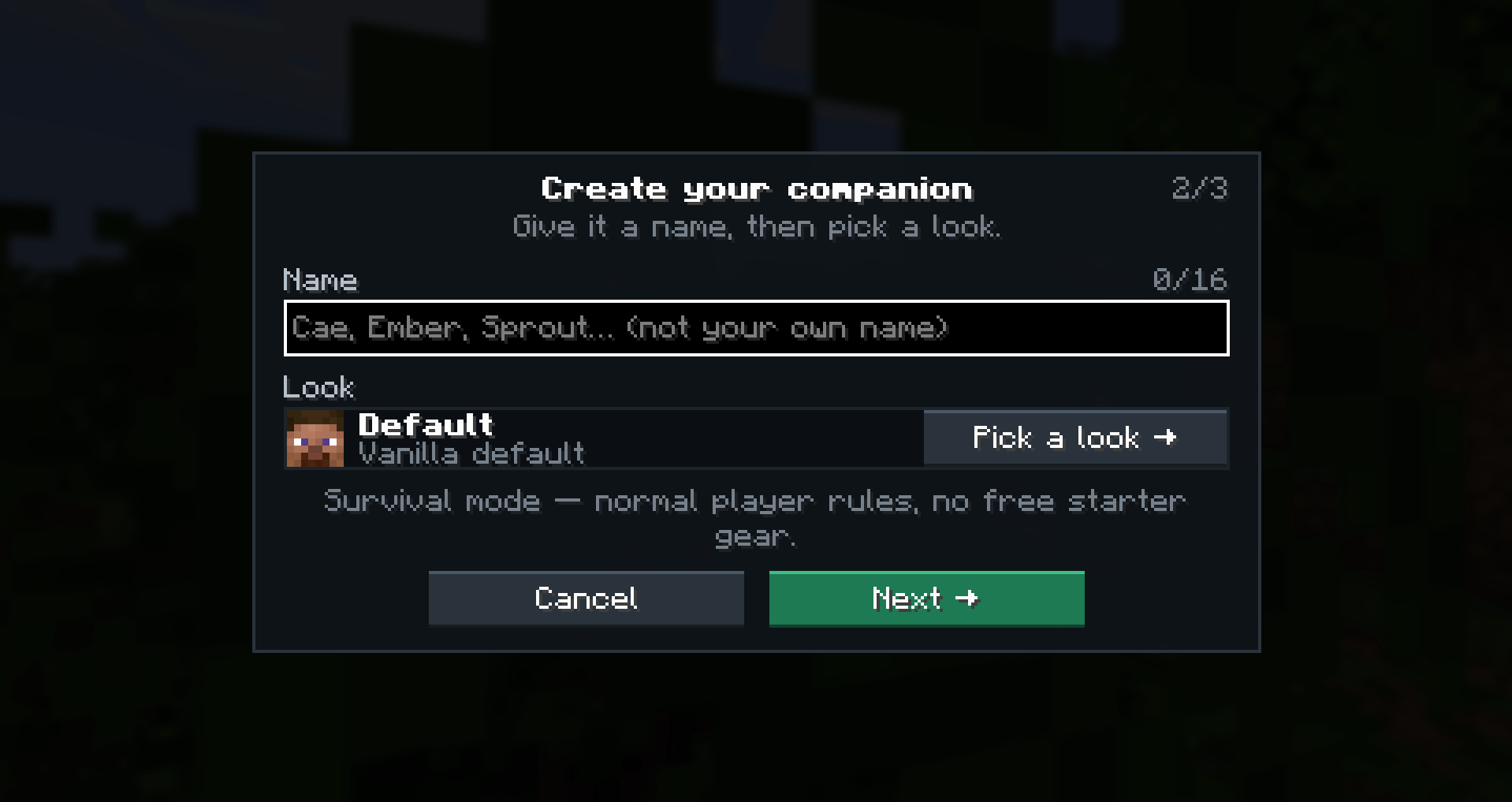 image-attachment_fd1c63b8-41d7-4b0b-a634-eedb96ef675c.png
 -
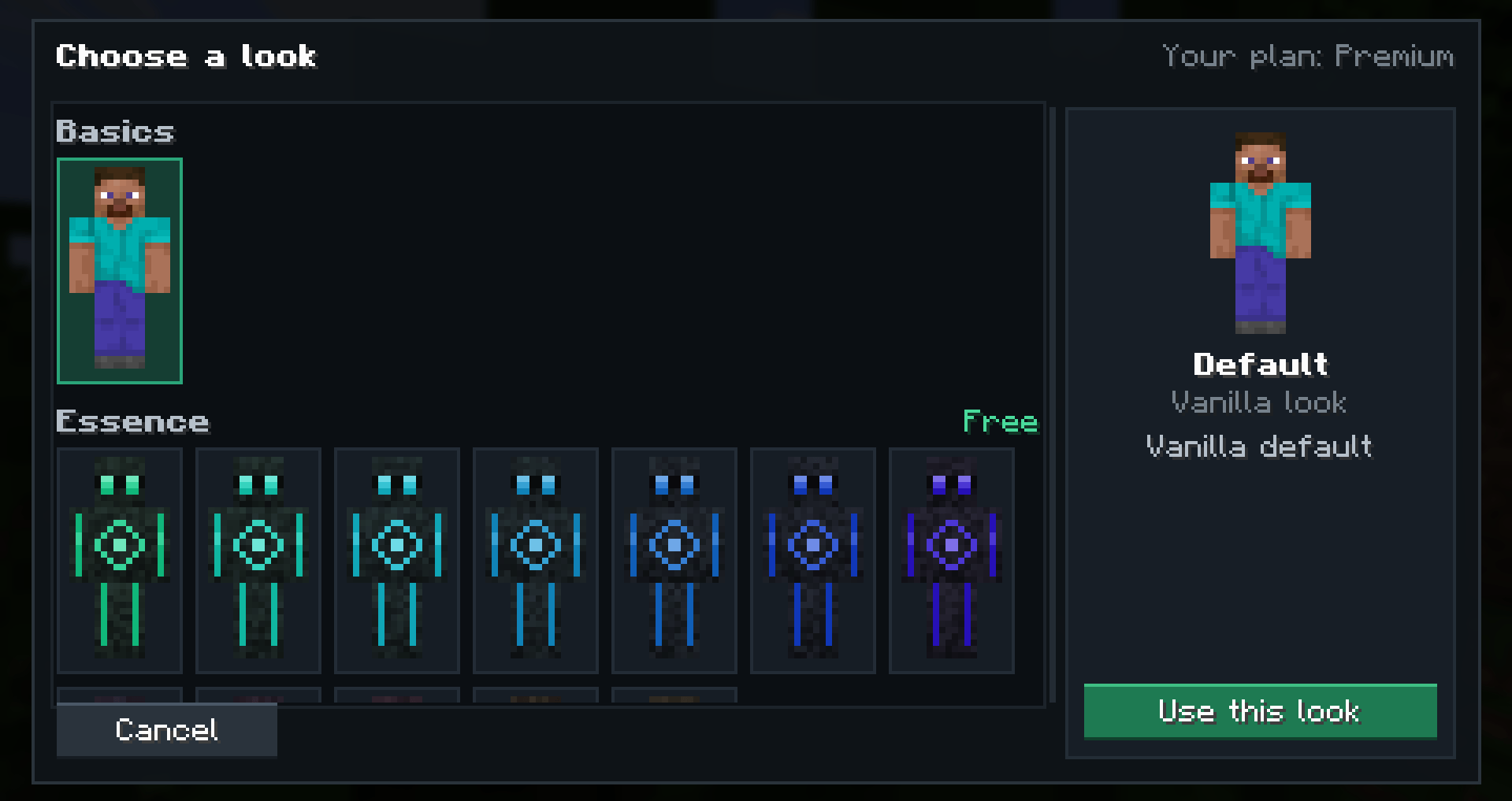 image-attachment_deccadd1-8556-42a9-8658-412c604b935b.png
 -
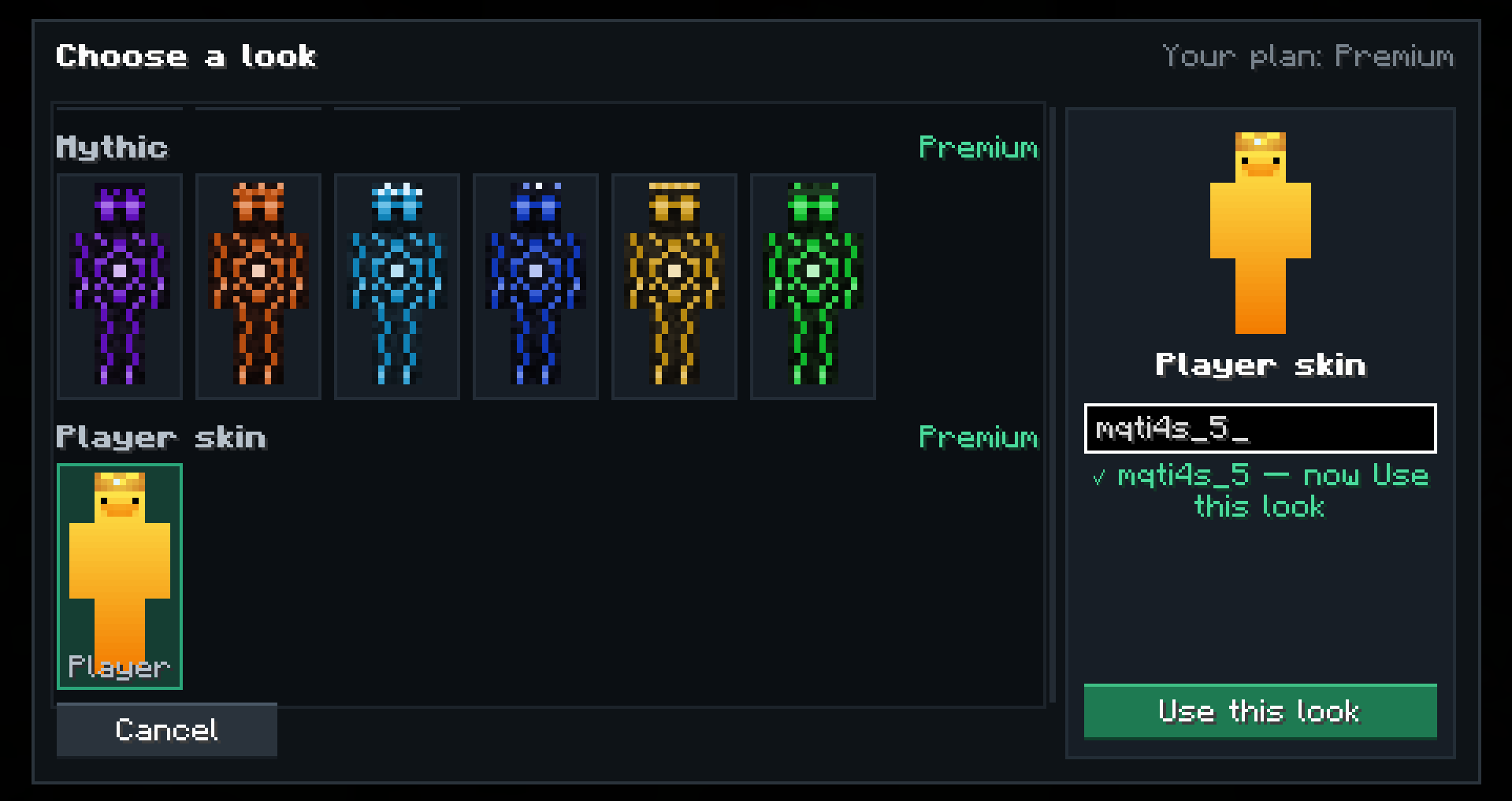 image-attachment_e0d45d26-22a9-4309-8c2c-a3e90f8bcc2a.png
 -
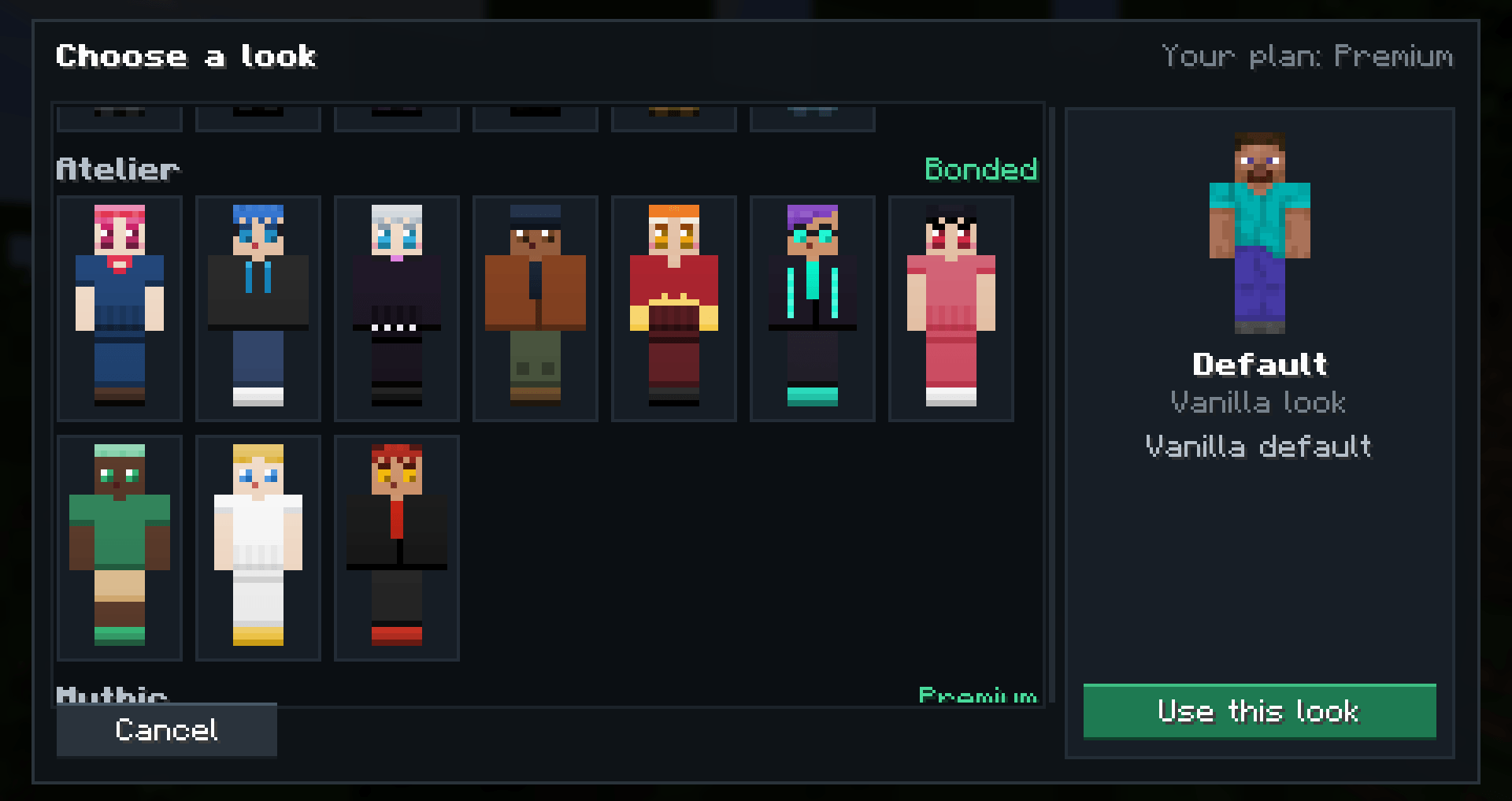 image-attachment_390eefe0-fb85-4763-9761-8ef30bb1a1d5.png
 -
 CreateNewBot2.PNG CreateNewBot2.PNG
 -
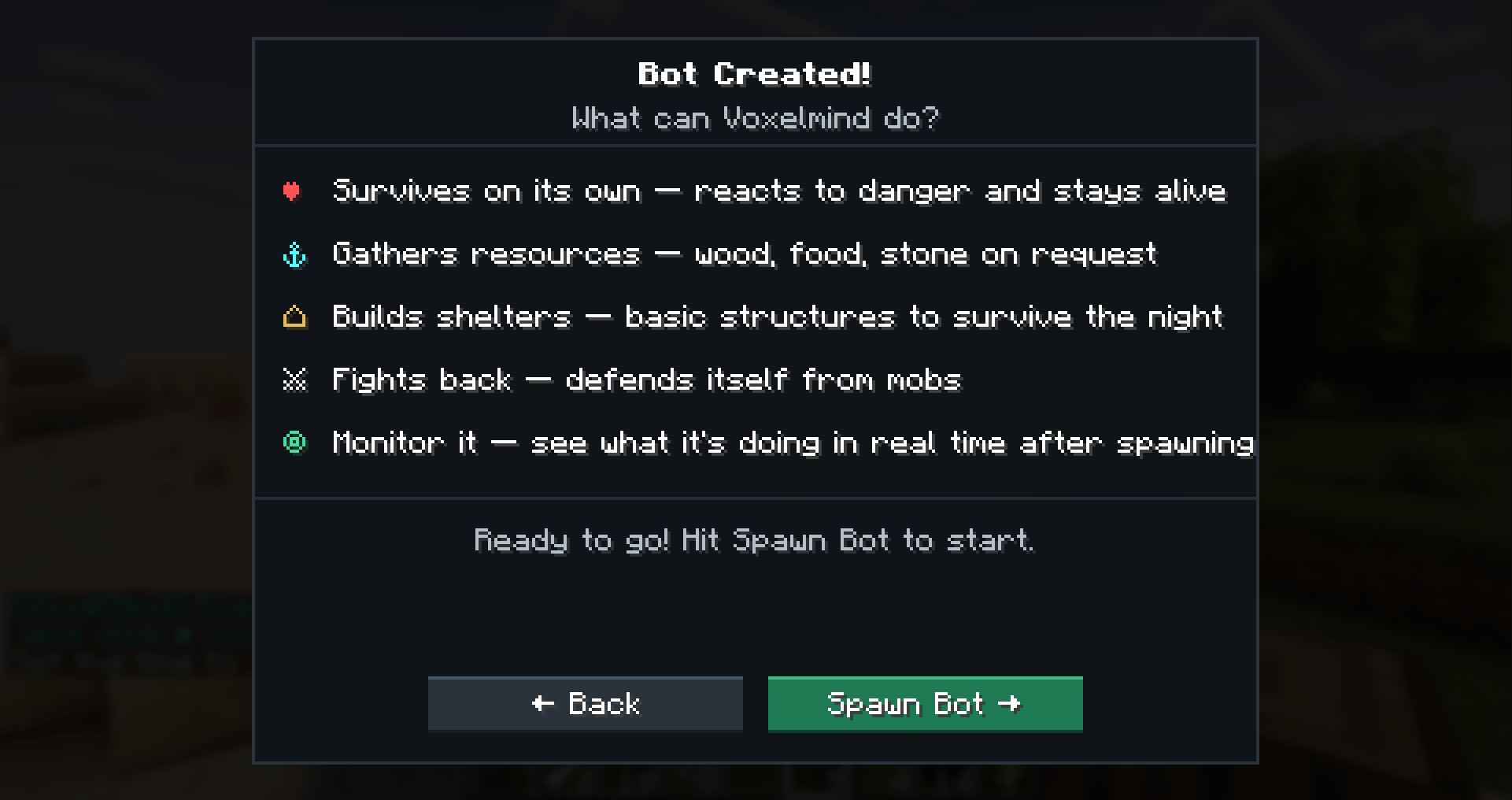 CreateNewBot3.PNG CreateNewBot3.PNG
 -
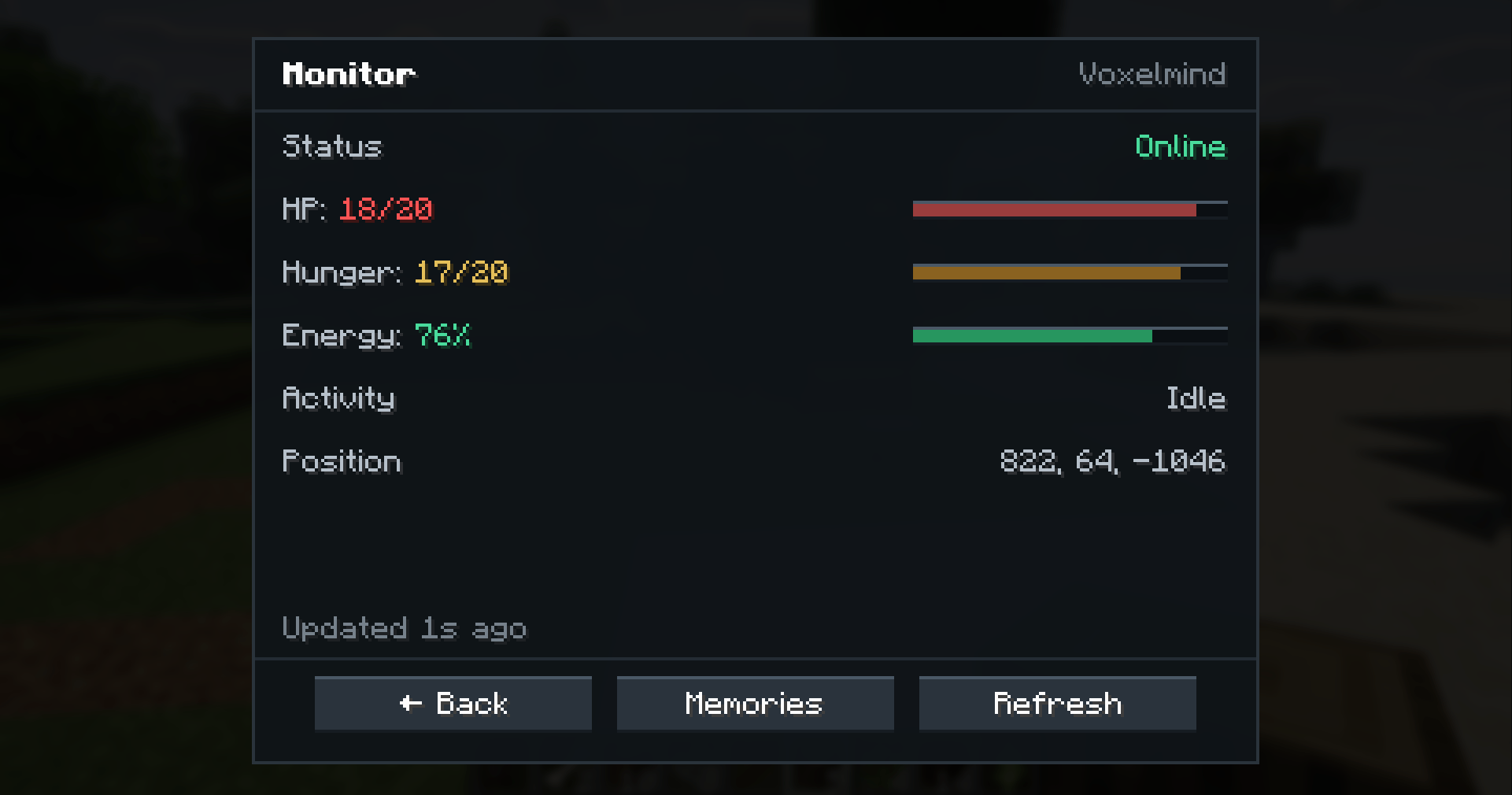 Monitoring.PNG Monitoring.PNG
Versions
Files
Relations
Project Relations
More like this
Similar Mods
Suggestions use data such as tags, dependencies, dependents, descriptions, titles, and more to rank how much they overlap with this mod.
On ModDex
Community snapshot
By the numbers
Statistics
Want to reach Minecraft players?
We're looking for a server hosting partner to feature here and other parts of the site. Interested? Send us a message!
Get in touchGet it on
Available Platforms
On ModDex
Community snapshot
By the numbers
Statistics
Resources