Community listing page, reviews may not be monitored by the author.
VSMobs 2

No reviews yet
Mob battle mod. This Mod makes it possible for Minecraft mobs to fight each other.

Community voices
Reviews
No reviews yet. Be the first to review this project!
Get it on
Available Platforms
About
Project Details
For authors
Embed Badge
If you're the author of this project, you can embed a live badge anywhere that supports HTML or Markdown. It updates automatically whenever ratings change.
Use HTML for any page that supports it, or Markdown for README files and Markdown-based descriptions.
Identifiers
Platform IDs
Resources
External Links
About
Description
VSMobs 2 (Mob Battle Mod)
Update (2020-06-07)
"Mobs Group Setting" feature has been implemented, each mob can form a group with other mobs.
Mobs in the same group become friends and do not fight each other.
Unlike Team feature, groups are free to name and you can have an unlimited number of groups.
Features
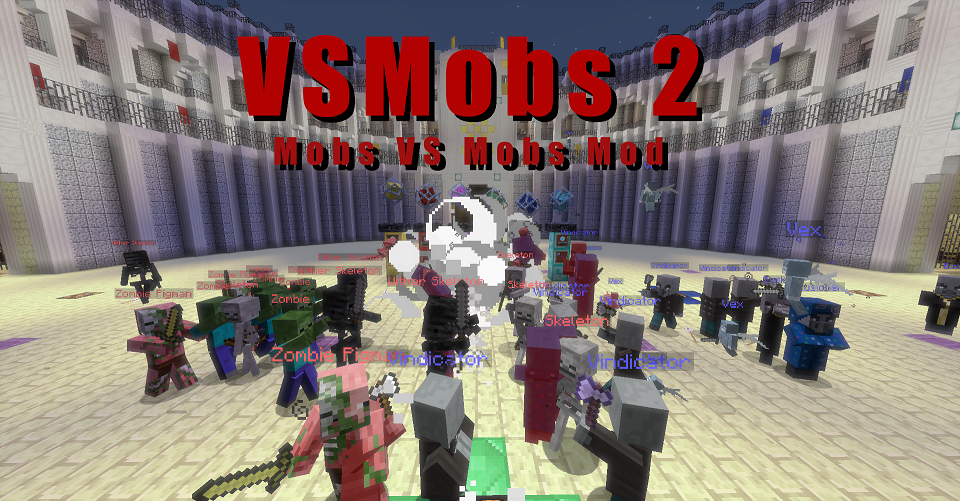
This mod will enable automatically battles between all the mobs present on Minecraft.
In other words, it is a Mod to watch and enjoy the battle between mobs.
And with the team system, you can divide mobs into up to 6 teams, starting team battle.
Example:
- Zombie vs Skeleton
- Wolf vs Ocelot
- Zombie Team vs Skeleton Team (Zombie and Husk VS Skeleton and Stray)
etc...
And, mobs added in other mods can also participate in the battle.
Supported Server
In additonal, Server support for Minecraft 1.12.2 and 1.14.4 versions.
Use cheat commands (scoreboards) to join a player to the same team as the mob, they will become friends with the mob and can fight together.
Demo
Caution
It is recommended that you back up the world before using this mod.
Mobs that destroy creepers and other terrain perform destructive activities everywhere, so great art can may become scrap.
If you do not want to destroy your art, we recommend that you run the following command.
/gamerule mobGriefing false
/gamerule doFireTick false
It is recommended to use in creative mode.
This is because the added item is for creative use only.
In survival mode or adventure mode, only you will be watching battle royale everywhere.
Now this mod is still WIP. The correct operation cannot be expected. Please be careful!
Limitation
- This mod is provided "as is" without warranty of any kind.
- In any case, the author or copyright holder is not responsible for any claims, damages or other liabilities arising out of this mod or its use.
- VSMobs 2 Mod (MC1.9.4-1.12.2), except Minecraft 1.8.9 compatible version, does not support Ender Dragon.
- If you use VSMobs 2 for video etc, I'd be happy if you put the link of this page in the description etc.
Items and Blocks
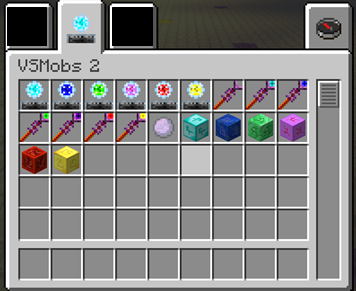
Spawn: Crystal Core
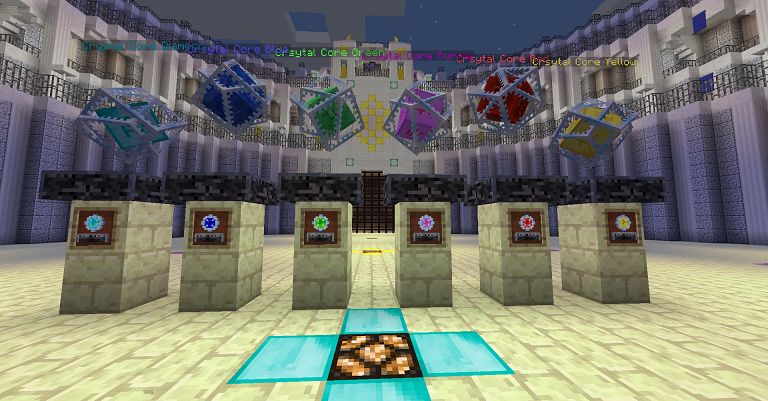
- Generate a new entity, 6 colored crystal cores.
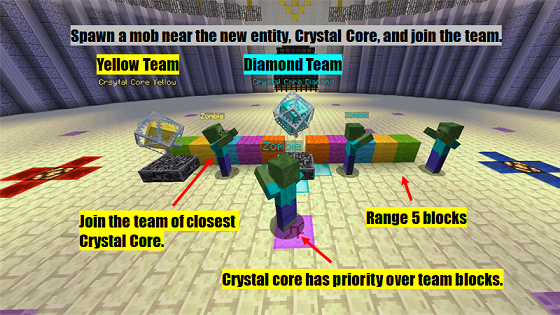
- Each crystal core has joined a specific team from the beginning.
- Used as a team flag in team battles.
- When destroyed, a 6-block explosion occurs and a redstone block is placed. In other words, the redstone circuit can be triggered by the destruction of the crystal core.
- Health defaults to 200 (100 hearts) and can be changed in the configuration.
VSM Tools

- The VSM tool is a general-purpose tool for this MOD.
- Attacking the target mobs with the tool deletes the mobs.
- When attacking with a sneak attack, remove all mobs of the same type as the target mobs from the world.
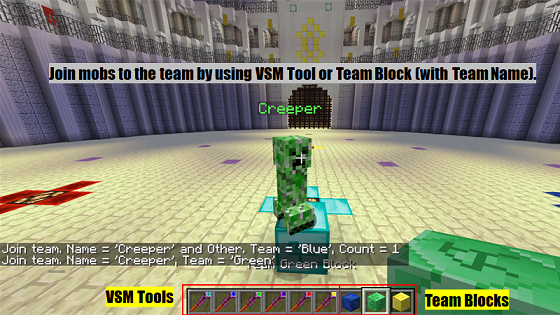
- If you use a VSM Tool with a team name for a mob, that mob will join the corresponding team.
- On the other hand, if you use a VSM Tool without a team name for a mob, that mob will be removed from the team.
- Attacking a crystal core while sneaking will remove all mobs that are on the same team as that crystal core.
- When used for the placed "End Portal Frame", it changes to "End Portal".
- When used for the placed “Obsidian”, it changes to “Nether Portal”.
Mob Killer Ball

- This is simple. Throw this to kill the hit mobs
Team Blocks
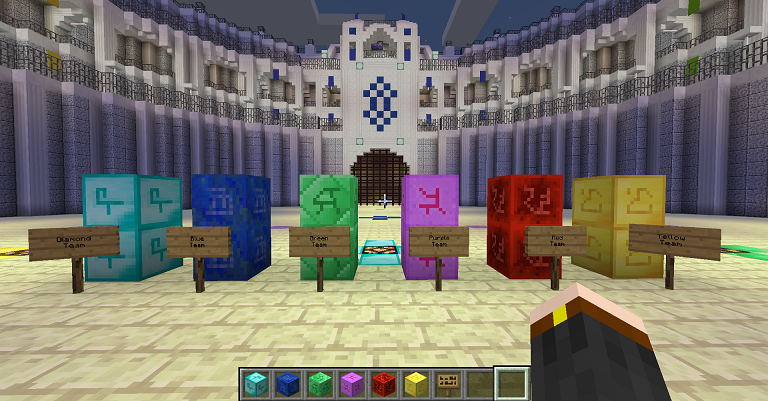
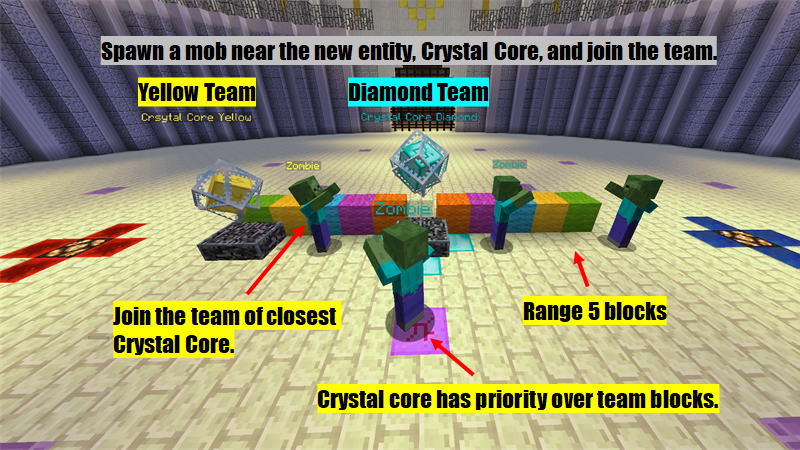
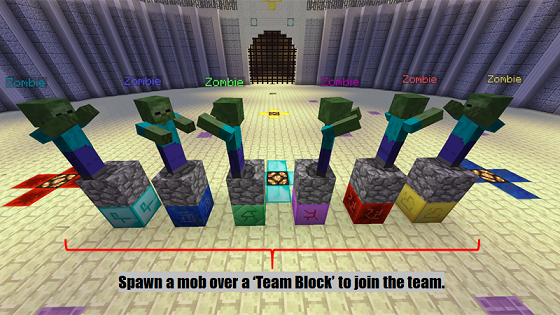
- Spawning a mob on the placed team block will cause that mob to join the corresponding team.
- If you use Team Block for a mob, that mob will join the corresponding team.
How to Team Battle
Overview
- A mob can join one of up to 6 teams.
- Mobs who join the same team will not be hostile to different types.
- Mobs participating in different teams are hostile to each other.
- If the same type of mobs are on different teams, they are hostile.
- Mob mounted like "Spider Jockey" joins the same team as a jockey.
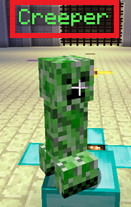
- You can check the mobs that have joined the team by the name tag color.
6 Teams
- Diamond Team
- Blue Team
- Green Team
- Purple Team
- Red Team
- Yellow Team
(These teams are registered with Scoreboard and the mobs are managed there.)
How to join team
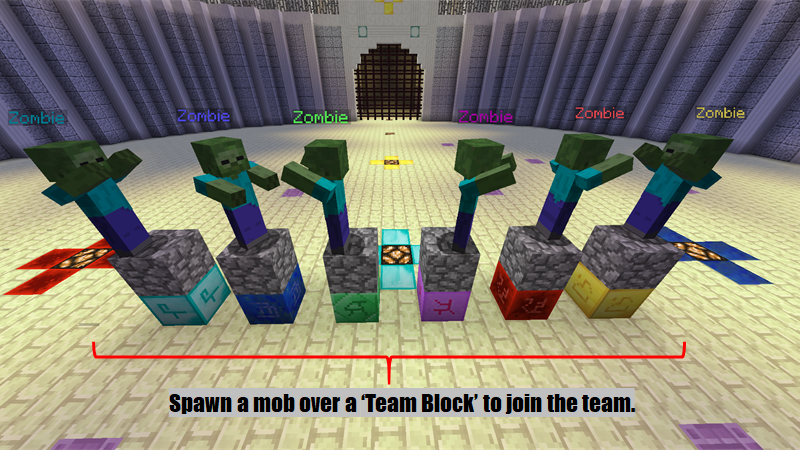
Case 1. Spawn a mob over a "Team Block" to join the team.
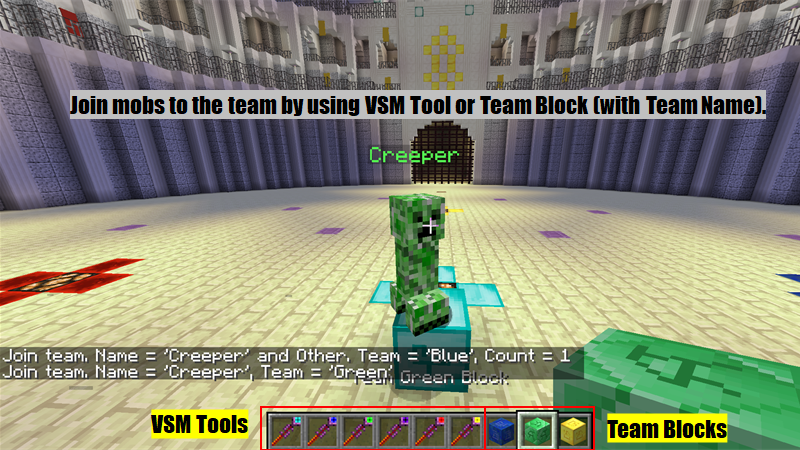
Case 2. Use to mobs VSM Tool (with team name) or Team Block.
Case 3. Spawn a mob near the crystal core (range 5 blocks).
Configuration
VSMobs 2 config can be changed from "Mod Option".
1.8.9 mc version of VSMobs 2 is only config in "general" category.
Config Category
General Setting (general)
General settings for VSMobs 2 to adjust battle balance.
Team Setting (team setting)
Settings related to team features.
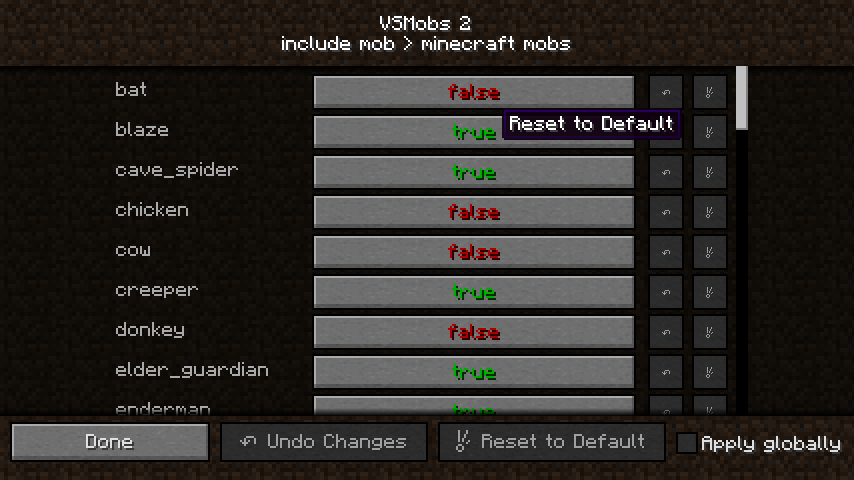
Include Mobs (include mob)
Each Minecraft mob switches on / off the features to participate in battle with the effect of VSMobs 2.
Mobs Group Setting (group setting)
Settings related to group features.
Default Teams (default team)
With this option, each mob automatically joins the specified team when spawning.
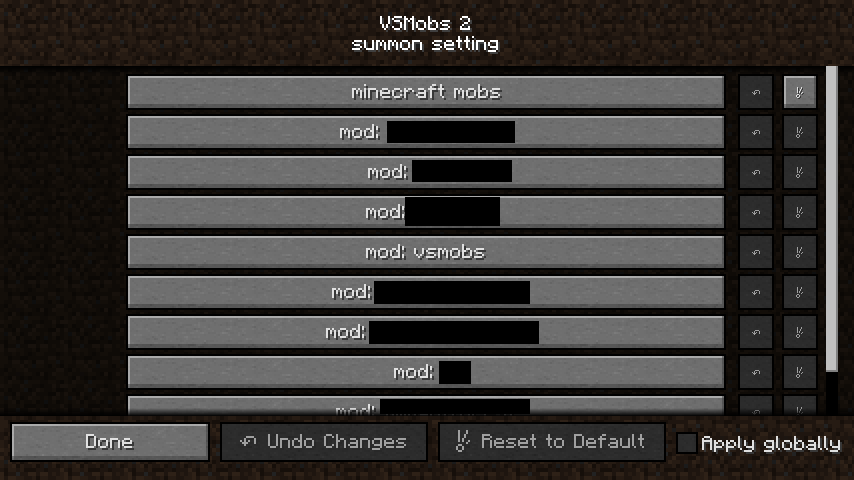
Summon Mob Support Setting (summon setting)
A setting that complements the mob summoned by the summoner.
Example: Vex
General Setting
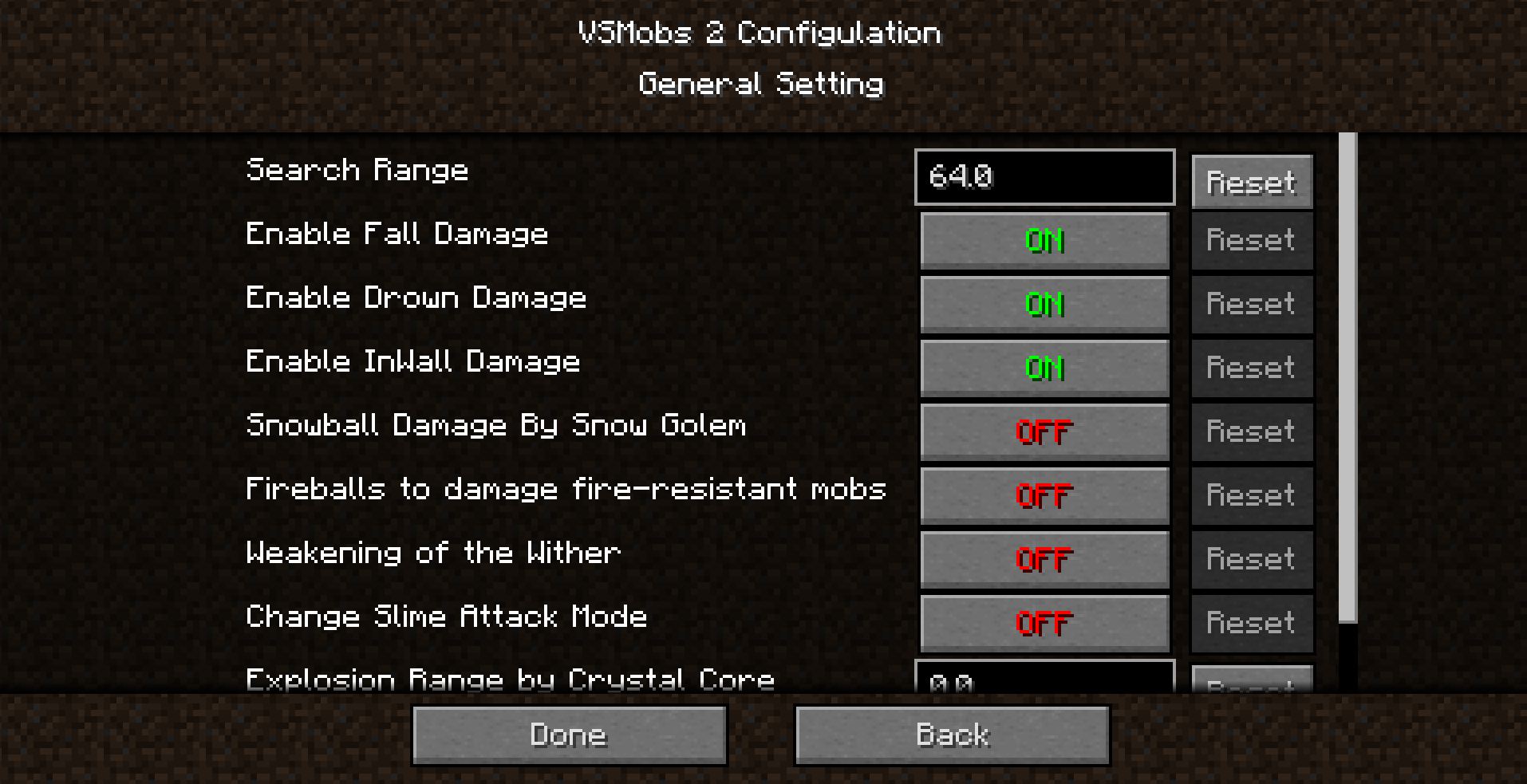
Enable Drown / Fall / InWall Damage
Toggle damage on / off to mobs because drowning, falling, in Wall .
However, the setting is not reflected in players.
Fireballs to damage fire-resistant mobs
When ON, allows fireballs to damage fireproof mobs.
However, there is no burn-damage on fireproof mobs.
Example: Small fireball by Blaze. Ghast cannon.
Search Range
You can change the distance that mob searches for enemy.
Slime Attack Mode
Slime-type mobs added by other mods may fail to attack.
Turning it on may improve.
Slime and Magma Cube are already adjusted so no problem.
Snowball Damage By Snow Golem
Can add damage to thrown snowballs for poor Snow Golems.
When on, a snowball thrown by a snow golem can deal 1.0 damage (0.5 hearts).
Also, damage ignores armor.
Weakening of the Wither
If true, Wither's automatic healing is slow, armor is disabled, and armor value is 0.
The attack strength does not change, it only weakens the defense.
Instead, the experience points you can earn will be halved, the drop rate of Nether Star will be halved, and you will not be able to get achievements.
Explosion Range by Crsytal Core
Specify the explosion range when the crystal core is destroyed.
Enable Friendly Fire By Crystal Core
Specifies whether Crystal Core explosion damage will fire friendly to the same team mob.
Team Setting
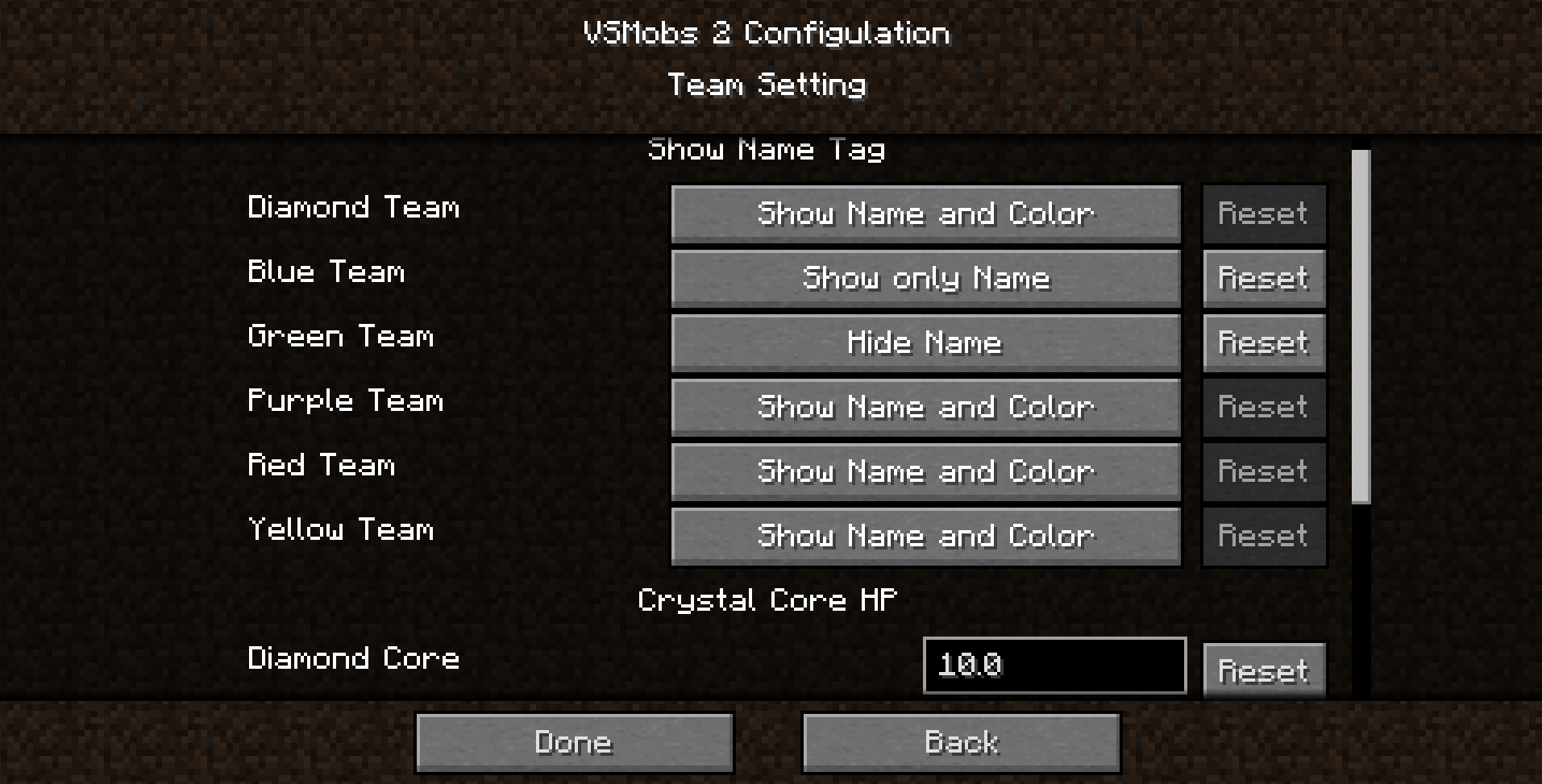
Show Name Tag
Change how name tags appear on mobs that join a team.
HP of Crystal Core <Team name>
Default HP of 6 types Crystal Core can be changed.
Include Mobs

"minecraft mobs" is a subcategory of vanilla mob
“mod: <modid>” is a subcategory of Mob added by another mod, VSMob 2 automatically registers additional mobs.
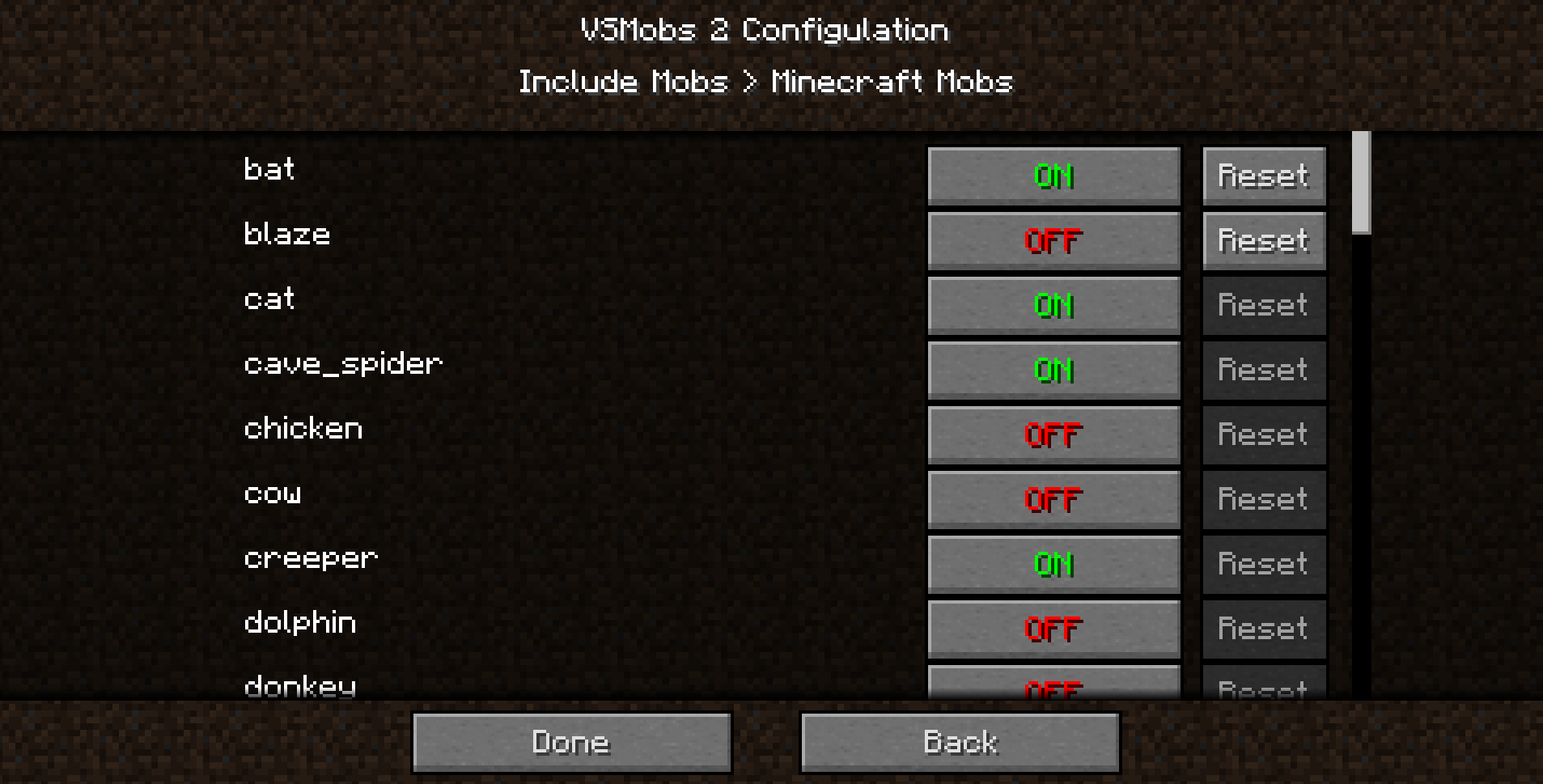
When you open a subcategory, you will see a list of names of mobs.
If there are mobs you don't want to participate in VSMobs 2 Battle, turn off the mob.
Vanilla animal mobs such as pigs and cows are off by default.
You can turn it on, but they have no means of attack and will be hunted by other mobs.
Also, friendship mobs such as Wolves, Ocelot, and Iron Golems are turned on by default, so if you are a survival mode you will be attacked by them and it alive will be difficult.
If you want to play this mod in survival mode, consider turning off them config.
In addition, all mobs added by other mods are turned on by default.
Be aware that even the great mob that triggers the event can attack or be attacked by other mobs and affect their progress.
Mobs Group Setting
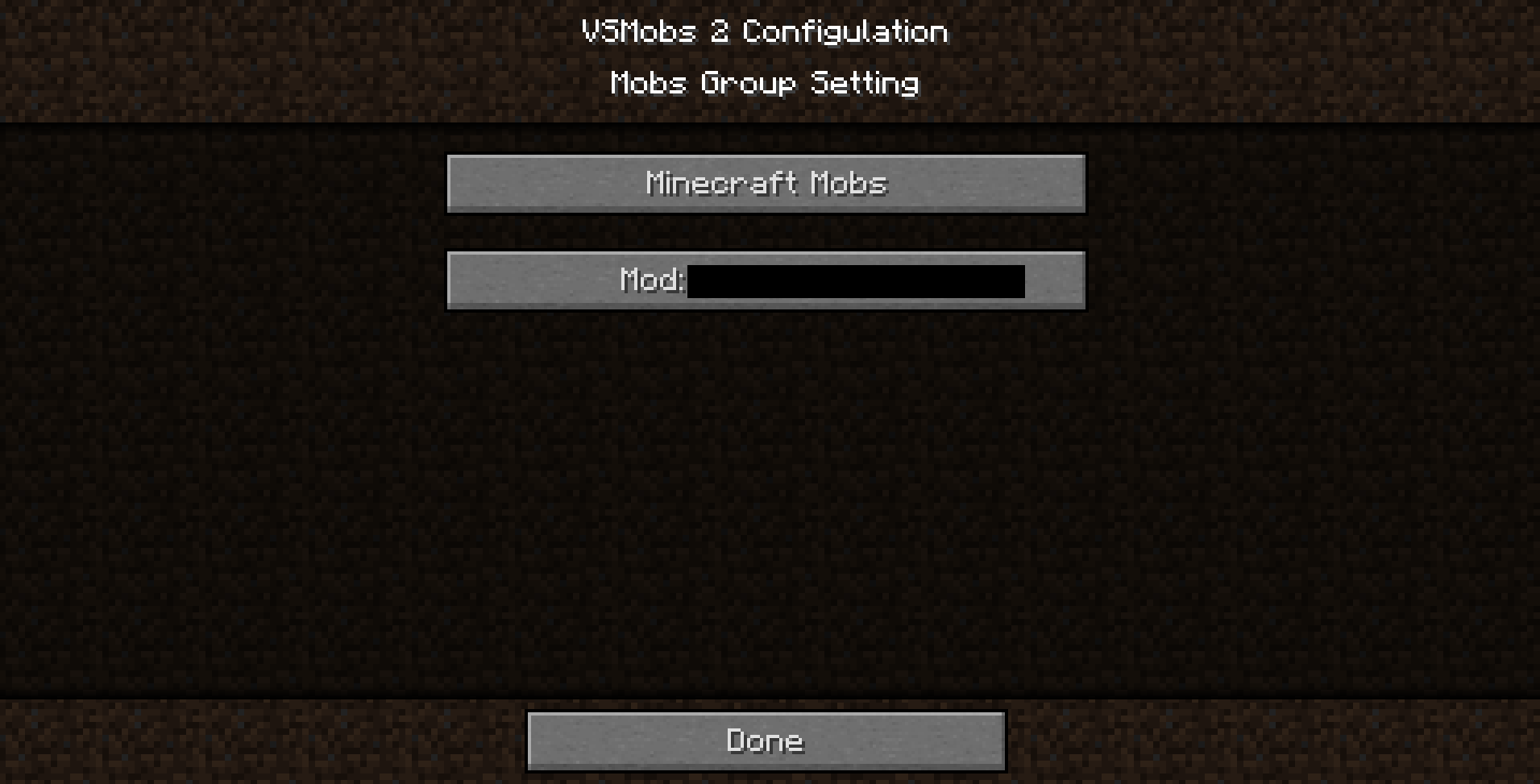
"minecraft mobs" is a subcategory of vanilla mob
“mod: <modid>” is a subcategory of Mob added by another mod, VSMob 2 automatically registers additional mobs.
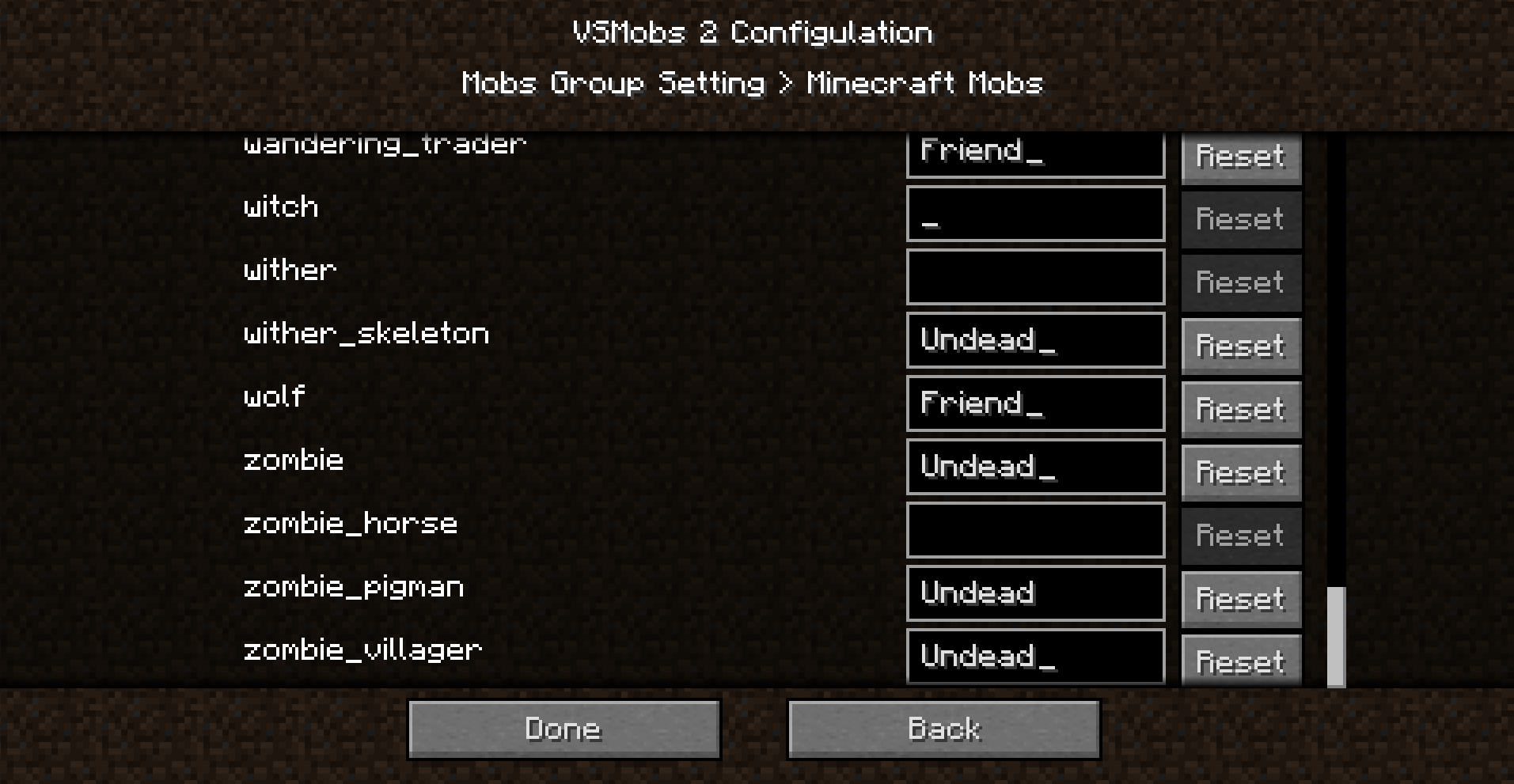
You can set the group name in each mob.
Mobs with the same group name do not fight each other.
Unlike Team feature, groups are free to name and you can have an unlimited number of groups.
However, you can't see which group each mob is currently in world.
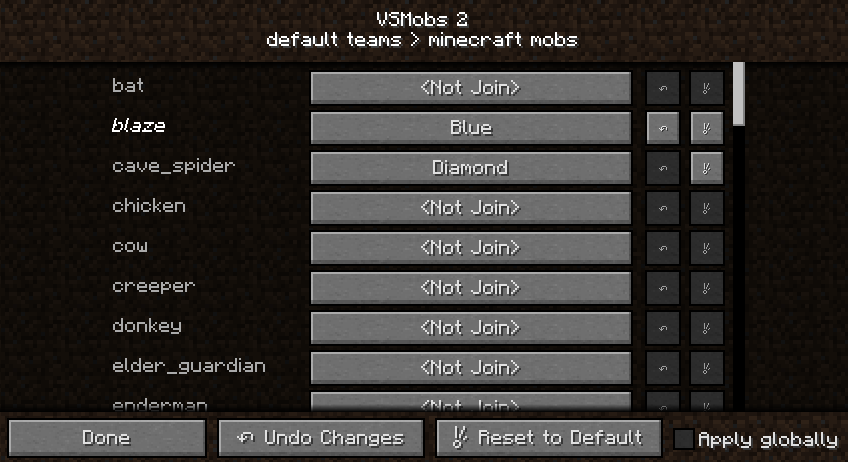
Default Teams
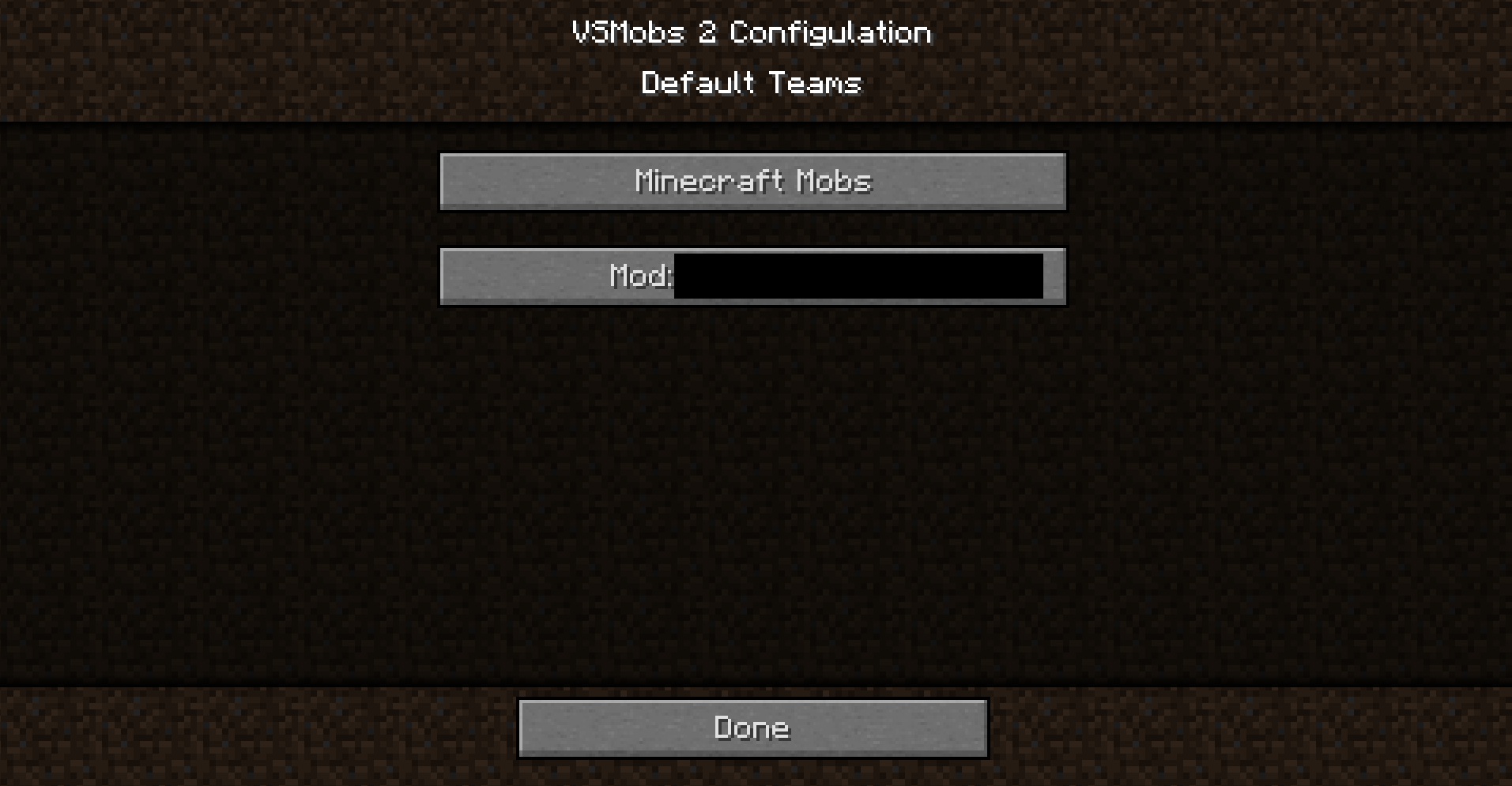
"minecraft mobs" is a subcategory of vanilla mob
“mod: <modid>” is a subcategory of Mob added by another mod, VSMob 2 automatically registers additional mobs.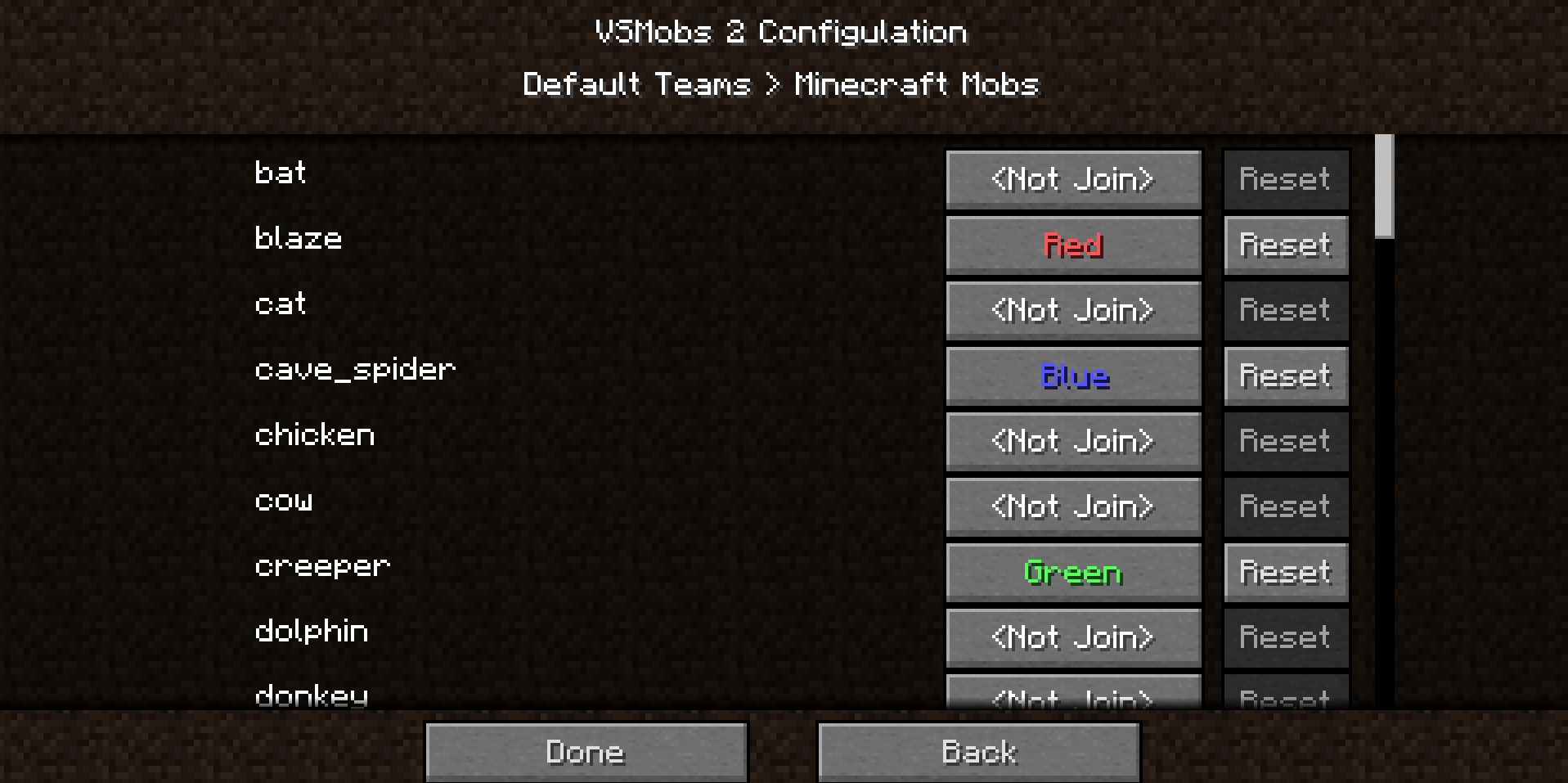
With this option, each mob automatically joins the specified team when spawning.
Default value is <Not Join>
In addition, the priority is the lowest when compared with the case using Crystal Core, VSMTool, team blocks.
Summon Mob Support Setting
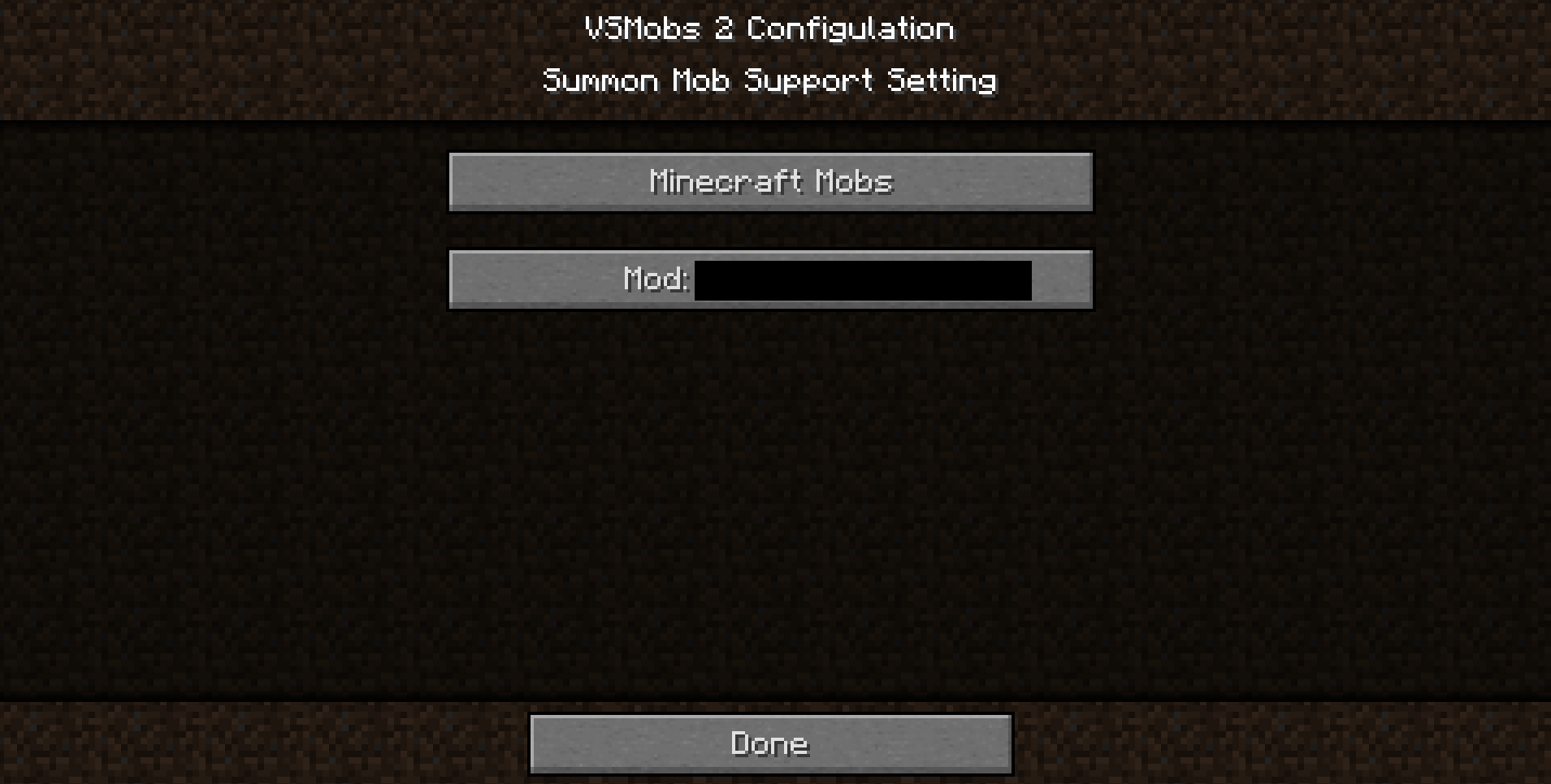
"minecraft mobs" is a subcategory of vanilla mob
“mod: <modid>” is a subcategory of Mob added by another mod, VSMob 2 automatically registers additional mobs.
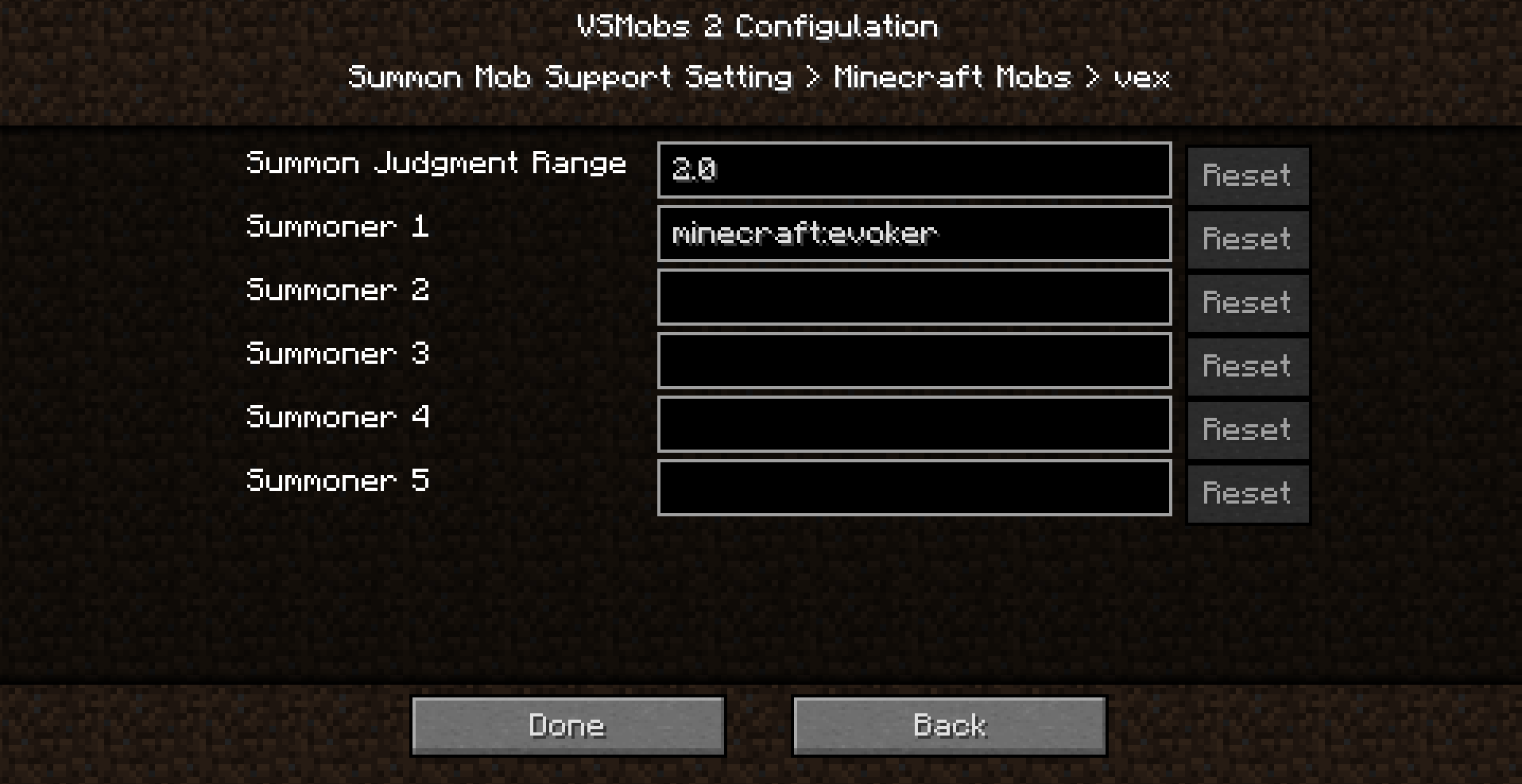
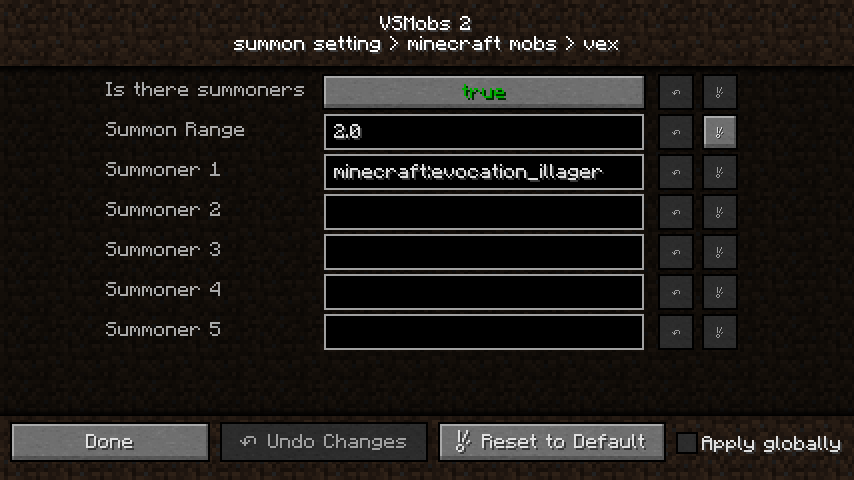
For example, when the "Vex" config is set as shown in the image.
If "Evoker" is within 2 blocks distance when "Vex" is spawned, it will act as a friend of that "Evoker".
If the config is not set, "Evoker" will be attacked by the "Vex" summoned himself.
Of course, "Vex" has all setting items registered by default.
Is there summoners (Only MC 1.12.2 version)
Turn ON if the target mob has summoners.
If ON, other settings work.
Summon Judgment Range
Sets the distance at which the target mob searches for the summoner mob.
If the specified summoner mobs are within the specified distance when the target mobs are spawned, the target mobs will act as a friend of summoner.
If not, target mobs works as usual.
Summoner 1-5
Specify the summoner mobs of the target mobs by entity type name.
Up to 5 types.
Screenshots
Gallery
-
Group Setting 2
-
Group Setting 1
-
Default Teams 1
-
Default Teams
-
Summon Setting 2
-
Summon Setting 1
-
Include Mobs 2
-
Include Mobs 1
-
Team Setting
-
General Config
-
 default team
 -
 summon setting 2
 -
 summon setting 1
 -
 include mob 2
 -
 Joined Team
 -
Team Blocks
-
Crystal Cores
-
 Join Team 03 small
 -
 Join Team 02 small
 -
 Join Team 01 small
Versions
Files
Relations
Project Relations
More like this
Similar Mods
Suggestions use data such as tags, dependencies, dependents, descriptions, titles, and more to rank how much they overlap with this mod.
On ModDex
Community snapshot
By the numbers
Statistics
 (opens in a new tab)
Get it on
Available Platforms
On ModDex
Community snapshot
By the numbers
Statistics
Resources