
Community listing page, reviews here may not be monitored by the author.
Vulcade

No reviews yet
Post-processing shader packs that run on Minecraft's Vulkan renderer. Bloom, sun glare, volumetric light shafts, ore glow, plus dedicated underwater, Nether and End looks — with Low/Medium/High/Ultra profiles.
Community voices
Reviews
No reviews yet. Be the first to review this project!
Get it on
Available Platforms
Compatibility
Supported Environments
Runs entirely on the client. Works on vanilla servers.
About
Project Details
For authors
Embed Badge
If you're the author of this project, you can embed a live badge anywhere that supports HTML or Markdown. It updates automatically whenever ratings change.
Use HTML for any page that supports it, or Markdown for README files and Markdown-based descriptions.
Identifiers
Platform IDs
Resources
External Links
About
Description
Vulcade
Loadable shader packs that work on Minecraft 26.2's Vulkan renderer.
Minecraft 26.2 replaced the 17-year-old OpenGL pipeline with a graphics backend abstraction and shipped an experimental Vulkan renderer alongside it. The catch: existing shader mods don't support it. Iris is OpenGL-only, so switching Graphics API to Vulkan currently means giving up shaders entirely.
Vulcade fills that gap. It runs shader packs through Minecraft's own post-effect system, which means the active backend compiles the shaders itself — under Vulkan your pack's GLSL goes through Mojang's GLSL-to-SPIR-V path and executes on the Vulkan command encoder. Vulcade issues no graphics calls of its own, so the same code works on Vulkan and OpenGL with no backend-specific paths.
Features
- Filmic colour grading — ACES tonemap, contrast, warm highlights against cool shadows, vibrance
- Bloom — soft-knee bright pass with a multi-stage separable blur
- Sun glare — a warm halo that tracks the sun on screen
- Volumetric light shafts — god rays that work for the sun and for any bright aperture, like a cave opening
- Ore glow — ores, torches and lava read as self-illuminated in dark caves
- Per-scene looks — separate chains for underwater (with refraction wobble), the Nether, and the End
- Four quality profiles — Low / Medium / High / Ultra change the actual pass count, not just numbers, so Low is genuinely cheaper
- In-game screen — K to pick a pack and quality, J to toggle
- Fully tunable — every grade value lives in plain JSON. Edit, press F3+T, no GLSL required
Requirements
- Minecraft 26.2
- Fabric Loader 0.19.3+ and Fabric API
- Java 25 (bundled with the official launcher from 26.1 onward)
- For the Vulkan path: Video Settings → Graphics API → Prefer Vulkan. Requires Vulkan 1.2 with dynamic rendering and push descriptors; on macOS this runs through MoltenVK. OpenGL also works.
What this is not
Stated plainly, so you know what you're installing:
- Not an Iris or OptiFine shader pack loader. OptiFine-format packs (
gbuffers_*,composite*,shadow*) will not load. Those formats assume control of Minecraft's terrain and shadow shaders, and a uniform contract that doesn't exist on the Vulkan backend. - No shadow maps, water reflections, waves or volumetric clouds. These aren't features that are nearly finished — they're outside what post-processing can do. Shadows need a depth map rendered from the sun's viewpoint during world rendering; water reflections need the water surface's normals; volumetric clouds are geometry. A post pass only ever receives the finished 2D colour buffer.
- Ore glow is not per-block emissive lighting. A post pass never learns which block a pixel came from. It keys on brightness and saturation, so ores, torches and lava glow — and so will a bright saturated non-ore block in a dark room.
If you want full lighting-model shaders, you want Iris, on OpenGL. Vulcade is for people who want the Vulkan backend and a good-looking game.
Writing your own pack
A pack is a folder or .zip in shaderpacks/ containing a vulcade.json manifest, post_effect
chain JSON, and shaders/post/*.fsh laid out like a resource pack. Chains use vanilla's own
post-effect format, so if you've written a vanilla post shader, you already know it. Every pass gets
SamplerInfo (OutSize/InSize) and vanilla's Globals block (GameTime, ScreenSize, camera
position) for free.
Ships with tools/validate_pack.py, which checks a pack without launching the game — Minecraft only
compiles a chain the first time it runs, so a broken Nether chain otherwise stays silent until you
stand in the Nether.
Credits
By Chris Do. MIT licensed.
The bundled pack's look is inspired by Complementary Shaders; no code from it is used or included.
Screenshots
Gallery
-
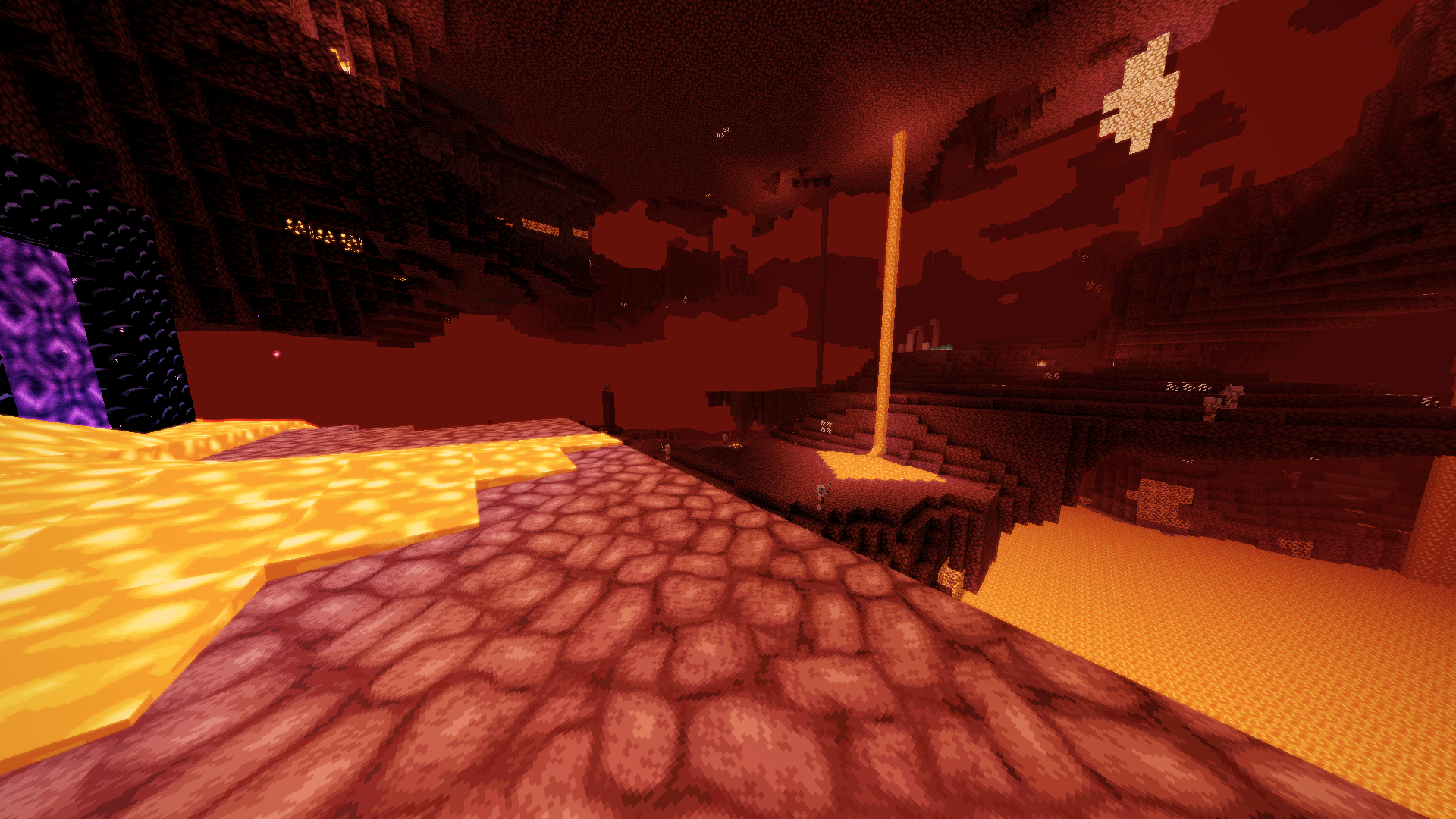 Nether Picture taken in the nether with Faithful 64x texture pack and medium settings default shader
 -
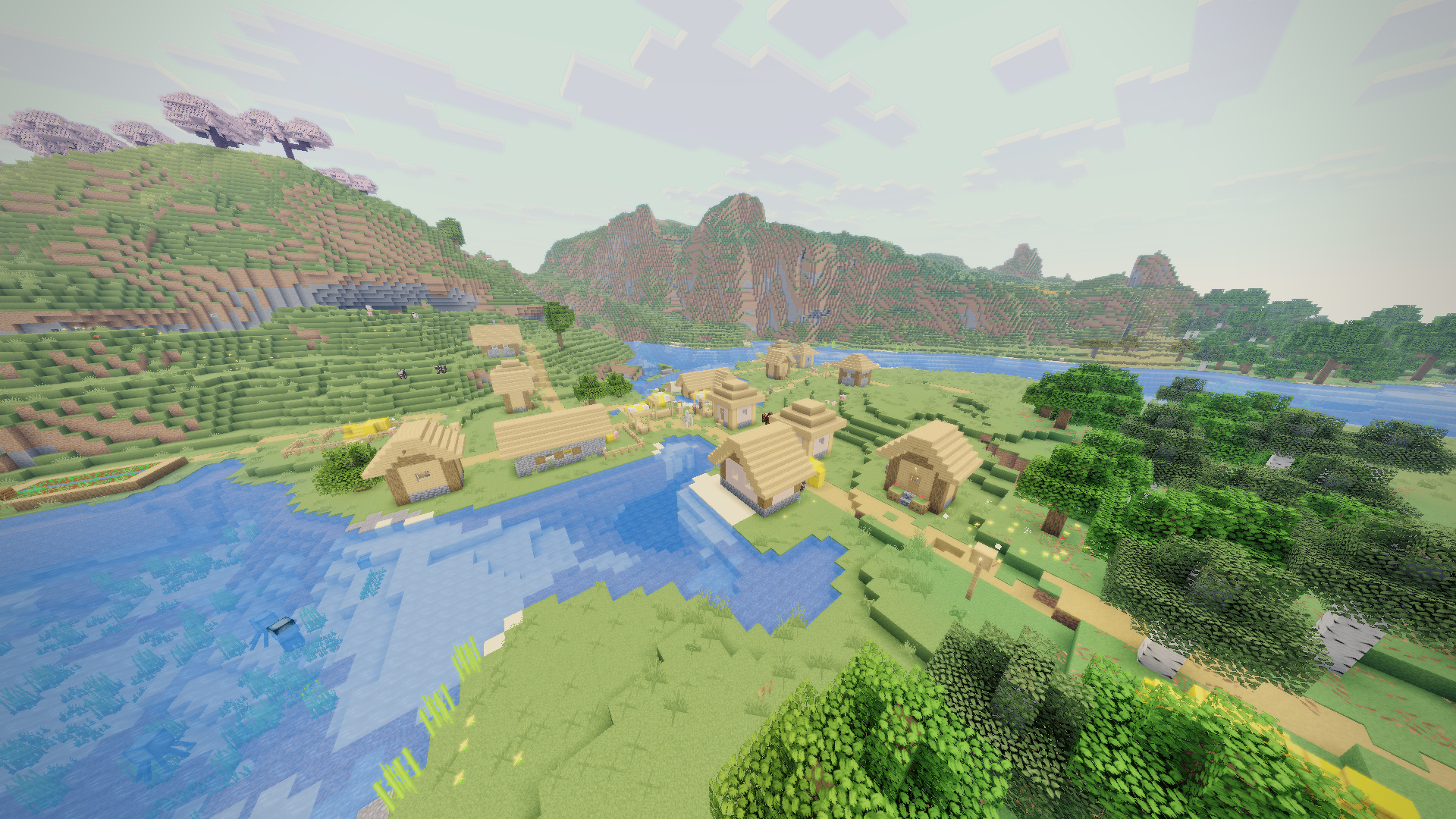 Village Picture taken in a village with Faithful 64x texture pack and medium settings default shader
 -
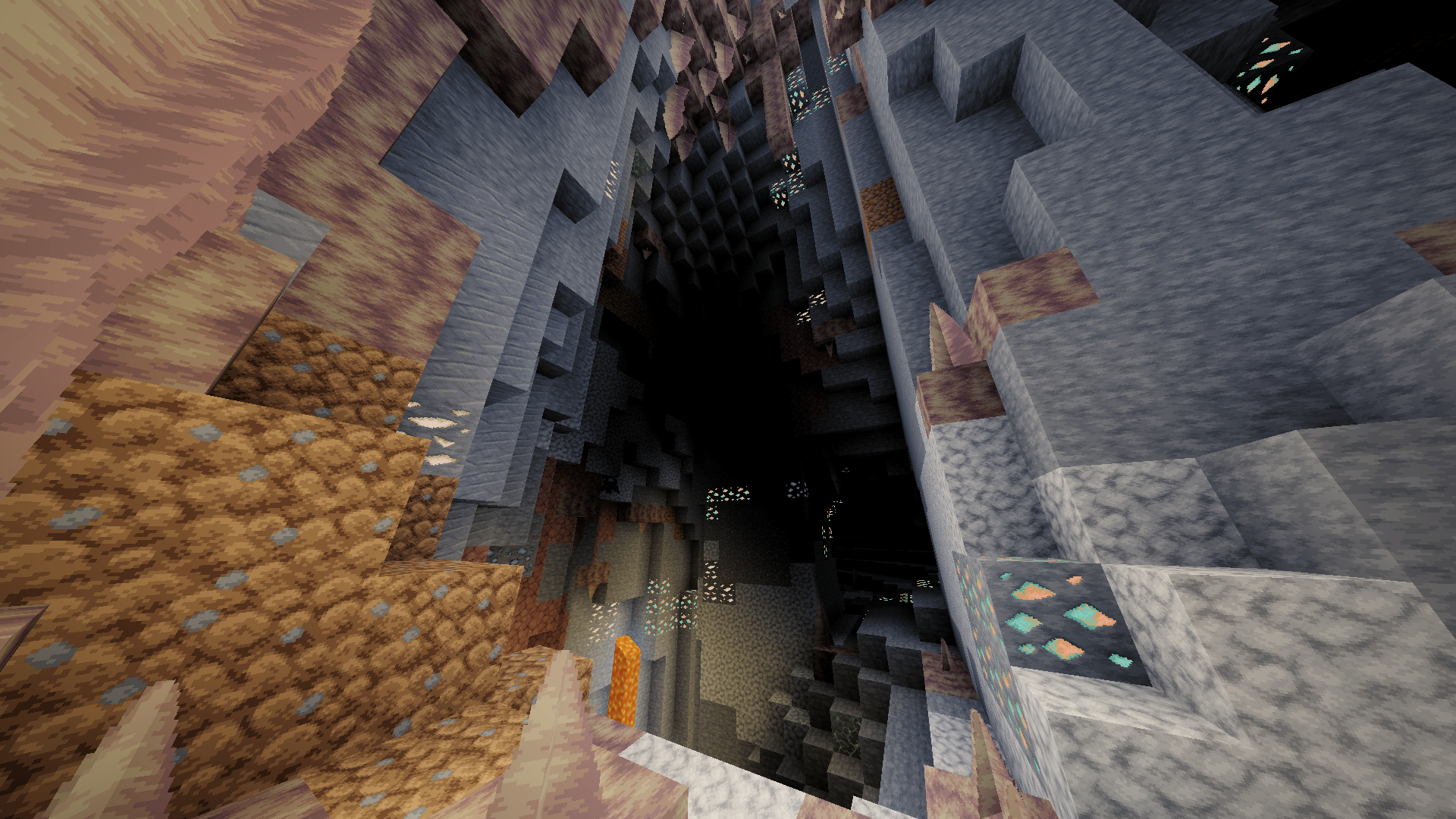 Dripstone Cave Picture taken in a dripstone cave with Faithful 64x texture pack and medium settings default shader
 -
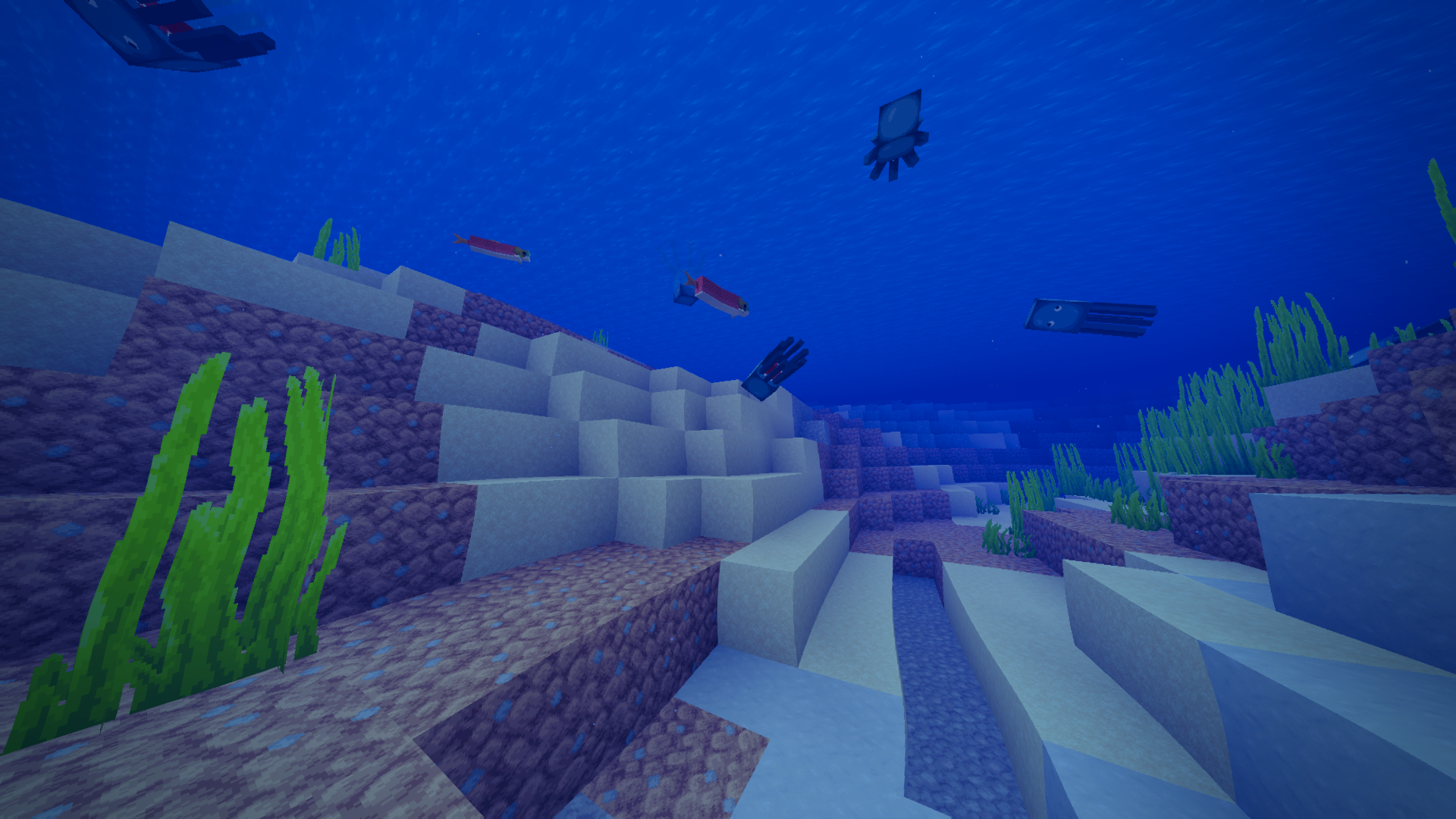 Underwater Picture taken underwater with Faithful 64x texture pack and medium settings default shader
Versions
Files
Relations
Project Relations
More like this
Similar Mods
Suggestions use data such as tags, dependencies, dependents, descriptions, titles, and more to rank how much they overlap with this mod.
On ModDex
Community snapshot
By the numbers
Statistics

Want to reach Minecraft players?
We're looking for a server hosting partner to feature here and other parts of the site. Interested? Send us a message!
Get in touchGet it on
Available Platforms
On ModDex
Community snapshot
By the numbers
Statistics
Resources