
Vynix Client
No reviews yet
A lightweight Fabric utility client focused on HUD customization, performance, and clean gameplay enhancements.
Fabric is a mod loader for versions 1.14+ of Minecraft, particularly popular for client side and optimization mods.
Community voices
Reviews
Click once to include, again to exclude, again to clear
No reviews yet. Be the first to review this project!
Get it on
Available Platforms
 Modrinth
Compatibility
Supported Environments
About
Project Details
For authors
Embed Badge
If you're the author of this project, you can embed a live badge anywhere that supports HTML or Markdown. It updates automatically whenever ratings change.
Use HTML for any page that supports it, or Markdown for README files and Markdown-based descriptions.
Identifiers
Platform IDs
Resources
External Links
About
Description

Customizable HUD ✨ • Lightweight ⚡• Early Foundation Release
Vynix Client is a lightweight client-side Fabric mod focused on HUD customization, clean visuals, and useful gameplay utilities.
This is the very first public release of the project and currently acts as the foundation build of the client.
Right now the mod mainly focuses on HUD functionality, but many larger systems and features are planned for future updates.
The goal of Vynix Client is simple:
- Smooth performance
- Useful utilities
- Minimal clutter
- Clean and modern design
- Customizable HUD elements
Features
HUD Editor
- Open the HUD Editor using
Right Shift - Drag HUD elements anywhere on screen
- HUD positions save automatically
Current Modules
- FPS Counter
- CPS Counter
- Toggle Sprint
- Keystrokes
- Ping Display
Planned Features
- Better ClickGUI
- More HUD modules
- Themes & colors
- Animations
- Profiles/config presets
- More gameplay utilities
- Cleaner UI system
- Better optimizations
HUD / Utility
- Armor HUD
- Potion HUD
- Coordinates
- Direction HUD
- Session playtime
- Combo counter
- Reach display
- Item counter
- Clock
Movement
- Toggle Sneak
- Auto Sprint improvements
- Zoom
- Freelook
Render
- Fullbright
- Motion blur
- Hit color
- Crosshair editor
- Block outline customization
PvP
- Better hit feedback
- Damage particles
- Hit markers
- CPS graph
- Target HUD
Important Information
- Client-side only
- Requires Fabric Loader
- Requires Fabric API
- Safe for multiplayer servers
- Designed for Minecraft 26.1.2(more versions will come soon)
Installation
- Install Fabric Loader
- Install Fabric API
- Put the mod inside your
/modsfolder - Launch Minecraft
Keybinds
| Action | Key |
|---|---|
| Open HUD Editor | Right Shift |
| Toggle Sprint | V |
Notes
This is only the beginning of Vynix Client 🌌
The current version is a basic HUD-focused release and the full client experience will come in future updates.
Since this is my first mod release, feedback and suggestions are appreciated ❤️ (Discord Server will also launch soon)
Screenshots
Gallery
-
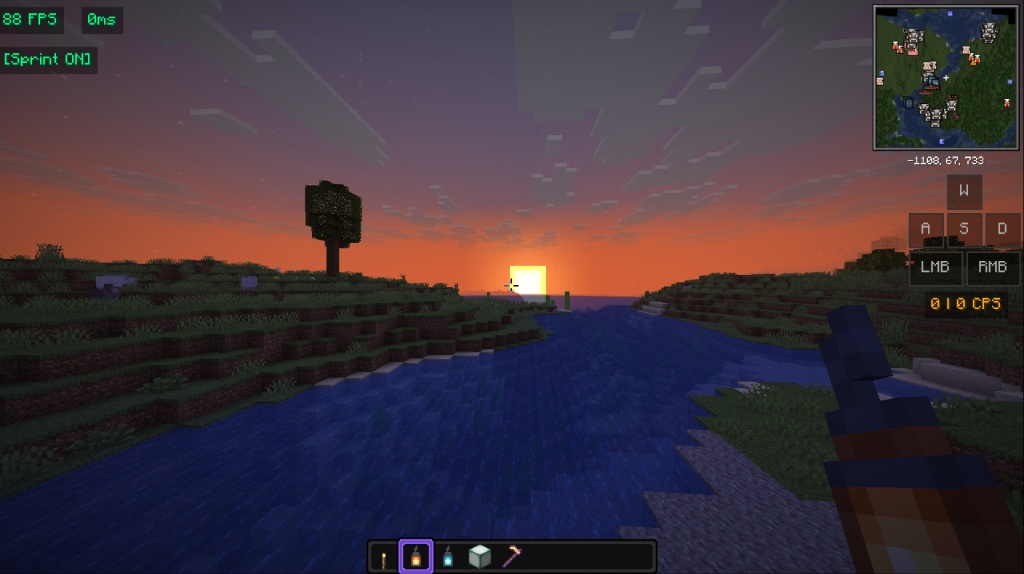 1 for showcase more proper images will come in future as the mod evolves
 -
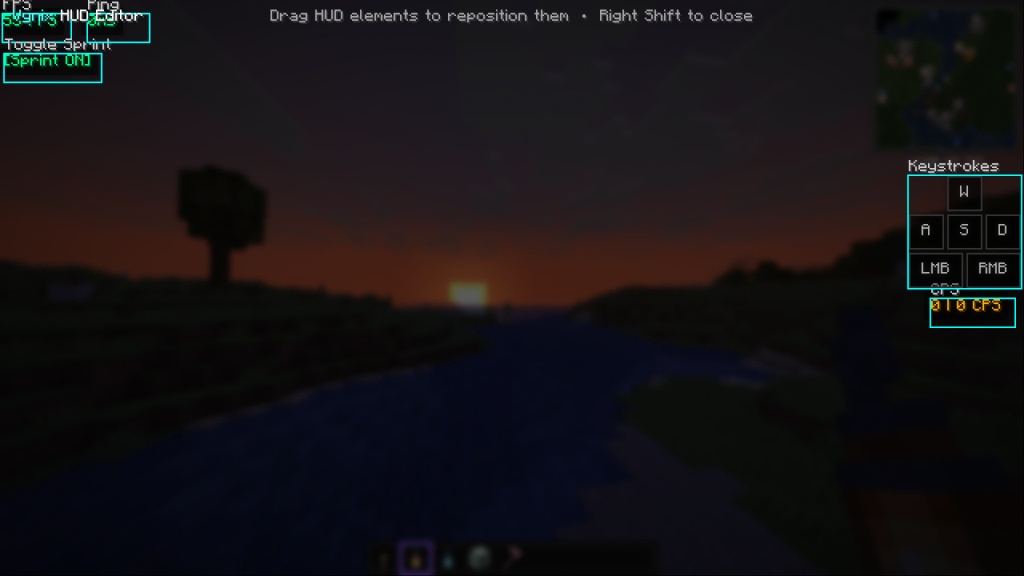 2 for showcase more proper images will come in future as the mod evolves
Versions
Files
Relations
Project Relations
More like this
Similar Mods
Suggestions use data such as tags, dependencies, dependents, descriptions, titles, and more to rank how much they overlap with this mod.
On ModDex
Community snapshot
By the numbers
Statistics

Want to reach Minecraft players?
We're looking for a server hosting partner to feature here and other parts of the site. Interested? Send us a message!
Get in touchGet it on
Available Platforms
On ModDex
Community snapshot
By the numbers
Statistics
Resources