
Community listing page, reviews here may not be monitored by the author.

Community voices
Reviews
No reviews yet. Be the first to review this project!
Get it on
Available Platforms
Compatibility
Supported Environments
Runs entirely on the client. Works on vanilla servers.
About
Project Details
For authors
Embed Badge
If you're the author of this project, you can embed a live badge anywhere that supports HTML or Markdown. It updates automatically whenever ratings change.
Use HTML for any page that supports it, or Markdown for README files and Markdown-based descriptions.
Identifiers
Platform IDs
Resources
External Links
About
Description
Customizable macro buttons over the chat screen. Click a button to send its attached message or command.
Client-side only — nothing to install on the server, works on any server.
Features
- Buttons over chat, macro sent with one click
- Two ways to edit: full-screen editor (
U) and editing right on top of an open chat (the[edit]button in the corner) — see the real chat layout while placing buttons - Drag to move, drag the corner to resize
- 12 colours to choose from for each button
- Confirmation before sending: none / double click / dialog with the text
- Command field can be masked with an eye toggle — keep passwords off stream
- Editor background patterns: grid, dots, waves, hearts, stars, W letters
- Positions are stored as a fraction of the screen, so buttons stay put when the resolution changes
- Settings in
config/wchat.json, saved immediately
Controls
| Action | What it does |
|---|---|
U |
open the full-screen button editor |
[edit] in the chat corner |
edit right on top of the open chat |
| LMB on a button in chat | send the macro |
| LMB + drag in the editor | move a button |
| Drag the corner in the editor | resize a button |
| RMB in the editor | edit label, macro, colour, confirmation |
Delete in the editor |
remove the selected button |
U can be rebound in the controls settings.
Macros
Text starting with a slash is sent as a command, everything else as a regular chat message:
Screenshots
Gallery
-
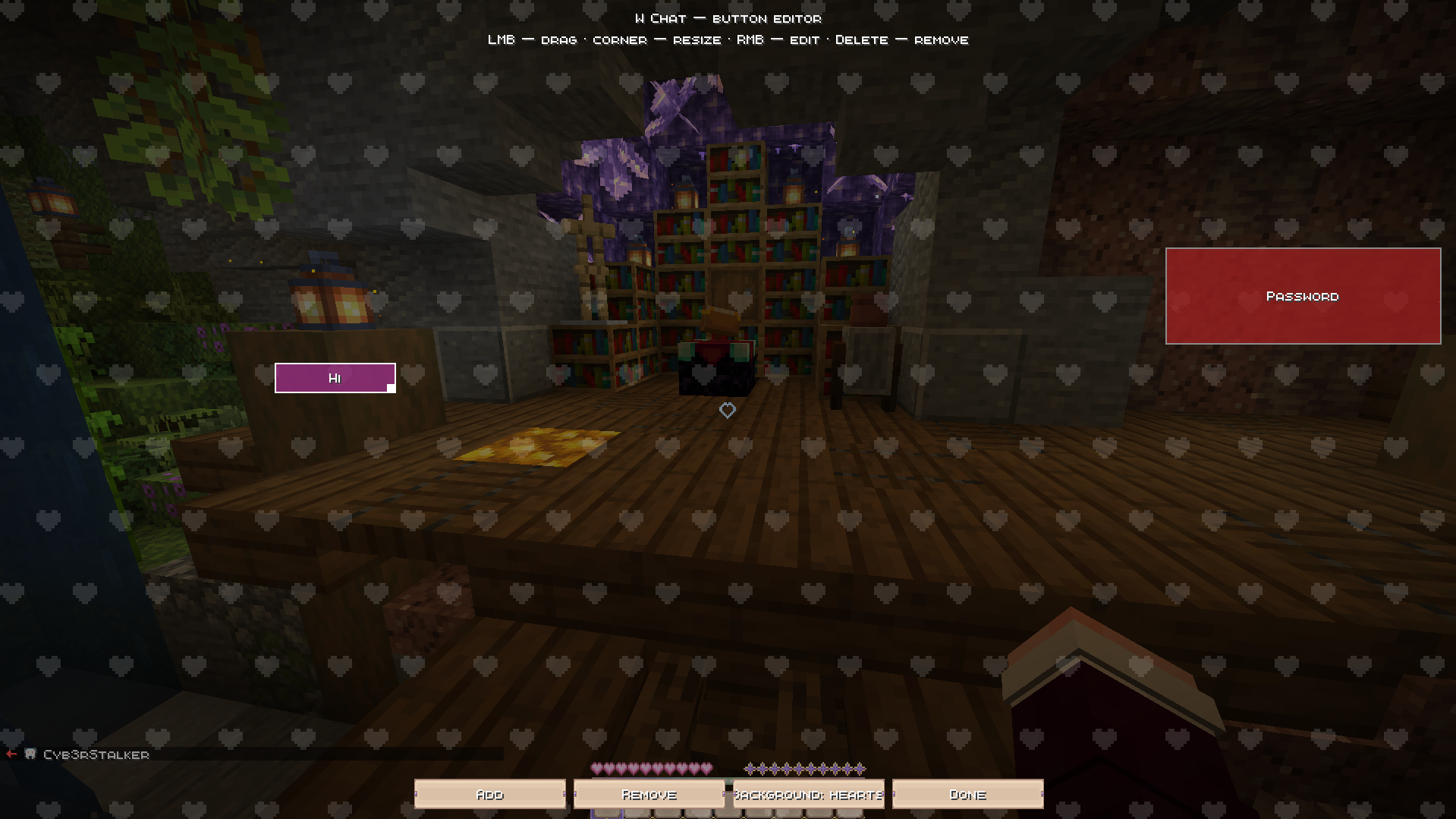 Button Editor Full-screen editor with the hearts background pattern. Drag buttons to reposition, drag the corner to resize.
 -
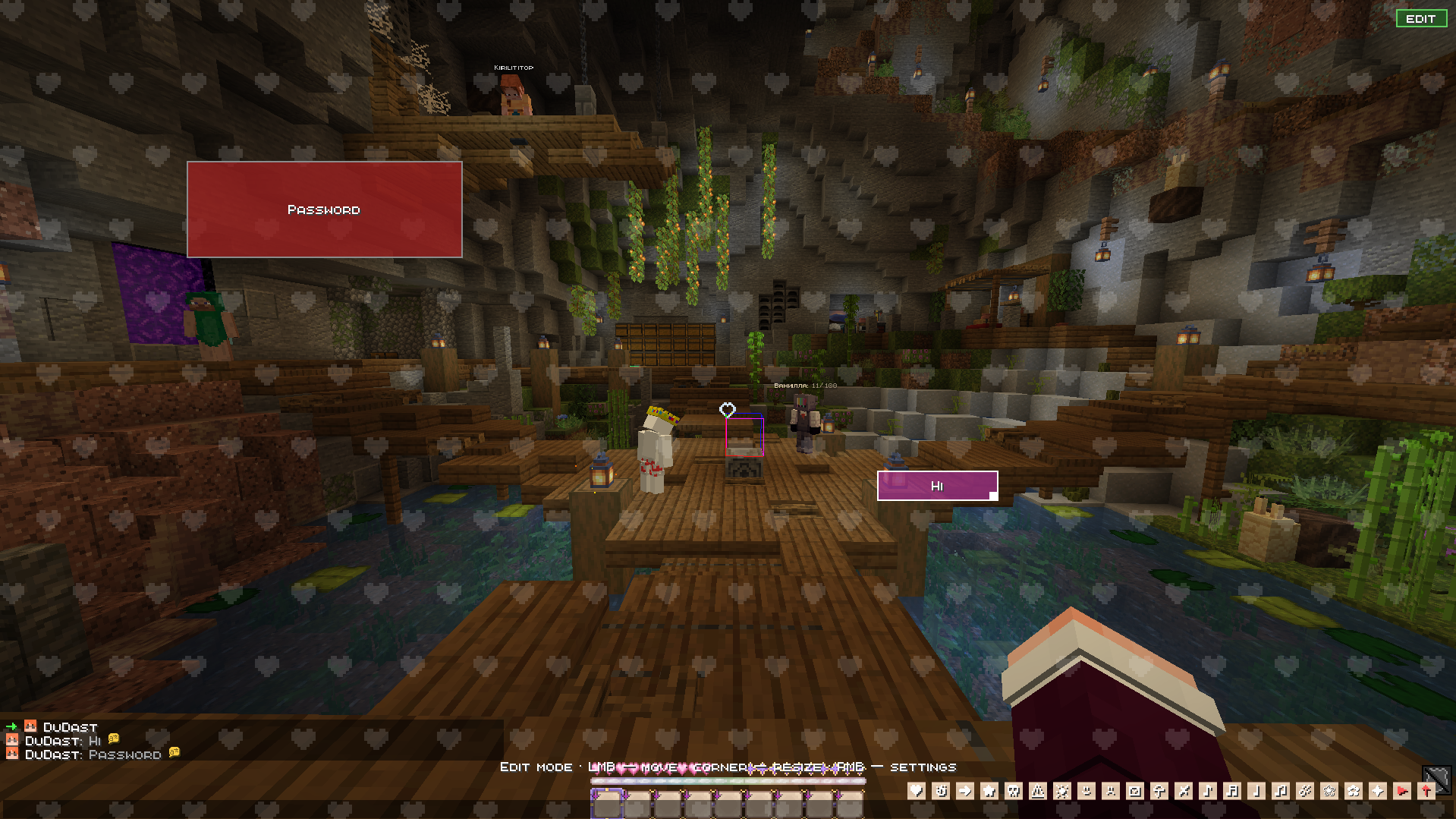 Edit Mode Over Chat Toggle edit mode right on top of an open chat with the [EDIT] button — see the real chat layout while placing buttons.
 -
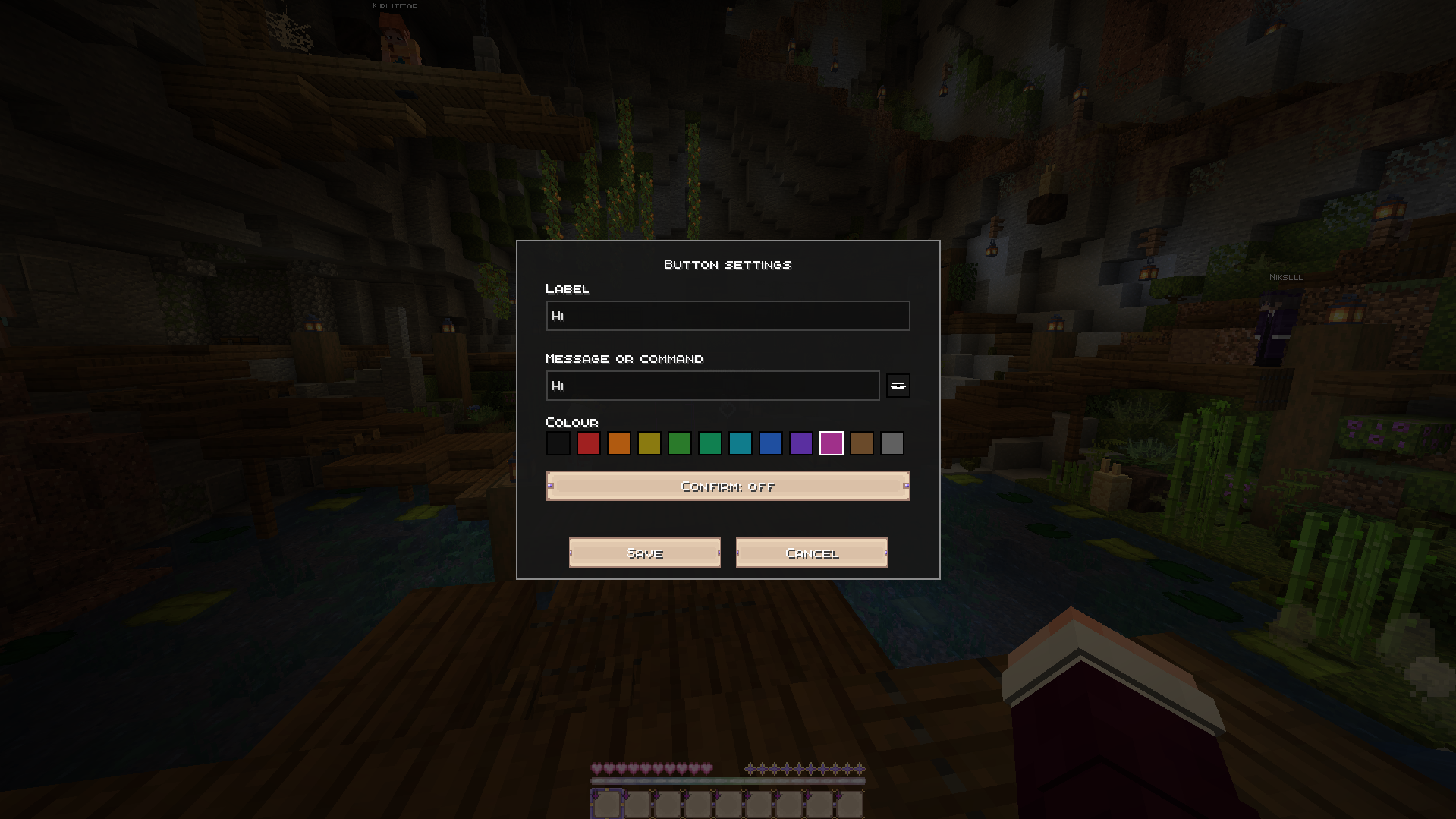 Button Settings Set the label, message or command, and pick from 12 colours for each button.
 -
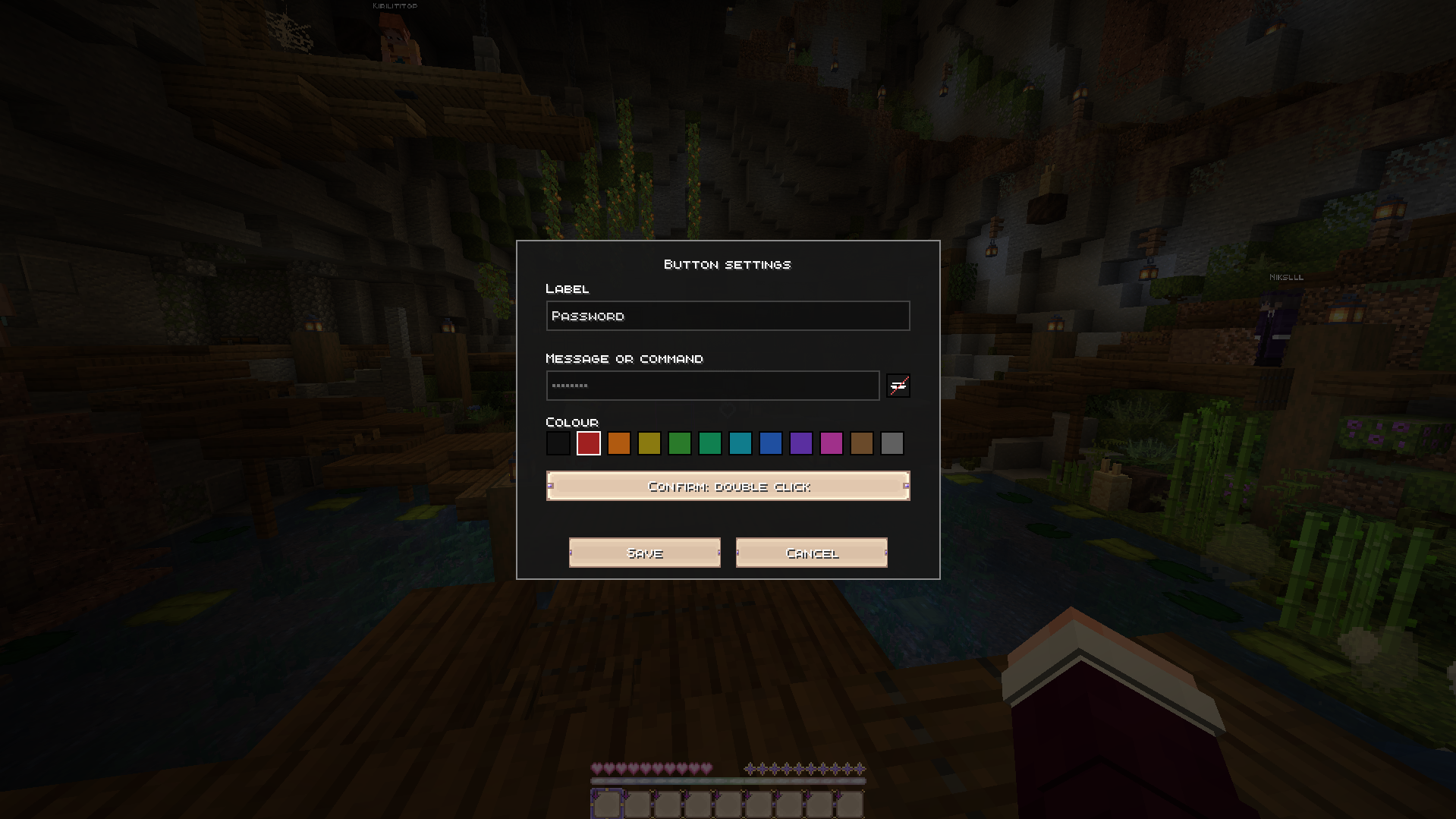 Confirmation & Hidden Commands Require a double click before sending, and mask the command field with the eye toggle to keep passwords off stream.
 -
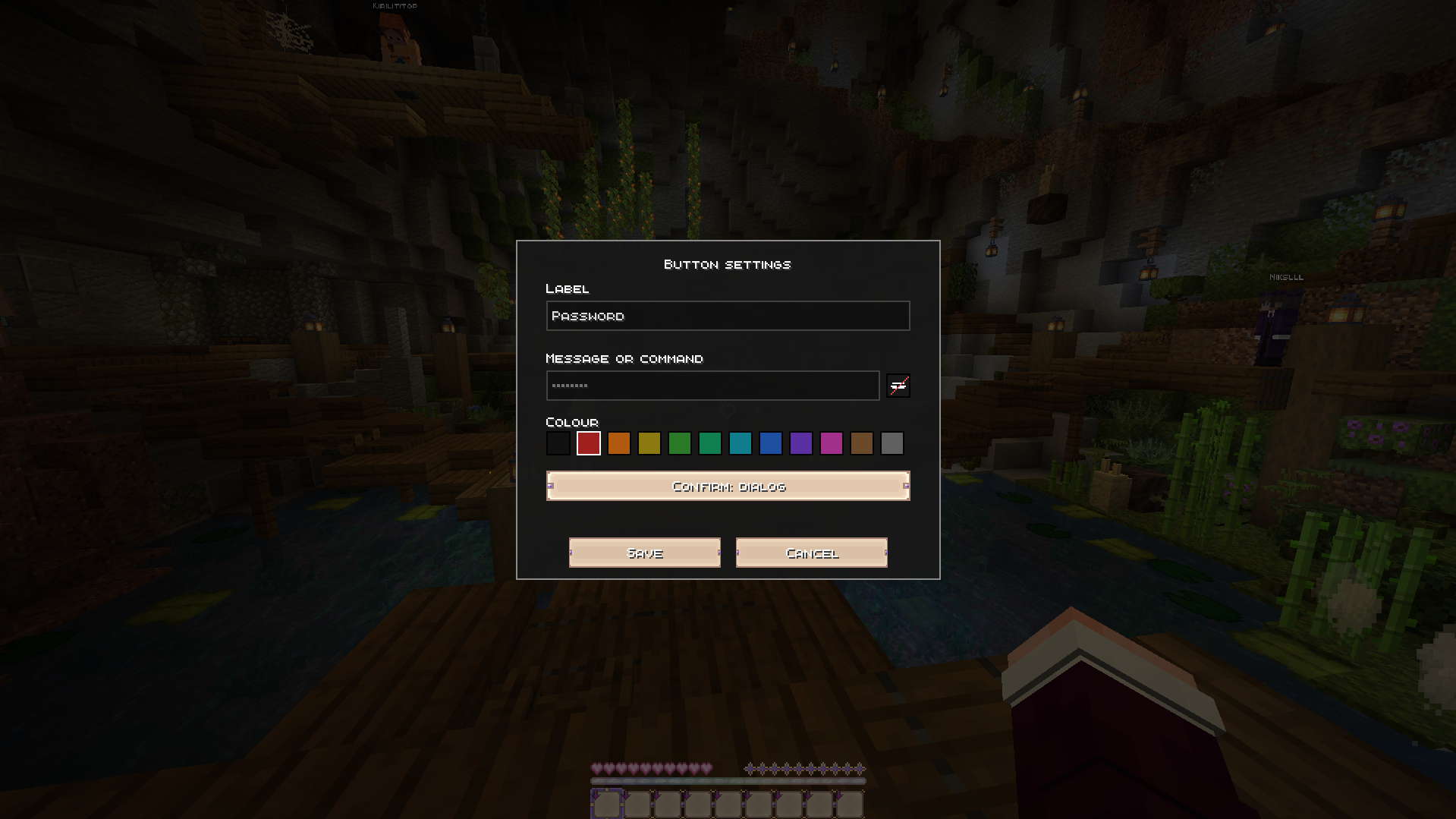 Dialog Confirmation Or require a full confirmation dialog before the macro is sent — the masked command stays hidden here too.
Versions
Files
Relations
Project Relations
More like this
Similar Mods
Suggestions use data such as tags, dependencies, dependents, descriptions, titles, and more to rank how much they overlap with this mod.
On ModDex
Community snapshot
By the numbers
Statistics

Want to reach Minecraft players?
We're looking for a server hosting partner to feature here and other parts of the site. Interested? Send us a message!
Get in touchGet it on
Available Platforms
On ModDex
Community snapshot
By the numbers
Statistics
Resources