
Community listing page, reviews here may not be monitored by the author.
Wallmaster

No reviews yet
Build walls, floors, and solid volumes from two corners with a live ghost preview. Survival-friendly, inventory-aware, multiplayer-ready, and includes bounded water clearing.
Community voices
Reviews
No reviews yet. Be the first to review this project!
Get it on
Available Platforms
About
Project Details
For authors
Embed Badge
If you're the author of this project, you can embed a live badge anywhere that supports HTML or Markdown. It updates automatically whenever ratings change.
Use HTML for any page that supports it, or Markdown for README files and Markdown-based descriptions.
Identifiers
Platform IDs
Resources
External Links
About
Description
WallMaster
Two corners. One preview. Build it safely.
Wallmaster is a survival-friendly building tool for creating walls, floors, and solid volumes from two selected corners.
Preview the complete structure before placing it, confirm that you have enough materials, and build it in seconds. Wallmaster spends blocks from your inventory, avoids obstructed spaces and entities, and works in both single-player and multiplayer.
Build with confidence
- Live Ghost Preview — See the entire result before committing.
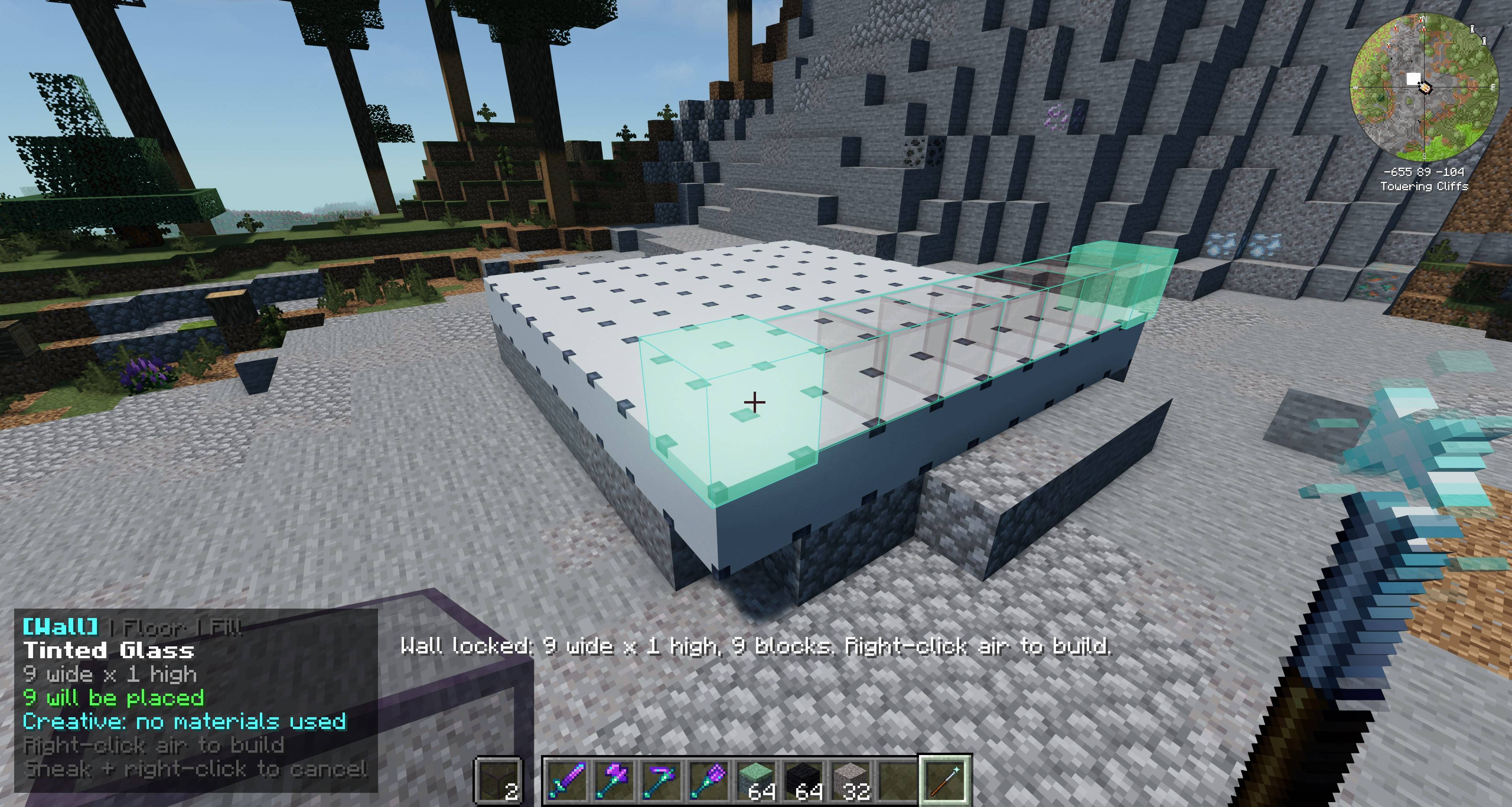
- Wall Mode — Create vertical walls between two corners.
- Floor Mode — Fill horizontal surfaces quickly.
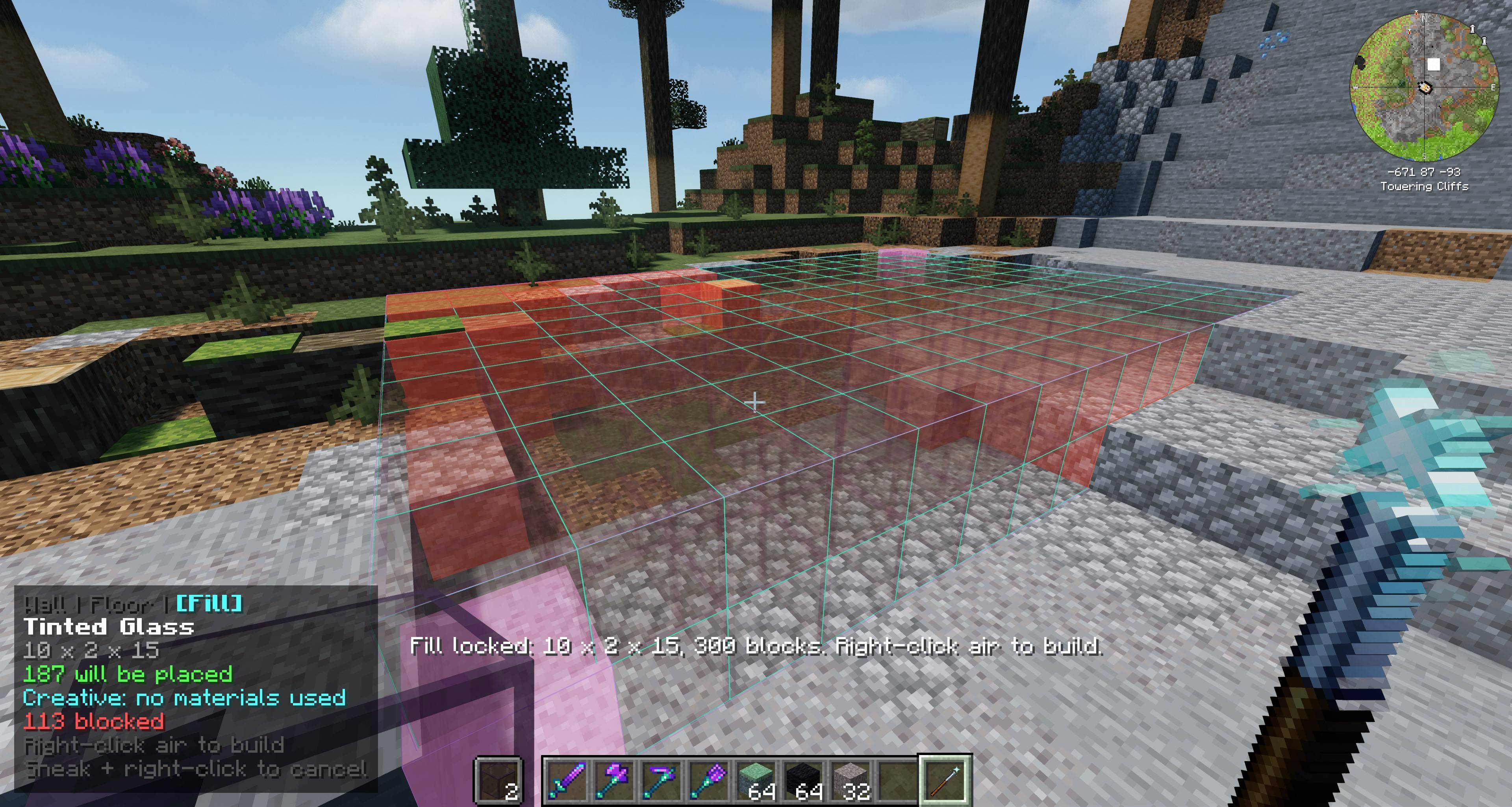
- Fill Mode — Build complete rectangular volumes.
- Inventory-Aware Building — Survival mode consumes the selected blocks from your inventory.
- Safer Placement — Obstructed positions and entities are skipped.
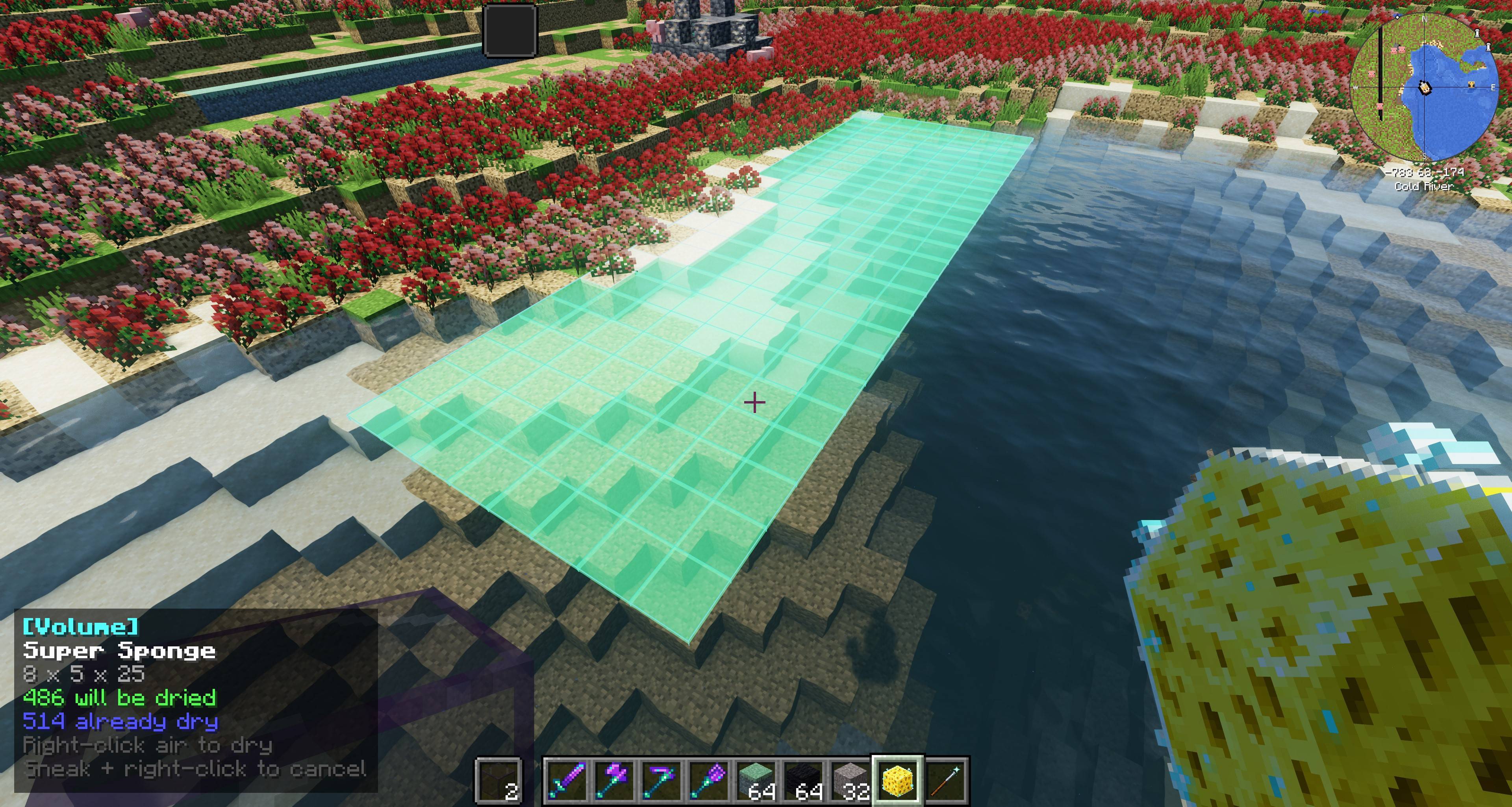
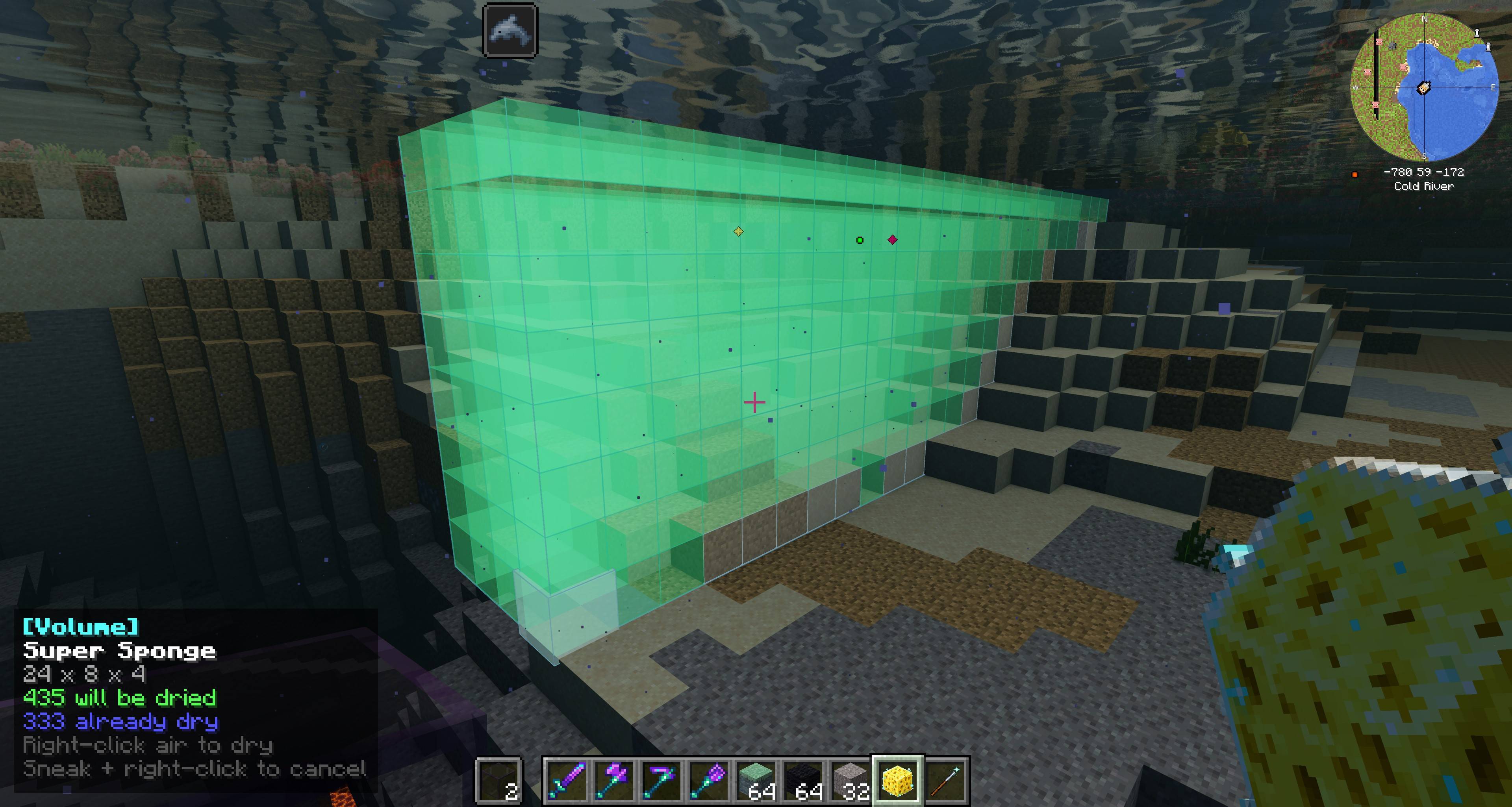
- Super Sponge — Select and clear bounded volumes of water without placing dozens of vanilla sponges.
- Configurable Limits — Adjust construction limits, preview behavior, and other safety settings.
Designed for survival worlds and modpacks
Wallmaster is intended to speed up repetitive construction without replacing resource gathering. You still collect the blocks—you just spend less time placing them one at a time.
Select two corners. Review the blueprint. Build.
Features
- Builder's Wand — Wall / Floor / Fill modes with live ghost preview and HUD
- Mode carousel — always visible while holding the wand
- Super Sponge — dry a rectangular water volume (strips waterlogged blocks by default)
- Underwater builds — water is replaceable by default; lava stays blocked unless enabled
- Safe by design — skips solid obstructions and living entities; full-cube materials only
- Advancements — WallMaster tab for crafting, building, filling, and drying milestones
- Configurable — server limits/safety + client preview cosmetics
How to use — Builder's Wand
- Wand in main hand, material in offhand
- Hold Left Alt + scroll to choose Wall, Floor, or Fill (rebind under Controls → WallMaster → Cycle Build Mode)
- Right-click a block face to set the first corner
- Aim to size the ghost, right-click to lock the far corner
- Right-click air to build
- Sneak + right-click to cancel
Mode decides the shape — not which face you clicked.
How to use — Super Sponge
- Hold the Super Sponge
- Pick two corners the same way
- Right-click air to dry water inside the volume
Crafting
- Builder's Wand — 2 iron ingots, 1 redstone dust, 1 stick
- Super Sponge — 3 iron ingots, 1 sponge, 1 redstone dust
Requirements
- Minecraft 1.21.1
- NeoForge 21.1.234+
- Java 21
- Required on client and server
Notes
Works well in large packs like All the Mods 10. Preview hide/style keybinds ship unbound so they don’t fight crowded keymaps.
Screenshots
Gallery
-
 2026-07-27_20.34.29.jpg 2026-07-27_20.34.29.jpg
 -
 2026-07-27_20.35.15.jpg 2026-07-27_20.35.15.jpg
 -
 2026-07-27_20.37.10.jpg 2026-07-27_20.37.10.jpg
 -
 2026-07-27_20.36.30.jpg 2026-07-27_20.36.30.jpg
 -
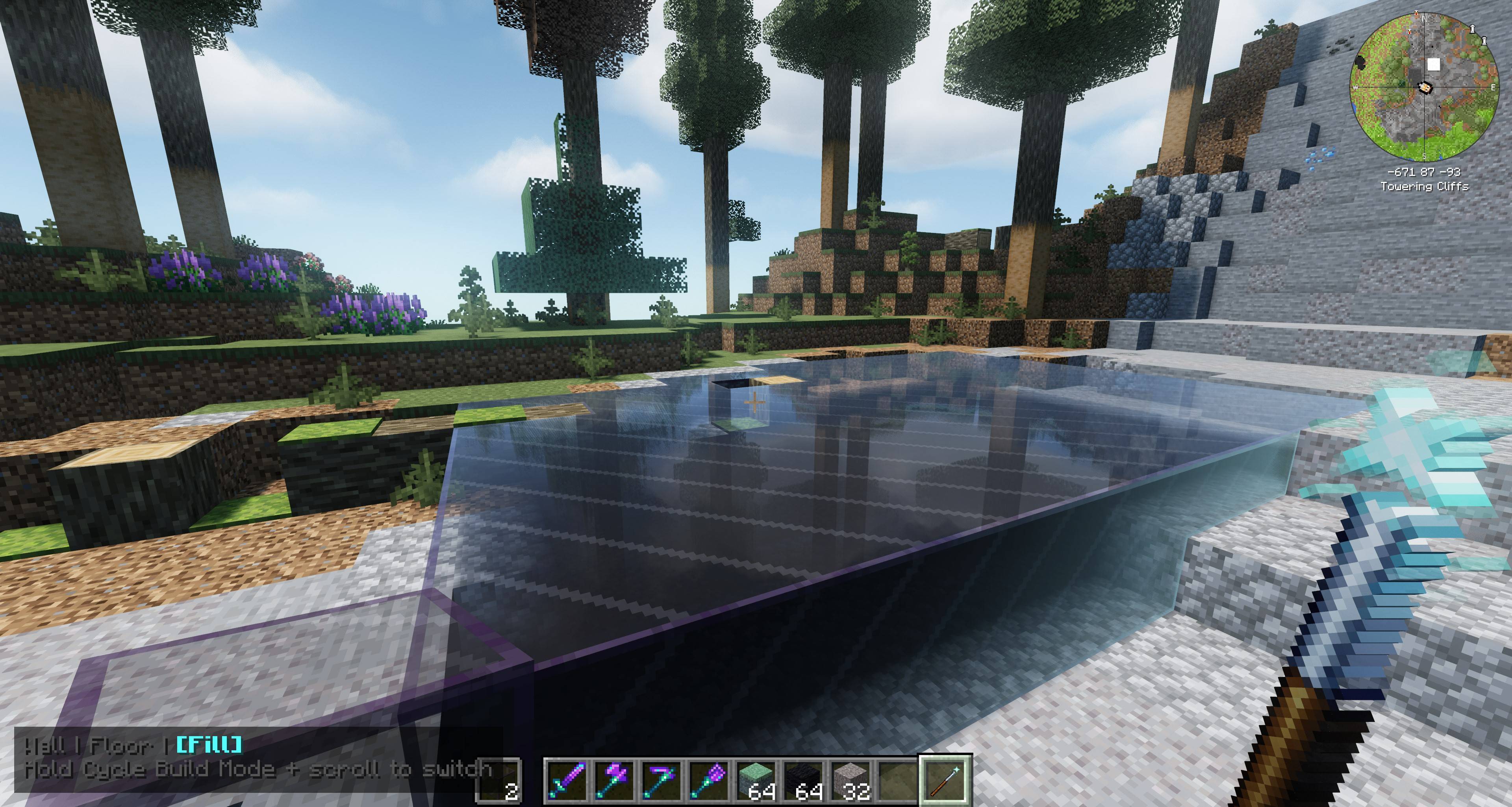 2026-07-27_20.35.29.jpg 2026-07-27_20.35.29.jpg
 -
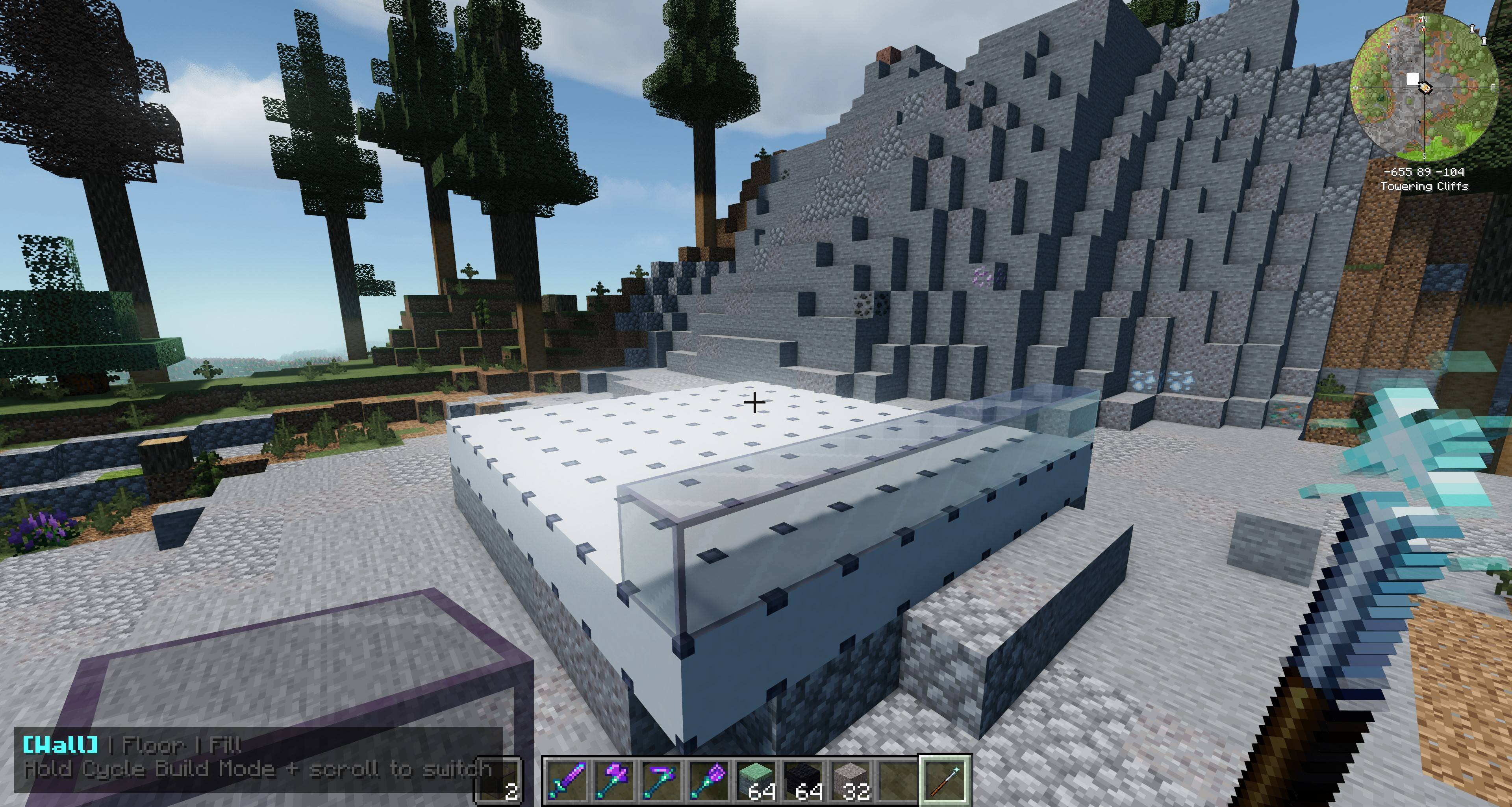 2026-07-27_20.34.42.jpg 2026-07-27_20.34.42.jpg
 -
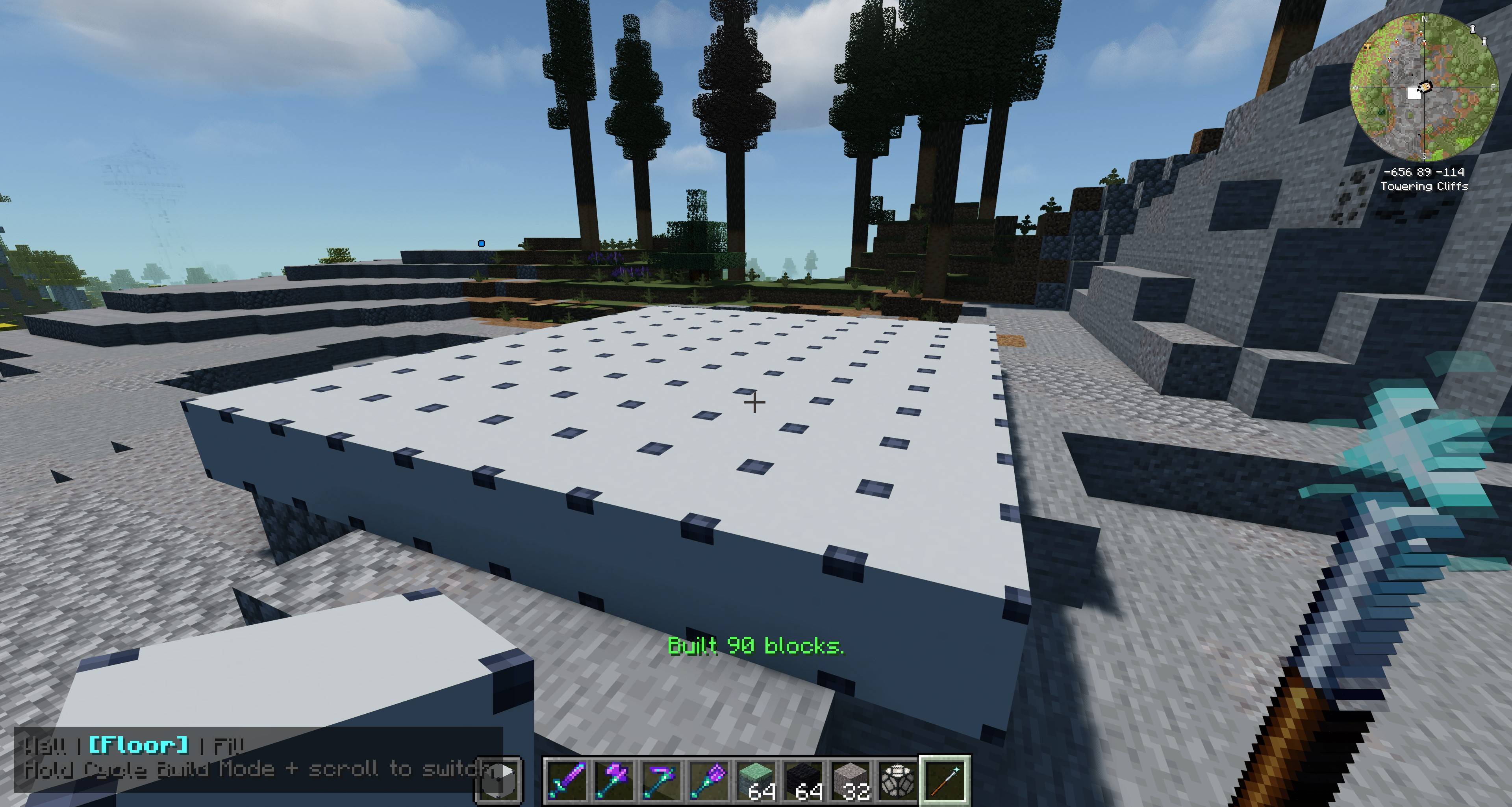 2026-07-27_20.33.43.jpg 2026-07-27_20.33.43.jpg
 -
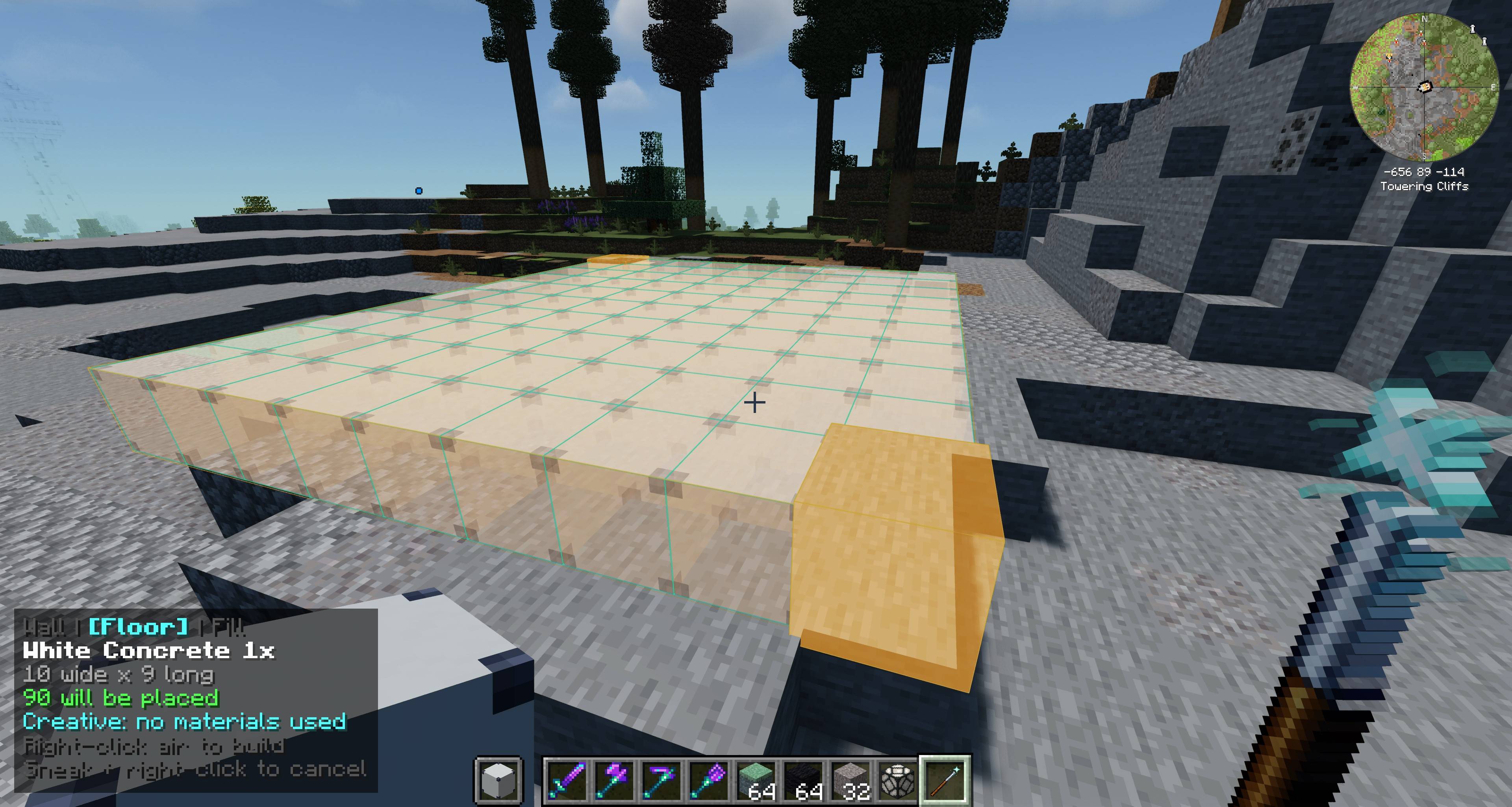 2026-07-27_20.33.30.jpg 2026-07-27_20.33.30.jpg
Versions
Files
Relations
Project Relations
More like this
Similar Mods
Suggestions use data such as tags, dependencies, dependents, descriptions, titles, and more to rank how much they overlap with this mod.
On ModDex
Community snapshot
By the numbers
Statistics
Want to reach Minecraft players?
We're looking for a server hosting partner to feature here and other parts of the site. Interested? Send us a message!
Get in touchGet it on
Available Platforms
On ModDex
Community snapshot
By the numbers
Statistics
Resources