
Community listing page, reviews may not be monitored by the author.
Thom's Wandering Traders


No reviews yet
Discover new wandering traders in Minecraft. Also adds loot recovery!

Community voices
Reviews
No reviews yet. Be the first to review this project!
Get it on
Available Platforms
Compatibility
Supported Environments
Must be installed on both the client and the server.
About
Project Details
For authors
Embed Badge
If you're the author of this project, you can embed a live badge anywhere that supports HTML or Markdown. It updates automatically whenever ratings change.
Use HTML for any page that supports it, or Markdown for README files and Markdown-based descriptions.
Identifiers
Platform IDs
About
Description



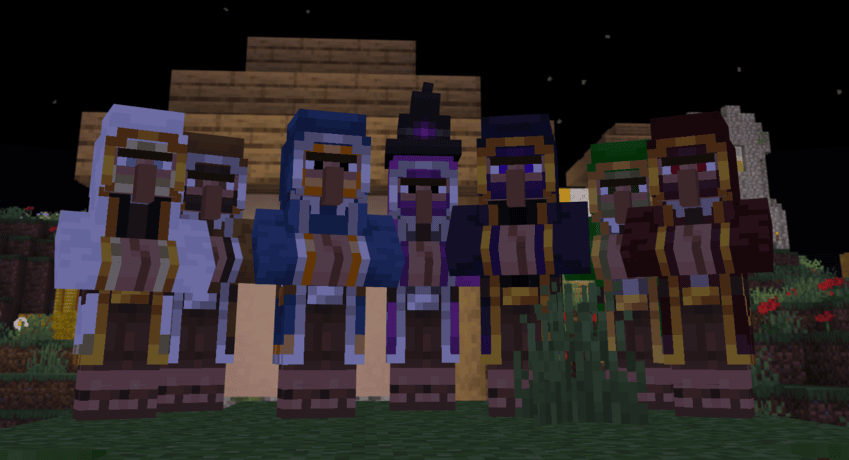
Wandering Traders Mod
Welcome to the Wandering Traders mod! This mod introduces a variety of new wandering traders to Minecraft, each with unique trades and mechanics. Below is a comprehensive guide to the features and functionalities of the mod.
Dependencies !!!
Fabric version of mod needs both fabric-api and yacl to function
NeoForge/Forge version of mod doesn't need dependencies
Overview
The Wandering Traders mod adds the following traders:
- End Trader
- Forest Trader
- Animal Trader
- Book Trader
- Decoration Trader
- Potion Trader
- Exclusive Trader
End Trader
- Functionality: The End Trader allows players to recover lost loot (items that have been lost, destroyed, or despawned).
- Invocation: He can be summoned using an End Bell, which is a rare drop from Endermen.
- Dynamic Pricing: The price for recovering items is dynamic and based on the type of item lost.
- Spawn Mechanics:
- Does not spawn naturally and cannot be found in the End.
- Stays for 48,000 ticks (approximately 2 Minecraft weeks) after being summoned.
- Cannot be killed; if damaged by a player, he will teleport away. If damaged by a player linked to him, he will return to the End, destroying any untraded loot.
- Linking: Each End Trader is linked to a single player, preventing multiple players from recovering loot with one End Bell.
Forest Trader
- Functionality: Trades various seeds and saplings, including Nether saplings, as well as potatoes and carrots.
- Spawn Location: Appears in forests in the Overworld.
Animal Trader
- Functionality: Trades animal spawn eggs.
- Spawn Location: Found in plains biomes.
Book Trader
- Functionality: Trades enchanted books. Requires 1 book and emeralds, with dynamic pricing based on the number and level of enchantments.
- Limitations: Each item can only be purchased once.
- Spawn Location: Appears in snowy biomes, including:
- Snowy Beach
- Snowy Plains
- Snowy Slopes
- Snowy Taiga
- Frozen Peaks
Decoration Trader
- Functionality: Trades decorative blocks, including colored wools, glass, bricks, terracottas, concrete, banners, paintings, and item frames.
- Spawn Location: Found in deserts.
Potion Trader
- Functionality: Trades uncraftable potions with random effects. Potions have a longer-lasting effect (1.5 times the normal duration).
- Spawn Location: Appears near swamp huts.
Exclusive Trader
- Functionality: Trades high-value exclusive items such as wither skulls, totems of undying, nametags, horse armor, and saddles.
- Spawn Location: Found in the Nether, specifically in the Crimson Forest biome.
Lost Loot Command
The mod includes a /lostloot command that allows players to manage their lost loot:
- View Lost Loot: Players can use this command to view their lost loot.
- Clear Lost Loot: If you have operator (OP) permissions, you can clear lost loot for yourself or for other players.
Configuration Options
- All trader spawns can be disabled in the configuration settings.
- Players can also configure the availability of End Bells, loot recovery, and trader despawn times (default is 48,000 ticks).
End Trader Bell
- Item Description: The End Bell functions like a spawn egg. Right-clicking it will summon the End Trader and produce a bell sound.
- Usage Restrictions:
- The bell can only be used if there is no End Trader currently assigned to the player.
- After the End Trader leaves, players can summon him again with another bell.
- If a player attempts to use a bell while a trader is nearby, they will receive a notification indicating the presence of a trader and, if close enough, the coordinates of the trader.
License
This mod is licensed under the LGPL. See the LICENSE file for details.



Wandering Traders Mod
Welcome to the Wandering Traders mod! This mod introduces a variety of new wandering traders to Minecraft, each with unique trades and mechanics. Below is a comprehensive guide to the features and functionalities of the mod.
Overview
The Wandering Traders mod adds the following traders:
- End Trader
- Forest Trader
- Animal Trader
- Book Trader
- Decoration Trader
- Potion Trader
- Exclusive Trader
End Trader
- Functionality: The End Trader allows players to recover lost loot (items that have been lost, destroyed, or despawned).
- Invocation: He can be summoned using an End Bell, which is a rare drop from Endermen.
- Dynamic Pricing: The price for recovering items is dynamic and based on the type of item lost.
- Spawn Mechanics:
- Does not spawn naturally and cannot be found in the End.
- Stays for 48,000 ticks (approximately 2 Minecraft weeks) after being summoned.
- Cannot be killed; if damaged by a player, he will teleport away. If damaged by a player linked to him, he will return to the End, destroying any untraded loot.
- Linking: Each End Trader is linked to a single player, preventing multiple players from recovering loot with one End Bell.
Forest Trader
- Functionality: Trades various seeds and saplings, including Nether saplings, as well as potatoes and carrots.
- Spawn Location: Appears in forests in the Overworld.
Animal Trader
- Functionality: Trades animal spawn eggs.
- Spawn Location: Found in plains biomes.
Book Trader
- Functionality: Trades enchanted books. Requires 1 book and emeralds, with dynamic pricing based on the number and level of enchantments.
- Limitations: Each item can only be purchased once.
- Spawn Location: Appears in snowy biomes, including:
- Snowy Beach
- Snowy Plains
- Snowy Slopes
- Snowy Taiga
- Frozen Peaks
Decoration Trader
- Functionality: Trades decorative blocks, including colored wools, glass, bricks, terracottas, concrete, banners, paintings, and item frames.
- Spawn Location: Found in deserts.
Potion Trader
- Functionality: Trades uncraftable potions with random effects. Potions have a longer-lasting effect (1.5 times the normal duration).
- Spawn Location: Appears near swamp huts.
Exclusive Trader
- Functionality: Trades high-value exclusive items such as wither skulls, totems of undying, nametags, horse armor, and saddles.
- Spawn Location: Found in the Nether, specifically in the Crimson Forest biome.
Lost Loot Command
The mod includes a /lostloot command that allows players to manage their lost loot:
- View Lost Loot: Players can use this command to view their lost loot.
- Clear Lost Loot: If you have operator (OP) permissions, you can clear lost loot for yourself or for other players.
Configuration Options
- All trader spawns can be disabled in the configuration settings.
- Players can also configure the availability of End Bells, loot recovery, and trader despawn times (default is 48,000 ticks).
End Trader Bell
- Item Description: The End Bell functions like a spawn egg. Right-clicking it will summon the End Trader and produce a bell sound.
- Usage Restrictions:
- The bell can only be used if there is no End Trader currently assigned to the player.
- After the End Trader leaves, players can summon him again with another bell.
- If a player attempts to use a bell while a trader is nearby, they will receive a notification indicating the presence of a trader and, if close enough, the coordinates of the trader.
License
This mod is licensed under the LGPL. See the LICENSE file for details.
Screenshots
Gallery
-
 wandering_trader.png
 -
 decoration-trader.png
 -
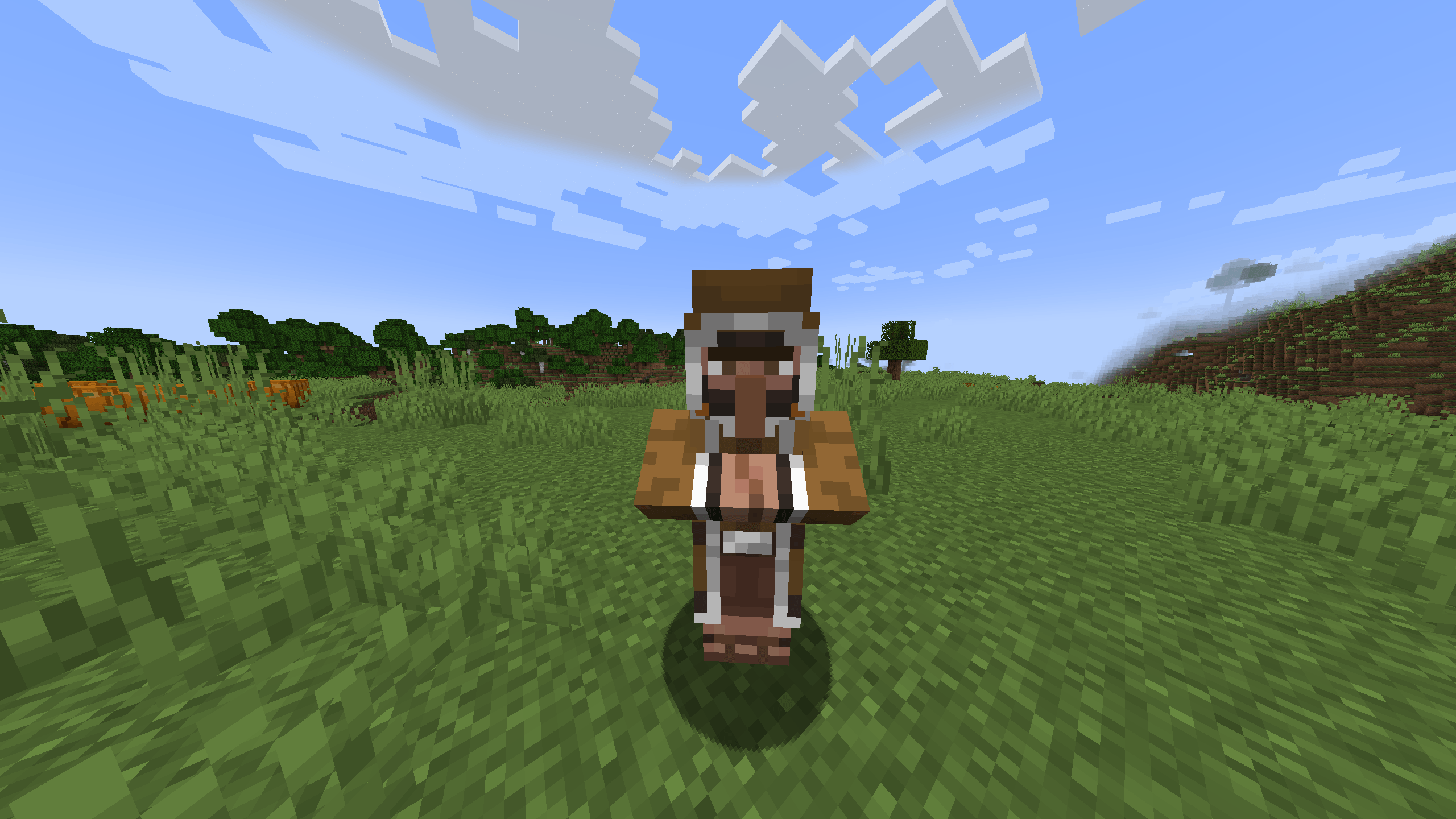 animal-trader.png
 -
 book-trader.png
 -
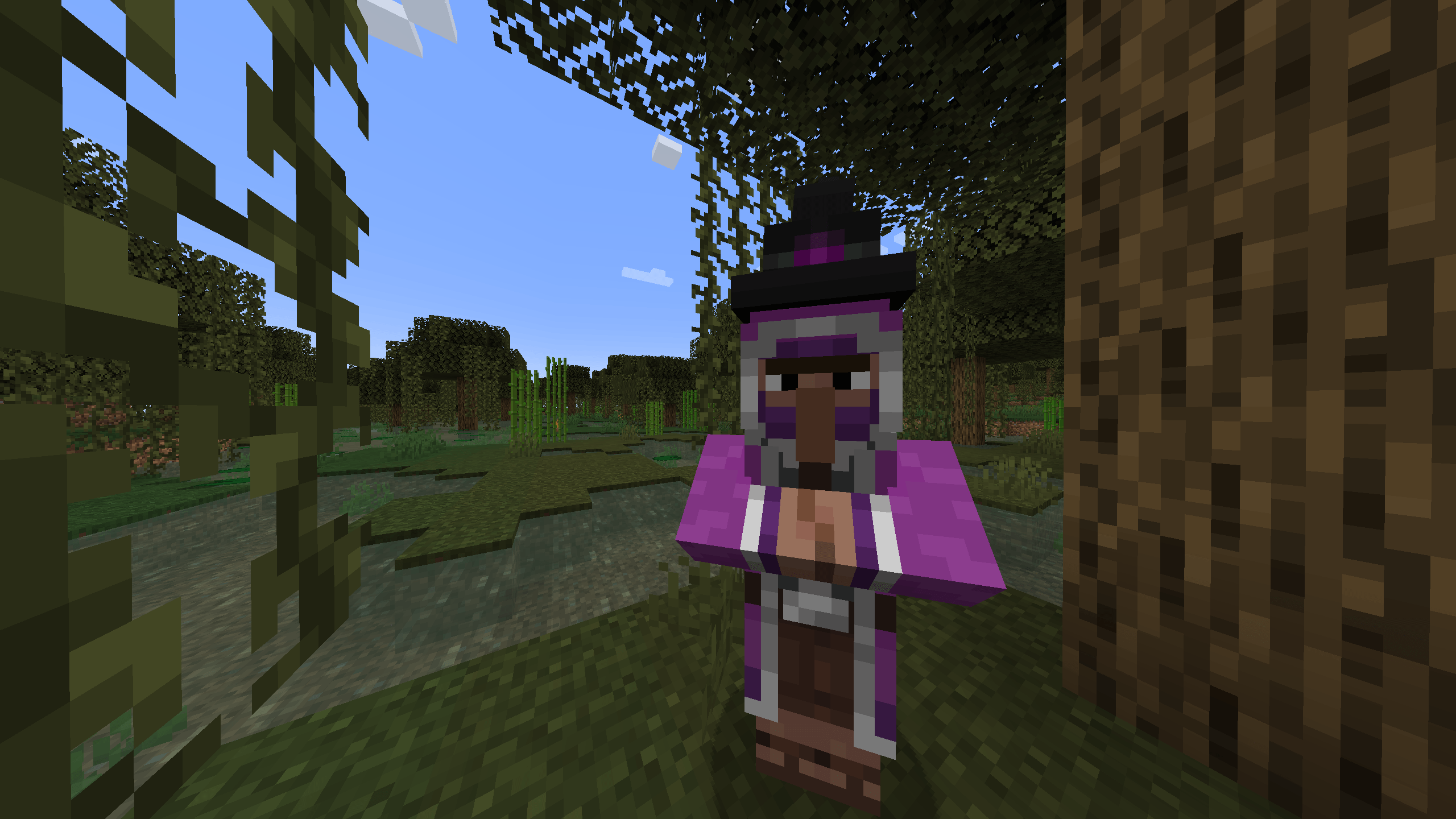 potion-trader.png
 -
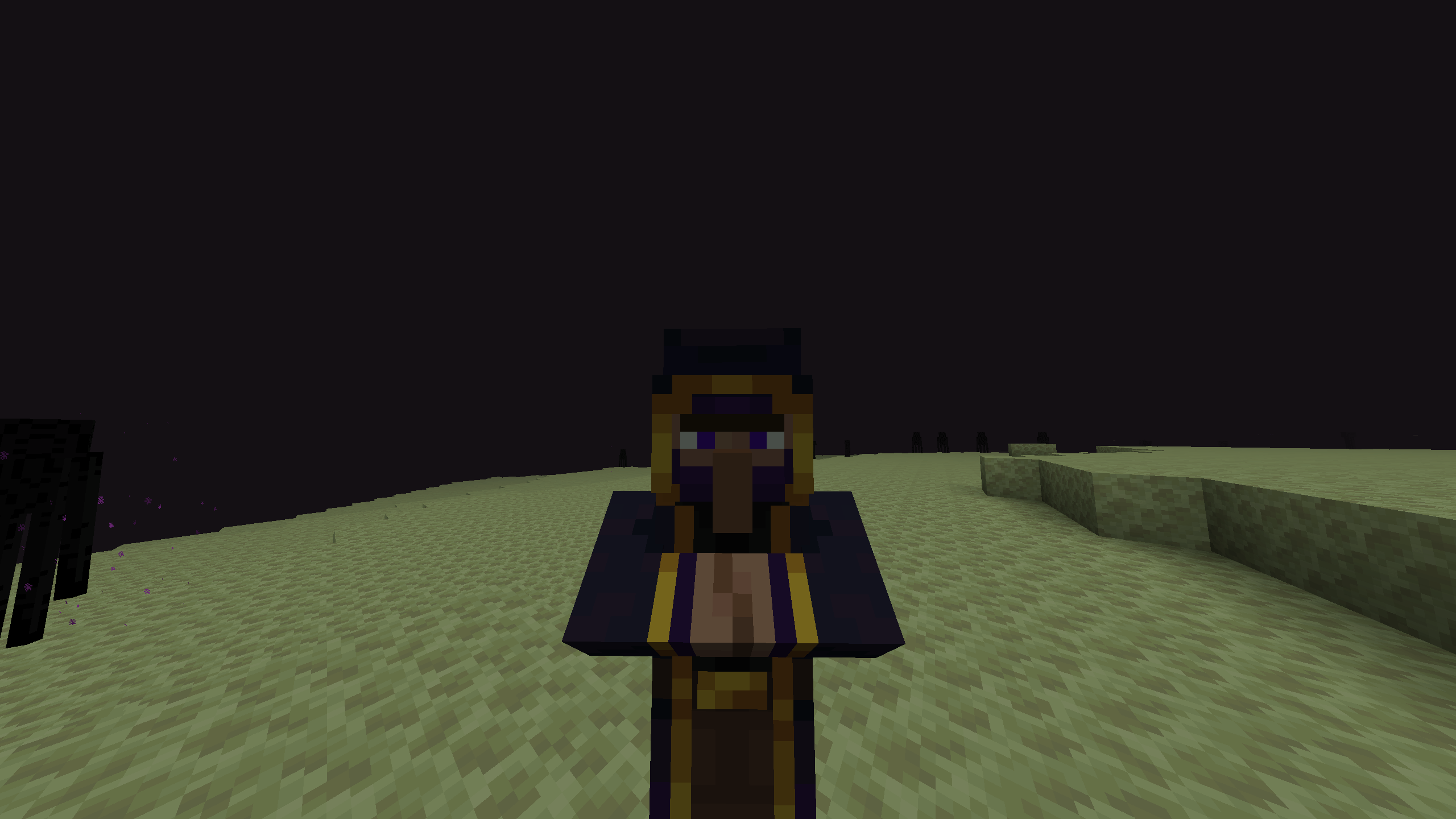 end-trader.png Doesn't spawn in the end, check wiki for summoning, just a nice picture
 -
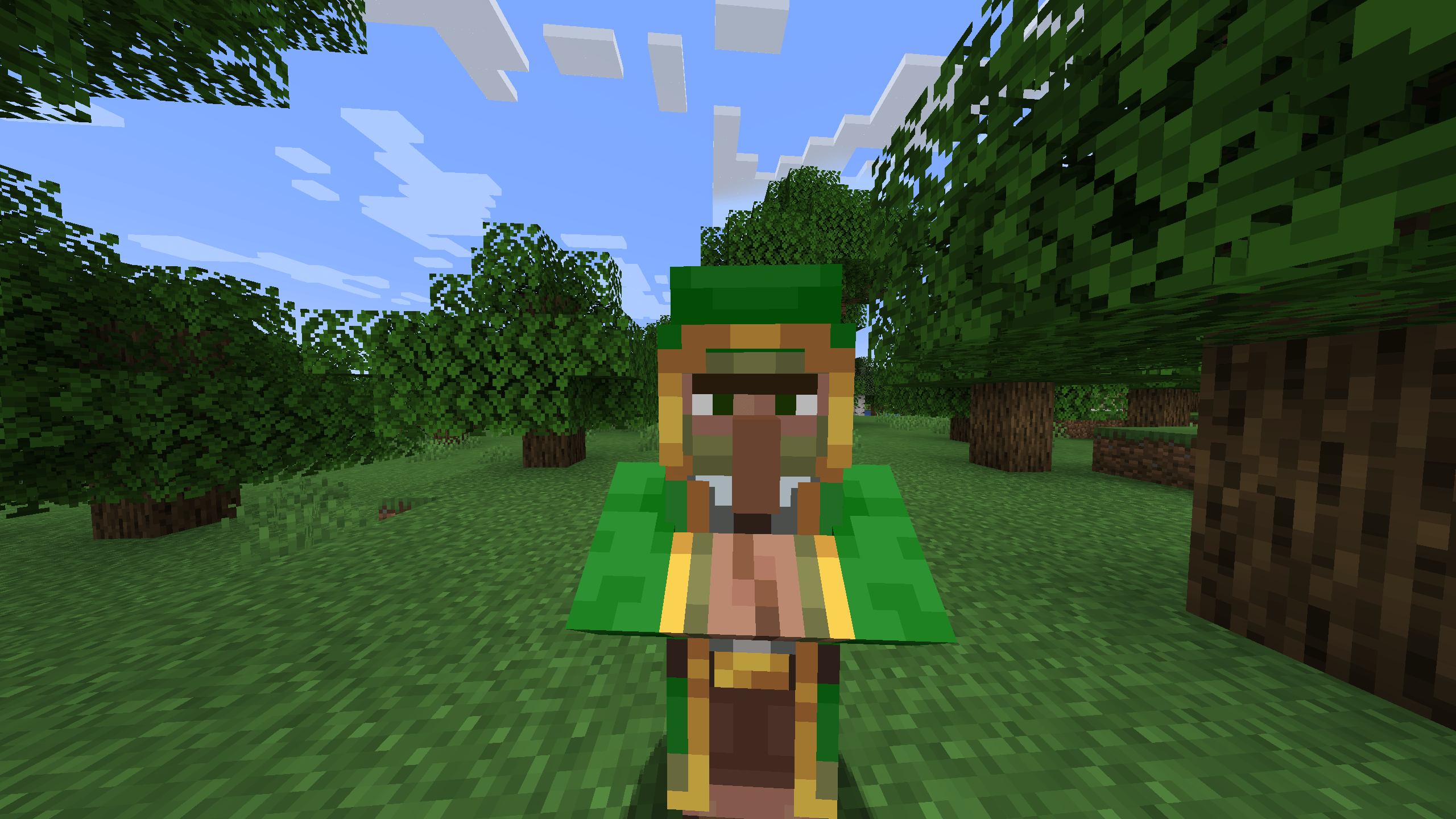 forest-trader.png
 -
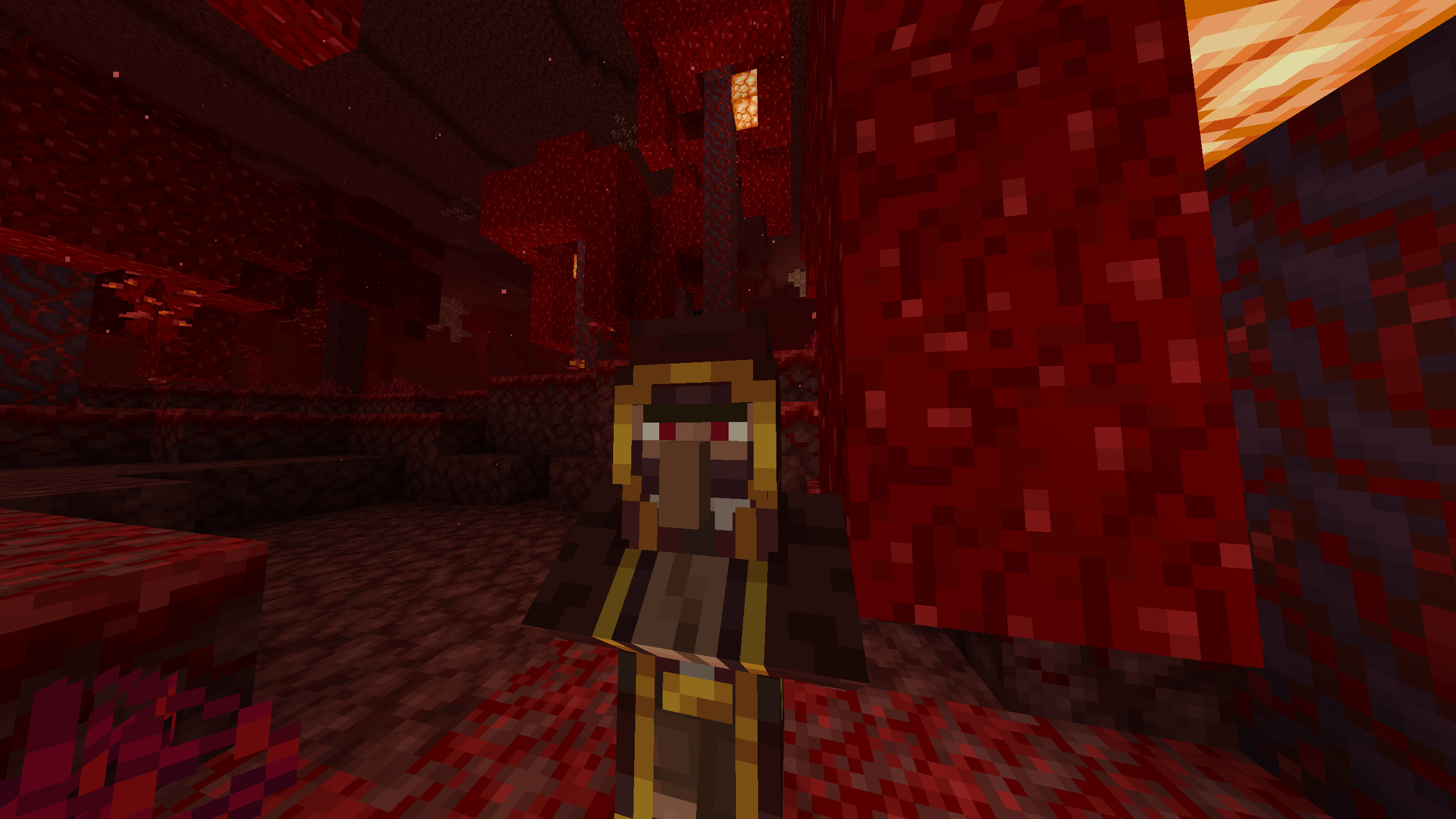 exclusive-trader.png
-
 Wandering Traders
 -
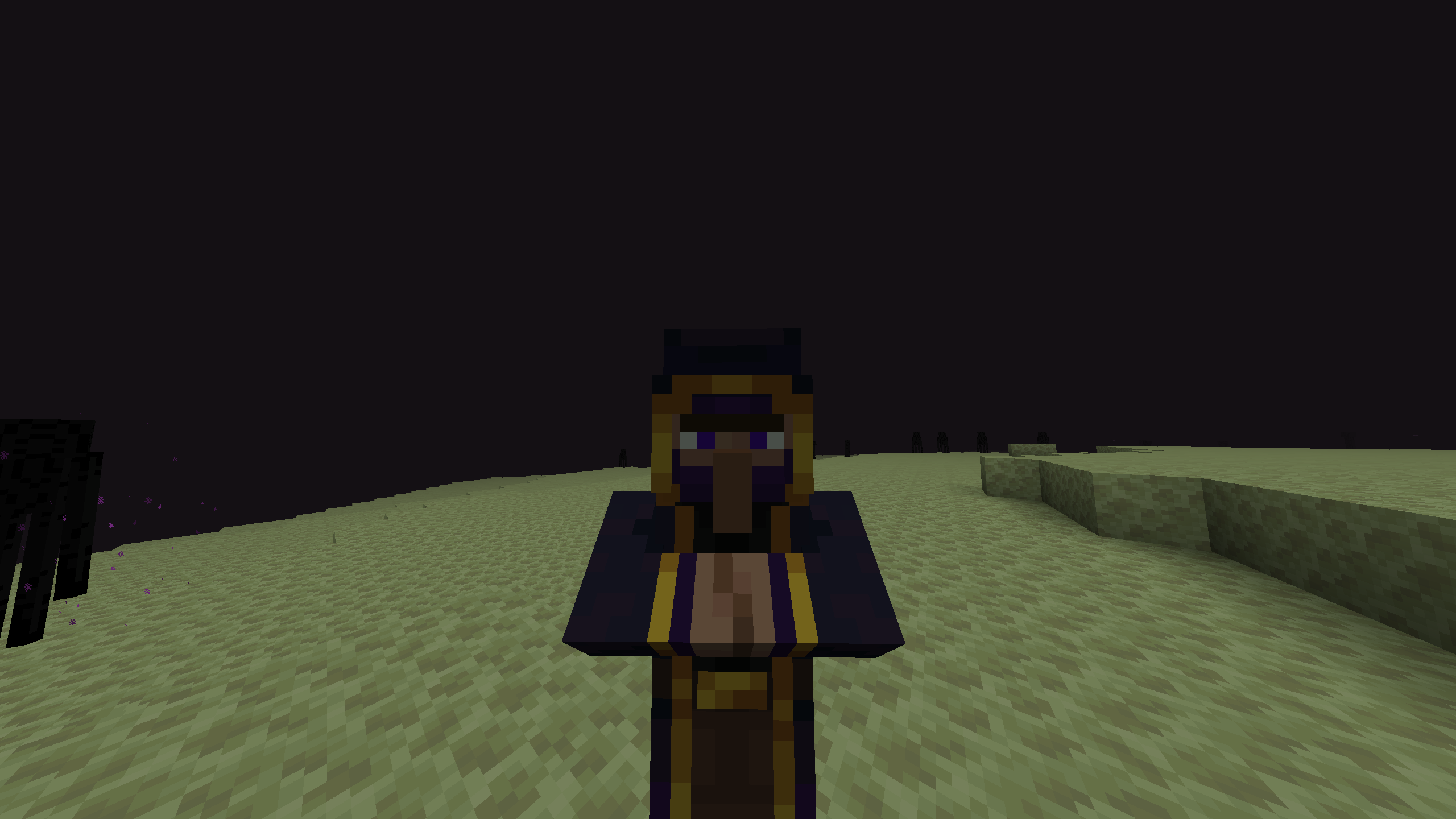 End Trader Doesn't spawn in the end, for summoning check wiki, just a cool picture
 -
 Book Trader
 -
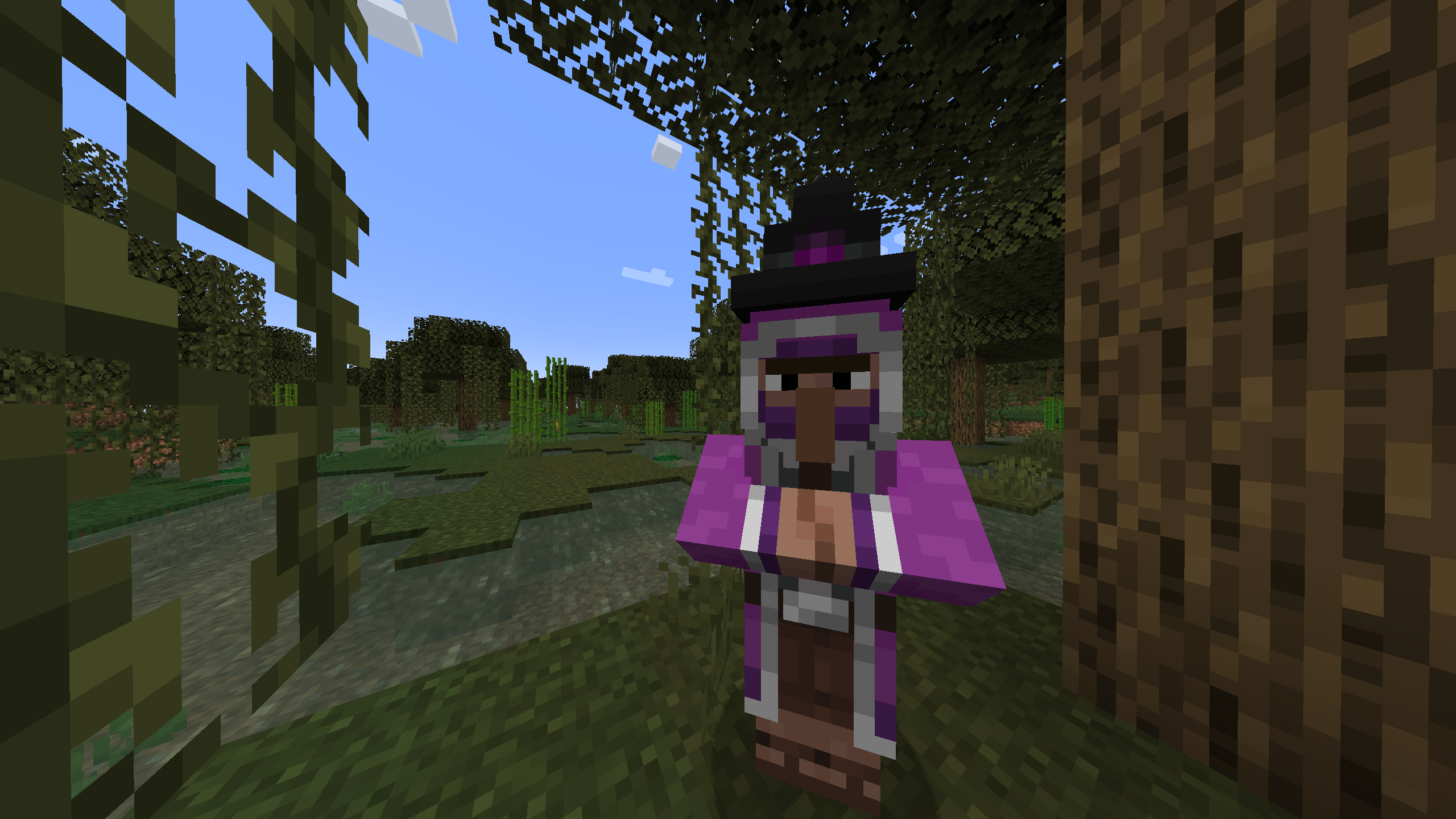 Potion Trader
 -
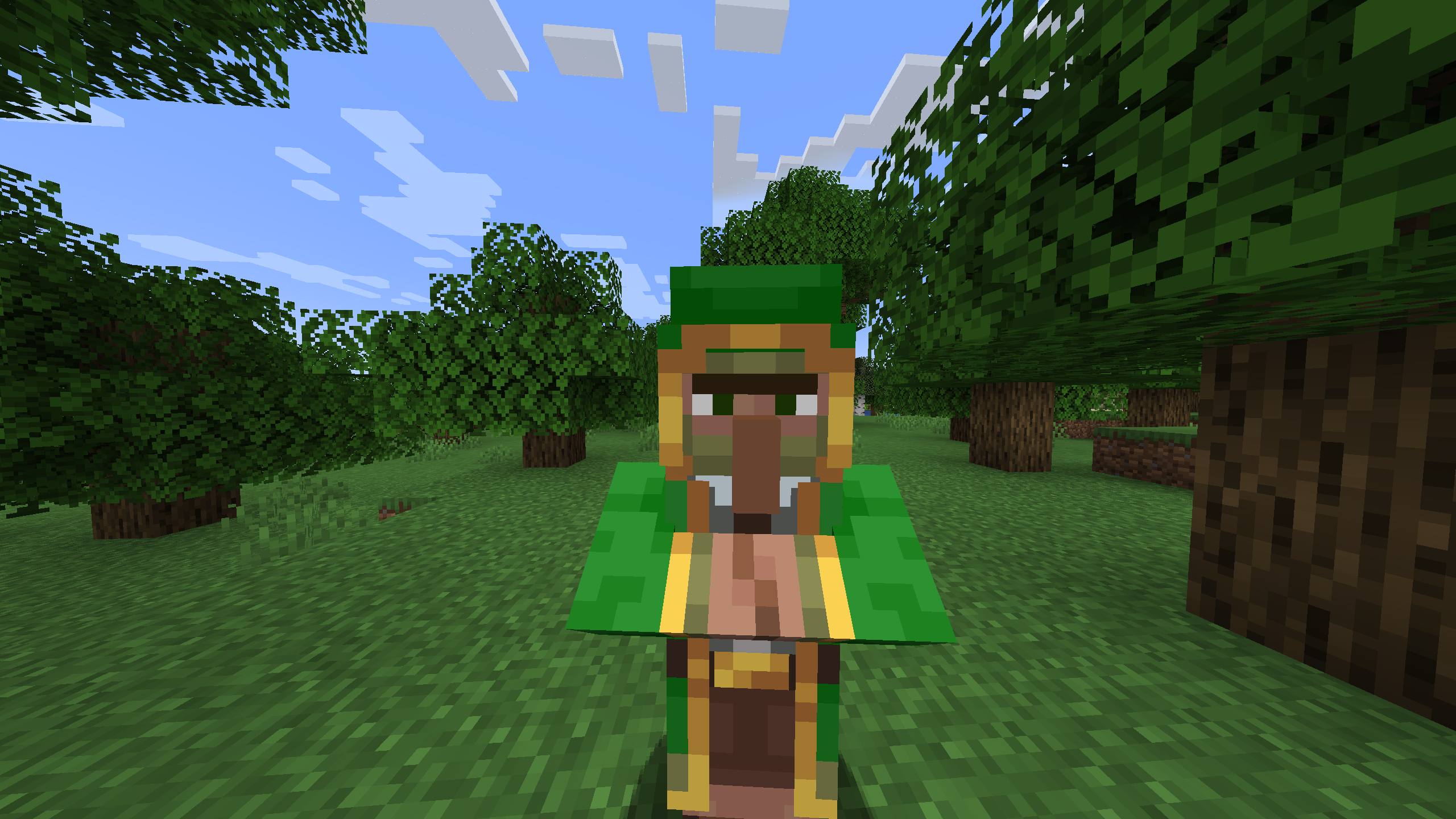 Forest Trader
 -
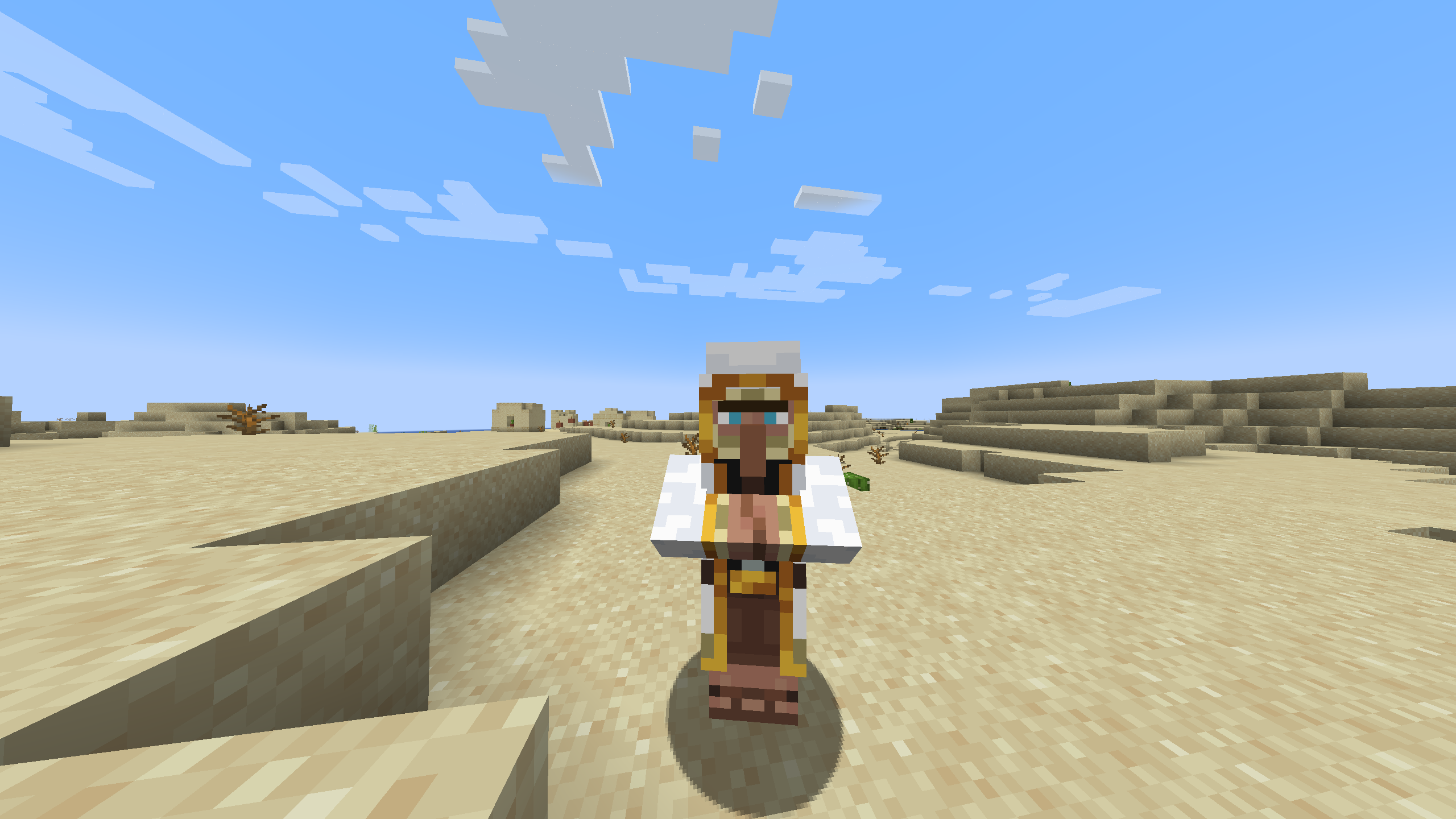 Decoration Trader
 -
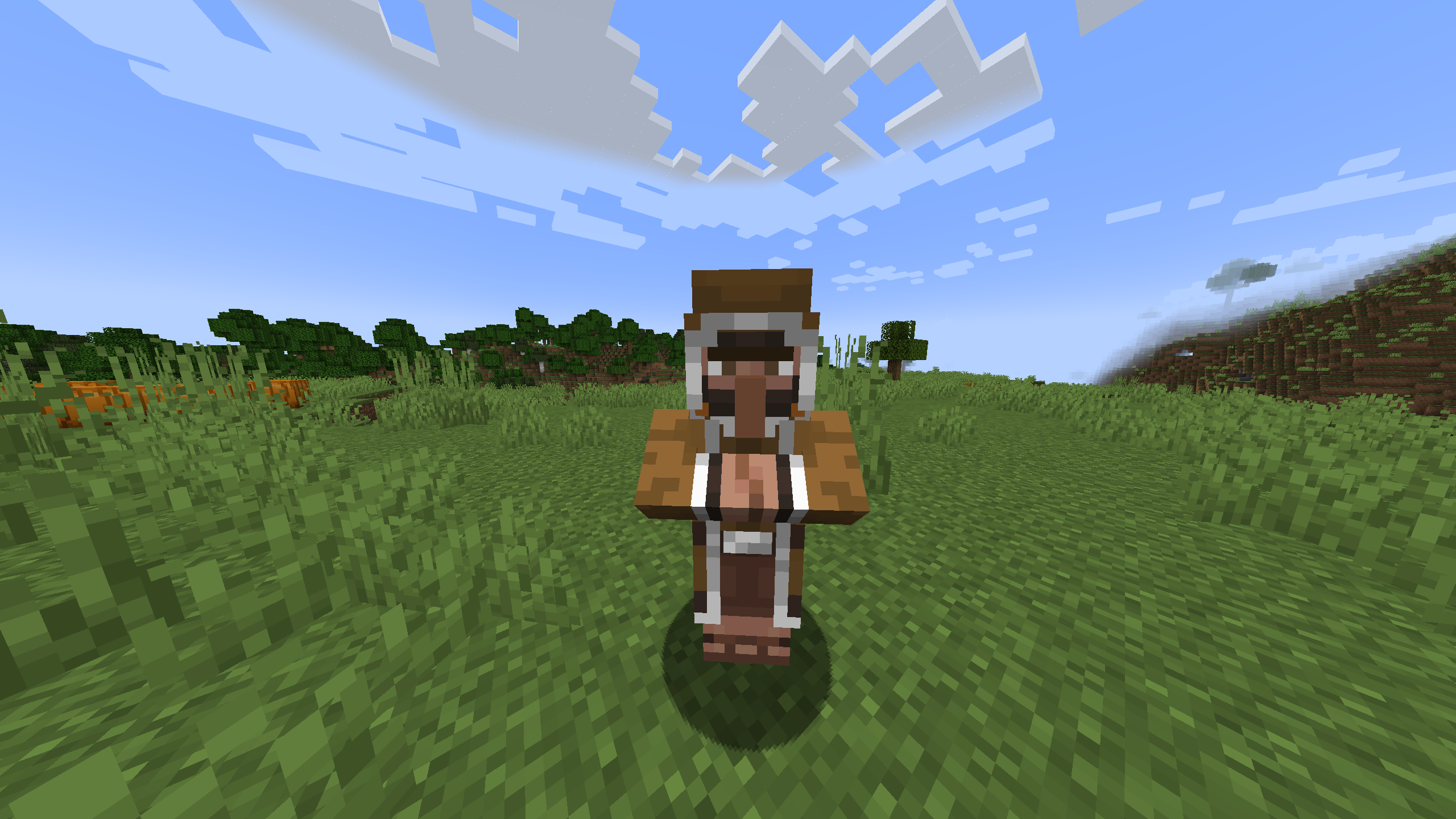 Animal Trader
 -
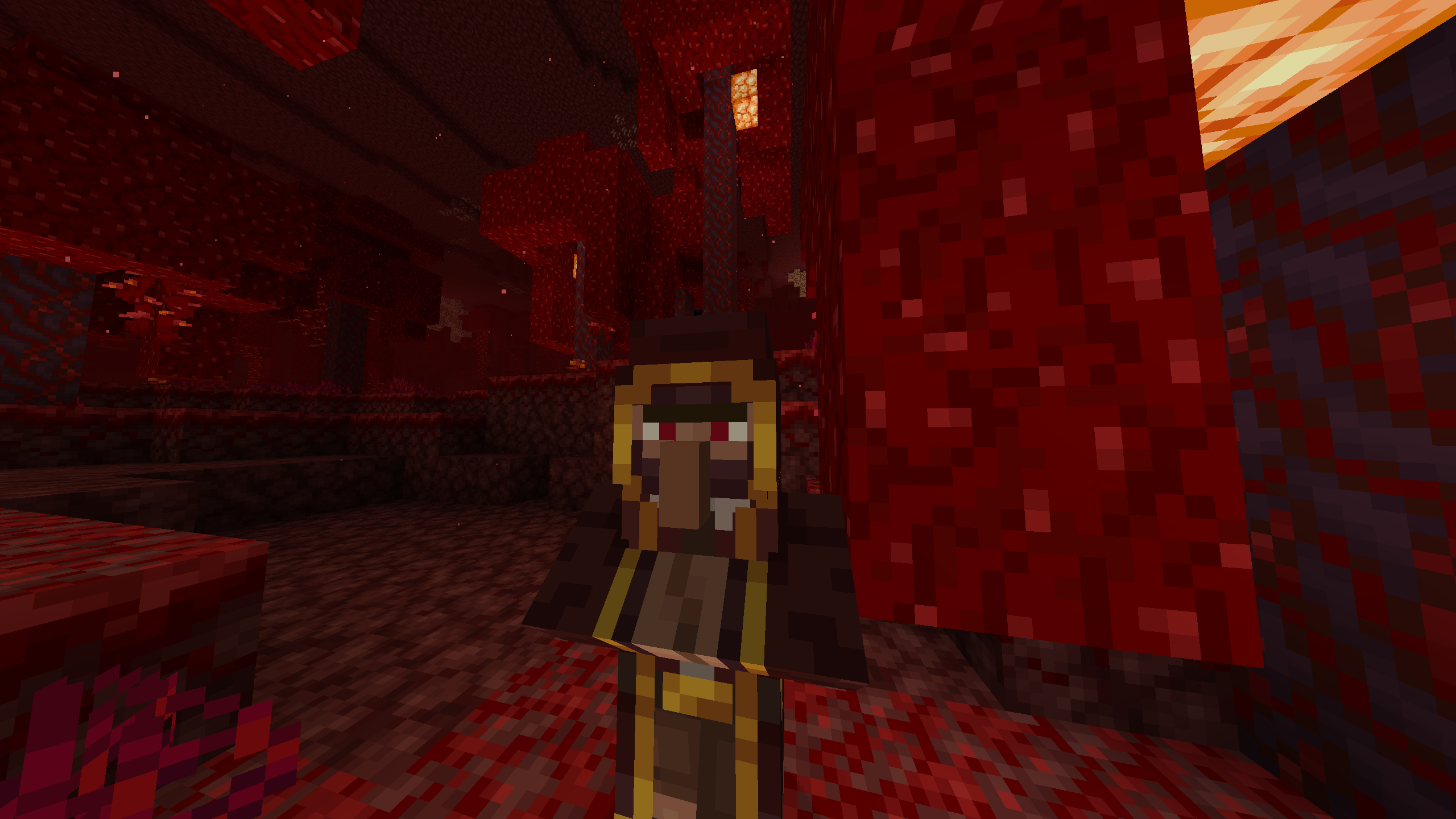 Exclusive Trader
Versions
Files
Relations
Project Relations
More like this
Similar Mods
Suggestions use data such as tags, dependencies, dependents, descriptions, titles, and more to rank how much they overlap with this mod.
On ModDex
Community snapshot
By the numbers
Statistics
 (opens in a new tab)
Get it on
Available Platforms
On ModDex
Community snapshot
By the numbers