Community listing page, reviews may not be monitored by the author.



Community voices
Reviews
No reviews yet. Be the first to review this project!
Get it on
Available Platforms
Compatibility
Supported Environments
Must be installed on both the client and the server.
About
Project Details
For authors
Embed Badge
If you're the author of this project, you can embed a live badge anywhere that supports HTML or Markdown. It updates automatically whenever ratings change.
Use HTML for any page that supports it, or Markdown for README files and Markdown-based descriptions.
Identifiers
Platform IDs
About
Description

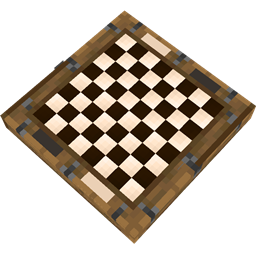
This mod allows you to play chess in minecraft with friends or by yourself. Just place a chessboard, join the lobby and click "Start Game"!
You can also control the game time, choose the role of players in the lobby.
Each time you click on a figure on the board, possible moves for the figures are highlighted. Also, which is no less important, the board has a three-dimensional appearance, which completely immerses you in the game.

This is what the chessboard looks like during a game:

Other players can watch your chess game:

Crafting Recipes
To craft a chessboard, you need 3 wooden slabs, 3 white dyes and 3 black dyes

To craft white chess pieces, you need stonecutter and some bones:

To make black chess pieces you need some black bones. You can craft them from bones and coal ( you can also use charcoal and black dye! )

For black pieces you need to put some black bones into the stonecutter

Finally, to make box for pieces you need wooden slab and some wooden buttons

Preparing for the game
To start the game, you first need to insert a full box of white pieces and a full box of black pieces into the board. To do this, simply right-click on the board while holding the box of pieces in your hand. To remove boxes from the board, right-click on it while sneaking.
The complete box should include:
- 8 pawns
- 2 knights
- 2 bishops
- 2 rooks
- 1 queen
- 1 king
! A box for chess pieces can only contain pieces of one color: either white or black !
In order to place a specific figure into the box, you need to press the right mouse button while you are holding the figure in your other hand:
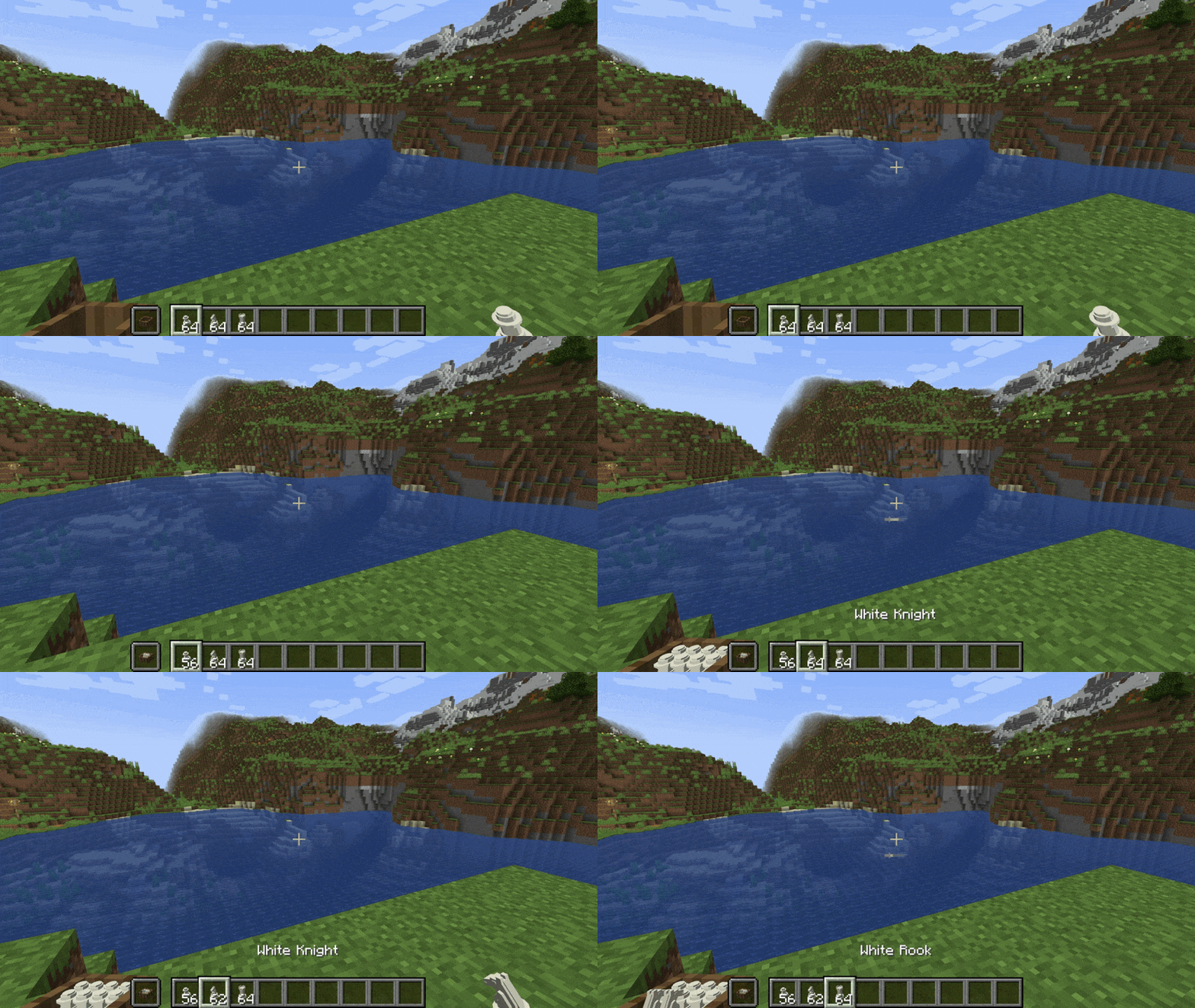
To empty a box, you simply have to right-click on it while you're sneaking.
When you break a chessboard, all the sets of pieces remain inside it, so you can set it up again and continue playing!
Possible Bugs
If you have a problem with the text field for changing the game time in the lobby, most likely the server does not have time to send and receive the packet. So if you have such a problem, just enter the numbers more slowly.
This mod allows you to play chess in minecraft with friends or by yourself. Just place a chessboard, join the lobby and click "Start Game"!
You can also control the game time, choose the role of players in the lobby.
Each time you click on a figure on the board, possible moves for the figures are highlighted. Also, which is no less important, the board has a three-dimensional appearance, which completely immerses you in the game.
This is what the chessboard looks like during a game:
Other players can watch your chess game:
Crafting Recipes
To craft a chessboard, you need 3 wooden slabs, 3 white dyes and 3 black dyes
To craft white chess pieces, you need stonecutter and some bones:
To make black chess pieces you need some black bones. You can craft them from bones and coal ( you can also use charcoal and black dye! )
For black pieces you need to put some black bones into the stonecutter
Finally, to make box for pieces you need wooden slab and some wooden buttons
Preparing for the game
To start the game, you first need to insert a full box of white pieces and a full box of black pieces into the board. To do this, simply right-click on the board while holding the box of pieces in your hand. To remove boxes from the board, right-click on it while sneaking.
The complete box should include:
- 8 pawns
- 2 knights
- 2 bishops
- 2 rooks
- 1 queen
- 1 king
! A box for chess pieces can only contain pieces of one color: either white or black !
In order to place a specific figure into the box, you need to press the right mouse button while you are holding the figure in your other hand:
To empty a box, you simply have to right-click on it while you're sneaking.
When you break a chessboard, all the sets of pieces remain inside it, so you can set it up again and continue playing!
Possible Bugs
If you have a problem with the text field for changing the game time in the lobby, most likely the server does not have time to send and receive the packet. So if you have such a problem, just enter the numbers more slowly.
Screenshots
Gallery
-
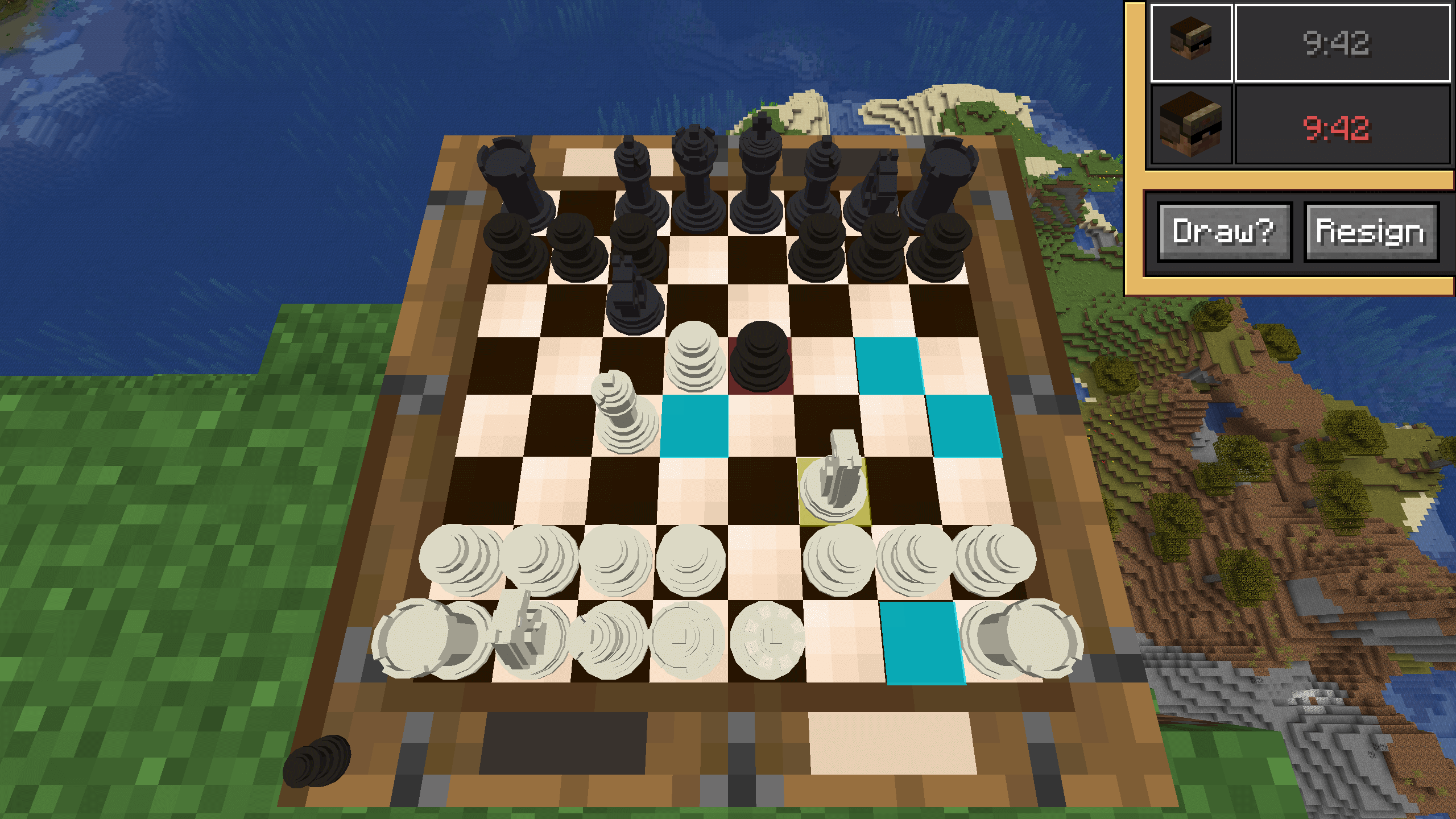 Gameplay
Versions
Files
Relations
Project Relations
More like this
Similar Mods
Suggestions use data such as tags, dependencies, dependents, descriptions, titles, and more to rank how much they overlap with this mod.
On ModDex
Community snapshot
By the numbers
Statistics

Get it on
Available Platforms
On ModDex
Community snapshot
By the numbers