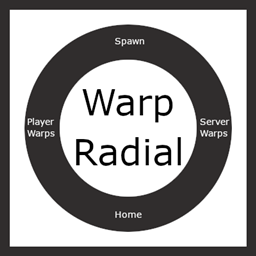
Community listing page, reviews here may not be monitored by the author.
Warp Radial


No reviews yet
A radial menu to teleport to warp points
Community voices
Reviews
No reviews yet. Be the first to review this project!
Get it on
Available Platforms
Compatibility
Supported Environments
Must be installed on both the client and the server.
About
Project Details
For authors
Embed Badge
If you're the author of this project, you can embed a live badge anywhere that supports HTML or Markdown. It updates automatically whenever ratings change.
Use HTML for any page that supports it, or Markdown for README files and Markdown-based descriptions.
Identifiers
Platform IDs
About
Description
Warp radial
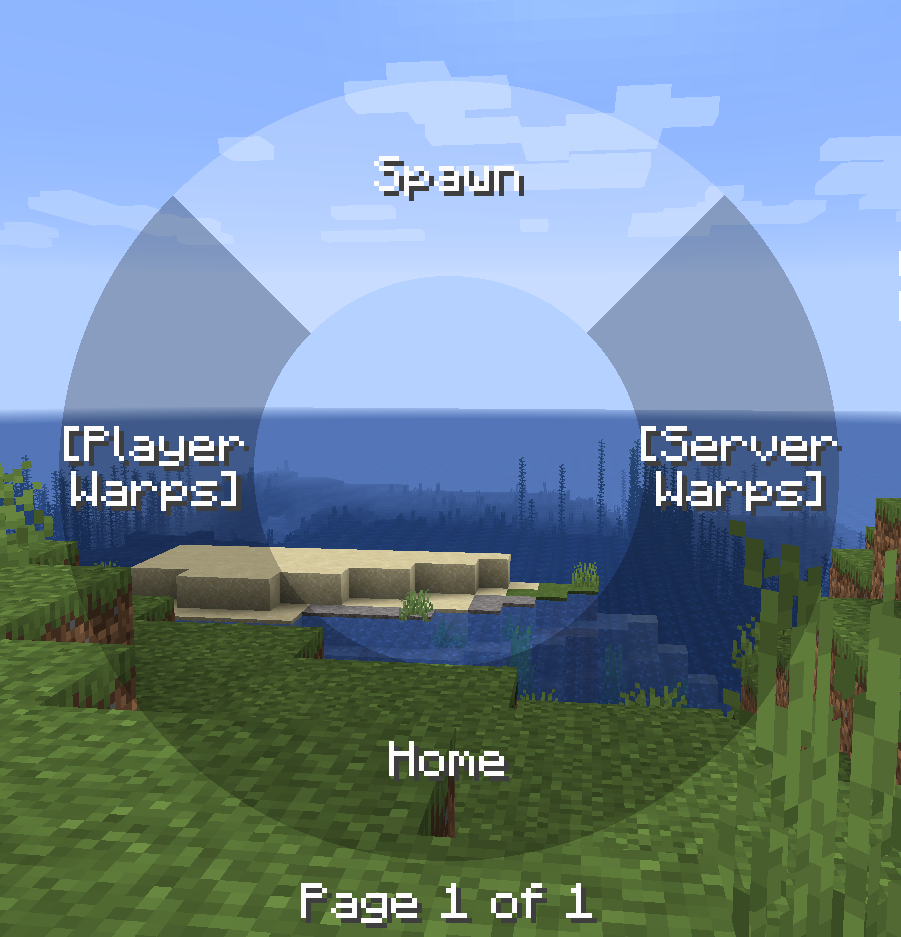
The radial menu is heavily inspired by the brilliant Tool Belt mod.
This mod requires BML version 1.0.18 or above, this is because the general radial implementation used in this mods is implemented in BML for wider use.
Features
- Warp to different points, this includes home, spawn, server warps added by ops on the server or player warps with cooldown.
- Cooldown can be either disabled, global or per warp category.
- Highly configurable in terms of what warps are allowed, the cooldown if any per category.
Commands
Commands can are used to set all the different warp points besides spawn if that type is allowed (You could also use the radial menu to add warps)
- warpradial (Base command)
- wr (Alternative base command)
- wr home set
- wr home remove
- wr warp add "x"
- wr warp remove "x"
- wr serverwarp add "x" (Only ops and players with create permissions)
- wr serverwarp remove "x" (Only ops and players with delete permissions)
- wr permission serverwarp create "player"
- wr permission serverwarp delete "player"
Radial
The radial menu is opened when the default keybind 'r' is pressed, then the mouse can be used to hover over items and it that item is not a category when releases you will warp to that point, you can also click on warp points to teleport to them.
You can also add and remove warps points by right clicking on categories and items.
The server and player warps are categories and requires you to click on them to view the warp points of that type.
There can be 7 items on each page and the scroll wheel can be used to switch pages.

Warps
Warps are stored in the world directory both for singleplayer worlds and server worlds. These warps are sent to the player when the player connects to the server or a new server warp is added / removed by a op / player with permission or player warp created by the player.
It is possible to disable player warps and then the radial will only have three main items. If all but one item is disabled and the last non-disabled item is a category the warps inside that category is shown instead of first having to select that category.
Warp radial
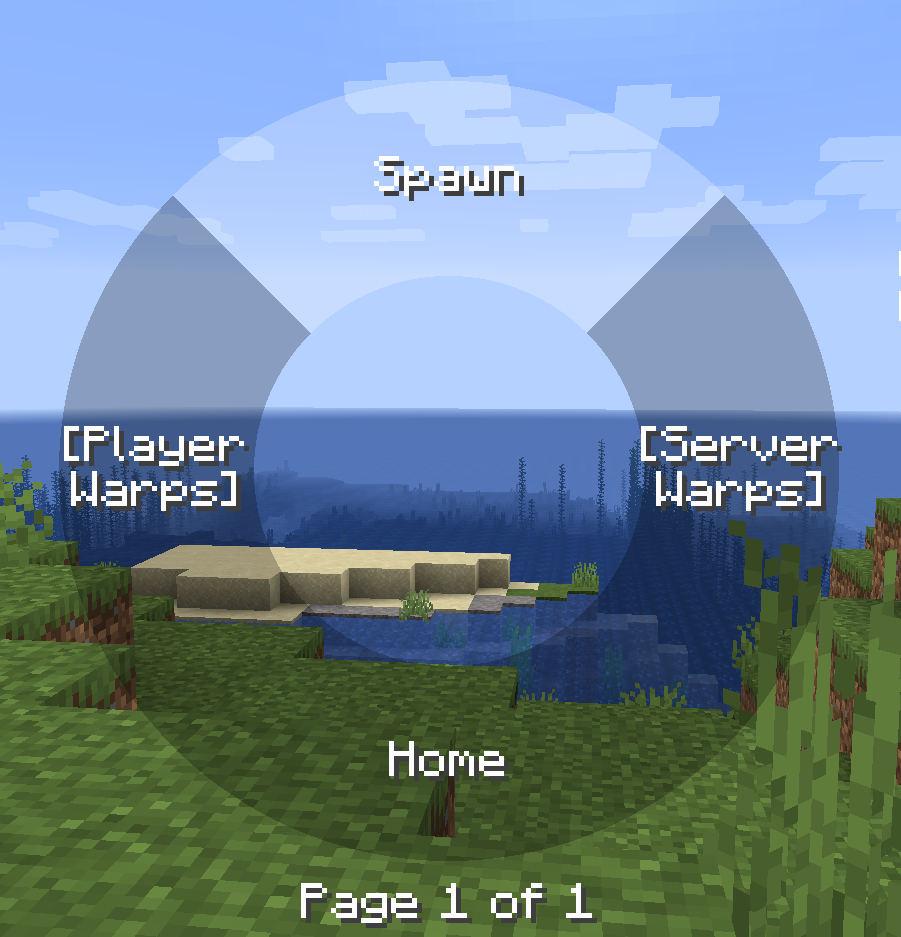
The radial menu is heavily inspired by the brilliant Tool Belt mod.
This mod requires BML version 1.0.18 or above, this is because the general radial implementation used in this mods is implemented in BML for wider use.
Features
- Warp to different points, this includes home, spawn, server warps added by ops on the server or player warps with cooldown.
- Cooldown can be either disabled, global or per warp category.
- Highly configurable in terms of what warps are allowed, the cooldown if any per category.
Commands
Commands can are used to set all the different warp points besides spawn if that type is allowed (You could also use the radial menu to add warps)
- warpradial (Base command)
- wr (Alternative base command)
- wr home set
- wr home remove
- wr warp add "x"
- wr warp remove "x"
- wr serverwarp add "x" (Only ops and players with create permissions)
- wr serverwarp remove "x" (Only ops and players with delete permissions)
- wr permission serverwarp create "player"
- wr permission serverwarp delete "player"
Radial
The radial menu is opened when the default keybind 'r' is pressed, then the mouse can be used to hover over items and it that item is not a category when releases you will warp to that point, you can also click on warp points to teleport to them.
You can also add and remove warps points by right clicking on categories and items. The server and player warps are categories and requires you to click on them to view the warp points of that type. There can be 7 items on each page and the scroll wheel can be used to switch pages.
Warps
Warps are stored in the world directory both for singleplayer worlds and server worlds. These warps are sent to the player when the player connects to the server or a new server warp is added / removed by a op / player with permission or player warp created by the player.
It is possible to disable player warps and then the radial will only have three main items. If all but one item is disabled and the last non-disabled item is a category the warps inside that category is shown instead of first having to select that category.
Screenshots
Gallery
-
Radial
-
warp
Versions
Files
Relations
Project Relations
More like this
Similar Mods
Suggestions use data such as tags, dependencies, dependents, descriptions, titles, and more to rank how much they overlap with this mod.
On ModDex
Community snapshot
By the numbers
Statistics
Want to reach Minecraft players?
We're looking for a server hosting partner to feature here and other parts of the site. Interested? Send us a message!
Get in touchGet it on
Available Platforms
On ModDex
Community snapshot
By the numbers