
Warping Wonders
No reviews yet
This data pack is all about teleportation - making it more immersive and intuitive. No commands needed.
Adds new methods of transportation for players.
Data Packs were introduced to vanilla Minecraft in version 1.13 and allow the server to modify data about the game, or run commands. Data Packs are compatible with all mod loaders.
Forge is a popular mod loader for versions 1.1+ of Minecraft.
Neoforge is a fork of the Minecraft Forge available for versions 1.20.1+ of Minecraft. Many Forge mods are compatible with Neoforge and vice versa.
Fabric is a mod loader for versions 1.14+ of Minecraft, particularly popular for client side and optimization mods.
Quilt is a fork of the Fabric mod loader. Many Fabric mods are compatible with Quilt and vice versa.
Community voices
Reviews
Click once to include, again to exclude, again to clear
No reviews yet. Be the first to review this project!
Get it on
Available Platforms
 Modrinth
Compatibility
Supported Environments
About
Project Details
For authors
Embed Badge
If you're the author of this project, you can embed a live badge anywhere that supports HTML or Markdown. It updates automatically whenever ratings change.
Use HTML for any page that supports it, or Markdown for README files and Markdown-based descriptions.
Identifiers
Platform IDs
About
Description
📖 Description
Warping Wonders allows for a more immersive player teleportation utilizing already existing items. Using a compass which is linked to a lodestone players can teleport back to the lodestone. A clock teleports players back to their spawnpoint (bed, respawn anchor) and the recovery compass can bring players back to their last death location. The latter two always get consumed when using them. In addition to that Portal Horns can be crafted which function as a TPA replacement. The latest addition to the data pack is a Waypoint Hub system which lets players set up a network of points of interest where they can teleport to. All teleport actions function across all dimensions. Ridden Entites (Camel, Strider, Donkey, Mule, Horse, Llama and Horses) as well as leashed Entities (including Boats) will be teleported alongside players.
With v2.5+ Admins/OPs can configure almost anything in-game using config menus.
Command to open the Config Menu
/function warping_wonders
Admin Tag
The Admin Tag allows for teleporting and editing any Waypoint regardless of being the owner or not.Will either be set automatically when opening the Config Menu or can be set with:
/tag <playername> add/remove wawo.admin
🧭 Item Overview
Compass
Compasses can teleport you to their linked Lodestones, and several additional variants can also be crafted.Recovery Compass
You can use a Recovery Compass to teleport to where you last died, and there are also a bunch of other variants you can craft.Clock
Using a Clock teleports you back to your respawn point — usually your Bed or Respawn Anchor.Portal Horn
Tooting a Portal Horn brings up a menu to invite another player to teleport to you. They’ll get a chat message where they can choose to accept.Waypoint Hub
Waypoint Hubs can be crafted and placed to create fixed teleport locations that connect to other Waypoint Hubs. Multiple variants are available, each crafted with a different base block so they can blend seamlessly into any build.- Menus only display destinations the player can access (public or their own private waypoints).
- Pickaxes are the default tool for mining/breaking Waypoint Hubs.
- Private Waypoints display a lock icon above their name.
- Left- or right-clicking the icon of a Waypoint Hub you placed with a renamed Name Tag changes its name.
- Left- or right-clicking with a renamed Book adds/changes a description for the Waypoint Hub to the menu tooltip lore.
- Left- or right-clicking with a renamed Paper grants/revokes access permission for a player to teleport to the Waypoint regardless of it being locked ("trust / "untrust ")
- Left- or right-clicking with a Dye changes the waypoint’s text color.
- Left- or right-clicking with a Waypoint Lock toggles its accessibility (private/public).
- Left-clicking the icon without an item (Name Tag, Dye, etc.) cycles through available icons/heads.
- Right-clicking the icon without an item opens the waypoint menu.
- Placing a Wool block beneath the hub disables teleportation announcements for that hub.
Waypoint Lock
Waypoint Locks can be crafted to switch a Waypoint Hub’s visibility between private and public.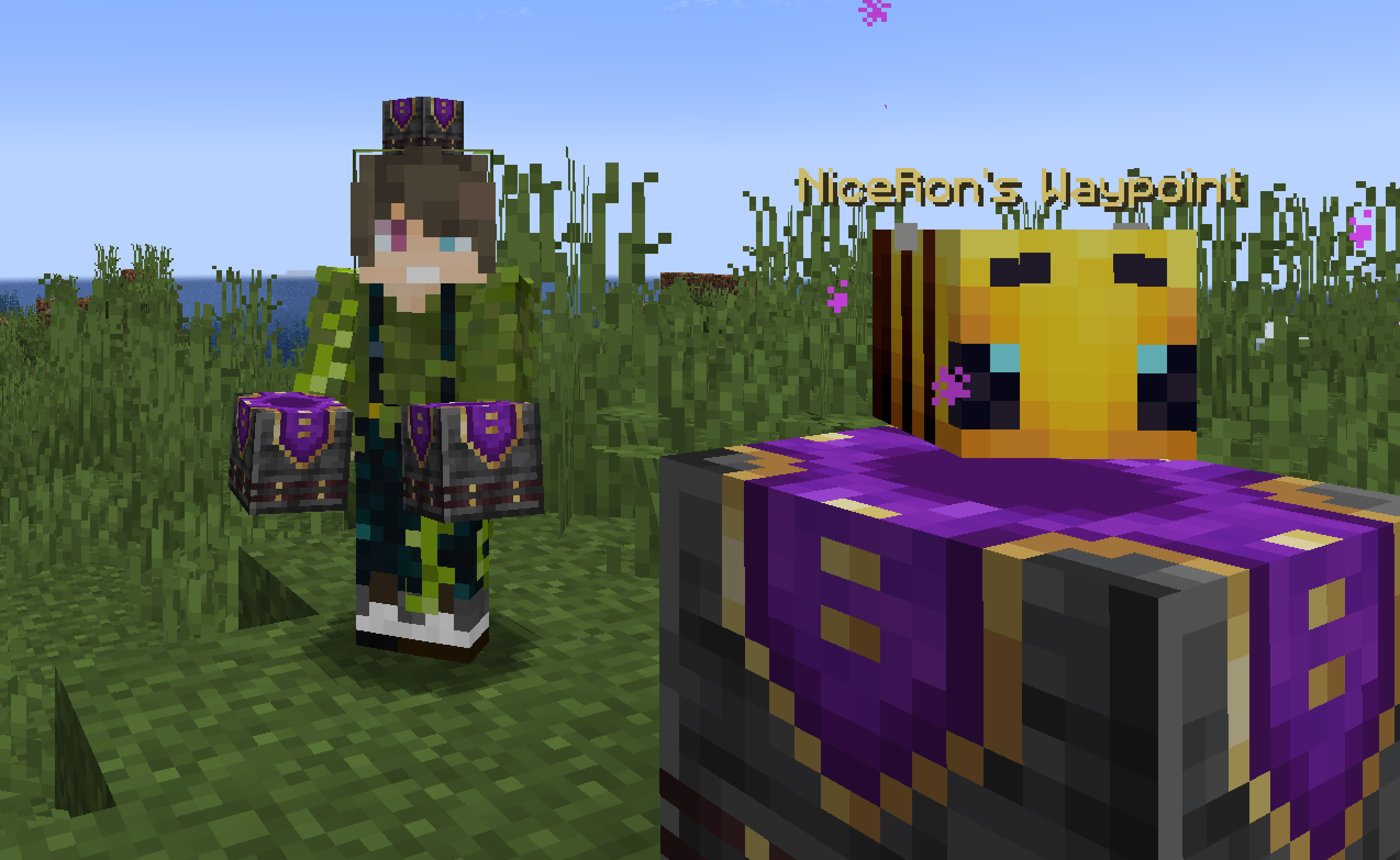
🛠️ How to, Instructions & Commands
The datapack usually just needs to be installed. There is nothing else you have to do. It just works out of the box.
For PaperMC users, it is recommended to set the paper.maxChatCommandInputSize property to a value between 512 and 1024. More information can be found in the PaperMC Docs. Also make sure to have allow-non-player-entities-on-scoreboards enabled in your paper configs.
The data pack version also double functions as a resource pack. So in order to be able to see them, just place the data pack .zip also in your resource folder and activate it like any other resource pack.
📝 Translations
Want to play in your own language? You can help us out by contributing on our Crowdin Page! Once a translation for a language is finished, it’ll be added to the data pack for you to enjoy.
✍️ Feedback, Questions & Suggestions
We're here to help! If you happen to have questions, suggestions or just encountered a bug, then feel free to hop on our discord server to ask for help in our Data Pack Section. Click to join the server
🎮 Explorer's Eden SMP
Join A Realm Recrafted, our Minecraft SMP! Enjoy a world featuring all of our (actively maintained) data packs, as well as some exclusive ones. It’s completely free without any microtransactions. Come build, explore, and craft with us today!

Screenshots
Gallery
-
 title image title image
 -
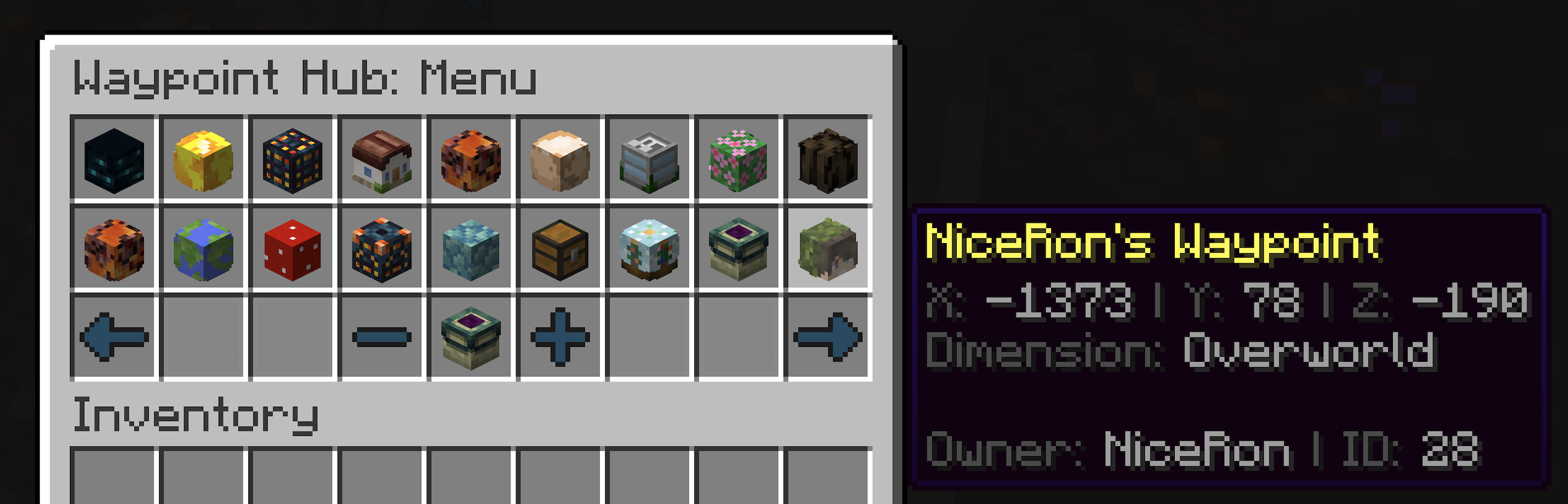 Old Waypoint Hub Menu (pre v3.0) Example of the new Waypoint Hub GUI. Every Waypoint is displayed as the Owners Player Head
 -
Waypoint Hub Example example of how the new waypoint hubs look like
-
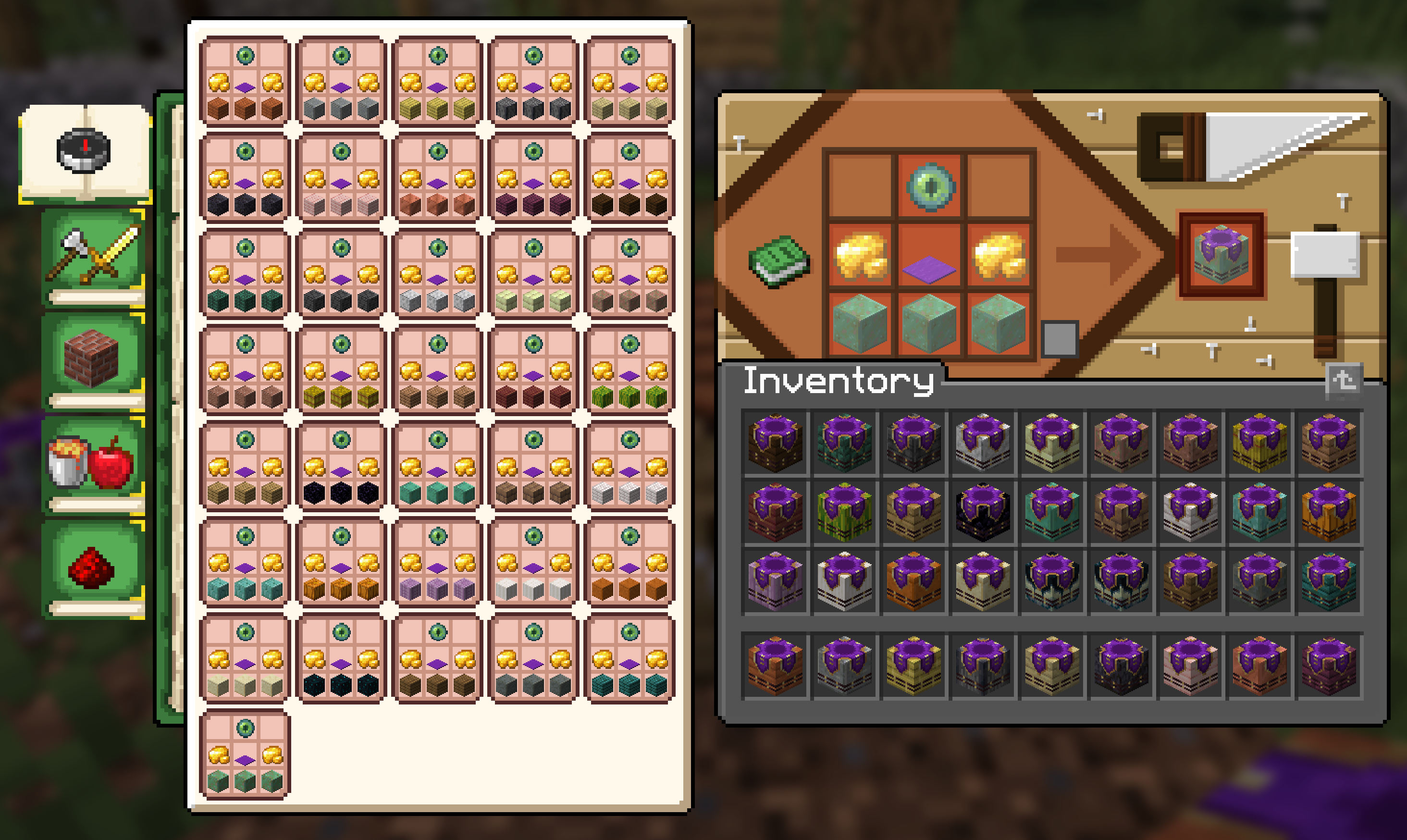 Waypoint Hub Variants Image of crafting ui with all new Waypoint Hub variants
 -
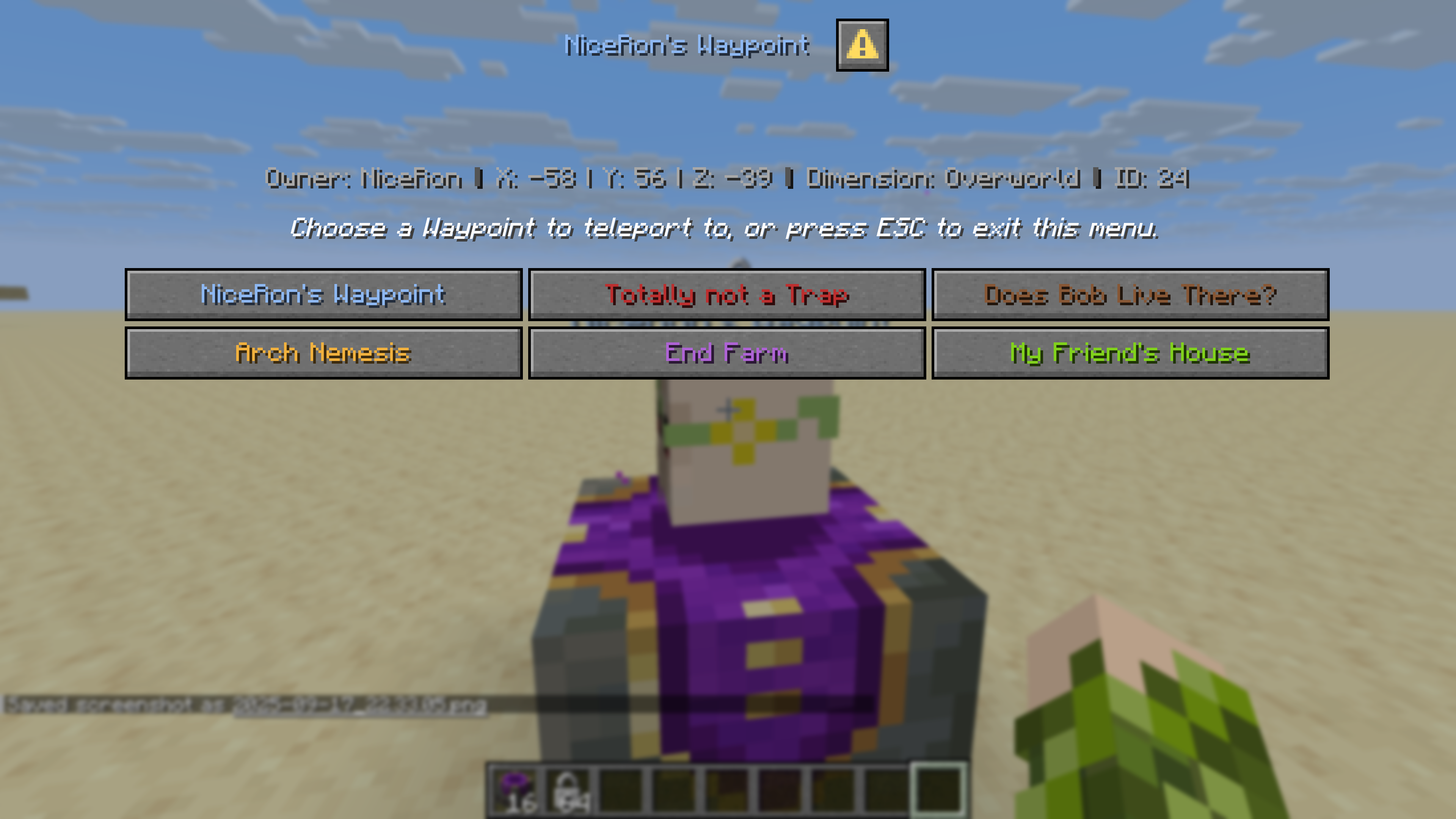 New Waypoint Hub Menus (v3.0+) Reworked menus using the new dialogs
 -
 Compass Variants Warping Wonders not only brings the base Compass texture in line with the Recovery Compass but als adds 8 more craftable Compass Variants. Keeping track of your linked Lodestones was never that easy!
 -
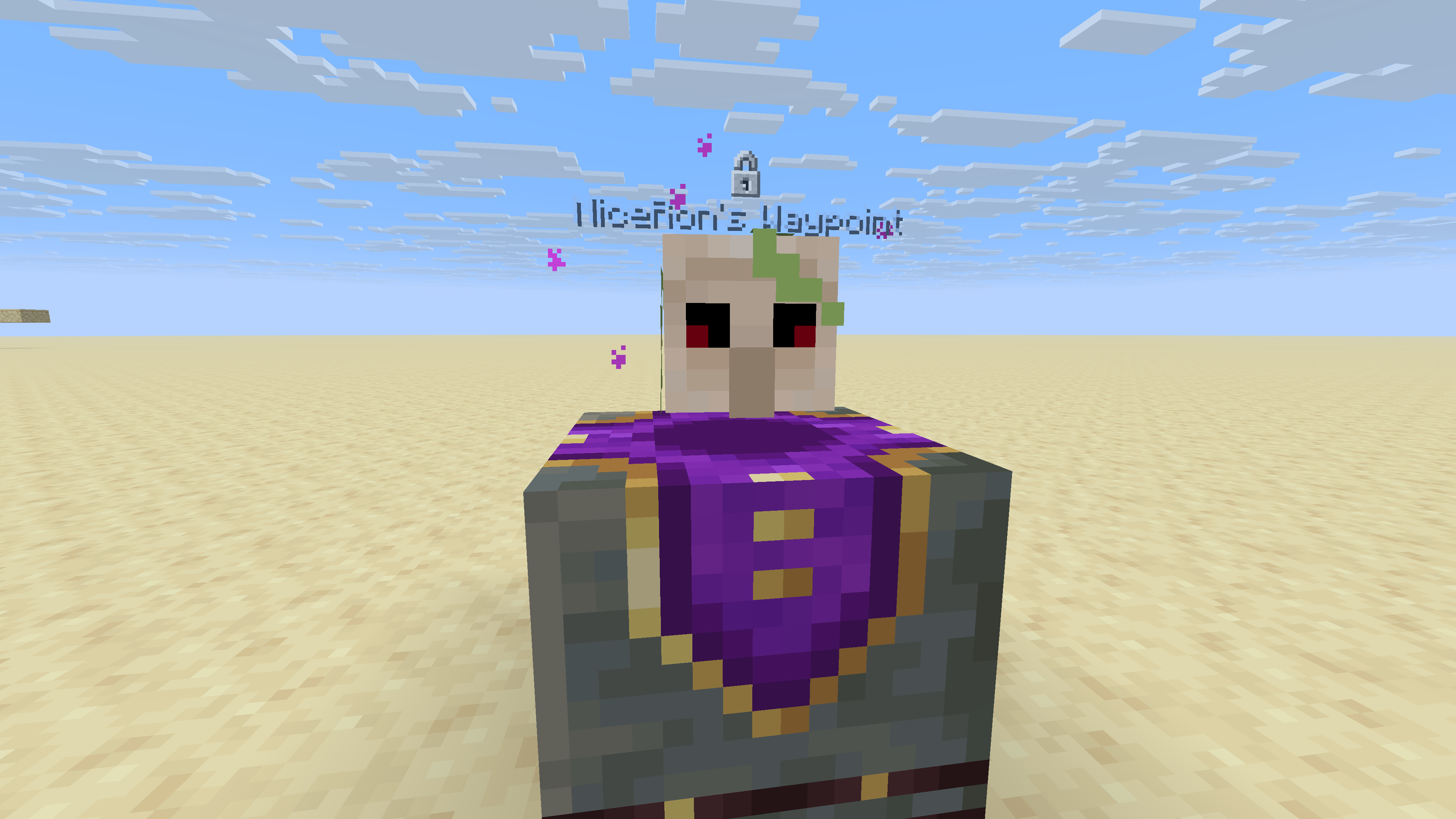 New Waypoint Hub Look
Versions
Files
Relations
Project Relations
More like this
Similar Mods
Suggestions use data such as tags, dependencies, dependents, descriptions, titles, and more to rank how much they overlap with this mod.
On ModDex
Community snapshot
By the numbers
Statistics

Want to reach Minecraft players?
We're looking for a server hosting partner to feature here and other parts of the site. Interested? Send us a message!
Get in touchGet it on
Available Platforms
On ModDex
Community snapshot
By the numbers