
WatchTower
No reviews yet
Server-side health monitoring. Browser dashboard, live metrics, and plain-English health reports for lag, crashes, mods, disk/RAM, and backups.
Enhances game performance and optimizes resource usage.
Neoforge is a fork of the Minecraft Forge available for versions 1.20.1+ of Minecraft. Many Forge mods are compatible with Neoforge and vice versa.
Community voices
Reviews
Click once to include, again to exclude, again to clear
No reviews yet. Be the first to review this project!
Get it on
Available Platforms
 Modrinth
Compatibility
Supported Environments
About
Project Details
For authors
Embed Badge
If you're the author of this project, you can embed a live badge anywhere that supports HTML or Markdown. It updates automatically whenever ratings change.
Use HTML for any page that supports it, or Markdown for README files and Markdown-based descriptions.
Identifiers
Platform IDs
About
Description
WatchTower
WatchTower is a local ops dashboard for NeoForge dedicated servers. It watches while the game runs and turns that into plain next steps. Data stays on your machine. No cloud account required.
Built for people who run the box: solo owners, small teams, pack maintainers.
Needs: NeoForge 1.21.x · Java 21 · usually a Linux dedicated host
Latest builds may be beta. Prefer a test pack before a season world.
Features
See if the server is okay in one place
Overview gives a health grade, live vitals, what needs attention, and restart advice (Safe / Caution / Wait). It never restarts the server for you.
Watch ticks and host load without digging logs
Live charts for TPS, MSPT, players, heap, CPU, and host stats while the server is running.
Get a fix list, not homework
Issues is a ranked inbox from continuous watching and scanning. Open a row, get a next step. No giant "run a full audit every day" ritual.
Make crash reports usable
Crashes are grouped and explained in plain English. When the host OOM-killer or panel force-kill stops the JVM with no crash file, you still get a path (Killed), not a shrug.
Catch join / pack sync failures
Failed joins map to named mod diffs. Session shows them with a player-safe copy of the fix you can send - read-only, no jar downloads.
Know what's eating the pack and the disk
Mods inventory with conflicts and optional Modrinth hints (lookup only - WatchTower never downloads jars). Soft disable/enable jars for the next boot. Edit configs under config/ from the dashboard. Insights covers busy vs quiet hours, world pressure, disk runway ("how many days left"), and a space map of what's using storage.
Prove lag when you need proof
Optional Spark support turns a profile into what ate the tick. Map view for chunk heat when the profile has it. Deep Spark workspace is still alpha.
Trust backups a bit more
See if backups look fresh, verify zip/tar integrity, and optionally test-restore only under watchtower/restore-verify/ - never into the live world.
Share evidence without dumping secrets
Support packs build a redacted zip for a helper or mod author.
Run it with a small team
Owner / admin / viewer accounts, optional 2FA, audit log. Theme and accent per account.
Survive when Minecraft won't boot
Matching CLI jar builds a local disaster-recovery bundle over SSH (java -jar). Keep it in mods/ next to WatchTower; it's not loaded as a mod.
Weekly digest, silent script/datapack fails, activity incident threads, startup watch, and log triage are in there too - same idea: less guessing, clearer next step.
Everything important lives under watchtower/ on disk.
See full feature list here
Quick start
- Download the NeoForge jar (and the CLI jar if you want it) from Files or GitHub Releases.
- Drop it in
mods/(replace older WatchTower jars). - Restart.
- Open
http://127.0.0.1:8787on the host (or tunnel over SSH). - Sign in with
watchtower/password, then change that password and finish setup.
Don't put port 8787 on the open internet.
More: Installation · Security
What it won't do
- Replace your host panel (start/stop, files, console)
- Track players like an analytics product
- Quietly edit your world or auto-restart anything
- Download mods from Modrinth for you
WatchTower sits beside the tools you already use.
Links
Wiki · Changelog · Issues · Discord
GPL-3.0-or-later. Local dashboard stays free.
Screenshots
Gallery
-
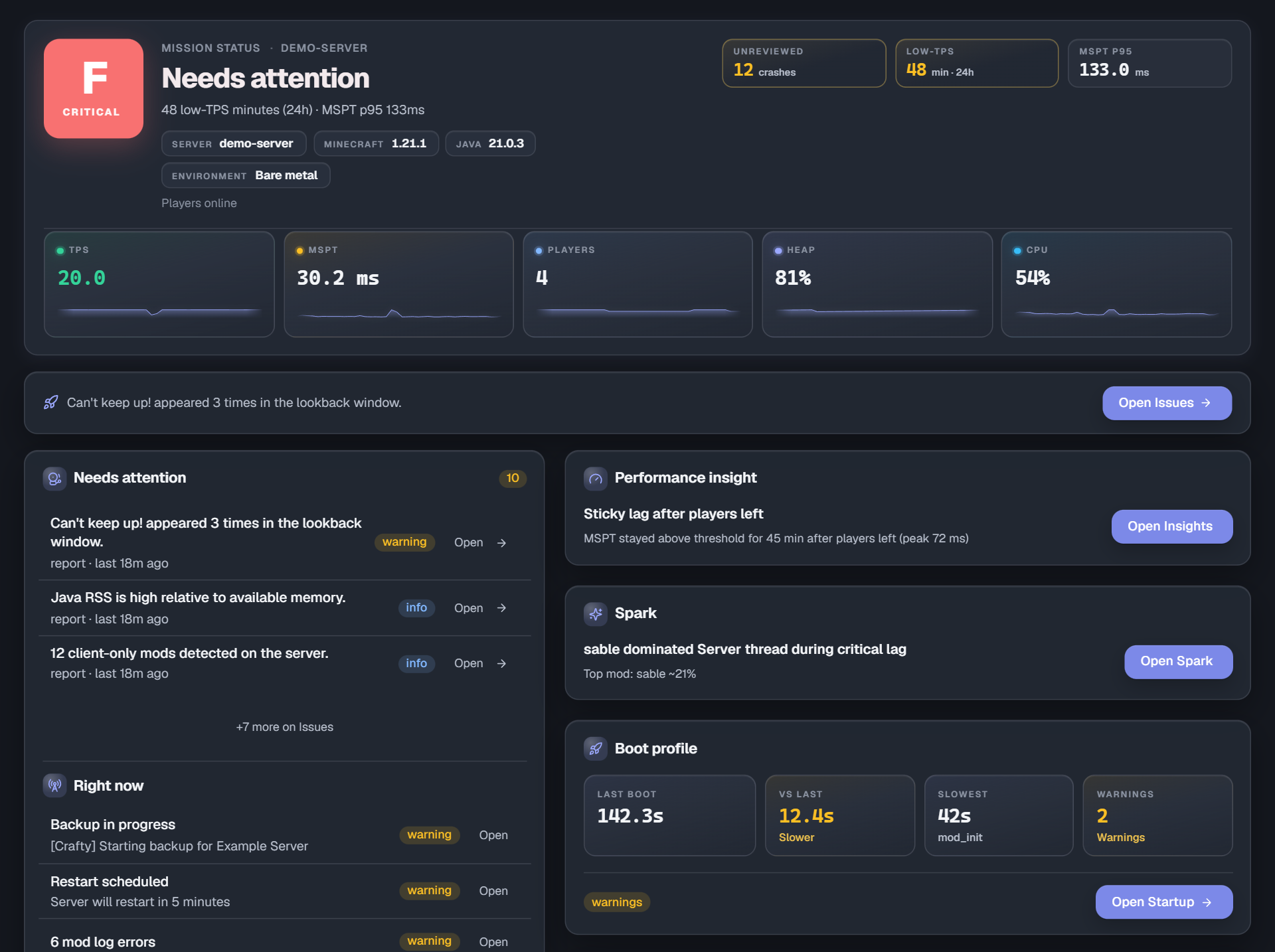 Overview
 -
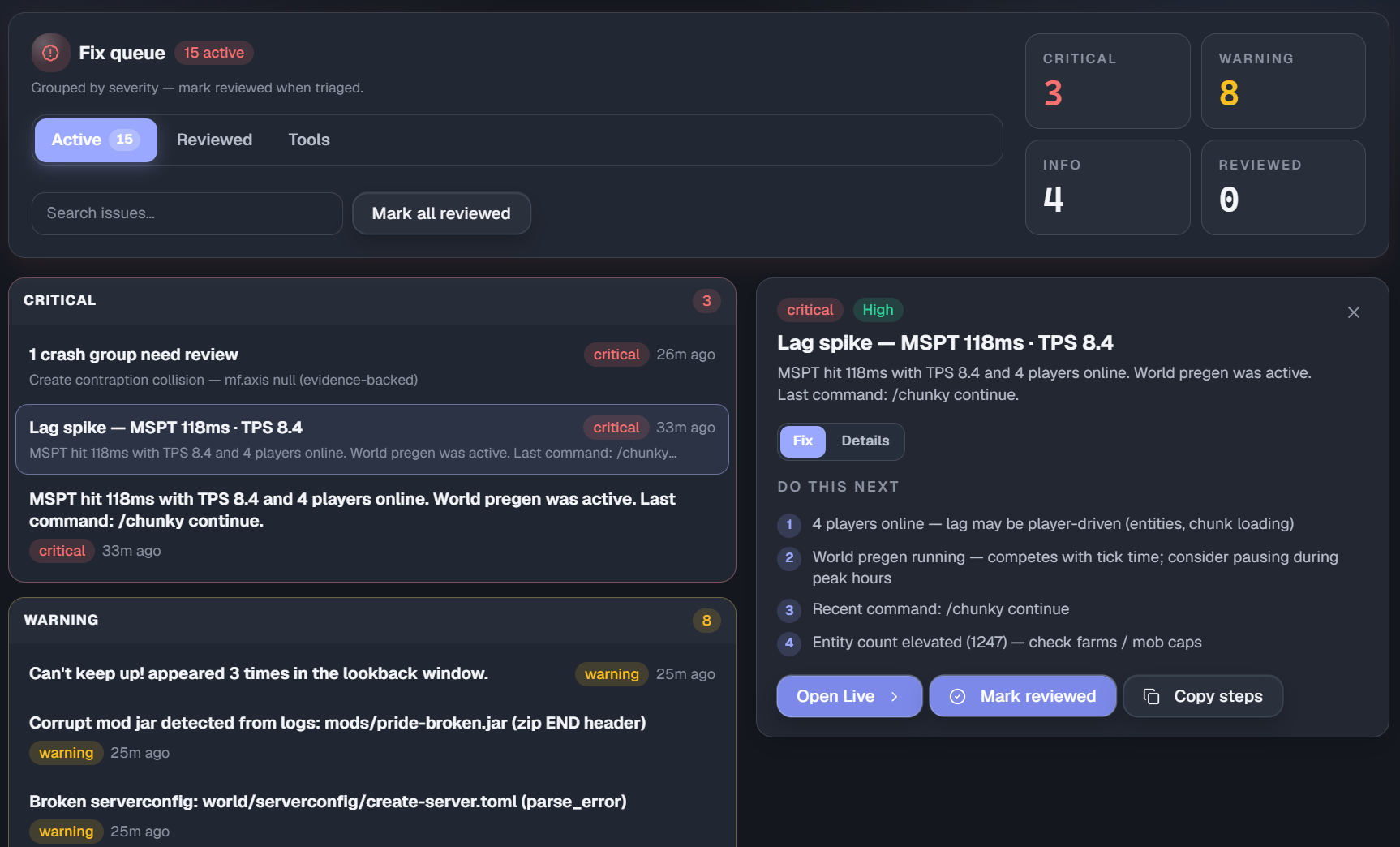 Issues
 -
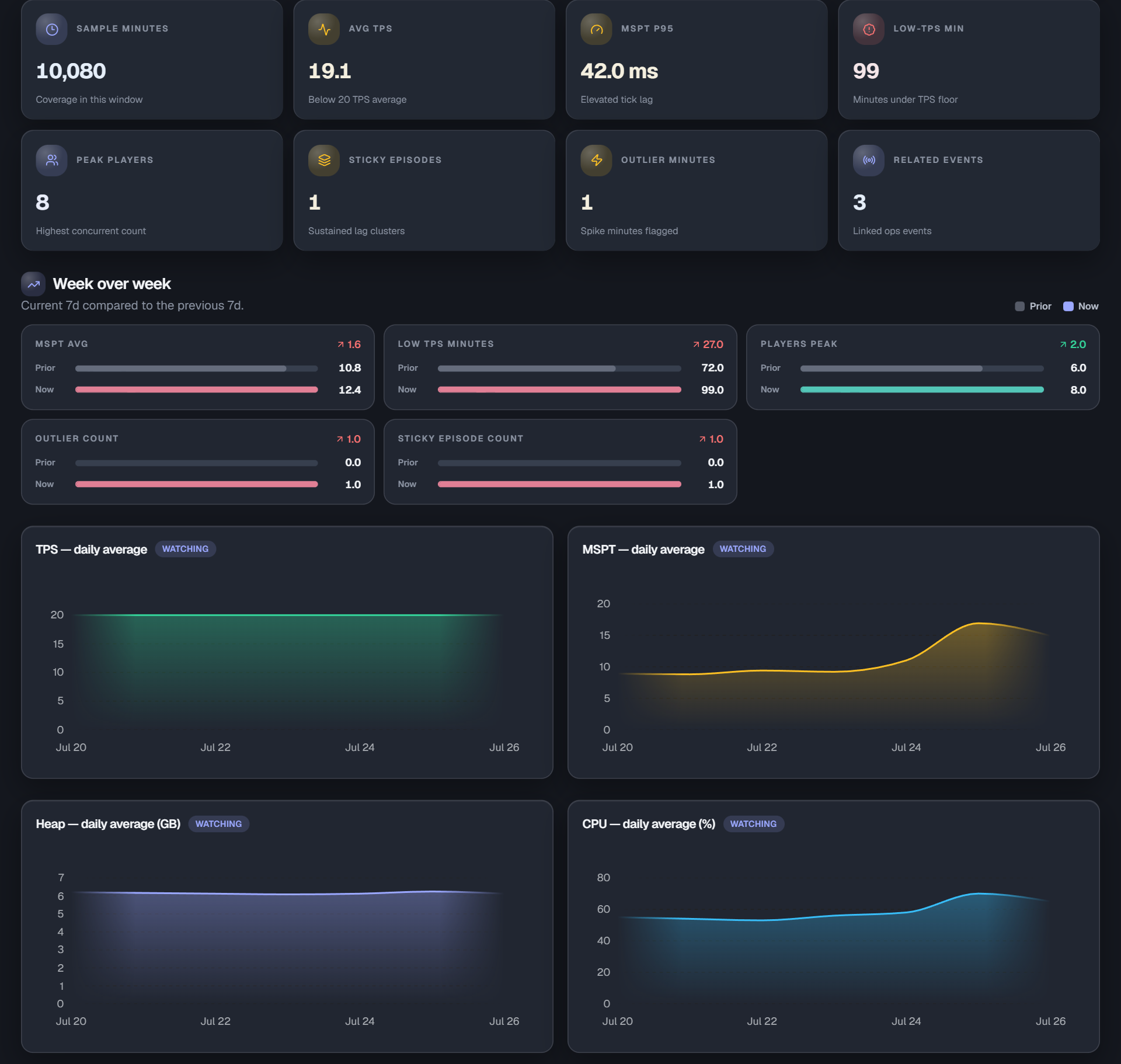 Insights
 -
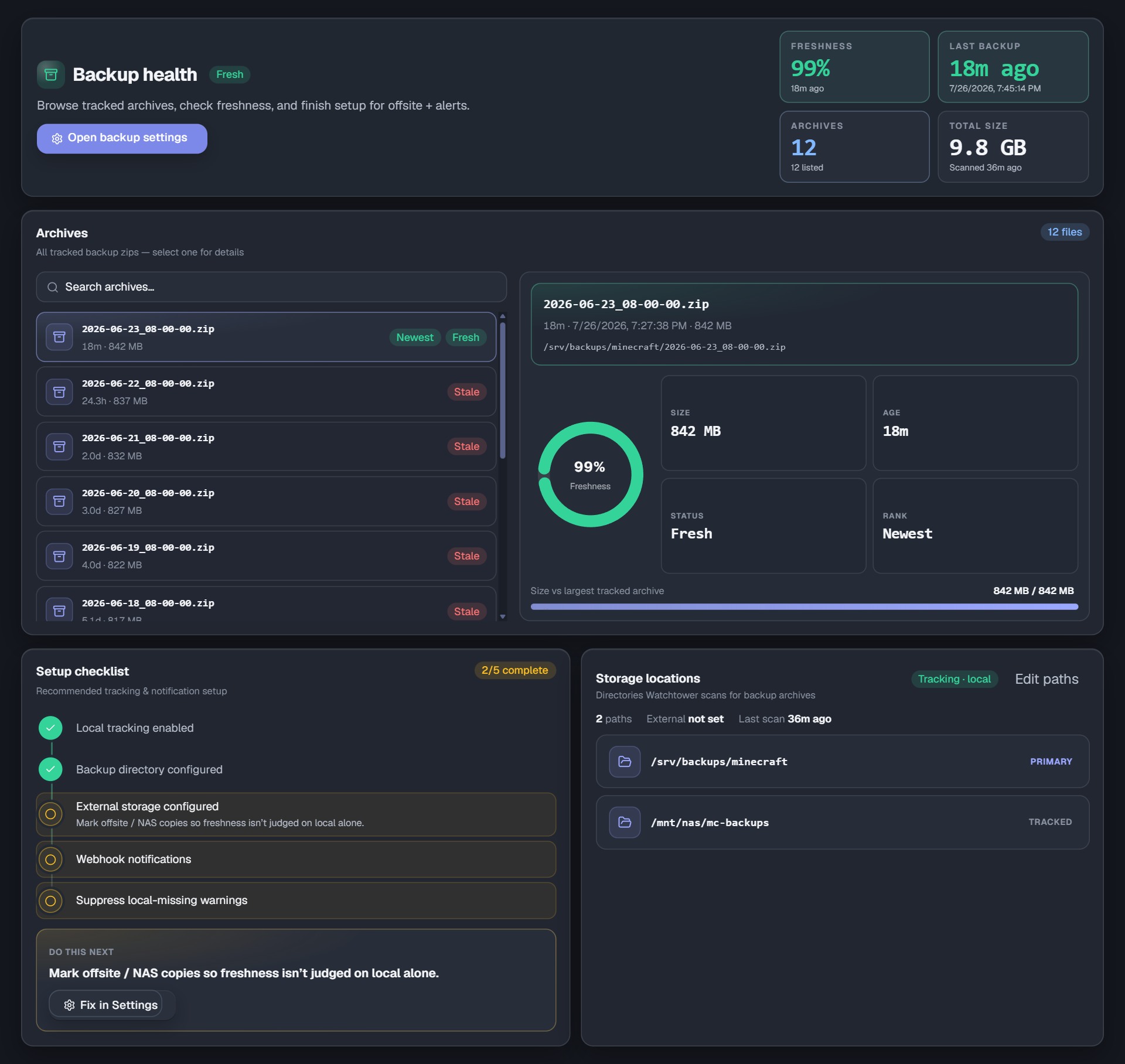 Backups
 -
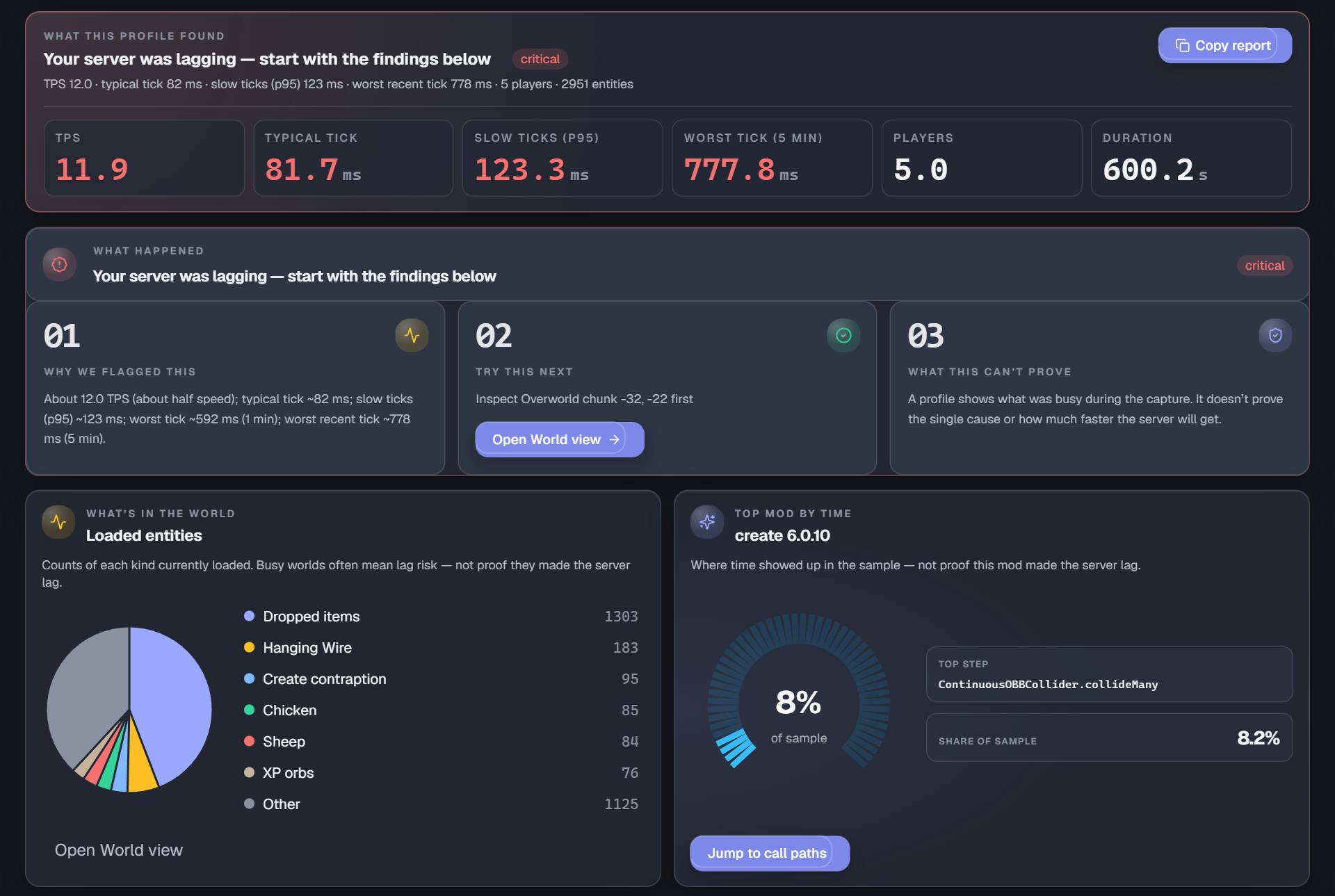 Spark Profiles
 -
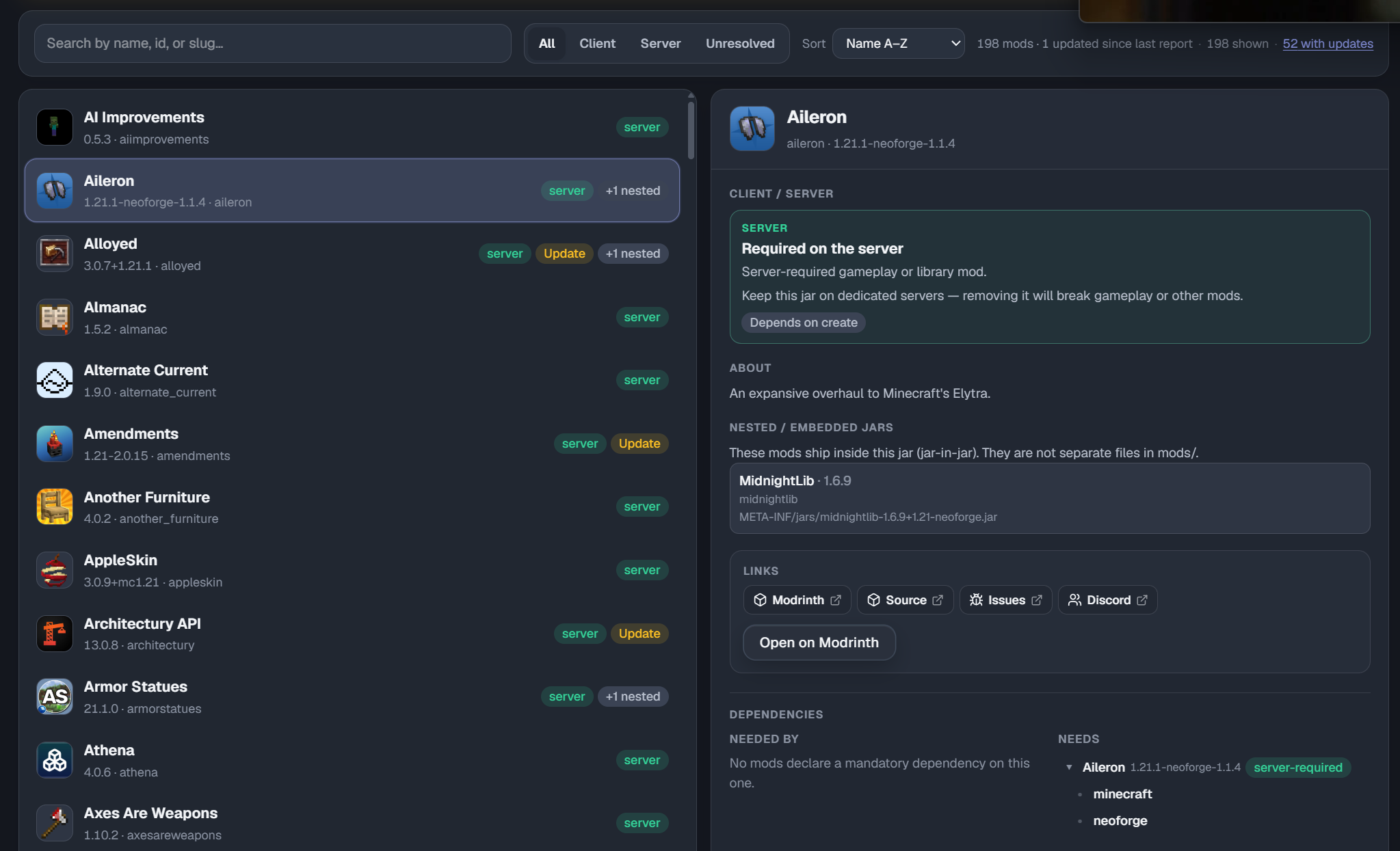 Mods
Mods -
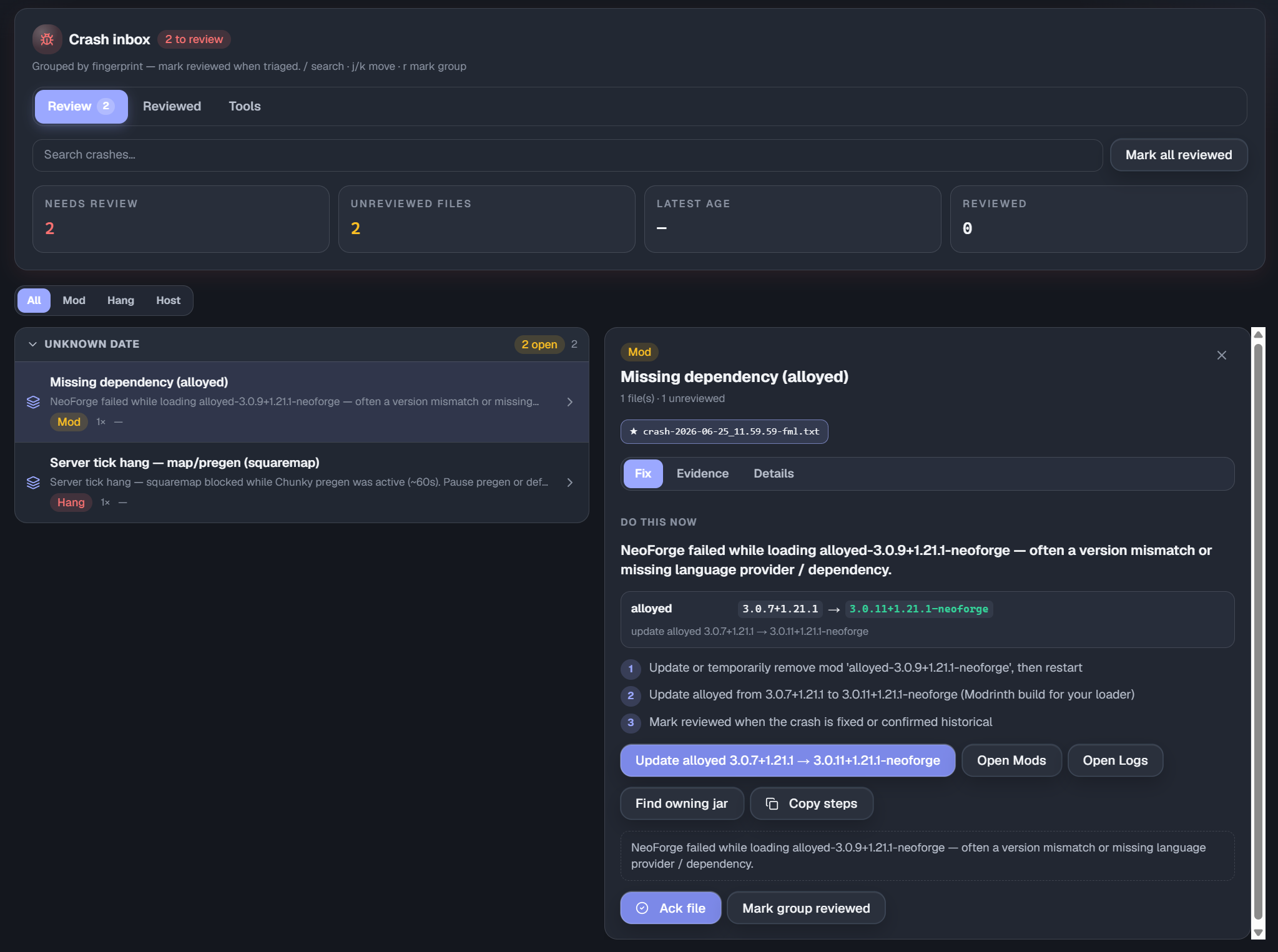 Crash-Logs
Versions
Files
Relations
Project Relations
More like this
Similar Mods
Suggestions use data such as tags, dependencies, dependents, descriptions, titles, and more to rank how much they overlap with this mod.
On ModDex
Community snapshot
By the numbers
Statistics

Want to reach Minecraft players?
We're looking for a server hosting partner to feature here and other parts of the site. Interested? Send us a message!
Get in touchGet it on
Available Platforms
On ModDex
Community snapshot
By the numbers