Community listing page, reviews may not be monitored by the author.
WeaponShift

No reviews yet
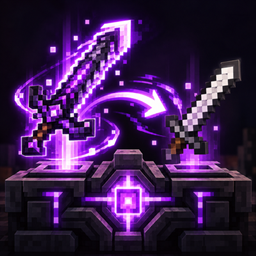
Transfer a weapon's combat stats to another weapon while keeping its appearance, animations and abilities — reversible, configurable and server-safe.

Community voices
Reviews
No reviews yet. Be the first to review this project!
Get it on
Available Platforms
About
Project Details
For authors
Embed Badge
If you're the author of this project, you can embed a live badge anywhere that supports HTML or Markdown. It updates automatically whenever ratings change.
Use HTML for any page that supports it, or Markdown for README files and Markdown-based descriptions.
Identifiers
Platform IDs
Resources
External Links
About
Description
Use the weapon you love without giving up the power of the weapon you earned.
WeaponShift lets you transfer the combat stats of one weapon to another while keeping the target weapon's appearance, animations, abilities, enchantments and identity.
Found an amazing animated weapon that deals far less damage than your Silent Gear or Apotheosis weapon?
WeaponShift fixes exactly that.
⚔️ How does it work?
WeaponShift introduces the Weapon Forge, a dedicated workstation for shifting combat attributes between weapons.
Place:
- Source — the weapon whose stats you want.
- Weapon — the weapon you actually want to use.
The forge previews the resulting stats before anything is changed.
Then press Apply.
The Source weapon is securely stored and the target weapon receives its combat profile.
Stats are replaced — not added
For example:
Source
- 186 Attack Damage
- 1.10 Attack Speed
Weapon
- 42 Attack Damage
- 1.80 Attack Speed
Result
- 186 Attack Damage
- 1.10 Attack Speed
It does not become 228 damage.
WeaponShift replaces the relevant combat attributes instead of stacking both weapons together.
🎨 Keep the weapon you actually want to use
The target weapon remains the same item.
It keeps its:
- Model
- Textures
- Animations
- Attack animations
- Combos
- Sounds
- Right-click behavior
- Item-specific abilities
- Enchantments
- Name
- Durability
- Mod-specific components
WeaponShift changes its combat attribute profile, not its identity.
This means you can keep the weapon that looks and feels the best while using the combat stats of a stronger weapon.
🔄 Fully reversible
WeaponShift does not destroy the Source weapon.
When a shift is applied, the Source is removed from normal gameplay and securely stored by the server.
Return the shifted weapon to the Weapon Forge and press Restore to undo the process.
Restoring:
- Returns the target weapon to its original stats
- Returns the original Source weapon
- Preserves the Source ItemStack and its data
- Removes the active WeaponShift link
The Source cannot be used while its stats are assigned to another weapon.
🔒 One Source, one Weapon
WeaponShift is designed to prevent stat duplication.
Each active shift has a unique server-side link:
1 Source → 1 Weapon
A single Source cannot power multiple weapons at the same time.
The actual Source ItemStack is stored server-side instead of being copied into the target weapon.
This system is designed to remain persistent through:
- Server restarts
- Player disconnects
- Moving weapons between inventories
- Storing shifted weapons in containers
- Restoring after restarting the world
📊 Combat attributes
WeaponShift can replace combat-related attributes such as:
- Attack Damage
- Attack Speed
- Attack Knockback
- Entity Interaction Range
- Compatible registered offensive attributes
- Supported modded attributes
Additional attributes can be controlled through the server configuration.
WeaponShift also respects different attribute modifier operations instead of treating every stat as a simple flat number.
🛡️ What WeaponShift does NOT transfer
WeaponShift transfers registered combat attributes, not arbitrary item code.
It does not attempt to copy things such as:
- Custom spells
- Scripted on-hit abilities
- Unique combo systems
- Special projectile behavior
- Conditional effects
- Custom repair systems
- Item-specific abilities
- Mod-specific internal mechanics
Those behaviors remain attached to their original items.
This allows WeaponShift to change how powerful a weapon is without trying to turn one mod's item into another.
🔧 Modded Compatibility
WeaponShift was built with heavily modded Minecraft in mind.
Instead of reading tooltip text or assuming every weapon stores damage the same way, WeaponShift works with Minecraft and NeoForge's actual attribute systems.
This makes it suitable for weapons whose stats are dynamically generated.
Silent Gear
WeaponShift is designed to work with Silent Gear weapons and their dynamically generated attributes.
Silent Gear items can contain:
- Custom materials
- Parts
- Traits
- Upgrades
- Dynamic attributes
- Custom durability
- Enchantments
- Other mod-specific data
WeaponShift does not reconstruct or permanently modify the original Silent Gear weapon.
The complete Source weapon remains stored until the shift is restored.
Apotheosis & Apothic Attributes
WeaponShift is also designed around the attribute-heavy equipment systems used by:
- Apotheosis
- Apothic Attributes
This includes compatibility with registered offensive attributes provided through systems such as:
- Affixes
- Socketed gems
- Attribute modifiers
WeaponShift does not delete affixes, sockets or gems from the target weapon.
When an affected combat attribute is being replaced, the target weapon's contribution to that attribute is suppressed while WeaponShift is active.
Once the weapon is restored, its normal modifiers work again.
Example
Imagine you have:
Silent Gear Sword
200 Attack Damage
but you prefer the animations and appearance of:
Modded Katana
55 Attack Damage
Using WeaponShift:
```text Silent Gear Sword 200 Damage │ ▼ Weapon Forge │ ▼ Modded Katana 200 Damage
Screenshots
Gallery
Versions
Files
Relations
Project Relations
More like this
Similar Mods
Suggestions use data such as tags, dependencies, dependents, descriptions, titles, and more to rank how much they overlap with this mod.
On ModDex
Community snapshot
By the numbers
Statistics

Get it on
Available Platforms
On ModDex
Community snapshot
By the numbers
Statistics
Resources