
Community listing page, reviews may not be monitored by the author.
Webcommands

No reviews yet
Send commands and messages from the web.

Community voices
Reviews
No reviews yet. Be the first to review this project!
Get it on
Available Platforms
Compatibility
Supported Environments
Runs entirely on the client. Works on vanilla servers.
About
Project Details
For authors
Embed Badge
If you're the author of this project, you can embed a live badge anywhere that supports HTML or Markdown. It updates automatically whenever ratings change.
Use HTML for any page that supports it, or Markdown for README files and Markdown-based descriptions.
Identifiers
Platform IDs
About
Description
You can send commands and messages with a GET request.
With that, there are many use cases; some examples:
- Executing commands from an Elgato Stream Deck (using the "Website" button with "Get Request in the Background" enabled)
- Making lists of commands to execute and running them (automation)
- External apps can interact with the game You can specify the port in the pause menu (default: 80).
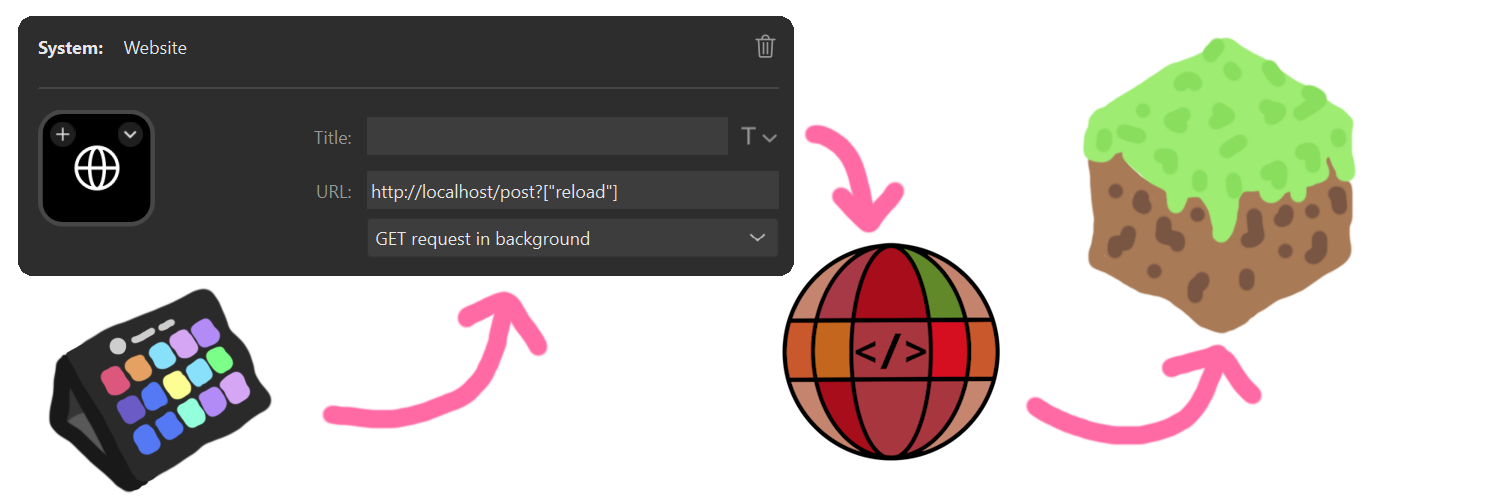
With a new web UI, that allows you to generate the link to execute the command or send the chat message. The new webpage also includes the Spyglass command completion and syntax highlighting. This allows for easier debugging.
With the newest version, you can also receive the command result. On the webpage, you can just execute one command and instantly get the result. When you execute the command with the GET request, you can also get the unformatted data.
Sample return from the command /list from visiting http://localhost/get?"/list"
{
"commandResult":"translation{key='commands.list.players', args=[1, 8, literal{BlauToad}[style={clickEvent=class_10610[command=/tell BlauToad ],hoverEvent=class_10611[entity=net.minecraft.class_2568$class_5248@e5c10f33],insertion=BlauToad}]]}",
"commandResultText":"There are 1 of a max of 8 players online: BlauToad",
"debug":0
}
Screenshots
Gallery
-
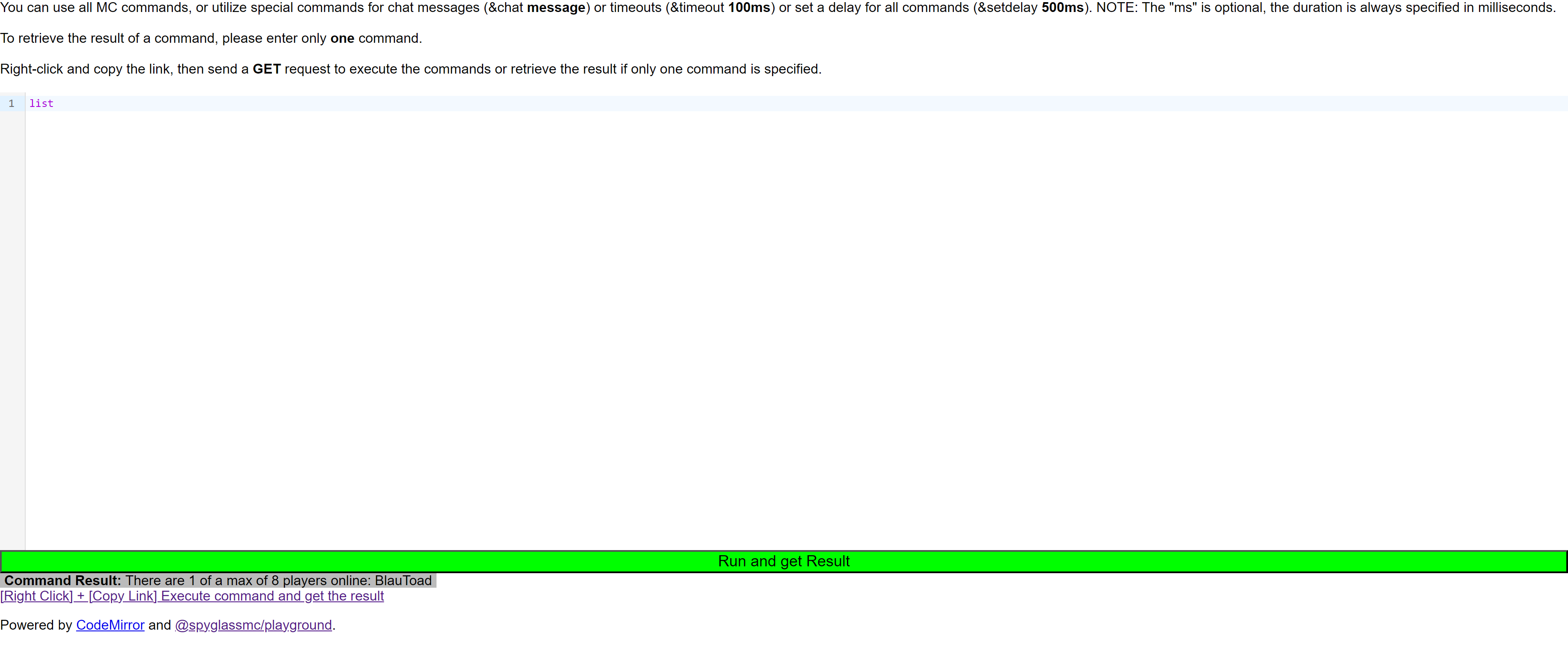 (NEW) Web UI You can enter your command in the box and click the link on the bottom to execute or copy the command.
 -
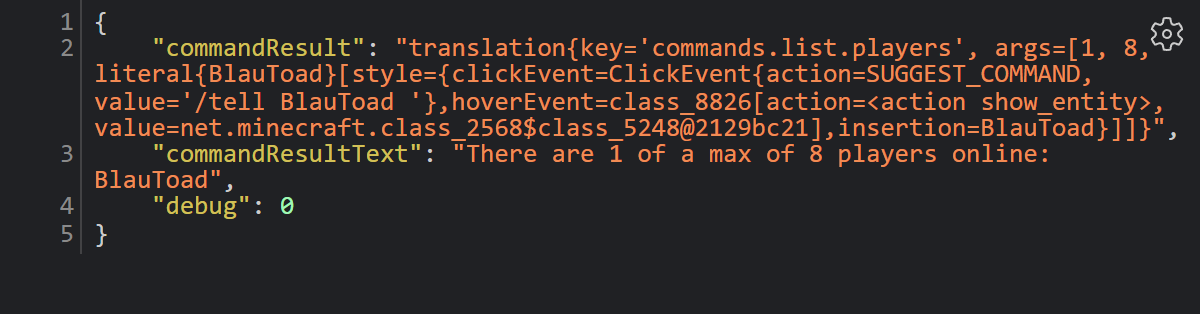 Result of a command The result is returned as the Text displayed in chat (translated to the player language) and the build structure for the text.
 -
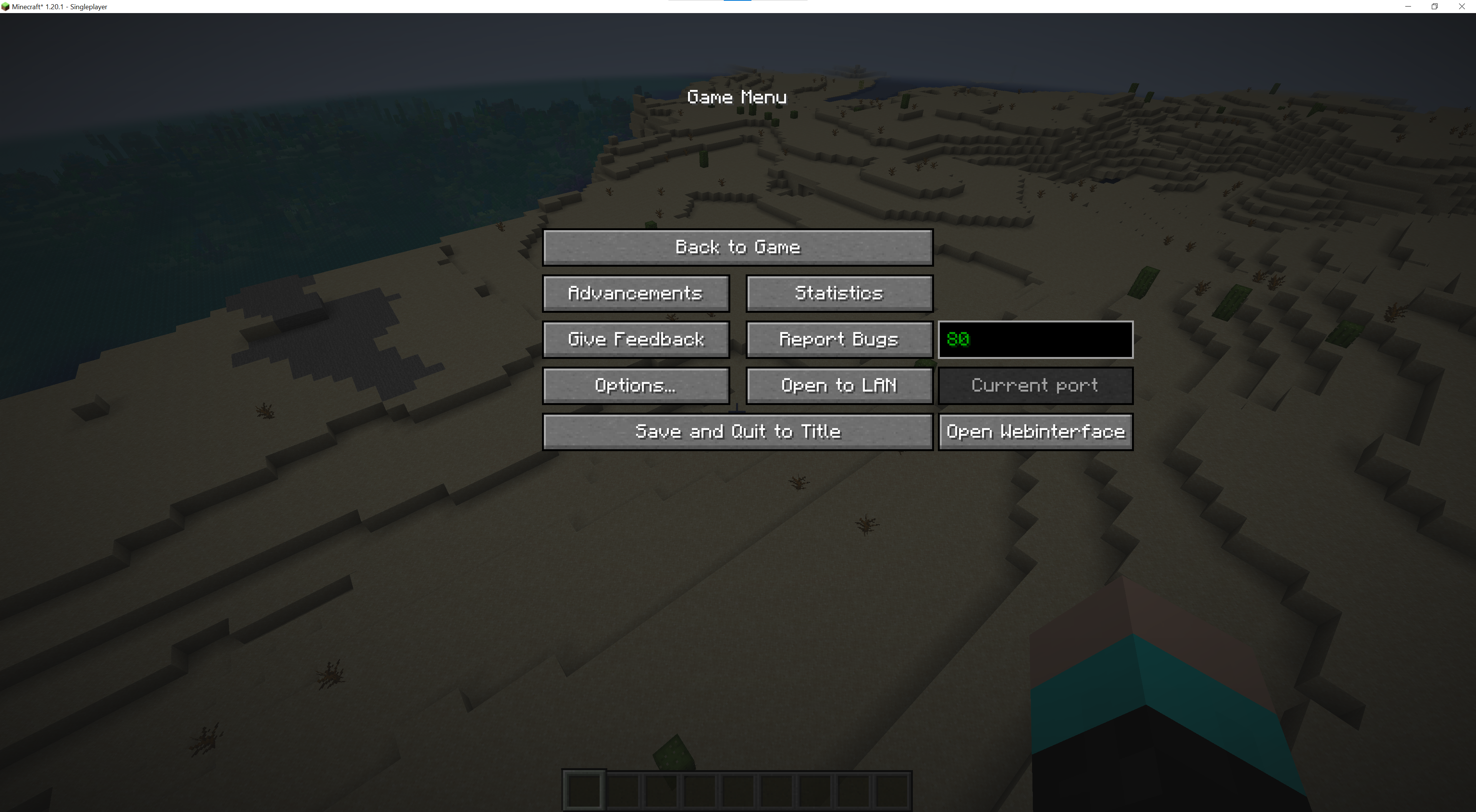 Current web port Shows the current port that it listens to. With the "Open Webinterface" you can open the page on your browser.
 -
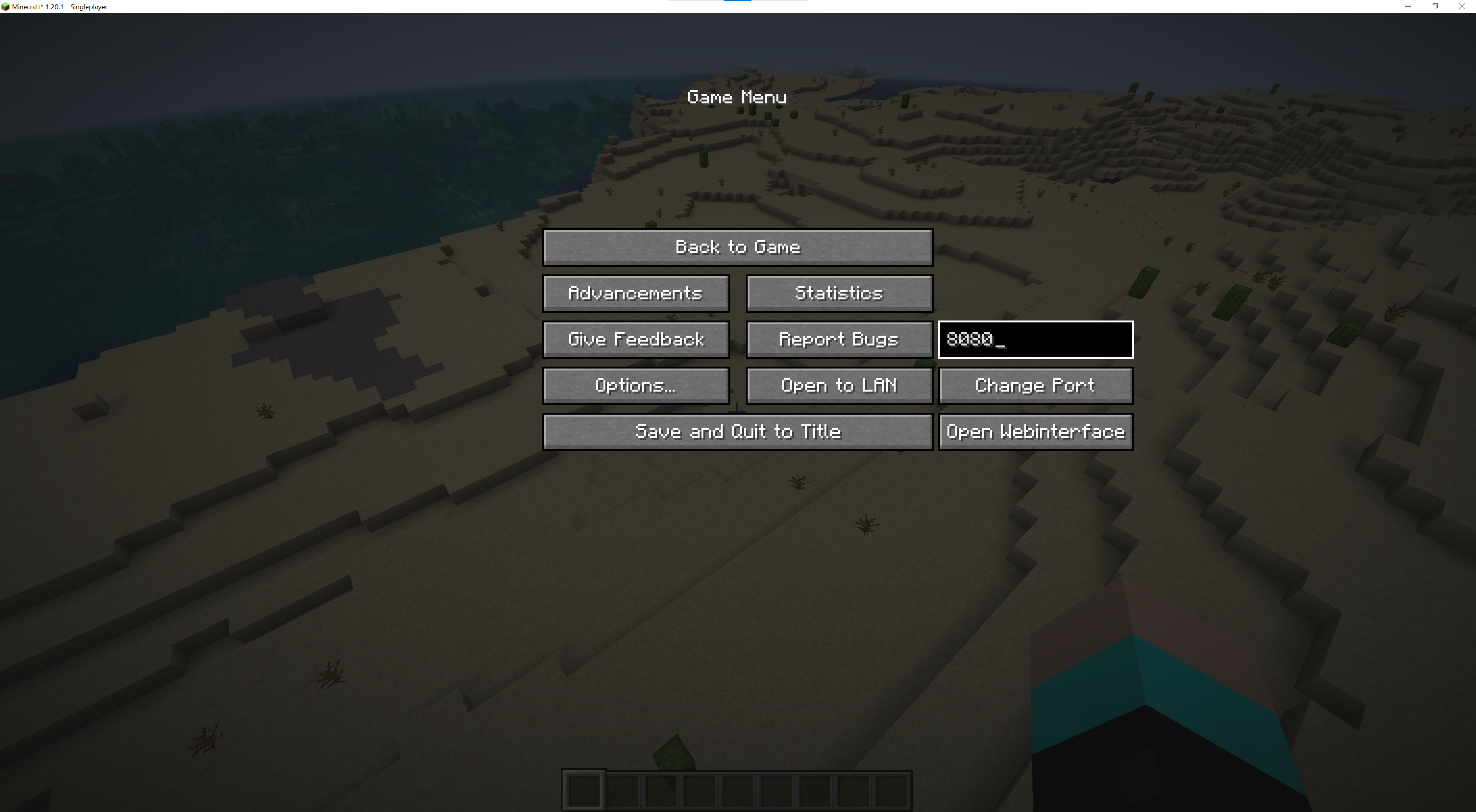 Changing the web port In the pause menu you can change the port on the right.
 -
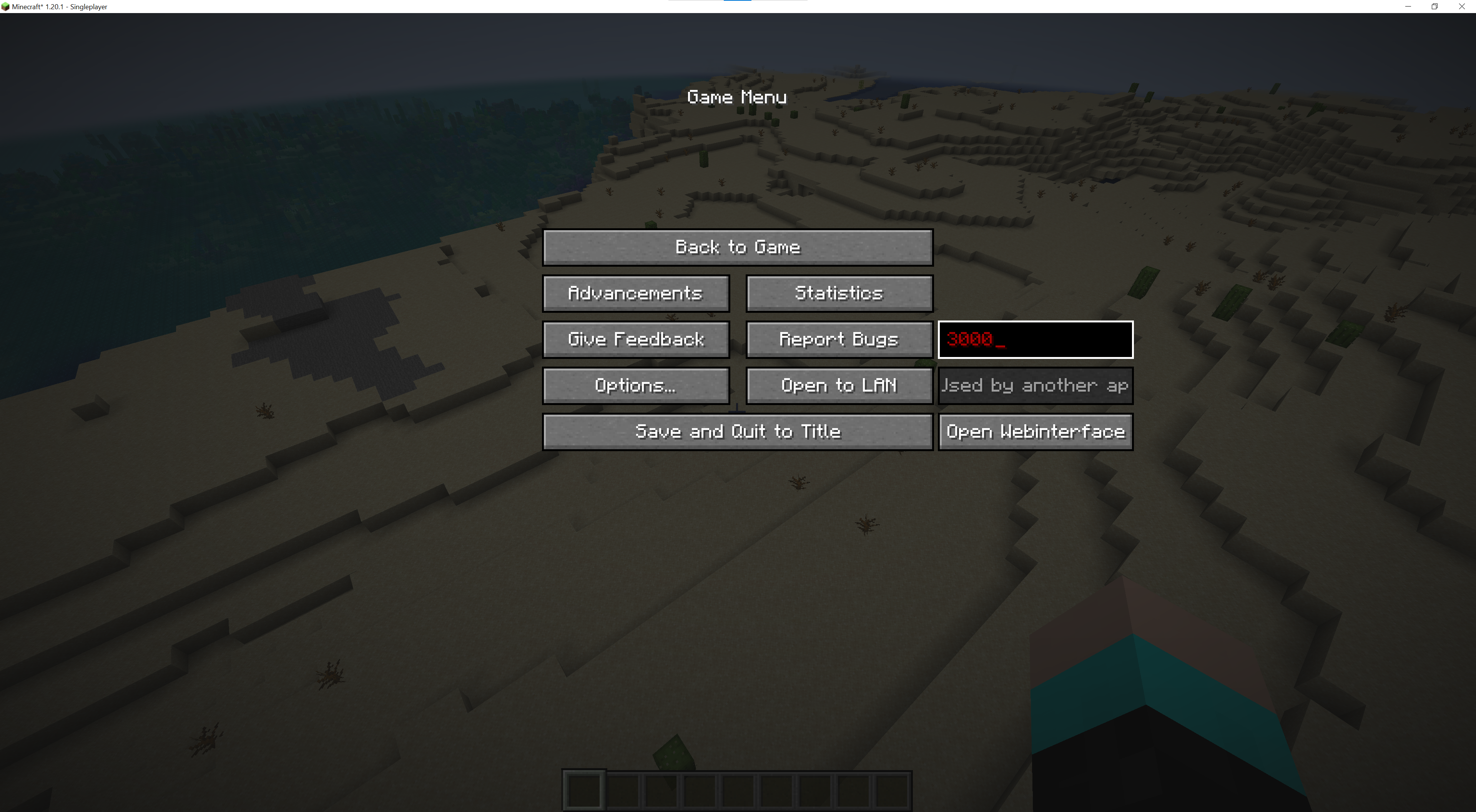 Port already used Displays an error if another application uses this port.
 -
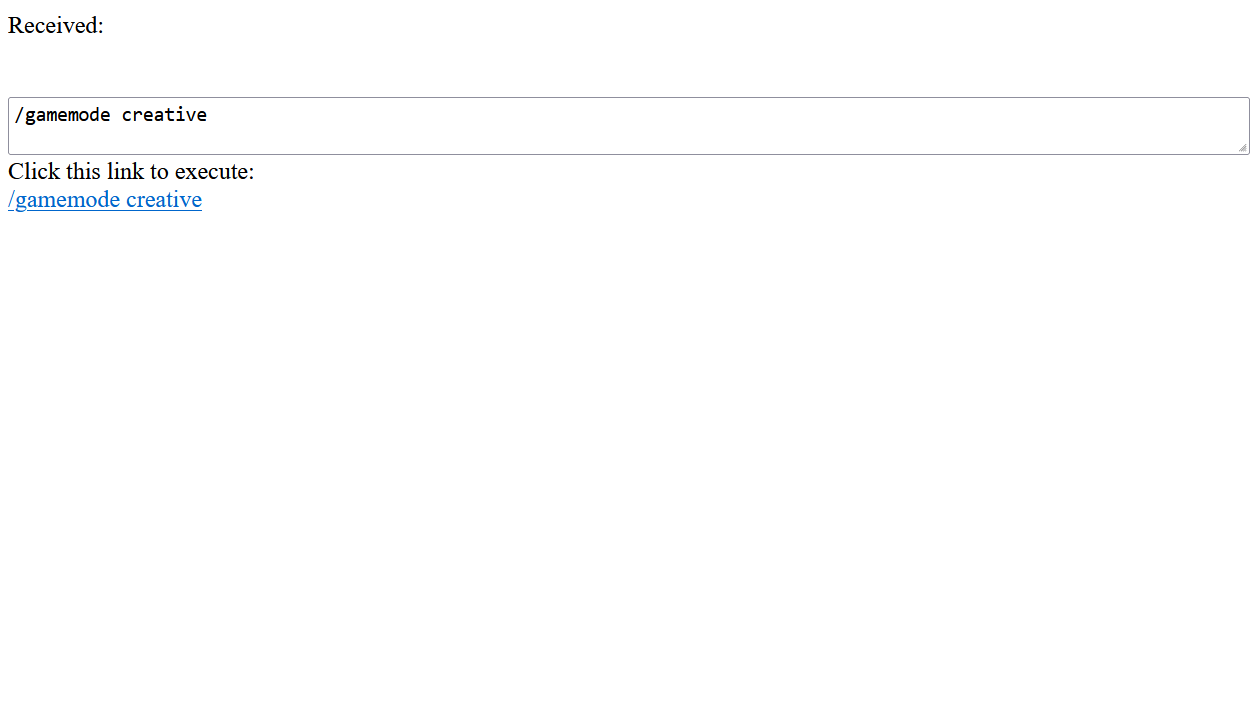 (old) Web UI You can enter your command in the box and click the link on the bottom to execute or copy it. This already encodes the special characters so that you don't have to.
 -
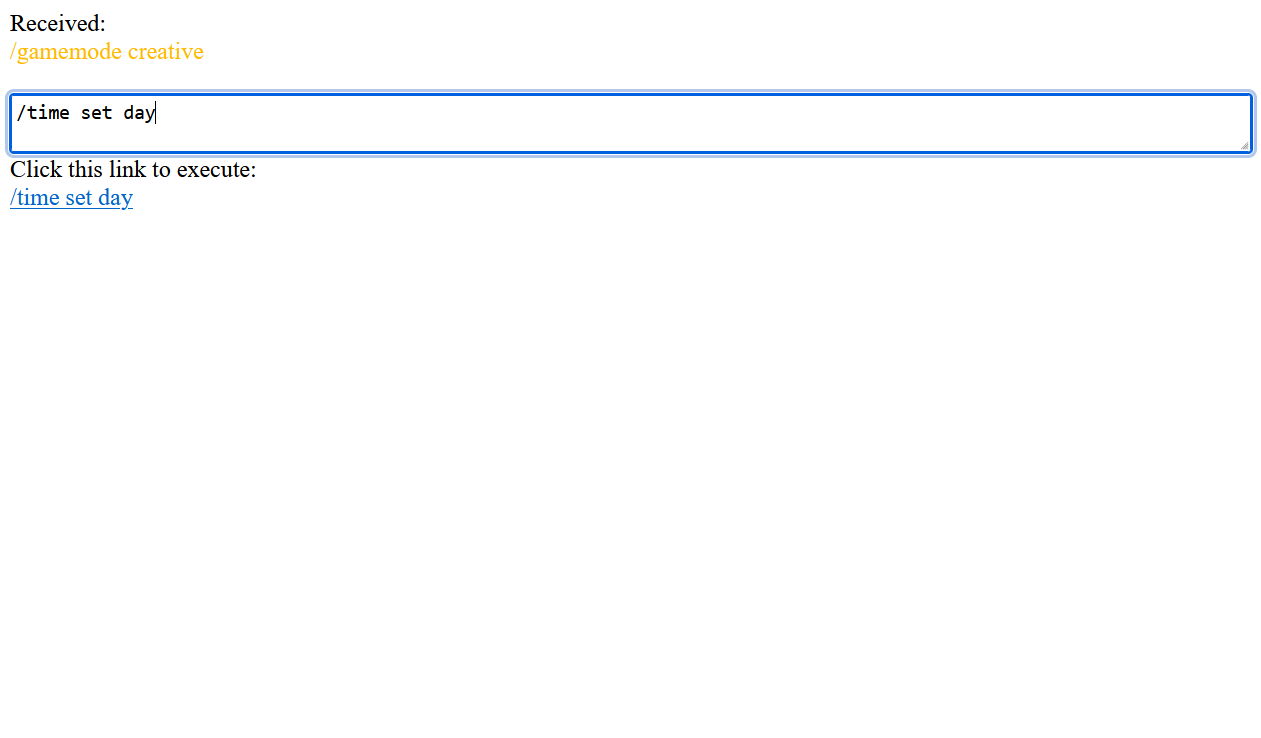 (old) After execution Shows the command or chat message that was received.
Versions
Files
Relations
Project Relations
More like this
Similar Mods
Suggestions use data such as tags, dependencies, dependents, descriptions, titles, and more to rank how much they overlap with this mod.
On ModDex
Community snapshot
By the numbers
Statistics

 (opens in a new tab)
Get it on
Available Platforms
On ModDex
Community snapshot
By the numbers