
Community listing page, reviews here may not be monitored by the author.

Community voices
Reviews
No reviews yet. Be the first to review this project!
Get it on
Available Platforms
Compatibility
Supported Environments
Runs entirely on the client. Works on vanilla servers.
About
Project Details
For authors
Embed Badge
If you're the author of this project, you can embed a live badge anywhere that supports HTML or Markdown. It updates automatically whenever ratings change.
Use HTML for any page that supports it, or Markdown for README files and Markdown-based descriptions.
Identifiers
Platform IDs
About
Description
WeCode
Plot Searching
- CTRL + F by default to search the entire plot for functions/processes/events
Commands
- /exp
- good way to quickly write %math expressions
- /batchtag <tag> <value> <tag2> <value2> [...]
- /pjoin <player>
- Joins the plot that player is on
- /sjoin <name>
- /speedjoin set <name> <id/handle
- /speedjoin list
- /smallcaps <text
- Gives you a qxeii'ied version of the input text
- /dev <id> OR /dev <handle>
- /build <id> OR /build <handle>
- /cs (explained later)
- /inv save AND /inv load
- /dtp <args>
- Runs /dev and then /ctp <args>
- /test (don't run, does stuff for testing)
Colorspaces (/cs)
- /cs list
- Lists your colorspaces
- /cs create <spacename>
- Creates a new colorspace under the given name
- /cs delete <spacename>
- Deletes the given colorspace
- /cs add <spacename> <colorname> <#color>
- Adds a named color to a colorspace
- /cs remove <spacename> <colorname>
- Removes a named color
- /cs setactive <spacename>
- Sets your active colorspace to the given space
- /cs export <spacename>
- Copies the given colorspace to your clipboard
- /cs importclipboard <spacename>
- Imports a colorspace from your clipboard (and saves it under the given name)
When writing in chat (or running commands) every tag in the form of <<name>> gets
replaced with the corresponding color from your active colorspace (or from the "global" colorspace)

Example:
/cs create example
/cs add example test #FFFF88
/cs setactive example
/txt <<test>>Woahie!
^^ That command gives you a /txt <#FFFF88>Woahie!
Keybinds
- Show Tags
- Pin Item Tooltip
- Pin Template Preview
- There is a template peeker and this allows you to freeze it in place
- Flight Speed Toggle Normal <==> Fast (Normal and Fast are defined in the config)
Other
- Lagslayer Display in the top left
- Custom Notifications
- Moves all DF errors and successes to a fancy display in the top right (can be toggled in config)
Screenshots
Gallery
-
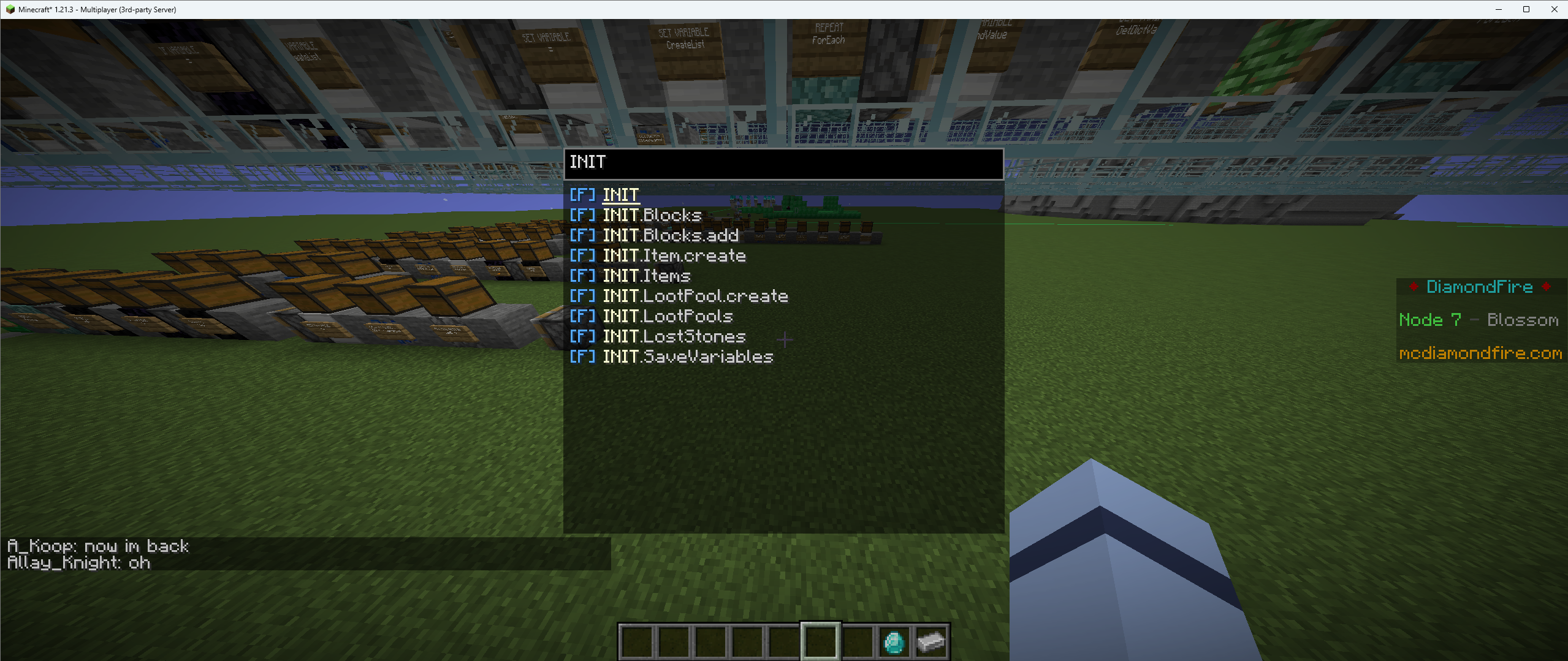 CTRL + F Shows and allows to tp to all functions, events and processes
Versions
Files
Relations
Project Relations
More like this
Similar Mods
Suggestions use data such as tags, dependencies, dependents, descriptions, titles, and more to rank how much they overlap with this mod.
On ModDex
Community snapshot
By the numbers
Statistics

Want to reach Minecraft players?
We're looking for a server hosting partner to feature here and other parts of the site. Interested? Send us a message!
Get in touchGet it on
Available Platforms
On ModDex
Community snapshot
By the numbers