Community listing page, reviews here may not be monitored by the author.
WhatI'mPressing


No reviews yet
A mod have configurable keystrokes
Community voices
Reviews
No reviews yet. Be the first to review this project!
Get it on
Available Platforms
Compatibility
Supported Environments
Runs entirely on the client. Works on vanilla servers.
About
Project Details
For authors
Embed Badge
If you're the author of this project, you can embed a live badge anywhere that supports HTML or Markdown. It updates automatically whenever ratings change.
Use HTML for any page that supports it, or Markdown for README files and Markdown-based descriptions.
Identifiers
Platform IDs
About
Description
What I'm Pressing
This mod allows you to display the button you are currently clicking on the screen.
You also can customize it by the editor, and the editor can be accessed by clicking the shortcut key (default is "]").
By default, the mod displays the WASD four keys in the upper left corner of the screen.
You can open the editor to customize them, all your changes are saved automatically.
Editor Operations
You can use the left mouse button to select a key listener in the editor, and long press the left mouse button to drag it.
There are also many operations allowed in the editor, which you can perform with the following key combinations:
- A: Add a new key listener at the cursor
- X: Deletes the selected key listener
- Ctrl + C: Copies the selected key listener
- Ctrl + V: Paste the copied key listener at the cursor, or paste the copied style onto the selected key listener
- Ctrl + R: Resets the style of the selected key listener
- Up/Down/Left/Right: Move selected listener
Inspector also supports copy-paste operations, after you selected a entries (left clicked or right clicked), you can use Ctrl + C to copy it and Ctrl + V to paste it.
What I'm Pressing
This mod allows you to display the button you are currently clicking on the screen.
You also can customize it by the editor, and the editor can be accessed by clicking the shortcut key (default is "]").
By default, the mod displays the WASD four keys in the upper left corner of the screen.
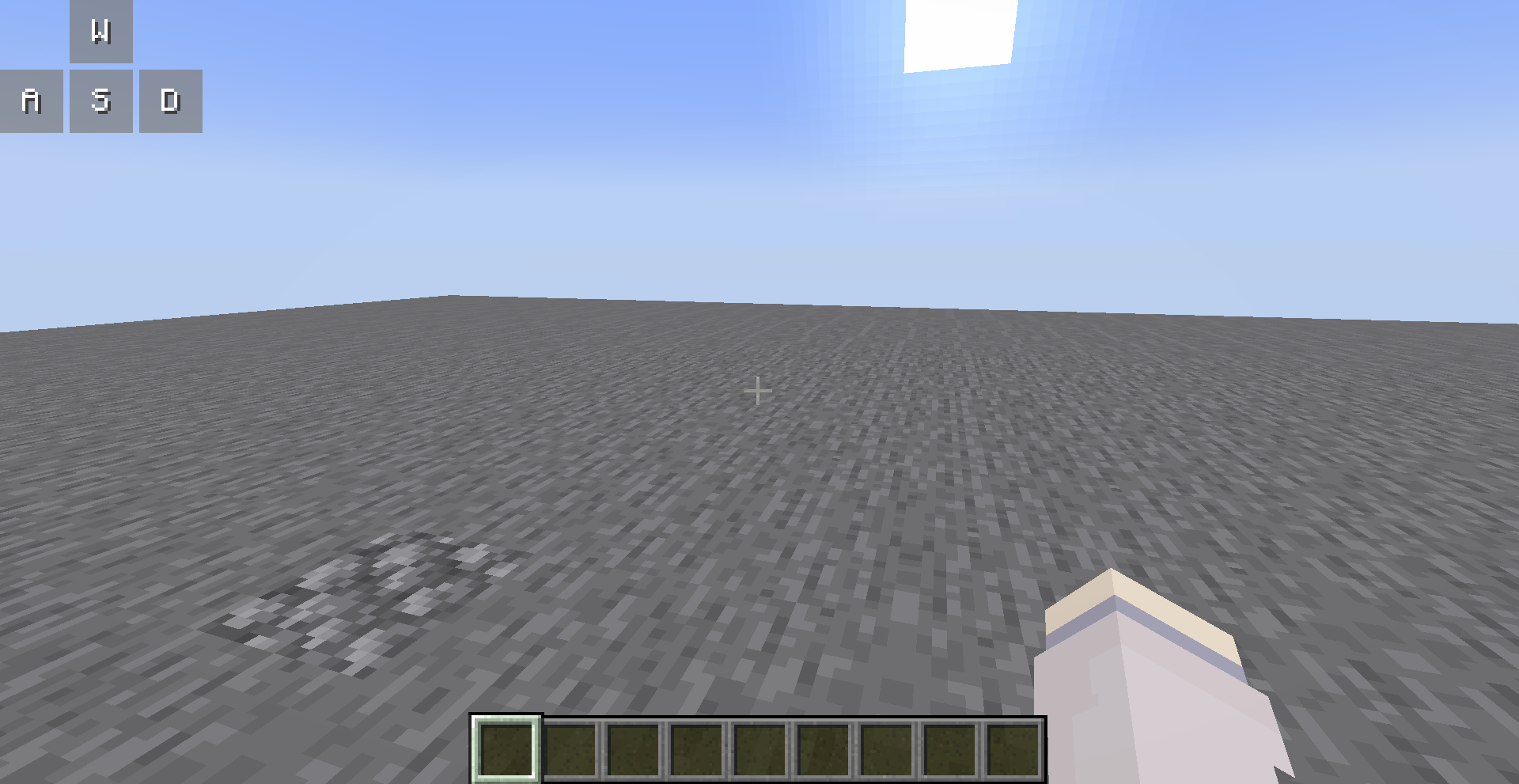
You can open the editor to customize them, all your changes are saved automatically.
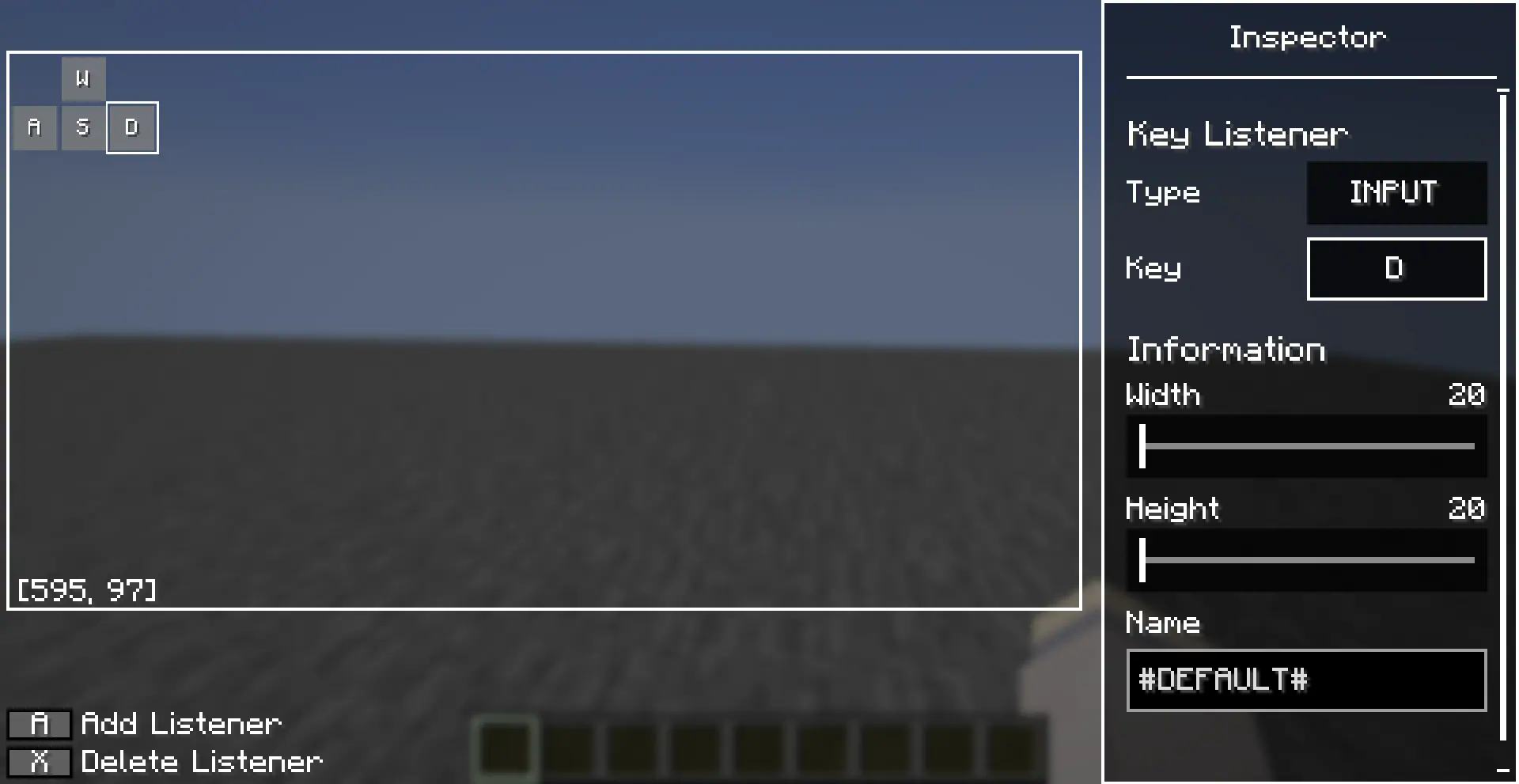
Editor Operations
You can use the left mouse button to select a key listener in the editor, and long press the left mouse button to drag it.
There are also many operations allowed in the editor, which you can perform with the following key combinations:
- [A]: Add a new key listener at the cursor
- : Deletes the selected key listener
- [Ctrl + C]: Copies the selected key listener
- [Ctrl + V]: Paste the copied key listener at the cursor, or paste the copied style onto the selected key listener
- [Ctrl + R]: Resets the style of the selected key listener
- [up/down/left/right]: Move selected key listener
Inspector also supports copy-paste operations, after you selected a entries (left clicked or right clicked), you can use [Ctrl + C] to copy it and [Ctrl + V] to paste it.
Screenshots
Gallery
Versions
Files
Relations
Project Relations
More like this
Similar Mods
Suggestions use data such as tags, dependencies, dependents, descriptions, titles, and more to rank how much they overlap with this mod.
- What Mod
- What Are They Up To (Watut)
- What Are You Voting For? 2023
- What Did You Vote For? 2021 mob vote: Glare, Allay and Copper Golem!
- What The Bucket
- What's That Slot?
- What's Your Build
- What Did You Vote For? 2022: Sniffer, Rascal and Tuff Golem
- WHAT - Fluid Fix
- What Durability?
- What Looms Ahead
- WHAT THE GECKO
On ModDex
Community snapshot
By the numbers
Statistics
Want to reach Minecraft players?
We're looking for a server hosting partner to feature here and other parts of the site. Interested? Send us a message!
Get in touchGet it on
Available Platforms
On ModDex
Community snapshot
By the numbers