Community listing page, reviews here may not be monitored by the author.
WI Zoom

No reviews yet
The zoom from the Wurst Client as a standalone mod.

Community voices
Reviews
No reviews yet. Be the first to review this project!
Get it on
Available Platforms
 CurseForge
Modrinth
CurseForge
Modrinth
About
Project Details
For authors
Embed Badge
If you're the author of this project, you can embed a live badge anywhere that supports HTML or Markdown. It updates automatically whenever ratings change.
Use HTML for any page that supports it, or Markdown for README files and Markdown-based descriptions.
Identifiers
Platform IDs
About
Description
WI Zoom (Wurst-Imperium Zoom)
WI Zoom is the zoom from the Wurst Client as a standalone Minecraft mod, letting you zoom in and out with the mouse wheel and providing up to 50x magnification without the need for a spyglass. This mod is fully compatible with OptiFine and Sodium, but unlike OptiFine's zoom, WI Zoom lets the camera move in a logical way, without making it wobble around. WI Zoom supports all of the latest Minecraft versions, including snapshots.

 (unless you're using NeoForge)
NOTE: Do not install this if you have the Wurst Client. This is already included in Wurst and having it twice will crash the game.
Features
- Up to 50x zoom!
- No spyglass needed!
- Zoom in and out with the mouse wheel!
- No wobbly camera nonsense!
- Dynamic mouse sensitivity! (since v1.1)
- Fully compatible with OptiFine / Sodium!
How To Zoom
Hold down the V key to activate the zoom (this keybind can be changed).
While zooming, you can use the mouse wheel to zoom in further.
How To Change The Zoom Keybind

Supported Languages
- Azerbaijani (Azerbaijan) (since v1.5)
- Chinese (Simplified/Mainland) (since v1.4)
- Chinese (Traditional/Taiwan) (since v1.4)
- Cantonese (Hong Kong) (since v1.4)
- Classical Chinese (since v1.4)
- Dutch (Netherlands) (since v1.5)
- English (US)
- Estonian (Estonia) (since v1.4)
- French (France) (since v1.4)
- German (Germany)
- Kurdish (since v1.5)
- Portuguese (Brazil) (since v1.5)
- Russian (Russia) (since v1.3)
- Turkish (Turkey) (since v1.5)
- Ukrainian (Ukraine) (since v1.5)
WI Zoom (Wurst-Imperium Zoom)
The WI Zoom Minecraft mod lets you zoom in and out with the mouse wheel, providing up to 50x magnification without the need for a spyglass. This mod is fully compatible with OptiFine and Sodium, but unlike OptiFine's zoom, WI Zoom lets the camera move in a logical way, without making it wobble around. WI Zoom supports all of the latest Minecraft versions, including snapshots.

Features
- Up to 50x zoom!
- No spyglass needed!
- Zoom in and out with the mouse wheel!
- No wobbly camera nonsense!
- Dynamic mouse sensitivity! (since v1.1)
- Fully compatible with OptiFine / Sodium!
How To Zoom
Hold down the V key to activate the zoom (this keybind can be changed).
While zooming, you can use the mouse wheel to zoom in further.
Changing The Zoom Keybind
How to change the keybind (click to expand)
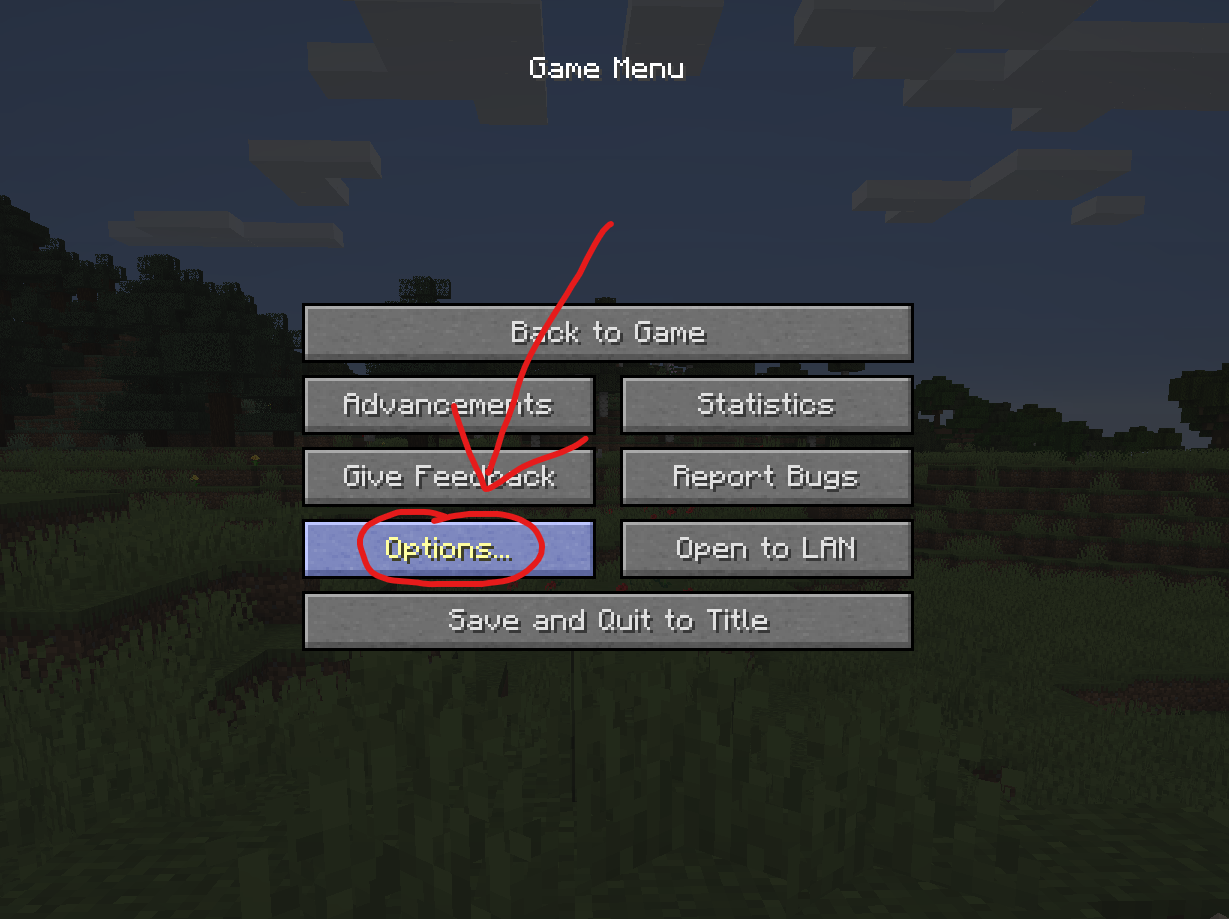
In the pause menu, click on "Options...".
In the Options menu, click on "Controls...".
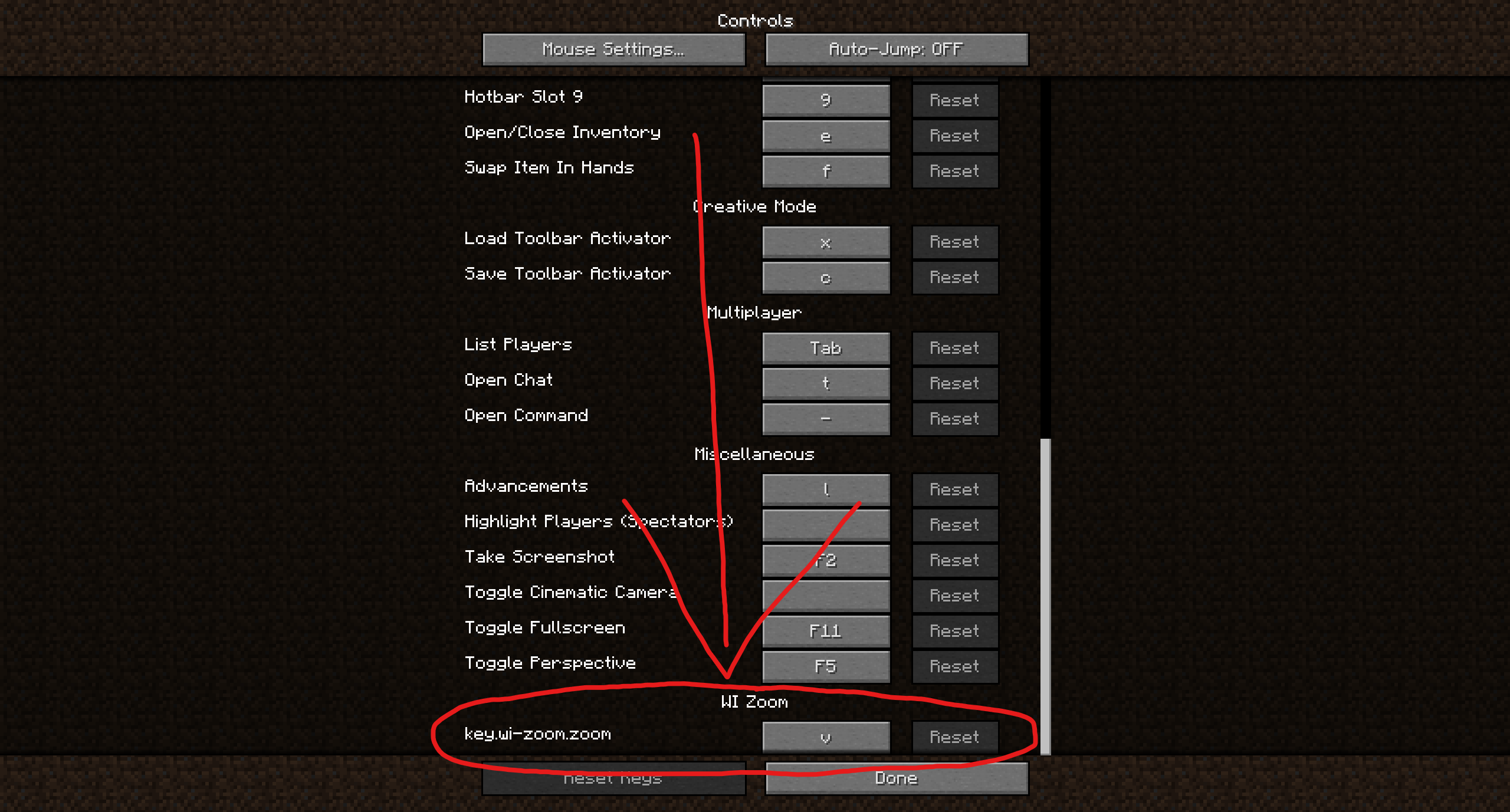
In the Controls menu, scroll down to the "WI Zoom" section. If you don't have any other mods installed, you will find this section at the very bottom.
Supported Languages
- Azerbaijani (Azerbaijan) (since v1.5)
- Chinese (Simplified/Mainland) (since v1.4)
- Chinese (Traditional/Taiwan) (since v1.4)
- Cantonese (Hong Kong) (since v1.4)
- Classical Chinese (since v1.4)
- Dutch (Netherlands) (since v1.5)
- English (US)
- Estonian (Estonia) (since v1.4)
- French (France) (since v1.4)
- German (Germany)
- Kurdish (since v1.5)
- Portuguese (Brazil) (since v1.5)
- Russian (Russia) (since v1.3)
- Turkish (Turkey) (since v1.5)
- Ukrainian (Ukraine) (since v1.5)
Screenshots
Gallery
-
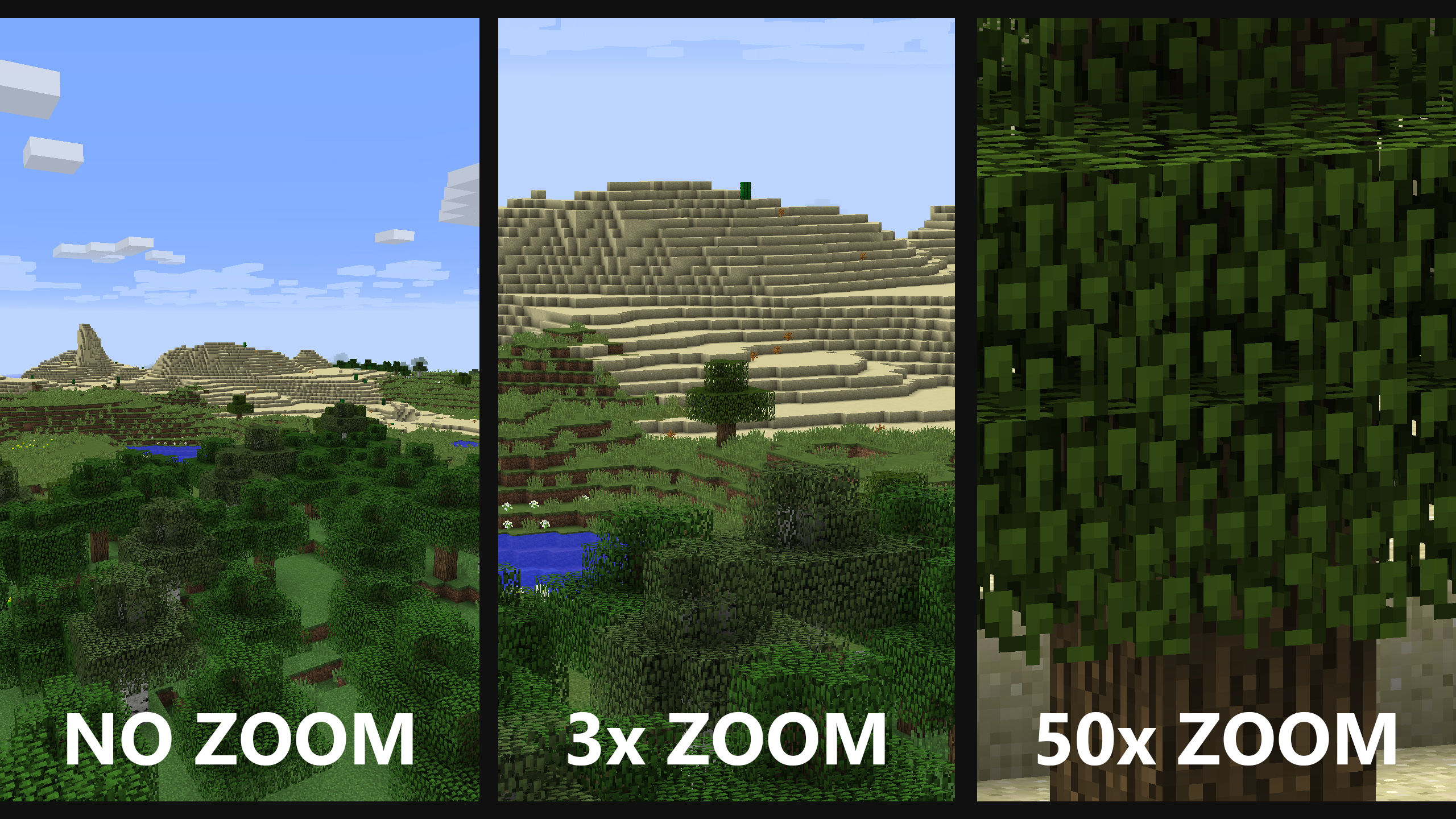 Comparison of zoom levels No zoom (left) is just what you would normally see. 3x zoom (middle) is the default zoom level (when you just press V without scrolling). 50x zoom (right) is the maximum zoom level (when you hold V and keep scrolling until you can't zoom in any further).
 -
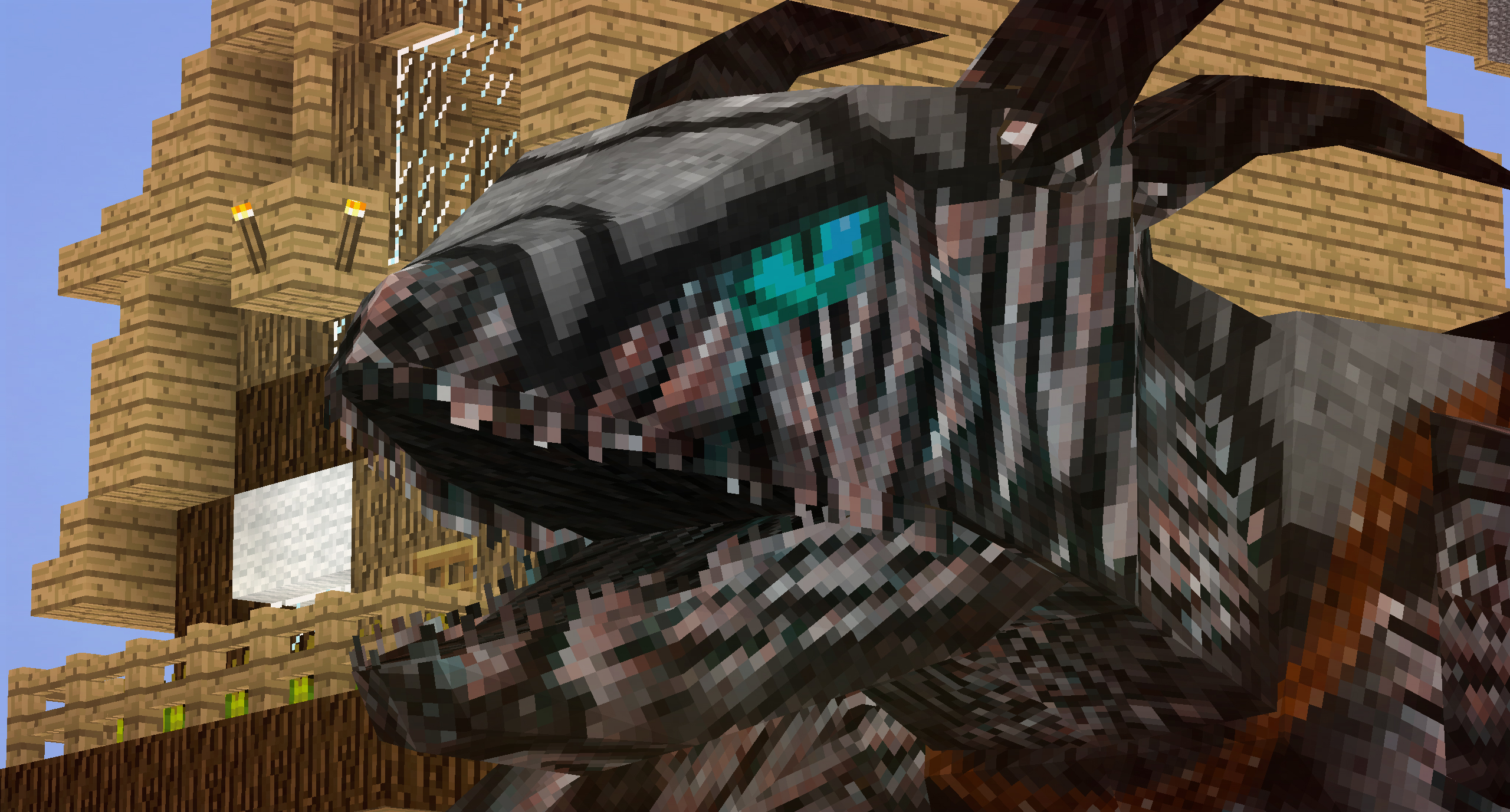 WI Zoom + RLCraft At least now you can see the dragons before they kill you. Yay?
 -
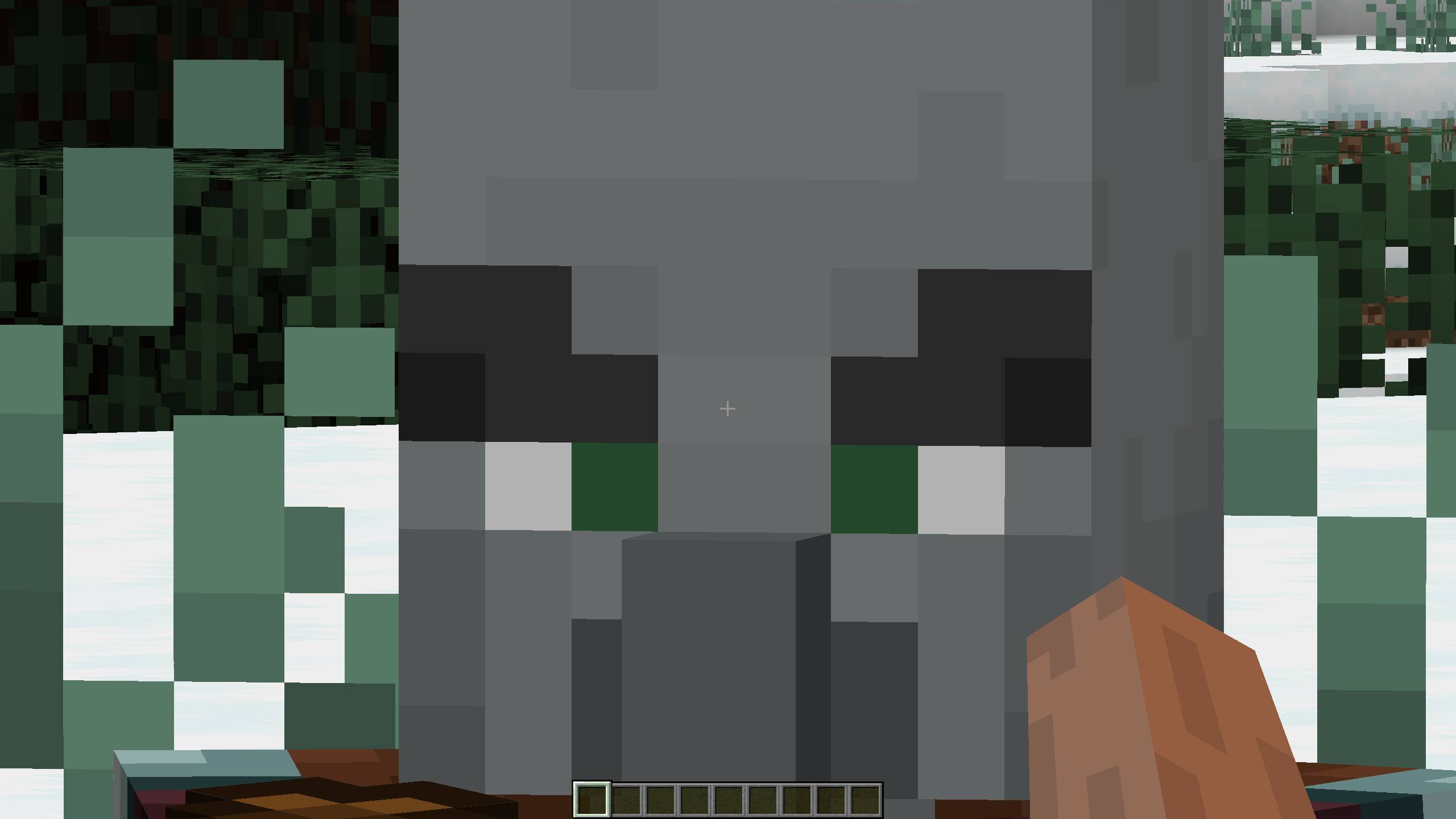 WI Zoom 1.4 update image Super zoomed in pillager face
 -
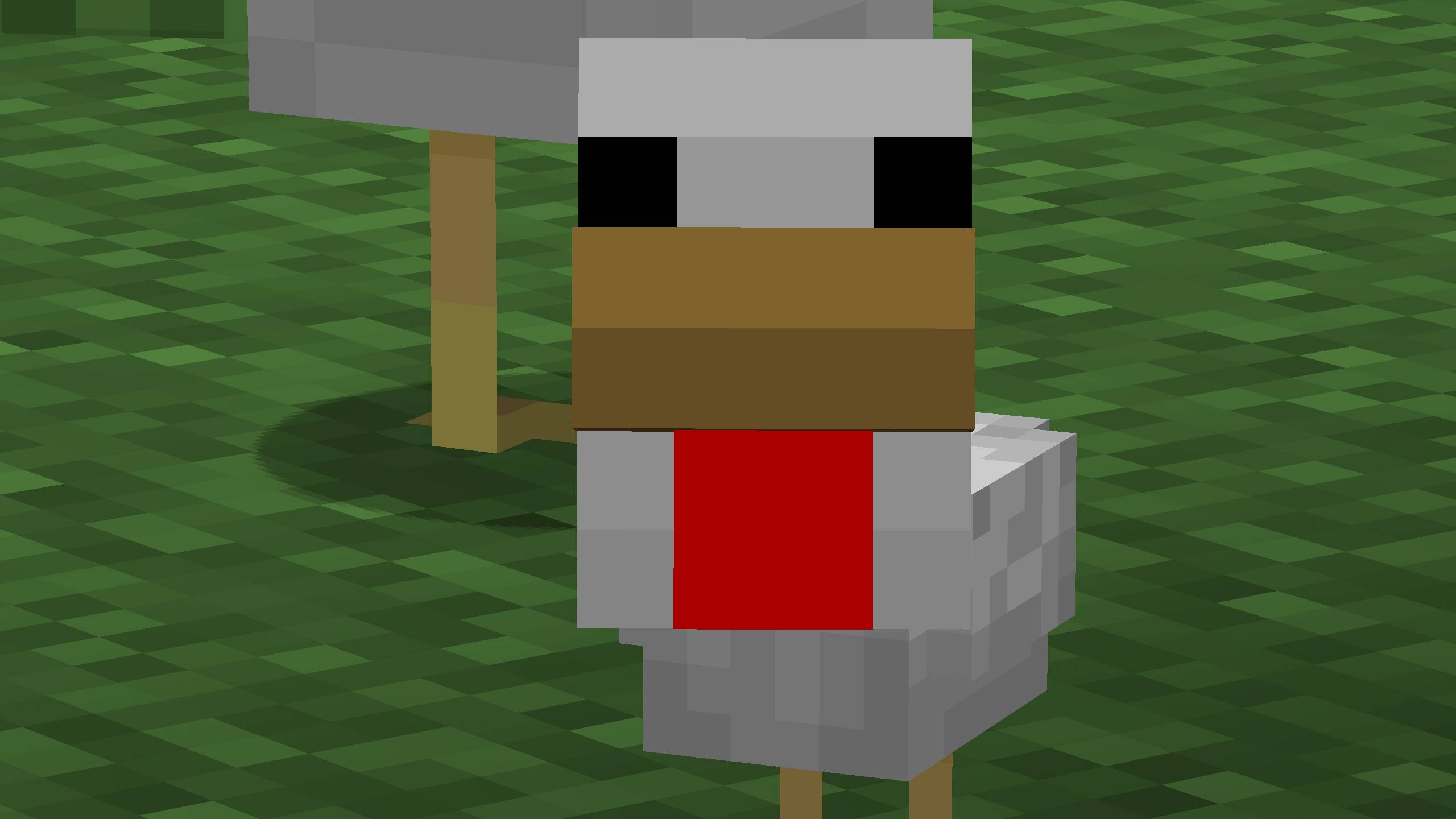 WI Zoom 1.5 update image Super zoomed in baby chicken
 -
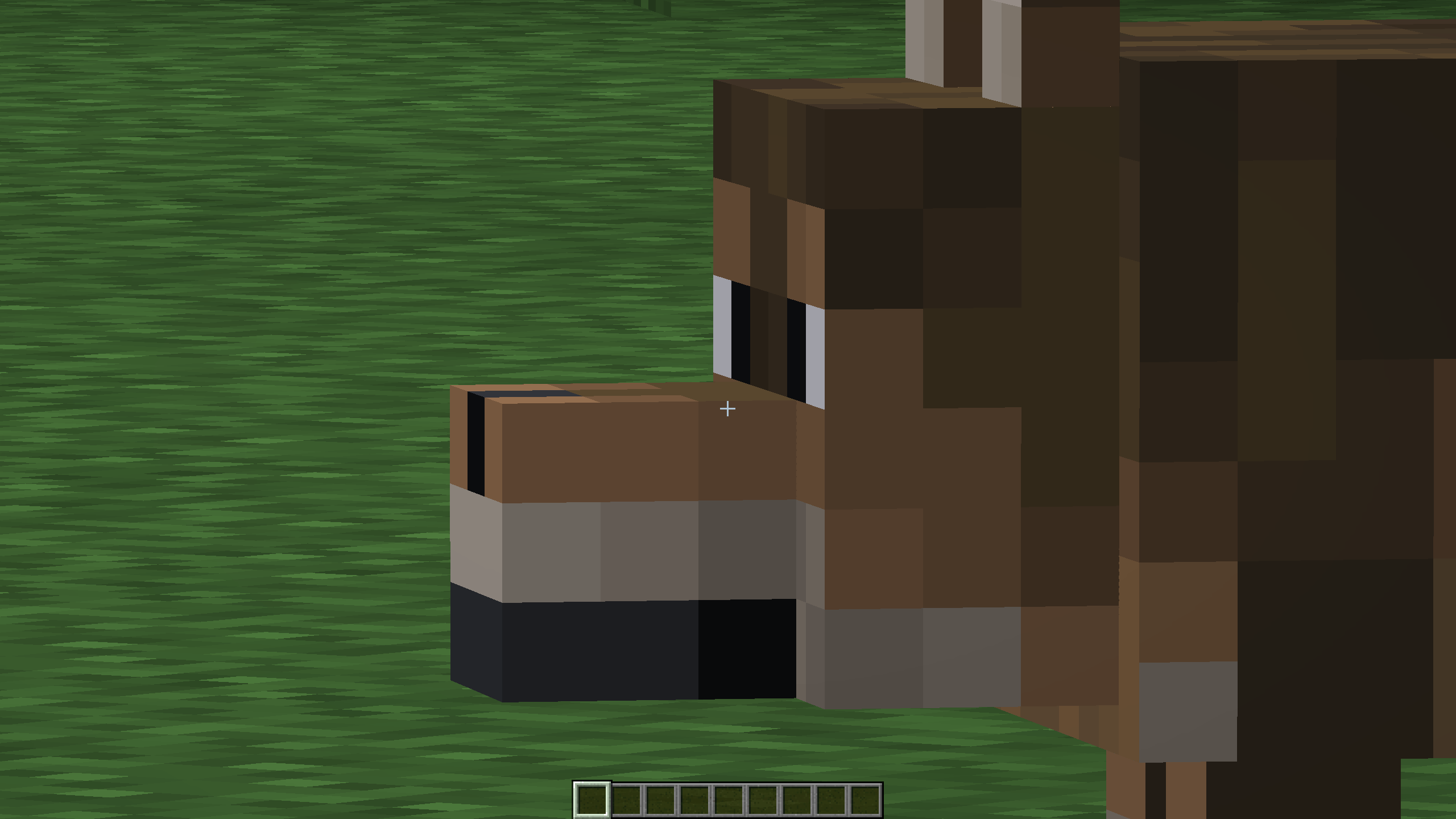 Wolf Super zoomed in brown wolf
 -
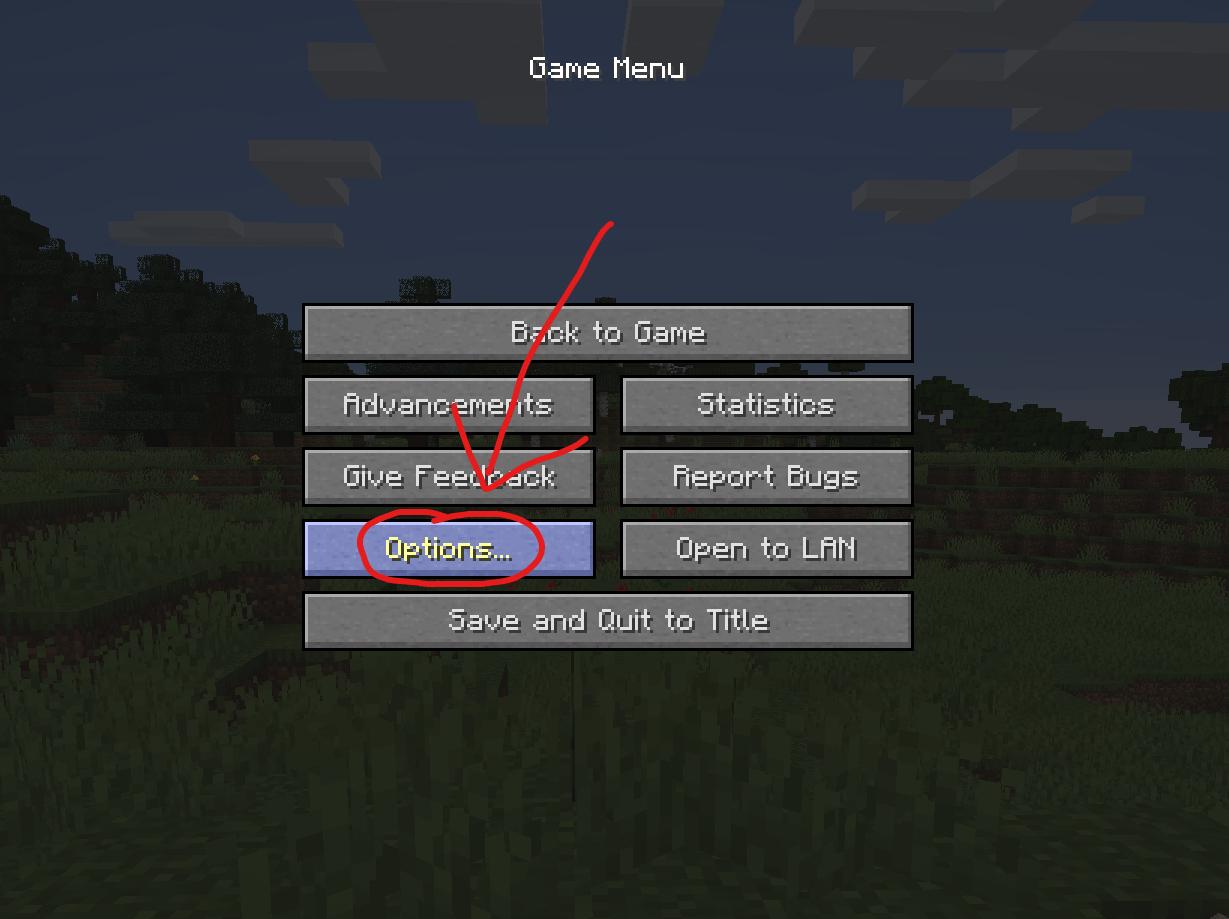 How to change the zoom keybind - step 1 Open the pause menu and click on "Options..."
 -
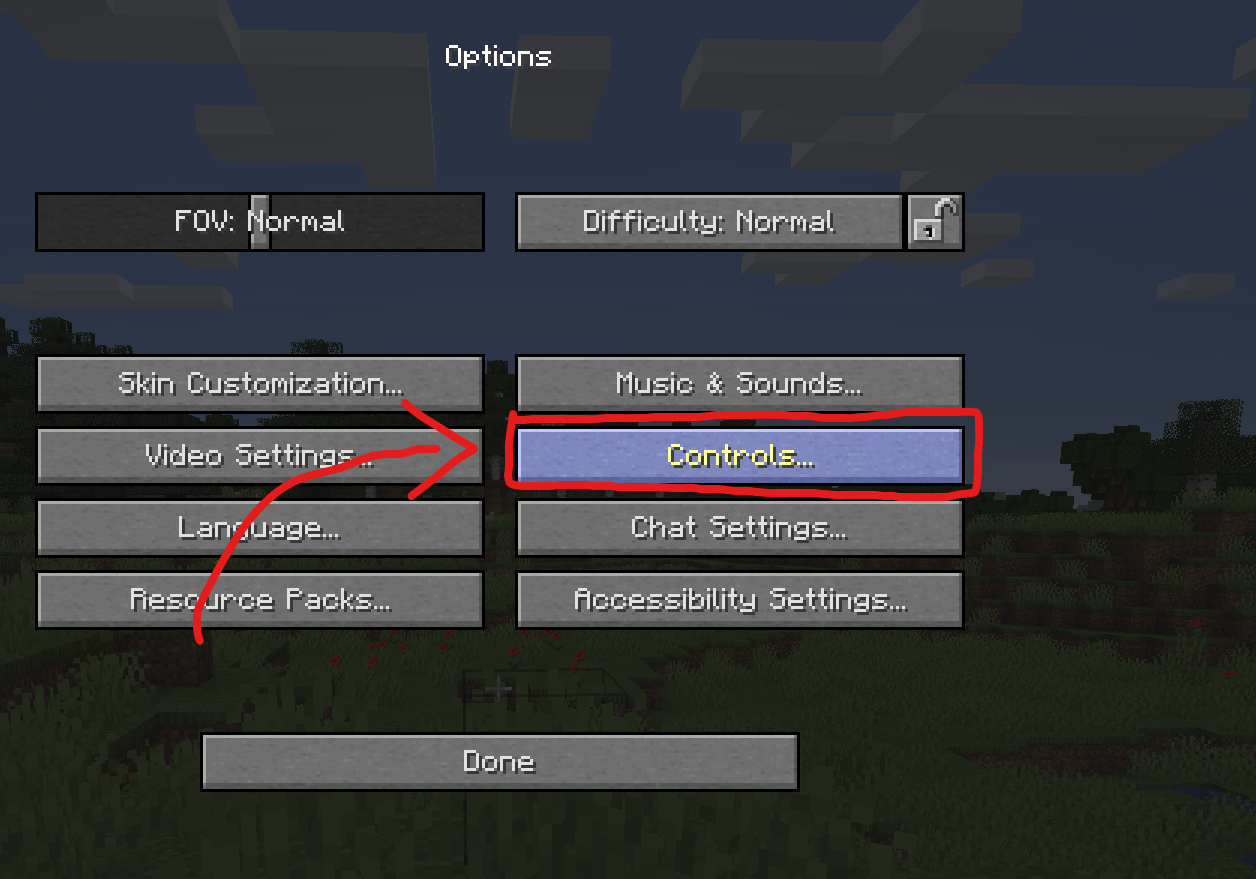 How to change the zoom keybind - step 2 Click on "Controls..." to open your keybinds
 -
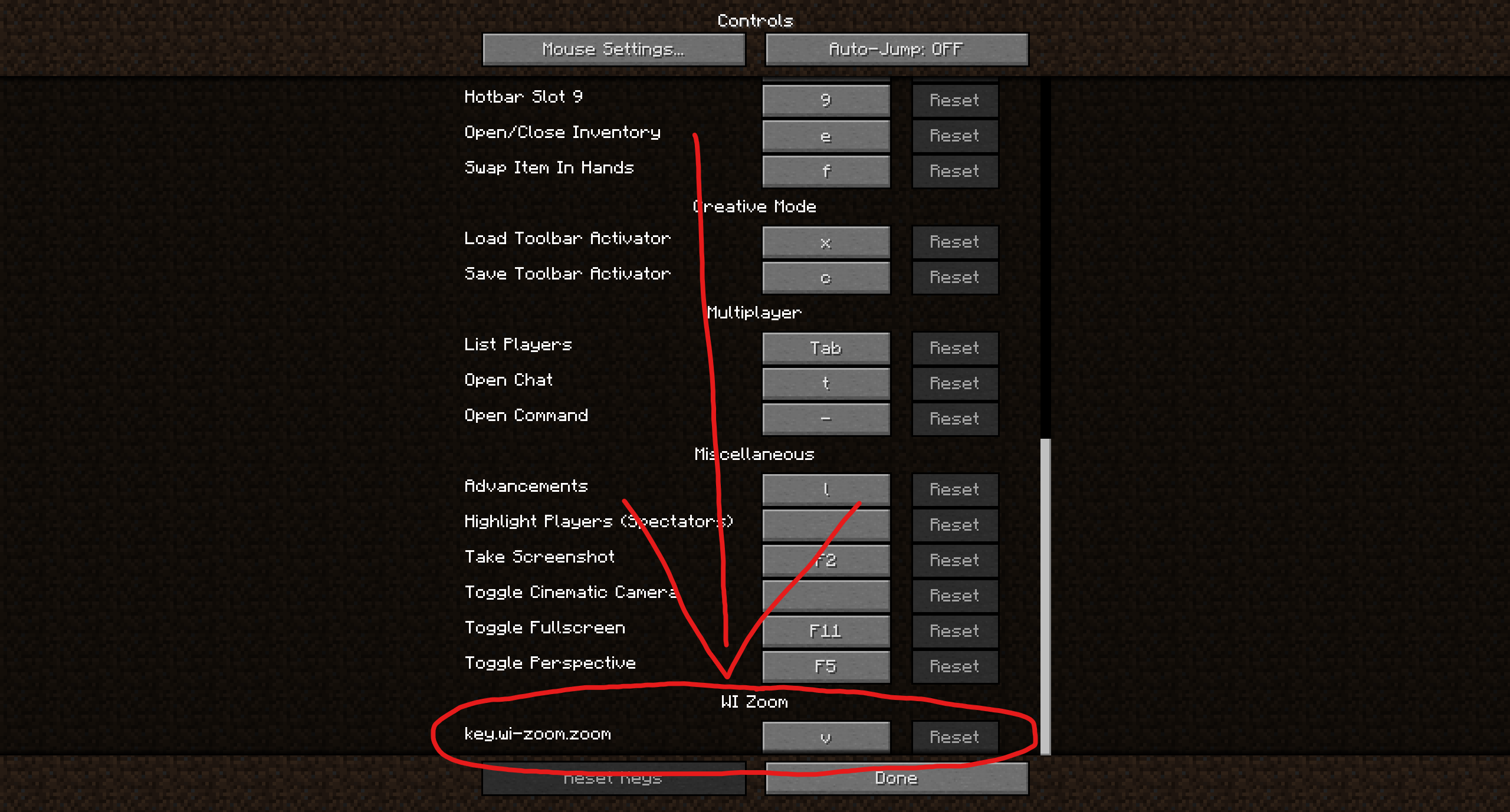 How to change the zoom keybind - step 3 Scroll down to the WI Zoom keybind (usually near the bottom) and change it. Note: This is an old screenshot. It now just says zoom instead of "key.wi-zoom.zoom".
 -
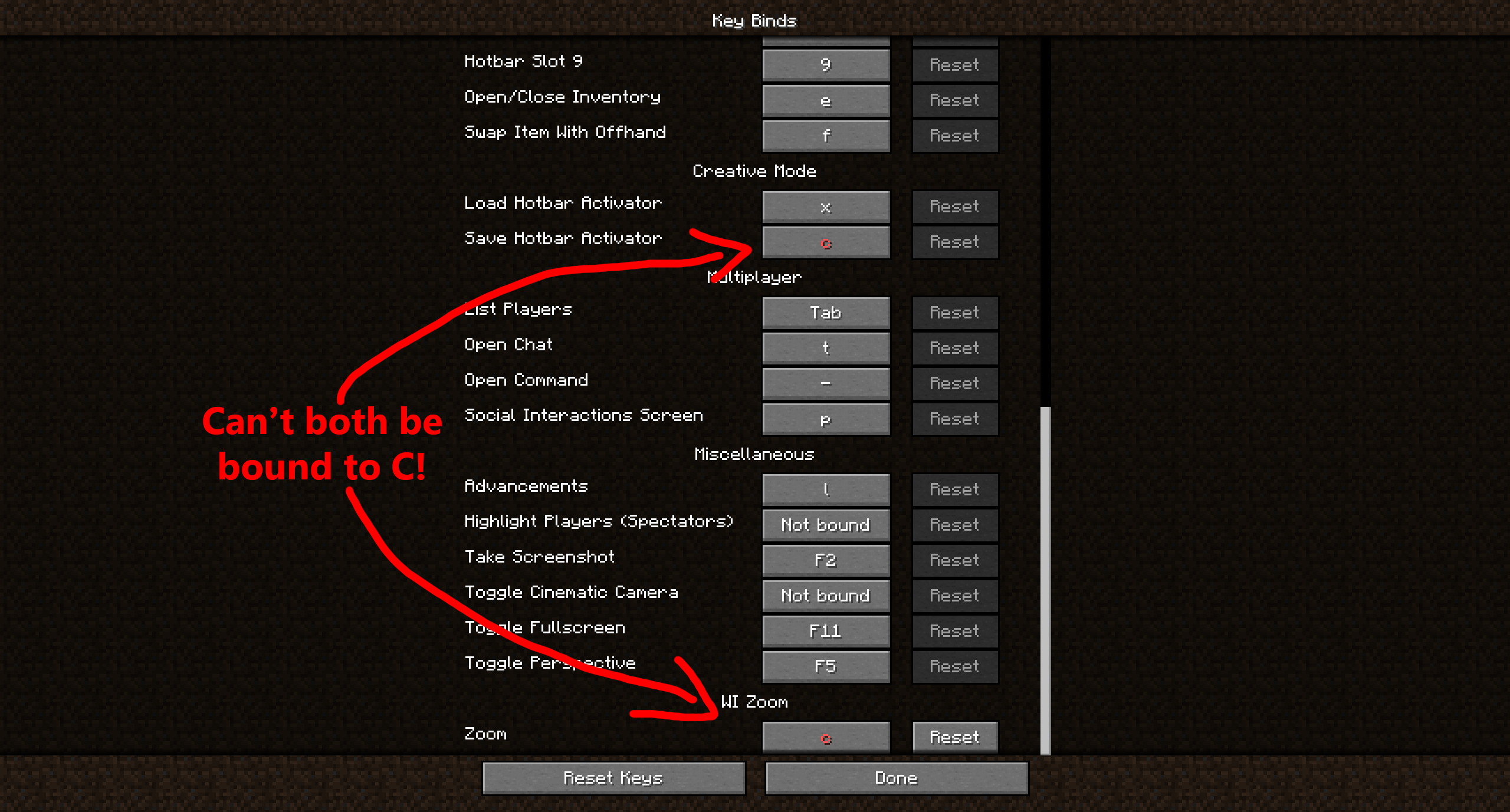 keybind conflict example The zoom won't work if you have a key conflict like this. That's why we use V instead of C by default.
 -
 WI Zoom Logo The WI Zoom Logo in high resolution.
-
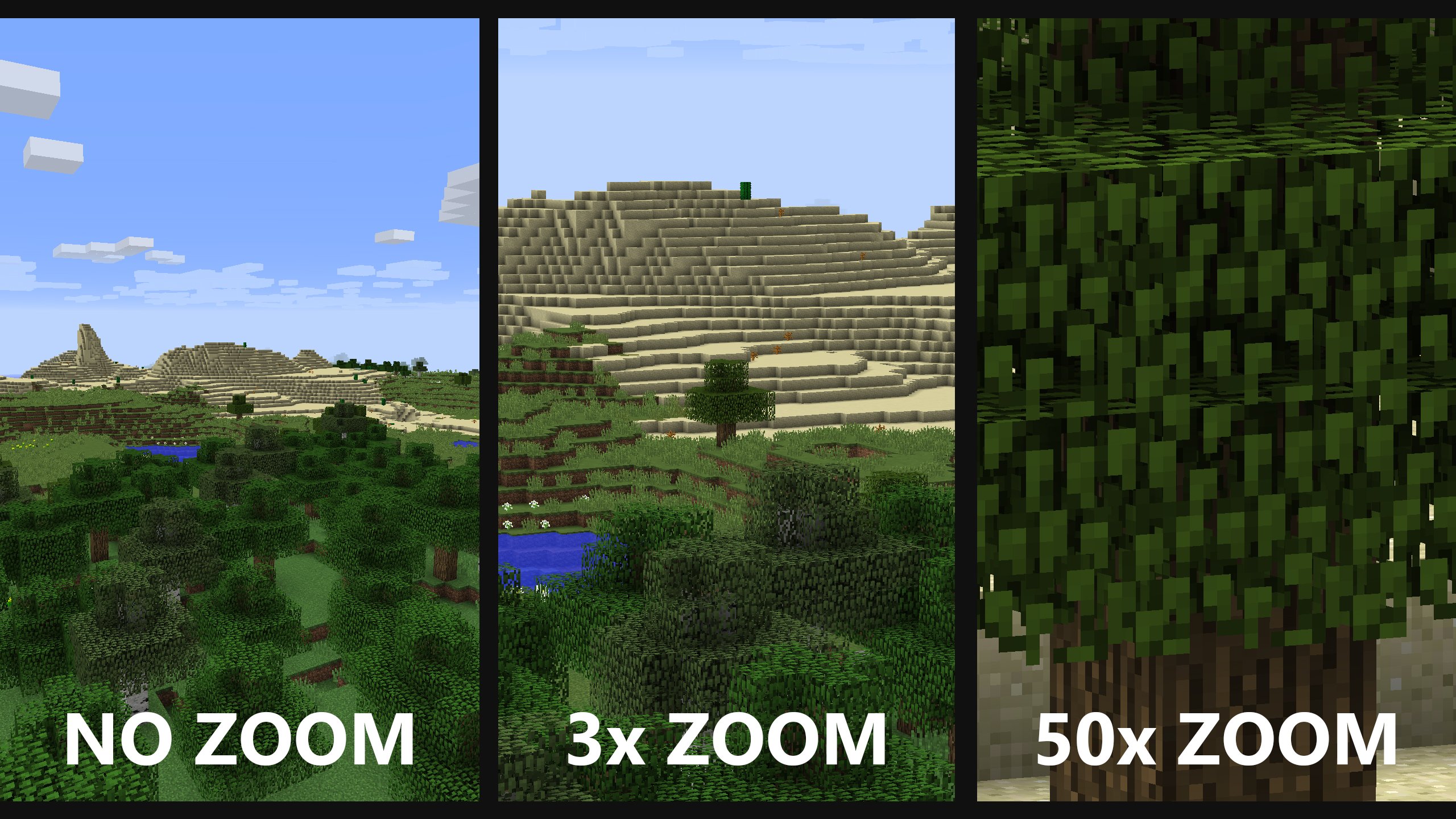 Zoom Comparison A comparison of no zoom, 3x zoom, and 50x zoom.
Versions
Files
Relations
Project Relations
More like this
Similar Mods
Suggestions use data such as tags, dependencies, dependents, descriptions, titles, and more to rank how much they overlap with this mod.
On ModDex
Community snapshot
By the numbers
Statistics
 (opens in a new tab)
Get it on
Available Platforms
CurseForge
Modrinth
On ModDex
Community snapshot
By the numbers