
Elton's Wind meter for PMWeather
No reviews yet
Anemometers and equipment for ProtoManly's weather
Themed around heavy machinery, factories, and automation reminiscent of the Industrial Revolution.
Focuses on automation and resource processing through scientific and mechanical means, utilizing systems like electricity (RF/FE/etc), air pressure, or rotation.
Features machines that produce and store energy or resources.
Mechanics and features that improve on the Vanilla redstone system, from QoL to compact circuit substitutes.
Adds extra features or content to an existing mod.
Adds or enhances weather and environmental effects.
Community voices
Reviews
Click once to include, again to exclude, again to clear
No reviews yet. Be the first to review this project!
Get it on
Available Platforms
 Modrinth
Compatibility
Supported Environments
About
Project Details
For authors
Embed Badge
If you're the author of this project, you can embed a live badge anywhere that supports HTML or Markdown. It updates automatically whenever ratings change.
Use HTML for any page that supports it, or Markdown for README files and Markdown-based descriptions.
Identifiers
Platform IDs
Resources
External Links
About
Description
Intent of the addon

This mod adds equipment for measuring wind speeds in ProtoManly's weather (https://modrinth.com/mod/protomanlys-weather). The mod currently adds:
- A propeller type anemometer

- A propeller type heavy duty anemometer (almost indestructible)

- A cup type anemometer

- A Richards cup type anemometer (almost indestructible)

- A tornado probe (anchor type), with probe reading handheld monitor

- A wind sock

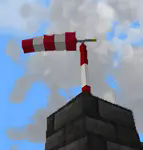
- A garden decoration small replica wind pump
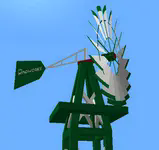
- A wind turbine (cable in the picture is from Ender IO mod)

- A wind rattle
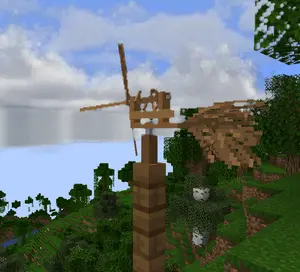
-
A metal wind vane
-
A wind chime that emitts sounds
-
A handheld anemometer


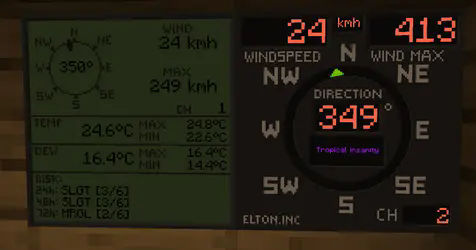
- Displays for reading wind values

The mod will not work without PM weather.
Setting up the channels
Pre 0.0.29 To setup a channel on anemometers, shift+right click the anemometer. No item should be held by either left or right hand at the time. That includes shields
0.0.29 and up
To setup a channel on anemometers, press wind meter interaction key+right click the anemometer. Default interaction key is set so Shift, you can edit this key in the game's key binds. Setting up any other key than shift will allow you to enter anemometer channel setup even when holding items or shields in hand.

IMPORTANT when you click confirm, it will say that the channel is occupied, this is because you just set the anemometer to that channel and it is now occupied by the anemometer you just set on it. If it says occupied before you even click confirm, that means an anemometer is already on the channel.
After 0.0.30 When you click confirm, it will say "request sent" if the confirm was successful.
To setup a channel on display, right click the display. Anemometer and display must have same channel to communicate. Channel 0 is non transmitting and is used for debugging. If anemometer channel could not be set, try setting it to 0 and then back to desired channel.
There are currently 100 available channels.
Right clicking anemometer will display it's channels that server and client see. This number must always be equal. The feature now remains in the mod for debugging.
Anemometer GUI will display "Channel could not be set because placement is invalid" This is the case:
- if anemometer is placed under a block,
- if anemometer is in any other dimension than overworld,
- for about 1 sec after it's being placed down, so immediately placing it and setting channel won't work, just wait a sec and then enter channel setup.
Redstone output
For setting up the redstone output, it is quite same as setting the channels. You put in the wind speed at which the display should output the redstone signal. It is not possible to set less that 4 mph due to histeresis (to prevent spam). Because the system is based on mph, other units might not be able to be set at increments of 1. This mostly applies to kmh. Redstone output is only on wind displays.
Useful commands
Use /windmeter commands to find out which channels are occupied, which are free or get anemometer location by channel number. Sometimes, the channels might bug out, use command clear channel [channel number] to clean up the broken channel. This will not remove the channel from anemometer itself. The anemometer locating and channel clearing command require operator permissions.
Resetting the wind max and temperature max on display
Pre 0.0.29 To reset max values on display, shift+right click the display when not holding any items.
0.0.29 and up To reset max values on display, wind meter interaction key+right click the display when not holding any items.
Some gameplay info
Block strengths
Wind strengths for anemometers are about:
- 219 mph for propeller,
- 194 mph for cup anemometer,
- 229 mph for tornado probes
- NaN mph for heavy duty propeller.
- NaN mph for Richards cup anemometer
- heavy duty anemometer and Richards anemometer can be destroyed by shift-left clicking on it with any vanilla pickaxe
These will be readjusted when/if wind engine block picking gets an update
Wind sock
Wind sock requires it's dedicated pole to be placed on.
- wind sock tears off somewhere in between 130 - 170 mph and must be re-placed to fix it.
- the pole has a wind strength of 206 mph.
- the pole can be stacked to any height.
Garden windmill
Garden windmill requires it's dedicated tower to be placed on.
- windmill has furling tail brake mechanism (just for fun)
- windmill will be damaged by winds above 110 mph and must be re-placed to fix it.
- the upper tower part will permanently bend under strong winds in same direction as the winds.
- the tower pick up strength is 206 mph.
- windmill pick up strength is 164 mph.
- the tower can be stacked to any height.
Wind rattle
- It's hammers emmit sound that prevents mobs from spawning nearby and even causes damage to mobs (also possibly to a headphone user).
- Radius of prevention for mob spawning varies depending on the wind speed
- Radius of damage varies depending on wind speed
- Gets quickly damaged by high wind
- Volume can be adjusted in client config
Small wind turbine
- turbine has furling tail brake mechanism and will reduce output power at extreme wind speeds
- turbine will be damaged by winds above 110 mph and must be re-placed to fix it.
- turbine pick up strength is 164 mph.
- carbon fibre turbine pick up strength is 180 mph.
- wooden wind turbine puck up strength is 154 mph.
- the power output is from below, so connect the cables there.
- Carbon fibre turbine is most efficient and has no brakes so it will output more power.
Handheld anemometer
Handheld anemometer measures the windspeeds while in main hand. It will record and save maximum wind speeds per-item. If you have heavy tick lag, current wind speeds will vary from maximum due to maximum speeds being read from server side. The maximum speed is always the correct one and also the one that does the block destruction, so more relevant. To avoid delay and lag, the current speed is read on client side.
Measurement units
Pre update 0.0.19t: Wind and weather display obey the PM weather config and will switch between metric or imperial based on that.
After update 0.0.19t: Wind meter uses it's separate config to select desired wind speed and temperature units separately, allowing mixed imperial/metric. The display will currently not record speed if not chunk loaded. Tornado passing over should make it record because the tornadoes load chunks. However, the tornado must pass over the chunk that display is in. Example: Your base has a display in the shelter and anemometer on roof. If tornado passes over your base it should record the event. Weather display shows more data but refreshes slower and caps at 999 kmh. Due to calling the readings for risks it is not recommended to place down too many of them.
Tornado probes
Tornado probes record atmospheric data for 5 minutes (configurable) after being placed down. They currently record max wind, max temp, min temp, max dew point and min dew point. After 5 minutes, they stop recording and reward can be dropped upon shift+right-clicking the probe if measured winds were high enough (only after it's done recording). Breaking the probe won't drop any items (After 0.0.33 they will drop if player breaks them). Rewards are: coal, iron ingots, gold ingots, diamonds, emeralds, netherite scraps and a netherite ingot. Probes drop experience based on wind speeds they measured and exposure time. Current data is shown by right-clicking the probe, maximum data is shown by interaction key+right clicking the probe.
Probe monitor
A probe monitor can be used to right click and connect to the probe while it's recording. It ticks in inventory, saves max wind and allows for remote wind reading. After 0.0.30 The probe monitor can also read other anemometer channels. When in hand, right click anywhere and you will enter channel setup. If you right click on a tornado probe it will read data from that instead. If the anemometer or probe was broken or if probe stopped recording it will say no signal.

Position of data display can be changed in the config.
Crafting
All items and blocks are craftable in survival mode. I suggest using JEI or other recipe viewers to see the recipes.
QOL options
Versions after 0.0.19t have some configurable options. Wind display text and numbers can be set to any color, but it has to be input as a base 10 number. Use online calculator converter to change the hexadecimal color number to base 10 number and paste that in the config. Example color 0xff6347 (16) -> 16737095 (10). You only convert the ff6347 part (without 0x or #). Wind displays can also use dynamic colors that will change based on wind speed from blue to purple. Configuration is only available for wind display and not weather display. The wind sock tearing off in high winds and garden windmill bending can now be turned off in config. This is server sided. The blockstrength for tornado picking up is not affected by this.
Natural spawning
No mods currently add natural spawning.
Some issues that might occur
- Redstone output on wind displays might get stuck
- Anemometers might disconnect (have their channel set to 0), might happen if a waypoint is placed on anemometer
- The channel list not syncing between SERVER and CLIENT
- Desynced issue can be mostly solved by quitting and rejoining the game. If the problem persists, the command for clearing up the channel must be used and anemometer reconnected. If all else fails, delete the "anemometers.dat" file in your saved world folder directory.
Do not redistribute a modified jar file. Mod is allowed to be used in NON pay-walled modpacks.
Screenshots
Gallery
-
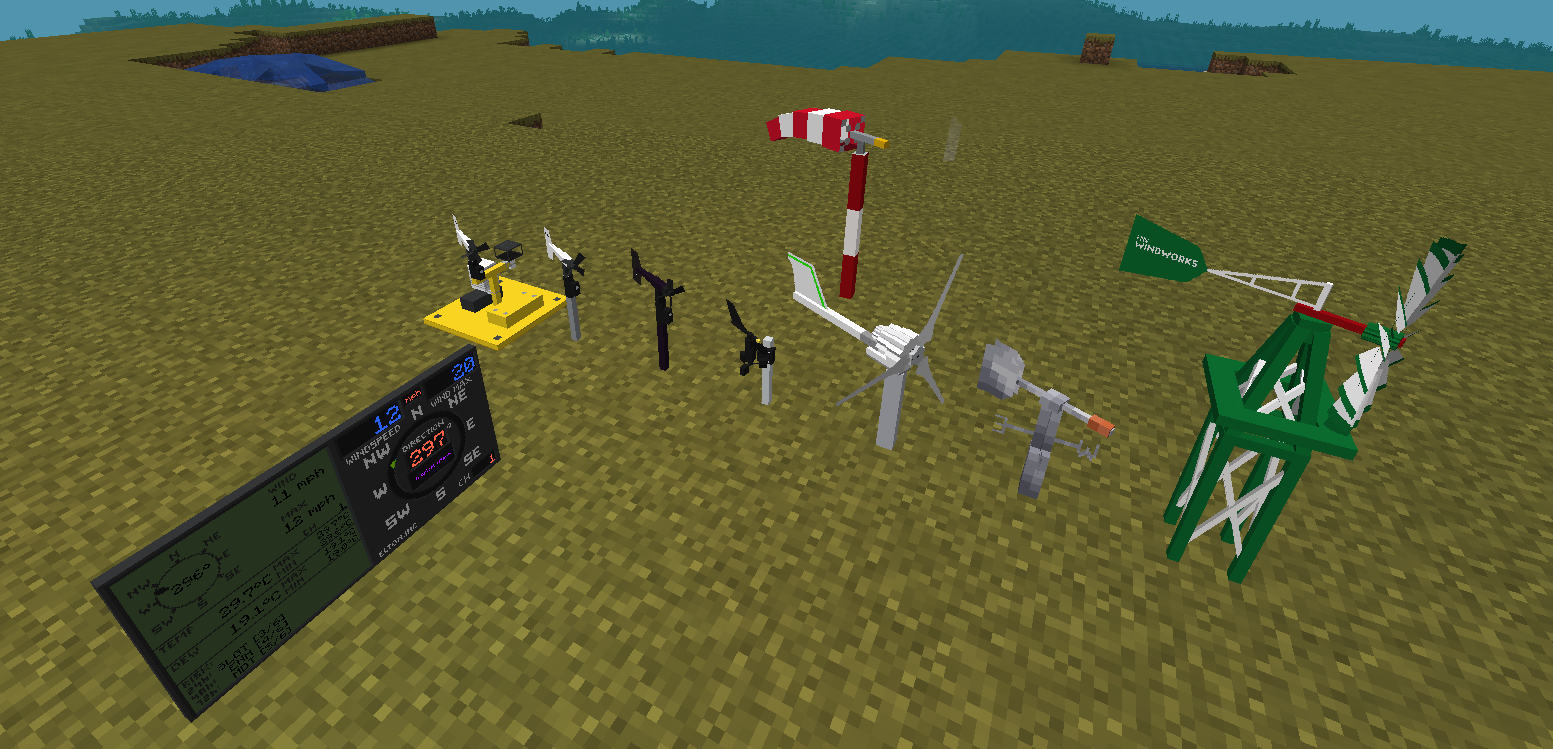 Mod equipment The three anemometers with display connectivity, a tornado probe, a wind sock, wind vane, small wind turbine and a small garden replica of wind pump
 -
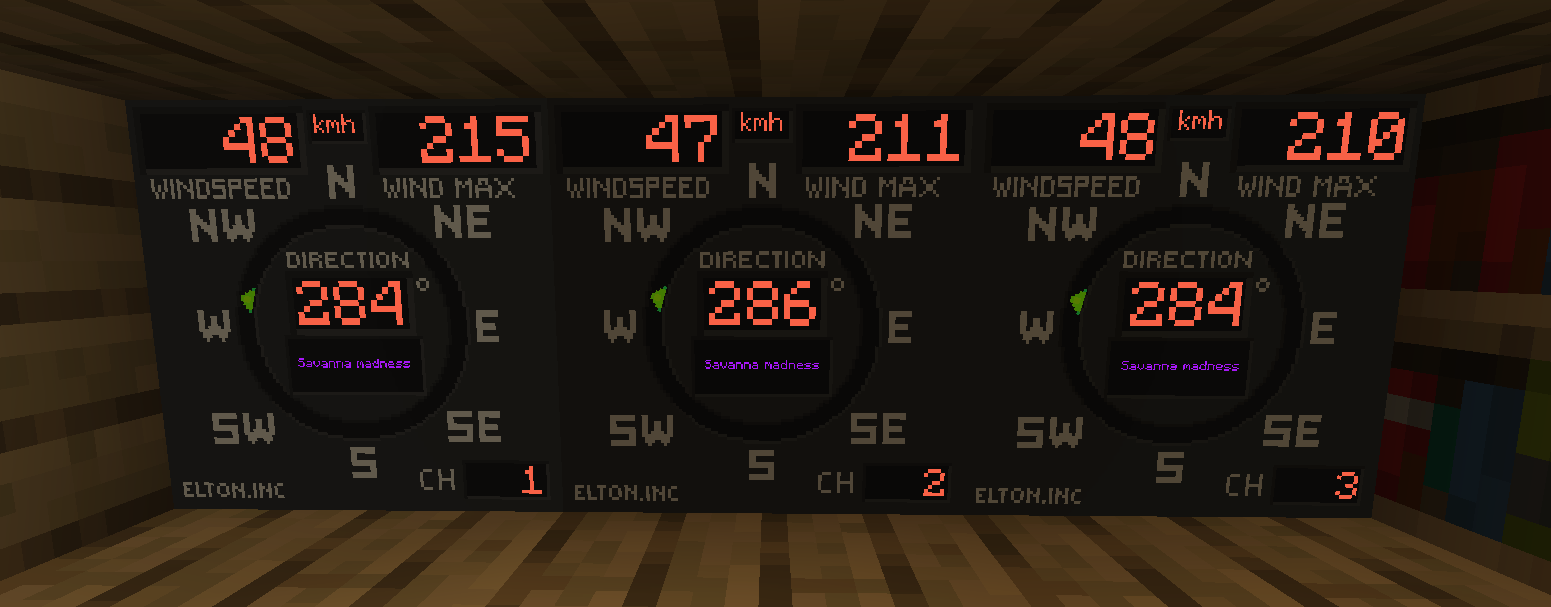 Example of displays in the house The displays show numerical wind speed, direction, channel number and maximum wind speed that occured. A green arrow indicator also shows current wind direction. Center displays the current world name
 -
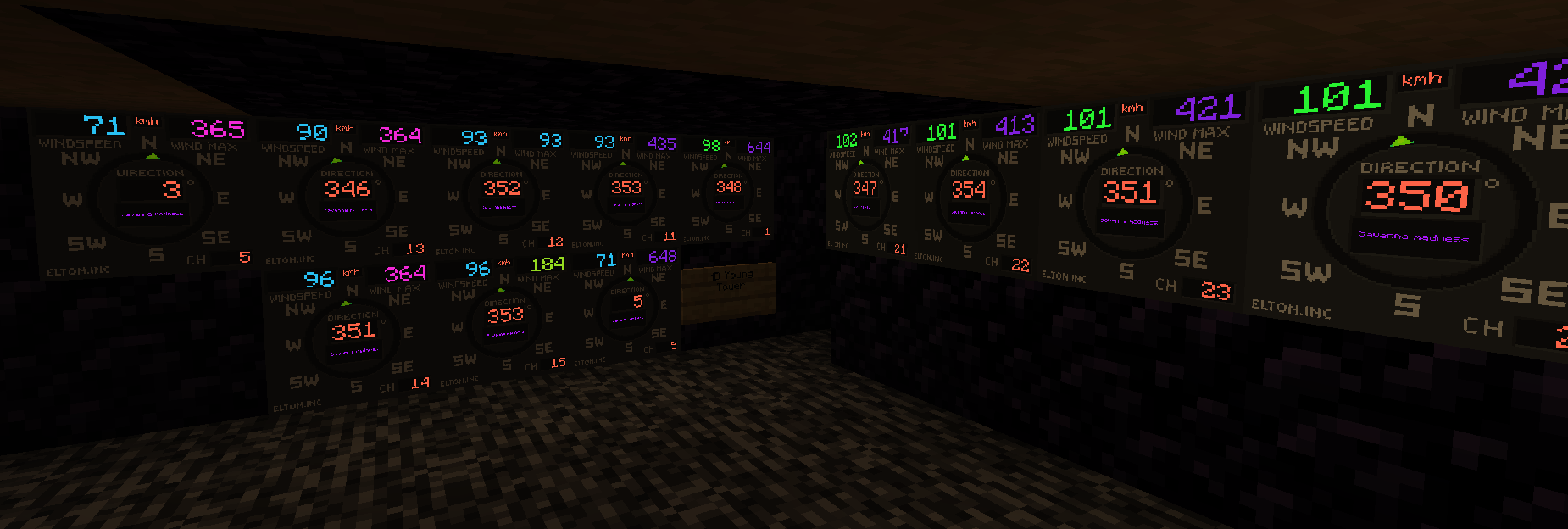 Dynamic color screens Wind displays with dynamic color mode turned on. Colors based on wind speed.
 -
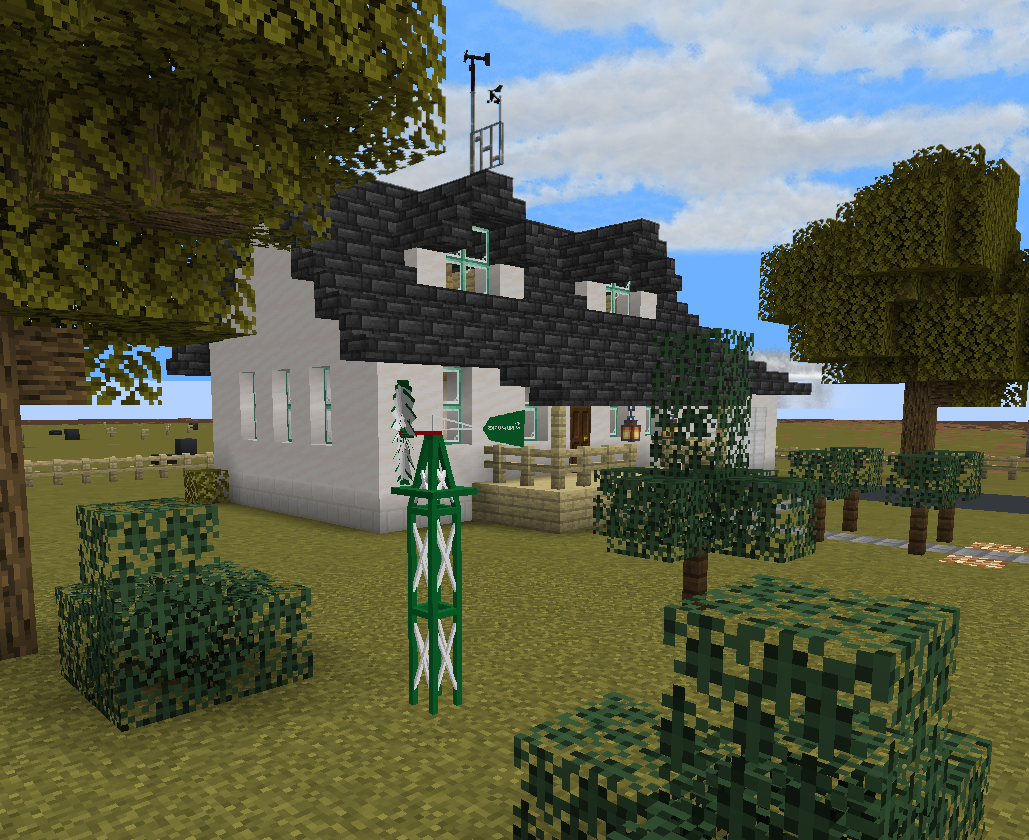 Decorative wind pump model for garden Just a small replica of a wind pump, a standard midwest garden decoration. It will get damaged by strong winds.
 -
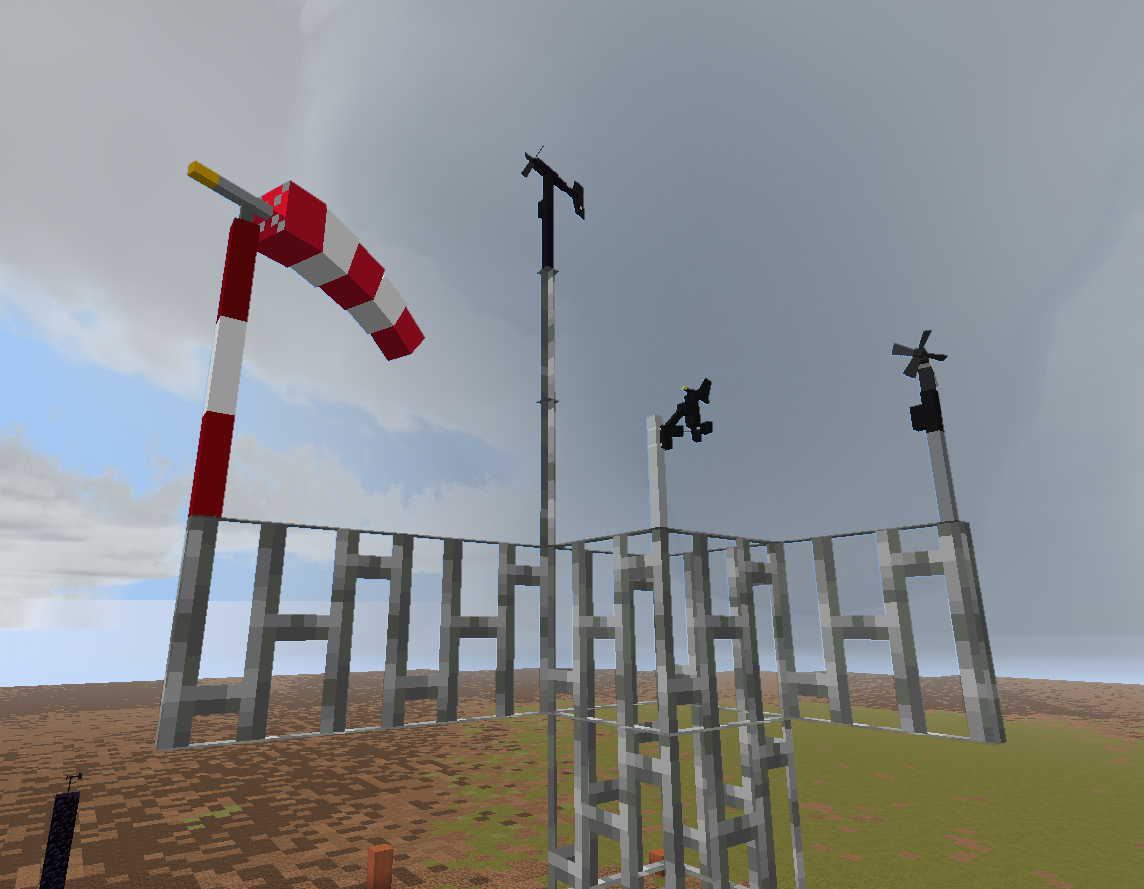 Equipment on an example tower
 -
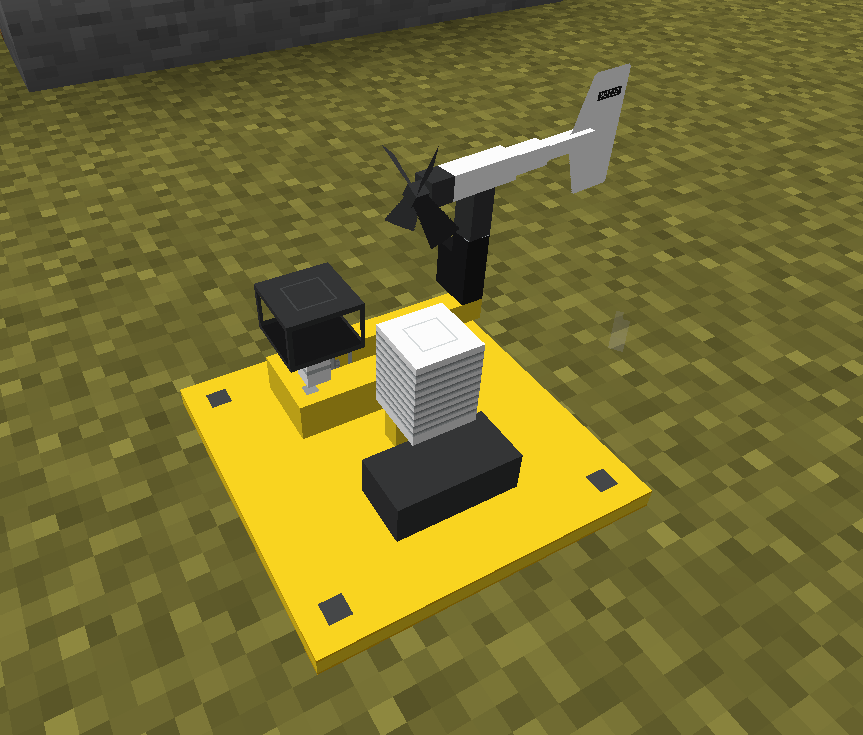 Tornado probe Measures values for 10 minutes after being placed down. Only after 10 minutes, rewards based on max measured wind speed can be retrieved by shift-right clicking the probe.
Versions
Files
Relations
Project Relations
More like this
Similar Mods
Suggestions use data such as tags, dependencies, dependents, descriptions, titles, and more to rank how much they overlap with this mod.
On ModDex
Community snapshot
By the numbers
Statistics

Want to reach Minecraft players?
We're looking for a server hosting partner to feature here and other parts of the site. Interested? Send us a message!
Get in touchGet it on
Available Platforms
On ModDex
Community snapshot
By the numbers
Statistics
Resources