
Community listing page, reviews may not be monitored by the author.
WindRose

No reviews yet
A clean, customizable HUD with your day, coordinates, direction, totems used and FPS

Community voices
Reviews
No reviews yet. Be the first to review this project!
Get it on
Available Platforms
Compatibility
Supported Environments
Runs entirely on the client. Works on vanilla servers.
About
Project Details
For authors
Embed Badge
If you're the author of this project, you can embed a live badge anywhere that supports HTML or Markdown. It updates automatically whenever ratings change.
Use HTML for any page that supports it, or Markdown for README files and Markdown-based descriptions.
Identifiers
Platform IDs
About
Description
🌹 WindRose
WindRose adds a clean, fully customizable HUD with the stats you check all the time: the day, your coordinates, the direction you are facing, the totems you have used and your FPS. It keeps the vanilla look, so it fits right in.
It is a lightweight, client-side mod: it works in singleplayer and on any server, with nothing to install on the server.
✨ Features
🧭 A HUD with what you need
Pick the modules you want, in the order you want, in the top-left corner of the screen.
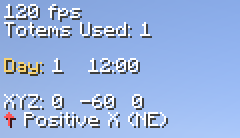
- Day Counter: the current day and, optionally, the time of day.
- Coordinates: your block position.
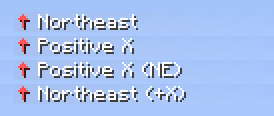
- Direction: where you are facing, as a compass direction, an axis, or both.
- Totems Used: how many Totems of Undying have saved you, counted per world or server.
- FPS: your frame rate.
- Separator: an empty line to group the others.
🧭 Four ways to show the direction
Use the 8-point compass, the axis you are moving along, or both together.
🎨 Make it yours
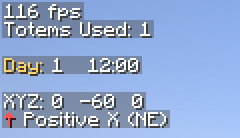
Every module has its own label and colours. Add an optional background with your own colour and opacity, and adjust the margin and line spacing.
⚙️ Configuration
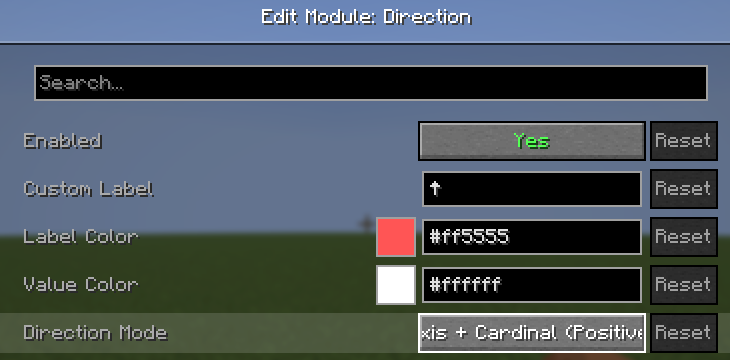
Open the settings from Mod Menu. Add, remove, edit and reorder modules, with a live preview of each one.
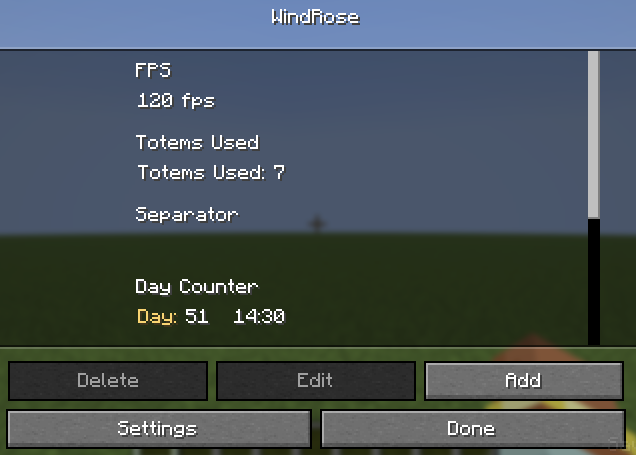
Each module has its own options: label, colours, and extras such as the direction mode or whether the day counter starts at day 1.
In Settings:
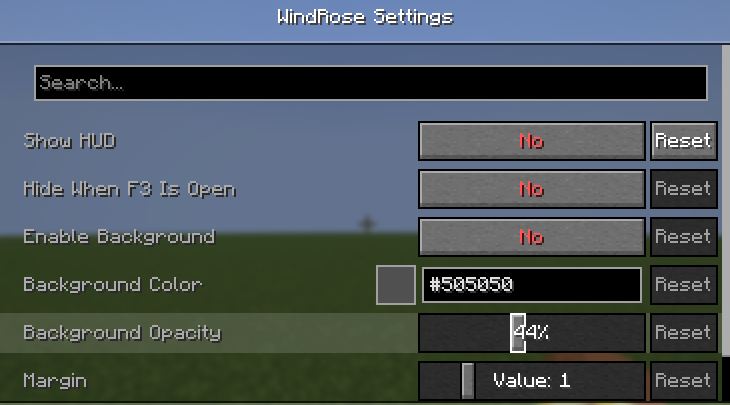
- Show HUD: turn the whole HUD on or off.
- Hide When F3 Is Open: hide the HUD while the debug screen is open, since both use the top-left corner.
- Enable Background, Background Color and Background Opacity: a backdrop behind each line.
- Margin and Line Padding: spacing around the HUD and between lines.
📦 Requirements
- Minecraft 26.3
- Fabric Loader and Fabric API
- Mod Menu (optional, to open the settings)
Cloth Config is already included.
📝 Notes
- Totem counts are stored on your computer, so they work on any server and stay with you.
- Found a bug or have an idea? Open an issue.
- You are free to add this mod to any modpack.
Screenshots
Gallery
Versions
Files
Relations
Project Relations
More like this
Similar Mods
Suggestions use data such as tags, dependencies, dependents, descriptions, titles, and more to rank how much they overlap with this mod.
On ModDex
Community snapshot
By the numbers
Statistics


Get it on
Available Platforms
On ModDex
Community snapshot
By the numbers