Community listing page, reviews here may not be monitored by the author.
Wolf Armor & Storage Legacy


No reviews yet
A Minecraft mod that brings wolf armor and storage capabilities to your tamed wolves, now updated for NeoForge

Community voices
Reviews
No reviews yet. Be the first to review this project!
Get it on
Available Platforms
Compatibility
Supported Environments
Must be installed on both the client and the server.
About
Project Details
For authors
Embed Badge
If you're the author of this project, you can embed a live badge anywhere that supports HTML or Markdown. It updates automatically whenever ratings change.
Use HTML for any page that supports it, or Markdown for README files and Markdown-based descriptions.
Identifiers
Platform IDs
About
Description
🐺 Wolf Armor and Storage Legacy - NeoForge
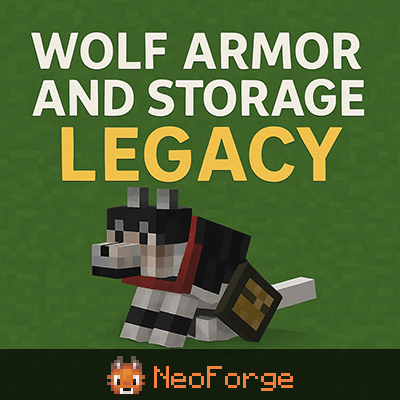
✨ Key Features
- 🛡️ 7 Wolf Armor Tiers - Leather, Iron, Gold, Diamond, Chainmail, Copper, Netherite
- 📦 14-Slot Wolf Storage - Equip wolves with chests for inventory
- 🏥 Smart Auto-Heal - Wolves eat food from inventory when injured (combat-aware)
- 🌙 Moon Howling - Wolves howl at full moon during midnight with custom sounds
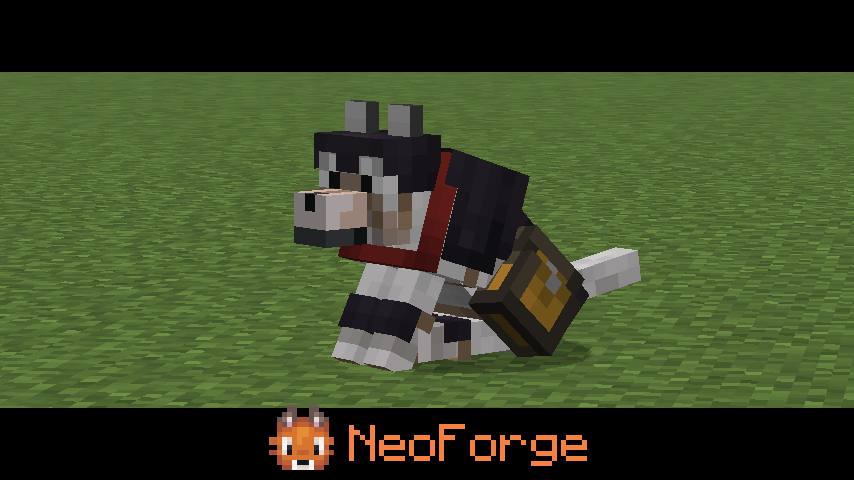
- 🎨 Beautiful 3D Models - Custom armor and chest rendering
- ⚙️ Fully Configurable - Adjust settings to your liking
📦 Installation
- Install NeoForge 21.10.47-beta or higher
- Download the JAR file below
- Place it in your
modsfolder - Launch Minecraft 1.21.10
🎮 Usage
Equipping Armor
- Tame a wolf
- Right-click the wolf with wolf armor-item
- The armor will be equipped and rendered on the wolf
Adding a Chest
- Right-click a tamed wolf with a chest-upgrade
- The chest will be equipped (visual model appears)
- Right-click the wolf again to open the inventory GUI
Opening Wolf Inventory
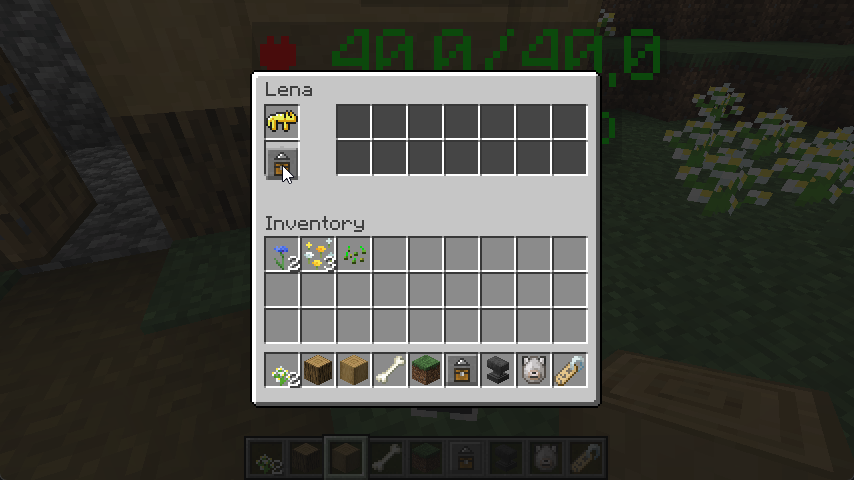
- Shift + Right-click a wolf with a chest to access its 14-slot inventory
- The GUI shows:
- Wolf armor slot (top)
- 14 storage slots (2 rows × 7 columns)
- Wolf name display
Auto-Heal Feature
- Place food items in the wolf's chest inventory
- When the wolf is injured and not in combat, it will automatically eat food
- The wolf will continue eating until fully healed or food runs out
Moon Howling
- Wolves will automatically howl at full moons around midnight
- The wolf sits and looks up during the howl (3 seconds)
- Only occurs between 20:00 and 24:00 in-game time
- Can be interrupted by combat
🙏 Credits
Original mod by saturniidae (1.12.2)
Ported to NeoForge 1.21.10 by Smallinger
See CHANGELOG.md for full details!
🐺 Wolf Armor and Storage Legacy - NeoForge Port

This is the initial release of Wolf Armor and Storage Legacy, a complete port of the beloved 1.12.2 mod to NeoForge!
✨ Key Features
- 🛡️ 7 Wolf Armor Tiers - Leather, Iron, Gold, Diamond, Chainmail, Copper, Netherite
- 📦 14-Slot Wolf Storage - Equip wolves with chests for inventory
- 🏥 Smart Auto-Heal - Wolves eat food from inventory when injured (combat-aware)
- 🌙 Moon Howling - Wolves howl at full moon during midnight with custom sounds
- 🎨 Beautiful 3D Models - Custom armor and chest rendering
- ⚙️ Fully Configurable - Adjust settings to your liking
📦 Installation
- Install NeoForge 21.10.47-beta or higher
- Download the JAR file below
- Place it in your
modsfolder - Launch Minecraft 1.21.10
🎮 Usage
Equipping Armor
- Tame a wolf
- Right-click the wolf with wolf armor-item
- The armor will be equipped and rendered on the wolf
Adding a Chest
- Right-click a tamed wolf with a chest-upgrade
- The chest will be equipped (visual model appears)
- Right-click the wolf again to open the inventory GUI
Opening Wolf Inventory
- Shift + Right-click a wolf with a chest to access its 14-slot inventory
- The GUI shows:
- Wolf armor slot (top)
- 14 storage slots (2 rows × 7 columns)
- Wolf name display
Auto-Heal Feature
- Place food items in the wolf's chest inventory
- When the wolf is injured and not in combat, it will automatically eat food
- The wolf will continue eating until fully healed or food runs out
Moon Howling
- Wolves will automatically howl at full moons around midnight
- The wolf sits and looks up during the howl (3 seconds)
- Only occurs between 20:00 and 24:00 in-game time
- Can be interrupted by combat
🙏 Credits
Original mod by saturniidae (1.12.2)
Ported to NeoForge 1.21.10 by Smallinger
See CHANGELOG.md for full details!
Screenshots
Gallery
-
logo.png logo.png
-
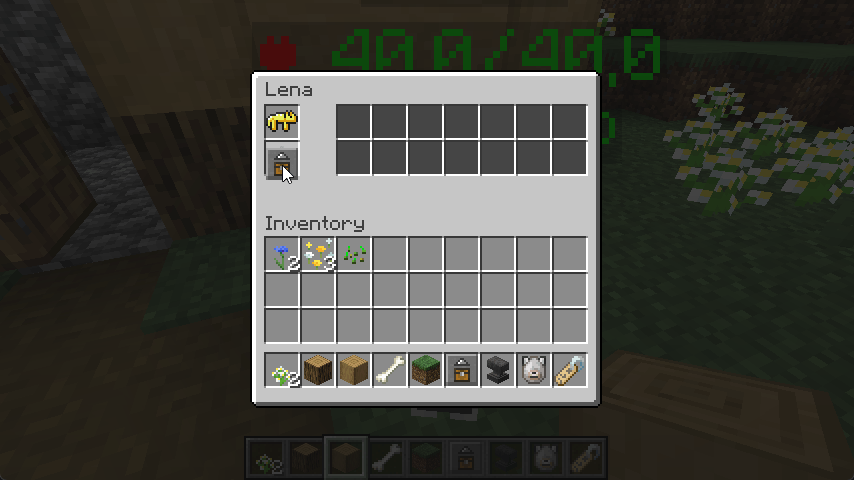 Bild3.png Bild3.png
 -
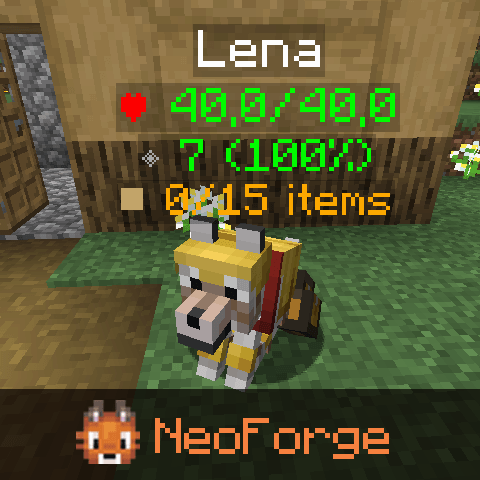 Bild1.png Bild1.png
 -
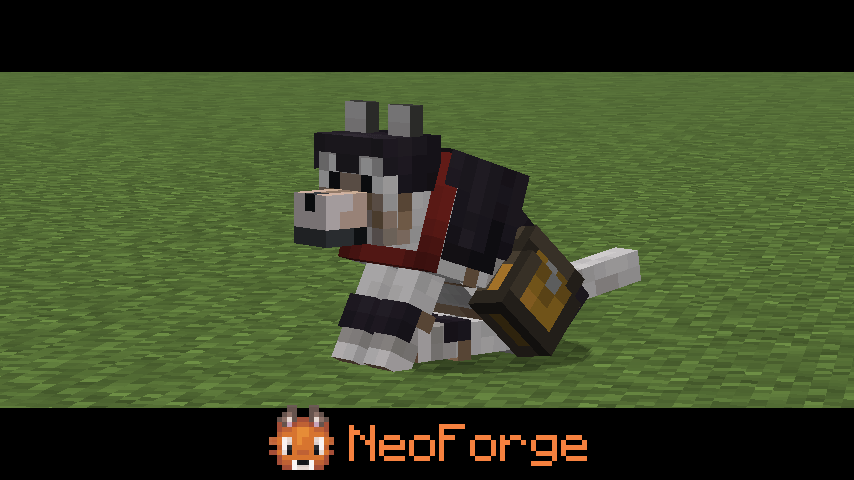 Bild2.png Bild2.png
-
 Logo
Logo -
 Picture 1
 -
 Picture 2
 -
 Picture 3
Versions
Files
Relations
Project Relations
More like this
Similar Mods
Suggestions use data such as tags, dependencies, dependents, descriptions, titles, and more to rank how much they overlap with this mod.
On ModDex
Community snapshot
By the numbers
Statistics
 (opens in a new tab)
Get it on
Available Platforms
On ModDex
Community snapshot
By the numbers