Community listing page, reviews may not be monitored by the author.
Wood Work

No reviews yet
Turn your own Blockbench models into placeable furniture and decorations. You design a piece in an in-game editor, then craft it from planks and nails. No resource pack and no code are needed

Community voices
Reviews
No reviews yet. Be the first to review this project!
Get it on
Available Platforms
About
Project Details
For authors
Embed Badge
If you're the author of this project, you can embed a live badge anywhere that supports HTML or Markdown. It updates automatically whenever ratings change.
Use HTML for any page that supports it, or Markdown for README files and Markdown-based descriptions.
Identifiers
Platform IDs
Resources
External Links
About
Description
Wood Work
Design your own furniture. Draw it in Blockbench, build it at a workbench, and place it in the world with its own hitbox, rotation, connections and seat.
How it works
- Craft a Blueprint (paper + blue dye) and open it. The built-in editor works like a tiny Blockbench.
- Upload your textures first, then your model right in the editor: a
.pngtexture and a Blockbench.jsonmodel, or just drag the files in. - Set it up: add hitboxes, place a seat, choose how the piece rotates, and pick which neighbour sides switch to a different model.
- Build it: put the blueprint above a Workbench, load it with planks, and the blueprint turns them into a Plank Pile. Finish the piece with a Hammer and Nails.
- Place your furniture like any other block.
Tip: always upload textures before the models that use them. A model is linked to the textures you have already uploaded, so if a texture is missing at that moment, the model will show a missing texture and you will have to upload the model again.
Features
- Your own models and textures from Blockbench. Only your texture name is needed, no folder paths.
- Hitbox per model. Every model has its own hitboxes, so a chair, a corner sofa and a table can all be shaped differently.
- One seat per model. Right-click with an empty hand to sit down. Position it by height, sideways and forward/back.
- Connected models. Sofas, benches and counters can switch to a left, middle, right or corner model depending on their neighbours.
- Four rotation modes: none, horizontal, all six sides, or clock (fine rotation like heads and skulls).
- Build cost follows the design. Bigger furniture needs more planks and nails.
- Properties are baked in. Once crafted, a piece keeps its shape forever, even if the blueprint or files change later.
- Cupboard and Workbench blocks that connect into rows and store items.
- Dyeing: use
/woodwork dye <color>, or paint with the Paint mod's flat brush.
Multiplayer and servers
Install the mod on the server and players don't need any extra files: models and textures are sent to them automatically when they join. Files uploaded through a blueprint appear for everyone online right away. Uploaded files get a short random ID prefix, so two players can upload files with the same name, and the prefix is hidden in the editor.
Compatibility
- Requires Fabric API.
- Minecraft 1.21.11, Fabric.
- Works with the Display Information mod, which shows the blueprint in a Blueprint Cupboard slot as a HUD tooltip.
- Woodwork blocks with tintable faces can be dyed with the Paint mod's flat brush.
Screenshots
Gallery
-
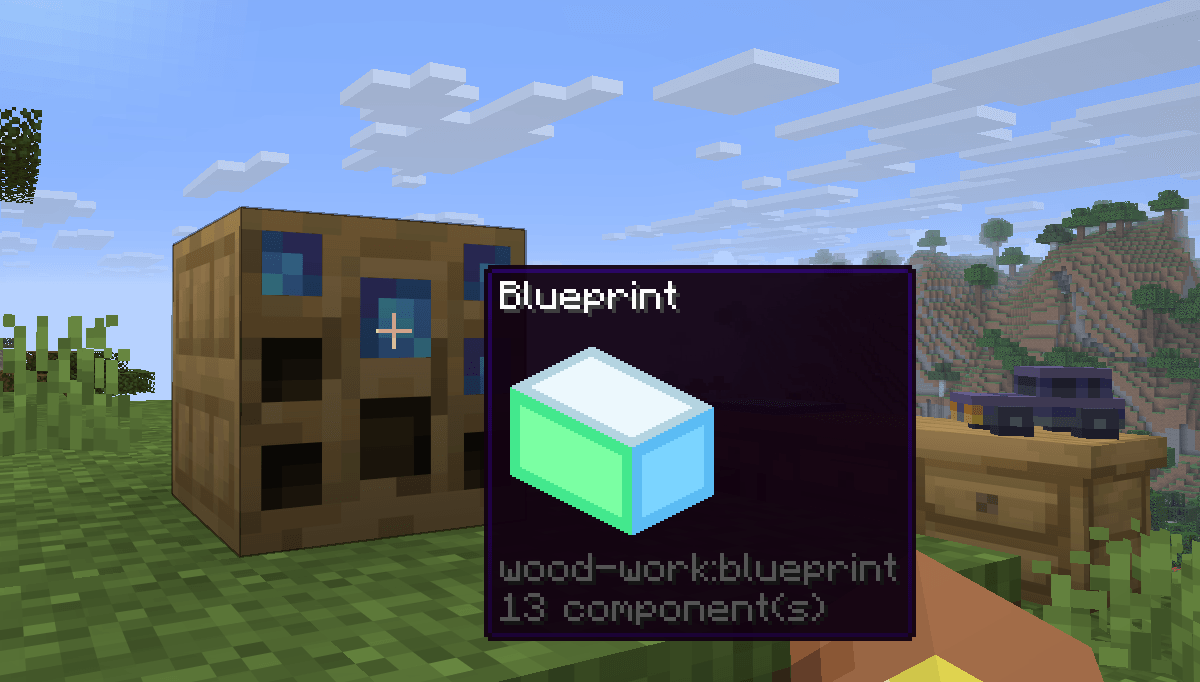 Display Information
Versions
Files
Relations
Project Relations
More like this
Similar Mods
Suggestions use data such as tags, dependencies, dependents, descriptions, titles, and more to rank how much they overlap with this mod.
On ModDex
Community snapshot
By the numbers
Statistics

Get it on
Available Platforms
On ModDex
Community snapshot
By the numbers
Statistics
Resources