Community listing page, reviews here may not be monitored by the author.
WordlyMod

No reviews yet
The mod adds letter blocks (Russian and English) and color brushes for playing Wordly.
Community voices
Reviews
No reviews yet. Be the first to review this project!
Get it on
Available Platforms
Compatibility
Supported Environments
Must be installed on both the client and the server.
About
Project Details
For authors
Embed Badge
If you're the author of this project, you can embed a live badge anywhere that supports HTML or Markdown. It updates automatically whenever ratings change.
Use HTML for any page that supports it, or Markdown for README files and Markdown-based descriptions.
Identifiers
Platform IDs
About
Description
Wordly Mod brings the popular word-guessing game Wordly to Minecraft! Build your guesses with alphabet blocks and get feedback using colored brushes.
Features
- 🔤 33 Russian letters (А-Я) in a dedicated creative tab
- 🔤 26 English letters (A-Z) in a dedicated creative tab
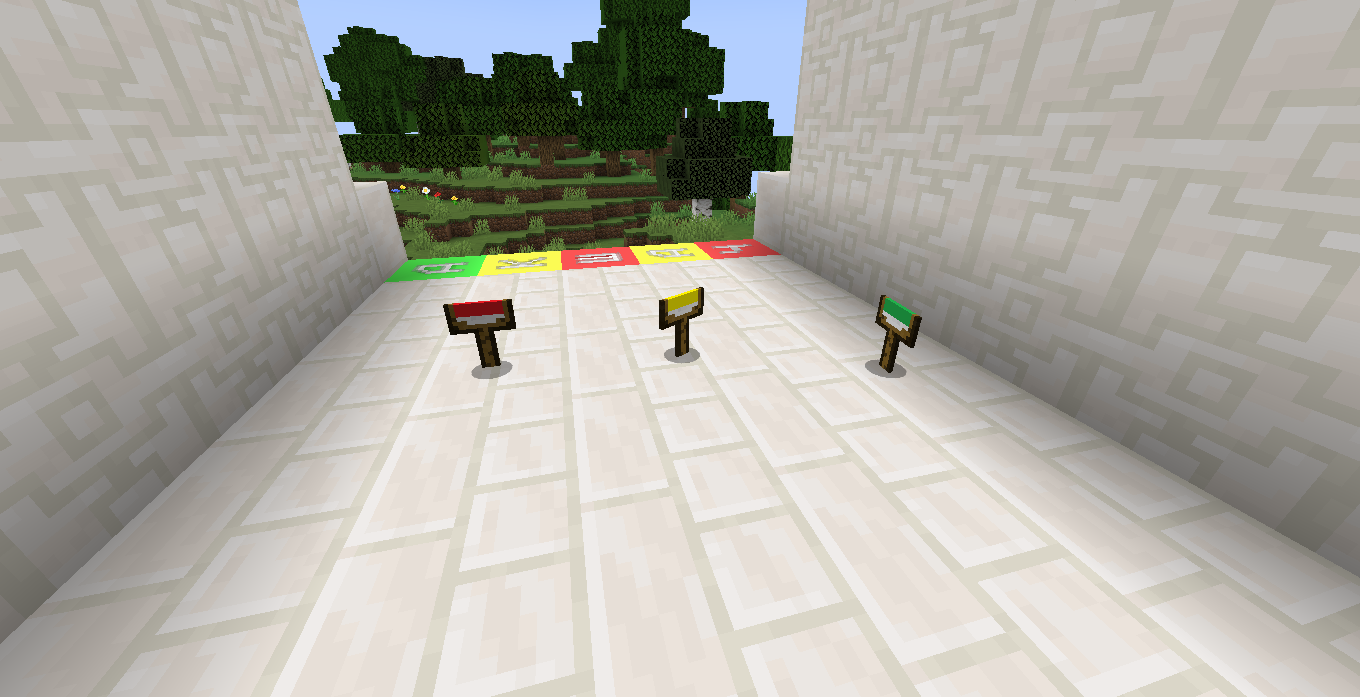
- 🎨 3 Colored brushes: Red, Yellow, and Green
- 🌍 Full Russian and English localization
How to Play
- Take letter blocks from the creative menu
- Place 5 blocks in a row (your guess)
- Have a secret word in mind
- Use brushes to get feedback:
- 🟢 Green brush → Correct letter, correct position
- 🟡 Yellow brush → Letter exists, wrong position
- 🔴 Red brush → Letter not in the word
Installation
- Install Minecraft Forge 1.20.1
- Download the
.jarfile - Place it in your
modsfolder - Launch Minecraft and enjoy!
Requirements
- Minecraft: 1.20.1
- Forge: 47.2.0 or higher
Screenshots
Gallery
-
 Brushes
 -
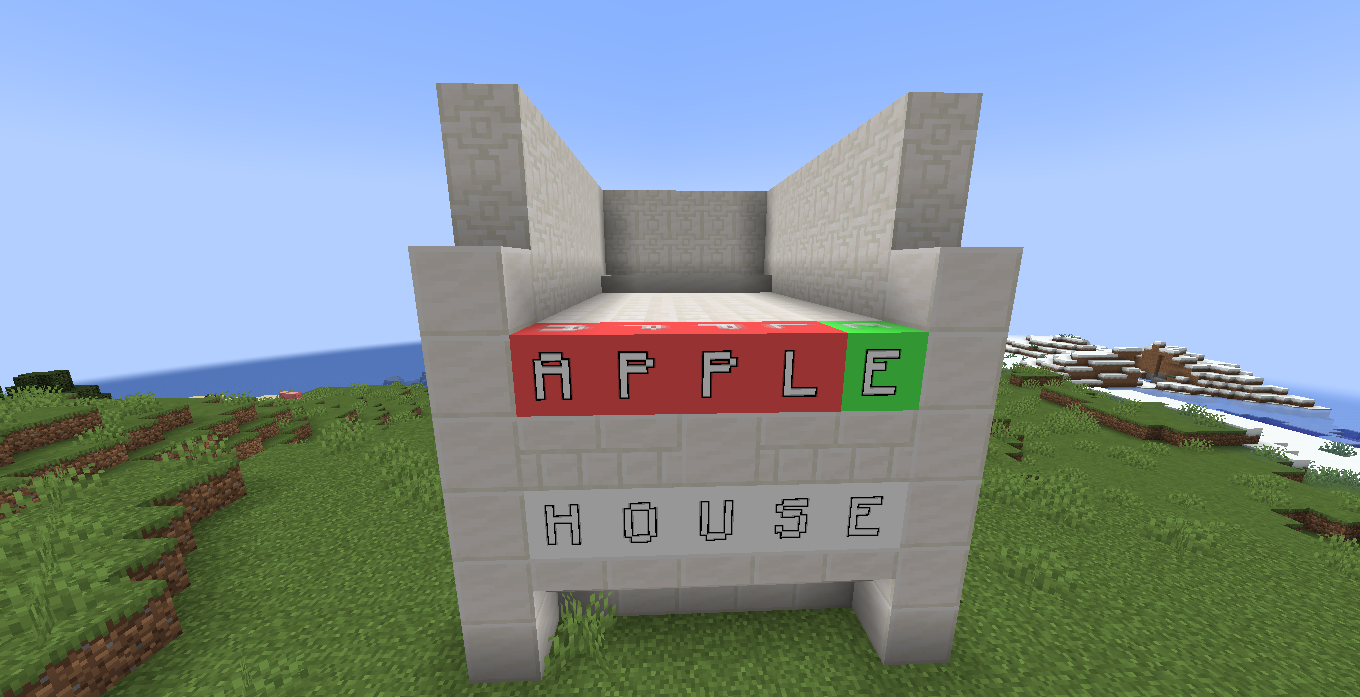 An example of a word in English
 -
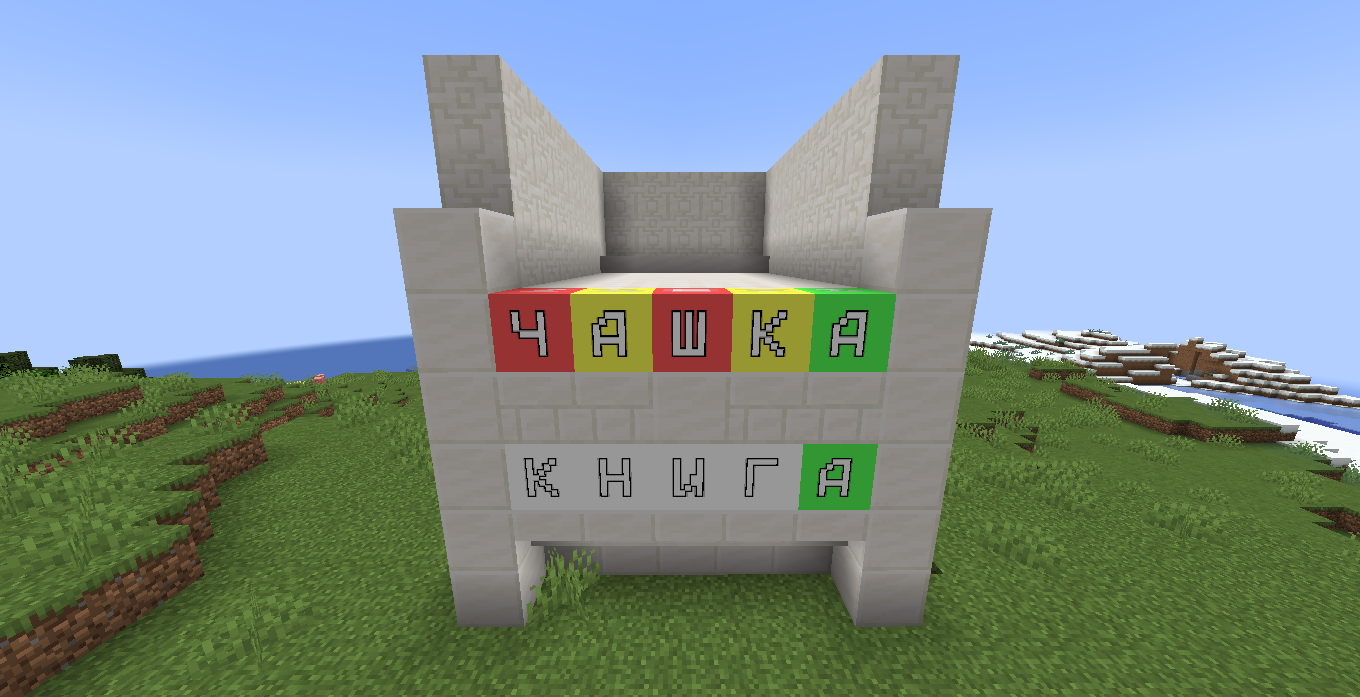 An example of a word in Russian
Versions
Files
Relations
Project Relations
More like this
Similar Mods
Suggestions use data such as tags, dependencies, dependents, descriptions, titles, and more to rank how much they overlap with this mod.
On ModDex
Community snapshot
By the numbers
Statistics

Want to reach Minecraft players?
We're looking for a server hosting partner to feature here and other parts of the site. Interested? Send us a message!
Get in touchGet it on
Available Platforms
On ModDex
Community snapshot
By the numbers