
World Repos
No reviews yet
This mod lets you browse and download worlds from repos
Features systems for better item storage and organization.
Fabric is a mod loader for versions 1.14+ of Minecraft, particularly popular for client side and optimization mods.
Community voices
Reviews
Click once to include, again to exclude, again to clear
No reviews yet. Be the first to review this project!
Get it on
Available Platforms
 Modrinth
Compatibility
Supported Environments
About
Project Details
For authors
Embed Badge
If you're the author of this project, you can embed a live badge anywhere that supports HTML or Markdown. It updates automatically whenever ratings change.
Use HTML for any page that supports it, or Markdown for README files and Markdown-based descriptions.
Identifiers
Platform IDs
About
Description
World Repos lets Minecraft players and map creators share and discover custom worlds effortlessly through simple online repositories.
How it works
Map creators upload a small JSON file plus zipped world files to their own website or hosting service. Players add the repository URL inside the mod, then browse, preview, and download the worlds directly from that repo — all without leaving Minecraft.

Features
-
Simple setup for creators: just upload a JSON manifest and zipped worlds to a web folder.
-
In-game interface for browsing and downloading worlds from any added or public repo.
-
A curated public repo list where creators can submit their repositories for easy discovery by everyone.
Perfect for map makers wanting to share, and players wanting fresh new worlds to explore.
FAQ
📁 How to make my own repository?
Create aMinecraftWorldRepo.json file with the following format:
{
  "info": {
    "name": "My Test World Repo",
    "description": "Testing The mod",
    "author": "TGGamesYT"
  },
  "worlds": [
    {
      "name": "My test world",
      "description": "Testing!",
      "location": "test_world.zip"
    }
  ]
}https://my.site/repo/MinecraftWorldRepo.json) and place your world zips in the same directory, relative to the JSON.🌐 How to add my repo to the public list?
Just create an issue at the GitHub issues page and tell us about your repo. If it fits, it’ll likely be added🎮 How to use a repository?
Launch Minecraft with the mod installed, open the mod's menu, click “Add New Repo”, paste the link to the repo (the location where the json is located, but without the json), and you’re good to go! You can now browse and download worlds directly from that repository.Screenshots
Gallery
-
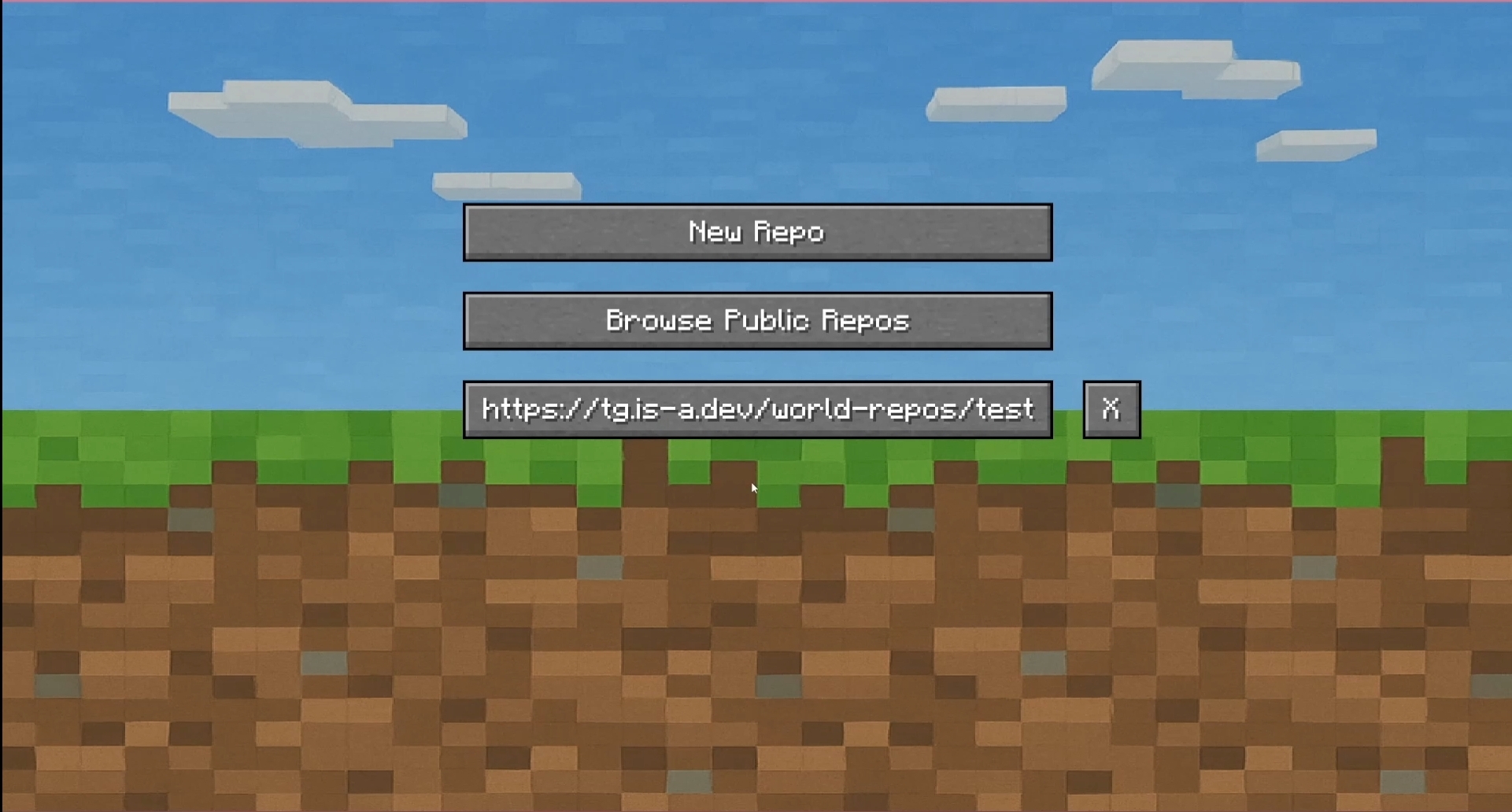 Repo Manager Menu
Versions
Files
Relations
Project Relations
More like this
Similar Mods
Suggestions use data such as tags, dependencies, dependents, descriptions, titles, and more to rank how much they overlap with this mod.
On ModDex
Community snapshot
By the numbers
Statistics

Want to reach Minecraft players?
We're looking for a server hosting partner to feature here and other parts of the site. Interested? Send us a message!
Get in touchGet it on
Available Platforms
On ModDex
Community snapshot
By the numbers