
Community listing page, reviews may not be monitored by the author.
WorldEdit CUI (Fabric)
 , zmlaoeu
- me4502Maintainer
,
- octylFractalMember
,
- wizjanyMember
,
- wizjany_
,
- zml2008Member
No reviews yet
A graphical user interface for WorldEdit.

Community voices
Reviews
No reviews yet. Be the first to review this project!
Get it on
Available Platforms
Compatibility
Supported Environments
Runs entirely on the client. Works on vanilla servers.
About
Project Details
For authors
Embed Badge
If you're the author of this project, you can embed a live badge anywhere that supports HTML or Markdown. It updates automatically whenever ratings change.
Use HTML for any page that supports it, or Markdown for README files and Markdown-based descriptions.
Identifiers
Platform IDs
About
Description
WorldEdit CUI is a graphical user interface for WorldEdit, designed to assist in using WorldEdit and prevent accidental errors.
This version of the mod is for Fabric, but a LiteLoader version is also available.
Come talk to us on our Discord for support!
How to install
- Download Fabric Loader
- (optional) Install Mod Menu to access the CUI configuration screen
- Install WorldEdit CUI into your mods folder
How to use
WorldEdit selections will be shown without any configuration necessary, but the colours used are configurable when Mod Menu is installed.
Please note that this is not WorldEdit, which allows you to make changes to your world, but WorldEditCUI, a frontend for WorldEdit. You must have WorldEdit installed on your server to do anything with this mod.
A graphical user interface for WorldEdit. WorldEditCUI is designed to assist in using WorldEdit, as well as preventing accidental errors.
Please note that this is not WorldEdit, which allows you to make changes to your world, but WorldEditCUI, a frontend for WorldEdit. You must have WorldEdit installed on your server.
Installation
WorldEdit selections will be shown without any configuration necessary, but the colours used are configurable when Mod Menu is installed.
Misc
You can subscribe to updates either by watching this project, or by joining the EngineHub Discord guild. Support questions
belong in the #worldedit-cui channel.
Credits
- Mumfrey, yetanotherx, mikroskeem, and zml for maintaining WorldEditCUI previously
- lahwran - Creator of the original WorldEdit CUI!
- sk89q for writing the WorldEdit plugin!
- Mojang - for making such an awesome game!
Legal stuff
The code for WorldEditCUI (and therefore the compiled mod) is licensed under the Eclipse Public License v1.
Screenshots
Gallery
-
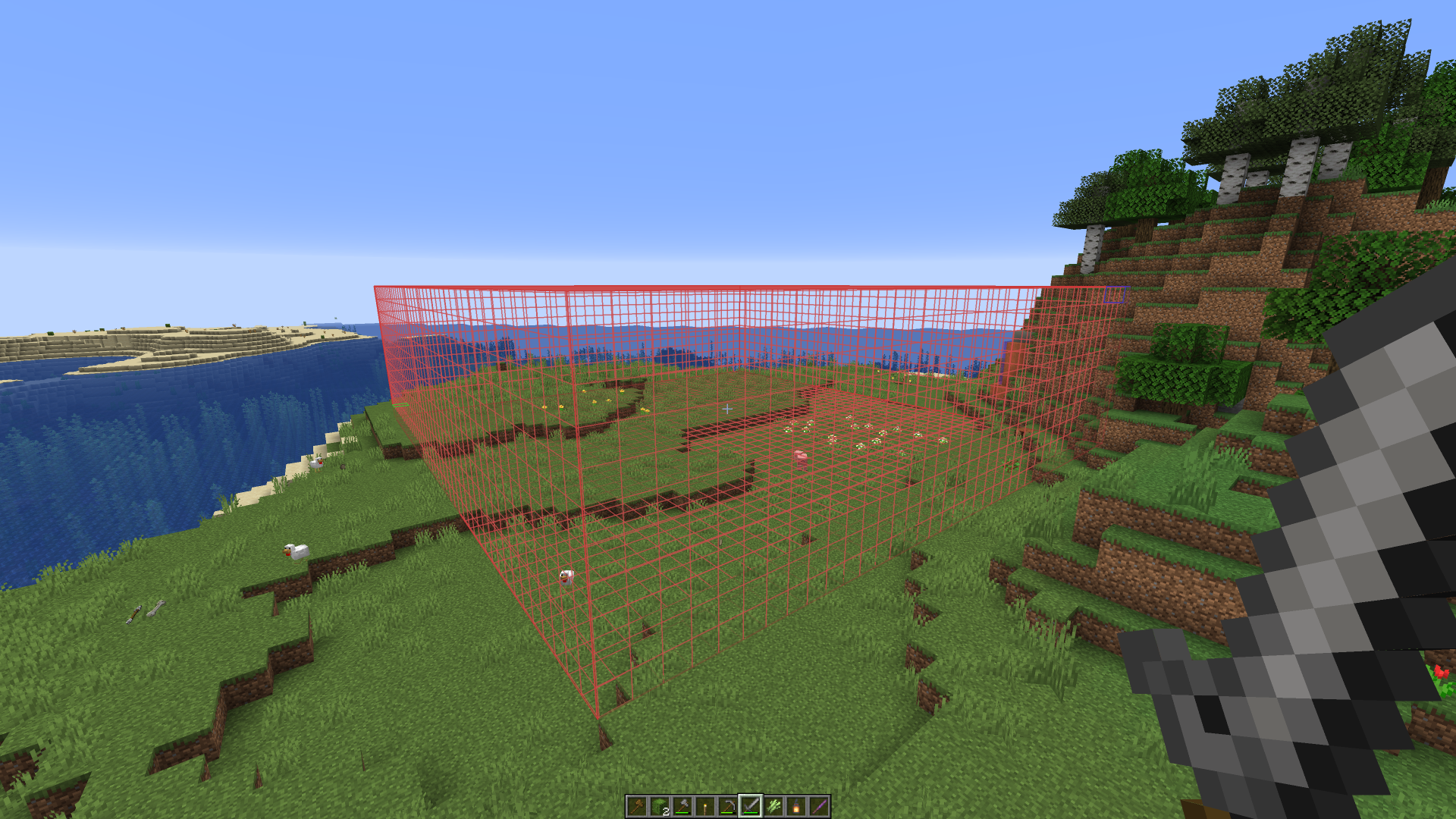 View your selections!
 -
 Polyhedral selections supported too!
 -
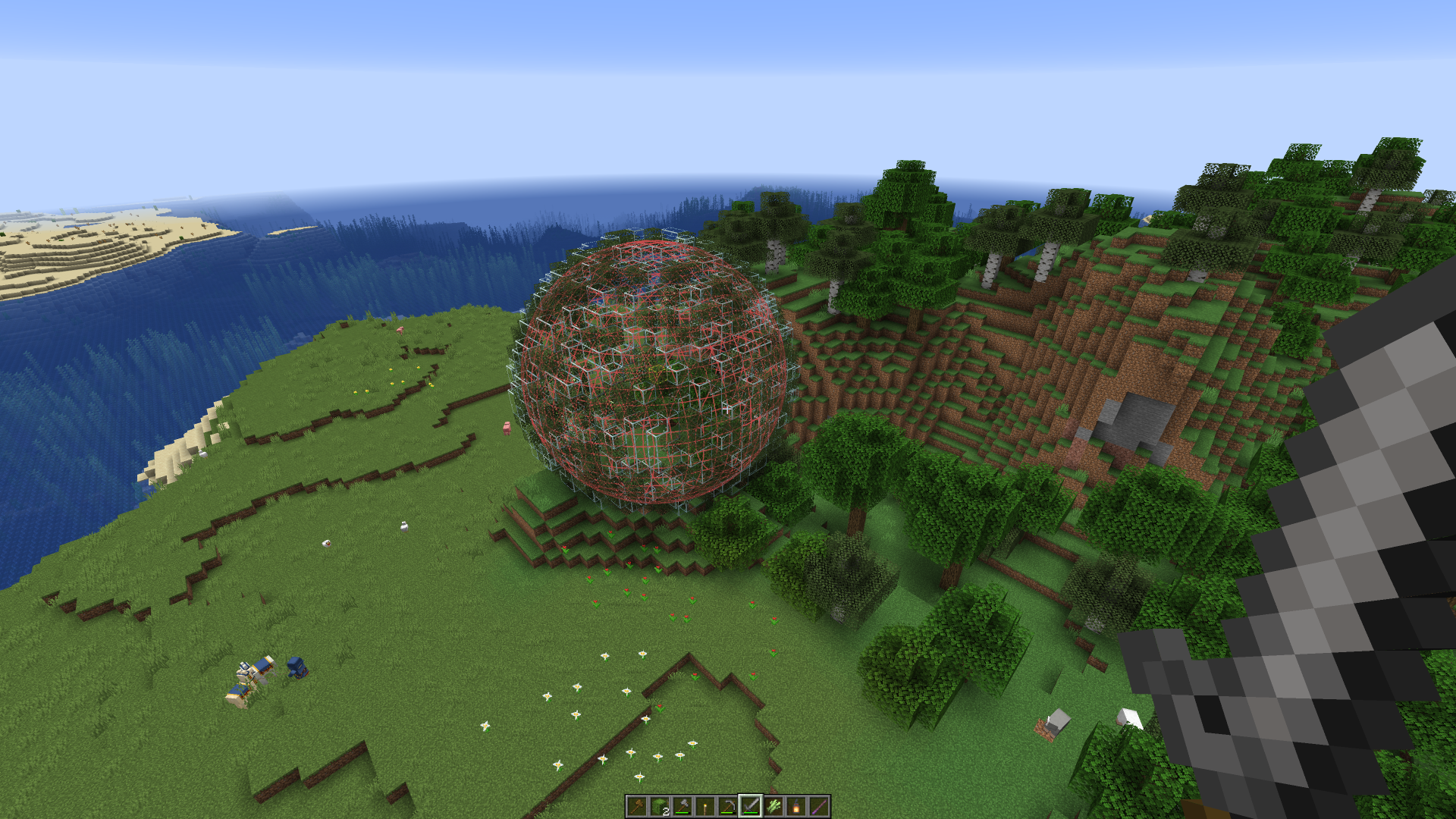 Spherical selections supported
 -
 Integrates with other serverside region providers (shown: GriefDefender)
 -
 Multiple selections supported (shown: GriefDefender)
Versions
Files
Relations
Project Relations
More like this
Similar Mods
Suggestions use data such as tags, dependencies, dependents, descriptions, titles, and more to rank how much they overlap with this mod.
On ModDex
Community snapshot
By the numbers
Statistics
 (opens in a new tab)
Get it on
Available Platforms
On ModDex
Community snapshot
By the numbers